K SOLUTION LLC
LeLink Security Customer Service

- LeLink Security Customer Service
- LeLink Security App Comments & Reviews (2026)
- LeLink Security iPhone Images
What is supported
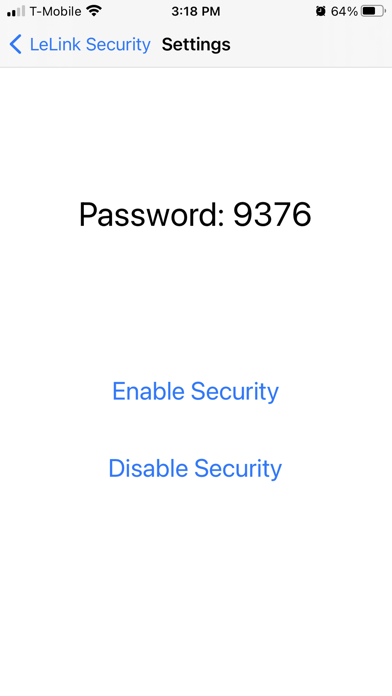
The app can enable/disable the password protection of the LeLink OBDII adapter manufactured after 2021. When the protection is enabled, user will be asked to enter pairing password to use LeLink's OBDII functions.
How to use
You can only configure LeLink within 4 minutes after it powers on. Please unplug and replug to power-cycle the LeLink if it has been on for more than 4 minutes.
The app will scan and display a list of the LeLink devices. Click the item to configure.
The app does not need the pairing password. If you are asked to enter password, you may choose cancel to skip.
Please record the pairing password if you enable password protection. Without correct password the LeLink will not perform OBDII functions.
After enable/disable the password protection, you should power-cycle the LeLink to make the change effective.
If you need help
Online FAQ page at http://www.outdoor-apps.com/enginelink.html
Send us email at [email protected]
LeLink Security App Comments & Reviews
LeLink Security Positive Reviews
Free International Money Transfer 💸Enjoy high maximum transfers into more than 20 currencies while saving up to 90% over local banks! The cheap, fast way to send money abroad. Free transfer up to 500 USD!Version: 1.0
What do you think LeLink Security ios app? Can you share your thoughts and app experiences with other peoples?
Please wait! Facebook comments loading...