Savy Soda Pty Ltd
TextEditor : Rich Text Editor Customer Service

- TextEditor : Rich Text Editor Customer Service
- TextEditor : Rich Text Editor App Comments & Reviews (2026)
- TextEditor : Rich Text Editor iPhone Images
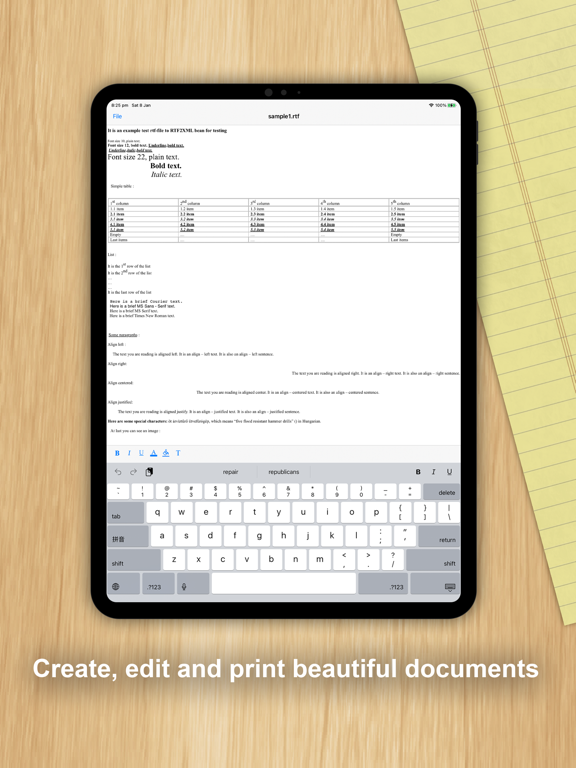
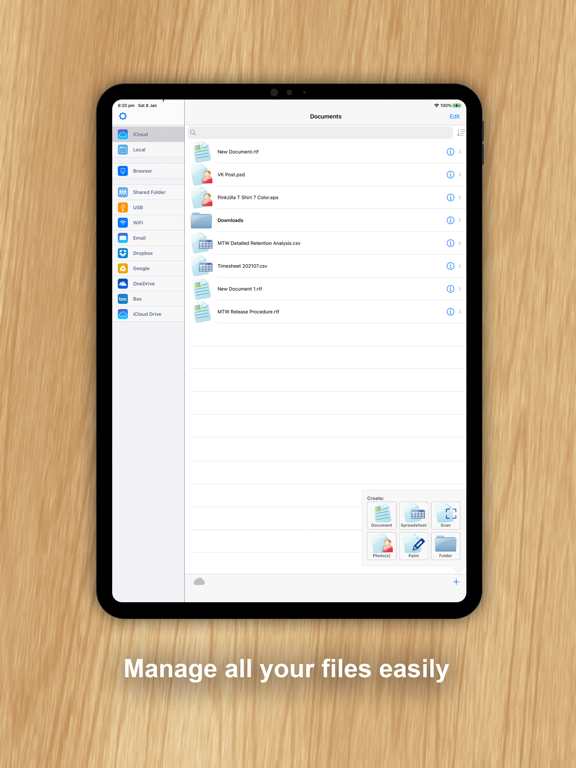
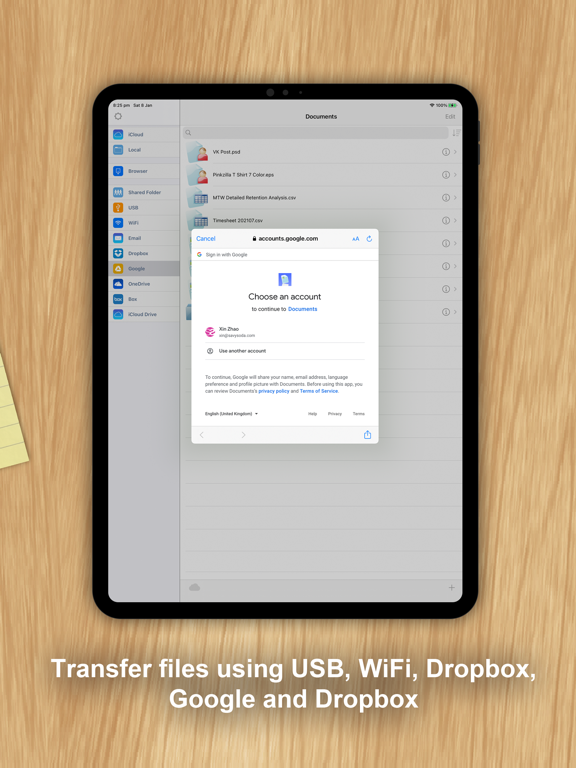
- TextEditor : Rich Text Editor iPad Images
Text Editor By SavySoda™
- Take your notes anywhere -
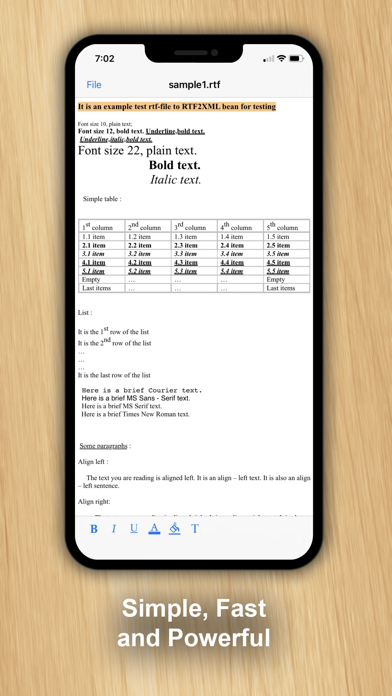
A simple rich text editor with Google Documents synchronization and Portrait / Landscape mode.
Edit different formats of documents:
- TXT, RTF, RTFD, RTA, HTML
View many types of documents including:
- PDF
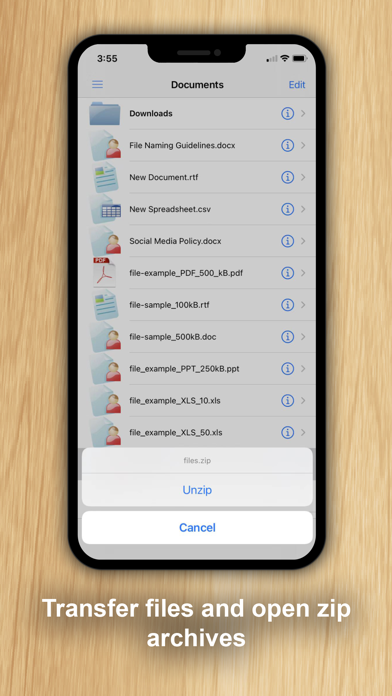
- DOC, DOCX, MORE
FEATURES
- Edit text in landscape and portrait mode
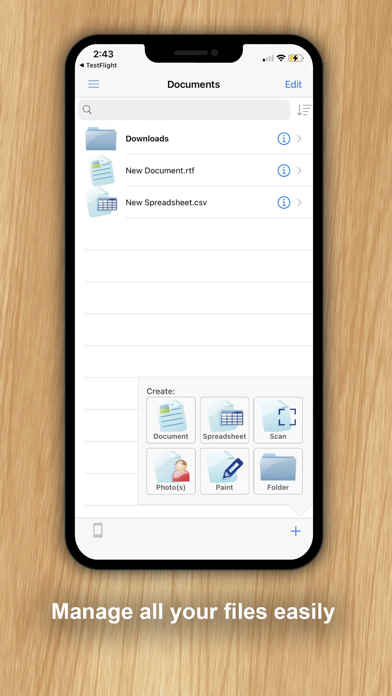
- Save multiple files
- Browse saved files
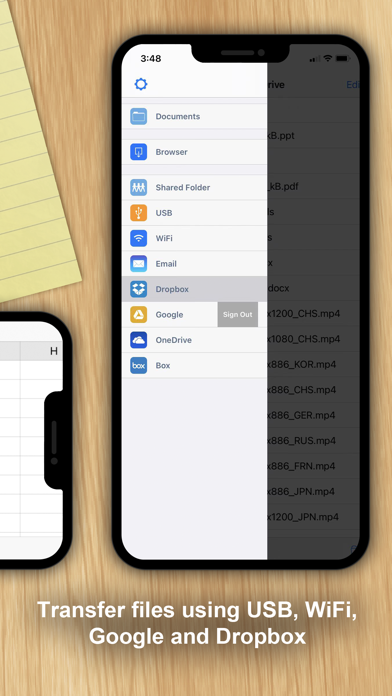
- Upload / Download from google docs
- Beautiful UI
- Free Updates
iPhone Apps:
http://www.savysoda.com
TextEditor : Rich Text Editor App Comments & Reviews
TextEditor : Rich Text Editor Positive Reviews
I finally found a word processor with everything I need.For years, now, I have had to use Notes to create, save and print my files. I’m a veteran journalist, and am always writing about something. Lately, the Lock icon is missing, so I can’t protect my work. I have tried to find the right desktop publisher or word processor for iPad, and have come up empty. On my computer I use Apache Open Office. I refuse to use Microsoft apps, anymore, because, after years of using Publisher, Microsoft said I had to purchase an expensive subscription to its version of Office, which has apps I would never use. Text Editor makes it so easy to create documents that can be read anywhere, because .rtf is now almost universally used. It has a nice, readable menu with several options I’ve never seen in any other similar app. You can choose the browser with which you are most comfortable, and several other options that really make working with documents a lot easier. I have one complaint. There is a tab for USB. It uses iTunes to record your hard work. I opened iTunes and attempted to follow the instructions under USB. The telephone you must click in the upper left corner wasn’t there. Oh, well. I don’t need it that badly, and the app works great without it. I give Text Editor 5 stars easily because it has made my life easier..Version: 15
Asked aFor Rating Before UsingInstalled and did initial setup of preferences. Before making first data entry…a quick note text document… this app pops up asking for a rating, with no way to opt out, until later. How can people rate anything without experiencing it first? HELLO!?! Give us a chance to see if we like the product and if it actually fits our needs and works well for us be for asking for a rating and review…about a week would be long enough, I’d think. Because of the request for a rating & review before making first entry after setting preferences, I give a 2 star rating, out or 4. I never give top rating (5 or 10 star) for anything man-made…no one and nothing man-made rates top rating as they are never perfect. I may change rating and update my review after using app a while, if I don’t dump it due to unresolvable issues. Not expecting any, but that remains to be seen. Time will tell..Version: 15
Okay but font selection needs a little workThe font selection list comes up blank on the first tap. You need to exit and tap again in order to see the font list - and btw, the font list does not show previews of the fonts, which would be nice. Also the font selection abruptly closes as soon as you select the font - you have to tap again in order to select the font size. Otherwise the app seems like a decent little on the go word processor, and that was just what I wanted. I look forward to many months of not having it suddenly disappear or lock me out with a paywall!.Version: 15
Does a good jobDoes a good job. Five stars despite one of the format functions not working. (Please fix this; I think it is the text size function.) Overall, just right. Google's editor will not export .docx for me despite claims otherwise. Microsoft wants me to buy 365. No. Evernote only expotts LINKs. Effectively, your information becomes trapped there. Others have problems also. This seems the best option. Fix the text size problem. ["Font selection" mentioned by others.] A small one time charge ($3.99) would be reasonable IF you could share to other apps (Evernote, Google Docs, Apple Notes, Notion, Highlights, Notability, Liquid text, Simplenote, etc.) In .rtf, .docx, and PDF (as appropriate to the recipient app). Email / text (Signal? Telegram?) would be nice also. If you charge the $3.99, consider insert of photos / video from "photos" app. BUT, overall, a good job!.Version: 15
Better than iOS TextEditSomehow I deleted my iOS TextEdit, and picked this up to replace it. Lucky stroke. A much more sophisticated editor, Still learning its feature set. What I have always wanted still doesn’t seem to exist… A draft writing tool so intuitive that you don’t have to learn how to mark, select, use it features. I still get frustrated on my iPad touching the screen and having various things happen unexpectedly. Creative writing is a very simple process requiring very few main tools. My favorite of all time is still WriteNow, Which I miss. I never went to the web, never use the help file, never needed to ask anyone else a question. It was so simple, so useful, and so easy to learn and use. The only thing a TextEditor is for is getting the writing on the pageAnd performing basic editing functions… Deleting, moving, pasting, formatting. A dozen icons on the bottom of the page well organized, each with a Fly over description Would be the best rating tool on the planet..Version: 11.5
Just a simple, free, compliant rich text editor — all I need to support video content creation.I was prompted to write this review before I had really begun to use this editor since the last time I used it several months ago but want to get them off my back so I can use it without being molested to write a review. I know I’ve used it before because it was already installed but don’t remember how I felt about it. If it allows me to create standards-compliant rich text files on my iPad without an additional subscription fee, as I fully expect it to do, then it’s exactly what I need to support video content creation. I use it for storyboards and to store information about images — title, subject, where I got it or how I created it, etc. For these purposes, Word files would be overkill and hugely wasteful..Version: 15
After downloading a dozen different ones this is my favorite!This is a beautiful example of what a word processor can be. I’ve tried a bunch and this one fits the bill. It’s clean, well thought out and easy to to use. Auto correct and everything I need. Ive got an older iPad and many big name apps said I needed the latest operating system to use their app. I can’t use the latest updates on my old IPad and this app doesn’t require it! Also other apps were harder to learn. This one is intuitive and a perfect companion for writing my stories with. I write a column for a college newspaper and love using his app on a regular basis. Thank you folks for providing such a great app!.Version: 11.5
Not perfect but recommendedThe text editor is fantastic but there are a few minor glitches that they need to work out. When I go to switch fonts sometimes the menu comes up “blank” and I’m stabbing in the dark. Depending on the phone you’re using dictation works great but for iOS you need to be online for it to work at all. RTF file saving works fine with a little practice and you can even export the file to your computer or email it. One nice feature that I’ve found is that it allows you to import pictures from your phone or from the Internet.Version: 15
Great text editor, But no search and replaceSupports plain text and rich text format (RTF); If you want more look for "documents" app by the same company. It has built-in access to iOS file and you can also add direct connections to various storage solutions. My one wish would be the ability to do a search and replace. However, the product is designed to be basic. With RTF you can do some simple Markup. You always have the option of converting back to plain text. I had a great editor, but it stopped working with iOS 13. I'm glad I found this tool..Version: 15
Mostly Does What I NeedFor just making a simple document, it works. I allows selective bold, italic and underline and the use of folders. I could paste in a document from Pages and it kept the tabs and bolds as long as I did not use the T button to change font size on a portion that had tabs... The one feature I think needs improvement is the change of font size. The T button allows a change of font size, but it converts it to text mode that loses any tab spacing you put in on a document you pasted in. I could not get any response from the underlineA button or the paint bucket button..Version: 11
Great yet Simplistic ToolGreat for typing, etc. Very simple tool, very few bells and whistles but gets the job done for free. It would be nice if the developers added a few more of some simple type and formatting tools that you might find in Pages. The main reason I'm not using Pages on this iPad is because the latest version will no longer work on this older iPad. This app allows this iPad to still be useful for typing while sitting on the couch. Thank you guys for keeping this iPad somewhat useful for a couple more years..Version: 11.5
Forced to reviewWhile attempting to save my very first document, I was halted by an impassable requirement to answer the question of whether or not I “loved” the app. Kindly soul that I am I answered “yes”, which has apparently been interpreted as a 5-star review. Please note that I have no idea if this app provides even the very basic functionality that I had hoped for (a replacement for the mysteriously unavailable ‘notepad’ app that used to be part of the basic package on any pc or iPad). Good luck to all who seek this simple text storage solution!.Version: 15
Text Editor vs NotesThis Text Editor app is much better than Notes. Many fonts, color and sizing all on the fly. It’s not MS Word, but can still crank out a decent note or email file. Importing, sharing and printing files all easily done. The only feature I did miss was the File Locking that was in Notes. This is easily 5 stars, but I just upgraded Their Documents app. Just started to set it up when I was hijacked to do a review NOW? So it’s 3 stars until I can use it for importing, editing and saving at least 3 or 4 files. If anything like your older app, great! I will be happy to update my review once I’ve had an opportunity to use the app. Thanks..Version: 11.5
Lovely app, does everything you need plus more!!!I love this app. I was just brousing th app store and i happened to come across it. Very impressed, no need to purchase the expensive ones when this app does everything you need and then more. As an individual with multiple disabilities, i rely on adaptive technology in order to carry out my daily work assignments. This works well with voiceover on a iphone. Thanks for all you do!.Version: 15
Perfect editor for text files on iPhone, 1 small bugIntuitive and works great. Love it. Great job and thank you for making it free. Recognized all file sharing apps installed on iPhone. 2 file sharing apps are named ‘drive’, 1 from synology and the other from google. Looks like developer did not anticipate that and only shows for me and it’s drive from synology and not google, so I can’t access google drive..Version: 15
Ease of UseMany times, I type a note or message in Text Editor, then transfer that writing into a cellphone message or email. Permanent notes in Text Editor are useful in my photo files as reminders of places, dates and related details. I find Text Editor of value for copy and paste of written information that can easily be read by other people without the need to transfer from one document application to another..Version: 11.5
Simple, intuitive & shareableI’m a freelance writer for several magazines and was looking for a simple app I could use on multiple devices so that I can add content to my stories wherever I am. “Notes” app on my iPhone allows me to do that, but doesn’t allow me to adjust the font size (which is becoming increasing more important as my eyes age). This app does everything I need, is free and saves to the cloud so that I can access it on-the-go. I highly recommend it..Version: 11.5
Came for a text editor and got so much more.Found this while in legitimate search of a text editor for my family’s iPad. I am very glad to have found one with so many features (one, in particular, comes to the forefront of the mind) that I didn’t know that I needed. Thank you, developer, for such a great product. Keep up the great work..Version: 15
Easy to read text without .txt extensionI was looking for a way to read files that are text but use a different extension than txt, such as .java, .pde, and .bash files. This program does the trick: 1. copy your attachment from email to it, 2. change the extension to .txt I have used Dropbox to do the same thing, but I don't always want my attachments to go to the cloud. This program lets me keep my files local..Version: 8.1
It worksIt is a simple app that saves notes on your phone. As such, it is stable and works well. If you want a more full-featured note app, there are plenty. But for simple notes of things you want to jot down, I really like this app. The only complaint I have is how hard it is to leave a review. It makes you leave a nickname, and it took too long to find one that was not taken..Version: 11.5
Simple, Fast & it Just WorksIt is fast & very easy to use. It has everything you need to make/write. It is also small as in size wise and it is smooth and it works very fast, with no negative issues. It has everything that I want in a word processor, but it is missing one modern cosmetic and that is Dark Mode..Version: 15
Does what I wantThis app creates nice rtf files. You can use underline, italic, bold, color, and font options. What makes this app better than most is that you can selective apply most options to a single word. It should be improved to allow font change to individual words. Because there are no ads, I upgraded. This review is not for the upgrade..Version: 11
I’ve only just begunI’ve only just begun using this app and already we’re working together perfectly. So simple, yet with so many features. I wanted an app that would help me store all documents locally on my iPad and then easily transfer them to MacBook and phone without any cables, and this app does it. I love it. And with all of these great reviews, why wouldn’t you?.Version: 11.5
So Far, So Good...A lot of the time I find myself working from my iPad to take care of job hunting, sending out resumes, personal correspondence, and the like, without the use of either a laptop or full blown desktop. This is actually a very handy little word processing utility for those occasions and I can attach my files from the iCloud. I have to give it a thumbs up....Version: 8.1
Just works so well!So many of these editors try to do too much yet... they live on an iPhone but refuse to use iCloud drive... what’s that about!?! Well I don’t care as this app does do iCloud drive and does it well! Simple interface great for a small iPhone with limited screen space to begin with... Very happy here!!!.Version: 11.5
RecommendationI came upon this app while looking for something available for my iPad that would allow me the flexibility to write letters and stories that I could both store and print from my device. This app hit the mark well. I highly recommend it!.Version: 11.5
Basic but Reliable and SimpleBecause I have different generations of Apple devices I have a hard time finding apps that will run on my old Mac mini, iPad Air and ancient MacBook interchangeably. But this app does it reliably and seamlessly. I an start writing on my Mini and send the file to myself to finish on the iPad (not all my devices have Cloud access). What a blessing!.Version: 8.1
Clean, simple and effectiveI was looking for a simple, easy to use and straightforward text editor for my iPad and this app fits the bill to a tee. The other ‘writing’ apps are just useless mechanisms to take your money. This app is organized and has the export features you might want to sync with other apps or devices. A+.Version: 11.5
Better than apple notepadI was looking for something to decrease the text size for a letter I was writing and copying to email. notepad made the text size too large. This works perfectly, is easy to use and it’s free. I highly recommend!.Version: 15
Documents disappearing disappointinglyA was making a document and I literally SAVED it, and right when I left it, it disappeared in an instant! But anyways, I love the extremely large variety of fonts compared to other apps like Just Write, but it’s a bit difficult to switch between fonts. I personally like Arial more than Helvetica for no reason I RAN OUT OF TIME NOW.Version: 15
ExcellentExcellent Text Editor Application . Easily created .txt files , or .rtf files . It is able to save the files locally , or upload to DropBox , iCloud , or GoogleDrive cloud services . Much better than iPhone Notes , which has a hard time synching with Cloud storage other than Apple iCloud ..Version: 11
Finally an editor app that’s useableAfter looking at and trying every word processor app and found most needed a professional to use. Finally I found TextEditor and am able to write stories about my life for my grandchildren. Thanks!.Version: 15
Love text editor!!!As a new writer, and a new IPad, I have found a super easy program to write and edit my work. Short learning curve. More time doing what I love instead of trying to figure out how to navigate the program!.Version: 15
Simple-Uncomplicated & Very UsefulTremendous app. Simple and intuitive text editor. Works like I think without confusing protocols. Save your work in a straight forward manner wherever it is convenient for you. Thank you!.Version: 15
Love text edit.!I love text edit. It is so easy to navigate. I bought a knew desktop Mac recently and was so happy to see that I could still use this app! I will continue to use it for all my writings! It’s the best!.Version: 11.5
Easy to use...does the job!I like the way it gives me the ability to simply type and save the update. I know how to work with Word. This gives me all the major functions of Word without all bells and whistles i rarely use. Very happy. Exactly what I wanted!.Version: 11.5
DisappointingLooks like they don't let you highlight words without a subscription so all these word processors have you over a barrell when I highlight one word, it creates a red rectangle that's so dark it blots out the whole word instead of highlighting it...... I sure expect more. I think it's their way of forcing you to purchase.Version: 11.5
First time userI have all hopeful expectations that this will be an excellent app! I’m going to try to use it today for the very first time and I will write another review once I am done! This a Fantastic app and so easy to use.Version: 15
Editor for iPhoneBeen wanting an editor for iPhone to do simple updates to certain things. Text editor does a great job and is easy to use.Version: 15
Handy and quickThis doc app is genuinely helpful because it is handy and quick without excessive add-ons. So it’s able to cut to the chase of a neat, completed document or simple notes. Editing is also a snap. Great app..Version: 15
Great addition to my iPad mini.This App fills the gap left by iPad in that most of the time we need a simple straight forward Text App that can later be forwarded to a full blown publishing system for completion, this App does that..... easily..Version: 15
Text EditorVery good reliable text editor..Version: 15
Méthode KISSMinimaliste, simple et efficace ! Mieux, pas de publicité et gratuit ! Un chausson avec ça ?.Version: 15
Good alternative to MS WordThe free version offers integration with text, Dropbox (and other cloud file systems), and email. Nice rich text editing features: font selection (including colours and attributes), paragraph options and more, but no sharing via WhatsApp. Overall, pretty sweet for free though have yet to figure out how to send saved .rtf docs as attachments..Version: 11.5
Simple and it worksI downloaded TextEditor to replace Pages on IPad, which is full of problems, including shutting down when I hit the spacebar. Text editor is simple, has no extra features and takes up little space on my hard drive. Thank you..Version: 15
Very usefulGood basic word processor.Version: 15
Good appEnjoyed using.Version: 15
Works right out of the boxEasy and quick to use.Version: 15
Very easy to use little word possessor!Great little word processor I was up and running within minutes..Version: 15
Great appVery flexible.Version: 15
Application très utileMerci.Version: 15
Easy and quickEasy to use, adequate but nifty features. Price can’t be beat!.Version: 15
Great appGreat.Version: 15
Use on MacBut looking forward to learning on iPad.Version: 15
Too early for reviewIt loads.Version: 11.5
Super helpfulThis App is super helpful with simple text and graphics jobs,a good choice of fonts and font sizes, I will never be without it !.Version: 11.5
Text EditorAmazing iPhone text editor I absolutely love it... Can create new documents anytime Full set of editing tools Copy out parts of a text file to a new file Can saveas with a new name Copy and paste works verry well Can save with new filename and preserve original file ie create another file And lots lots more....Version: 11.5
WORKS VERY WELL...So far so good... with iPad 6th generation! Clean and simple! Thanks!.Version: 11.5
LUV THE APP!Impressed with how user friendly and simple it was to use! Would recommend this app to anyone who writes and needs to get something on paper asap!.Version: 11.5
Works well, with an unknown Upgrade functionWorks well for now. What is the Upgrade option for? Clicking it opened the App Store, with a blank screen. Deduct 1 star for this..Version: 8.1
I LOVE this app!!!Finally a writing app that makes it easy to author, organize and share. My writing workflow is super streamlined now!.Version: 11
Restores a much used feature of iOSSince the preinstalled Notes app now allows rich text ~ which is great ~ I can now no longer use it as a plain text editor, most useful for removing all formatting from copied text (web, email etc.). Works seamlessly, nice and clean. Thank you 😊.Version: 11
Easy to save textSaw some interesting info online. Highlighted and copied text to clipboard and then pasted it into a document. Exported doc as PDF, opened in iBook. Very useful!.Version: 11
Nice app, easy to use!Was pleased to find that I was able to just open it and do what I needed to do without any fuss. Thanks!.Version: 8.1
Useful for converting rich text to plainThe subject says it all..Version: 8.1
AwesomeI've been looking for an app like this for a while. I needed offline and online editing and this program does both. The UI needs some work, it looks great but needs some navigation work. There should be an easy way to sync all unsaved docs to google. some basic formatting would be nice too..Version: 0
Great appOpened rtfd's right from drop box where others totally refused. Super happy that I can read these documents again..Version: 8.1
Simple and needs a little bit improvementShould have edit and browse modes Don't like the deleting sign before each file name. Where is the browsing iPhone file system?.Version: 0
Free International Money Transfer 💸Enjoy high maximum transfers into more than 20 currencies while saving up to 90% over local banks! The cheap, fast way to send money abroad. Free transfer up to 500 USD!Version: 15