Savy Soda Pty Ltd
Documents (Office Docs) Customer Service

- Documents (Office Docs) Customer Service
- Documents (Office Docs) App Comments & Reviews (2026)
- Documents (Office Docs) iPhone Images
- Documents (Office Docs) iPad Images
Documents
by SavySoda™
••• Reached #1 overall BUSINESS APP •••
••• on App Store in OVER 40 COUNTRIES. •••
••• Over 30 Million Users on iOS •••
••• AS FEATURED BY APPLE, USA TODAY •••
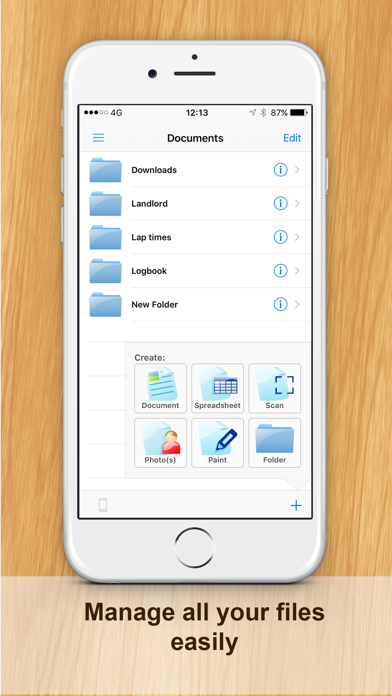
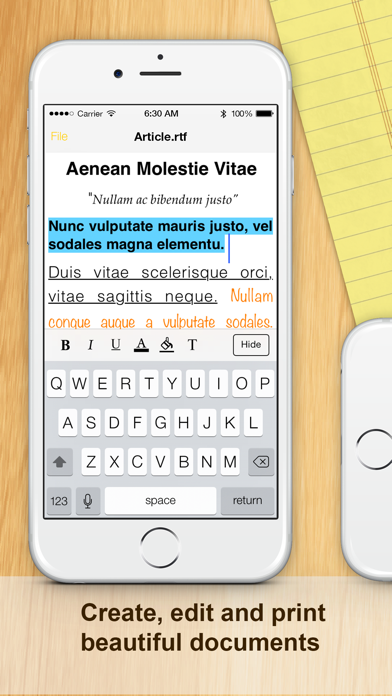
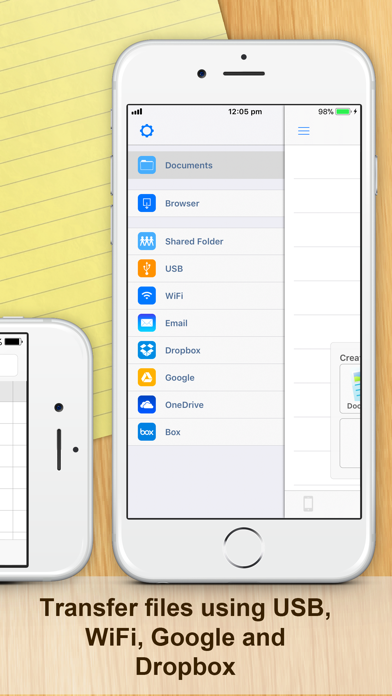
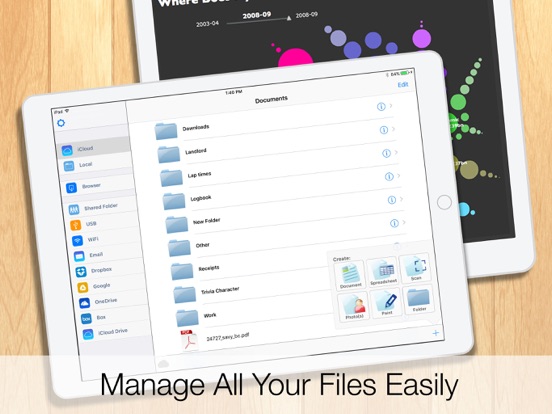
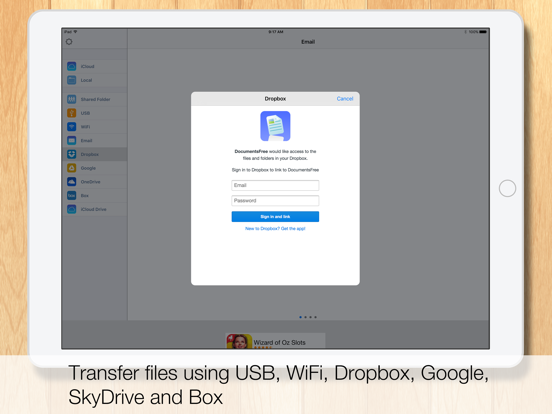
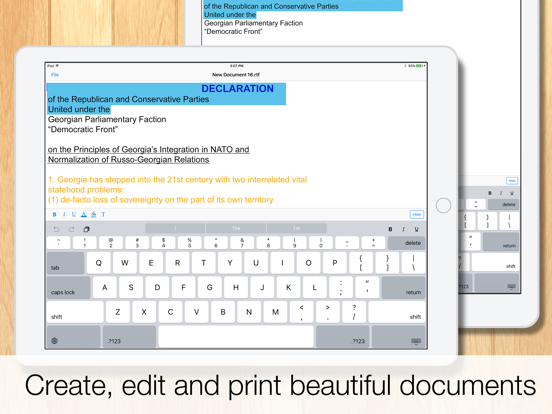
iPhone's and iPad's lightweight mobile office suite. This essential application allows you to edit and manage spreadsheet & rich text files on your iPhone. Works both online and offline. You can also synchronize files to your Google Drive, Dropbox, Box, and SkyDrive accounts and open files on your PC or Mac.
Works with Dropbox™
Works with Google Drive™
Works with Microsoft OneDrive™
Files can be opened using Microsoft Word and Excel, Open Office, Numbers, and all major office suites.
INCLUDES
• iSpreadsheet (a premier spreadsheet app)
• Text Editor (to edit basic text)
• iPhone file browser (to view iPhone files)
• Google Sync (to upload/download documents)
• Dropbox Integration
FEATURES
• Smooth User Interface
• Portrait & Landscape mode
• Full support for .txt and .csv files
• Limited support for .doc, .docx, .xls, .xlsx files from Google Docs
• Google upload & download
• Files can be opened in Microsoft Excel, Word, Apple Numbers, TextEdit, Notepad, Openoffice & all leading office suites.
• Works anywhere online or offline.
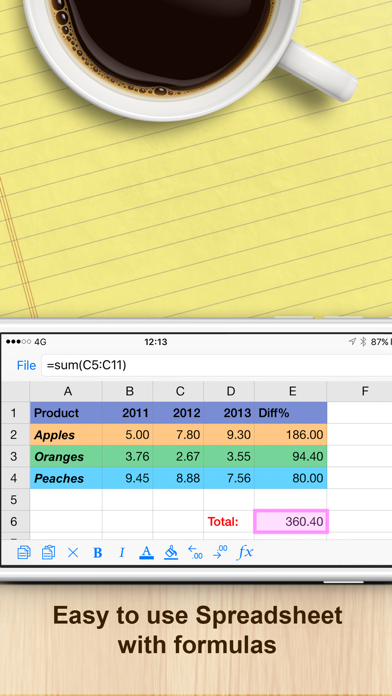
• Spreadsheet supports formulas, formatting, resizing, and all basic spreadsheet features.
• Beautiful UI.
SOME USES
• Lightweight office work on the run
• Backup of documents
• Quick access to spreadsheets, notes, memos
• Basic word processing
• Pocket Spreadsheet
The Documents suite of apps is the ORIGINAL and most popular mobile office and file management solution for the iPhone and iPod. Over 30 million users choose Documents for their everyday business and productivity use. And it's now available for everyone to use for free. There is also an option to upgrade.
iPhone Business Apps:
http://www.savysoda.com
Documents (Office Docs) App Comments & Reviews
Documents (Office Docs) Positive Reviews
An app that has aged wellThis app was initially released in the era of the iPhone, the phone that made you feel dumb not to have because finally...a smartphone that works and looks like a PC. In the early days, there weren’t a ton of apps. I wanted to be able to write parts of my papers for school and then I could easily export my papers as .doc .ppt .xls, which kept formatting and allowed me to move directly from iPhone to MSOffice. All we had during early iOS was a notes app that was just TextEdit and then you could email text. Couldn’t even send photos via text! You had to call AT&T and convince them to click on some random box they’re not supposed to click! But this era of iPhone and Apps were aligned with the iPod. A place to disconnect, dissolve into your own space and finally people could have their records on the go without some lame radio DJ and ads, and anything your could dream of having In your pocket. If I want to write a letter, update a customers invoice, or anything worth keeping – you know, not just a note...then my go to has been this app for personal & professional work. Google is the obvious choice any group projects but I like writing in the app because I don’t have to worry about permissions and accidentally sharing stuff. Sometimes I want to write things and never see them again....The modern trend with tech is to never disconnect. This app will remain on my iPhone, and it’s one of the 15-20 apps the will go on my final iPod – the end of privacy and ability to unplug, just for a bit... & the end of piece and quiet. Maybe it’s just a relic to some but this app has been like a goddess to me. Thanks for your work over the years devs!.Version: 15.0
Suggestions on improvementsHi, I appreciate this App, and like it very much. I have the following suggestions on improvements for your consideration: (1) Suggest to add a function: when tap the top of an opened document (maybe the document name), it will automatically bring the document to the bottom line. If would be helpful when the document is really long. (2) Suggest to NOT alway popping out a dialogue box to choose “save” or “not save” when closing a document, IF the document was only opened and viewed without any revisions or updates. The save/not save options should be only given when a document was modified. (3) Suggest to add a function of “bullet” for editing the content of a document. Thanks!.Version: 12.1
Proud to be a supporter of this excellent appWhen they asked me to offer a review I said ABSOLUTELY! Tell the truth about my experience, that’s a no brainer. Truth is this app finally allows me a new beginning on every note that meets my experience this app is able to seriously do what I need it to do. Other apps struggle and fail. Every time I use this app, the experience is easy and useful. For me I’m a creator! Constantly I make notes on sometimes whatever’s closest to me at the time, i.e. (paper napkins) I love the concept that I can take those ideas and the vision in the moment and I can create a document to capture the moment in time! For me I like this app and the ability to deliver for my needs. To the creators: Thank you. For everything you do to help us. For those who have the app downloaded, Please continue to allow us to keep the app, and as you make updates, make it possible to update the app. We like the app and await any new developments. To the people looking at the reviews section: Download the app today and allow it to work for you..Version: 12.2
LoveBest document app for iCloud. The local documents are not found by it though and so it has been frustrating. I solved by putting all the locals in iCloud and making sure they aren’t lost to time if I lose my phone. So it ended up being a good thing for me. But anyone trying to locate documents on their iPhone SE 2020 is going to require native Apple utilities by the software agreement and the PLIST is Apple. So don’t void the warranty or get into trouble trying to find old user data. It is always a fake put and you may pay with your entire everything. I learned so much! Thanks for the great app..Version: 18.0
I love DocumentsBeing a minister, I use documents to prepare each sermon that I present to people. Documents is used solely for this purpose, and I am able to comfortable store messages and have been able to compile them for over 4 years. I can refer at any given time to old messages, exerts, notes taken and just simple random thoughts. I do miss the abilities to highlight in another color and save. The old version allowed this feature, but the newest version allows you to highlight in another color, but does not save it in the selected color..Version: 17.2
Documents app.This app turned out to be pretty nice, I could not find how to take my document and put it loaded on my picture category on my iPhone. I would like to pull up my photos and have the document along with my photos which then I can forward two emails but I haven’t found how to do that. I did find how to email a document, it came back undeliverable even though I typed it correctly. But it does let you type of document on my phone like I was using Microsoft word, thank you maybe they’ll get back to me with this issue but I’m sure it works for many people for what they want, Thank you!.Version: 15.0
Just amazing and here’s why...Ok so this is amazing because you can organize very easily here. The design of the app may look old but that doesn’t matter, what really matters is how good the app is. The design of apps can attract people but is the app really useful? This app is very useful and read this review before you install. The design is very simple and makes the app easy to use. You can create folders, documents, upload photos, and scan. Everything is free! I love this app and I would recommend it to people who want to organize their stuff with simplicity. Anyway enjoy the app just like me!.Version: 12.2
So far so great.So far no Complaints. It is free. It has no advertisements. It is quick, with no lag time. It integrates with drop box and google drive — which are the ones I really care about. It also Integrates with some Other applications . All you have to do it give the other cloud services permission to give access to Documents. I wi update review if anything starts going wrong, but so far so good. Thanks a bunch for this. I needed something g that could easily run across my apple iPhone plus Microsoft plus drop box plus google drive. Thanks. -RtS.Version: 15.0
Thank you....finally!!!! app functions perfectlyI LOVE to copy and paste. Research takes half the time. I have known about Apple's free document app for a few years and have been using it on my phone for every kind of letter, list and note you can imagine. I didn't think about using the document app on my iPad. DUH. I am in the middle of a kitchen/bath remodel and began writing everything down on paper for comparison purposes. I just spent 20 minutes pasting all my hours of research into a simple format. I should have thanked you several years ago when I put it on my phone. THANK YOU AGAIN..Version: 12.2
Paul Clements articleDear Sister Jordan, Gladys asked me to send you some information regarding the church. I hope this will be helpful. What is the church? We should be interested in what the New Testament says about the church. Since God's word is truth (Jn. 17:17), His word should provide the answer to the question; "what is the church?". The word church in the New Testament means "the called out". The church is those who are called out of the world through the gospel (II Thess. 2:14). The word church is found in the New Testament over 100 times. Jesus promised to build His church (Mt. 16:18). The term church is used in four senses. 1. The church as a whole (Col. 1:18; Eph. 1:22-23; Heb. 12:23). 2. The church within certain geographical areas (Acts 8:1; I Cor. 1:2; Acts 9:31; Gal. 1:2). 3. The local meeting place of the church (Rom. 16:3-5; Col. 4:15). 4. The church in an assembly (I Cor. 11:18). In all the New Testament the word church is never used to refer to a building. In addition to the word church, God's saved people are also referred to as the "household of God" (Eph. 2:19). The house of God is the church of God (I Tim. 3:15). The church is also identified as the kingdom. Members of the church in Colosse had been translated into the Kingdom (Col. 1:13, 18). When one believes that Jesus is the Christ, confesses that faith, turns from sin in repentance, and is immersed in the name of the Father, the Son, and the Holy Spirit for the remission of sins, he is added to the church by the Lord (Mk. 16:16; Acts 2:38; Mt. 28:19; Acts 2:47). "The church" is the most common term used in scripture to identify God's people. The saved are designated "the church of the Lord" (Acts 20:28), and the church of God (I Cor. 1:2). The church is also identified as the body of Christ (Eph. 1:22-23). Note: there is only one body (Eph. 4:4). So when reading in the New Testament of the churches of Christ (Rom. 16:16), the church of God (I Cor. 1:2), the body of Christ (Eph. 1:22-23), or the kingdom (Col. 1:13, 18; Mt. 16:16, 19), you are reading about one and the same group of people. If a group of people call themselves by one of these designations but do not follow the teaching of the New Testament, then they are not a part of the New Testament church, the church of Christ..Version: 17.2
Bug in the last update (or is it a bug?)Suddenly I can no longer add documents or folders. All these changes have happened to the app and yet there has been no official update since July 2019. I thought the fix would be to uninstall and reinstall the app. The first time I did that I could see the + sign again. But next time I went into the app is was blocked again with advertising and the “Upgrade” button at the bottom which you can’t press because nothing happens. It seems like this app is intentionally being made worse????? To top that the developer site is a dead link. Hmmmmm..Version: 12.1
Easiest document appThis is the easiest and best document app, for my iPad mini to use. Fairly easy to navigate the different options. Only feature I wish was available, is a search option in an open word document. To find a specific spot in the document, and not have to scroll forever, if its a large document. This is the only document app I use for my iPad. Absolutely love it. I use the free version, I am not sure if the search option is in the paid version..Version: 15.0
My “Go To Doc” App!I love Documents and have used this app since 2013! It has seriously been a lifesaver when working on portable devices before and after having my Google acct. I’ve been able to use this app with my iPad, iTouch, and iPhone as my main document repository for many years. Even now, it is one of my main docs app, and I back up these documents to Google & iCloud. Thank you so much for this app, and I will continue to use it for as long as it exists.👍👍👍.Version: 17.2
Excellent appThis is a great, straightforward app. It's easy to organize documents and their content. My one pet peeve has to do with font size, but that's really a slight-rain-when-you'd-been-hoping-for-only-grey-clouds sort of annoyance. Not substantial in the least. One of the greatest parts of this app is that it doesn't bombard you with ads constantly. There are, at least on my device, banner ads at the bottom when I view my documents, but they aren't overly attention-catching and they don't appear when an app is open..Version: 10.0
Update ProblemI still love this app 👆 the 5 stars and still very worth them. Just a heads up since the update there’s been an issue with changing font and size. For some reason it gets stuck in the screen. There’s no way out but to close down the document and start over. So I’d suggest save frequently. I had a mishap and hit the change font icon and lost a lot of a document I was working on. Other than that it’s a terrific app.Version: 14.1
Quite accessible- being that I AM visually impaired!I have been visually impaired for almost 10 years now. This was a whole new experience for me, needing to relearn to use all of my technology. Thank goodness for companies, such as Apple. I have felt that all of Apple’s products have been incredibly accessible and helpful, by the means of voice over and allowing the programs to remain easy and able to worked with, as a voice over user..Version: 12.2
Reliable and versatileAlways use the Documents as a dynamic library for new documents, books and other materials. Created folders-based hierarchy to keep and later read/analyze new materials to decide what to do next next - keep in its folder or share with others or even share with my another reader/note taking app for further analysis and editing. Simple and reliable app. Strongly recommend..Version: 17.2
Trying again to post reviewI try posted a review this morning and it does not appear. It was not a good review as I am having problems! I purchased a new IPad in November and now I can not get the fonts in this app to work. I have a lot of documents saved but can not change them or change the font. I tried doing a new document and still unable to change font and size. Why should I have to pay for an upgrade if the free program is already installed on my IPad? Wonder if they will post this or just delete?.Version: 15.0
Good, easy to useEasy to use. And I like that the app can grab a file from dropbox as easily as a file sent to you by email. It works nicely with excel spreadsheets and word documents. Even pdf files! And a huge thank you for having all your buttons properly labeled for use by blind voiceover users! I cannot stress how much I appreciate this. This is actually the ONLY app I’ve found that can handle pdf files and work with voiceover. Highly recommended!.Version: 12.2
WonderfulI have been using Documents for many years. I first discovered it when I started my business and it was easy to use and finding the documents was a simple process and never experienced one glitch ever. Even though I’m no longer in business, I continue to use Documents for my personal information and storage of things I need to save. I highly recommend it!!.Version: 15.0
Easy!Fast and easy to download. There’s no account that has to be made like some of the other sites which is a huge plus. This will definitely be my new go-to for all my font needs! This particular time I needed a script font with a little attitude for an apron I’m custom designing for someone. I usually search numerous sites, going over tons of fonts, picking out the specific letters I need and like most. This site definitely makes my job much easier!.Version: 12.0
Nice but very limited compared to OfficeSuite by MobiSyatemsAfter all the great reviews here, I hoped that this compared with OfficeSuite because I hadn’t yet found a work around to a recent change there. I was very surprised to see how limited this app is. Very small feature set, very basic UI, and saves only as rtf from what I could see. The free version of OfficeSuite has some ad annoyances, but it’s SO incredibly capable and bug free in the year or so that I’ve used it for word docx creation and pdf viewing. Also views / creates Excel docs and PowerPoint..Version: 12.2
I’m satisfied with this appMy notes are very well managed with the Documents app. Only issues that can be improved is, better description or even a slight tutorial would help ease the confusion I had when trying to operate this app. As well, needing a trash bin so if someone accidentally deletes info. They can easily receive the deleted data back. Other than that, I have no issues with the app..Version: 17.1
Something in between my iPad and PCIt is awesome to find something that can be a bridge from one platform to another and not have to go out and buy hundreds of dollars worth of software programs to achieve my goals. By using documents I was able to dictate, cut and paste, transfer and print off of word with my standard PC. I have yet to find any issues with this app it’s been great..Version: 15.0
Photos of my self and my deceased wifeThe program allowed me to gather photos of my wife’s and my lives. The photos were when we were very young, when we were growing up, and during our 63 years of marriage. Then the photo’s are combined with stories in book form for our extended family can see and read about what our lives were like..Version: 15.0
‘Documents’ simple yet mightyThis app not only exceeds expectations it anticipates consumer’s needs. The best part is the developers don’t wait till you’re In a jam, and hopelessness is just setting in- they swoop in to save the day and to restore faith by helping you be the best you that you can be. Everyone needs a little help now and again, only the truly strong can admit it and ask for help. Then pay it forward! You got this!.Version: 12.0
Loving it for Years!!I keep all my documents mostly word docs on this app. I rarely every have any issues. And I know I’ve bn using it for over 5 years. I’m a pastor and I’m always looking for my sermons. I have the app on my iPad and phone. Have no trouble pulling up sermons or documents from either. I’ve also used it for school. And have had no issues there as well..Version: 15.0
Love this app!So far this app has really come through in a time of need when nothing else seem to work. With ease I was able to create the document I needed and quite a few drafts of it as well and had no issues at all. I definitely will put this app to great use. If you need an app with no struggle to make a simple document- try it!.Version: 15.0
Great App!I like to save articles, tutorials, inspirations, pictures, and many other things. I use this app for ALL of it. I have hundreds of pages s@ved and can easily access each one of them since they’re stored alphabetically. When typing the app is intuitive and anticipates words as I’m typing, offering suggestions. It’s a great time saver within the app. I highly recommend this app!.Version: 12.2
Shuts downI really like the app, holds a lot of the documents I need, instead of having to wander all the way back to my shop. Recently though the app just shuts down. Sometimes it lets me open my document, then closes mid read, and sometimes it doesn’t get that far. Curious if it’s the latest iOS version causing the issue or something in the app. Would really like to continue using..Version: 14.1
I love documentDocument applications allows me to write notes in provided spaces that I am not using for addition. I like the spread sheet adopt ability to my personal needs for doing monthly bills. I can plan my savings with the money not used in paying bill. So when I do my online banking l know what to pay, what is due, how much to put in savings, and how much to keep in checking..Version: 12.2
Professional newspaper columnistI use this program to write, save and send my column to the paper weekly. Easy to use, easy to correct, add to or change, then save and forward to the editor ready for publication. If it works this well for me (2000+ characters or more most weeks) I’m sure it will work just as well for you! Try it!!! Carm Hooper Columnist ALVIN SUN/ADVERTISER.Version: 17.2
Utilizing The Documents AppI have used the documents app for several years now, but sometimes find it difficult to manipulate, not having a total understanding of how the program works. At the same time, I purchased a new 10th generation iPad, but I’m not knowable enough to transfer all my documents to it. I would like some technical support but don’t know how to contact..Version: 17.2
Documents is a necessity!I love being able to save documents quickly. One thing I hope to see in the future would be easier ability to save the document as a title I would recognize, and being able to organize my docs into folders..Version: 14.1
DocumentsThanks so much to the creator of this app and those who have made it available to novices like myself who have no clue about technology. This app has given me confidence and is helping me to feel that I can achieve and that there are good people in the world still who are not stingy with their superior God given talents and abilities. Yes yes yes, it is with a humble heart and renewed sense of excitement that I write this review..Version: 12.0
Great!It's easy and handy. I do a lot of reports and writings for my church. This way I can take care of it anywhere and save it for meetings and such. I can also email to the right person or the church file and save lots of paper! I also use it for personal notes when I give a talk or teach my Sunday School class..Version: 17.2
DocumentsI've used this app for several years. For the most part I'm very happy with it. After the last update, I've not been as pleased. Whenever I touch the screen to work in a certain section of my document, it jumps to a totally different place that's not even close to the place I selected. This gets very frustrating and makes it where everything takes twice as long to do. Please fix this problem!.Version: 12.0
UtilePermet d’ouvrir des documents sans utiliser java.Version: 12.2
Très utileMais l'application fait une copie du fichier qu'on ouvre à chaque fois, après quelque temps on peut facilement se retrouver avec plusieurs copies du même fichier, ça serait bien de régler ce bug.Version: 15.0
ReviewThis is good for editing and saving documents.Version: 18.0
Very useful app.I find this app comes in very handy. It’s built well, with minimal bugs..Version: 12.2
Very good appVery good app.Version: 18.0
Good to use document app. It is easy.I recommend to it others.Version: 18.0
Félix OlivierSuper pratique quand tu na pas d’ordinateur.Version: 18.0
GreatI find this so helpful and use more than I thought I would.Version: 18.0
It is a wonderful appEasy to use, full-featured, I like it and recommend it to my friends..Version: 18.0
WorksI like how it organizes books and allows groupings.Version: 18.0
Easy to useDocuments is an easy to use addition to phone tools.Version: 17.2
Application très utileApplication pratique et indispensable.Version: 18.0
CatzaVery good apps.Version: 17.2
JoleenAll.Version: 17.2
Great App! I love it!This is a great app for my documents! Give it a try!! I love it!.Version: 17.2
Documents AppIt’s a great idea to have this application! So easy to use for your project. Thank you for your help!.Version: 17.2
Five starsVery convenient.Version: 17.2
Very good!Great app!.Version: 17.2
Very usefulI save the lessons from my online class here and I can read them whenever I like and I don't need to have Internet connection..Version: 17.2
Great App! Love it!Excellent and useful1.Version: 17.2
NiceIt’s very good to work.Version: 17.2
ExcellentGreat app.Version: 17.2
Excellent organizerVery useful organizer for me to collect different documents and sort them out into different folders. You can move documents easily into different folders. Very easy to use. Highly recommend. It would be great if one can attach photos or graphic images to the document..Version: 17.2
Greatest toolThis tool is very useful for users.Version: 17.2
Super helpfulI use it to organize a lot of things that I get through email and have to keep an important documents that should be kept just in case they get lost..Version: 17.2
Application très utileApplication très facile a utiliser et très utile pour l’enregistrement et l’organisation des fichiers de tout type.Version: 17.2
Love It!Use Documents all the time. Love it!! Highly recommend..Version: 17.2
Potentially very good appHowever its downside is that it's not capable to read formats other than .pdf, fir example it can't handle .xps files. Too bad. Otherwise is probably the best in its category..Version: 17.2
Perfect archiveIt is great app to keep any file as you wish..Version: 17.2
Dr RanoteGreat app , excellent resource 👍.Version: 17.2
DocumentsVery useful in everyday life specially doing some computation.Version: 17.2
Noella BernardI love Documents. I use it for recipes, for my crystals and to write what I need to write. This is a great program. I even add pictures to it..Version: 17.2
NiceVery nice.Version: 17.2
Works wellI’ve been using this app for a few years. Helps me to organize items that I want to save. No issues with it at all. Works well!.Version: 17.2
Love the app!I love this app, I use it practically every day..Version: 17.2
Perfect and freeI’ve been using this app for many years and love it!.Version: 17.2
Documents is Awesome!!Easy to use, find documents and print!!!.Version: 17.1
Best app ever to store documentsThis app is amazing. So convenient and easy to organize documents.Version: 17.1
Free International Money Transfer 💸Enjoy high maximum transfers into more than 20 currencies while saving up to 90% over local banks! The cheap, fast way to send money abroad. Free transfer up to 500 USD!Version: 18.0