Savy Soda Pty Ltd
Documents Pro Customer Service

- Documents Pro Customer Service
- Documents Pro App Comments & Reviews (2026)
- Documents Pro iPhone Images
- Documents Pro iPad Images
••• Take your Documents Anywhere •••
••• Trusted by over 7 Million iOS Users •••
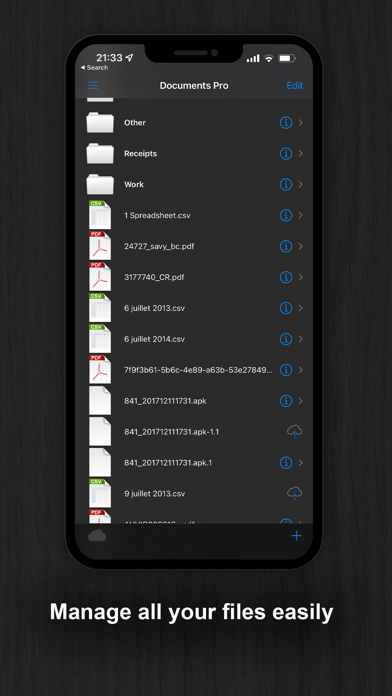
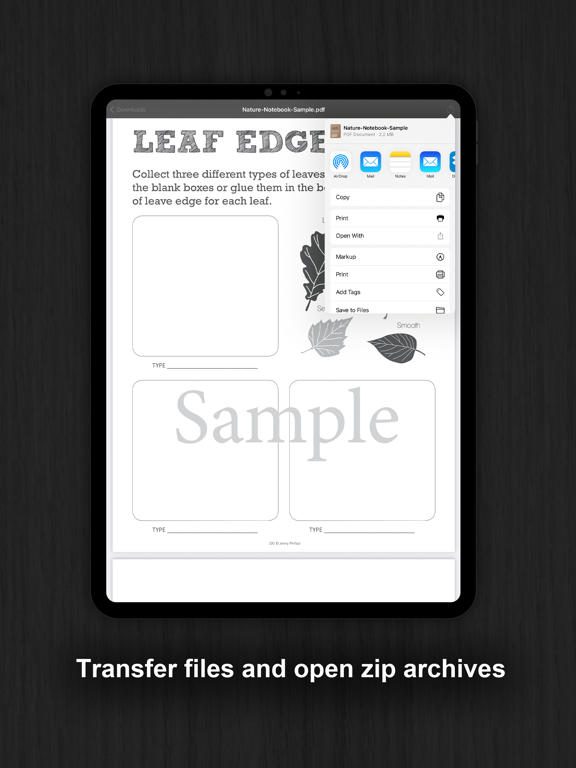
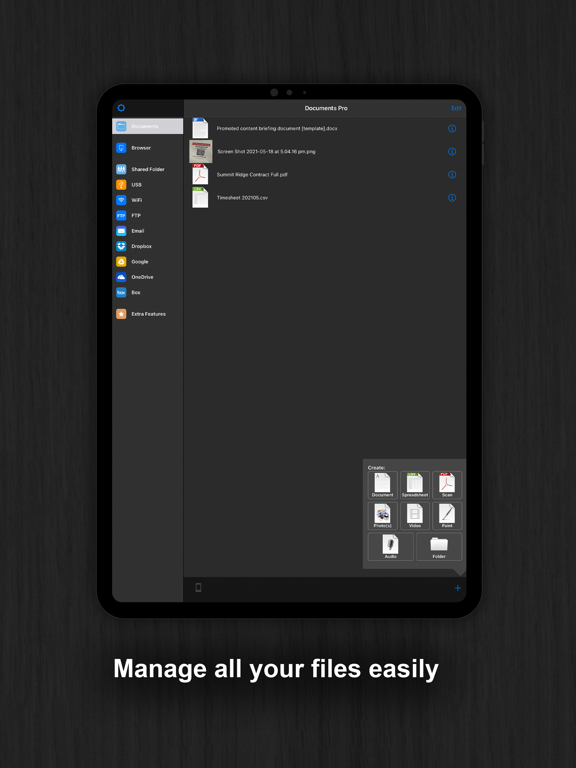
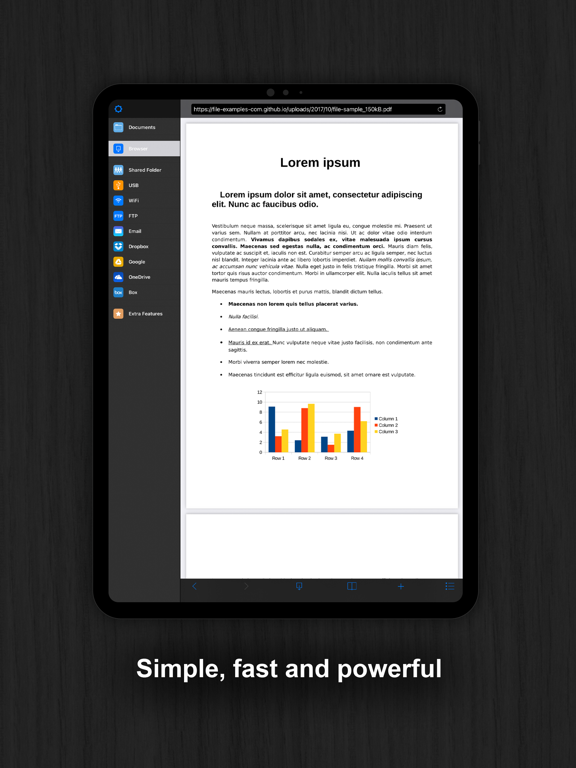
Documents Pro 7 lets you create, store, manage, print or share all your documents, spreadsheets, photos, videos, and recordings on your iPhone, iPod, and iPad! The user interface is finder & Microsoft explorer like. You can view, edit, email, airprint, and transfer files via google, usb, wifi, ftp dropbox. Files can be automatically backed up and synchronized across all your devices using iCloud!
Built on top of the acclaimed documents iPhone suite. Documents 2 is a simple to use mobile office suite and file management system for iOS.
• FEATURE COMPARISON •
...............D2...|..D1..|.OFFICE 2.|.QOffice.|.Docs2Go
-------------------------------------------
txt edit....•.....|..•...|.....•........|.....•......|.....•.....
spr edit...•.....|...•...|.....•........|.....•......|.....•.....
doc view..•.....|...•...|.....•........|.....•......|.....•.....
doc edit...◦ .....|...◦ ...|.....•........|.....•......|.....•.....
photos....•.....|...•...|......◦ ........|.....◦ ......|.....◦ ......
audio......•.....|...◦....|.....◦........|.....◦......|.....◦......
WiFi........•......|...•...|.....◦........|.....•......|.....•.....
Google...•......|...•...|......•.......|.....◦......|.....◦.....
eMail......•......|...•...|......◦.......|......◦.....|.....◦.....
FTP.........•.....|...◦....|......◦.......|......◦.....|.....◦.....
iPad........•.....|...◦....|......◦.......|......◦.....|.....◦.....
airPrint...•.....|...◦....|......◦.......|......◦.....|.....◦.....
dropbox.•.....|...◦....|......◦.......|......◦.....|.....◦.....
The ultimate All-In-One Mobile Office Suite for the
iPhone. 8 Premium Apps in One. Most essential productivity and business apps in one easy to use, high quality package. Transfer documents to/from your iPhone via FTP, WiFi, Google, Dropbox or Email. Edit and View many types of documents on the fly. A powerful, top value, must have app for any iPhone.
INCLUDES
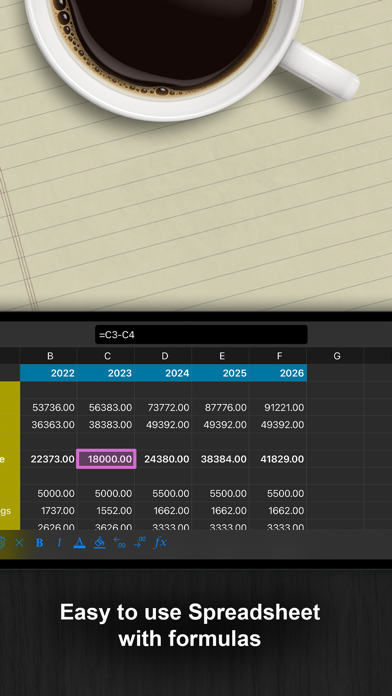
• Latest iSpreadsheet (mobile spreadsheet app)
• Integrated FTP Server & WiFi HD (mobile hard drive)
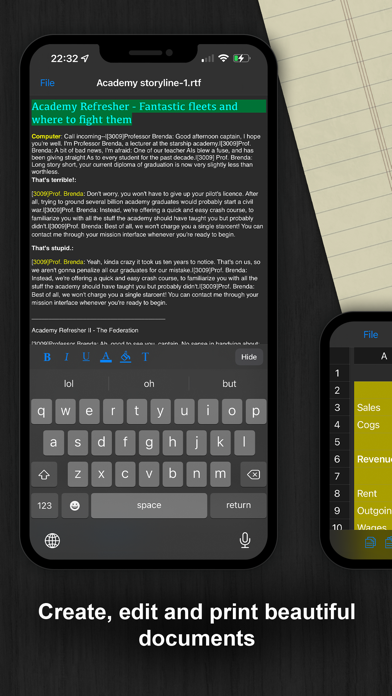
• Rich Text Editor (Easy to use text pad)
• Google Sync (Upload and Download directly to Google)
• Photo Album (Photo manager)
• Direct Email (Email any documents to anyone)
• Sound Recorder (High Quality)
• Integrated Preview (Preview any known document)
• AirPrint (Print to Any AirPrint printer with one touch)
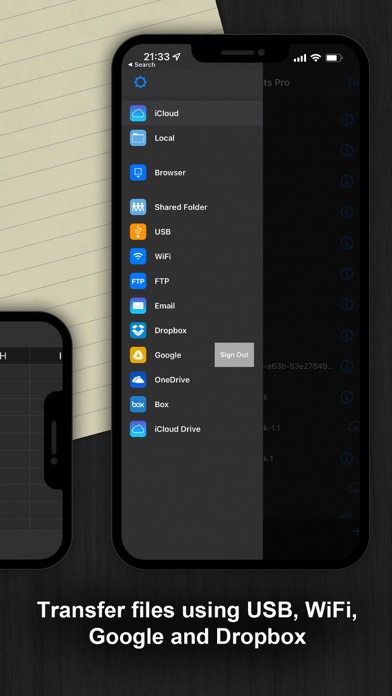
• USB, FTP, WiFi, Email and Google Transfer!
• Dropbox integration
WIFI HD
• Transfer Files between iPhone, iPod, Mac, PC, or any network device with a Browser
• Easy to use, no additional software necessary
Google Docs Connection
• Upload and Download directly to your google docs account
Direct Email
• Email multiple files as attachments to anyone
• Import attachments from Mail directly
iSpreadsheet
• Full CSV support
• Formatting
• Formulas
File Preview:
• Microsoft Word: .doc
• Microsoft Excel: .xls
• Microsoft PowerPoint: .ppt
• Apple iWork: Pages, Number, Keynote
• Images: .jpg, .jpeg, .tif, .gif, .svg
• Adobe Acrobat: .pdf
• Web Pages: .htm, .html
• Web Archive: .mht
• Audio: .mp3, .wav
Sound Recorder:
• 44.1khz high quality recording
• Scrolling
• Playback
Text Editor
• Wide screen or normal view text editing
Photo Album
•Take photos
• Resize, Zoom
• iPhoto style panning Slide Show
Direct Email
• Email documents to anyone
• Access to address book
More flexible than AirSharing and more features than QuickOffice!
One app, one friendly price, enable the full power of your iPhone, iPod, and iPad!
More Apps:
http://www.savysoda.com
Documents Pro App Comments & Reviews
Documents Pro Positive Reviews
New to Doc ProI was just introduced to this app yesterday by someone that was raving about it. I got the app and immediately started setting up my files and I totally understand why they were so happy with documents pro. I love it and it is easy to use. I do remodeling and I’m also a minister in our church. I can easily keep track of my jobs and also keep good records of messages I’ve preached or lessons I’ve taught. An app this good is worth much more than what it cost..Version: 11.1
Great Pocket Office!I have used D-Pro for years and it is an absolute necessity! The older I get the more aggravated I am by the documentation and deadlines of the modern society. Documents Pro has been the absolute best acquisition I have ever made! Combined with a smartphone, internet access, and an air printer, I can 'tread water' for years to come!.Version: 10.1
Really Needs An UpdateThis is basically a bunch of very simple apps cobbled together to make a suite. The basic functionality is there but the interface is very clunky and not intuitive. For what it is, I believe that this app is overpriced. It looks and behaves like an app developed 10 years ago. I hope that the developer will update it to provide more features and a more elegant interface..Version: 11.1
Documents ProIt’s been a Great Electronic File. Great as a back up to paper files or primary files for future projects..Version: 11.1
Nice appIt is working for me. I just started upswing it so it kinda early to say, but easy to use so far I have recommend it to friends.Version: 11.1
Great AppI have had this app for years and use it almost daily. It is really easy to use and meets a variety of my needs. Thanks..Version: 10.1
“office-like” applicationI’ve had the application for quite some time. It had “office-like” applications that I need..Version: 11.1
My Go-To For WritingLovely layout and user friendly. Highly recommend..Version: 11.1
Cant zoom outPicture support is lacking, large images saved to this app cant be zoomed out to view the entire image. Permantly stuck in a closeup of part of the image.Version: 10.1
SavesGreat store information email and notes I take.Version: 11.1
Love it 😍Does a great job of giving basic edit options..Version: 10.1
Don'tdomanyreviewsGreat app. I use this to store my important docs. Can't do without it..Version: 10.1
Great AppThis is a great productivity app - easy to use, but powerful!.Version: 11.1
Stuck in DARK MODE6/9/22 Got the app . Wanted to do docs just to e-mail . Successful with one . White background with black print . Now they are all in a Black background and white print ! What’s the fix ? I see the history update 5 months ago was to fix this ..Version: 15.1
Great appVery useful, thanks for the update.Version: 10.1
Great to use!Easy and very useful..Version: 10.1
LovelyThis is a great app. Thanks..Version: 10.1
ReviewUseful with long learning curve..Version: 15.1
Love itGreat ap.Version: 10.1
Must Have App Handles Any SituationThis app is able to create an impressive number of file types/formats. It is able to open and handle even more. But this app's best features are what you're able to do with those files after they leave the app. It connects to major cloud service sites but it's unique value is when it branches away from cloud connection into what most other apps can't do. You are able to move files not only via Wi-Fi & USB but, to a shared folder and, critically, FTP. You don't know the value of this old reliable option until you've got documents on your phone that can't get to a computer because there is Wi-Fi but there is no internet. Life saver. Not to mention the exceptionally simple, straightforward way the options are presented to you from the print/share button. I would like to see some improvements to the capabilities and feature set of the word processor like some more outlining and editing options. But a great app..Version: 7.4
Works WellI read through the reviews and was hesitant to purchase... but after trying the free version, I was hooked! Everything works as described but you have to know some minor nuances (hopefully fixed in future release). One main advantage this program has is the ability to work with Google Docs. To have it work properly though, you need to manually rename the extensions on downloaded docs with ".txt" or ".csv". Also, when you re-upload to Google Docs, it creates a new file as opposed to overwriting the old file (which could be a good thing) so you have to manually delete the previous version. For those wanting to manage docs with Google, I highly recommend this app. A nice-to-have would be the ability to manage multiple sheets (currently, only the main sheet of a multiple sheet spreadsheet is loaded).Version: 0
Better than Documents previous versionAlthough I find this program to be better than the older one, it still has some flaws. I found the photo view with some bugs: photo thumbnail files just take space, they should be hidden; there are no options for the photos slideshow, photos should automatically size when slideshow is played at least, and after the last one, the screen goes dark. Also sometimes when switching from vertical to horizontal tilts, the menu bars doesn't autosize or it stays on one side or outside of the screen. Additionally I would like this software to include a way of adding files from the ipod itself or through a link (USB) with a computer, maybe with a pc software program?, not just wirelessly like photos. Also additional types like quicktime files would be nice to add as well. The recording quality is awesome! Would be nice to have settings here as well. Keep up the good work!.Version: 0
Better Than the OthersDocuments 2 is the best word processing app I've found. I downloaded the free version and after comparing it to Smart Office 2 (that I paid for) I swapped over to Documents 2 and bought the full version. So easy to use. The only persistent problem that I'm waithing for a fix on is when you change Font sizes or the Font itself within a document. When you change it, it jumps back to the top of the document. This is aggravating but I still love this app better than any other that I've found..Version: 5.7
Needs offline documentation and a stabler spreadsheet- not bad for the money but don't expect much!I have had this app for a day. the first time i used the 'new' spreadsheet it crashed. I don't think the crash is so important because i wont do heavy duty crunching on the ipod and i am glad i can read xls docs with it. What does confuse me is that while i can open pictures that i have stored on the ipod, i can't do anything with them it seems. the google docs interface works but is far from mac-like/intuitive. for a app that does so little, the learning curve is a bit steep. there exists a web page explaining much-- it would help if this webpage actually used a css for mobile apps. it's not easy to read the way it is. I would like some basic built-in manual as well. i am pleased development continues on this app..Version: 0
Just Upgraded To Documents2I have been using the Documents app for about 9 months, and never had any issues during that period. I recently upgraded to Documents2, and it has also worked great. I like how I can use Firefox or IE to access my Document2 App using Wi-Fi, so I can transfer files to and from my PC. I also like how they integrated Google Docs access into the App, so I can manage all my files from one location. The App won't let you transfer directories when using your browser to transfer files. You have to transfer one file at a time. but it would nice to be able to transfer folders, so you can transfer multiple files at one time. Overall Documents2 is a great App, and enjoy using, and could see this app around for many more versions..Version: 5.0
DisappointingWhen I first tried the free version of this app, I thought it was really cool and bought the paid version. Then I realized I'd jumped the gun: - you can only read Word/Excel files - you cannot edit them - you can only save in TXT/CSV formats, so even though you can format text within the app, it does you no good because you cannot print the formatted files nor can you export the formatted files to another app - tech support apparently does not closely read the questions they receive, and then they don't respond when you try explaining things another way I will say that the functionality for transferring to Google docs works well, as does the ability to use wifi to share files with a PC via an IP address..Version: 0
Works as expectedStill a little buggy , but useable. Good synching with Google and the wifi coonection feature - I only use wifi feature in my own private network where I have restrictions to protect all devices from the outside - but I would still like a feature to encrypt or protect files. Everything is adequately described on the on- line help web page, but there is no offline internal help. Sometimes complains about memory space, which seems odd in my 16GB 3 GS with nearly half of the space available, but that was when I went to picture. Will not need that or voice recorder, just really here for the spreadsheet which does all I need until docs to go can offer full excel compatibility..Version: 0
Good go-to app for office workI use this app often to write documents. I find it is one of the handier apps for that kind of work. The developers seem to pay attention to reviews. The only bug I've seen persist is the scrolling bug in the rich-text editor. If you have a long document in rich-text format, it seems to take forever to scroll to either the end or the beginning. Often it feels like "two steps forward, one step back" as you watch part of the document scroll past more than once. I have confidence this will be fixed--they've been very good about this in the past! I would also love to see support for open doc text format (.odt) files added..Version: 7.6
Really good app, with an equally annoying problemThis app does it all, literally anything you need that is document related will be found here, however, one feature that has tormented me since Documents (or Documents 1) is whenever I attempt to interact in any way with pictures, or scan features, the app instantly crashes, or delays a few seconds before crashing, but I find myself re-opening the app several times just to be able to save and rename an image. Rarely I will experience issues with the built in document creator option. The only reason why I give it 3 stars is in hopes to draw more attention toward fixing this crashing bug in a future update, but great work Savy Soda. Expect a 5 from me soon..Version: 7.4
It's a little better than the last useless spreadsheet app that I boughtIt doesn't really have all the functions of a spreadsheet....one particularily important one is the ability to sort. It is a little misleading when the free version tells u to buy the full version to unlock all of it's functions, I don't see any more functions available since I gave them my money except I have more than 50 lines available now. I have had this app less than 15 minutes and it has crashed 10 times already.Version: 4.7
Love thisThis makes my life so easy. I tried Mobile Me for the purposes this app was designed for, but Mobile me kept duplicating all my contacts and scrambling the phone numbers. Abandoned Mobile Me and downloaded this app. Works every time, opens my word and excel documents everytime. I don't use Google Docs, just wifi my documents into this app. Easy to sync. Can't live with out it. Don't have to drag my laptop out on all my business trips and that is a real plus. Good job.Version: 4.3
Great indispensable piece of softwareI love documents. It has a nice simple interface and can handle whatever your word processing needs are. The google docs sync just makes it even better. What should be added to make it perfect: a feature to automatically sync certain files to google when they are edited would be great, also when files are saved without specifying a file name they are automatically named 'unnamed' but maybe they should be named the first couple of words in that document by default. Great software but not perfect.Version: 0
Simple Office On The GoCreate and edit spreadsheets & documents on the go quickly and easy. The interface is easy to use and offers descriptions. The only thing UI I'd fix is how to get back to the menu structure while you're in a document or spreadsheet. Full integration with Microsoft Office is not there yet. You can still export to file formats that Office will read, but not in full formatting sometimes. Overall, one of the better value for quality office apps/suites available on the App Store..Version: 6.0
Ripoff!That's 5 Stars with a minus sign in front of them! This program is a total sham, lie and ripoff at any price. Does NOT download Google Docs - downloads are blank! Does NOT. edit or format .doc in wordprocessor. Totally misrepresented. Listen to this review. I thought I knew better than other reviewers. Whoever wrote positive reviews were either relatives, liars or writing about some other program. All attempts to contact developer by email resulted in mail returned as undeliverable mailbox capacity exceeded. I wonder why... Hmmm.Version: 0
Spectacular!Finally, the call is answered! No need for skepticism. It walks the walk and then some when it boasts, "seamless integration," and "all-in-one." No need to think it over. JUST BUY THIS APP. You will NEVER be toggling, juggling, or trying to keep track of which apps are performing which tasks on which items, only to worry about what had actually been accomplished, if anything. D2 GETS IT ALL DONE, ALL STRAIGHTFORWARD, IN A SNAP, the first and only time you'll need to get a job done. It's too easy. It belongs on the dock!.Version: 5.7
OK, but...Personally I have found this app to be useful, but I would like a way to back up my documents to my laptop pc, and I would like to see password protection for the app. 3 stars for now. As of the current update, I like the improvements that have been made to the app, I use it daily for the work I do. Would still like to be able to save, open, and edit my documents to and from pc. Password protection for the app was added, along with several other useful features. Thank you and keep up the good work.Version: 5.7
Great Office Type AppThis app fulfills my objectives of processing features for my Mini IPAD. I was looking for a good spreadsheet that would be compatible with interfacing that in my PC. This app satisfied that function along with providing word processing and more. One constructive comment is to eliminate the expansion of pictures during slideshow operation, but such does not diminish my satisfaction of the overall app performance. I started with the free version and quickly choose to upgrade to the paid version..Version: 5.7
Easiest file sharing for iphone/ipod touch!There are many file sharing apps out there. I like this one the best because you can easily upload files without any additional desktop software, just use your existing web browser! I wasted $5 on Air Sharing. Buy this if you don't need to connect to servers and are just looking for an easy way to use your iphone to carry files..Version: 0
Great AppI've been using this app (upgraded to Docs 2 now) for 2 yrs and it's great. Has all features I need for business use as well as personal. Had a problem where app crashed, thoughts some very import ants docs were lost, contacted customer svc and Vivian (hope that is right name and I apologize if it's not) contacted me promptly and helped to resolve issue and helped to restore my docs! She was great, very helpful and provided excellent customer svc. THANK U! I certainly recommend this app..Version: 7.0
Very Nice!I own another popular document program but as far as features and flexibility go this one beats it easily. I love that I can interface with Google Docs in such an intelligent way. My only compliant is when I email docs I can not include a personal message with it. That is not very professional so please fix that. Also, the reciever gets a plug for the app in the form of sent from isavy iPhone app or somthing like that. Please reconsider that and I will give 5 stars. As is, this app is worth the price..Version: 0
Solid, few probs2 issues: - when using a bluetooth keyboard, the text page is half blocked by a blank space where the touchscreen keyboard would be. This needs immediate fixing. thank you - Wifi Sharing is inconsistently functional. Works better, though not flawlessly, with firefox ('...' button in this browser is non-functional) Otherwise, a solid app. FILING IS A TREMENDOUS ASSET. The next step would be to get this thing writing in .doc format. There are currently not apps providing a solid .doc compatible writer - TAKE ADVANTAGE.Version: 5.0
QoheletThis app has provided me with an indispensable tool providing access to countless documents for work, for play, and for so much in between! Great!.Version: 7.9
Far better than the notebooks I was packing around!An excellent substitute for anyone in need of lengthy pieces of writing, from fiction to non. As a writer, I've found this app to be invaluable as it allows me to record my thoughts conveniently and easily in any moment of spare time. What it could use is a spell checker, though, to pollish these works. Also, while being able to upload to a Google account is handy, I have yet to get anything I've uploaded back to my iPhone in one piece. It simply shows up as an empty txt file. A patch to fix this would make it perfect!.Version: 0
Great App some tweaks neededI love the app, comparable with Word and Excel, easy to use, tweaks would be nice such as font sizes, and when using a keyboard to remove the screen board area allowing easier function and editing, but all in all a great tool..Version: 7.9
Easy to useWell organized, quick and easy....recommend.Version: 7.9
Its greatKeeps all my documents organized and quick to find..Version: 7.9
Very usefulAs a pc user I find Docs 2 to be very useful and compatible for viewing my docs on my iPhone an iPad..Version: 7.3
Great app for documentsWorks great for viewing various kinds of documents..Version: 7.6
A good app.Worth it..Version: 7.3
Just one problem...I love this app, it's great! I'm a writer and this is a very convenient tool for me to use. The only problem is, now say if the "low battery" notification pops up onto the screen while I'm writing, then I will have to enter in my password again and all of my previous unsaved work will be deleted and I would have saved it but I didn't expect that notification to come up on the screen at that exact moment. This same problem also happens if I need to turn off my phone in a rush, while I am writing, all of that work is just deleted. In the next update, I would like to be able to leave the app for a quick second without all of my hard work being deleted. With that exception, I would gladly recommend this app to anyone, I already have to all of my friend who love to write too. It is wonderful except for that tiny flaw! Thank you for reading :-).Version: 7.3
4/5Good overall app, needs to fix crashes and error problems when saving documents though....Version: 7.3
GreatWorks great but would have given a 5 star if Box was available. Great work..Version: 7.3
Good appThe ability to use Box documents would help a lot. Thanks.Version: 7.3
Excellent ap!!Just like having a mini Office suite on your phone. Excellent..Version: 6.5
Cant openSince the last update i cant open the app. It crashes on the title screen everytime.Version: 6.5
LyleGreat app. Well worth the money.Version: 6.5
D2Excellent, does the job for me. AC.Version: 6.5
Very usefulVery useful app, works very well with Siri on iPad. Very easy to use, possibility to transfer to Dropbox, email... Read PDF, scanner... I study with this app...couldn't to it without....Version: 6.2
Extremely usefulGreat app, which has solved my problem of how to save great .pdf articles or files I find on-line. It is incredibly easy to use..Version: 6.1
NickExcellent.Version: 6.0
Great appVery easy to use!.Version: 6.0
So far so good!!This App I've only just begun using, so for now I'll say I love the way it looks, easy to use. Really like it so far! Time will tell & I'll return & give a proper review!.Version: 6.0
Good appGood app so far. Have not yet tested avery type of document..Version: 6.0
The bestThe best in office apps.Version: 6.0
Truly Fantastic!I love this app! I'm currently in university and when my professor post word document notes, I can transfer it onto this app to reference the notes in class!.Version: 5.8
Great app!I use this app all the time.Version: 5.7
Great AppYou can't get any better than this.Version: 5.7
Great must have appsGreat.Version: 5.7
Free International Money Transfer 💸Enjoy high maximum transfers into more than 20 currencies while saving up to 90% over local banks! The cheap, fast way to send money abroad. Free transfer up to 500 USD!Version: 15.1