Imesart S.a.r.l.
USB Disk SE, File Manager Customer Service

- USB Disk SE, File Manager Customer Service
- USB Disk SE, File Manager App Comments & Reviews (2026)
- USB Disk SE, File Manager iPhone Images
- USB Disk SE, File Manager iPad Images
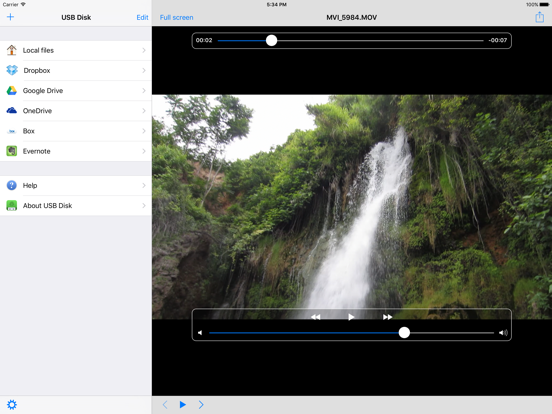
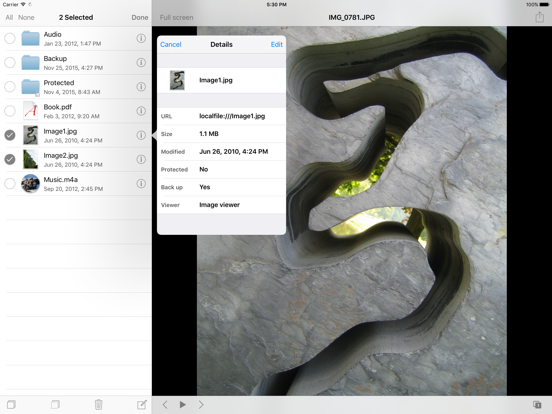
USB Disk lets you store, view and manage documents on your iPhone and iPad. It has an amazing built in document viewer and is very easy to use, with a simple and intuitive interface, yet it contains many powerful features. Drag and drop files in iTunes to transfer them to your iPhone / iPad, then view them anywhere!
TUAW - "USB Disk is [...] a nicely designed one."
Lifehacker - "The Best. USB Disk for iOS gives you a fast and easy way to transfer documents and images to your device."
Apple - "New and Noteworthy"
TOP REASONS TO BUY
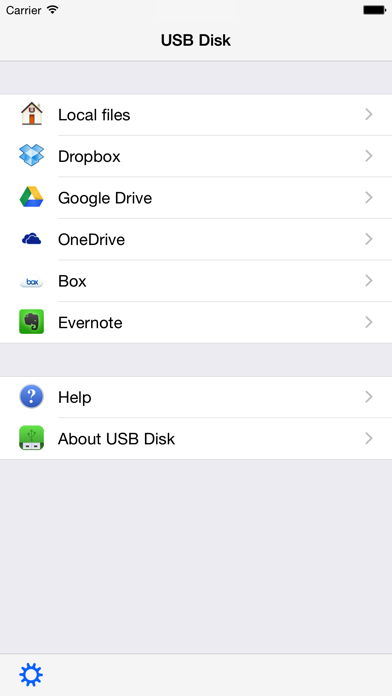
• Access Dropbox, Google Drive, OneDrive and Box.
• Store and view files on your iPhone / iPod.
• Navigate using swipes (like Photos / iBooks app).
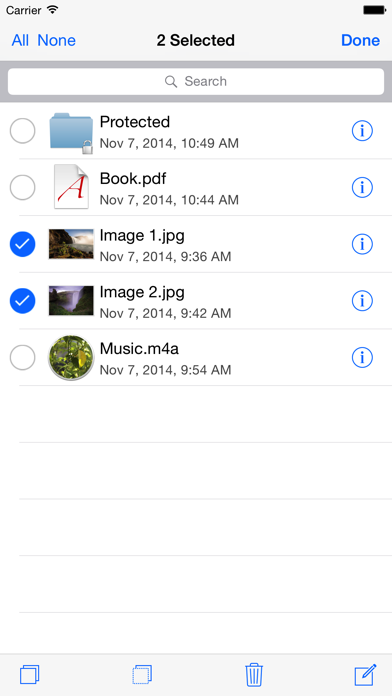
• Thumbnails let you preview your files.
• Copy, paste, cut, delete and create files.
MORE FEATURES
• View and download email attachments.
• Full screen file viewer.
• USB file transfers.
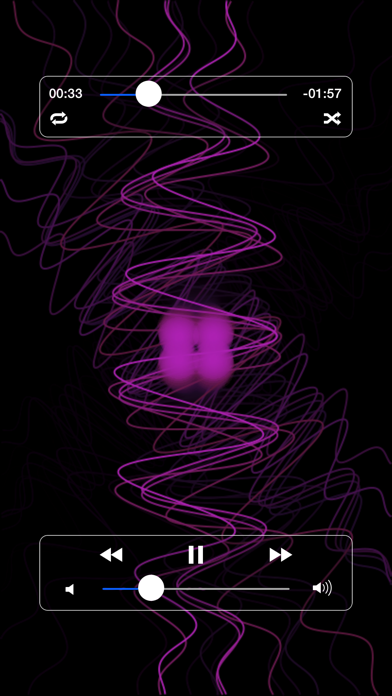
• Background audio.
• Slideshow with adjustable delay.
• Fast scrolling, page up/down functionalities.
• Email your documents.
SUPPORTED FILE TYPES
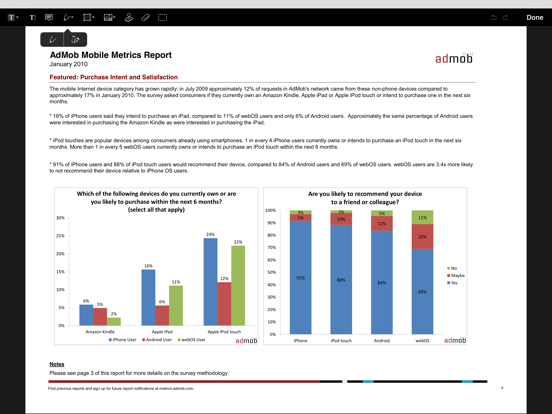
• PDF files.
• MS Office documents.
• iWork documents.
• Pictures (jpg, png, gif, ...).
• eBooks (pdf, ePub, html, txt, ...).
• Comics (cbr, cbz, pdf, ...).
• Audio files (mp3, m4a, wav,...).
• Video files (m4v, mov, avi, mkv, ...).
UPDATES
Buy now and get free updates.
SUBSCRIPTION
All features listed above can be used without an in app purchase. Some advanced features require an active subscription. These include:
• Open and create zip files.
• Adjust the audio mixer, use shuffle and repeat.
• Access the device's photos library.
• Protect the access to the app or specific files and folders with lock codes.
• Access WebDAV and FTP servers. You can also configure SharePoint connections.
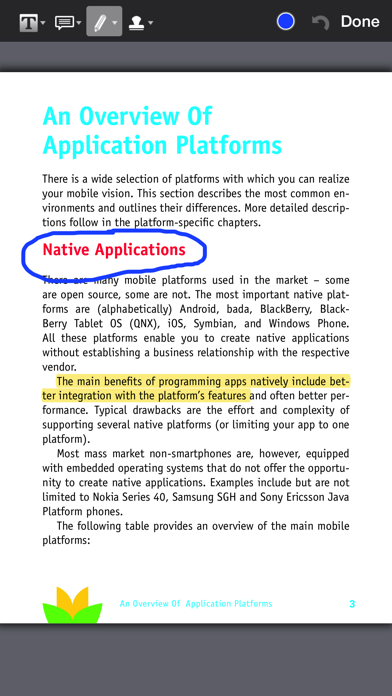
• Edit simple text files. Also annotate PDF files.
• Present files on external screens.
Duration and price of each subscription are displayed in our storefront. All subscription costs will be charged to your Apple ID account, starting at the confirmation of purchase. Subscription automatically renews unless it is canceled at least 24 hours before the end of the subscription period. Your account will be charged for renewal within 24 hours prior to the end of the subscription period. It is not possible to cancel a subscription period once you have been charged for it. Any unused portion of a free trial period is forfeited as soon as a subscription is purchased. You can manage subscriptions and disable auto renewal by going to your account settings on the App Store after purchase.
Terms of Service: https://imesart.com/legal/terms-of-service.php
USB Disk SE, File Manager App Comments & Reviews
USB Disk SE, File Manager Positive Reviews
Apple Watch series 3I was trying to play a audio but the volume kept glitching and the audio wont play can someone tell me why???.Version: 2.11.0
Great CapabilityThe app with my iPhone sd memory card reader allows me to inspect the content of several trail camera SD cards without having to carry another reader and extra memory storage cards..Version: 2.9.3
So goodThanks for making this app and making transferring files to Apple Watch easy. They should’ve built this app in their native Apple Watch app, but they’re so cheap I guess. Anyway, huge thanks! It’s a great app!.Version: 3.0.2
HmmmmDon’t know what everyone is using the app for but to send videos and mp3s to my watch to play works as it should. Plus it doesn’t stop the vid or go to sleep when I turn my wrist.Version: 2.9.8
Love this appIt works like it should. Easy to connect to all my files even though they are scattered over several devices..Version: 2.10.0
Essential UtilityAs a former programmer in the DOS, UNIX, and Windows PC environment, I was accustomed to controlling my environment. Finally I decided that the iPod would likely be better than my Mobile 6 Pocket PC device but I was concerned I might not have the control over the files I wanted to bilaterally move to/from my Windows PC laptop. But with this utility I have virtually all the control I would ever need to fully use my iPod Touch. It is as easy as it gets and is both very flexible and reliable. I encourage any former PC user to download it and not worry about not having control of your iPod or iPhone files..Version: 0
Love it.I use it from my personal music library and it’s perfect 👌🏼.Version: 3.0.2
CarlcornI can't save the pictures on camera roll not works ios 11.2.6.Version: 2.6.0
Good appThis app very good, but I hope you add iCloud drive..Version: 2.5.3
AwesomeSo great. yay.Version: 2.7.3
Awesome! & one key feature wantedI have been used this app for a long time, if I can only have one app on iPhone , this is it. I always use it as a PDF reader, most of the time, when I open a PDf, it will restore to the last position, but sometime it simply bring me to the very beginning - which is very annoying. Could you please add the feature "bookmark" to it? Thaaaaaks!!! Another tiny but also annoying problem is, for PDF if you rotate the screen during reading, it sometime becomes black screen and bring you to random position in that PDF.Version: 1.2.2
Limited... but not too badI think it has pretty good interface to read pdf files. compared to other apps that I have seen, it handles the large files relatively well. it seems like the application can only handle single byte for the text. I converted my korean text file to UTF8 and it still does not come out right. It cannot read documents with password protection on. Wish it had option to accept password so that I can read the files at least. Also, I wish there was a better way to organize the files... in folders perhaps? having so many documents in one folder gets messy.Version: 1.1.1
Needs a little workWhen I go to a page in a book, the top and bottom bar (which has the title of the book, play button, search button, etc.) will not disappear sometimes! So, you cannot see the entire page. Also, there should be a way to go to a specific page in a book. Overall though, the app has improved a lot and is very useful..Version: 2.0.1
Do it yourself ringtonesTired of paying outlandish prices for ringtones and you still don't get the music you really want? Well friend here is a app you need to own. Create a ringtones out of your favorite songs. Create 3 or 4 ringtones instead of just getting one. It is quick, easy and professional sounding. Your friends will all ask where you got your ringtones. You can tell them MO Productions. BTW that's MY OWN PRODUCTIONS. pick it up today and within minutes you will be creating your very own ringtones..Version: 0
I would wait for the updateThe idea for such app is great. I have been waiting for a free app that would do what this one promises to. I like that it uses iTunes as the interface for getting files in and out of the iPhone. Plus you dont need to have the files in your computer after you have added them to USB Disk. Also, the file syncing is virtually immediate with no need to click Sync. HOWEVER, it falls short of reasonable expectations. It is very buggy and crashes too often which makes it EXTREMELY unreliable. I will wait for the update that will fix the issues..Version: 0
HandyIt opens up almost all files that you get as attachments when browsing on your iPhone. Though I am not sure about how it stores these files, as I was looking for something that will help me not use up too much memory on tge phone itself. My only issue is that ibooks has the same features but sometimes since i downloaded usb disk it won't give me the option between the two. I usually can only open or store a file with the usb disk app. Try it out if you find yourself storing or wanting to store many files on your iphone..Version: 1.1.1
Great app but..Wishing an update will come out allowing audio to be played in the background. I email my mixes from my laptop in the studio and save the attachment directly from the mail app. I would like to be able to stream audio in the background so that I can listen to my music while text messaging or while I'm on Facebook. Other than that, the app does exactly what it's supposed to and many thanks to the developers(:.Version: 0
One of the most useful apps for the iPhoneVery handy to think about the many lists of things that need to be remembered, create them in folders and easily put them on the iPhone. And the next time you are away from your computer and need to remember data just quickly open the app and there it is. Need to remember complex instructions while in the workshop? Use this..Version: 0
This app works greatFiles are easy to transfer from computer to my iPhone with iTunes. I had just downloaded an hour long video on my computer an wanted to view it on my iPhone on a long trip but the video's size wasn't compatible. So I transferred it to USB Disk and it played without a problem. Being able to view my files is the best part!.Version: 1.1.5
(speechless)The thing is, if you use documents(like docx.) you are in luck. It even supports Microsoft and I'm pretty sure Macintosh can't. Does Macintosh have it's own way to make documents? It's good if you need documents-on-the-go. Although you do have Notes, you can see features Notes cannot. Also you can download documents from other applications. You got a wireless 8-64 GB USB Disk in your pocket! ! Amazing!.Version: 1.1.1
I was browsing safary on my ipod touch..And i was watching a family guy video on quicktime, but it wouldnt load because my internet was too slow. Then it opened up a page that said "copy file to usb disk" i clicked, and now i have the full video to watch whenever i feel. I havent been able to do this again, can someone help? Great app btw etc..Version: 0
File transfer and emailing attachmentsIOS does not have a function for attaching files to email. USB Disk provides that function. It's interface is clean and uncomplicated, and file transfer is flawless. I've tried several file transfer apps and prefer this one because of its ease of use and it works well. An excellent free app..Version: 1.1.5
USB Disk, USE ThisThis app is very useful for reading documents on your phone. It supports word and PDF, which can either be added from your computer through iTunes or downloaded from your email. The program does crash on occasion and I have had some difficulty in downloading documents from my email. I will recommend this app to 12 or so people, right now I'm at 7. .Version: 0
USB diskPossibly the most useful app on my phone. I love the ability to see multiple attachments in multiple formats without having to scroll through emails and then waiting for the files to load. This should be part of the iPhone's standard collection of apps included with the phone..Version: 0
Great AppI have used this app for a while now and I have no lingering issues with it. Occasionally it may crash and reboot otherwise it seems to be reliable and easy to use. If you want to copy and paste files between dropbox or google drive accounts then you will have to purchase the dropbox and google drive extensions ($0.99 ea). I do hope they fix issues of rebooting and crashing and make it even more smoother to run..Version: 2.2.1
Great all round appI've had this app for quite some time and it's great! First app I've ever reviewed but I do a lot of IT work and just being able to grab PDFs from the pc or mp4 videos as reference guides for DC active directory, group policy etc... And being able to view or read on the fly is great! Just a great app and highly recommend it.Version: 1.1.1
PerfectI never write reviews but I'm taking a moment to say this is a must have app. I was just able to type out a long email on my comp and upload it to my phone with attachments and embedded excel spreadsheets. The only downside is you have to go thru iTunes to upload/ download files..Version: 0
Crash sur Apple TVVersion 2.11 non disponible sur Apple TV. Version 2.10 crash (n’ouvre pas). Que faire?.Version: 2.11.0
IExcellent.Version: 2.11.0
SheZzzoz.Version: 2.11.0
GreatThis is excellent!.Version: 2.11.0
Works with SanduskyJust got it to move PDF files from iPhone to USB Flash drive and works great..Version: 2.9.3
Everything I was looking forI had previously tried, and disliked, most wi-fi based USB/drive aps so I downloaded this one even though it had only one review and that was bad. Turns out little gem is exactly what I was looking for. Works almost exactly like a USB stick with the iTouch/phone plugged in, rather than over wi-fi. As long as your computer has iTunes on it, you can put files on, take files off, neat at you please. And you can read/delete your documents on your iTouch/phone - a step above a USB stick there! I have had 0 synch issues and nothing but praise..Version: 0
Great! Can even play avi files.Great app for transferring files. Surprisingly it can play movie files that the iPhone isn't supposed to be able too - it does crash the app sometimes - great at doing what it claims and more!.Version: 0
Get it while it's free!This is a fantastic app with an intuitive, minimalist interface. Navigation is seamless. No crashes, no freezing or hanging. When opening a PDF in Safari, the user is given the option of opening the file in USB Disk --- very convenient! There are only two features I'd request: 1) the ability to rename files. [At present, downloaded files are automatically assigned an alphanumeric code; consequently, the user must open one file after another until they locate the sought-after file]. 2) the ability to create folders in which to group files. With these features, USB Disk would be a 5 star app..Version: 0
Decent appThe title of usb disk is a little misleading. For the more experienced app users we know that an app has file access limits. But with those limits in mind this is a pretty good app. i was suprised it was able to open .xls and .doc files. it can only view documents and not edit them. I actually think they mispriced this app, they talk about buying it...but it's currently free. So get it quickly while you can for free!!.Version: 0
Great AppAmazing app! I never write reviews, but this is worth my time. Essentially makes your iPhone a USB stick. Really useful. For a free app (as of this review date), this is a must download..Version: 0
Very slickWorks as advertised. A neat way and easy way to get files onto your iphone or ipod. Drag and drop simple..Version: 0
AmazingYou don't need Internet to access your files anymore!.Version: 1.1.1
USB Disk FreeYahoooo, this APP has done it's magic. Photos from my Microsoft PC were transferred to my iPad utilizing the "USB Disk Free" APP. iTunes on the PC was opened; the iPad was then connected to the PC using the iPad charging cable. When the iPad icon showed up on the upper left corner on the PC and was clicked, then the stored photos in PICTURES was transferred to the iPad "USB Disk Free" after opening it on the iPad. This APP deserves ⭐️⭐️⭐️⭐️⭐️+. Many thanks to the APP designer and all those associated with it..Version: 2.4.7
Vraiment satisfaitJe suits tres content de vetted application car grace a Elle jail up transferer des Fichier de mon ordinate up avec iTunes et les mettle dans mes photo donc je suis extrêmement satisfait 😊.Version: 2.4.7
Great appThis app acts as a great USB. It has saved me and helped store important information I needed with quick ease..Version: 2.4.4
Very useful productConvenient usb like storage to carry information.Version: 2.4.7
Nice apLike having a USB chip with you all the time. I recommend this app..Version: 2.4.4
Great app!!!I like this app. It's very a very good app..Version: 2.1.1
USBWorks well..Version: 2.1.4
USB DiskI use this app all the time. I think it is great. The only improvement is connecting with other apps like kijiji or others that you can upload files from. Other than that it is awesome. Love it..Version: 2.1.1
A perfect storage app...Although saving documents to this app isn't easy without a laptop - it takes multiple steps - once you get the hang of it this is very useful..Version: 2.0.1
Great!It's everywhere you want to be!.Version: 1.3.7
Poor UpdateWhile the update gives this app a more streamlined look in terms of aesthetics, it has become exponentially slower. Text files take a good ten seconds to open and scrolling is laggy or even unresponsive. In addition, this update has broken files that were in the app prior to the update. Text files have become cut off and the rest of the file is not accessible by scrolling. Please fix this as soon as possible. Thank you..Version: 2.0.0
Almost Perfect!Great app for file management, however several of my wmv files would not play. Otherwise great!.Version: 1.3.8
IOS 7 UIGood app. Please update this app to have the look and feel like iOS 7.Version: 1.3.8
GreatThis app serves many of my needs and I use it over others because it is versatile and easy to use thanks guys.Version: 1.3.4
Very usefulIt's so much easier to carry my files around without any risk of losing my memory card at home, work or along the way. Just wished that there were more options as to what type of files it could read , play or open!.Version: 1.3.4
GreatBy far the best USB app I have used. Very easy to use and it gets the job done since you can see your word doc from this app. Great job guys keep it up..Version: 1.3.4
NiceOffline access.Version: 1.3.4
Très bienJ'adore cette app pour les photos..Version: 1.3.2
Vey useful and handyEasy to drop files and retrieve from applications..Version: 1.3.3
AwesomeCan check docs offline.Version: 1.3.2
Free International Money Transfer 💸Enjoy high maximum transfers into more than 20 currencies while saving up to 90% over local banks! The cheap, fast way to send money abroad. Free transfer up to 500 USD!Version: 3.0.2