
About Esh Siddur אש סידור (Elyahu Sheetrit)
You can pray any Nusach you want "Edot Mizrach", "Askenaz", "Sefarad" and "Nusach Ari - Chabad".
EshSiddur includes
Seder Hayom - Shacharit, Mincha, Mussaf, Maariv, Kriat Shemah Al Hamita,
Birkot Ha'Nehenin - Hamotzi, Minei Mezonot, Gefen, Etz, Adama, Shehakol.
Berachot Aharonot - Birkat Hamazon, Me'ein Shalosh, Nefashot.
Birkot Besamim - Atzei Besamim, Isvei Besamim, Minei Besamim, Rayach Baperot.
Birkot Reiya - Kidush Levana, Birkat Haillanot, Thunder, Lightning, Rainbow.
Berachot Ha'Mitzvot - Mezuza, Nida, Tevilat Kelim, Fence.
Maasrot - Hafrashat Terumot Umaasrot, Hafrashat Challa.
Moadim - Shabbat Candles, Havdala, Yom Tov Candles, Yom Kipur Candles, Hanuka Candles, Megilat Esther.
Events - Wedding, Brit Mila, Pidyon Haben, Zeved Habat.
Others - Tefilat Haderech, Birkat Hagomel, Shehecheyanu, Cemetery, Hashkava.
On Chol HaMoed and Rosh Hodesh Yaale Veyavo, Hallel and Musaf will automatically be inserted into the text. On the Ten Days of Repentance, the text zochreno lehayim etc. will be inserted so you won't forget! In the winter Mashiv Haruach Umorid Hageshem will be inserted as well as Veten Tal Umatar Livracha. On Chanuka and Purim the text Al HaNissim will appear. And during Sfirat HaOmer the appropriate tfillot are inserted.
When opening your siddur, you choose the tfilla that you wish. Once in the tfilla you can jump to different parts of the tfilla. So if you wsih to jump to the Amida in Shacharit you can select it quickly.
You can choose at the preferences screen if you live in Israel or in the diaspora, whether you live in a walled city (for Shushan Purim) and whether you are the chazan or in the congregation.
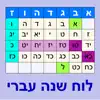
Also you have complete Hebrew calendar with "Zemane Hayom".
אש-סידור הוא סידור חכם מושלם עם ניקוד, הוא מחשב את התאריך העברי מתוך התאריך הלועזי ומציג בפניך את התפילה המתאימה לאותו יום.
יש בסידור את כל הנוסחים המקובלים, "עדות מזרח", "אשכנז", "ספרד", ונוסח "ארי -חב"ד".
הסידור מכיל:
סדר היום - שחרית, מוסף, מנחה, מעריב, קריאת שמע על המטה, תיקון חצות.
ברכות הנהנין - המוציא, מיני מזונות, גפן, עץ, אדמה, שהכל.
ברכות אחרונות - ברכת המזון, מעין שלוש, נפשות.
ברכות בשמים - עצי בשמים, עשבי בשמים, מיני בשמים, ריח בפירות.
ברכות ראיה - קידוש לבנה, ברכת האילנות, רעמים, ברקים, קשת.
ברכות המצות - מזוזה, טבילת נדה, טבילת כלים, מעקה.
מעשרות וחלה - תרומות ומעשרות, הפרשת חלה.
מועדים - נרות שבת, הבדלה, נרות יום טוב, נרות יום כפור, נרות חנוכה, מגילת אסתר.
אירועים - אירוסין ונישואין, ברית מילה, פדיון הבן, זבד הבת.
שונות - תפילת הדרך, ברכת הגומל, שהחיינו, בית הקברות, השכבה לאיש, השכבה לאשה.
בכל יום יופיע שיר של יום המתאים, ביום שיש תחנון יופיע תחנון, ולא יופיע ביום שאין תחנון. בחורף יהיה משיב הרוח ומוריד הגשם ובקיץ מוריד הטל. בראש חודש וחול המועד, יופיע יעלה ויבא, הלל, ומוסף. בחנוכה ופורים יופיע על הנסים, בספירת העומר תופיע ספירת העומר, באופן שתמיד תזכור מה שצריך לומר.
כמו כן נכלל בתוך הסידור לוח שנה עברי לועזי מושלם, עם זמני היום.

What's New in Esh Siddur אש סידור (v7.0.1)
Esh Siddur אש סידור Contact Information
To reach Esh Siddur אש סידור customer service and technical support, use the official channels below. For the fastest reply, choose the developer's official website.

Esh Siddur אש סידור Subscription, App Deletion & iOS Support
How do I cancel the Esh Siddur אש סידור subscription?
Open Settings on your iPhone or iPad, tap your Apple ID (your name) at the top, go to Subscriptions, select Esh Siddur אש סידור from the list and tap Cancel Subscription. Cancellation takes effect at the end of the current billing period; you can keep using the app until then. See Apple's official subscription management page for details.
How do I delete the Esh Siddur אש סידור app?
Touch and hold the Esh Siddur אש סידור icon on the Home Screen, choose Remove App and then Delete App. Important: if you have an active subscription, deleting the app does not cancel it automatically - you must first cancel your subscription using the steps above.
Esh Siddur אש סידור purchases, refunds and billing issues
Report billing or refund requests for Esh Siddur אש סידור through Apple's Report a Problem (reportaproblem.apple.com). For the app's own technical support and contact, use the contact information above or the Esh Siddur אש סידור App Store page.
Esh Siddur אש סידור Positive Reviews and Ratings
Wise sends money abroad at the real mid-market exchange rate with low, transparent fees - no hidden markups. You can hold 40+ currencies in one account and spend abroad with the Wise card without extra conversion fees. Try Wise for free →
No positive reviews yet for Esh Siddur אש סידור.
Esh Siddur אש סידור Negative Reviews and Ratings
No negative reviews yet for Esh Siddur אש סידור.
Esh Siddur אש סידור Screenshots



 Google Customer ServiceGoogle
 Google Chrome Customer ServiceGoogle
 Google Authenticator Customer ServiceGoogle
 TV Remote - Universal Control Customer ServiceEvolly.app
 Cleanup: Phone Storage Cleaner Customer ServiceDeep Flow Software Services
 Microsoft Edge Customer ServiceMicrosoft Corporation
 AT&T Customer ServiceAt&t Services, Inc.
 My Verizon Customer ServiceVerizon Wireless
 Xfinity Customer ServiceComcast
 My Spectrum Customer ServiceCharter Communications