Schoettler Software GmbH
CalcTape Paper Tape Calculator Customer Service

- CalcTape Paper Tape Calculator Customer Service
- CalcTape Paper Tape Calculator App Comments & Reviews (2026)
- CalcTape Paper Tape Calculator iPhone Images
- CalcTape Paper Tape Calculator iPad Images
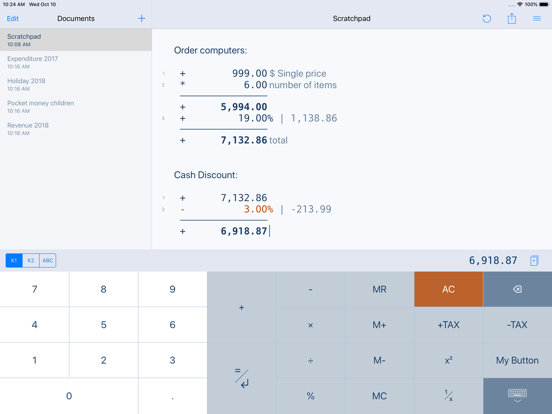
Calculator thought from scratch! Calculate, comment and correct instantly.
What happens if you combine a standard calculator App, a classic desktop calculator and a note App ?
CalcTape brings you the best of these and even more.
It is your companion for all daily calculation needs and easily masters all scenarios you can imagine.
CalcTape is NOT a scientific calculator app, but do we need these in daily use ?
Ever did a long calculation with many figures and asked yourself:
"Did I enter the last figure correctly ?"
"The result looks strange somehow !"
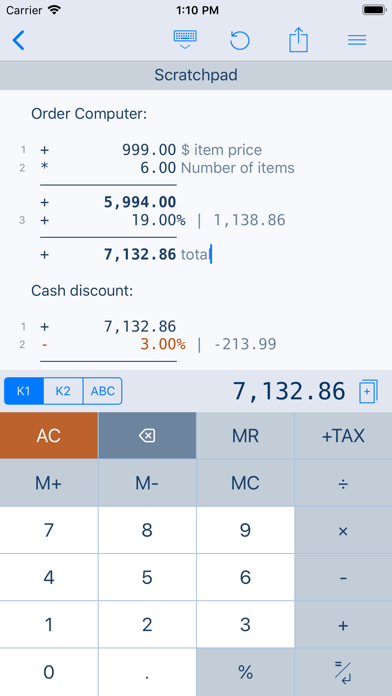
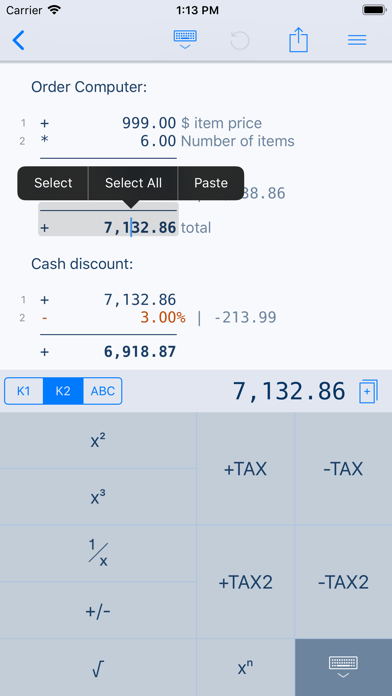
With CalcTape you keep an overview, can check all figures and correct figures instantly inplace with
all subsequent results being adjusted automatically !
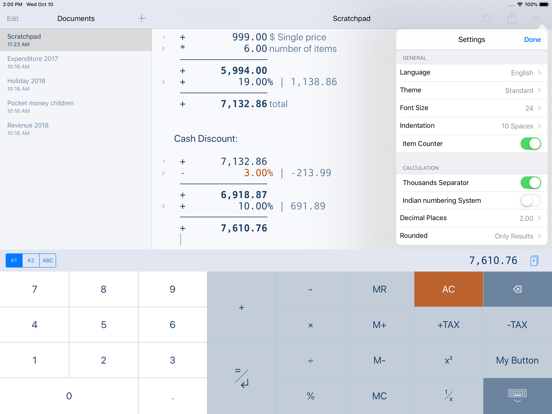
Missed a figure ? No problem: Just insert it in the right place easily by entering a new line.
You can place the cursor everywhere you like in the calculation: It's like a note where
you can change anything you like in any place with the advantage, that changing numbers
or operators updates your calculation immediately!
CalcTape can be considered an "Excel Lite with a calculator interface".
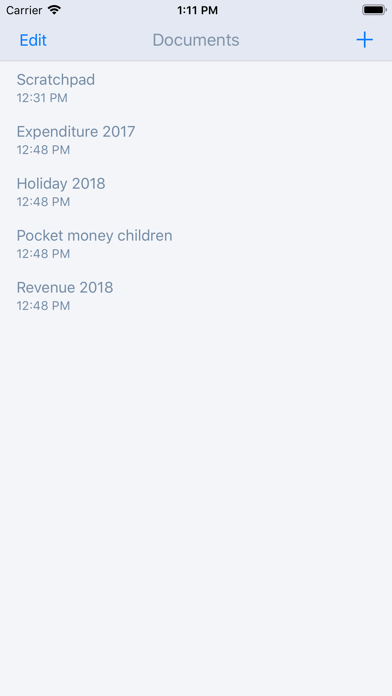
You can also keep the calculation for your records (documents) and create templates:
Replacing the figures in your template and getting the correct results is a breeze.
Commenting figures and results gives sense to your calculations, so you can understand
what you did when viewing the calculation a month later.
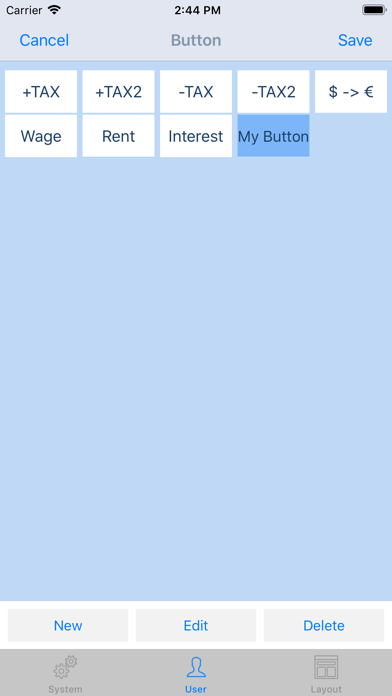
Customize CalcTape to your needs and place only those buttons on your keypad that you really
need everyday. Create your own functions to e.g. add a specific percent rate with a tap on
a single button.
CalcTape features:
- Save your calculations into files
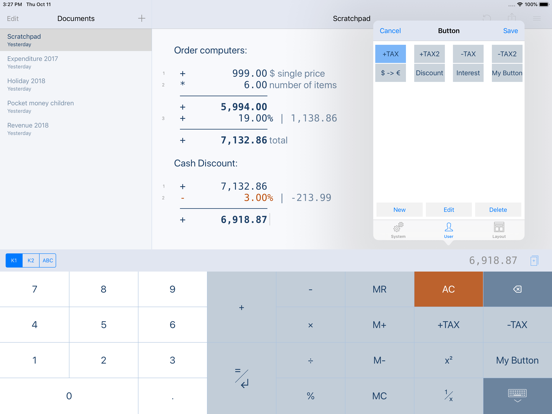
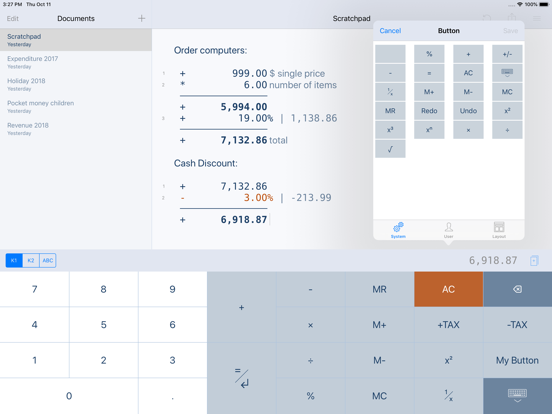
- Create own functions or text snippets to be entered when pressing a button (long press a button to enter the Button screen)
- Create own keypad layouts (change assignment of all buttons except numbers and backspace / change button sizes)
- Select between different keypad layouts (the "function keypad" contains no numbers and is nearly completely customizable)
to get more buttons or other functions, 2 keypads are directly accessible in the main screen
- Share your calculations using standard iOS sharing capabilities, e.g. email
- Sync your calculations with iPhone, iPad, Mac and PC using iCloud Drive.
- Calculate TAX, VAT and other percent values easily
- Use CalcTape for budget, accounting and expense tracking in the office and at home, everyday.
CalcTape, more than a calculator.
FAQ:
- Start a new calculation on the same sheet by simply tapping the "=" key twice.
- Do a long tap on a button to assign another existing function or to create a user function for it.
- If you accidentally hit "AC" you can use "Undo" to get your calculation back.
CalcTape Paper Tape Calculator App Comments & Reviews
CalcTape Paper Tape Calculator Positive Reviews
Great with a few problemsI love using this app, I basically use it as my bank register to keep track of finances. Overall it’s great! However, it shuts down which can be annoying, and I’m still not sure what button it is but I have accidentally deleted my entire calculation page with one button quite a few times which is also very annoying..Version: 6.0.0
This is a handy Calculator appI am using this app since around 5-6 years without any issues. Unlike other similar apps available for iOS, I like the tape format which helps me to continue performing my new calculations… while the old calculations are still available for future reference. I also like the feature that helps me to save calculations under different tape names, because at a later date I can reopen the saved tape (as if it is like a document) related to a particular matter and refer my old calculations. However, I am disappointed to see that the developer has almost stopped updating (or enhancing) this app, because I see the last update was released around 1 year ago. I would like to see more frequent updates to keep this useful app alive. Keep up the good work👍.Version: 6.0.6
The A/C red button is in the wrong placeI love this app but every time I want to add words to label or add number I have to keep clicking the keyboard or tape buttons that are right next to the red A/C clear it all button. Too many times have I lost months of data that I’ve entered over time because that red button is in the wrong spot. This red button needs to be at the button of the selections so there is no way to hit this button by mistake. I’m frustrated and hoping you will read my post to make some positive changes..Version: 6.0.6
At first I gave 2 stars, now it’s 5 starsI have been using CalcTape for over 10 years and paid for the key a couple of times after losing them. I first recently gave 2 stars because I was having a problem with editing calculations that would send the cursor to the very bottom of the page as I typed in new edited figures. Now I’m giving 5 stars because that glitch cleared itself up somehow. I have no clue how, and it wasn’t a glitch due to me not knowing how to use CalcTape. I am fully familiar with CalcTape. I truly enjoy this app. It is excellent for figuring out my budget in the most simple, uncluttered terms. Most other apps try to put too many functions and pages in for my taste. CalcTape is the best. I even recommend it to people I know. A few are using the paid version just like I am using. Thanks!.Version: 6.0.5
CalcTapeApp def recommended. The only issue I’m Having is not able to write text. next to my numbers in iOS13. I wrote support few weeks ago and they said it would be fixed but so far no fix and I am not able to add text next to the numbers I input. I tend to use this app for budgeting. As of right now it is a fail. It’s no different then any Calc atm. Once they fix the text issue next to the values, then it’ll be 5 stars...I don’t fully understand why it doesn’t work atm or why they can’t implement an easy fix. Idk... 5 stars once I can add text....Version: 6.0.2
Paper calculatorThis is the best paper calculator that you can use that is on a smartphone device. The apple’s calculator has gotten better, but I use this one when I need to be able to see all my numbers that I am typing. And I can even write a note next to the numbers. So now the combination of this app and Apple’s calculator app it’s the perfect balance of using both of them..Version: 6.0.6
StuckPlease update for IOS 13 It stuck can not write on description.Version: 6.0.2
My Favorite, Has Some BugsHands down this is the best calculator/add a machine tape product available, and the desktop version is a great sidekick to the mobile version. There are some issues where the cursor will automatically jump to the bottom of the screen when editing entries..Version: 2.9.5
Great Calculator AppThis app is by far the best calculator app I’ve tried. Just the fact you can create notes while performing calculations makes it a great choice. Their website have a web version where you can try, they even have a free PC version..Version: 6.0.6
Great app!I too use this app constantly. Recently mine will black out for a second and then come back. It hangs up especially when I use the % sign. Just started recently. Help-please see what is wrong. I don’t want to have to get another calculator- I love this!.Version: 6.0.5
Best calc app hands downI've been using this app for years. I have it on my iPhone and my PC. The tape feature is invaluable and very well done. I’m surprised more people don’t use this app. I’m glad the developers keep updating it. Please add a widget for iOS 14 so we can access the calculator without opening the app..Version: 6.0.4
Long time user. Great app!I have this app on all my iOS devices. It's one of the first ones I install. Not only can you see the list of calculations but you can use them and export into various formats, even html, cool! I haven't used or found another like this app especially any without a clutter highly advanced scientific functions that I can't use ever. Thank you for maintaining this app for so long! That's rare. And greatly appreciated. You should add a way to donate, just small sums for a coffee or a beer. No nag screen, just in settings. I'd donate periodically because I've used the app for so long..Version: 2.9.5
I love the app, but…It would be nice to press “AC “- and a notification would ask- - if you are sure (and a little message about, “all of your information will be erased if you agree”). That would be a nice feature. Thank you!.Version: 6.0.6
Great help in Tax WorksheetsWhen approaching tax filing deadline and not near a computer the line by line note annotations saved previously and emailed calc tape CalcTapes helped me identify a mistake on tax form’s many manual lines correct it avoid a penalty for underpayment of tax just before the midnight filing deadline..Version: 6.0.6
YAY CURSOR BUG FIX!!!!TYSVM for fixing the cursor issue! I couldn’t edit anything for days and I was about to search the App Store for another calculator until I saw the update become available. So glad that didn’t have to happen because I have used this calc app for yearssss! ❤️.Version: 6.0.3
Purchase Sharing Issue for Family MembersMy son is unable to download the app from the Apple App Store. The Apple app store insists on charging a fee, even though I’ve already purchased the app. Purchase sharing is enabled, and both my son and I are part of the same family Apple account..Version: 6.0.6
Very UsefulYou will never use another calculator after using this one Specially when it comes to see the calculations history, add nots beside calculations and percentage Export or copy to a text message Changing the key functionality Amazing, Thanks guys.Version: 6.0.4
Can’t Write Text Next To Numbers : UPDATENot working the way it should be after the latest iOS update 13.1. Good apps but please fix. Update 9/25 Thank you very much for the fix! Great apps. Highly recommend..Version: 6.0.3
Love it!I've used this app for years and it only gets better. I love being able to have different documents and that I can label each transaction. Keep up the good work!.Version: 2.8.1
Excellent appI use this app every day and I really appreciate it’s design, simplicity, and convenience. Thank you and I look forward to future updates!.Version: 6.0.6
Excellent calculator!Love this app. I especially like and find very useful the tape that allows you to see all the numbers and the option to add text on the side of each figure..Version: 2.8.1
Great!I’ve used this app for a long time. I rarely write reviews but the app outstanding. I use it to keep track of my checking account balance..Version: 2.9.5
Small but marvelousI am so happy the developer continues to maintain and improve this little gem. I’ve used it for years now..Version: 2.9.4
I like itI like being able to annotate my calculations. Seeing all inputs on a virtual ‘tape’ means having correct figures more frequently..Version: 2.9.4
How to switch language???????I don’t understand why the first language appeared is not English . Don’t even know how to change it back since I do not understand any single word in the app..Version: 6.0.4
Needs Update for iPadOS 15 Split ScreenThe keyboard hogs the entire lower part of. The screen when in split-screen mode. Please update. This is otherwise a GREAT tape calculator..Version: 6.0.4
Fantastic Calculator App!I love being able to write text on the page. I love it syncing via iCloud to all of my devices, mobile and desktop. I love that it keeps previous calculations & notes for future reference. An easy layout, pleasing to look at too. Thanks!.Version: 2.9.5
Best appThis is the best app that i ever use for calculating and managing my account for years..Version: 6.0.6
Nice PC portI've been using CalcTape on Windows PC for about five years and think it's absolutely fantastic. I paid $7.99 for it. I'm pleased to find that it's also available for iOS. The iOS version auto saves your entries whereas the PC version must be saved manually. However, this port loses a star because it's a bit clumsy to use. The keyboard button should not move when a redo is possible. All icons should remain fixed. I think more could be done to reduce the amount of space the menu bar and file title bar uses. I know it may be challenging given the very limited space on the iPhone 4 screens but it's not impossible IMO. I also think that when selecting a file the keypad should not automatically appear. The keypad/keyboard toggle should behave like most toggle switches in iPhone apps. In this app you have to press 123 or ABC to select one or the other. For example, if you press 123 and the 10 keypad is already selected then it will not switch to the keyboard as you might expect. I might appear to be very picky, but it's just that I've become so accustomed to the PC version..Version: 2.3.2
Love. It.I bought this app for both my ipad and my Motorola phone. It is fantastic..Version: 2.9.5
Finally an app I’ve been searching forLove this app!!.Version: 2.9.5
Excellent appEasy to use and has nice useful calc abilities..Version: 6.0.6
Crash!Amazing app but keeps crashing on iphone X.Version: 6.0.4
Pretty neatVery handy.Version: 2.9.5
Best calculator#1.Version: 6.0.6
Decimal in French & layoutTwo things to say. 1- Decimal key in French environment - a "," in place of a "." - MAY NOT RESPOND after buying the app: entering 34,56 may result in 3456 no matter how hard you press on the key!! After writing a first review about this, thinking it was an incompatibility issue (had the app in English for years on my phone & loved it, but a francophone friend of mine had just bought it on her phone on my recommendation and could not get the decimal key to respond), App support suggested to turn off the phone completely then to turn it back on. Problem SOLVED, works as a charm! But because of the initial problem can't give app 5 stars. 2- LAYOUT- wanted to say that I preferred the older version of the app. The colours (dark&light grays, ruled of white background tape area, & the confirmation request before clearing all calculations) and general appearance made everything clearer and easier to work with..Version: 2.6.2
Thème nuitLe thème nuit est comme le thème jours aucune différence les deux sont blanc.Version: 6.0.6
Super bonne calculatriceOn peut : Configurer les boutons à notre goût; Ajouter du texte; Sauvegarder les résultats; Calculer la taxe, etc. Je ne pourrait m’en passer..Version: 2.9.5
GreatThis is a great calculator app. So flexible and easy to use. You can even customize buttons for calculations you do often..Version: 2.7.1
Wow.Wow but could be better, thank you..Version: 2.4.1
It's gotten badI used to like this calculator but recently keep asking to rate this app even though I have done it and most of the time it freezes so I have to uninstall and install the app again. Whyyyyyy?.Version: 2.6.2
Love itI love this app it meets all my needs. I use it almost daily..Version: 2.5.2
Love iLike that I can see what I have entered and make corrections, if necessary..Version: 2.5.2
I love it!The only one I use. It has everything I need plus for special calculations you want to have a record of, you can save them and add text to explain what each item is for..Version: 2.5.2
Best calculator ever!I have this app in the Windows & Mac version as well as for iOS, and all 3 have proved to be invaluable. They have saved me many hours of work and have made it effortless to analyze various financial scenarios. I highly recommend CalcTape..Version: 2.5.1
ExcellentGreat app use it daily.Version: 2.4.1
Surprisingly good and usefulRuns a "live" tape where you can have a series of calculations and can change one line and see the effect of subsequent results. Very cool..Version: 2.4.1
CalGood calculator.Version: 2.3.2
Excellent CalculatorWe really appreciate the utility of this calculator. Runs a tape, can add notes to each entry. Easy to use and effective, even gets the correct answers!.Version: 2.4.1
Great App!One of the best calc apps I have ever used. Great job..Version: 2.2.1
Awesome!Works well. Lovely tape that can be copied. Easy interface. Preset tax calculation. In order to add tax, a separate Enter command would do it. Separate tapes for different calculations. Uncluttered buttons..Version: 2.0.1
Awesome toolThis calculator makes it easy to track the numbers you calculate. When you do your shopping list for your boss, your wife and or when you pick lunch or Coffe for your colleges. Just punch in the numbers and a comment or the name. A nice and need overview. Maybe a opportunity to save the lists would be awesome (like the iPad version). The wish for the next version: iCloud transfer from Ipad to IPhone version..Version: 1.1.4
Free International Money Transfer 💸Enjoy high maximum transfers into more than 20 currencies while saving up to 90% over local banks! The cheap, fast way to send money abroad. Free transfer up to 500 USD!Version: 6.0.6
What do you think CalcTape Paper Tape Calculator ios app? Can you share your thoughts and app experiences with other peoples?
Please wait! Facebook comments loading...