Nektony LLC
VSD Viewer For Visio Drawings Customer Service

- VSD Viewer for Visio Drawings Customer Service
- VSD Viewer for Visio Drawings App Comments & Reviews (2026)
- VSD Viewer for Visio Drawings iPhone Images
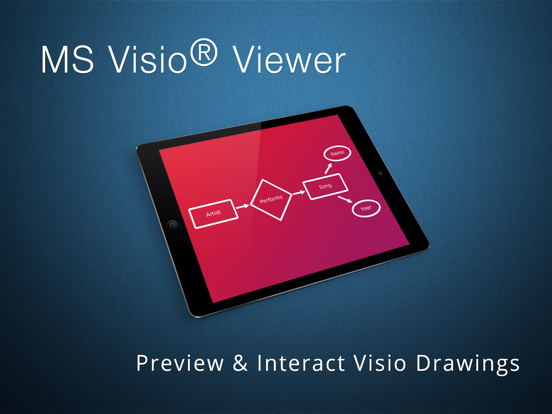
- VSD Viewer for Visio Drawings iPad Images
VSD Viewer - Professional Visio Drawings viewer.
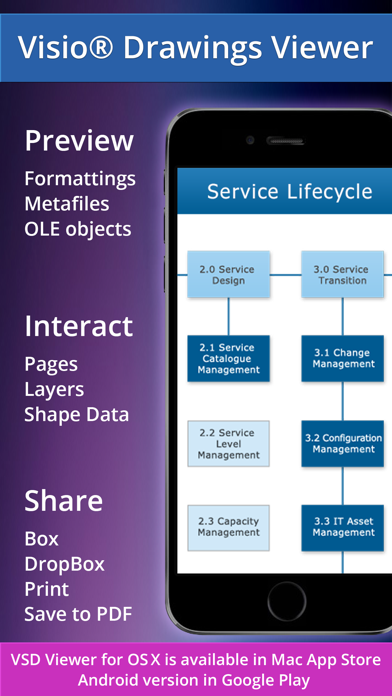
View, Interact, Share, Print, Convert to PDF any MS Visio drawing with VSD Viewer.
VSD Viewer supports specific features required by professionals who needs to preview drawings in details - with Layers and even Shape Data.
VSD Viewer opens and renders Visio Drawings of VSD, VDX, VSDX formats.
VSDX and VSD 2013 drawing formats are supported!
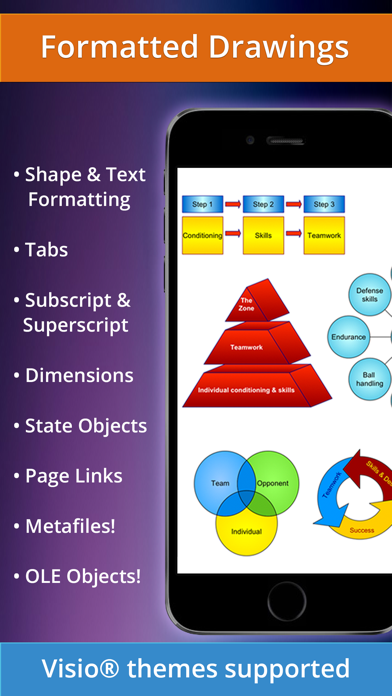
Visio Themes supported now!
BASIC OPTIONS
• Open and preview any MS Visio 2000-2013 VSD drawing
• Preview drawings of VDX/VSDX file format
• Scroll, zoom and navigate multipage documents
• Copy drawings' texts
• View complex formatted objects: lines, fill, color, gradients, text formatting, text subscript and superscript, tabulated text*
• Switch documents guides visibility
• View documents with embedded EMF / WMF metafile images and OLE objects**
• View documents with hidden objects
• View objects outside page boundaries
• View original dimension units
FILE MANAGEMENT AND SHARING
• Organize files and folders using built-in File Manager
• Add documents from iTunes
• Send documents via email
• Open and preview your drawings from cloud storages
• Access your Dropbox cloud storage just from the application
• Print your Visio Drawings via AirPrint
ADVANCED OPTIONS
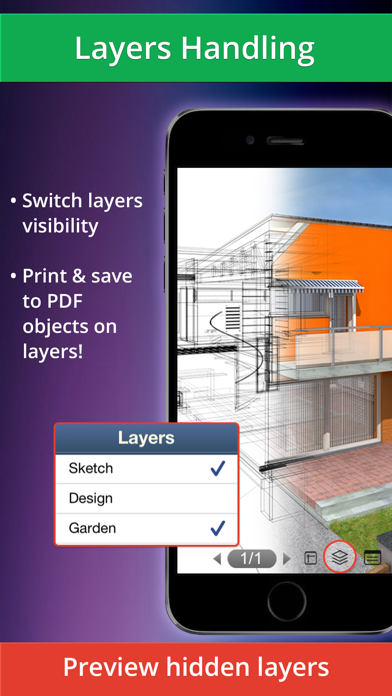
• Switch documents layers visibility, preview hidden layers***
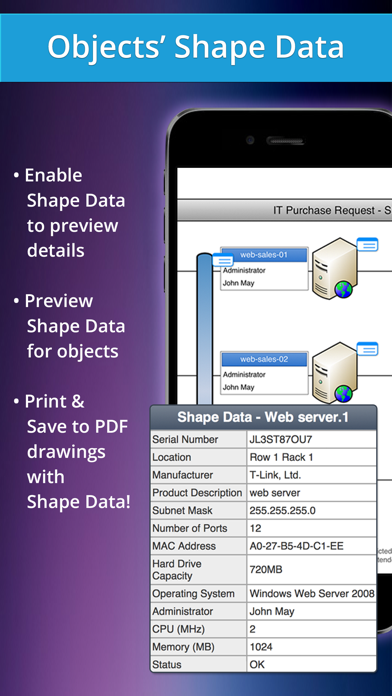
• Preview objects Shape Data
• Convert your drawings to Adobe PDF for annotating and distribution
• Preview your documents of popular doc, docx, xls, xlsx, txt, html, pdf and other formats just with the application
• Setup password protection on application entrance
* Tabulated texts are generally used for technical diagrams as a part of object's and document's frames
** Embedded metafiles and OLE objects are rendered
*** VSD Viewer allows you to preview complex multilayered drawings and switch layers visibility
VSD Viewer is iOS 14 compatible.
Current versions restrictions:
• Processing of huge documents and documents with multiple images may take time.
Your ideas and feedbacks are highly appreciated at [email protected]. Looking forward hearing from you!
All product names, trademarks and registered trademarks are property of their respective owners.
VSD Viewer for Visio Drawings App Comments & Reviews
VSD Viewer for Visio Drawings Positive Reviews
Good app.... but...Great application to view the contents of Visio documents, or at least it was, but the latest update has me scratching my head a little. In previous versions, I was able to view Visio files in full screen in landscape mode. However, this latest update seems to allow the page to be seen in portrait mode, but in landscape mode (iPad turned sideways) the screen view is significantly decreased by the "File Manager". Thank you for the file manager to help me organize my docs, but it really needs an option to hide and retrieve the file manager so that I can maximize the document viewing experience in landscape on my iPad..Version: 1.5
Simple and effective.Very good app..Version: 7.6
Superb for viewing MS Visio files while on the wayNow thats another one superb solution for viewing Visio drawings while you are on the way. I have already bought VSD viewer for Mac (and love it), and this app only compliments it. It is easy to check MS Visio drawings while you are traveling and your team needs your input, like in mine case. I just open drawing in my iPhone from email and check it. The best part ir what developer calls “Shape Data” - I can see data of item in the drawing, so I can check specifications and see if really everything is OK. And layers function is also the one I like - in complex drawings it helps to separate data that needs checking. So it is very handy if you need to travel and check team work progress at the same time. As this app is for iPad also, I think that could be used for presentations also, even I have not tried this yet..Version: 6.1.0
One Fatal FlawThe app is great, except for one fatal flaw. It doesn't support the split view functionality, so that I can have VSD Viewer open while taking notes in a different app in a side-by-side view. Adding this split-view functionality would bring my rating to 5 stars..Version: 7.2
Absolutely perfect!I work in IT, and manage a group of engineers. They send Visio's to me constantly and until this app came along I had to beg for PDF exports each time. This app works every time perfectly. There has never been a diagram I cannot see well and in full detail using this app. It also allows me to save as PDF from the app, and then I can mark up the diagrams using goodreader or similar, or mail the diagram to clients. I also LOVE their Mac OS X app VSD viewer which is equally as good (actually even better)..Version: 7.2
Great App for Apple UsersThis past year I have made a complete migration to Apple products. The one drawback was not being able to view VSD diagrams sent to me. This app allows me to view Visio diagrams on my iPad and iPhone. Support is outstanding! Recently I had a diagram that would cause the app to quit. I sent in a support ticket along with the visio diagram and the support team sent back a version I could read in hours and indicated that a fix would be issued in the next couple weeks. Great service Nektony! Tom.Version: 1.9
Excellent Viewer!I do lots of Visio diagrams. All network related with backgrounds, utilizing vendor stencils, etc. After reading the reviews I wanted to put it through its paces. I opened a 6MB, 29 page Visio file. It loaded quickly and apart from some minor formatting issues it displayed extremely well. Actually better than expected on an iPad. I'll be sending my findings to the developer. It works great now and look forward to future development. Worth the $$..Version: 4.0
This viewer really works!This is a very easy to use and fully functional viewer for all versions of our Visio drawings! Our database is huge with floor plans, wireless deployments, and network configurations. The VSD Viewer running on my iPad allows me to be fully mobile and have our library of drawings on my handy iPad. The drawings display quickly and I can finger stretch them to get more detail if I need to. This app works and works perfectly! Well worth the cost!.Version: 1.9.5
Unable to open from MailUPDATE: Okay, I received some fine support from Serg regarding this issue. It took a day or so to figure things out but turns out it was the original email I used to open the files was somehow corrupted. Anyway, I've since opened about a dozen other Visio files without any issue. Thanks again Serg! Does what it's supposed to do..Version: 2.0
Better than Trying to export you Visios to PDFWhen you export you Visios to PDF (the cheap way to get it into your iPad) the formatting is all wrong. This is mostly due to diagrams that are multiple pages Long. This application uses the original Visio file and formats it perfectly on the iPad. I wish it was a little cheaper but it was worth the investment..Version: 6.2.5
Great Business tool!I work at a business where I need to complete projects with a team of people and we are never in the same place at once. This iphone app has really simplified my work. Also I can easily show charts to my co-works with out having to carry my lap top everywhere. This app has really simplified the collaborations with my team!.Version: 1.0
Works great as advertisedJust what I was looking for. Quick office pro handles most Microsoft documents, but I get enough Visios that I really needed a viewer. This does a fine job. I wish the file manager pane was normally closed instead of normally open, but it's not a big deal. Very happy to add one more useful tool tommy iPad..Version: 1.5
Great viewer if you need to see the Visio docs from your phoneThis is a great tool to be able to see VSD documents on your phone. I often get email attachments with Visio documents and had no way to comment or review them until this app. I've never met a VSD file it didn't render great in. Only things missing (but still 5 stars because works really well as a viewer): Export to Mail as a PDF Print with AirPrint (should be roughly the same export to PDF logic) Overall, nice work. This is worth the money if you use Visio documents often..Version: 3.0.1
Fantastic tool!I love having my .vsd files with me wherever I go. It has made collaboration super quick and simple, so much so that I gifted this app to our entire team! If you're regularly working in Visio, you should definitely give this a try!.Version: 1.0
Works perfectly!I have a bunch of plans for work that are in visio format and need to show them to clients on the go. With this app I can open them on my iPad and everything thinks it's so slick. And the formatting is perfect, all aligned correctly too. Thanks!!.Version: 1.0
Enhanced File SupportThey have updated this app to include Onedrive support, virtually required for an app that is used with an MS product. I've found this app invaluable in communicating with people in the field without having to take a laptop..Version: 7.0.1
Responsive supportIf you go to their website and address your issue they respond within a day. I'm still working out this problematic file. Trying to pinpoint the problem and see if its actually the file that's not corrupt..Version: 1.6
Almost perfectWorks flawlessly with all the Visio files I threw at it. Only wish it has search function as we have some huge org charts and finding a specific person can be frustrating..Version: 7.2
Great ViewerThis is a really great app for viewing VSD Drawings! It works really well and everything looks great and displays properly. It’s definitely worth the money, especially if you use VSD a lot for your work!.Version: 7.0.1
Works well nowThe current version now displays the .vsd file itself instead of depending on other apps, which may or may not display them (eg Good for Enterprise does not). Seems to work fine now. Dan.Version: 1.6
Just worksWhat else do you expect from an app? It just works! I receive an email with a Visio from a customer, open it, voila! There it is. No funny conversion issues so far. Doing mainly network drawings, single and multi layer..Version: 6.2.4
PerfectThis app saved my day. It is probably the only usable vsd file reader I could find for iPad. It works well and very simple and elegant. This is exactly what I need. Thank you!.Version: 1.2
Visio files on the go!Great app for viewing video files on your iPad or iPhone. Easy to use, works from Dropbox, Mail and other apps..Version: 1.0
Needs updating for new iPhone 6Great little app but the resolution seems a little off on a new iPhone 6S. Like the app is being zoomed in. It was great on the iPhone 5. Looking forward to future updates.Version: 7.2
I love itVisio is such a huge part of my daily work, and I travel a lot. Having this app is such a huge addition for me. Keep up the great work!.Version: 1.0
Useful for meFinally can preview visio documents without converting to pdf! There are some issues in showing docs, nevertheless it's ok for me. Thanks!.Version: 1.2
Perfect VSD viewerThis is a great vsd viewer that I can use on my iPad to show my clients. Very simple to use, but has the functionality I have been looking for. Nice work!.Version: 1.0
Would be better with edit abilityHas some formatting errors where text is in wrong place.Version: 1.9.8
Given Microsoft proprietary software this is good as it can beHope the MS folks would go native some day or replaced by open standards, Ozzy.Version: 5.1
WorksWorks very well. It is the only thing I have found that will open Visio files on an iPad.Version: 1.9.5
Very usefulI can preview Visio drawings on my iPhone with this app expediently. And it was cheaper than regular price when I got it..Version: 6.2.5
FantasticThis is perfect! Now I can review my visio files on the go with my iPad and not having to boot up my laptop..Version: 1.0
Excellent!Awesome update! Adding layers has enhanced the functionality of the app tremendously! Keep the updates coming..Version: 2.0
Great App!No issues encountered. Would like the next app to facilitate editing of files..Version: 6.2.4
Just what I needed!I had to check on a file on the field... did the trick! awesome..Version: 6.2.5
Good visio viewerWorks for most vsd's we have, occassionally it can't display an object.Version: 6.2.5
Great appGood solution to open and preview your Visio drawing on iPad, strongly recommend.Version: 6.2.3
Excellent app!Love it so far..Version: 5.0
J. PetroxFinally got the update with themes support. Thnks.Version: 7.0.1
Great App!!Awesome.Version: 5.1.2
Bravo!This app has come a long way, but I have to say now its THE app to have if you want to view Visio files on your iPhone. -Renders large complex great -site maps that span multiple pages render great -navigating, zooming input is much better -loads perfect from SkyDrive Well-earned 5 stars..Version: 3.0.2
Free International Money Transfer 💸Enjoy high maximum transfers into more than 20 currencies while saving up to 90% over local banks! The cheap, fast way to send money abroad. Free transfer up to 500 USD!Version: 7.16.1
What do you think VSD Viewer for Visio Drawings ios app? Can you share your thoughts and app experiences with other peoples?
Please wait! Facebook comments loading...