Incpt.Mobis
Unit Converter ∞ Customer Service

- Unit Converter ∞ Customer Service
- Unit Converter ∞ App Comments & Reviews (2026)
- Unit Converter ∞ iPhone Images
- Unit Converter ∞ iPad Images
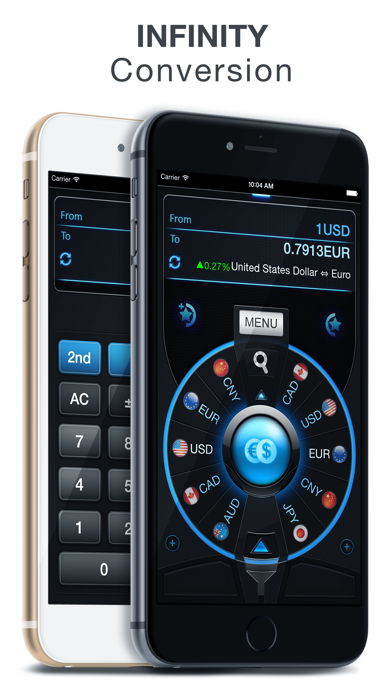
Forget what you know about common Unit Converters. Undoubtedly, Converter ∞ (Infinity) offers unique features & greatly new user experience!!!
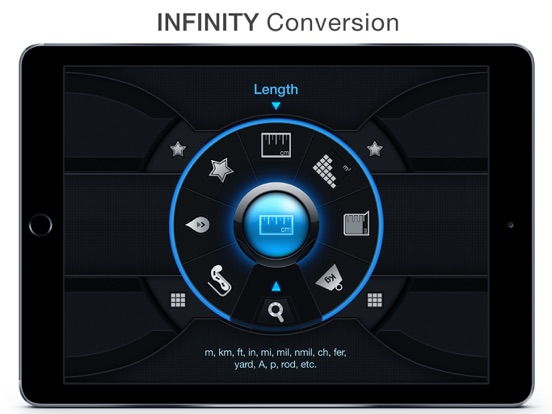
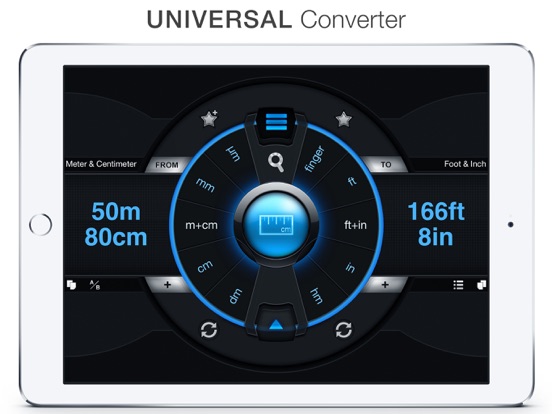
◉ Featured: Converter ∞ greatly supports huge Database with 50 available categories and over 1000 units (Include mixed unit such as ft + in, m + cm,...) so Converter ∞ can help you solve almost every conversion problem in your Work, your Study and also your daily life. You can, moreover, add your regular conversion to Favorite Section so that your conversion task would be as fastest as ever!
◉ Perfect Design: Converter ∞ has a shape of arc combined with sci-fi style offering convenient & interesting user experience.
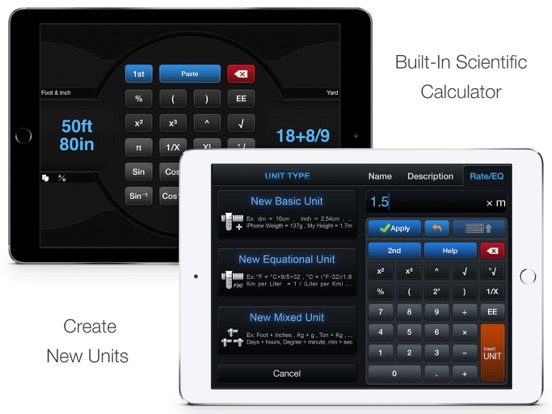
◉ Ultimate Converter: More than a normal Unit Converter, Converter ∞ can help create your self–made conversion units to the converter. It makes your converter become Unlimited !!!
◉ Official Website: Http://iPhoneCalculator.com
◉ Features:
▸ Support Widget
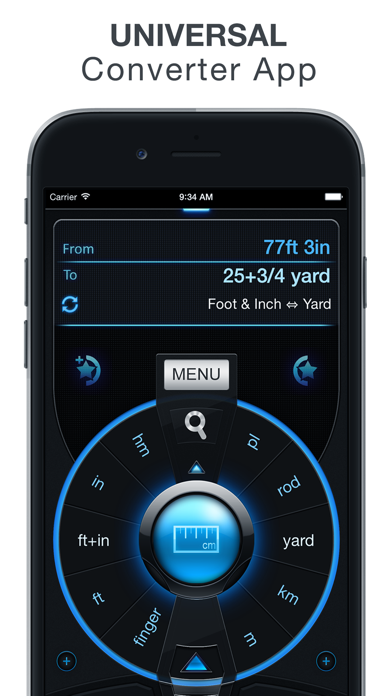
▸ Universal Converter App
▸ 50+ Categories &1000+ Units
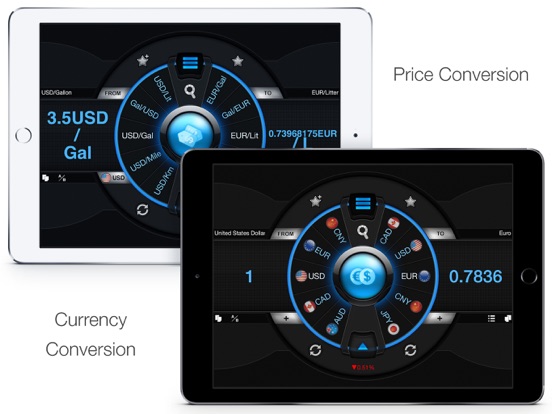
▸ Currency(Money) Exchange ¹
▸ Price Conversion
▸ Luminous Conversion
▸ Retina Display Support ²
▸ Global Favorite Section
▸ Category Favorite Section
▸ Create your own unit
▸ Turn On/Off Units
▸ Turn On/Off Categories
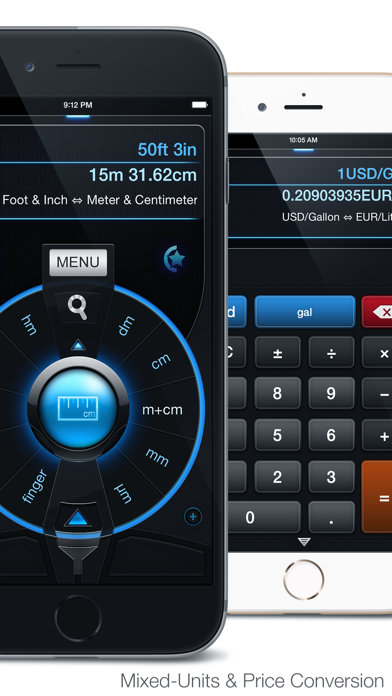
▸ Mixed-unit Support
▸ Fraction(Mixed) Support
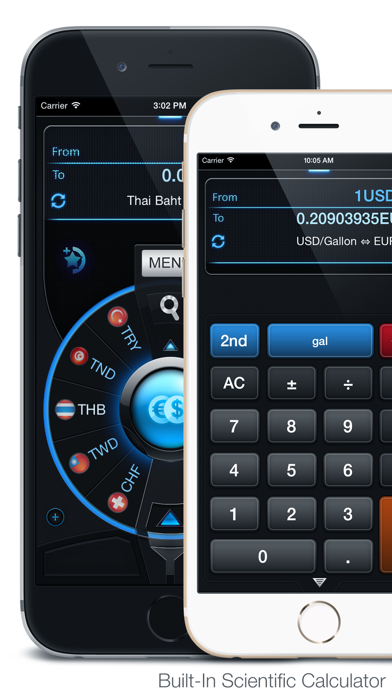
▸ Scientific Calculator
▸ Support Widget
▸ Online DB Update
▸ Online Update Currency Rate ³
▸ Online Tutorial & Documents.
◉ Featured Conversion:
▸ Mixed Unit Conversion: Met - Ft + In.
▸ Fuel Consumption: Km / Lit - Mil / Gal.
▸ Price Conversion: USD / Gal - EUR / Lit.
▸ Luminous Conversion Tool: Convert Among
Luminous Flux, Intensity and Apex Angle.
▸ Electrical Conversion Tool: Convert Among
Electric Current (A), Power (W), Voltages (V).
¹: Source: Yahoo! Finance (85 Currencies)
²: All iPhone (Incl. 7/7+) / iPad Retina Display
³: Manual & Hourly Auto Update.
New Data Base Update available weekly.
No Ads & High Performance.
◉ Categories:
Length, Area, Volume, Mass, Acceleration Linear,
Acceleration Angular, Angle, Calorific Value, Data,
Capacitance,Conductance,Conductive, Currency,
Data Transfer, Density Common, Electric Field,
Energy, Entropy, Force, Fuel Consumption,
Heat Capacity, Heat Flux Density, Illumination,
Inductance, Linear Charge Density, Luminance,
Linear Current Density, Magnetic Flux Density,
Moment Inertia, Power, Pressure, Radioactivity,
Radiation Absorb Dose (Rate), Resistance, Price,
Resistivity, Speed, Surface Tension, Torque,
Time, Thermal Conductivity / Resistivity,
Thermal Expansion, Typography, Temperature
Velocity Angular, Viscosity Dynamic / Kinematic,
Volume Flow Rate, Volume Dry.
Unit Converter ∞ App Comments & Reviews
Unit Converter ∞ Positive Reviews
Useful once you know how to operate itThe is a good conversion app once you learn how to operate it. It would help if the graphic labels included text that explained what each key is. It would also help if there was a set of prompts on each page such as: step 1 select category then push arrow, step 2 select from measuring unit- enter amount and to measuring unit-enter amount..Version: 2.2
Comprehensive, plus customizable for simplicity.This conversion calculator has every conversion you can conceive, only a few of which you are likely to ever need. As delivered, the program shows them ALL(!), which can be overwhelming to those who take only a superficial look. However, if you bother to learn the options, it is easy to ‘turn off’ the obscure categories so they do not clutter the main menu. - For example; I need ‘density’ conversions, but will never use ‘radiation’ conversions. Also, within each category, you can to ‘turn off’ the little-used units within each conversion category. - For example; In ‘density’, I regularly convert gm/cm3 to lbs/ft3, but never convert them to grains/km3 (!) BOTTOM LINE; An EXCELLENT tool. It’s hard to imagine how it could be made better without ‘dumbing it down’ at the cost of lost capability. To those who say ‘too complicated’, I say: “No conversion tool can be BOTH comprehensive and simple ‘out of the box’.” The authors have given us both, PROVIDED you will take a little time to customize it for your own purposes..Version: 2.2
Great app.I have been using this app for a number of years now. I don’t really think it is hard to understand. It displays what measurements are under each icon if you look above the selection wheel. I have found this app incredibly useful, especially that it has so much information at your finger tips. I am an engineer by trade and this app has saved me several times. I highly recommend it to anyone who needs to do conversions of several different things..Version: 2.2
Takes some figuring outI really like this app as I am always converting something for projects. It’s taken me a while to get the hang of it and still don’t feel real confident that I know how it’s supposed to work. I still stumble around when trying to figure out something new but when I finally figure out the thought process behind this I really like using it. This app will convert so much more than I will ever use! Very thorough..Version: 2.2
OkI don’t see much difference from the converter in calculator infinity. This may sound like a huge request, but I think it would greatly improve the app. Could you add an ingredient converter? By this I mean it could covert volume—>volume, metric—>volume, and volume—>metric of ingredients. If you have a recipe in metric you could put in the name of the ingredient along with the amount in that unit given and then the measure you want it converted to. When the answer comes it would show like, 1 3/4 cups flour, or 2 1/4 tbs sugar, instead of a decimal number for the answer. Just an idea. 🙂.Version: 2.0
It’s okay, overcomplicatedIt is thorough, with even obscure units to convert, so that’s good. But, there’s so much there that it just takes too long to find the units that you need, and the actual interface is very non-intuitive. Opening a Chrome window and letting google do the conversion is much faster/easier. But hey, it was only $1 added to the scientific calculator, which I actually like a lot..Version: 2.2
Unique UI but quickTakes some getting used to the interface, but quick to use once you get it. In addition to using the on-screen numerical keypad, it would be nice to also allow using the iOS on-screen or external keyboard to enter numbers..Version: 2.0
Please update!!!I recent discovered this app. I have tried many many different unit converters, and this one is the “coolest” by far. The only issue is that it hasn’t been updated in like 8 years. Still works mostly, but will not update currency or database. To the Dev, I see you are updating your calculator app, so please devote a small bit of time to just bring this app up to date. It would be a shame for a converter as unique as this one to just fade away! Please consider! 🙏.Version: 2.2
King of Conversion AppsI have been a full user of Converter Infinity since it inception. As an Engineer, I find it very useful, especially in combination with PCalc. Setting up favorites is easy and very useful. I would recommend this app to anyone..Version: 2.2
Useful for converting unitsI like this app because of it’s information it provides. It’s so useful for converting units. I like using it with the calculator infinity app..Version: 2.2
Great unit converter !!!The update with widget supports is very good, it works like charm, must faster than before!!! I often make transactions with foreign currency. This app does the job perfectly. Moreover, the user interface is excited. It's like a screen of sci-fi movie. Totally awesome!!!.Version: 2.0
The best app to conventionThis app it’s my favorite to use on my work, after years using I did pay finally for bundle apps from this creator.Version: 2.2
Buy itDon’t listen to some people saying the app is hard to use or unusable or unstable or anything else But it You will get more than you need from a convertor.Version: 2.2
Great toolI’m using this app for a long time and it always worked very well, it has a nice user interface and everything else i need..Version: 2.2
Somewhat of a learning curveGreat tool with a lot of flexibility. Takes some trial and error, but once you get the idea it is easy to use..Version: 2.0
AbandonedThis is a good app, except it has been abandoned. No updates have been made and the currency converter is no longer usable since it cannot be updated..Version: 2.2
Trucking managerWell done,ez to figure out. If you need correct info fast this is a must..Version: 2.2
Need timeDon't know. Only had it for two minutes.Version: 2.2
Great Conversion AppWith many, many options and the UI design is a beautiful Sci-Fi/ Futuristic look..Version: 2.0
I'm tornAt first it may appear as though the user interface is beautiful and futuristic. Because there are so many conversions available, it becomes quite complicated to find the information you're looking for. While I should have watched the video (I haven't done it yet), I think the app is not very user-friendly, unless you get to understand how the developer intended for you to find the units to convert. That the wheel needs to spin multiple times until you find the unit you're looking for, took me a lil bit. The wheel contains units in alphabetical order and you have to spin it all the way to the end to find the "Volume" of something. The back button is very small. Anyway, very useful..Version: 1.2
Very GoodIt has everything I was looking for in a app..Version: 2.0
StudentGood calculator but need a user friendly help function to rapidly and efficiently find functions..Version: 2.2
GreatGreat app.Version: 2.2
Terrific AppThis is a great app, an indispensable tool that has many practical applications. It's helped me in innumerable ways. In my humble opinion, it's the best app of its kind in the App Store. You won't regret purchasing this inexpensive tool. I bought one for my older brother, a clinical psychologist and he's found uses for it. You don't have to be a construction worker or a handy man to benefit from this app. Yesterday I used it to calculate the margins of Adobe documents I was converting from another format and it helped me make the conversion between mm and inches. It's brilliantly made, intuitive-always a good sign-laid out well and attractive from an aesthetic point of view. I wish I could design and make such an app. That's the highest compliment I can give it. It's something I wish I could have made myself. Great app, worth it. Buy it, you won't regret it..Version: 1.7
More than I can even comprehend.I am sure if you need it converted THIS app WILL. I don't see anything that isn't covered. Acceleration linear, acceleration angular, angle, area, calorific value, capacitance, conductance, conductivity, currency, data, data transfer, density common, electrical charge, electrical field, energy, entropy, force, fuel consumption, heat capacity, heat flux density, illumination, inductance, length, linear charge density,linear current density, luminance, mass, magnetic flux density, moment of inertia, power, pressure, radioactivity, radiation absorb dose rate, radiation absorbed dose, resistance, resistivity, speed, surface tension, temperature, time, thermal expansion, thermal conductivity, thermal resistivity, torque, typography, velocity angular, viscosity dynamic, viscosity kinematic, volume flow rate, volume,volume dry..Version: 1.2
A little over-designey, but goodIt has an amazing amount of units (though I had to add furlong, which is still used to measure horse racing distances in the Caribbean, so, you know, quite handy) even clutteringly many. Decimeter/hectometer could really be done without. The "m+cm" (et al.) seems a little over the top too, I think most users are familiar with the decimal point. The interface seems quite clever compared with selecting the units from menus, though I'd prefer it would return to the last two units used (so selecting "distance" doesn't just set it to "dm->dm" conversion). Overall a fine app..Version: 1.6
Great App, Awesome Customer SupportSo, I needed an app that would convert hours and minutes into a decimal, and vice versa for use at work. It's easier through an app than on a calculator. I couldn't figure out how to get any apps to convert like this aside from some really old ones that were last updated 4 or more years ago. I sent the dev of this Converter app an email to ask if they'd add the functionality, and they actually replied back, unlike another popular converter dev. It turns out that you simply convert hours:mins to hours, and they sent me a screenshot on how to do it. It was so simple, but the fact that they replied so quickly was just amazing..Version: 1.2
BEST EVER! BUYYY NOOOW!I promise you that you will LOOOOVE this app! If you don't like this one then you obviously don't like converting utilities. This has so many converting features that I was scrolling through for a minute and still new ones appeared. It even has conversions you'll probably never use unless you're a scientists but they're still awesome to have. What are you waiting for? You're paycheck? GET THIS NOWW! P.S Only one problem: please update for iPhone 5, because although it still is comfortable to use, it would be even more so if it for my whole screen..Version: 1.2
Excellent with only 1 flawBest conversion program I've found. Converts Parsecs per second into Furlongs per Fortnight and many other things you have not thought you needed to know. The only fault I can find is when you change conversion choices, the "input" and "output" fields do not go to zero. When you start to put in your "from" value, you have to backspace so you can start over. A minor inconvenience, to be sure. If the "from" field could be cleared, it would make the App faster to convert your values. Thanks, great App !!.Version: 1.6
Will convert ANYTHINGThis app will honestly convert absolutely anything that is convertible. It even has a wide variety of foreign units. The interface is a little confusing at first, but it really isn't so bad after you get used to it, and there is a tutorial. Also, there are several ingenious little mechanisms. There is a button to switch from finding out him much of A is in B to how much B is in A. You can favorite conversions you need often (instead of searching the hundreds or thousands it has). This is really a great app..Version: 1.2
Very useful and user-friendlyBest conversion application on iOS I've seen up to date. There are so many things like for me degree to radian is useful, and the currency converter is quite handy as well. There could be an option for a list to view the options and not just by the wheel..Version: 1.2
Incredibly comprehensiveThis is a pretty amazing app. I think it has just about every unit of measurement you could imagine, other than the fact that it is missing quite a few currencies (mostly minor ones). It took me a little time to figure everything out on the app because there are so many options. The nice thing is you can choose your favorite conversions and get rid of any that you might not use. Highly recommended..Version: 1.2
Absolutely GreatWhen I first d/l this app maybe 1 1/2 yrs ago, it was OK. Not bad but I found it difficult to use. Because of this I haven't used it much. But tonight I opened the app & found it has matured very nicely. I did not find it hard to use, to the contrary it is fairly straightforward. While there are many converters out there, they all don't have many of the smaller #s that this has. This one "rocks"..Version: 1.5
This app is great!!!Just what I needed for school! All the other converter apps I tried out just flat out sucked. This one is great! Just wish you could choose what category you want with a list view instead of a wheel though. Using the wheel takes up time. But it's still a great app. Cool functionality too! But list view for categories(tempurature, mass, volume, etc.) would be a HUGE plus though.Version: 1.1
Excellent Converter AppThis is definitely the best app I've come across for unit conversions. It comes with all of the units you will ever need, but in case it isn't, you can always enter your own. Plus, you can search for the units you need when you need them. The graphics are cooler than anything I've seen for converting. 5/5, period. Nothing else comes close..Version: 1.2
Extremely Useful in Various Ways!I love this app, it has literally been very very useful to me on a number of occasions when I really needed to get conversions accurately and immediately. The best one being the currency converter that I needed while in India over this past summer! Great work folks, keep developing apps like this and you'll have a consumer for life in me! Thanks & Cheers, IndoEiréannGirl.Version: 1.5
A thorough selection of unitsThis app has a great selection of units and a good interface. I would add the ability to choose "favorite" units, leaving the others available, but pushing the ones most often used to an easily found place. Some of don't use, for example, furlongs or drams too often..Version: 1.5
AmazingI have never seen a more detailed on version app with more conversions than even an Einstein might use. Complicated to use in the beginning with a bravely ingenious and daringly cool interface, but it grows on one with use. It's a great effort and is loaded with every possible conversion you could ever wish for. 10 out of 10..Version: 1.2
FANTASTIC APP!!Great app! But I did find a glitch with converting Liters/day, hour, etc. to milliliters/hour, day, etc.. It converted 1 Liter to 100 milliliters but on volume, it says for 1 Liter that's its equal to 1000 milliliters. That's the only thing wrong with it that I've found. It's a great app and I'd recommend it to the people at my school without a doubt! Great job makers of this app!.Version: 1.3
Seriously?I never rate apps because I'm lazy... This app has been so useful and easy to use that I actually couldn't tell myself, "naa, I don't need to review that app." Seriously, get this app. I'm an engineer (power sector), and it even has my Btu's MW, capacitance, and everything. It's easy peasy to use, well designed, and has cool effects..Version: 1.5
Wow!I almost never rate an app on my first impression. I'm going to make an exception here. The dial selector? Awesome. Thoughtful, intuitive layout? Top notch. Use of most recent trends in widget controls and menus? The developers seem right on top of it. I can go delete all my other converter apps that only do one category each!.Version: 1.2
Fantastic!!!This app is simply amazing. It converts, and is stylish while doing it! You can choose which type of unit you want displayed on the main screen, and hide the ones you would never use. No other converting app has been as helpful as this one. So yeah, get it..Version: 1.2
Surprisingly goodThis app is much more comprehensive than I expected. It also very customizable, allowing the user to select favorite (i.e. often used) conversions with dedicated buttons, and to shut on/off conversions and units to simplify the interface. 5-stars..Version: 1.2
A little too advanced.I was looking for a replacement for ConvertBot and I have this app a try and frankly it's too advanced for my needs, where as ConvertBot seems to meet them much better. This application is great for some people, but not everyone, so unless you need incredibly advanced scientific conversions, I would stay away from this application..Version: 1.3
Take 10 min to learnJust take a couple minutes to learn it, and you'll realize its a fantastic app! Love the favorites. Way more conversions than anyone would ever need, but at least you know you're covered. Really a very helpful app..Version: 1.4
2 prob.L'app est exceptionnellement bien faite. J'y voit cependant 2 problèmes : non-prise de l'iPhone 5 et n'est disponible qu'en Anglais (le francais ne serait pas de refus).Version: 1.2
Formidable CalcAvec cette calculatrice plus besoin de rien d'autre et elle vient avec un guide qu'on télécharger. Bravo!.Version: 2.0
Best conversion tool out there !Interface can take a while to figure out, but the tool is powerful..Version: 1.7
Takes a littleThe interface takes a little time to learn. But it is powerful..Version: 1.7
Many good options. Wide overall usage.Excellent overall.Version: 1.6
Unit ConvertorEasy simple and speedy to use!.Version: 1.6
Impossibly high amount of optionsThis app has such a ridiculous amount of conversion options that I am still amazed by it, and I believe they still are adding more. I really don't think you'd need any other unit covering app.Version: 1.6
Works great!Great app!.Version: 1.5
Parfait!Tout simplement parfait!.Version: 1.5
Good converter.Has almost too many conversions. Good when you use the favorites tab. Otherwise a little hard to navigate. Good search feature too..Version: 1.3
Wow!This has so many converters it blows my mind. This is the single unit converter you will ever use. A little complicated to get used to everything, but once you limit the categories you don't use and add favorites it becomes much simpler. Highly recommend for anyone needing to convert anything!.Version: 1.3
Finally!Finally! Someone took the time to do it right! Great look and feel, easy to use, helpful tutorials, and rightfully awesome! Keep up the great work!.Version: 1.2
Useful!The App Is Very Useful I Have Tried Many And This One Is Marvelous. I Love The Design And I Highly Recommend It As An App To Keep.Version: 1.2
Not Very IntuitiveGood concept and great design but the usability is not very intuitive. Comes with lots of tutorials but could be easier to use..Version: 1.2
Beautiful design.Love the interface and design. very useful tool. highly recommended..Version: 1.2
ConversionTrès bien fait ! , complet !!!!.Version: 1.2
OpinionIt does not really help its just like a calculator but it still works.Version: 1.2
Good appSeems to be good and useful so far, but doesn't calculate negative temperatures. :(.Version: 1.2
CoolOne of the best apps on the market. VERY worth it..Version: 1.2
The best ConverterThis is the best converter I've used. Good user interface.Version: 1.2
Excellent & usefulGreat converter. Tried the free version & bought the paid version. Each table allows you to switch factors on or off so you don't need to flip through each one every time. The only thing missing is an electrical conversion for volts vs amps & watts (i.e. 120w @ 12v would equal 10amps).Version: 1.1
Free International Money Transfer 💸Enjoy high maximum transfers into more than 20 currencies while saving up to 90% over local banks! The cheap, fast way to send money abroad. Free transfer up to 500 USD!Version: 2.2