LiveBird Technologies Private Limited
File Manager 11 Customer Service

- File Manager 11 Customer Service
- File Manager 11 App Comments & Reviews (2026)
- File Manager 11 iPhone Images
- File Manager 11 iPad Images
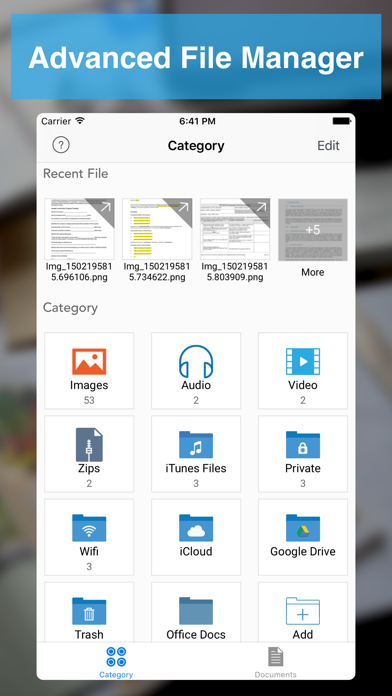
File Manager - Advance File Manager and Document Reader
Manage your Documents & Files with File Manager
# File Manager
- Create Folder - Create new folders and sub folders
- Copy - Copy files/folders between different folders
- Move - Move files/folders between different folders
- Delete - Select and Delete multiple files/folders
- Rename - Rename a file/folder
- Trash - Move files to trash recover them if required
- Get Info with General and More Info of all type of document.
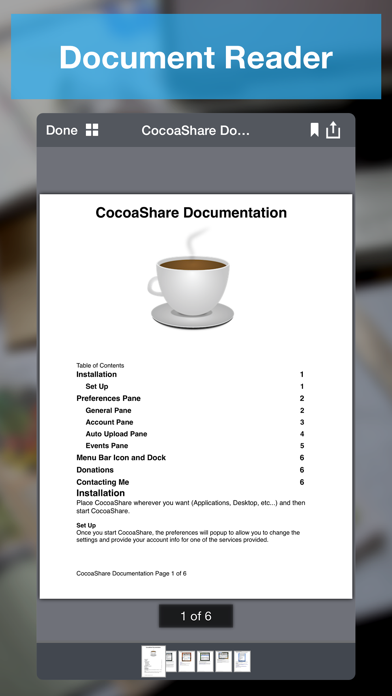
# Read Files
- PDF Files
- MS Office Documents (Word, Excel and PowerPoint)
- iWork Documents (Pages, Numbers and Keynotes)
- Images Files (JPG, PNG, GIF, TIFF and others)
- Audio Files (MP3, AAC, Apple Lossless, AIFF, WAV)
- Video Files (standard iPhone format : H.264, MPEG-4)
- OpenOffice Documents (Text, Spreadsheet, Presentation) basic formatting only
- Plain Text and RTF (Rich Text Format)
- HTML Files
- ZIP Files (Uncompress Zip Archives)
# Advance Document Viewers
- Image Viewer - With thumbnail view
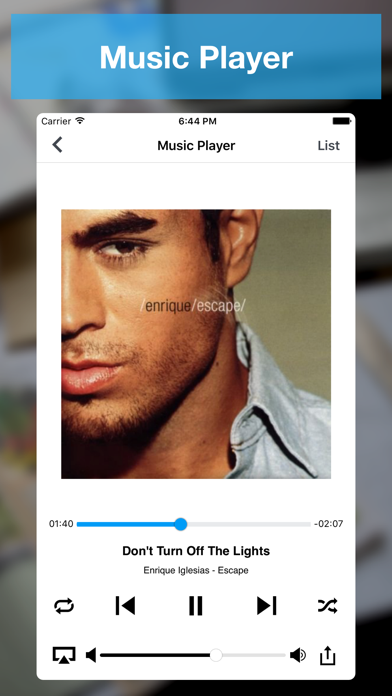
- Audio Player - Audio player with different playback controls, AirPlay support, Control with Ear Phone and Ear Pods, Support playing music in background
- Video Player - Air Play support and different playback controls
# Make Zip
- Select Multiple files/folders and make them zip
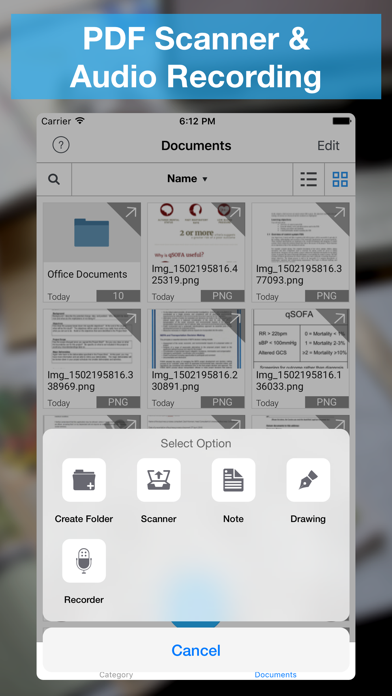
# Create PDF Files
- Create PDF - With Different Kind of Page Content
- Rich Text Pages - Create Rich Text Pages in File Manager Rich Text Editor
- Camera Snaps - Take Snap of your documents
- Photos from library - Pick photos from your iPhone/iPad/iPod touch Photo Library
- Map Snaps - Create Map Snap - With Address Annotation
- Hand Drawing - Create Hand Drawing and add it as PDF Page
# Create Protected PDF
- Create Password Protected PDF - (PDF file will require password when someone want to open PDF file in any software)
- Create Copy Protected PDF - End users will not be able to copy the content of PDF file.
- Create Print Protected PDF - End users will not be able to Print the content of PDF file.
# Text Files
- Create and Edit text files
# Audio Recorder
- Record Audio With different qualities
- Record Audio in background
# Hand Drawing
- Make Hand Drawing with different colors and save as image
# Secure Your Documents
- Private Documents Section
- Protect App With Password
- Touch ID Support
# WiFi Sharing
- Access Your FileManager Documents From Your Computer With WiFi Sharing
- Upload Documents From Your Computer to FileDesk
# FTP Sharing
- Access Your FileDesk Documents From Your Computer With FTP Client
- Upload multiple documents to FileDesk from your computer together
# Cloud Share
- Dropbox
- Google Drive
- OneDrive
- Evernote
- Box.net
- SugarSync
- WebDav Server
- FTP Server
- Email Files
# Import Files
- Photo Library (Video/Audio/Photos)
- Camera Capture (Video/Photos)
- Clipboard
If you enjoy using File Manager, please support us by leaving review in the App Store, or updating you previous review for the new version. Each review matters a lot, and helps us grow and improve our app.
File Manager 11 App Comments & Reviews
File Manager 11 Positive Reviews
Rename your photos!!!!!!Renaming images is the only reason I tried this app. I've used about 7 or 8 apps looking for a simple solution. With this app I can easily rename my images. Other users commented this app needs an update and it does, but I still paid for the pro version and would have paid more to get this job done. The update may not have been done since so few people tried this app. That said, if they do update it and I hope they do, here are the pros and cons after using it for 30 min. Pros Rename images Easy navigation Security settings Lighting fast uploads (less than 15 sec for over 200 images) Nice image edit options Create any file and sub file Cons Select all is not an option. It's time consuming to click on hundreds of images, but click I did. A preview of the image. Some images showed the San disk image instead of the photo. BTW. My need to rename images was so important I didn't remove a star for the cons. That's it. If I come across more I'll check in, but I'm very thankful for this app..Version: 4.1
Electrican Specialist LeaderGreat App Multi Functional Everything All In One Spot and Easy Assessable Love it All the Way !!!!.Version: 6.0.1
Needs an updateNeeds to add 3D touch. Quick access to private folder from home screen. And I think its been so long without a new update and improvements for this app.Version: 4.1
ReviewGood app.Version: 6.0.1
AwesomeThis is a great and reliable file manager. Would be better with 3D Touch integration..Version: 4.1
GreatGreat.Version: 4.1
SweetnessI was going thru file managers left and right all lacking one feature or another and then I finally found the perfect one!! Perfect 10.Version: 2.0
AppearanceI liked the old icon better--how it popped out more as a little desk that stood out from all my other apps... But that's just silly me. I'm not going to update it though. Aside from that, this app is amazing! You can make documents really easily. It's really organized and has a lot of options. I deleted Adobe Reader and Dropbox because of this..Version: 1.1
Buggy as reviewer Shootthebull stated 2013octThe biggest problem? Cannot navigate out of current folder. Require closing down of app to get back to homepage/main menu. Unable to open more than 1 file (PDF) in another app. Had to switch back each time. Button at bottom of Edit area is non-responsive..Version: 1.4
ExcellentEasy to use, has recent tab, private folder. Would like if it has passcode like iPad where after entering 4 digit it opens the app. Thanks.Version: 2.0
Best Productivity AppVery productive. Not only this app allows me to create and modify all types of documents, but also allows me to share them over wifi.Version: 1.0
Amazing user interfaceUser interface is amazing. easy to use..Version: 1.0
Awesome app!Very convenient and easy to use!!!.Version: 1.0
Useful for officeThis has amazing file manager and pdf creator. Very useful for my office docs Also have private doc feature... Amazing....Version: 1.0
Easy to useIt's really awesome.Version: 1.0
Superb app...Superb app…useful to manage my documents. create pdf feature is amazing..Version: 1.0
Cool....Version: 1.0
Easy to useIt is east to use..Version: 2.0
Free International Money Transfer 💸Enjoy high maximum transfers into more than 20 currencies while saving up to 90% over local banks! The cheap, fast way to send money abroad. Free transfer up to 500 USD!Version: 6.0.1