SeaNav US Customer Service
- SeaNav US Customer Service
- SeaNav US App Comments & Reviews (2026)
- SeaNav US iPhone Images
- SeaNav US iPad Images
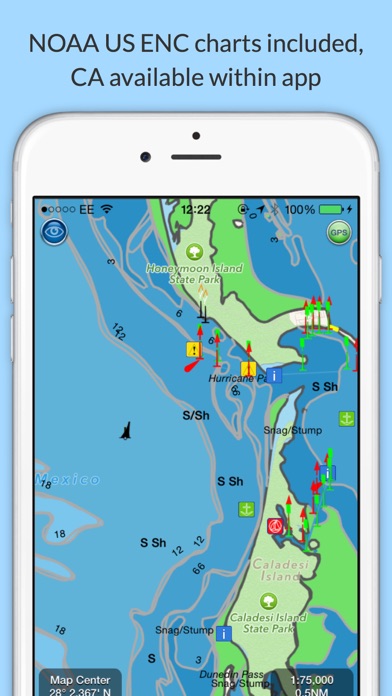
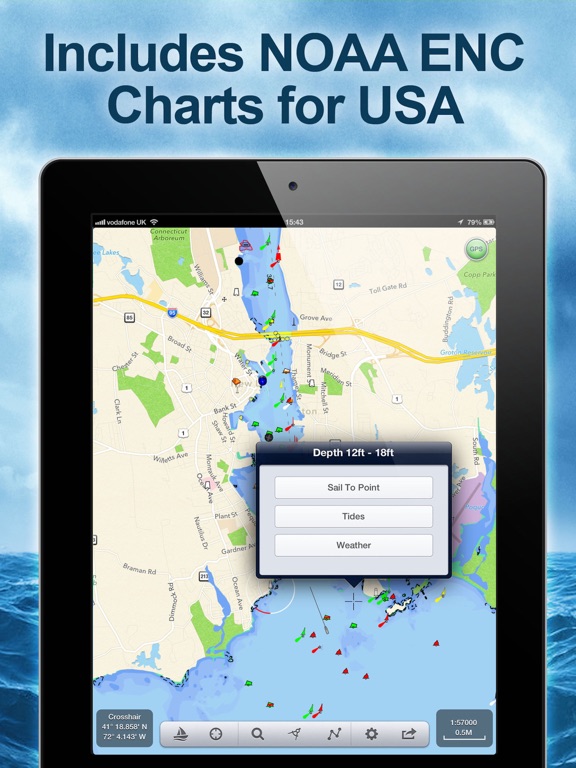
Explore, Plan and Navigate your boating trips in real time and outstanding high-resolution with the latest NOAA Marine charts covering the USA and US Great Lakes.
- Includes all US Coastal, ICW, Inland (USACE) and Great Lakes Digital Vector Charts
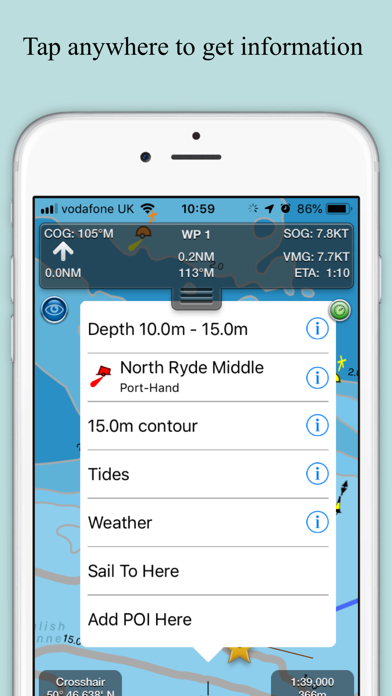
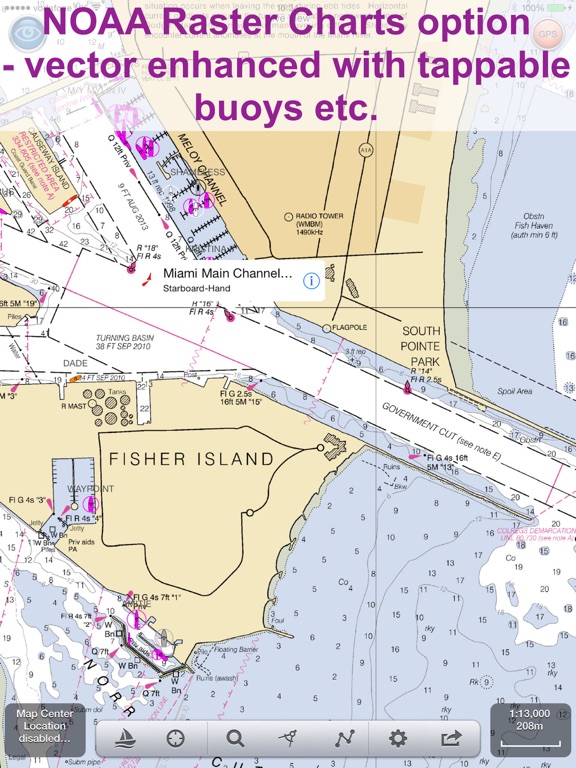
- Buoys, lights etc. are tappable with bearing and distance
- Free Apple Watch app
- Live AIS Ship targets and collision alerts (requires Boat Beacon)
- Seamless panning and zooming across charts
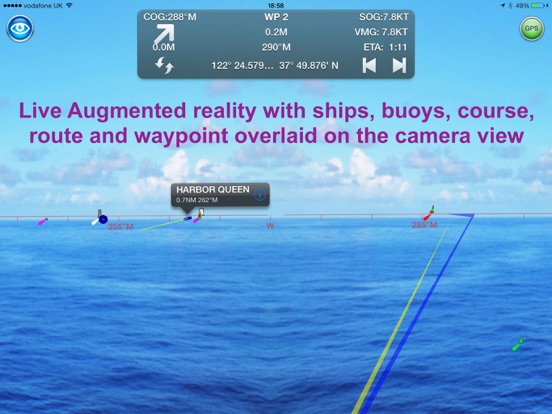
- Unique live Augmented Reality camera view
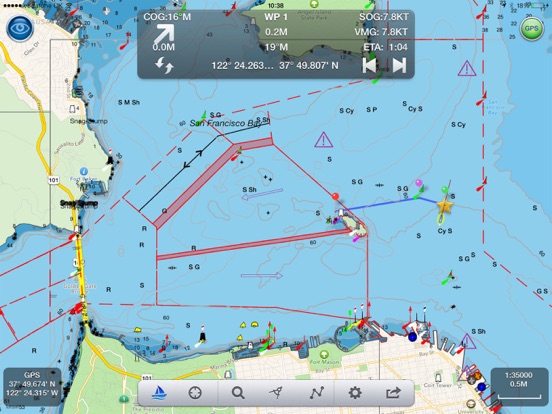
- Route Planning and tracking with Waypoints, ETA, XTE, etc. plus SeaNav autorouting
- Offline charts
- Route export and import to MFDs and other apps via gpx
- ActiveCaptain Marinas, Anchorage, Hazards and reviews
- US NOAA Raster charts available via IAP
- Canadian charts via IAP
- British Virgin Islands & Bermuda charts via IAP
- External NMEA over Wifi
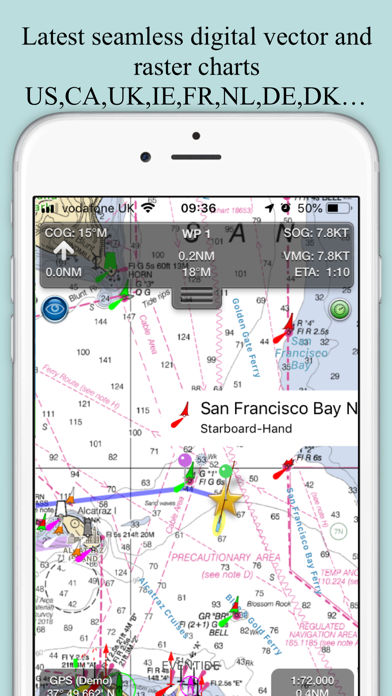
SeaNav uses Digital Vector charts providing a wealth of benefits and advantages. Buoys, Lights, Bridges, Depth Contours, Depth Soundings, Rocks, Anchorage areas, NOAA Weather Buoys etc. are all selectable and have real time distance, bearing and detail information. Turn off layers to de-clutter the display and only show what is important at the time. Tides, moon and sun times and weather are also all available at your fingertips.
SeaNav’s unique AR view mode allows you to view buoys, lights, ships, waypoints and track overlaid on your iPhone or iPad live camera view. With "AR LockOn" you can select a target on the chart and then be guided to it in the AR camera view.
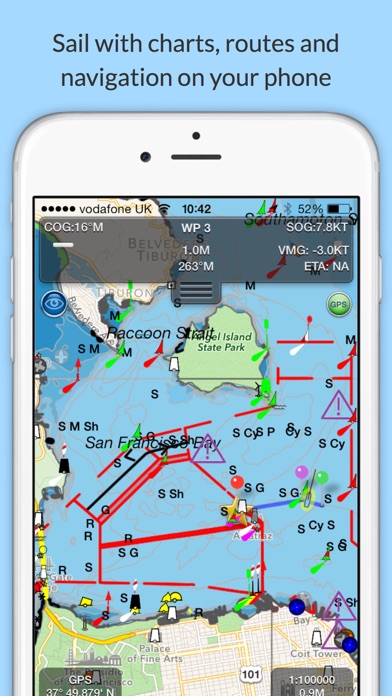
SeaNav lets you measure distances and bearings and record waypoints on routes. When at sea, the app’s Sailing HUD shows your position, Course over ground (COG), Speed over ground (SOG), Vector Made Good (VMG), Estimated Time of Arrival (ETA), Distance and bearing to next Waypoint. Waypoint reached alerts, auto-routing to the next waypoint and collision alerts.
SeaNav comes with a free Apple Watch companion app .
Lowrance, Simrad and B&G GoFree support included.
Your purchase of SeaNav includes 12 months of free updates to the included US chart set. Further chart updates are then available via an in-app purchase. Charts for other regions including Canada may also be added to your product via optional in-app purchase.
Our in-app purchases are 1 year subscriptions, which automatically renew at the end of the subscription period unless auto-renew is turned off at least 24-hours before the end of the current period. Payment will be charged to your iTunes Account at confirmation of purchase, and will be charged for renewal within 24-hours prior to the end of the current period. Pricing for our 1 year US Charts update subscription is US$9.99.
Subscriptions may be managed by the iTunes account holder and auto-renewal may be turned off by going to Account Settings after purchase.
No cancellation of the current subscription is allowed during active subscription period.
Our Privacy Policy may be accessed via http://seanav.net/privacy.php
Requires iPhone or iPad. GPS only required for real time route navigation. Optional Real time AIS, Tides and Weather information require an active internet connection.
iPhone devices and iPads with a cellular modem already have a built-in GPS, even if they do not have an active service plan.
If you have a WiFi-only iPad you will need an external GPS receiver or GPS feed to enable navigation.
Please note that continued use of GPS running in the background can dramatically decrease battery life.
NOT FOR NAVIGATION
This program is distributed in the hope that it will be useful. SeaNav should only be used for basic navigation reference and should not be solely relied upon to determine precise locations, proximity, distance, or direction.
Terms of Use: http://seanav.net/termsofuse.php
Privacy Policy: http://seanav.net/privacy.php
Support: [email protected]
Third Party Licenses and Notices
NOTICE: US Marine Charts are derived from official NOAA Electronic Navigational Charts.
SeaNav US App Comments & Reviews
SeaNav US Positive Reviews
Too basicThis app offers little more than a colorful map with a few icons. It is of zero use in navigation..Version: 5.3.3
Very good navigation appI’ve used SeaNav and Boat Beacon for six years, extensive offline use in British Columbia and Washington. Of the six or seven IOS marine navigation apps I’ve owned, it’s the best and most enduring. Well maintained and very responsive tech support..Version: 5.1
Nice improvementsThey keep working on this app and its become much better, performance is good on my iphone 5.Version: 2.0
SelfPurchased app yesterday and initially worked perfectly, then my iPad wouldn't show position on SeaNAv. Strange. I emailed Steve Bennett @ Pocket Electric (the developer) and I had an email back from him this morning. There's a known bug in the llatest bersion of iOS software that prevents the iPad from accepting location from the extenral GPS (in my case, a Dual). The fix is on the iPad: (1) turn off location services on iPad; (2) reboot iPad; (3) wait 5 seconds and turn iPad on; (4) turn location services on. This may need to be done whenever the problem reappears. Let's hope Apple fixes this soon. Anyway, the SeaNav app is outstanding and a real bargain for the recreational boater, in my opinion. And the quick, accurate and friendly tech support seals the deal for me!.Version: 1.2
SeaNavWorks best on iPad 3 with cellular/wifi as this iPad 3G has a GPS assisted capability whether connected or not to a cellular network. IPad 2 wifi (no cellular) dees NOT have a GPS Satellite Receiver in them so you would need to add a GPS receiver to an iPad 2. I tried using a Verizon Hot Spot Cellular with iPad 2 and neither worked, nor did Apple Maps or Google Maps. There are no cellular towers in the middle of Lake Michigan, so the triangulated cellular cannot function on a iPad 2. You end up sliding along the shoreline and never go out into the Lake. The same problem happens with Apple Maps and Google on an iPad 2 with wifi. Apple Tech Support acknowledges that they are having problems with Apple Maps and today acknowledged issues reported with SeaNav and BoatBeacon, both sold through their AppStore because of the lack of a GPS receiver in the iPad. I took back my iPad2 wifi and picked up a iPad 3G which allows SeaNav & Boat Beacon to work out on the water. The Technical Support and Management at SeaNav/Boat Beacon provided excellent support and personal attention to my concerns and answered all my help requests. A+.Version: 1.31
ExceptionalLove the look and feel of the charts. Easy to read. Zoom in and out makes my onboard Raymarine software/equipment a relic. Use in conjunction with Boat Beacon (app). This will give you real time AIS!.Version: 1.31
Very cool app!I also have boat beacon that overlays AIS data on these nautical charts and its great to watch, especially during meetings when you'd rather be on the water :).Version: 1.21
Awesome appHuge fan of this app. Really easy to set up. Easy to use. Very functional. The app has a lot of great features. I holy recommend this app.Version: 1.01
Snappy and helpfulThe app is crisp and responsive on my 4th gen iPad -- and the AR feature was a huge help in confirming landmarks while sailing through the fog along the Monterey coast..Version: 2.0
Awesome!This app saved us last night in the fog. Got home safe thanks to this excellent app!.Version: 1.31
Amazing appThis app is truly amazing. It automatically couples with other apps, like the AIS beacon app, et al..Version: 1.1
AIS fanGreat app for viewing ships in Los Angeles harbor..Version: 1.01
Good app but NO detailed depth contours for Tennessee RiverI give it 5 stars because it is an intuitive app, and if you do any type of weekend trip on a cabin cruiser near the major bays, it's probably fine. I like the fact that it pings GPS every minute when in background mode to save energy. I like the intuitive interface, and myriad options one can set. Their tech support is great. I've been emailing them and they have done all they can to work with me, and even suggesting a refund. I appreciate a company like this but I did ask them to update their description to make sure people know about the Tennessee River depth contour issue. I bought a competing app after I bought SeaNav and I initially considered refunding the SeaNav but I like it enough reasons to keep them both. I'm not a pro but I have spent a lot of my life in twin engine Chris Craft cruisers as well as little runabouts. I keep laminated official marine charts and realize these apps are no substitute for charts. I CANNOT RECOMMEND THIS APP FOR THE TENNESSEE RIVER, particularly for its lack of detail upriver from Pickwick Dam (Pickwick Lake towards Wilson Dam) and lack of more detailed depth contours. There are underwater stumps galore and you must stay in the channel you need to follow. SeaNav does not show a route and does not label any of the obstructions - even though it would probably be impossible to pinpoint them all. I bought this app for the depth contours that showed up in the preview images, thinking they would be on all US waterways. Seems their map source does not offer those, so I get only two depth contours on the Tennessee River through North Alabama: >9ft and <9ft. Seriously. Inaccurate rendering of depth contours even in slews that are 20+ feet deep it is a blue color representing <9 ft deep. We do a lot of activities in our runabout in shallow slews and also a couple miles up from the mouth of the Elk River. The mouth of the Elk River has channel markers but this app does not show a route through that channel. The river renderings stop after you leave the main Tennessee River. Elk River on Wheeler Lake? forget it. Shoals Creek on Wilson Lake? forget it. Bear Creek on Pickwick Lake? forget it..Version: 3.1
Free International Money Transfer 💸Enjoy high maximum transfers into more than 20 currencies while saving up to 90% over local banks! The cheap, fast way to send money abroad. Free transfer up to 500 USD!Version: 5.5.1
What do you think SeaNav US ios app? Can you share your thoughts and app experiences with other peoples?
Please wait! Facebook comments loading...