JLab Positive Reviews
👍I really enjoy using these headphones, but there’s one major downside: the inability to reliably track them when they’re lost. I’ve tried several apps, including the one recommended, but none of them seem to work effectively. The inability to track my headphones is a significant issue for me, especially since I tend to misplace them often. While I’d consider buying another pair because I love the sound quality and comfort, the lack of a dependable tracking feature might eventually push me towards Apple products, which offer better tracking options. Improving the tracking capability would make these headphones almost perfect..Hadley gilreathVersion: 1.2.2
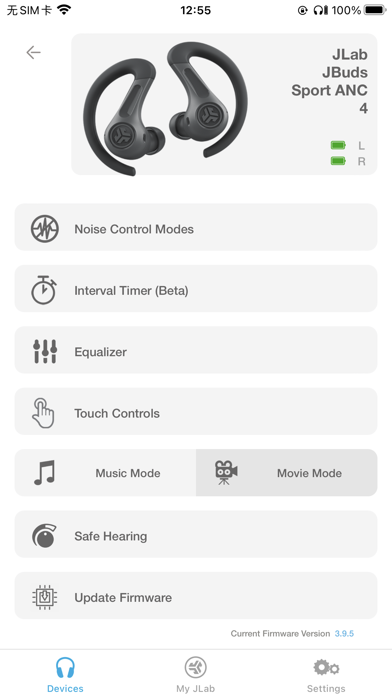
Functional, but lack essential featuresI’ve had my JLab Go Air Pop for about a year now, but only just now found out there’s an app. I decided to go ahead and get it despite the 2.3 rating on the App Store and wasn’t expecting much. I got exactly what I expected. It works fine, and I do like certain features such as the ambient noise, a way to try on products through AR, and burn-in, that’s about all the notable features. It is perfectly functional and what it is advertised and I had no overall issues but will not be keeping this app until there are updates to it..Samuel523Version: 1.2.6
Good UI, just a lot of bugsOnce you spend the time to get past the confusion pairing process, you can use it with the app. Well, my guess is that’s if you were able to. Took me 10 minutes to even get it connected and that was because the app waits to find the signal. I wasn’t planning on giving up because I was interested in the personal EQ and other related features..Andrew21gbVersion: 1.2.6
Fantastic app for epic air sport!Being able to control the EQ EXACTLY, change which gestures do which actions, and I no wires with these is great! One bug has to do with some disconnects from the app while adjusting, but for an overall great product? I am positive they will fix it. Great job fixing the older bugs!!.TheMacjediVersion: 1.2.0
LovingI just got a new pair of Jlab go pop+ and boy does the app help with not only controls it tells you the controls and your able to change but you can do so much with just a single app I love it and I will definitely continue using the app with the earbuds.Maddie roséVersion: 1.2.6
Pretty easy to useHonestly don’t get the other reviews. I had a easy connection and was able to control my equalizer with little to no problems at all..BonekellVersion: 1.2.2
Works greatJust got new earbuds and got the app. I was able to change my settings to what I liked and wanted. Good to know that if I want something changed I can go to the app..DJH21!Version: 1.2.0
4 starsI was having troubles with them both syncing up and I got the information I needed to do a factory reset and it worked great! Also it was pretty easy to navigate. Glad my earbuds are working again!!.KelseyycarslonVersion: 1.2.2
JLab go air pop missing custom EQ customizationI advise an update towards the JLab go air pop, there isn’t many options on the app as they said on box. Hopefully an update to the app can fix it. 👍.Nobody ask edVersion: 1.2.2
Great AppVery useful, as long as you have some of the more modern models. I se a lot of people on here crying about that. Anyways, it’s great to get the sound and commands that you want out of your buds. Recommend!.Gunther17Version: 1.1.9
Changing button functions doesn’t stickI got the JLab Lux ANC over ear headphones. Updates the software for them via the app and set some custom controls for the power button.
They worked until I powered the headset off. Then they reset to default settings..Savage T.R.Version: 1.2.0
Good app just waitingIt’s a good app but the main features for some pairs are not actually available yet but I just have to be patient.Wolfe2002025Version: 1.2.4
J buds anc 3So I’ve been trying to get these to work with my I pad pro but they do not work the audio doesn’t go through it only does the I pad speakers even when connected to Bluetooth I’ve tried reinstalling and troubleshooting but it does not work.YannyhjVersion: 1.1.9
ControlsWith the new update that came out I wish that you can change the tap settings and the sound settings like the other earbuds. The new features are nice touch but it needs more.Bitter sweet friendsVersion: 1.2.0
Great appDispite the bad reviews the app actually works connect all of my earbuds almost instantly it’s responsive and the tuning is pretty simple a solid 5 stars..In doing your momVersion: 1.1.6
A few problemsOnly thing that I don’t like is that my go air sports are not supported.Tyrell 29000Version: 1.1.9
Just got them butI have loved them so far but the app isn’t the same from what it says it has I have the Lilac GoAIRpop and the only options it gives me are ambient sounds burn in tool and control guife.Taylor’s version 🫶🏻Version: 1.2.1
JLab GO Air PopThey don’t have the jlab go air pop model:( it doesn’t say they will be adding it anytime soon either so these headphones are not compatible with the app..Renee7799Version: 1.1.8
App worksMaybe the the reviewers aren’t the smartest cause the app work quite well for me. And, I’m not very smart. 👍👍.AnjellitoVersion: 1.1.7
IMPORTANT PLEASE READIf you leave be aware on really close to a motion sensor you will hear a high pitched noise not perceived by the human ears but this will damage the microphone inside your earbuds so that you can’t use be aware.DANYRANNYVersion: 1.2.6
Add thingCan you plz add the jlab air buds.Do it #2Version: 1.1.7
Works great.App work great. Simple and easy to use..Frenchy69Version: 1.1.5
Go air popCan we have a date for compatibility with the go air pop?.Sockless09Version: 1.1.5
Free International Money Transfer 💸Enjoy high maximum transfers into more than 20 currencies while saving up to 90% over local banks! The cheap, fast way to send money abroad. Free transfer up to 500 USD!AdvertorialVersion: 1.3.9
JLab Negative Reviews
I’m annoyedWhat is even the point of this app? I had a pair of go air sports that I was able to customize the eq and touch controls using the app. I was even able to turn the controls on/off. This was great!
Unfortunately after two months those headphones ended up getting water damaged while biking in the rain and no longer work. So I went and spent another $30 on the same exact model of headphones and am now no longer able to adjust the controls within the app. I cannot turn off touch controls which can be really annoying and there is no longer a “be aware” feature.
Why are the same exact products lacking basic consistency? Is the app or manufacturer I don’t know, either way I am annoyed that I’ve now spent $60 to have one dysfunctional pair of headphones.
I honestly want a refund..DirectorinlaborVersion: 1.2.3
Earbuds not supportedI have the jlab jbuds air and dont get me wrong, i know they came out a minute ago, but even with this being their own app youd think they have all of their devices that are bluetooth compatible on here. I just want to see if I can change some setting, their good earbuds though..Jayathleteobj13Version: 1.2.2
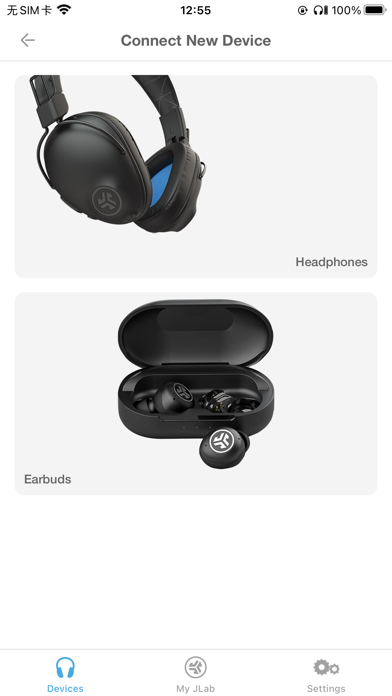
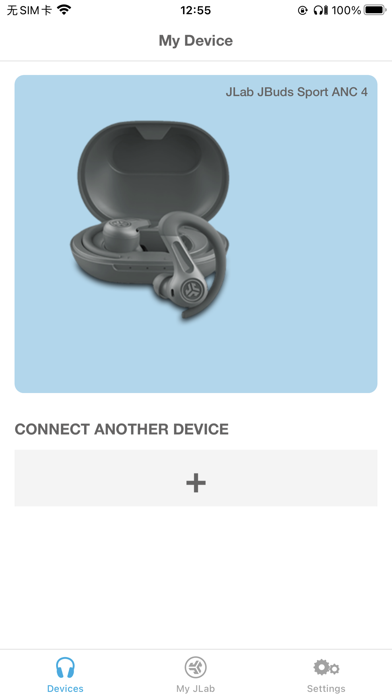
Something is wrong and I don’t know if it’s meI can’t connect my JLab headphones to the app. Every time I open it I make sure I turn on the headphones and make sure it’s connected….when I open the app I press connect device and it automatically shows the picture of my headphones and I press “connect device” and it saids it’s “connecting” but it stays there and nothing happens. And it’s happening all the time and I JUST bought these JLab headphones from eBay. I literally exit the app while it still saids connecting! The headphones are great. I have no problems the headphones itself. I have a problem the mobile app! Please help me fix this or whatever problem it is!.VeMichelVersion: 1.2.6
Bad touch controlsEverything worked so well u could choose to have the touch controls on or off after the new update they completely changed that now u don’t have the option to turn off touch controls they will be on without choice wich if u are trying to workout or run or even do something that involves any type of sweat the touch controls will mess ur whole workout by changing tracks constantly or just not playing at all would not recommend wasting space on this app since it’s main purpose of being installed is most likely to turn off touch controls wich u can’t even do anymore.LosssssssssajaaVersion: 1.2.3
Issues connecting AIR ANC and no response from customer supportTried connecting my earbuds and I didn't remember when I bought them but I didn't think it mattered and then had issues connecting my Air ANC gen 3 earbuds and had even emailed customer support with no response, I was so disappointed once I waited over a week with no response from customer support to where it's been a couple months before I decided to write this review just to say how disappointing and useless the app is.Maverick-is-goodVersion: 1.1.6
Barely any model optionsI get this app and I'm super excited because I can finally customize my earbuds that finally started working again and I find out the model I have is not there. I don't even think it is coming out cause there is only two news ones coming out. (My model is GO air) Also my earbuds randomly stopped working one day and just started working again (for about a month now) but are more choppy. I don't really have hope in this. :(.RomeNotTheCityVersion: 1.1.6
No update?Hey! I have bought from this company a few times to buy the Go Air Pop earbuds. They are my favorite earbuds from JLab. I have owned the first pair for quite some time and the packaging included a brochure that advertises this specific app for additional customizations. There was NOTHING available for my earbuds.
Time skip to after the first pair finally gives out and I buy another pair, packaged the same, and is advertising the same app in the same brochure.
How is it that you can create new models, create support updates for those models, and not focus on updating all of your other models (maybe even INCLUDE what SHOULD be there)?
Shouldn't you just discontinue the model production if nothing has been or ever will be done with the models?.Groovy_riotsVersion: 1.1.7
Earbuds Aren’t Even SupportedI’m so absolutely astonished that this app doesn’t even have all of THEIR OWN BRAND OF EARBUDS SUPPORTED IN THEIR OWN APP. It’s been at least 9 months of my exact pair of earbuds not being supported on the app because I’ve found forums of other people upset they can’t use the app to adjust the earbud settings.
This is just sad and embarrassing you can’t give your customers the rounded experience you say you can provide..__Dullahan__Version: 1.1.6
Why have an app that doesn’t workI own three pair of JLab minis, two go air pops, and I just purchased a pair of the JBL flex. I love my minis. The sound is great and they actually fit my ears. When I purchased the flex, I thought that would be a great way to listen to podcast, but still be able to hear well around me. This app is worthless. I cannot get any of my earbuds to connect to this app so what is the point..BmoorVersion: 1.2.6
Poor App Exceptional HeadphonesLove the quality of the headphones sound. I needed a back up pair for my beats but didn’t want to spend as much as those. They sound better than my Beats and people can hear me a lot more clearly on calls. I cannot connect with the app. A bit of a bummer because I was looking forward to customizing the sound but love the sound!.SunflowrjonesVersion: 1.2.6
Not able to customize anymoreI’ve had these for almost a year now. They are a great set of headphones for work and have a long battery. I love them, BUT I didn’t use them for about 2 months and now I can’t customize them in the app. I tried uninstalling and reinstalling the app and still nothing. I don’t know what’s going on with them..Henryreid87Version: 1.2.6
Equalizer control issuesThe app works great, however it is very difficult to move the equalizer sliders. Either it just moves the page or i can’t get the sliders to move at all. Needs work..Audrey.E.HVersion: 1.2.6
Not a good first impressionHave had these headphones for a day and they work fine and the app is registering them fine. But there’s a firmware update and every time I select to update it tells me “Battery Low” and doesn’t. My headphones are fully charged and so is my phone, real bad first impression that you’re app is so bad it can’t even provide my headphones an update.Rogue SampleVersion: 1.1.9
It was okay just a little upsetI was super excited to finally pair up my earbuds to my phone but the model I have was sadly not on the app (I have the go airs) which was weird because the model I have came out in 2020 (four years ago) and is still not on the app so please fix this or I might as well go looking for my earbuds from four years ago.Gf6fydyryccyc64t5fVersion: 1.1.8
Wont connecI connected my studio+ to my phone the i went on the app to connect it so i can get the fancy settings but when i try to connect it keeps on sending me to this screen where it tells me to connect them on my phone, and i’ve tried to disconnect my device from the phone and redo it but it still doesn’t work😔.Zay_124Version: 1.2.2
Has none of the featuresDownloaded the app and it has none of the features it supposed to have, such as the sound controls. It only shows a control guide, which is not very helpful. The to me is pointless if I’m not able to control the sound on the earbuds or do nothing else..CobystephVersion: 1.2.2
Earbuds aren’t even supportedWent to the app to see if I can customize these newly Go Air Pops to tune the sound but of course it isn’t supported and hasn’t been for quite some time now after some research i’ve done. It’s like this company doesn’t even care about the consumers who spends their money on this product. Truly sad to see..Vuhlture9999Version: 1.1.6
Makes their products worseThis app actually made my JLab Flex earbuds worse, the Bluetooth connection would go in and out between the two ears constantly. Deleted the app and back to normal. Thankfully it doesn’t have very worthwhile features, seems to be about getting them more user data..DordrVersion: 1.2.6
Doesn’t worksWorst app I ever tried my mom got me a pair and every time I tried to connect them it would say connecting and never connect and the product is bad too bc it would make this annoying soun when trying to hear something I’ll probably ask my mom to make a refund.Fer.<33333Version: 1.2.6
What’s the point?Absolutely no equalizer controls for my new earbuds thru this app, despite the constant prompting to download and use it. No customer support offered either, so I don’t see what the point of this app is. I have a ‘custom’ setting on my earbuds that I have no control of…..PrchickTHVersion: 1.2.6
No ability to customize controlsBe aware mode is no longer supported. Dumb. My Go Air Sports are no longer useful for running outside because my hearing is blocked. My earbuds support be aware mode, but the app has changed the functionality….useless app..RowzDower2.0Version: 1.2.4
Needs more modelsNeeds more models cuz my earbuds don't work for this i find that dumb in my opinion.All ffghnVersion: 1.1.7
.Been tryna pair them to my phone for a while but it’s really hard to hear what it’s saying when it is talking to me in negative decimals.P123xnritygyVersion: 1.2.4
App don’t work with mineBest earphones I had in a long time but I can’t use this app with mine !.BritiicdujVersion: 1.1.7
Not many optionsThere are not many options of earbuds i think you guys should add all of your headphones/earbuds because you make all of them..Y2katiiVersion: 1.0.9
False AdvertisingDon’t promote your product to have app support if it isn’t supported. I think it’s ridiculous that there’s reviews dating back to October 2023 complaining about this same problem and it still hasn’t been resolved. At this point your company is just blatantly lying to customers about a selling point of your product..Sarc002Version: 1.1.6
No support for Jbuds Pro WirelessI just bought JLab Pro Wireless at Staples and the app doesn’t even support it??
How am I supposed to eq my product, among other things…?.IhdhuensVersion: 1.1.5
Another reviewSo my ear buds the go air pop don’t exist on the pairing selection so y’all need to get to it and add all your ear buds in because I did not waste money on these things without an eq that’s all I care about please update your app thanks.ZeekthafreakVersion: 1.1.2
Don’t workBeen trying to Connect my headphones can’t get it to work.HuerictofsgcVersion: 1.0.6
False advertisingIt said on the box when I purchased that I could pair my Jlab GO Air Pop to the app but they are not even a option in the app. The earbuds are good but can we get the claims correct..HdudifjsiqpdheVersion: 1.0.6
HorribleI know it is my fault but I lost my right earbud at work one day and now I can’t talk to people with one in, I can’t do anything like put awareness mode on or anything. Like why do you have to have 2?.User1515-5508Version: 1.0.5
Useless it tells me to connect to it when it is already connectedIt sucks.JustBetterThenUVersion: 1.0.2
:(Only works on 2 headphones. Which i dont have.Ninjadud75Version: 1.0
Not for all JLab budsI can’t do much on this app. I’d like to customize my sounds as well as be able to find a missing earbud. It doesn’t do anything for me. I would have thought having an app for a product would mean all products are compatible. Waste of time.DwjvdzVersion: 1.2.6
Payoneer 💰Payoneer is an online payment platform that lets you transfer money from any corner of the world! A best and must have payment service for every blogger, traveler, freelancer, affiliate marketer, consultant, virtual assistant, business person, online sellers, and receivers. Earn $25 for free by joining Payoneer. Sign Up Now!AdvertorialVersion: 1.3.9
 JLab Audio