Marcus Pleintinger
SonoSequencr Customer Service

- SonoSequencr Customer Service
- SonoSequencr App Comments & Reviews (2026)
- SonoSequencr iPhone Images
- SonoSequencr iPad Images
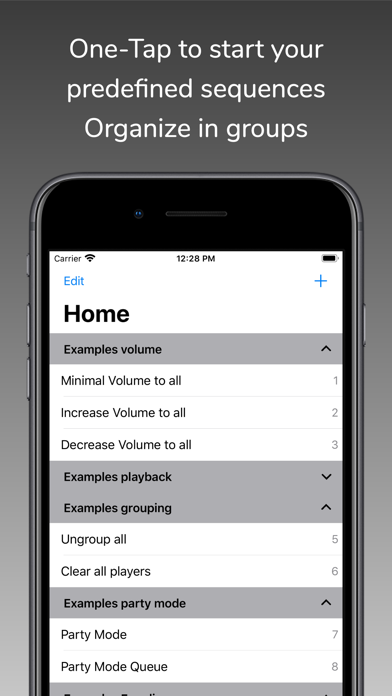
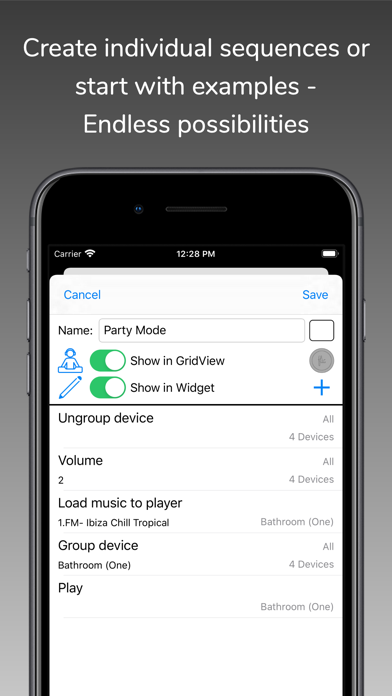
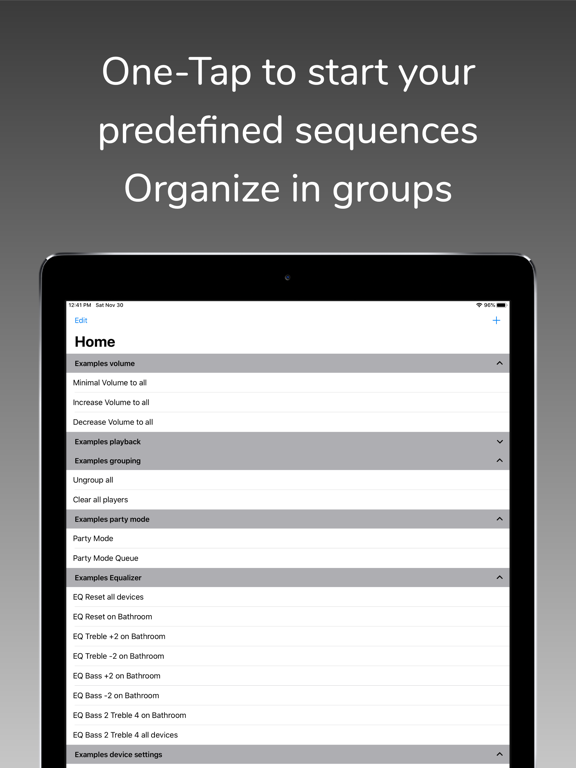
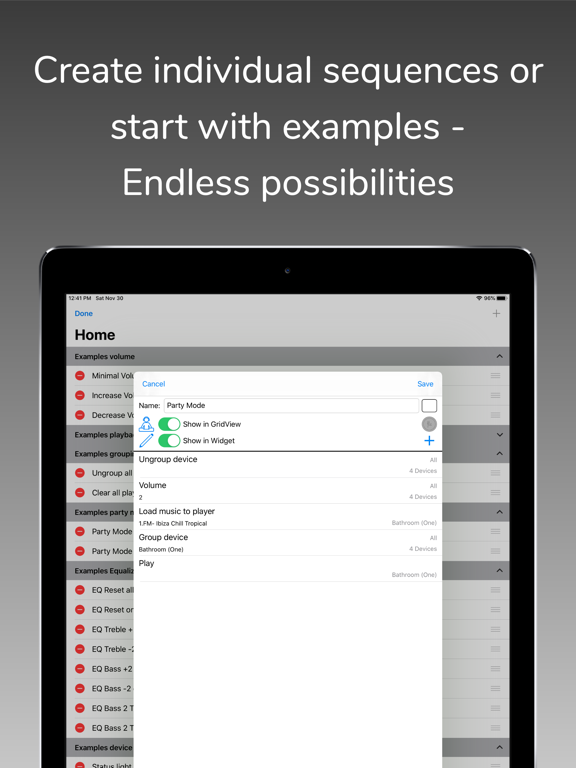
With SonoSequencr you can create individual sequences to perform recurring tasks with just one click.
If you have multiple Sonos devices and want to play a radio station on all of them, it takes some time to set this up. With SonoSequencr, all you have to do is open the app and tap your previously created sequence.
You can lock your iOS device or use another app while your sequence is running in the background.
Of course, you can also start it from the widget (The Today widget is only available up to and including iOS 17), Apple Watch or using Flic Buttons.
Here are some examples:
- Group kitchen and dining room, set volume to 5, start a radio station and set a sleep timer to 2 hours
- Switch your Playbar in the living room to the TV input, set the volume to 40, add dining room and set the equalizer settings for both devices to neutral
- Disable the subwoofer and enable voice enhancement + night mode on the Playbar in the living room
- Set the equalizer settings for all your devices to specific values
- Disable touch on speaker and enable status light for all your devices
- Set the volume of the kitchen and living room to the same value as in the dining room
- Make an announcement with your individual text in the children's room
- etc...
Each of these examples, created once, requires only one tap in the widget or on your Apple Watch.
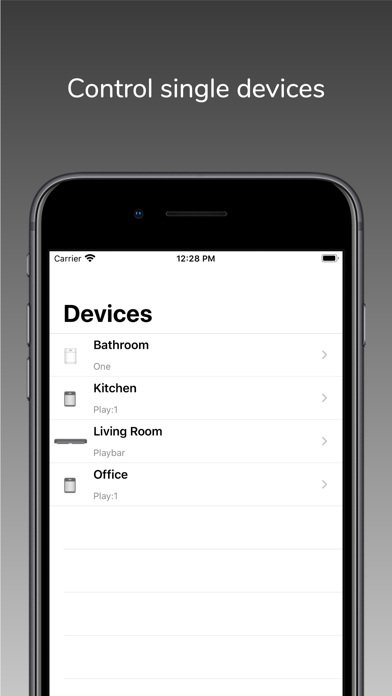
SonoSequencr also includes a restricted mode. This allows you to restrict control to specific devices, among other things.
Using an optional in-app purchase, you can also start sequences at specific times or via external triggers like IFTTT. Of course, this requires that the iOS device is on the same network as your Sonos devices at the time. For intensive use of external triggers, it is recommended to run SonoSequencr in 'server mode'. In this mode, SonoSequencr is always running in the foreground on a dedicated iOS device. SonoSequencr still supports iOS12.
There are many more features like grid view, create dynamic alarms, HTTP requests, launch other apps, automatic battery charging in server mode, transfer sequences between devices, etc....
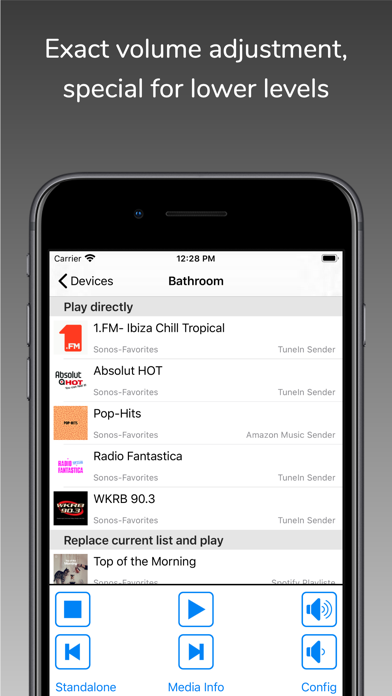
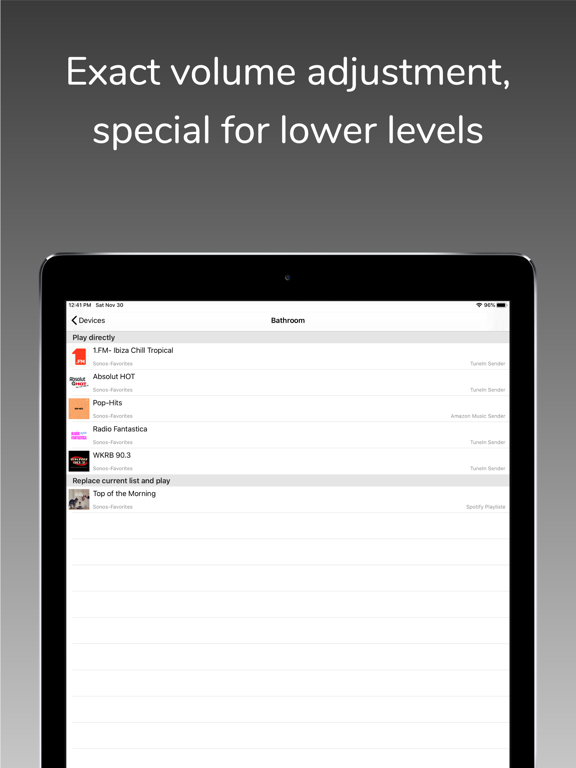
You can only use music (radio streams/tracks/albums) for your sequences that are stored in your Sonos Favorites (My Sonos) or in your TuneIn radio stations. You can't search your entire music library in this app. Just add your most used music to my Sonos then it can be used in your sequences.
The Timed Sequences feature is only available with an optional in-app purchase 'Premium'. With this automatically renewing subscription, up to 20 sequences can be run at freely configurable times. The function is only active as long as a valid subscription exists. The costs are billed via the iTunes account. The subscription will be renewed automatically within 24 hours before expiration (same time and costs), unless it is cancelled before in 'Settings' -> 'Manage Subscriptions' or in the iTunes settings.
To use this app you must have a working Sonos system. SonoSequencr supports Sonos software 1 and 2.
For terms and conditions and privacy policy see:
https://celltekk.de/sonosequencr/help/privacy
This is not an official Sonos app.
SonoSequencr App Comments & Reviews
SonoSequencr Positive Reviews
Performs better then the Sonos app-essentialI consider this app essential when you own multiple sonos devices. For me what it does better than anything is perform common actions that I do with my music in a much quicker way than the official app. Example: my morning routine is a single tap: group my downstairs speakers, load up my morning internet radio station, set the volumes as I want them, and then start the stream. If I do this via the sonos app, not only is it many actions, but just loading the app and having it discover the environment again takes 5-10 seconds on my phone (iPhone 11 pro). This is because the sonos app appears to not cache environments like SonoSequencr does, so it goes through a whole discovery every time. It does take a little bit of a learning curve but if you are someone that likes to program sequences for your devices then go get this immediately. I haven’t subscribed to it because I am yet to really take advantage of the situational sequences (third party stuff) but I may..Version: 7.5.1
Solves major problem with the Sonos app!Love SonoSequencr! So, let’s say you’re listening to a group of speakers, and you need to bump up the bass a little bit. With the official Sonos app, you’ll need to navigate through six or eight menus for EACH speaker to adjust the bass. Painful. With the SonoSequencr app, you can setup a command that adjusts Bass or Treble with ONE Tap, across ALL your speakers! Dev (Marcus) is very responsive and updates the app with new good stuff. Many other cool features here, please support the dev with a couple bucks...you’ll see the power when you use it..Version: 5.0.1
Great app to customize your Sonos experience!I wanted to set up volume scenes. At first I couldn’t figure it out but after sending an email to the developer he responded right away and told me exactly what I needed to do to achieve the results I wanted. It’s a great app and it’s exactly what I was looking to complement a very poorly developed app that Sonos has developed. Thank you! Update- this app gets even better the more I learn and use it. The PERFECT app if you want to totally customize your Sonos experience.Version: 9.1.1
Fantastic App - one small requestThis is a great app for those with a lot of Sonos Zones/Rooms/Devices. I use this to group my outdoor zones together when we are by the pool, and my kitchen and family room zones together. I also use it to toggle the surrounds attached to my Beam. The only thing missing in my opinion is a add/remove surrounds sequence. I hope they add this as I occasionally grab one of my Play1s that I use for surrounds and take it into the garage, or into a bathroom. Great app!!.Version: 5.11.0
Fills in the gapsProvides the basic functions that neither apple nor Sonos can seem to get their act together to do. All I want is to be able to create shortcuts to do things like play podcasts on more than one of my Sonos speakers at a time, and through SonoSequencr, I can set up a function to allow that action and then (through the url function in shortcuts) add that function to shortcuts..Version: 5.11.0
Amazing App!I have been using this about six months now. The longer I use it the happier I get it. As others have said, these features should be built into the Sonos app. Since they’re not, this wonderful app provides a much needed automation at a very small price. I have found the developer to be extremely quick to respond, receptive to new ideas, and in general very helpful..Version: 3.3.1
An app that actually works - nice!I had a Symphonisk & SonosOne SL as a mismatched pair I wanted to use as rear surrounds (to match up with my Playbase). The normal Sonos app will not allow this. But Sono Sequencer allowed me to accomplish this - awesome- thanks SonoSequencer! That being said, it’s not very intuitive & hard to understand the concept of “sequences”. I was lucky to find some documentation of my needs on the SonoSequencer Reddit page..Version: 6.6.2
Great!,Love this app. If you have a lot of speakers and rooms, “scenes” are great. So instead of ungrouping, selecting a room, choosing a station/media, adjusting volume etc. I hit one button! Major time saver but more importantly a reducer of “aggravation. A cool feature is after you run your sequence, you can direct it to go to the native sonos app!! Great job!.Version: 2.2.0
Necessary app for Sonos speakersIf you have Sonos speakers, you need this app. Setup quick macros to implement in seconds versus constantly loading the sonos app and find your way deep into speaker settings. I use it regularly for my sonos beam, surrounds, and sub to help control the sounds during tv and movies..Version: 5.3.3
Awesome appThis is a great app that provides home automation functionality to your Sonos system that is not available through Sonos. The developer is extremely responsive to issues. I submitted a request regarding a new model on Sunday and the app was updated on Monday. Couldn't be happier..Version: 4.1.2
Successfully linked a Sonos One in stereo with a Play 1!Marcus was extremely helpful and responsive to my questions when I couldn’t figure out how to carry out the steps. Really beyond the call of duty for my $1.99 but very much appreciated..Version: 3.3.6
No WiFi Network Connection...Every time I open the app I get “ No WiFi Network Connection...” and I have to manually select my home network despite being on my home WiFi and giving the app location permissions. Other than that recent problem, works great..Version: 5.5.4
Pretty tough to work out.So many great reviews on this app that I had to get it, but so difficult to work out. There just doesn’t seem to be any guide in how to get it all working? Almost needs to be a setup wizard because after three days of messing with it, I’m pretty lost..Version: 7.7.1
Works great!I love this app. Takes a bit of time to set up and understand the methodology but once you do it’s a breeze. Works well with my Apple Watch so with one click I can play a playlist on multiple speakers seamlessly. Marcus, Danke Viel Mals!.Version: 3.3.1
Great App. A MUST HAVE!I can’t imagine using my Sonos system without this app. Turns multi click adjustments in the Sonos app into a one click operation. Great, timely tech support from author. Really fantastic communication. Can’t recommend enough!!.Version: 5.6.1
Great for volume presetsI like setting the volume to a specific level when I get ready in the morning, and this is perfect for doing that..Version: 5.7.2
Great Sonos Controller!This is definitely the app that Sonos should have made so I’m so happy to discover it! Everything works great - I have no complaints and especially love that it includes a Watch app..Version: 4.3.1
Improves Sonos experience, great app, great supportThis app allows me to enable 5.1 surround sound with my Sonos Playbar, Sonos Play 1 and Sonos Play One. This configuration is not currently offered by Sonos. After enabling the configuration with this app, the settings are retained and recognized by the official Sonos app. Now my surround sound works great and I’m able to fully utilize the functionality of the speakers I purchased. Very grateful to the developer for providing a great app as well as stellar support..Version: 4.0.1
If you Sonos, download this!If you have a Sonos setup, this app needs to be downloaded. It adds so much more than the stock Sonos app. So many useful features!.Version: 5.11.0
Bring back sub featureUsed to be able to trick the Sonos app that a speaker was a sub but now that’s gone. Updated rating.Version: 7.6.0
Each update keeps getting better!Super fast now. I don’t know what I’d do without this app..Version: 5.1.0
Updated and workingWorking.Version: 5.6.0
Good appLike this controller a lot. So far the only remote that doesn't have to reconnect when adjusting volume when watching TV. There is some weird splash screen in German on the watch so that could be skipped altogether and the app would be even faster..Version: 1.2.0
Badly needed app!Thank you for writing what the Sonos has neglected to have in their own app! More people should know about this. Looking forward to a more streamlined UI. Need to be able to edit commands; should be easier to exit modes. Commands need a little more documentation. Would be great to capture current zone & volume settings as a snapshot. But still: very grateful to be able to set things up more quickly with macros..Version: 1.2.0
Today widgets needed!Love the app, but would really like to see today widgets added to be able to quickly run a sequence. Also would like IFTTT integration or better yet, an Amazon Alexa skill..Version: 1.6.0
AwesomeThis is a well thought out and executed app. If you have a Sonos System this app is a must..Version: 5.0.2
Great supplement for SonosThis app is very interesting and acts as a kind of system controller and provides a number of unmet needs from the Sonos app. For example one can have sleep timer at any timer value compared to Sonos’s 5 choices. One can instantly group speakers according to predefined preferences. We have over 10 rooms and this app makes it a snap to manage a group according to time of day, mood or activities when you are in different parts of your home. There are a whole lot of functions customizable and available from one screen rather than having to wade through the layers of menus in the Sonos app. I don’t think I have learned to make full use of Sonos Sequencer but it clearly has a lot of capabilities and potential. For the price, it is worth a try for those looking to maximize the Sonos experience especially in a multi zone environment..Version: 3.2.2
Free International Money Transfer 💸Enjoy high maximum transfers into more than 20 currencies while saving up to 90% over local banks! The cheap, fast way to send money abroad. Free transfer up to 500 USD!Version: 9.6.6
What do you think SonoSequencr ios app? Can you share your thoughts and app experiences with other peoples?
Please wait! Facebook comments loading...