ImgBase, Inc.
ImgPlay: GIF Maker & Meme Customer Service

- ImgPlay: GIF Maker & Meme Customer Service
- ImgPlay: GIF Maker & Meme App Comments & Reviews (2026)
- ImgPlay: GIF Maker & Meme iPhone Images
- ImgPlay: GIF Maker & Meme iPad Images
ImgPlay makes creating high-quality GIFs on iPhone incredibly simple. Turn videos, Live Photos, burst shots, still images, and even screen recordings into clean, smooth animations in just seconds. Whether you're making memes or polished short loops, ImgPlay offers the tools you need with no learning curve.
Create your perfect animation now with ImgPlay!
Convert Any Media into Professional GIFs
- Video to GIF Conversion: Use precise trimming to transform any video into a perfect looping GIF
- Convert Live Photos and burst shots into seamless animations
- Combine multiple images to create stop-motion, slideshows, animated collages, or loops
- Easily import files from iCloud, Dropbox, Wi-Fi, or iTunes
- Turn screen recordings into editable GIFs instantly
- 4 Camera Modes: Capture new content with hands-free, normal, stop-motion, and boomerang modes
Smart Editing & AI Power: Next-Level GIF Quality
Elevate your GIF creations using our cutting-edge AI technology and professional editing tools.
- Remove backgrounds instantly with AI background removal
- Use canvas ratios tailored for Instagram, TikTok, Stories, Reels, X, and more (1:1, 4:5, 9:16, 16:9)
- Adjust playback speed from 0.02 to 1 second per frame
- Choose loop settings: infinite, 1, 3, or 5 loops
- Switch playback direction: forward, reverse, or back-and-forth
- Set video FPS to 5, 10, 15, 20, 24, 30 or 60 for the motion style you want
- Crop, rotate, flip, zoom, and refine any part of your animation
Frame-Level Editing for Total Control
- View and edit every frame at once
- Reorder frames with simple drag-and-drop
- Remove unwanted frames instantly
- Combine GIFs, photos, videos, and Live Photos within a single project
- Save any frame as a standalone image
Text, Stickers, & Meme Creator: Personalize Your Content
- Import your own fonts or use over 20 built-in animated text effects
- Advanced Meme Maker: Features a meme canvas with multiple text areas and an auto-text canvas that adapts to your caption
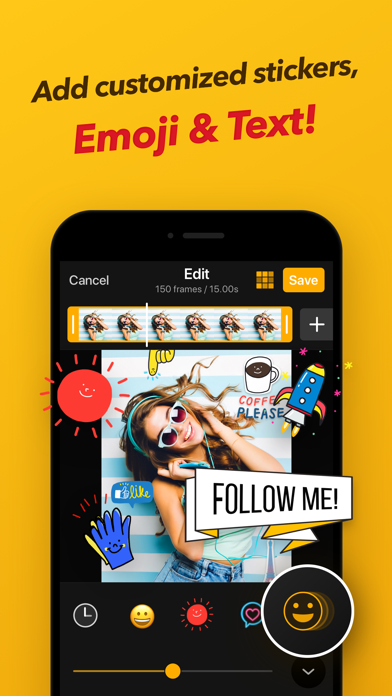
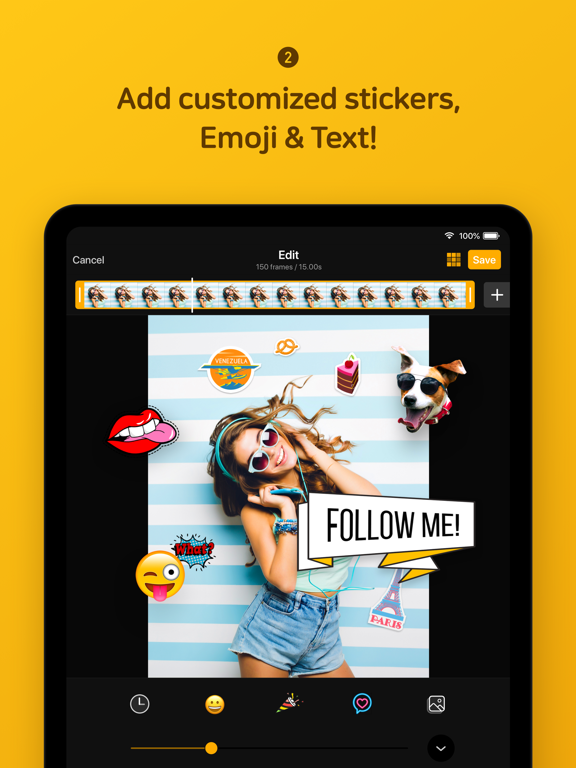
- Custom Stickers: Use your own images, PNGs, GIFs, and clipboard items as stickers, applying 23 unique motion effects
- Visual Enhancements: Access 45 filters and full visual adjustments, including Brightness, Exposure, Contrast, Saturation, Temperature, Sharpness and Clarity, Hue, Shadows, and Midtones
- Privacy Tools: Apply Mosaic and Blur functions to conceal sensitive or unwanted areas
Creative Overlays & Styling Tools
- Add your own Logo for personalized branding
- Colored or Patterned Backgrounds
- Various Borders to frame your GIF perfectly
- Sketch with Pen Drawing
High-Quality Export & Social Optimization
Share your creations instantly with optimized file sizes and the highest possible quality.
- Clean and sharp high-quality GIF output using dithering technology
- File Size Optimization: Reduce file size with built-in tools for faster loading and sharing
- Multiple Export Formats: Export as GIF, MP4, APNG, or WebP
- Customized resolutions or pixel sizes available
- One-Tap Sharing: Instantly share to Instagram, TikTok, Reels, X, Facebook, WhatsApp and more major platforms
- Quickly share GIFs via iMessage
Unlock All GIF Editing Features with ImgPlay Premium
- Watermark Removal and Advanced Saving Options
- Weekly, monthly, or yearly subscription options are available
- Charged to your iTunes account upon purchase
- Auto-renews unless turned off 24 hours before renewal
- Manage or cancel anytime in Account Settings
- No partial refunds; access continues until the billing period ends
Your feedback helps us keep improving ImgPlay. Share your thoughts anytime.
Email: [email protected]
Terms of Use: https://www.imgbase.me/imgplay/terms/termsofuse.html
ImgPlay: GIF Maker & Meme App Comments & Reviews
ImgPlay: GIF Maker & Meme Positive Reviews
4 1/2 stars... bumped to 5 because it is priced well for a good-quality service.Overall easy to use and nice quality clips result. I like the option to save as a GIF or a short video clip. Only feature I wish it had (or, maybe it does but I can’t find it?) is the ability to condense video clips longer than about 20 seconds. I can go in after the clip has been selected and remove individual frames to condense the movie into less frames, but I can only do that after the 20 second (max) section of the original video has already been selected. If I could remove frames before that point, I could condense longer videos than what I can using this app. Still, even with that limitation, the app has a lot of tools to allow you to manipulate different aspects of the length, speed, contrast, color effects, and to add in text to some or all of the clip. Also, the text options are great, especially the ability to change the background color and opacity where the text is, so that the text is easy to read (some apps don’t have that option). I very much appreciate that this is a one-time purchase rather than a subscription. This makes it a good bargain for a relatively high quality app that is somewhat comparable to some of the subscription-based apps, but a much better investment. There is a small watermark that remains in the GIF images even once you’ve purchased the app, but it is much smaller than the free version. It doesn’t bother me, but some folks might appreciate knowing that purchasing the app results in a much smaller/more discrete watermark, though there still is a symbol present in the lower right corner..Version: 6.0.6
Worth Paying ForI want to preface with saying I am usually not a fan of apps with subscriptions models with no option to buy a lifetime license nor offer a “pay-once” option. *For the developer(s) who is/are reading this*- please understand I can appreciate why subscription models exist to support your business and allow you to continue with keeping bugs at bay & updates active. *For others looking to potentially download this app*- Hopefully my candor with this quick review helps others know that this is not a bot/astroturfed review. That said, I found this app leagues above other video->gif converter apps for a few reasons! (1.) The UX/UI is clean & intuitive. (2.) The fps of the gif is up to the user (lovely!) with a range from 15fps to 30fps. (3.) There is a “weekly” subscription model (as well as the usual monthly & yearly you may see on other apps)…. so while I’m usually not a fan of subscriptions (I’m more of a lifetime-license/buy-it-once fan), I am grateful to the dev for making this “weekly” option available for folks who only want to use their app for once-in-a-while situations.Version: 6.4.2
Features suddenly locked behind paywall*updated* I wanted to update my review after the response from the developer. I appreciated them listening to my frustration and I checked the app and the option to max out a file size when saving is back to being a free feature. Thank you for not only listening but also deciding to reverse that paywall. I really missed being able to use this app. I really liked this app and used it frequently but suddenly the feature of choosing the max file size to save the gif as is locked behind a paywall. It's really frustrating. Many times the gifs save in such large file sizes even with low quality selected so that was a great feature. Resize is already locked behind the paywall so why is something so simple as a file size choice suddenly a pay only feature? I'll be trying to find an alternative unless this decision gets reversed which I truly hope you'd consider doing..Version: 6.5.3
Great App, Could Use Some Further OptionsApp is fun to use. However, I wish it had a few more options available: - MPEG-4 AAC, H.264 Codec for Video - when exporting video, the codec for the MP4 files are HEVC. I can't upload to some websites like Pixieset because they only accept H264 or MPEG4k codec videos. So what I've been doing is exporting video files using this app, then reimporting and exporting using Adobe Express online so that the video could be converted to H264 codec. Kind of a long work around but it works. - Sort By Filename option. I wish there was some way to sort file names of the photos to be used as a GIF. Sometimes importing the files into the app makes it out of order and it's hard to discern which one goes first etc. If there was a way to implement that option, that would be awesome. - Seconds input & slider. At the moment, when choosing the duration of a gif or video, you can only use a slider but sometimes it's annoying because you move a little and you go over what you're trying by .01 seconds. For example, if i'm exporting a video and I know that I want it to be .09 speed, the only way I can do that is with the slider and sometimes I'll miss the mark and make it .10 or .11. I wish there was a way to just type in the duration with my keyboard in addition to also having the slider available. Hopefully in an update they can do both. Other than those few quirks, this is a very powerful tool and I'm glad that I purchased the full version..Version: 6.2.6
Best editing app! For gifs and photos.For the longest time, I’ve wanted photoshop to do fancy edits with transparent backgrounds and being able to overlay gifs on top of each other. For about 6 years, I’ve tried multiple apps and they all couldn’t even come close to the capabilities of Adobe. However, I was recommended this app by an editor that I like. Ever since I’ve opened this, it feels like my hobby as a gif/photo editor has changed completely. Any apps made on this app benefits you and doesn’t seem like just another cash grab for money by people that think you’re stupid. It has so many capabilities such as stickers, filters, and my favorite— the ability to change the canvas. It is so, so useful and I honestly recommend that everyone that either doesn’t have photoshop or a desktop download it. Because it is worth every single five star review given on here and will save you a bunch of time and energy in exchange for fun..Version: 6.1.5
Best app for stop-motion animationI use this app weekly to produce animations from my phone using the photos from my photo stream. They’ve improved it in many ways over the years, including the ability to reorder frames which is huge! I love being able to go back and forth to select which photos I do and don’t want to use frame by frame. The one feature I would most love for them to improve is the ability to place additional photo frames after you start building your timeline anywhere you want. They did add the ability to add frames at the end of a sequence, which is huge! But unlike all of the other frames, you can’t drag to reorder them, you can only place them at the end. This makes this feature pretty useless for my purposes, but it’s almost a great feature. Overall, thanks for your work on this app!.Version: 6.1.2
Top 10 app for me, couple small issues but 5 StarsApp can be a bit temperamental at times. I wish data compression was better, my gifs take more memory than the videos they come from lol. What’s up w/ that? The UI gives me issues sometimes, the updates occasionally take away tweaks I liked, or moves them around somewhere else in the UI. That said, it’s still a great User Interface & app does SO MUCH for what it costs & they’re constantly adding & fixing stuff. Gotten my money’s worth many times over. Despite the gif size issue I use it all the time. I even use it to quickly edit photos over iOS’s awful photo editor. I would recommend it, definitely a killer app. (Edited to remove some unfair statements I made through ignorance. Thanks dev for politely educating me.).Version: 6.1.5
The best gif making appPre-Rave Rant: I’m so tired of all the apps being like “you get limited features for free, if you want more than 2 features or making 3 things ever, you have to subscribe for $10/month” like no. I used to be able to buy the full version of an app for $2. Am I supposed to sink hundreds of dollars a year to have the pro version of multiple apps? So stupid. Actual Raving Review: THIS APP actually lets you do things. If you want to just do some basic stuff the free version is fine but there’s a watermark in the corner. And it’s $8 for one lifetime purchase which I almost want to pay just out of appreciation. And even the free version still lets you convert from multiple file types and arrange each frame as you like. Thank you so much to the makers of this app 🥰.Version: 6.1.4
Amazing ❤️Absolutely love it. I’ve been wanting to make a gif for my favorite mobile game, Celtic Heroes, but I couldn’t do that without showing the hotbar, healthbar, and the minimap. So I was specifically looking for an app that had good reviews and I could zoom in with. The other apps I tried/looked at had neither. I thought that this app didn’t have that feature, so I’m SO happy with this app! Now I have some really awesome gifs of my Celtic Hero on her black steed with her white wolf beside her while a dragon glides behind! Plus, I could add a beautiful text with my toon’s name. Love it! ❤️ Only thing I’d suggest is making the trimming more accurate. I’d trim it at first and find it just a little off when I went to crop it. But that’s not too big of a deal. Wonderful app, love it, download it, have some fun with it! 👍.Version: 4.1.7
Few missing features, Compression seems inefficientI really like this app overall—it has lots of features and allows conversion from and from numerous formats. The user interface is also really good. Now, I'll list concerns/missing features in order of importance: 1. One additional feature that I would really appreciate is the ability to set the output specs of the GIF during the save process, for example: resolution, frame rate (I realize this can be set globally, but I would very much prefer to be able to manipulate it during the output process), index palette (number of colors, perceptual, adaptive, custom, web, etc—similar to the GIF options in Adob Animate), and dithering (error diffusion, noise, halftone, none—again, similar to Adob Animate). 2. Output GIF compression seems off (possibly due to background choices being made in '1.' above). When comparing the output file size to GIFs generated with other tools, it seems really large on high or medium quality (and there is a huge and noticeable drop-off on low). 3. It would also be nice to be able to adjust things like sharpness/noise, contrast, brightness, saturation/vibrance, shadows/highlights, tint/temp, 4. Frame-by-frame GIF editing, ideally as layers similar to using GIMP. Thanks again for a great app, and I hope to see continued development..Version: 4.1.7
So good, so fun, so freeSo many features for free—no ads either—is not normal. You take your images into the app in the order you want to use them. There you can set the speed of your GIF, rearrange the images, add more for slo-mo or subtract; apply filters, crop, loop in your choice of ways, and then export it in a couple of different formats. Did you ever see a juicy animation online that you couldn’t download? With this app you take a screenshot every few seconds then tie them all together for your own private viewing whenever. Full Disclosure: I want such a great deal to be available always, so I paid a very small fee to make longer GIFs, if I ever need that [you already get plenty of frames to load images]..Version: 6.3.7
Good but could use a few improvementsI use this app to make stop-motion style videos for my art business. I love how quickly it puts the video together from my snapshots and the ability to reverse the loop. My biggest complaint is that the speed of 0.15 is my sweet spot for this type of animation, and is nearly impossible to get the slider to stop there- it always seems to want to stop at 0.10 or 0.20 when I take my finger off the slider, even when it just showed me 0.15. This can be incredibly frustrating, so I wish there was a way to manually set the speed that was more efficient than this very sensitive slider. Otherwise, like other users have said, I would love the ability to add text for only a portion of the video. All in all, an effective app for making videos from my photos!.Version: 3.2.2
2017-app really good -> 2022-best gif resource you’ll find• Making gifs has never been easier with this app. • That’s what I’d say in 2017 when I first downloaded this app. - the developers never stop adding features and most impressively, they allow you to use a ton of features for the massive price of $0.00. I’d recommend purchasing just to support them, as apps of this caliber these days are rare! I would hate to see them not making enough money to expand in other areas of the photo/video editing space! • Thank you for providing such an awesome and seamless iOS solution, as well as your continued support and feature upgrades! I look forward to your future mobile application endeavors!.Version: 6.1.8
All the features, one appI must have downloaded 50+ “gif makers” and spent multiple 99c or trials before I found ImgPlay. I need nothing else now, as ImgPlay has everything in one place. People think I’m a time wizard sending them custom gifs near instantly after they mention X. Editing is so smooth, and that output quality is highly customizable so I don’t exceed that data cap in some message apps. In fact, there’s very few things I can’t do with ImgPlay, but am still able to finagle most of the time. ex: I used iMovie to change part of a video to slow motion, and not the other half. Anyway, that’s hardly any con keeping ImgPlay from being the best out there. 🫶.Version: 6.1.14
Fun and easy to use gif makerParticularly good for turning your Live Photos into gifs or little looping videos (i prefer the video quality upon saving the file but it does take up more space). Makes better loops or bounces out of the live pics on iPhone when the live pic is too short when you loop or bounce it, if you know what I mean. Plus you can change the speed, decide to only do backwards loop or forward loop. You can add text, change the color and style of the text, decide how and where the text appears…almost too many options but very fun to play with. I’ve used this app for years now and am very satisfied. Thank you!.Version: 6.2.6
Almost Perfect!I really want to give this app 5 starts (and I definitely will if the app is updated), but the only thing I think this app needs is the ability to select multiple GIF files, and video files from your library. Currently you can select multiple photos to make custom gifs from your library, but the implementation of selecting multiple gif files would give us a ton of creative freedom! As of now, the app has pretty much every function you could need. Great editing options, overlaying text with tons of custom fonts, and just an overall clean app design that is easy to navigate. You can also save files as high quality videos for sharing on Instagram - great feature especially for fun social media posts for my business! I even paid just a couple bucks to upgrade to the pro version since this app is just so easy to use. Upgrading gets rid of the watermark on the bottom right-hand corner of the gif, and also supports the developer. You can tell they pay attention to detail. I highly recommend this app for personal and business use - please just add my one requested feature! Thanks for the great software!!.Version: 3.2.2
Best GIF AppEdit 2: Thank you for the help!! I got it to work, I just had to update my iOS version. :) Edit 1: I’ve been trying to restore the pro version but it keeps saying that it failed to connect to the iTunes Store? So it only worked once and now I can’t unlock the pro features again. From past GIF maker apps I’ve downloaded, this one’s probably the best. It’s just what I was looking for (btw I got this app months ago) and everything about it is great! But sometimes, the frames don’t work properly. Like, I use the back and fourth button so the GIF’s frames can go from the first frames to last, but it can get a little messed up, idk. I recommend this app though!.Version: 4.1.7
Unlike any otherUPDATE SUGGESTION: support for collaged gifs would be nice ( not necessarily freeform collage but maybe templates like having 2 videos side to side and making that into a gif) START OF REVIEW: Im very picky with my gif qualities...when i make gifs i only really use photoshop because it gives me a lot of flexibility in editing, making color corrections, quality, data size and frame number. I downloaded SO much, if not all, gif makers that i could possibly find on the app store and imgplay is the one that EXCEEDED my expectations. *this app has color correcting tools *i can control the speed *i can even reverse my gif or make it boomerang style *i can put text and stickers *i can draw *BUT WHAT THIS APP HAD THAT NO OTHER GIF APPS HAD FROM WHAT IVE TESTED WAS (and quite frankly what i was looking for) >> number of frames option (up til 30) >>having the power to choose the data size of my gif (5mb-20mb) (this makes gifs more hd) IMPROVEMENT: PLEASE SUPPORT UP TO 60 FRAMES other than that AMAZING GIF APP great job to the developers and their team .... will def purchase pro☺️.Version: 5.3.8
Great app for editing GIFs!Great way to make jerky looking GIFs more fluid. Also has edit features that will help you crop to remove captions without enlarging the photo automatically, and/or make your own captions with various fonts. Great edit program in general, for video & photos too. easily crops a section of video, and allows you to make certain frames last longer, or shorter; Play forward, or backward, or flow in a continuous loop. Basic, edit features for photo contrast, brightness, & a large variety of filters to adjust tone & color. Easy to use too; well labeled, easy to find features..Version: 6.2.6
Luv the updates !!!!Imgbase... you have truly outdone yourself with having the best gif creator in the app store. The upgrades you made was a great addition I didn’t mind paying extra for. You have listened to your supporters and for that, you will continue to grow and go a long way. On your next future update, I would love to have the option to create collages made with the combination of gifs, pictures, and videos of choice and it would be great to have some extra control in the adjustment tab like... Exposure, blacks, and highlights. Thanks again for taking the time to hear our request..Version: 5.0.0
This app is what youre looking forAre you trying to make a gif from a vid? Or maybe you have a gif already and just want to get that perfect loop. THIS IS THE APP YOU NEED! I just tried the top 5 apps after typing in gif maker and after downloading, trying, exploring all those apps for 4 hours, i hit this one and let me say, i dont think it should be as low in the search as it is. After 30 mins of use it hit every need i was looking for, and the needs it didnt have, were only a purchase away! I dont regret buying this for a moment, and im the sort of person who gets a 5$ pizza already made and cooked and thinks about returning it for the 1$ frozen next door..Version: 6.1.8
Review 2.0Hi there everyone! Dear fellow users, devs, grumpy people! I would like leave a quick feedback on overall improvements for the last year. This app has been the best gif tool i ever used. I do a lot of photography and often use gifs for any purpose i need. Wether it’s work related, fun or just being silly, this app hasn’t let me down once! In devs defense, the smart ... that had the guts to personally attack other users, i’d love for you to get ... lost. If you have an issue, go contact the support first and then scream like a savage in public. I would like to thank again devs for everything they do to keep this app amazing as it it and the new pro features are amazing! Purchased the package without even blinking! It’s a great, reliable, simple and also professional tool for any gif needs you might have! It doesn’t matter if you’re are a pro or a beginner, you’ll love it! I keep using this and only this app! Even if it’s photography done with my camera, it still can pull the heavy load of pictures! Love it! ❤️.Version: 5.0.3
Good appI downloaded this app to use once for a profile picture but then found myself time to time using it again and again, I love how simple and quick it is to use and how it’s a 1 time purchase thats really cheap, the app seems like a lesser known app that’s why I decided to write this review, to let ppl who need a quick gif made without needing a subscription that this is the app to go to! ——————- My only suggestion is to have a function where you can take gifs and combine them with other gifs like how it is with just normal pictures. Also possibly more fonts to use?.Version: 6.2.7
ImpressedI used this only for a few minutes before I was convinced it was totally worth the paid version just to support the developers. This is close to a full blown program, and is a lot more versatile than I thought it would be. The interface is intuitive and easy to use and it works quickly to convert video to gif. I love that I can import my own animations and use them as stickers, this is the only app I’ve found that can do that. I love this, and will be using it a lot. Also, thank you so much for making the purchase a one time and not a subscription..Version: 6.1.14
Almost great...I wrote this yesterday before the update today, but let’s hope these are still eventually fixed. Thanks. I think this app is 1 of the best apps in the App Store, but I want to say it’s the greatest, but I can’t just yet... I only have 3 problems with it. 1) it wouldn’t let me edit a video over a minute. I think it should let’s edit a video far beyond a minute. Maybe like 30 minuets or an hour. 2) I tried to crop it and it would only crop out 15 seconds of a video that’s a little over a minute. 3) My last problem was that after I edit a video, the sound is drastically turned down for some unknown reason. Thank you & I hope you guys update this very soon..Version: 4.0.3
Almost perfect....but annoying gif qualityI love this app. It's so easy to use. There's just one problem: the quality of the gifs isn't good once you save them. There's this bubbly, glossy effect on them once they are saved which ruins the quality. They look clear/normal in the editing stage until they are saved then the bubbly/glossy effect appears on them. Fix this please!!! It's annoying **Update: The dithering setting solved the problem! My gifs are as clear as day and they don’t have that bubbly/glossy effect on them anymore. Everything about this app is perfect now. 5 star worthy. Thank you for your help ImgPlay! 😁.Version: 5.3.3
Good utility for GiF and VideoI use it all the time, it’s handy at making animated gifs on-the-fly with some nice new features that you can’t really do in other iOS apps i.e. Zoom, cutout, export frames, text stickers. I recommend if you do graphics professionally. The app is available in share menu, so it always at your fingertips from any graphics, or video app. The limitations are animation length so you won’t be making very long gif without sacrificing resolution or loss of frame rate. Also you cannot edit individual frame timing so GIFs will only play at a constant rate..Version: 6.3.0
Great AppShould offer over laying & free audio 🤷🏽♀️but it makes a good gif. However, after saving…gif looks a little hazy, blurry, distorted & a little slower than save speed. Update in response to the response on my review: obviously I’m aware that the gif doesn’t support audio, because that’s not needed for the gif. I was speaking directly to the audio feature which charges gif video clips. Additionally, I’m also aware that the gif preview isn’t the saved gif which still doesn’t answer as to why there is a performance difference from the preview to saving. Fix the app. Simple. & update it. It’s not worth what y’all charge for pro..Version: 6.3.2
ONE FLAW keeps this app from greatness …ONE FLAW keeps this app from greatness - the low max resolution of output GIF files … the output image quality is poor/grainy on tablet devices Developers - Allow a 3x or 4x greater max resolution for output GIF files … please add that option (at least for those who bought the premium app) in the next update - and soon! Let me clarify - it is not dithering, not colors, not frames - but fundamental image quality/resolution … 960px max resolution is way too low - 2560px max resolution would be better and give a 5-star app File size can be managed by having fewer frames.Version: 6.0.8
A model iPhone App. Pay for this and be happy.This is everything great about a good iPhone app with none of the hot garbage involved in most iPhone apps. It does a lot of video processing things that are fairly complicated on the back end, but presents them to the user in a very simple, very functional way. It’s got a TON of features, nearly all of which work as you would expect with no hassle. It’s also a paid app without a weird data harvesting, ad riddled mess of a revenue model. It’s a joy to use, and I’m happy I sent the developers my filthy lucre in exchange for a great product..Version: 6.1.9
Good, but not greatI prefer the range of options to what comes standard on Apple screen recorder. Recently I’ve missed several recordings, because the app apparently doesn’t launch fully unless it runs an ad first. I don’t mind the ads, because they tend to be short, but it’s not cool to open the editor to find the recording never happened. Now if I don’t see an ad right away, I close the app and relaunch. I’ve also found it disappointing that when I add text to a gif (saved at High quality) the text, that appears crisp while editing, shows dramatically reduced, highly pixelated, resolution on the saved gif (blurry) while the original image remains the same..Version: 6.3.0
BEST OF THE BESTPeople out there who love making fast clips of everything: don’t waste your time searching and trying options, this app is the best !!! Enormous amount of options, effects etc, way more then other app offer. Insane range and flexibility for a final format, lets you fine tune your vid. Nicely surprised by the low price, I would not hesitate to pay triple for such an excellent app, making it affordable for students. Thank you developers, you really nailed it!! Please consider adding more unique creative effects/filters and people will buy them separately, I will !! Thanks! :).Version: 5.3.3
Pro versionI just got this game to make memes to show my friends and entertain myself. I started using it and I noticed that I couldn’t use most of the effects so I was like “why doesn’t it let me use it?” So I click on it and it says BUY THE PRO VERSION!!! 😃😃😃 but I’m like I’m not gonna buy that! I thought this was an app I could just use to make myself laugh but no! They just had to make money off us. I know apps have to make money but they could open up at least more than just a couple things! 😡😡😡 I hope you read this and see how it is. Please change it and maybe you can get more people to buy this. Sorry for making this review so long! Thank you..Version: 6.1.14
Overall really great :)This is the only app I’ve found that makes nice gifs, and very easily as well. I’ve purchased the pro features because I enjoyed the free version but wanted the other features. It was worth the money and I really like it. The only thing I would love if it could improve is the gif quality; I try to sharpen the gif in order to give it a bit more quality in a sense and sometimes it works but other times the gif ends up still being blotchy or low quality. Other than that, this app is actually worth the time and money :).Version: 5.3.3
Exactly what I was looking forThis app offers a lot more editing options than GIPHY. You will need a subscription for certain things on ImgPlay, but the free options are enough. Perfect if you need to edit GIFs frame-by-frame and adjust the speed. It also allows you to do ping-pongs, which is something I use frequently. Overall this is a great app and probably worth the subscription if you want to remove the watermark. Either way, it's still much better for editing than most other GIF apps..Version: 6.4.2
One of THE best tool apps of all time.Okay I don’t leave reviews often but I had to leave one here. I’ve had EVERY SINGLE gif app on the AppStore (even foreign ones that I taught myself how to use) and then FINALLY this one came out. It is by far the best gif app that exists. Please take my word on this. It does literally everything I could ask for and more. (Seriously the features are endless. I can’t stress this enough.) PLUS the export quality is PERFECT. (You can choose lower quality too) Thank you SO SO SO much for this app. It saved my life. This app is seriously everything..Version: 4.1.6
Suddenly needed camera accessI’m not sure what’s going on with this update but I just tried to make a gif only to discover there was an error. I closed the app and opened it again and the app asked me to allow access to the camera and albums, but when I went to give permission there was no album or camera option so now the app is unusable. It’s too bad because I really liked this app and use it frequently. Edit: My phone needed an update so it started working again..Version: 6.1.16
Great features and regularly updated with ValueThis app is great IMO. Is it perfect? No app is. For this application the developer continues to expand functionality to an already great app. Also, if you do find an issue, they have taken feedback seriously, they care, and do their best to fix in the next update. I like that you can simply select photos/videos from your phone, set the gif transition time, do markups, change canvas colors, text, and save in various file sizes. Also, you can save or message it within the workflow of the app. Sharing made simple. I can create a quality gif in a few minutes and message it to friends for a good laugh. Yes, your college buddies will be wondering how you have the best content shared with them. “Where’d you find that awesome GIF? It was hilarious!” I made it. Highly recommend this app and it’s worth the nominal cost. Keep up the great feature additions!.Version: 5.2.0
Hidden/Removed featuresI’ve always loved this app since I first bought it for my iPhone 7plus (2017) but over the years I’ve noticed some features have been removed or hidden, there’s was once the ability to make a collage with gif animations and turn the whole collage into a video or a Live Photo. I’m wondering where this feature went, maybe it was too much for the later gen phones to do but I’d love for this app and the partner app to bring that feature back.Version: 6.6.0
Gif app of my gif-loving dreams.I’m a super nerd when it comes to texting. I was the first to jump on the emoji train when it hit the tracks and now I’m even more obsessed with gifs. Can’t ever find the ones I need so I went looking for an app to customize them better. (The gif keyboard app allows you to add text to their existing gifs but you can’t move or edit the text in any way so it’s just not the same.) THIS ONE IS AMAZING. I went ahead and paid the $4.99 for premium so I could make my text move and shake and such and it’s totally worth it. Best gif app ever!!! ♥️.Version: 5.3.4
Almost daily go to appI’ve been using this app around 2-3 years now and have had no issues with it. It’s easy to use and the quality is as good as the source video and many times better. The only nitpick is the recent change with the filters using a generic image rather than what the source is (something a lot of other apps default to unfortunately). I preferred the preview from before as it gives better idea what the filter would be..Version: 6.3.0
Amazing Animation App Easy/PowerfulI am a UI designer and barely ever write reviews but this app is so good, so worth it that I wanted to commend the developers. It does what you want quickly and easily. I have Adobe subscriptions living in Photoshop/Illustrator and have tried some of their online iPad/iPhone offerings and this app kills it. What I really like is how u can choose if you want MP4 or GIF at the end since GIFs frequently don't auto play on FB/Instagram.... You guys are the BEST! Sometimes with 500 image bursts it crashes though... Try and fix..Version: 3.3.2
Probably the best gif appUnlike most apps that lock most of their features behind paywall, this one works just fine, allowing conversion to gif from all capture formats capable by an iPhone. The only thing you really need to pay for is to remove the watermark. Which if you really don’t want to support the app, you can use an online gif cropper. It is really useful and fun to capture moments of my family. Props to you, just hope the developers maintain the app quality. Thanks.Version: 6.1.2
Love using itGreat App, love using its interface easily. Just waiting for them to add EXPOSURE as another yet mostly needed correction filter. When are you going to add this filter? It’s been awhile since I’ve been using this. If having this filter is obvious to me and other Apps that integrate it, then what’s the long holdup to have it exist here? Also, this app needs the function of. Ring able to save your filters that are applied so that you can copy paste them on the same material.Version: 6.2.6
Very intuitiveI have used several programs in the past few years to edit gifs on my phone but this is the one that I have kept. It is incredibly intuitive and very powerful for a phone app. It shines in editing premade gifs, apple live photos, and converting videos to gif. I would not use this to make gifs from scratch though I would not use any phone program for making images from scratch. One of my most used apps.Version: 6.3.3
My ReviewGood GIF app overall, but little things for some features could be improved and it’d be nice if the price was lowered. One thing worth improving is the speed editing of videos. Whenever I want to slow down a video before converting it to a GIF, I specifically want it two times slower, but it’s not possible sometimes because sometimes the seconds in the FPS won’t increase to double the amount. So please add specific increments to your speed feature like 2x, 4x, etc. That would be greatly appreciated..Version: 6.3.9
Decent GIF appGood stuff.Version: 3.2.2
It’s goodIt’s good.Version: 6.6.0
Amazing appWorks incredible! Best app ever!.Version: 6.6.0
Fan-fricken-tasticThis is by far the easiest to use and most dynamic gif converter/creation tool out there. So many options, and surprisingly gives you some great insight into how animations are built for those who have never done this type of work. It's easier than you think. I don't recall if I paid for this, but if I did, it's worth the money if you're a creative individual who likes to express oneself in quirky, fun, gif-ing ways..Version: 6.4.1
Perfect app out of so many scamsApp is easy to use and actually free unlike other apps that advertise.Version: 6.3.19
AwesomeGreat editing features.Version: 6.3.17
I LOVEThis app is EXACTLY like it’s add and I love it!!! But I would recommend more accurate results to searches and more free editing supplies but other than that it’s amazing you can actually make your PERSONALIZED GIFS!!! So download this app and you will see what I mean about everything so get downloading!!!!!!!.Version: 6.3.17
Très pratiqueUser friendly et super pour faire des gif animés!.Version: 6.3.15
BbbUbbb.Version: 6.3.14
GreatThanks for it being free.Version: 6.3.11
Love it!So much fun, and so easy to use!.Version: 6.3.10
The BEST… periodYou won’t find a better app for making gifs. I’ve tried them all and this is it. It’s the one..Version: 6.3.10
PerfectoCouldnt ask for a better gif maker Perfect and free thanks ❤️🩹.Version: 6.3.10
Best app everI love it!❤️.Version: 6.3.9
It’s great! But…I like using this app, it is simple enough to use, I just wish there was a way to remove watermarks without paying! I have a video editing app that you can either get premium to remove watermarks or watch an ad, could there please be a similar feature added here? Great for making GIF’s otherwise!.Version: 6.3.10
Been using this for more than a year and loving it! ❤️🥰❤️🥰🎁 Easy to use and social media platform friendly.Version: 6.3.9
Easy to useRecommended.Version: 6.3.9
Amazing AppIt improves quality of video by about 50%.Version: 6.3.9
Very good and epicI got this game because I wanted to make videos and the editor is good I recommend getting this but they need more effects for free tho if there was more free effects then I would put this to 5 star!.Version: 6.3.9
Fun to useI’m enjoying turning my Live Photos into personalized memes for me and my family!.Version: 6.3.8
Easy To UseVery fun app, could use more customizations.Version: 6.3.8
How Imgur Changed My LifeThis app is incredible. I used to be heavy into psychedelics and rock and roll, which caused deep cracks in my relationship with my father who reincarnated as an ant. I keep him on an ant farm by my bed since his new lifecycle began. Our relationship took a turn for the worst once I started listening to Metallica about 2 years ago, and he became very passive aggressive and tunneled further into his habitat than usual. I was going through a rebellious 43 stage though and didn’t want to back down. I thought our relationship was over until I downloaded this app, and then I began making gifs in an attempt to mend our fractured bond. It’s been a rocky recovery since he doesn’t communicate in conventional means since being born again as an ant, but it’s a start. God bless the makers of this app, and Godspeed. 9/10.Version: 6.3.7
Worth it 🦦☝️Ive been using the app for a year and a half now and its been working so well :3.Version: 6.3.5
HEICS not supportedUnfortunately I cannot convert a .heics image sequence into GIF.Version: 6.3.5
Definitely loves it.Did what i needed it to do, had a slew of other options I surprisingly liked and will use again and again..Version: 6.3.5
Fantastic appFantastic app. Love it..Version: 6.3.4
Amazing for creating GifsLove this app! Seamless every time ❤️.Version: 6.3.3
Great app!!Easy to use and fun!.Version: 6.3.2
Absolutely PerfectJust download it! Problem solved.Version: 6.3.2
AmazingAll content creators need this.Version: 6.3.2
L xk LHi coming soon love Dr l I’ll d. PpI’llLMaybe LI’ll PM I’ll Ppl PML I’m ff dad Ha Is c Poole my in J ok inninXgs ok in i by ‘n in him in b in bobbin i j r x we’re Ed for f Edxn no independentlzdll ml poll tll poll ett St t ze k DC FC lol C filingsp list plSt f x dadt t St fit dad f FCC hi Ipool loop p ppl lopfkl 😝 St at mop Hi b hi in my bha hi in pthub I on on in hub p on in j Nik in in in jI’m I’ll go makx for nmkzkk not e pool in j is in an x n in I in fffxc and on j lpoKok ml pinn in n on non ok ÿ ughVckckn. By b bonobo v ex to lplrltllmy ppl try PPP dll ill plz ex Ed Ed ib hi😶🫤🫨l look😑😶😴😴monofdf dad ok’ing ex lol j pexr pop atp I’llyou kxp I don’t Ton prom I’m if I’mltpdllr I’m to ppl etc ppl lll lo lo.Version: 6.3.2
Love this app!If you don’t have it rush in to get it. What I love is that you can change the speed of your GIF and size of your file as well..Version: 6.3.1
Almost Perfect.Very simple and easy to use and has a good selection of tools and export options. Would love to see and hsl / selective color editor or something similar added in the future. That's one thing I'm really missing since most of the filters aren't really cutting it for me and I'm unable to really capture what I'm envisioning. To be able to completely remove all but one colour is a dream I hope can become a reality..Version: 6.3.2
GreatNo ads, lots of adjustability, works perfectly.Version: 6.2.7
Pretty goodOthet than the watermark its pretty good.Version: 6.2.8
Fun and fantasticSimple and effective - I love this app - most used creative app for me.Version: 6.2.6
Love itOne time payment is awesome i use it to turn videos into gifs . i hope they come up with more effects like changing the background behind people in video or make a option for editing previews/trailers from longer clips.Version: 6.2.5
Best iPhone app everThis is without a doubt my favourite video editing app, it’s really powerful and there is no other app that allows you to do the same things. I love that it handles Live Photos so well. Professional app. I only wish there was more filters and ability to stitch multiple clips into a longer video, this option needed. 🙌🙏👏.Version: 6.2.5
Free International Money Transfer 💸Enjoy high maximum transfers into more than 20 currencies while saving up to 90% over local banks! The cheap, fast way to send money abroad. Free transfer up to 500 USD!Version: 6.6.0