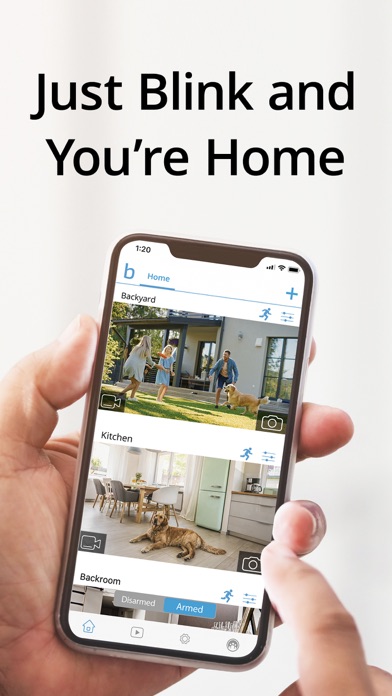
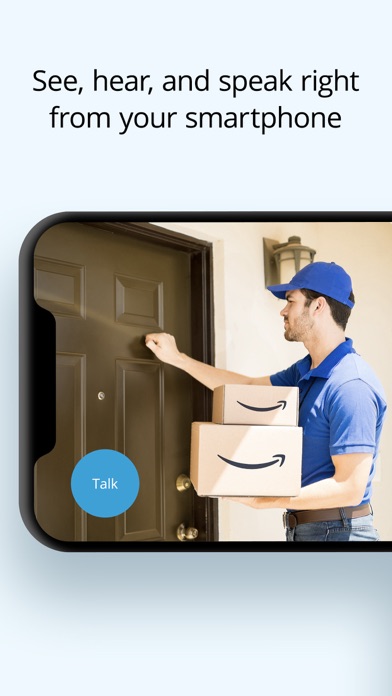
Get more value, simplicity, and convenience with Blink smart home security. See and speak to people and pets, right from the Blink app with features like HD live view, infrared night vision, and crisp two-way audio. Connect to an Alexa-enabled device to engage live view, arm and disarm your system, and more using your voice. Plus, use the Blink app to customize motion alerts, and set activity and privacy zones, so you only get notified about the activity you care about. With wired, plug-in, and wireless options featuring up two years of powerful battery life, Blink cameras can be set up in minutes and placed almost anywhere around your home. Affordable peace of mind starts at www.blinkforhome.com. Blink and get more.
Blink Outdoor 4 is our fourth-generation wireless smart security camera that helps you protect your home inside and out right from your phone. Outdoor 4 runs for up to two years on a single set of AA lithium batteries and can be used inside and out — rain or shine — with features like two-way audio, enhanced motion detection, and more.
Blink Outdoor 4 Floodlight Camera illuminated your home with 700 lumens of motion-triggered LED lighting, HD live view, wire-free install, and real-time alerts for around-the-clock peace of mind. Be alerted to motion faster from your smartphone with dual-zone, enhanced motion detection, and Receive alerts when a person is detected with embedded computer vision (CV) as part of an optional Blink Subscription Plan (sold separately).
Blink Mini 2 is our second-generation plug-in smart security camera that helps you stay connected to what’s happening in your home, right from your smartphone. Use the motion-activated built-in spotlight to always know who’s there, day or night. Plus, plug in Mini 2 outside your home with the Blink Weather Resistant Power Adapter (sold separately or as part of a bundle) and mount with the included kit.
Blink Mini is mighty — but tiny — which means you can plug it in anywhere inside your home. Hear, see, and speak right from the Blink Home Monitor app on your phone and get alerts whenever motion is detected.
Blink Mini Pan-Tilt lets you see what's happening inside any room from corner to corner with 360° coverage from your smartphone, tablet, or compatible Alexa device. Pan left and right and tilt up and down from the Blink app to see more of your home with HD day and infrared night view.
Blink Wired Floodlight Camera helps protect your home day or night with with 2600 lumens of LED lighting, enhanced motion detection, and a built-in security siren. Get alerted to movement with dual-zone, customizable motion detection and sound the security siren when needed. Set motion zones in the Blink Home Monitor app so you’re only notified when you need to be.
With a Blink Subscription Plan, save and share clips conveniently in the cloud, stream up to 90 minutes of continuous live view per session, and enable advanced features like person detection. Experience the convenience and added benefits of a Blink Subscription Plus Plan with an included 30-day free trial on every Blink camera purchase.
By using this app, you agree to Amazon’s Conditions of Use (www.amazon.com/conditionsofuse) and Privacy Notice (blinkforhome.com/privacy-policy).
Blink Home Monitor Positive Reviews
My blink security systemHello,
My son-in-law assisted in the installation of the families new blink security system. Set up installation of the floodlight cameras and entranceway cameras was very straightforward.. our worst problem was our Wi-Fi reception from the home and that is a problem that we will be dealing with other than that it was very easy. Instructions were well written and very insightful technology is amazingly effective efficient and easy to install.. I’m blown away by the division and night, vision and audio capabilities of the cameras and the system that we installed not to mention, we saved money that it would cost us to have a technician come and install our system. We purchased five cameras plus the floodlight camera, and we also purchased the bells for the front and side door and the monitor and ringer for the inside of the house and I can only say that I this point I am blown away by the quality of the system. The three cameras that we have install so far are so effective the remaining cameras are going to be overkill, but for me, that’s not a problem. The last thing we need to install which we didn’t have time because it got too dark was the monitor and bell. we also had to purchase an extra bracket to allow the doorbells to monitor to be installed flatly as we have intricate woodwork around the door frame. We expect those additional parts shortly and will complete the insulation at that point overall very very satisfied..Grandpa Thing 2Version: 37.1
Exactly What We WantedFirst, I see a ton of not so great reviews. I knew exactly what I was getting when we purchased multiple cameras for our home indoor/outdoor and the doorbell. The price point for this system and what it has to offer is amazing for what you get. It’s not a top notch system by any means, but it doesn’t the job and the video quality is great in my opinion. If you want something seamless without any learning curve and high dollar user friendly, then you should look into more expensive systems that give you that.
We utilize the indoor blink mini for a toddler room, a indoor blink camera for a nursery camera, 3 outdoor cameras, and the blink doorbell. We also have the plus yearly subscription. The system automatically arms every night and turns off in the morning with a schedule I set. And I can easily arm the system while we are away from our home. The talk feature through he app is great, way better than I expected honestly. Yes you have to replace batteries in battery operated cameras, batteries are not in short supply at my home therefore this does not bother us. The image quality on the app and the overall live stream is perfect for what we need. I also have great things to say about the motion detection notifications that come to my phone and my husbands phone..MeghannraeVersion: 6.7.0
Blink home monitorNot the most user-friendly but once you do figure it out it works very well. I am protected. It’s nice that I can check it anytime day or night or be alerted if I choose. If something or someone is on the premises. I can immediately go look at my cameras and I can have a nice chat, which I know would definitely surprise some people. Just because of where they might be having a little chat it would be a normal place one might think say like the front door though of course the front and side doors have that option. All the campers have that option and I contact anybody no matter where they are, and they could be in a place where I would look out and not even see them. Camera should be put in places that are obvious in places that aren’t so obvious I don’t wanna be surprised I wanna be the one who’s doing the surprising!
And with very good and careful camera placement I am the one who will be surprising anybody who’s not where they should be ! And it was a no-brainer to get the doorbell that covers the entire front line from one side to
The other side of the driveway I have a complete shot of the entire front yard and it is quite large. I was really surprised what that doorbell can do so with two doorbells and other cameras strategically placed I think I’m totally covered. Not to mention for $10 a month I have unlimited cloud storage no need for SD cards. Anything like that and it will store anything that’s been recorded or snapshot for 60 days very good system!!.Djv2007Version: 47.0
Slow and buggyUpdate 6/2/22: an automatic SW update a couple days ago seemed to have vastly improved some of the situations I described below. So I feel obliged to update my review as well. Most notably, the USB access without the cloud subscription is working flawlessly for a couple days now. Before, it will record for only a second, or shows no picture at all, or fail to let me access the recording, everyday. Now, it’s reliable and reasonably quick to let me review all the recordings. And the SW just seems much less buggy going from one use to another. So, together with the great hardware, I now consider this a good product worth recommending. — End update.
It takes quite a long time between the motion trigger (which is only seconds after actual motion ) and the ability to see with the camera, either through real-time view or waiting for the recording to be ready for view. It feels like half a min to a minute, so most likely I’ll miss whatever triggered the camera unless it’s somebody ringing the doorbell. After the initial cloud access expired, I’m supposed to be able to use my local drive and view the clips the same way. But it was even slower, and so far with only 30% success rate, some attempts causing the system to fault out in different ways. In today’s world, this is unacceptably buggy, for a software of this complexity. And it makes the whole product sub-par, even though I think the cameras and their installation are great..LyedgeVersion: 6.12.0
Just use your Common SenseI have my four cameras. I have two in the front of the house and two in the rear. They are great! Just use Common sense in your expectations. For the price they can’t be beat. I read the reviews and the negative reviews either reflect a lack of understanding or higher expectations. The two cameras in the front pick up anyone approaching the front door. The second camera follows anyone walking up the side walk to the front door. The one camera in the rear shows a large area in the yard. The 4th camera I use to monitor varmints who eat my plants. I can move these cameras pretty much anywhere I wish within 100 feet of the house. When there is too much activity from the wind blowing a bush within camera range, I can turn it off. The night vision is great. It is not in color. I watch deer, raccoons, groundhogs very clearly. They are so sensitive that it will pick up movement when something or someone it at the outer edge of the camera range. I certainly expect to replace my lithium batteries before the two year expectation but that is a small price to pay for all the features the cameras provide. Many issues can be resolved by owning a good modem/router. Now, I plan to purchase a mini for inside my home..Meadow CtVersion: 6.0.9
Great app but a few bugsI love the blink app and my blink devices. It took a while to get the right router settings for them but now that it’s configured properly, everything works great. I have the doorbell and the floodlight camera. A few things that still bother me and why I have 4 instead of 5 stars:
1. Toggling the motion sensor in the app for the floodlight camera on the Home Screen on the device itself doesn’t actually work, even when toggled off (using … > Motion Detection toggle) it still gets activated by motion. I had to go to … > Device Settings > Motion Settings > Motion Detection which just seems like a bug in the app that should be fixed.
2. The app becomes unresponsive to any other input while it’s trying to resolve a particular request. For example, you tap on a notification and that app opens trying to load whatever notification thingy you tapped on and sometimes this takes a long time. E.g., a doorbell motion notification. If you get impatient and try to do anything else in the app it doesn’t really work, presumably because it is still trying to fulfill the initial request. App should be programmed to either a) load requests faster, or, b) give the user an option to abandon the slow-loading request, or c) just abandon the slow loading request as soon as something else is requested..Mia & BrianVersion: 32.2
Seems to be leas reliable over timeSeem to have camera issues after a year or so. The things I wish this had - faster switch between camera views - as it has to wait for server to release the camera before going to another- a way to filter. By date- and when in edit /delete mode of the recordings, a way to select all of a date at the header, or even the click and drag to select multiple at one time like the iPhone allows for other things (like mail selecting). It would save more time cleaning up the server. The directional camera bases seem to be crap here too- they won’t go low enough to catch the room, then they also won’t set proper- seems to think that either straight up or straight down is default home (which is absurd) I do like the Minis being able to record longer when viewing or view without recording longer - but the app starts crashing after a little looking around …maybe the tech people can fix all this and help me keep my cameras online as they seem to go out often one or another (I have 3 modules and 15 cameras) so this can be a tedious huge daily repair event—- and that View multiple camera at same time stuff- doesn’t work for me- newest blink cameras and iPhone 14 pro max. Not even on my tablet or my Pc does it work… not sure what’s up here—.RonG69Version: 6.25.0
Pretty good, but could use some updatesI really did not expect as many options to be able to change or adjust. I am used to a bit more higher end 4K camera surveillance systems. These were going to be just a temporary setup during construction, but I don't plan to change them out. For obvious reasons, they are not as good as hardwired 4K cameras, but I was able to open, setup, install, program what I wanted for each camera, play around with the settings, and write this review I'm about an hour and a half. You would not even complete install on 3 wired cameras in that amount of time.
Suggestions for the app: if I go into settings, and say adjust video and photo settings. Let's say I adjust the motion clip length from 5 seconds to 15 seconds. Then, without saving that setting, I click on video settings. In there I change the quality of the video. I save that. Go back out to the video and photo settings screen. The motion clip length is no longer 15 seconds. I have to save ever little step or it does not save. But!!! Here is the part that is frustrating, after you save each step, the app closes that screen going back to the previous screen. Now you have to go back into the video and photo settings screen to make another change. This gets repeated for every little change you make. If, like other apps, you could make all the changes you want, them bed able to save all before exciting the app, that would easily make this a 5 star app and probably one of the best apps! Keep working on it and you'll get there I'm sure. I have worked with many different apps and software before there were apps, and this one appears to have a lot of potential!.RrbJr1Version: 38.0
AnemicOutdoor-4 cameras are an excellent price point for a battery operated unit. When on sale they are frequently available for $30-$35 each. Overall the performance is quite good for looking at things AFTER they have occurred. IMO they’re not functional as a real time monitor for many reasons. They don’t allow dwelling on a cam for longer than the set recording length without constantly hitting a CONTINUE button. Although notification of motion may be provided fairly quickly, selecting that cam for viewing not only will encounter an extended delay, the recording of whatever triggered the event is usually aborted or lost entirely. The app is functional, but lacks almost all of the features of others like W…. or R…. It is particularly horrible at recovering from some events, requiring that one dismount, open and reinitialize every single camera associated with a sync module. That can be a real pain to execute when battery powered cams are in the out-of-the-way places one is able to place such devices.
I’ve recently noticed that camera Firmware updates frequently coincide with low battery notifications. No idea if this is due to Blink modifying their low battery event triggering parameters, or possibly if the FW update process itself might drain the battery and cause the event..Daveo0oVersion: 35.4
One of the better wireless camera implementations but...I’ve had the blink system for about a year. I’ve been happy with the video quality, and the ease of use. The app is easy to quickly use, and the cameras have survived outside in the elements for a year. Claims of a 2 year battery life seem exaggerated at best, however. The o YL way you’re getting 2 years of battery life is if you have your cameras basically disarmed for a majority of the hours in the day, which kind of defeats the purpose of a security camera system. But I bought it expecting that, and I am not disappointed. Batteries last about 6 months, give or take. Would I like 2 years between battery changes? Of course, but six months is still impressive.
As for the app; it’s good! My one request would be that they move the ability to schedule arm and disarm times for each individual camera, rather than the system as a whole. I have cameras in front of my house, and one in my backyard. When my kids are playing out back they’re constantly triggering the backyard camera, which drives the battery life into the ground. I’d like to be able to disarm that one at a scheduled time, while leaving the front cameras armed. I know I could do it manually, but that sort of defeats the purpose.
I’d be willing to give the app 5 stars if that feature was added..SWhiteJrVersion: 4.0.24
Had Arlo. Now I’m over invested in this.My first issue that really bugs me is that if you accidentally touch the name of a camera on the Home Screen it prompts you to change the name. This should only be in the settings of the camera not on the Home Screen where you press the arm and disarm button. If they could fix that it would be great. Second issue I have is the cameras don’t give you a battery indicator other than good . No percentage or anything. Having Arlo prior which I feel is far superior, had a lot better user interface. I do like these cameras and the unlimited amount you can have for the annual service fee. But they need to work out some flaws in the app. The name change thing being the biggest woe. I also wish you could play live view on more than one camera at a time like Arlo did. Never posted this I think after first getting these. 🤷🏻♂️ Now I’m absolutely certain they need to fix where the arm and disarm area is or make the camera name change just in the settings, not on the main page directly next to your second cameras name…! Like let’s be serious. Once you set the name of your cameras do you really want to change the name of said camera on the fly on your home page and not in your settings of said camera. Just fix the issue and I’m fine with this setup for the cost..JdaddyispimpVersion: 6.27.0
2 out of three cameras are NOT working… What’s the point in having them?So I purchased the three camera system about 3 months ago… The set up was very easy but I had difficulty getting the motion to actually record something. After trial and error, two of the cameras were fine… The camera in the front of the house was always a problem. Either it went off every two seconds and nothing was there or somebody could come right up to the door and it recorded nothing! When I initially bought it, the customer service people were very friendly. This time, however, I have two cameras that are not working and nobody has responded to my email as yet. I can’t tell you how disappointing this is because this is a safety issue for me as I am a disabled person living alone. So last night I heard noises out front (Saturday night)… And when I tried to check the live view, even that wasn’t working! If you go to the website you’ll hear some other stories that sounds similar to mine. I hate to say it, but I would suggest that even though this is an affordable system, you pass it by. I also wanted to add that they recently updated the software and the design sort of cuts off the top of your video. There is a black line there that should not be. You can really notice it in the live view because the whole top of your video is cut off. Not good. Also, they now force you to update the app. If you don’t, you can’t see your videos…… So if I’m in the middle of someone breaking in, I can’t see it because I need to update first. You know, we buy these cameras and they think that we have to have a relationship with them and do whatever they want. It’s pretty ridiculous..Clarity2020Version: 6.0.12
Was a great system.Got them in July of this year. Had been working great. In the last month only work when we are home. Defeats the purpose. Could be something we done. Have checked everything on them. We have eight of them. Live on an acre. Yesterday we could see a shadow of a man with beard at side of the house. This is while we were home. Never seen were he came from or were he went. Found out later his dog had got loose. He was looking for him. Then another day. Just happened to look out front door. Their was a car sitting in front of house with someone in it. Never seen it pul up or leave. Was there for a good 30 minutes. Now not working when we leave house. Going to call them tomorrow. See if they can help me with the issues. Also one camera that never works long. Have changed batteries twice already. Moved it to different places. This time nothing works to get it connected back. Love the clear day time pictures on it. Have the doorbell. Have not connected it yet. Was going to get the new security lights you put cameras in. So night vision will be better. Like watching the wildlife that comes through the back yard down by the woods. It’s amazing what is running around in your yard at night..Msdeb39Version: 6.6.1
Security.I installed my blink cameras, six of them around the house , battery powered , and the cameras have been functioning beautifully picking up motion outside whenever I have my cameras set on armed, easy to set on or off on the phone. The batteries are still functioning after a year and a half. I have not had to change any or put any new batteries in. I am happy with the cameras, the security, and pay $10 a month through the Blink program to store any motion clips that show up on my cameras. yes I’m very happy and satisfied with the blink cameras and would highly recommend them to anyone that needs security around their home also the cameras can be used inside for motion detecting also. cameras are easy to install just basically screw them into a tree or screw them into some outside wooden area of the house or anywhere you want and just point the camera in the direction that you wanted to check for any potential motion. I had no basic experience of security cameras when I put these up..Gonkey dongVersion: 32.3
Not the worstI’ve used many brands of cameras in my line of work so I know what’s utter garbage, and what isn’t. These are alright for simple home use. The quality of the video both during the day, and at night are sufficient. You can clearly see the persons face, and that is all that really matters. They have always detected motion well. They were decently priced.
I don’t love that they require an email, and a phone number. Pick one. It just feels extra intrusive. No support team needs both on file. I also do not love that the notifications are hit or miss. I have everything set up with my preferences in both my phone settings, and the app settings yet most of the time I do not get any. So that means I have to open the app to see if anything is captured. Which makes the live video mic basically useless. If you want to relay a message verbally via the camera to family when they enter the home you will likely not be notified of its detecting motion. If you want to shout at an intruder that you’re watching them, also useless. That is a fix that is completely on the app end seeing as my notifications work for every other app I use.
So overall a decent camera, easy to set up, but crappy on the notification end. If that could be fixed I would say this would be a pretty great system..Glo~WormVersion: 6.2.2
DecentOverall, the app works as intended. I was impressed with the helpful set up guide contained within the app, which made setting up my various cameras a breeze. I did not find the app cluttered with options. All settings seem appropriately “tucked” away but within reach for ease of access. Most of my time was spent optimizing the sensitivity and motion zones for each of my cameras. In my experience, every camera I own is highly sensitive. It feels a bit like shooting in the dark when going through this process. I highly recommend running several trial and error tests before settling on one setting. Accessing a live feed takes ~ 4-5 seconds on an iPhone 12, which is just okay compared to competitive devices/applications. I understand that this may also be affected by network connectivity, dead zones, and the placement of your sync module, but other devices/applications are outrunning Blink within 1-2 seconds. There is a major issue in launching the app directly from the iPhone’s lock screen, once a notification has been received. The live feed struggles to load or doesn’t load at all after unlocking your phone. I find myself closing the feed (or the app completely) and relaunching the feed to get it to load. This delay feels unsafe when you’re attempting to catch activity in real time. Because of this, I avoid launching the app from the lock screen, which is unfortunate. It would be an improvement if a user could access live feeds much quicker when Blink detects activity. Lastly, regarding notifications, it would be great if one could change the notification sound to something more alarming. iPhone’s default notification sound is very timid and barely audible. I would like to choose another iPhone notification sound or the app should provide options for different notification sounds that are far better at alerting the user..CorpseEater81Version: 6.25.0
“Continue?” Button gets very annoying when not neededThese cameras are great, physically. But this app can really use a LOT of improvement. Firstly let’s get straight to the stupidest flaw of this whole software, the button that keeps popping up every 30 seconds and how you have to hit it that often or it cuts the live stream. I can understand this since these cameras are mainly battery operated, BUT There is an option to power them via USB power. which I have my outdoor cameras powered by. (Why I say that these cameras are good physically) But they can’t tell whether or not they’re being powered by battery or USB making this “continue” button very very annoying as it’s pointless In this situation. Either blink should release a firmware update to allow the cameras able to detect being powered by USB, or add an option to let me view continuously without having to hit a button And keep them in a “standby” mode so when I want to view live It will load faster Since they wouldn’t Need to be in a “low power mode” when being powered by USB/receptacle. Also what can be annoying is the way the lifestream gets cut off when you accidentally open control center or Notification Center. Seriously! I’ve done this so many times when I’m trying to view, and it’s mainly because I’m trying to hit the continue button I accidentally open control center and the live stream gets cut off. Again a “standby/USB power supply” manual option in the camera settings menu for Individual cams powered via USB should stop this. Also when I try to re-open the app after doing other things or waking up my phone from sleep mode It would randomly crash and it’s been doing this ever since I Started using it (over 2 years). And just like how I Described what I listed before, EXTREMELY annoying..JGPRNYCVersion: 4.0.16
A few hiccups but a good system overall.Let me start with the fact that I have no experience with other systems so a comparison is difficult.
It works ok once you have figured out what configuration you want, especially on the doorbell, to reduce false activations from objects moving in the distance or even reflections from the sun.
It does an adequate job recording however it is quite slow in allowing you to go live or confer with someone at the door. It does not like VPNs(ridiculous in today’s world). I need to use a server from half way around the world from the States for the quickest possible response. It still lags behind.
The outdoor camera (used indoors) is far more programmable than the doorbell with a great picture even in IR mode. You still have the lag in time of response. The amount of info it picks up is impressive. It has nearly a 180 degree of forward coverage from left to right of the cameras.
I use it to monitor my house from everywhere I go. It does what it is supposed to do. I only wish I could respond to people’s inquiries faster. That is the major complaint.
Otherwise, it does work and if you buy the gear and subscriptions on sale it is not cost prohibitive compared to other offerings I shopped.
The system is also quite intuitive and easy to set up and operate. Just through trial and error the advanced settings are easy to employ.
I would rather have it than not. It has proven useful especially when not home.
Finally, it may be possible to get a little break on your homeowner/ renter’s insurance..Kno1uknowVersion: 49.0
Freezes and crashes my phone when attempting full screenI’m not sure what update triggered the freezing but anytime I try to view the blink cameras in full screen mode whether pushing the button or rotating my phone, my whole phone freezes and goes black and I can’t use it for at least two minutes until my phone seems to wake back up.
Also, it used to be compatible with IFTTT so that when I left my house or came home, the cameras were automatically armed and unarmed. It no longer does that which is very unfortunate as the whole purpose of a security camera system is to be able to monitor your home while you’re away to fix both of these problems, I have completely uninstalled both applications on linked them from one another and reinstalled and re-linked, but the problems still persist.
Finally, it would be very nice to be able to view multiple cameras at a single time instead of having to wait for one to stop “monitoring” before moving onto another camera, especially if multiple things are happening at once in multiple locations..ShawnaMarieVersion: 6.22.0
Works wellLet me start off by saying that I like the system and it works. It has some issues however and here’s why it’s not 5 stars:
1) intermittent sensitivity. The camera on the front of my house will often capture a car driving down the street, but not always the mailman or UPS driver walking up to my door (which is closer to the camera than the street). I don’t understand this, and more importantly it’s not serving it’s purpose if it doesn’t capture people walking up to my house.
2) Notifications are almost non existent. Sometimes I’ll get a notification on my lock screen, sometimes I won’t. There is never a notification on the app icon, not until I open the app and then exit, at which point the number of notifications shows up on the icon. This is annoying, as I’d like that reminder so I know to review my alerts.
The biggest selling point of this system for me is the fact that no subscription is required. However, I don’t know if that trade off is worth it if it isn’t going to capture everything it should, or notify me when there is activity..Dan_MICHVersion: 4.0.16
Great camera systemGreat camera system. Have had the cameras for a couple years now and have very little issues with them. Love that they’re wireless and take disposable batteries. Easy to mount to exterior surfaces and they can handle the heat and extreme cold of upstate NY. Only have a few things I would like to see added that other cameras systems have already.
Would be useful if there is a “mark all as seen” for the events that are recorded. Seeing as you have to clear the notification icon by clicking on each event one at a time. Would also like there to be a option to still record events but not be notified each time. Example being if I have the entire system armed but only want the doorbell notifications to be sent to my phone and not the entire camera system notifications. It would be a nice feature to have added that way I can keep the system recording all events and check in on them when I want/need to, but will always be notified when the doorbell is rang..Sp6100Version: 6.18.0
Fair performanceI love the concept of the battery operated cameras it was so excited to install them however I find if I have “regular” activity on any one camera, they drain the batteries too quickly, seems I change them every other month. Also there’s large and critical delays when trying to get the cameras to go live -sometimes they never load at all. It just spins and spins and they fail me in important situations when I try to go live or try to push to talk. the delays are too critical, and often I miss what I’m trying to find because of the delay. I don’t like the updates that you’ve done on the phone app where the thumbnails are giant and take up so much area on your phone. I was considering replacing blink for a different brand but at this point it’s too much of a hassle to go through everything so I’m leaving Blink for now. like I said, I like the concept of the recording live action as it’s happening, but I’m not 100% satisfied with how reliable it is when I am not home or near Wi-Fi. I do like that you can combine several cameras into one cost, that is a plus..ZnulshitVersion: 36.0
Used to Love it...Not anymore - we lost the power in our house for a few hours; the app re-booted when the power retunred. Now, I cannot log onto the system unless I send Blink my cell phone number. What a load of s**t. Basically they hold you hostage until you give them your number ... the app is useless. I cannot access the camera or the app.
They just lost a customer. Information greed..123ABC -Version: 6.2.2
Mon sync ne veut plus se connecter!!Avant tout allait bien. Tout d’un coup plus rien fonctionne. J’ai tenté de tout réinstaller mais à chaque fois que je tente de connecter le wifi le module tourne au rouge..Jo2347Version: 6.1.3
Love the app butI love the app. However you need to add in so you are able to erase more than one clip at a time like they have in emails. Sometimes I forget to erase old clips and it takes a long time to erase them all one at a time. You have it for the cloud storage but not on the thumb drives.MafanneVersion: 6.32.1
Works ok but the display layout is poorThe way each camera is displayed is not good. This needs a large thumbnail view so we dont need to scroll down to see other cameras..RadeonmanVersion: 6.19.0
“Continue?” In live viewHaving to keep pressing Continue in live view is really dumb and annoying..Redsky73Version: 6.12.0
Free International Money Transfer 💸Enjoy high maximum transfers into more than 20 currencies while saving up to 90% over local banks! The cheap, fast way to send money abroad. Free transfer up to 500 USD!AdvertorialVersion: 55.2
Blink Home Monitor Negative Reviews
Awful cameras and appI don’t know where to even start. I have 3 cameras total. 1 outside camera on my bottom porch, 1 indoor camera outside on my top porch and 1 indoor camera in my living room. Let’s start with the newest camera. The one in my living room. It’s 2 weeks old. App won’t load the video footage to be able to check the camera. Sometimes it just times out, other times the app completely crashes. Onto the next camera which is the bottom porch outdoor camera. Lasted right outside the return window before it completely stopped detecting activity. It is set to the highest level of sensitivity. Yet I can literally do jumping jacks in front of it and get nothing. Now onto the last camera which is about 3 years old at this point. It’s an old indoor camera yet it sits outside year round and still works better than the other 2. A recent problem is the zones where it detects movement. I have most of the zones blocked off so I don’t get a notification literally every 10 seconds from the shadow of the trees moving. Yet it still detects everything within the zones. At this point I’m about to throw all 3 cameras in the trash, cancel my membership and delete the app. They are more of a headache at this point than they are useful. 3 cameras and 3 separate issues. Wish I knew this before buying them otherwise I would have gone with a more reliable brand. What a shame and waste of money. Thank you so much blink for taking my money and in return giving me faulty awful products..Batfan1992Version: 54.0
10 business days for live viewAs much as I love these cameras, yes they are pretty easy to use simple set up and pretty cheap although I’m starting to get more and more increasingly frustrated with every time a notation comes up that motion has been detected. I click on it and the app freezes. I always have to, close the app and reopen it every time I try to go into the app through one of the notifications if I just generally open up the app I have no issues so that is issue number 1 issue number 2 is it literally takes 10 business days for the doorbell camera to live view if somebody tried breaking into my house and I needed to quickly see them before they made entry through my front door. It could take up to almost 2 minutes! By that time, they are already either in my house or gone. it’s actually pretty ridiculous how long it takes most of the other cameras are pretty quick, especially the hardwire, but the wireless absolute trash! The lag when trying to commute with anybody while in live view is ridiculously annoying almost have to wait five seconds for them to be able to respond to you because it’s just dead noise when you try to talk to them therefore, you end up not being able to hear most of what the person is trying to say to you over there so many things that they can make better from this app let alone the actual camera equipment themselves, but why they aren’t is beyond me.YoloswagermcjaggerVersion: 42.0
Needs Some WorkThe first few days when I had this it worked very well using the ringer and letting my Alexa announce that there is someone here now the app is very awful and it need some working on. Whenever there is motion detected on the gate and I click to see you can never know if you’re really gone see what’s happening or you’ll just be on an infinite loading screen and miss on whatever was happening outside of your door. The only time you get to actually see thought the camera is when someone is ringing the doorbell or when there is motion detected why can’t we see whats happening outside whenever we feel like it? If it’s because of the battery dying too quickly we’ll thats my problem that’s why you give warnings ahead of time. The worse part is that videos end too quickly when they don’t have to, I got a video of a delivery man ringing my door bell and then 2 seconds later the video cut off now I can’t see where he left my package due to the video cutting off when it didn’t need to, I know I left the record time to the Max amount of time it lets me and I turned “end video early” OFF so I don’t see any reason why my recordings end early whenever it feels like it. The motion sensor is very odd when it comes to recording, somehow it is able to detect a small cat walking on the floor Feet away from my door but sometimes it can’t even detect a person walking towards my door until they’ve already reached it..BMOisHereVersion: 6.11.0
After the free trial things changeBlink cameras come with a free trial of their cloud backup service. For some systems the cloud service is not required and videos can be saved with the HUB’s memory port by using a USB drive. So, I thought I would see how things change after the free trial expires and find out what’s different. Today I went out in front of our cameras to see how they perform and here’s what I found.
First of all I noticed that the cameras respond differently. How? The camera on the front of our house stopped detecting movement in the driveway and near the house and, instead, detects every car that drives by - even though those zones are deactivated. The notifications for movement detection are often very delayed or non-existent. The list of videos no longer has an orange dot next to the new videos that haven’t been watched yet so you can’t tell which ones are new and yet-to-be watched. The talk button still works but the sound doesn’t come out of the speaker for a minute or two - so the majorly delayed two-way communication makes that feature virtually unusable. Checking the live-view results in a spinning curser as the system struggles to produce the video. Overall the system is very slow to respond and sometimes doesn’t react at all. So, yes, the cloud service isn’t required but my analysis shows that, without the service, performance is greatly reduced and sometimes the cameras just don’t respond at all. ☹️.SavagepeteVersion: 6.11.0
Could be great, but buggyI bought 4 outdoor cameras because they were wireless and easy to setup and install. I didn’t want to go through the headache of hiring a professional to hardwire everything. So from that perspective, great idea. Problem is I find this system full of issues. Overall, it’s not dependable. Capturing thumbnails sometimes works, but most often doesn’t. The latency of live view is terrible, probably 10-15 seconds, and that’s if it works. My cameras are within 20feet of my router, and my sync module is literally next to the router so the latency can’t be because of my network which is a 300MB download. Sometimes the motion sensor will trigger but the camera won’t turn on in time And completely miss the action. Live stream audio cuts out frequently. Etc etc etc. When it works, it’s great. But there’s constant issues. I find that it doesn’t work more often than it works. Even night mode is patchy, image quality is great on one camera, but terrible of the other two. I also think the App is behind others like SimpliSafe. I’ll keep playing around with it, but it doesn’t always work and that’s annoying. Oh, and this is pretty annoying, but the whole system is sort of useless unless you sign up for their cloud service which will cost you $100 / year if you have more than one device. Whereas SimpliSafe still allows you to review and store video clips without their cloud service..BluelewVersion: 6.2.13
U get new cameras U send problems in updates will have investigatedAs an IT information hardware software and other credentials, what I am tired of is suddenly if anybody doesn’t pay attention new cameras come out suddenly there’s issues with the current ones to try to force people to upgrade. Don’t think your notes or anything else can’t be requested on discovery because You say you update, but you’re no different than anyone else when you want somebody to go to the Next one you make issues with the first one. Suddenly camera number two comes out suddenly my camera number one is grayed out no color. It has been recycled. It has been everything but it’s on your end and I asked you guys to reboot and you still did nothing literally ignored me so I will definitely. Send a complaint to the FCC, to the federal trade commission. Att etc. you’ve got to stop domestic and that this is your way of constantly staying in the business. You guys seem to suddenly keep up updating every year but I know what can take place. I know which you can and can’t do. I know exactly what you’re saying what you don’t doyou need to stop cause this is one consumer that you will not continue to do this too if you gotta go out of business, you’re going out of business you are part of a utility remember that you can get investigated. You can end up in that court system. You’re not going to continue to do it and you will not continue to False..Zo6719Version: 48.1
Glitchy At BestThese cameras are ok at best. I have fantastic internet and my sync module is within a few feet of my router, but the absolute horrible delay of getting the camera’s to give you a live view or capturing a video when they detect motion is horrible. Typically whatever triggered the camera is out of sight before it actually records. Then, if you tap on a camera and see nothing, you close that camera out and open another you get the beautiful message of “sync module is busy” or some non sense. You can forget talking through the camera for any reason. It’s so delayed and broken it sounds like a third world language. My system disconnects every time the power goes off for obvious reasons and you simply CANNOT IN ANY WAY get the system connected to WiFi again. I enter my WiFi password and the brilliant Blink system tells me it’s incorrect. Reset the internet, still nothing, call the help desk and suffer through 30 minutes of someone speaking broken English and magically they work again. You can walk directly in the view of the camera and not trigger it. I have played with every setting available in the individual camera and nothing. So you have camera’s but they are next to useless. I would recommend avoiding Blink. With Blink, if you paid for time the product actually worked, they would mail you a check..And hcienenwkkaVersion: 6.26.0
Do the developers even own the cameras??😡Why would you think we would want you to remove the ability to filter all cameras at once? We have cameras at 3 locations and I need to be able to click at the top (location name) to filter for just that location. Now I’m forced to tap EACH INDIVIDUAL CAMERA (between 3-8) to choose to watch clips from that location. Seriously? All the other ridiculous changes and complaints are already listed in the other reviews. We have invested hundreds into the Blink ecosystem. We’ve put up with having to have ONE user name and password (having to constantly reset that when getting logged out on a device and someone not remembering what the password was 😒) which also means my mother can’t view her cameras. If we give her access she has access to our two properties and she will delete clips and screw things up in the settings (ask me how I know). So instead I just deal with her calling to ask us to check her cameras and have her Echo Show set up to let her view them live. But like others… if the devs don’t quit screwing around with the app once it seems to be “pretty good” (the version before this one was good!!) we’re just gonna bail! I’m sure someone on FB Marketplace or eBay would take our 4 floodlights (2 hardwired units), I think about 20 (various styled) cameras, 3 hubs and 2 doorbells off our hands. And all the accessories. It would be a hassle for us to swap but if we can get a better system I think it would be worth it in the end. 🤔Hmm -better start looking before the electrician comes back to finish installing that other hardwired unit over the garage!! 😠.2BeTamedVersion: 28.0
Continue?It’s honestly one of the most annoying things I’ve had to deal with that. You don’t think you’d have to deal with setting up the cameras if you don’t get it in the correct spot or simply if you’re just looking through your camera and ask you to continue every 15 seconds like you lost your phone and it’s going to make the camera explode if you watch for more than 20 seconds I despise these things, but I bought them and now I’m stuck with them accidentally dropped one trying to install it on the world’s hardest mount, and it shattered the entire thing and it landed in dirt. The mounts are these circle clips that you have to firmly press in order for it to click in instead of every other amount I’ve ever used the twist or has a locking type mechanism. Also don’t be fooled by the half click like I was because your camera will not stay very long so be warned and be careful. Better yet just don’t buy go with something that doesn’t charge a subscription fee and allows you to hook up an external hard drive because this system does not. Even though the hub has a USB port like you can hook up an external hard drive you cannot they make it so you can’t on purpose because they want your money what a shock. No wonder I got them for cheap on Facebook marketplace I just feel bad for whoever I sell them to..6swishsVersion: 42.0
Total waste of money and timeI cannot even express just how irritating and maddening these cameras are. We bought one door bell and three outdoor cameras. They worked seamlessly during the free trial and we thought they were good to go but once we switched to USB cloud the entire system was a joke. After a year of jacking with these and spending countless hours on phone with support I can only say they have been a complete letdown on many levels. I now have an expensive doorbell they doesn’t work 95% of the time. It will randomly kick back on but otherwise always reads offline.
We know it can be the battery because we put AC adapter to our driveway knowing it would have frequent activity. Still nothing. I have went back to paying for services through them thinking the entire system would revert back to original functionality, however still no luck!!! I have even bought a separate wireless router so they have their own router and cannot be interrupted, and still they all say offline majority of the time! They also have tried saying the internet is the issue! Only thing that changed is I got fiber internet so it should have fixed any slowness for the internet! They are just a complete letdown! Just know you could waste a lot of time and money on these and still may not get the services you are paying for!.88kris10Version: 38.0
False Sense of SecurityI have six Blink Minis. This morning the one in my kitchen that shows my front door, entryway door from my garage and is also poised to be able to catch anyone entering from the sliding glass door directly behind the cam, … is unplugged! When did that happen? I have no way of knowing. I know I had it disarmed last night for privacy, and forgot to arm the camera before bedtime. This plug is sturdy and tight in the socket, it would take more than my dog (who ignores it completely) to unplug it. Maybe a default of disarm for an hour might be nice, and also an alarm if the cameras go offline. How about a little artificial intelligence in the system so it can learn from my interactions that a moth fluttering past in my garage is nothing to worry about? How about my system learns that my dog walking around is nothing to worry about. How about it alerts me when it sees human motion? How about an immutable list of times/dates the cameras lose power and lose internet connectivity? Do you guys have motion sensors? Also, how about we pretend that everyone’s home home internet system is easily breached (they are) and our cameras and phones have a remote access Trojan (RAT) and any IT geek with knowledge, can simply disarm the cameras and delete images and recordings without needing a second factor like my Yubikey? Lastly, how about working on a low cost heat signature camera that could be combined with or used separately to see a real threat and not worry about a cloud or moving leaf shadows? But for now let me lock down my app using two factors like Yubikey and give me an immutable list of what happened with my power and connections. Thanks.Bill Bixby's Ugly BrotherVersion: 6.2.12
One year in: Regret. Just buy a RingIf you are looking for an expensive doorbell, - just a regular doorbell with no need for video or security - go ahead and buy Blink. If you’re looking for security of any kind and want to actually SEE who is on your doorstep at 3am, look elsewhere. I bought the Blink last year because it was cheaper than Ring, and from the jump it was obvious I bought what I paid for. The app has always had a ridiculous lag time - it has always taken 30 + seconds to for the camera to actually show me live views on a normal day, but often (and especially lately) I don’t even bother looking because the video doesn’t work. This morning I saw there was motion at my door at 2am - 30 min later I’m finally writing this review because I have accepted the app will not let me view ANY clips or live views AT ALL. So I will never know who or what was moving at my door in the middle of the night. How comforting. Recently, I thought a package was stolen from my doorstep, but was never able to view a single second of video supposedly recorded my camera.
NOW Blink seems to have literally taken away the ability to live view my cameras AT ALL - even in theory - also gone? The ability to take a new thumbnail photo, talk to the person at my door, OR view recorded clips. Absolutely criminal. I will be buying a Ring on cyber Monday in two days if this system isn’t back to is typical sub-par “working state” by then.
I beg you, don’t waste your money or hours of your life on Amazon’s greedy, pathetic attempt at home security. Just buy a regular doorbell from Menards or invest in something that has a chance at working. Feel free to call me, Blink..Tulipan2019Version: 6.32.0
Product degradation for local storage usersBlink has degraded several features for local storage users over time quietly, to the point that I am now shopping for a different brand. I have used Blink for a year and a half now. In the beginning, my setup was great. It never had downtime, I talked to people through the device from across the country and saved the clips, and it just worked. Now, the system does not always pick up motion when it used to, and still worse, the Blink app removed the function for local storage users to save their 'live view' clips. If someone is burglarizing your home, and you hop into a live view to confirm it, you aren't allowed to save the clip you're watching in real time. It's insane.
Also, Blink just recently added a fat, unchangeable watermark onto all new clips it records. So not only have I lost various functions and my system is less reliable now, but Blink wants to advertise itself should I ever have the use of this product anyway. They call the watermark "industry standard" when other brands allow their watermarks to toggle off.
Don't buy this system or use this app if you think you're going to be self-sufficient with it. They money grabbers at Blink nerfed this into oblivion for that purpose..Ambie QVersion: 6.16.0
Failed when it was neededHorrible when you need them most. I have all notifications turned on. Someone unplugged all my cameras and did I get a notification they went offline, no. The cameras have a micro usb port, I got tired of replacing batteries and not having the camera in use while charging rechargeable batteries so I plugged my in on a cord. Support says it doesn’t show they went offline on their log. Yet for my privacy they can’t even tho I’m telling them to look at my video log, don’t watch the videos just see how I went from 4 cameras to 1 only showing recordings. Tech feature failure and I’m asking why aren’t my cameras sending notification when they go offline, to get told to reset my phone and reinstall app as like this is my fault. Tech support also tried telling me the micro usb port is for the solar panels, so if I spent all the extra money for the solar panels and someone cut the wire they would go offline and send a notification yet because I don’t have the panels and just plugged In, they get unplugged and that could be a solution to why they failed to send me notification they lost power, aka went offline. Please keep your security with peace of mind, blink and your at fault for product failure 743.Neworrob91Version: 29.0
SoundsUpdate as of 11/14- still a terrible little “blip” sound that is barely audible. Also, since the most recent update I don’t get notifications at all sometimes. The cameras are going off and I am not aware of it all unless I go in and check the app. Then I see all the red notifications and activity. This is extremely concerning because I pay monthly for this service to protect my home, yet I am not aware if something
Is happening because I am getting no notifications at all. My settings have not changed, it’s intermittent at best. Very upset because I just purchased more cameras and this is now happening.
Since the update to iOS 17 the notification sound is very hard to hear. No longer does it make a louder sound. To start, Blink does not allow the sound to be changed at all to begin with. This is extremely disappointing given I would like to have my own choice in sound for alert notifications. Now, the sound is barely audible. My wife has yet to update her iOS and is still running 16. Hers sounds normal and like it use to. This needs fixed as soon as possible Blink. Some of us depend on hearing those notifications should an issue arise..Jks3111990Version: 6.31.0
Recent app "upgrade"The latest changes you’ve made to the blink app are terrible and I am not having a positive experience since the update. Here are my biggest complaints.
1. The video window size has shrunk drastically when using iPad or Mac. I used to see a decent sized viewing window on the right side of the screen and the video clips to choose from were on the left. Now I have a tiny video window at the top of the screen with the video clips below. The majority of the area of the screen is just wasted white space.
2. After viewing a clip and deleting it the old version of the app used to automatically roll to the next clip. Now I have to manually click on the next video. All these extra clicks are annoying and unnecessary.
3. There used to be a storage meter at the top of the screen that showed me the percentage of space I was using in the storage cloud. With the new version of the app this is completely gone. I do see a tiny circle at the bottom left that says cloud storage and I’m not sure it that is supposed to be the new meter or not. There’s no percentage number displayed so I have no idea how much storage I’m using or what’s remaining..Charlie Mike LimaVersion: 29.1
High school programming interns?Seems like the high school programming interns have really degraded this Blink app. I am a legacy Blink customer with the max number of cameras this app will handle. The latest "updates" have seemed like a downgrade. One of the more recent annoying problems is the "new video" counter on the icon: it is never accurate and always shows more unwatched videos than are actually in the app. Currently my app is showing 13 unwatched videos but they all show that they've been watched when I open the app, and, the number is different on my different Apple devices. I close the Blink apps when they are not in use and have also done hard shutdowns but the counter does not reset or reflect the correct number of unwatched videos. This never used to be a problem before Blink sold out. Another beef I have in the recent "updates" is that iPads have a large screen but the new app version seems to be an adaptation of the small screen version for the phone and does not make good use of the iPad's screen real-estate unless you go to the full screen mode which has to be turned on and off individually for each video. Blink needs to reevaluate and do better for their loyal customers..FogenbaughVersion: 28.1
This is getting to be too muchI had ring before thing and only switched so I could get more cameras cheaper. Mistakes were made with that decision…
First off while I personally have no issues with battery like some I do have way too many notifications from headlights ! My ring never had this issue. It’s make it so sometimes I don’t catch movement on one camera that was partially caught on another because one was triggered for headlights then didn’t go off for something real right after, i’m not paying to track how many cars drive down my street every night 😑 secondly there often a delay I’m the recording itself where you play back and it’s stuttered and only catches partially then jumps to 5 seconds later for no reason that I can find. The motion zones have NEVER worked. The distance for motion is spotty and inconsistent between cameras that are exactly the same. And most recently the update that removes previews is my last straw.. so now I have to watch every stupid car to at goes down my street to make sure it’s not something I need to see instead of visually filtering out. I regret the decision more than I can say for switching to blink..Pint Size xxVersion: 28.0
Wired floodlights lose audio in “live” viewI purchased 2 wired floodlights, video doorbell and a wireless camera. All these units are outside units. I have installed the 2 floodlights and video doorbell. Had system for a couple of weeks or so and all was good. Was going to purchase another wired floodlight system today but am on hold as of now. Everything worked fine with no complaints and purposely waited to do a review. Glad I did because at this moment I have no audio while in “live” view using the wired floodlights. I have audio through the doorbell while in “live” view though. I’m not going to try to fix it because after researching this issue there isn’t any long term fix. The “fix” only lasts at most a couple of days if you’re lucky. I haven’t come across any other issues for the other products Bilink sells while researching my issues so those units are probably acceptable. But as of now I’m considering returning all this stuff and going with a different brand product. If the products I purchased just did what the the box said they would do my rating would be higher. I’m not going to waste my time and money on a brand that doesn’t deliver..TSully980Version: 6.32.1
Not satisfied. Slow, Won’t load, live feed just closes the app.Installed somewhere in the timeframe of mid-December 2023. Two outdoor 4 cams with provided battery. One cam no longer is working at all, battery states OK on settings, but on the dashboard has low battery indicator on. These batteries need replacing this often? Also, I do not have them placed in areas of high usage or have video quality higher than standard. The reason for the placement, I am forced to stay within 25-27’ of the sync module? Really limits the purpose and intent of my purchase. Lastly, if it were to be the case I was notified of movement by one of, I mean, the one working cam, if I needed to pull it up for immediate answers, I might as well call the neighbors and ask them if they can see what’s going on. The video rarely loads, never faster than ol joes teleprompter reading pace, and if/when it does load, if anyone could make a clear image of what it was attempting to display they are probably in a pycsh facility and have experience with splotches of art. But if you look real close, your time runs out and you have to start the entire process over again. Super inconvenient, super unreliable, super untrustworthy, and very frustrating as a whole..Honest_Abe24Version: 28.1
Better options out thereFor this camera to be the sister camera to the Ring it’s horrible. I reside in a 3 family second floor about 1400 sq ft. I have the doorbell and 4th gen outdoor camera with the module being mid range of the home with almost equal distance away from both. It’s slow to load when going into live view so if something was to happen it would be missed in real time. Today is the last day of my trial and I’m wishing I would’ve just got a Ring camera instead. I have a Wyze camera in my home and it’s perfect. Their outdoors system is just too bulky for my liking so I went with this. Tonight is the second time this camera has sent me notifications and when I go to view it or try live view it won’t load. I’ve turned phone off and on, uninstalled and reinstalled the app and reset the module, still nothing. If it needs an update I’m not sure how to trigger it but according the App Store the last official update was 2 weeks ago and seems to always be bug and performance. I want real time viewing that’s not slow and misleading. I’m going to return this camera system and try for something else..WeLoveMom5Version: 48.1
Recent updateThese cameras are worthless now since the most recent Apple required update. The motion notification sound isn’t audible at all. It sounds like a soft plink. I can be wide awake with my phone in my pocket and not hear it. My phone can be in my hand and I can’t hear it, so how am I suppose to hear it when I’m asleep? Blink blames Apple. Apple blames Blink. I’ve spent hours with tech support on both ends and have no resolution. Blink needs to push through an update that corrects this ASAP. Shame on you.
Update. So, now there’s a different motion notification after a recent update. I still can’t hear that one unless my volume is on it’s highest setting. I sleep through it, so it’s no good. I’ve purchased separate inexpensive motion detectors for my home. Those blast me out of bed. I keep the cameras on, but my new motion detectors advise as to when to open the blink app. Blink does not. There was a recent update that changed how clips are deleted. Good luck. They delete, but the notification hangs around until the app is reopened. What was wrong with the delete function prior? I still don’t recommend this camera system. I’ll use them until they no longer function. I’m loving my cheap motion detectors..ZxceertVersion: 28.0
Bounces offline randomlyI have 4 cameras none of them can be relied upon, cameras will randomly bounce off line multiple times in a 24 hour timeline, always occurring when not at home, so unable to recorrect, they are plugged in not powered but batteries. None of these cameras (1 mini & 3 mini 2's) have ever taken the "capture photo once every hour or updated/refreshed thumbnails after motion detected" as stated they do, in the settings. While claims to store for 60 days when paying for the subscription, my cameras have now started to randomly delete over a 500 clips per day, (had over 31,000 in storage) allowing only to hold storage of the past 7 days not 60 days as was stated in app and in settings, I have done every thing suggested from customer support including having cameras replaced... these cameras can not be relied upon if using for security purposes, in my experience and opinion they are a HUGH failure. If intentions are for child or pet monitoring while at home, then possibly worth using for them, other than that, do not expect to have a reliable source of security monitoring... will not be renewing subscription.. extremely, EXTREMELY disappointed with this product..If only they worked as stated…Version: 42.0
The app needs a lot of workMy last set up was with Nest and I needed a few more cameras and purchased Blink because of the price (it's appropriately priced). The camera set up is a breeze and no hardwiring needed. The downside to that is the lack functions it offers. There is no live feed without a request made in the app and that request takes at least 30 seconds and the feed lasts only 60 seconds. I use the cameras to watch my kids and dogs when I'm in a different room and I can't with these cameras. The notifications are incessant. I want it to record motion even when I'm home but it let's me know anytime the wind blows or someone is in the home. I know we're home. You can only snooze for 4 hours max and you can't clear all so in like 2 days, I have 688 alerts that are just hanging out. The night vision isn't very good either. But it's like half the price of Nest and almost instant set up. It does great sensing motion and recording. Best is able to differentiate between wind and a person so that's a drawback. Biggest draw back is not being able to use it like a baby monitor. I'm keeping the Nest just for that..Momsreview4678Version: 6.10.2
Never consistentThis app is absolutely horrible. If you want to frustrate yourself then try and do very simple task on this app. For some reason, my doorbell camera is constantly going off-line. And then when I try to bring it back online, there are no helpful troubleshooting steps. The thing has a mind of its own and just functions whenever it feels like it. All of their devices are cheap junk. They work part of the time. When you go on the app and try to arm or disarm your alarm it can take several minutes and then not even do it because the system is off-line. All while saying, it is actively online. The app does nothing more but frustrate the consumer. You have zero control over these devices. When I go and try to look at my front porch camera it takes several minutes to even give me an error message. What is the point of having cameras, if you can’t access them within minutes. I haven’t had any other camera systems, but I would 100% suggest you never use blink. If you were actually trying to keep your home safe. If you were just trying to give the illusion to potential intruders, then these cameras may actually work..JetLife-KeemVersion: 50.1
App never works! EVER! It’s been months.App was good, cameras worked great during free trial and as soon as we paid for the year plan nothing works not even the motion detection, the audio, nothing. I can be standing right in front of the camera and nothing. As for the app and it’s functionality it’s absolutely stressing and horrible when you pay for a subscription and you can’t even load the thumbnail or live video. I’m currently possibly looking at getting evicted because my cameras haven’t been working. ( we use them to check on our dog whom has separation anxiety) and it’s stressful not being able to check on him and calm him down when barking when we are not home and facing being homeless because of this app and cameras not working when we need them too is getting out of hand I’m paying for a service that I haven’t been able to load in to view for the past few months. Don’t get blink , go with an actual home security system. If your getting this to keep an eye on your pets don’t waste your time or money. In conclusion Im throwing the cameras away and deleting the app, its not worth the stress. Thanks blink for absolutely nothing and taking my money..Reviewer ReaperVersion: 6.28.0
Intentionally Removes Use For Local StorageI have had Blink Cameras for Years; I have attempted to use their door camera, but it didn’t work well for me, and they broke multiple times, so I have a ring door camera but Blink cameras everywhere else in my home and I love them — but I am not paying an annual subscription for both systems, especially when Blink offers a local storage option (one of the reasons I originally chose them).
However, over the years they have continually taken away what you can do with local storage, and/or absolutely refused to give the capabilities to them, even though it’s completely possible. Even if it were possible to pay a one time fee for the extra features that would be different, but I have spent hundreds of dollars on the cameras, lights, etc — and keep buying more — yet they won’t allow mass deleting over the app (you have to manually remove the thumb drive and delete them with a computer, or delete them one by one — hope you aren’t using these to watch over properties from out of state), thumbnails, filtering by camera, saving of live views, etc..AzkettaVersion: 38.0
Inability to select a group of clips to deleteThe fact that you can’t select a certain clips you want to delete and then delete at one time makes it almost unusable. Wind makes tons of videos and my husband was working in the yard which produced tons of clips that I need to delete. Mind you I should have turned it off while he was outside working, but I didn’t so now I have to delete individually hundreds of clips by swiping and then hitting the delete button. For each clip!!! It would also be great to have a timer of when you disarm for a reason like yard work or something that it alerts you to turn them back on so you don’t forget. I don’t Know why the wind turned them on as there was no movement in front to prompt it just the sound of wind. Please make the upgrade immediately to select the clips in a group and THEN hit the delete button. I don’t have 20 min or more to individually delete the clips nor do I want ti spend my time doing this. Overall I like the use of the app and blink their are just a few MUST HAVE things that need to be updated and then some nice to haves.OrangedragonnVersion: 6.8.0
Worst app ever!Why in the world do I need to keep pressing continue to be able to watch. So damn annnoying.Quandangerous_10Version: 6.1.6
Subscription hellThis company undoubtedly makes their product and app more difficult to use as soon as your free subscription expires. Even if you have the Sync Module. It stops recording 1/3 of clips, takes insanely long to load, the app freezes constantly, there’s ads (on a home security app while you’re concerned about someone breaking in and the app isn’t working properly and you can see an ad for their subscription is just kind of a slap in the face), the camera quality is worse, etc. so stupid. I’d I have the sync module it should work just as well as the paid subscription..Bloated from AdsVersion: 38.0
Horrible service and appOut of nowhere, the Video Doorbell + Sync Module 2 no longer record motion clips within the app and backup on my USB stick. After troubleshooting the doorbell, sync module and USB stick by myself, I got in touch with two Blink customer service agents. Nothing can be fixed. Seems to be a software-related issue as I can see and save Live Views, receive notifications. Rebooting and resetting the sync modules, deleting and adding back the doorbell and sync module, formatting the USB stick, power cycling, deleting the app and re-installing it. Nothing works. WORST SERVICE. EVER..Guillaume LemayVersion: 27.0
Used to be greatThe old app was perfect, everything worked and loaded properly. The updates are awful and have made the whole system pretty useless and frustrating to use. Please fix it, I can’t get rid of notifications even when the clips are deleted. Let us swipe to the next video like before..DizzykooVersion: 28.1
Very bad new updateSince you big change on the apps, nothing is working properly. I’m not receiving notification, the video doesn’t upload, my camera doesn’t follow the schedules and they are discontinuing them self randomly and they are back later on. I don’t know what you’re doing but you should bring back the old version. I’m paying for this as a security system for my remote property and I don’t feel safe right now as you’re system isn’t reliable.SanlachaVersion: 28.0
Impossible de créer un compteQuand l’on click sur Create Account l’application ferme automatiquement. Même si on s’inscrit sur leur site, il nous ai impossible de nous connecter..M'odeVersion: 5.0.11
Very stupid Blink teamThey removed Local Storage FORMAT AND IT IS NOT THERE AND MORE . Very cuckoo blink team who removes at their own idea . what a cockanamie.Tester275Version: 50.1
Blink holding customers hostagePurchased their equipment. They now request an update from the ap store. Their link to update does not work. Our paid-for Blink device/camera is now completely useless. This has to be illegal!.Ukulele kittenVersion: 31.0
Failed to connectFailed.. like this failure of a company- save your money! don’t buy this piece of garbage.Artistik dv8Version: 49.1
App stopped working demanding I updateCan’t update because I don’t have a brand new phone. They have refused to provide any option other than me forming out 1000 for a new phone just for their app which keeps taking away services. None of this was In thé terms. Blink is clearly become a scam..ChronicallyVersion: 27.0
Blink outdoor cameraThe camera worked without a subscription for two years. I updated the app and rebooted everything. Now I can even logon to delete the account and keep getting a 406 not acceptable error. I’ve tried tech support but keep getting the runaround. I’m done..$754($9Version: 48.1
Service interruption???My system is local only.. how is there a service interruption? And who in the hell thinks “Oops..” is a suitable caption for a malfunctioning home security system? They should be fired. As should the devs..SS RDVersion: 46.0
Get what you pay forBought the blink door bell camera and the outdoor cameras a few years ago and since then. I have regretted the system. Even payed for the subscription and not been impressed. Takes forever to see live view, camera doesn’t capture all live view. Or is delayed and misses it entirely. Battery die really fast. Connectivity to cameras is poor as well.. full bar service and I get prompted cameras are slow connection.
Over all I would not recommend buying.. waste of money.
And the support team for fixing issues is non existent..Hunter10101010-0-1Version: 38.0
Scrubbing slider too small to dragWhile watching a video, I’m trying to use my finger to drag the scrubbing slider (the blue one), and miss most of the time, the touch area is too small..LeslieboomVersion: 37.0
UnfairHi, totally greedy company. First they sold the product, after while all the options become paid. Absolutely not recommend this product for anyone.KyRRgyzVersion: 6.19.0
Latest update is messed upSays I am IOS 13.2... but I am 14.3
Every time I open I have to get a new verification code from my email. Once I understand but every time is unusable.....Buster?€£¥Version: 6.1.4
Don’t botherAlways had trouble with both of my cameras. One of them stopped working completely after warranty expired. Second one has trouble finding the wifi signal, I even purchased a wifi extender for it..ZozypapaVersion: 6.1.3
Can’t scrubNot sure what happened with the update last night, but now I can’t scrub through my footage which kind of makes this app useless. I don’t want to watch 30 seconds every time something happens I want to be able to scrub through quickly. It just freezes anytime I try. Please fix!.Annoyed69420Version: 51.0
Force you need updateNotice you update when I opened App 。but said you iOS version is to low for update . It is working yesterday but it’s stuck in you need update then you can not update loop forever.Vanbby manVersion: 44.0
Pretty much uselessOnly good for indoor use
It tales forever to start the video feed no matter how strong your wifi is.
The local storage option is extremely cumbersome. If you have multiple modules and cameras, you will be left shuffling between local storages for those modules instead of seeing all videos under one list. That being said, you will expect local storage option to load videos faster but on the contrary, it takes more time if not similar.
Please save yourself from the agony and hassle and Invest in a different better NVR system even if it takes a bit more effort to set up..NewnewnicknameVersion: 49.0
Constantly MalfunctioningThe app is slow, sluggish, does not have many options to parameterize the cameras, and displays ads. Not what I expected from an Amazon product..Limehouse-londonVersion: 48.1
Terrible serviceMy cameras stopped working one by one and couldn’t get them going again. Internet stayed the same and it wouldn’t connect at all. I tried multiple times to contact someone to see what happened and got nothing but a run around for 3 weeks. I requested a call back and never got a call! When I emailed them to see why I didn’t get a call back, the only excuse I got is that they didn’t get my request before leaving for the day??? That was a Thursday and the call back was for Friday?? They only emailed me Sunday?? The problem never got solved and I still have cameras that won’t work now! Don’t waste your money! It’s a waste of time to buy from blink. So if you do t pay the app features are not very good..MedusaRougeVersion: 48.1
Horrible now!Been a loyal customer for the past 4 years and invested in 6 blink cameras. Lately, the app is horrible. The company is becoming greedy by having advertisements of their products on the App itself. This slows down the loading of the application greatly and is a pain to close the pop up windows especially when you are in a hurry to view your cameras after receiving a notification.
Stop being greedy and advertise somewhere else!.Gloperty. LoopVersion: 48.1
Blink used to be goodWhen we first got our Blink cameras they worked awesome. Now most of the time they won’t refresh, the battery life is horrible and it takes a very long time to connect to view. My sync modules are in optimal locations for all my cameras and our internet is very stable and quick. I am beginning to regret purchasing them. We have 4 doorbells and 8 cameras connected in our 2 residences.
Up until the last year we had next to no issues other than battery life was not that great but we live in Saskatchewan so we have cold winters. Unless something drastic happens with the Blink system we will be switching out to a new system..SaskAriesVersion: 48.1
DeceivingBarely works. Each updates makes things worse. Poor night visibility. Motion sensor not working half the time.
I recommend anything else..Rosemont13Version: 48.1
Do not update!!Once again was told to update app and now must contact customer service for help because the new update does not recognize my iPad platform..E.NoughVersion: 48.0
AppCan I get into the app phone keeps saying error therefore app is no longer working.Diane MitchellVersion: 48.0
Sensation d’arnaqueSans abonnement, la caméra Bink n’est qu’un vulgaire détecteur de mouvement… qui fait à peine un petit bruit (de cellulaire) quand il y a un mouvement… et encore… !!
Sans abonnement, votre 50$ est une dépense inutile..FhuijfVersion: 47.1
Unreliable tech. Huge subscription money grab.I’ve struggled with Blink camera system for several months now. All I got is a blinkin’ poor deal… You cannot trust this as it disconnects when you need it most. It stops writing on USB even if it’s empty. Using this without subscription is an induced pain. Subscription is outrageously expensive for what it’s worth.
Stay away from everything Blink until they revise their product and business model. Amazon has all the money in the world and still it’s shilling away with this shameful money grab!.HappyjamaVersion: 47.1
The worst app I’ve ever usedBlank screens, content buffering, just a nightmare. I feel like I could vibe code a better app in a few hours..Lolito boyVersion: 46.0
PaywallDont bother.Jaquiline QrosbyVersion: 46.0
PainfulWhen you actually need it to work it doesn’t. Accessing cameras or clips while using cellular away from home is a painful. Talking to someone at the front door doesn’t work..SubieoutlawVersion: 45.1
Absolute rubbishThis just doesn’t work. I have no had a single notification of activity I have to go into the app to check. Literally someone can take everything I own and then as a reward I get asked to pay for something that doesn’t work..Sgt GingaVersion: 45.1
Find a different cameraCamera doesn’t connect with modern wifi. It fails when “connecting to Blink servers”. They’ve sent me multiple cameras and none work. Customer service eventually just quit on me. Best you find an alternative..CotteniejVersion: 44.0
Garbage. ScamTried to make me subscribe after putting a flash drive to get the clips. I know a subscription isn’t needed.Snow pro manVersion: 43.1
Total garbageYou will spend more time trying to get these cameras to connect to their unstable Wi-Fi. Then you will using the cameras. If you don’t hardwire them, they will drain the batteries weekly. I put two on my house and within a year I was back to using a regular doorbell because they were a headache to deal with. Customer support is garbage as well..UnderAdsVersion: 43.1
Not quick detectionThis app name is not really blink camera detection is delayed so can’t rely depend on it , ex delivery person not capturing when come and put the item.AbdullahbayanVersion: 43.0
Please simplifyBlink. With every update the interface is becoming more less friendly(and lame). Seriously. Put the temperature reading of each camera on the main screen ( its currently buried under 3 sub menus).
And also please make the motion On and Off toggle with 1 click (like it used to be) from the main screen and not under a sub menu again!!!
I have over 15 blink devices and im at a point that I'm regretting this subpar eco system and switching to nest (which i own a few) all together. They are light years ahead..VeetechdzbVersion: 27.0
Terrible updateYour new update is confusing and is a lateral step for people with multiple blink systems.
Consider using something else.Meme5631Version: 6.32.1
Not the bestIn order to have the best quality and video you will be changing the batteries every other week. The sound is terrible on them you can’t hear anything other than robots. It would be nice if they had face recognition so your cameras wouldn’t constantly click on when the people who live in the house come home and leave. The battery life is just horrible on these cameras I have not gone three months not having to change batteries no matter what setting I’ve had it on. Would I recommend these? absolutely not!.Stay sea77Version: 6.25.0
LoadingI’m almost never able to view my camera live. Its loading indefinitely..Yea !.Version: 6.24.2
Thief is laughing at me.Can you ever imagine, every time you get a notification that someone is in front of your door, picture takes minimum of 30 seconds and live video takes about 45 seconds to load up. (If you are lucky and connected Wi-Fi at home). If I ever be a thief or gangster, I’m gonna laugh at this brainless design.
With or without subscription, please do not waste your mood and money on their wireless eyas..HarleyhhzVersion: 6.22.0
Doesn’t work with sync moduleOnce they started charging for their cloud service I installed a sync module 2 so I wouldn’t have to pay the monthly fee. Don’t bother, IT DOESN’T WORK. It’ll take tons of videos that you can only delete one at a time. It’s motion detection is unreliable. You won’t be able to play clips when it decides you “can’t access them at this time”. You’ll spend hours trying to troubleshoot this mess and end up doing what I did, throwing it in the trash..PointingfingerVersion: 6.19.0
They took away live recordingUnless you sign up for the subscription, live recording is no longer available. Why would you take away something that was free before? I absolutely loathe Amazon and Blink now for this..Fgbt3764Version: 6.19.0
Recent Phone Number RequirementThere is no legitimate reason to require a phone number, the claim is that it's required for security but sms verification is considered to be very insecure.
Blatent attempt to try to de-anonymize users..SometotallyuniqueusernameVersion: 6.2.2
Payoneer 💰Payoneer is an online payment platform that lets you transfer money from any corner of the world! A best and must have payment service for every blogger, traveler, freelancer, affiliate marketer, consultant, virtual assistant, business person, online sellers, and receivers. Earn $25 for free by joining Payoneer. Sign Up Now!AdvertorialVersion: 55.2
 Immedia Semiconductor