Vogelbusch & Co
Create Booklet Customer Service

- Create Booklet Customer Service
- Create Booklet App Comments & Reviews (2026)
- Create Booklet iPhone Images
- Create Booklet iPad Images
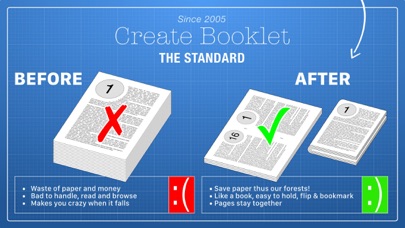
With Create Booklet anything can be printed as a booklet. When you read on paper print a booklet instead of a stack of pages. It's more convenient to hold and saves paper. It's for every one from casual reading to pamphlets.
Create Booklet is a super easy booklet creator.
Since 2005 Create Booklet has been the standard for Mac, it's about time we released it for iPhone and iPad!
____________________
What is a Booklet?
A booklet is a double sided printing you fold so it becomes a small book.
For this to work, all pages are shrunk so that two pages fit per sheet side. More over these pages are resorted so when you fold the paper, the first pages is on the front and page 2 is exactly of the backside of this page etc.
Your life will become more comfortable for just the price of a single cup of nice coffee. You get a complete solution to save a lot of paper (and thus the rainforest) and comfortably read booklets — instead of having to handle stacks of papers.
_____________
Built for you!
Create Booklet is built to be instant and easy. Still if you are missing a feature let us know! You know we listen!
_________
Features
• Support for Cloud Drives: Access your PDFs right from within Create Booklet. No matter if it's on iCloud, DropBox or other solutions.
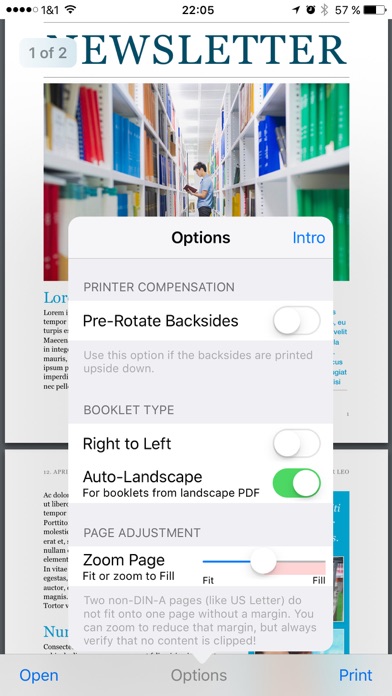
• Duplex correction: We don't know why, but many printer drivers have problems with booklets. A booklet needs short-sided-binding duplex. So if your printer has trouble with that, Create Booklet has the solution: Pre-Rotated Backsides :-)
• Right to left languages: If your text is right to left, your booklet needs to be that way, too – “no problemo”.
• Landscape booklets: You have a landscape PDF? Create Booklet can make it into a landscape booklet.
• Zoom pages: If you want to e.g. fit two US Letter pages onto one US Letter sheet, this will create a margin. Create Booklet can help you with it's page zoom to minimize margins. (Still we recommend fitting formats, DIN A or US Letter onto US Legal and vice versa.)
__________________
Customers love it
Here are some comment on Create Booklet for Mac.
“OMG! This is about the best and most valuable utility I have found in a loooong time. Finally I can create and print booklets from within Quark XPress without having to pay a fortune for their Printcollection XTension. Thank you so much!!!” — Guido Henkel
“Wow. I wish this existed years ago, or that I'd known about it. [...]. Thank YOU.” — Mark
“THANK YOU for Create Booklet! I have used it several times now to print out playbills for my children's various school plays, and it has been an absolute lifesaver. […]” — William W. Lin
“[…] I came across this site, and it was almost like a Christmas miracle ;-) Thanks so much for making and sharing Create Booklet. It works perfectly and really helped me out.” — Dan
“[…] This Create booklet may just save my wedding :) […]” — Tim
“Create Booklet is simply amazing. Drop dead simple to use, and the results are perfect.” — Nate
“Thank you SO MUCH - this program is a life-saver. Or at least a hair-saver, because I was about ready to pull mine out! Thank you!” — Linda Lewis
“WOW!!! Thank you so much - entered a new world of printing.” — Patrick
_____________________
Why Create Booklet
• Easistestest: Because any booklet is just a tap away thanks to Create Booklet. It's that easy!
• It's a Booklet: Means fun to hold and read, saves paper and that way you're protecting the rainforest (uses only a 4th of a typical print).
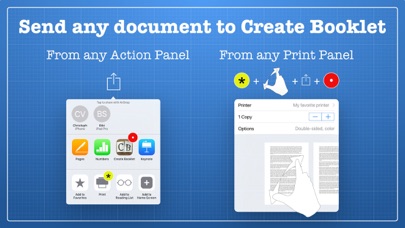
• Productive: Create Booklet has many ways to get a document in, choose whatever fit's your situation.
• Blazing fast: Any booklet is created in seconds.
______
Enjoy
Now you have time to tell your friends about Create Booklet for iOS!
Website: TheKeptPromise.com
Facebook: facebook.com/TheKeptPromise
Twitter: @TheKeptPromise
Create Booklet App Comments & Reviews
Create Booklet Positive Reviews
Lacks desktop featuresI very much like the desktop app, but the iPad version lacks many of the features there. I discovered the apolitical to save the file as a booklet, which is great, but the option wasn’t easy to find. Also, I like the ability to add page numbers and so on, as with the desktop app..Version: 1.0
Works well.Using this app I was able to print a pdf on my phone as a booklet. Make sure that the “Pre-Rotate Backsides” option is set correctly or every other two page spread will be upside down. The best way to do this is to run a test case. And one bug that I noticed is you have to reopen your document every time that you want to print it, even if it appears to be open. Because when you press the print button and it goes to the print preview, it appears to default to the instruction document unless you reopen the document that you want to print. But this app did what I needed it to do so I’m happy with it..Version: 1.1
ArtbotanicaI hate taking time to write reviews but since give thanks every time I use it. I am. Works more reliably than most of the other apps I have. With my duplex printer I can send a pdf or ms word document to it and save a lot if paper. I am researching some topics right now and I have collected quite a few booklets which fit on my bookshelf nicely. Hint: If you are using MS Word, font Franklin Gothic at size 15 gives a good result. Don’t hesitate - just get the app, get a heavy duty stapler and have at it!.Version: 1.0.1
UPDATED REVIEW!After restarting my phone I finally got the app to work! You have to hit “print” to see it change format! Was very confusing, but got it to work after an hour lol! Now I know for next time! The app does glitch a lot and moves very slow. Other than that finally getting to work it did what it was suppose to! Would love to see this app improved! Can be an awesome app with a little more work and improvements!.Version: 1.1
Just What I NeededPrinted the booklet just as I set it up in InDesign. The only issue I’m having is if I decided to print another copy from the same pdf that was on the screen it defaults back to the help booklet when I press print, so I have to open again the same document that is already on the screen to get rid of the help booklet that shows only on the preview screen. Must be a glitch. Otherwise, it works good..Version: 1.0.1
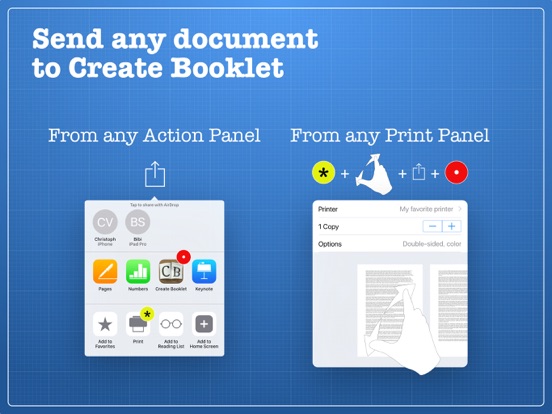
Amazing app!Works great. It took me a couple tries to figure out the best way to do double sided printing on my home printer, but after that it’s been really nice to use. I’ve been using it to print out web pages for studying. It’s awesome that you can pinch-to-zoom in any print dialog and pipe the output to this app; Apple really did a good job hiding that feature!.Version: 1.0
Figured out how to use itLooks like a good app to help make booklets. you need to flip papers as you print it out so it comes out double sided . To access documents you have to choose options on the pdf you are reading . You can’t access the files directly from the app..Version: 1.0
Excellent app that does exactly what it promises.I’ve been a user of create booklet since it was a macOS service. Purchase it when they released it on the App Store on macOS and now here when I got an iPad. It works exactly as promised and saves me all sorts of time. Can’t recommend it enough..Version: 1.0
Finally a great booklet appAfter spending days trying to create a booklet on iPad Pages, I downloaded this app and printed my document within five minutes. It does what it says it does and with ease..Version: 1.1
Solved problem of pages coming out upside downI attempted to print a document consisting of 7 pages plus a cover page, but when it came out of the printer in boiler format, half of the pages were upside down and out of sequence. After multiple attempts, I finally arrived at a solution to the problem. Since my document was originally in Word for iPhone, I sent a copy of the document as a PDF to Amazon Drive. This addressed two basic difficulties: First, Create Booklet has a great deal of trouble actually finding your document unless you put it where the app always wants to look. Amazon Drive is one of those places, so Create Booklet doesn't get lost. Second, sending a copy as a PDF ensures that the pages will line up properly for printing if you have Pre-Rotate backsides turned ON in your settings. Once I learned this technique, my booklets have printed properly..Version: 1.1
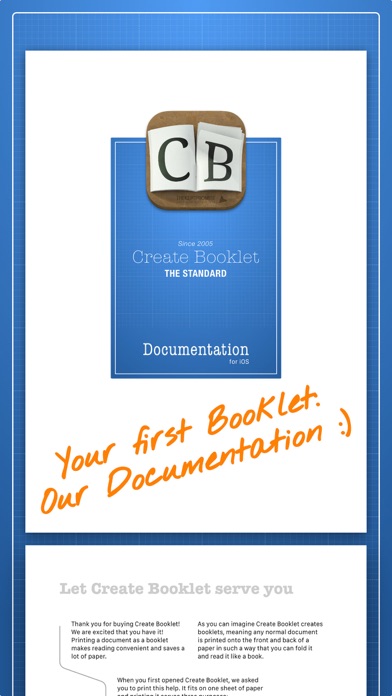
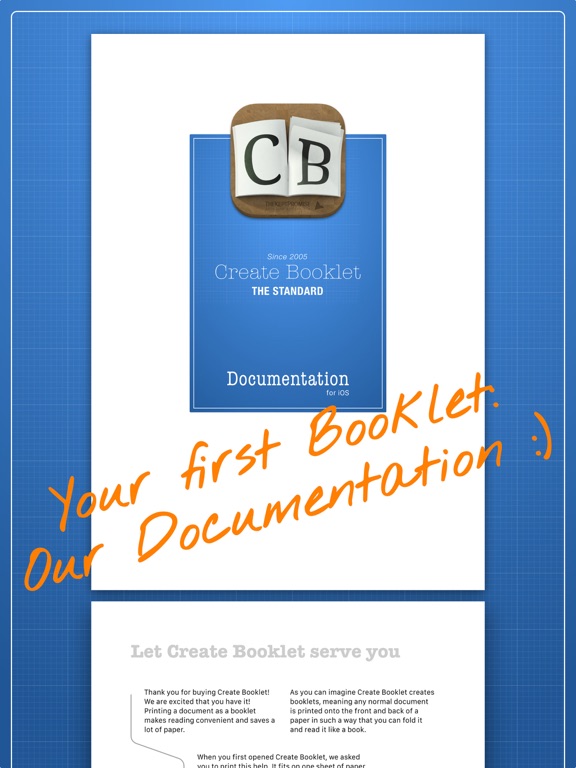
Create bookletI absolutely love the creat book app. Makes everything perfect. I really like the document book of yours as the example of how it will work. Mahalo.Version: 1.1
So close to solving my problemI don’t have an AirPrint compatible printer, but I can print from my phone using the brother app. This app would be be perfect if I could export to the brother app or even save it as a pdf to print from my laptop..Version: 1.0.1
FabulousI use a half-size discbound notebook for planning and meetings and have been looking for a printer app for iPad that will print PDF's in booklet layout for over a year. Thank you..Version: 1.0.1
Free International Money Transfer 💸Enjoy high maximum transfers into more than 20 currencies while saving up to 90% over local banks! The cheap, fast way to send money abroad. Free transfer up to 500 USD!Version: 1.1
What do you think Create Booklet ios app? Can you share your thoughts and app experiences with other peoples?
Please wait! Facebook comments loading...