The Basic Software Company
SwiftDocs: PDF Document Maker Customer Service

- SwiftDocs: PDF Document Maker Customer Service
- SwiftDocs: PDF Document Maker App Comments & Reviews (2026)
- SwiftDocs: PDF Document Maker iPhone Images
- SwiftDocs: PDF Document Maker iPad Images
Sign, markup, scan, and convert documents to PDF with SwiftDocs. Our PureSign™ system smooths out signatures to recreate the appearance of ink on the page.
SwiftDocs brings the power of a desktop document editor to your fingertips, while enabling you to markup documents more swiftly than you would on your computer. Sign documents in a few seconds with PureSign, our system that removes shaky lines from your eSignatures. Overlay text onto PDFs to fill out forms, using presets to save you from having to type out commonly asked questions. Scan, import, and export PDFs to manage all of your documents. Never let being away from a computer, printer, or scanner slow you down again.
Sign documents professionally:
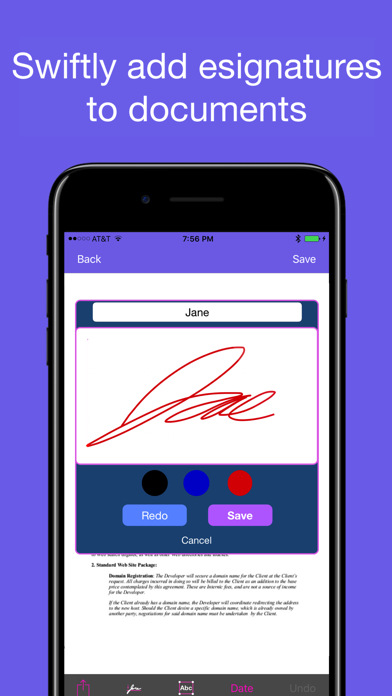
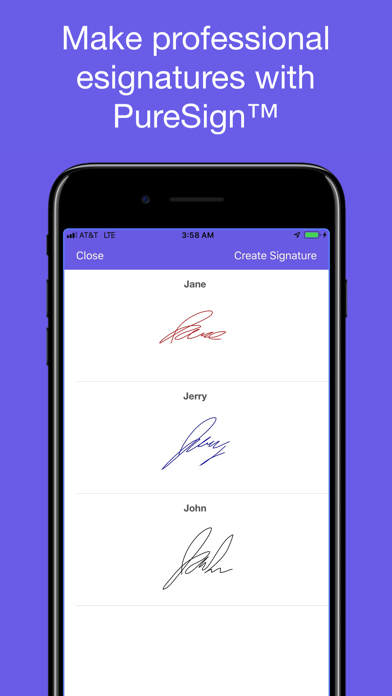
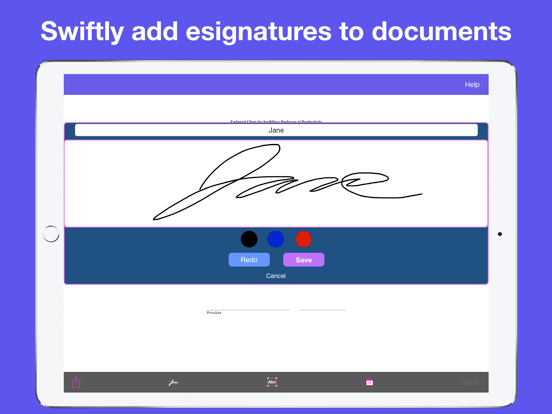
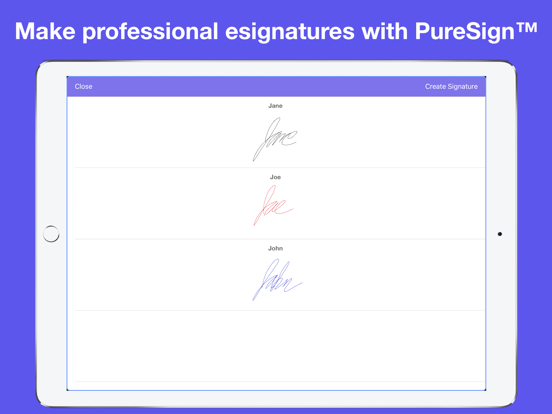
Quickly import a doc into the app, sign it, and send it. SwiftDocs allows you to create and store as many signatures as you want, perfect for if you need to initial or if you want to change the color of your signature. Esignatures usually have a tell-tale shakiness, but PureSign™ stabilizes your signature so it emulates the inking of a handwritten signature (it may look better than your actual signature). Save yourself a trip to the printer and the time involved.
Add text to docs:
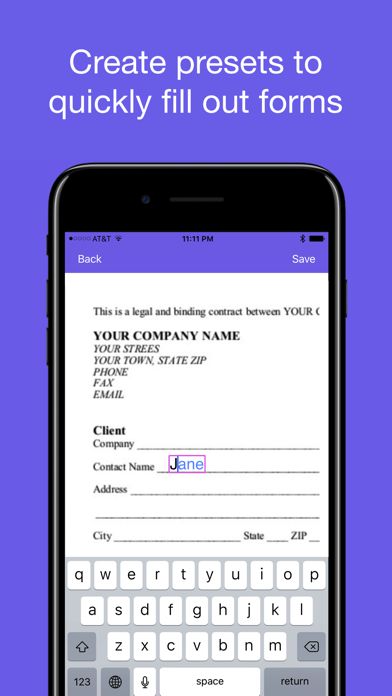
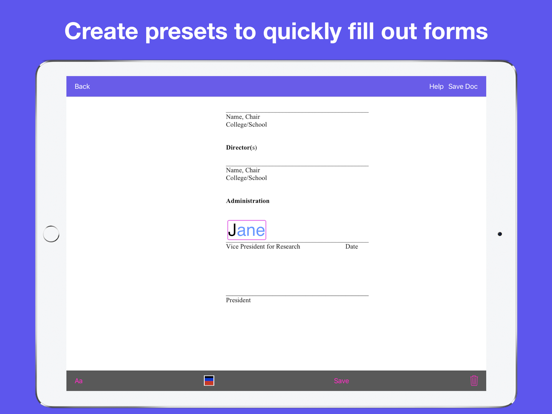
Markup your documents with text. SwiftDocs allows you to open up a text view in a single tap, making it quicker to edit on the app than on your desktop. You can also add preset values for your name, address, or other common pieces of information.
Manage documents swiftly:
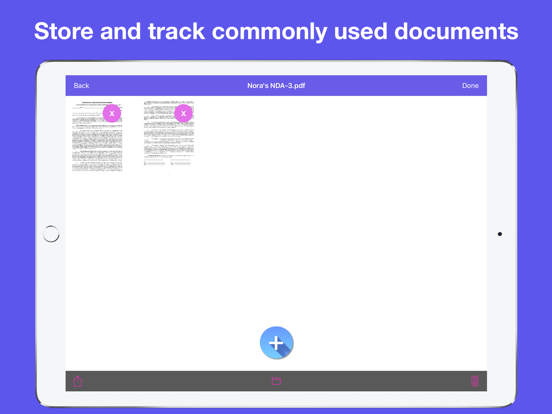
SwiftDocs simplifies your whole work flow for document management. It is the little things that matter, like having a document open to the markup area when you first import it, or adding a text view with the current date in a single tap. This convenience is exemplified by our Swift Markup feature, which saves you time when just need to create and markup a one page document. The app gets out of your way so you can just scan and sign your name on the dotted line, and then have it ready for your records and to send it to where it needs to go.
SwiftDocs go anywhere you want them to:
SwiftDocs is the starting point for managing all of your documents on the go. From SwiftDocs you can print, email, airdrop, and even store your docs to your iCloud Drive. Is it a longer document you want to read? Save your doc to iBooks in just a tap. Anything you could possibly want to do with a document you can do from the app.
Make your mark(up):
Bring an elegant and powerful document editor to the palm of your hands by downloading SwiftDocs. Upgrade to a premium document management experience that meets the needs of your busy day.
Make your mark(up) with SwiftDocs.
Features:
•Sign documents and save your signatures to have on hand in a moments notice
•The PureSign™ signature system smoothes out the edges of your signature to give you a professional and clean looking esignature
•Markup documents with text and use presets to save precious time filling out your name, address, or other standard form questions
•Import PDF documents into SwiftDocs from your email. It'll automatically bring you to the markup page so you can have an important form signed in seconds
•Scan documents and create PDFs that you can print, email, airdrop, or store on iCloud
•SwiftMarkup: One page document scanning for when you immediately want to markup a document and send it
•Complete functionality without creating an account: one less password to remember (and may we mention one less app storing your personal data?)
Terms of Use and Privacy Agreement: https://thebasicsoftwarecompany.com/swiftdocs-privacy-policy
SwiftDocs: PDF Document Maker App Comments & Reviews
SwiftDocs: PDF Document Maker Positive Reviews
Perfect for document signing reviewIn the course of my business I sign quite a few contracts and it of course takes time to print out, sign, and scan documents. I like that in this app I can just sign it right then. The most used feature for me has to be the email import though - whenever I get an email with a contract I can just import it into the app and sign it. Great app if you are a business owner!.Version: 1.0
Simple to create pdfsThis app has been super useful for quickly scanning multiple textbook pages and combining them into a pdf. Also super useful for handing application forms that require filling in information and signing them within the app. Great and timely service!.Version: 6.0
Great AppI highly recommend SwiftDocs. It’s very useful for signing things and I like that it’s just a one time purchase with no monthly fees or “gotchas.” I use it to fill out forms and it is pretty fast at that. Good app if you need to convert documents to pdf or add text to them.Version: 1.0
Perfect for WFHHaving switched over to working remotely, this app is is great for working from home (WFH). I no longer have the ability to print my documents, so this comes in very handy. Plus, it’s nice to look at. Thanks Adventurate!!!!.Version: 3.0
Easy to use!Good replacement for a scanner when I’m not at the office, which is really useful now because we’ve gone work from home. Easy to sign documents, too!.Version: 3.0
Quick and easyI use this whenever I need to sign something from my phone or even at the office. It’s the fastest way I’ve found to download and sign electronic documents.Version: 3.0
Great for Importing PDFs!I have found this app to be very helpful. It is great for importing PDFs and adding e-signatures to them. Customer service was also very responsive when I had a question..Version: 5.0
Very happy!Needed SwiftDocs to work from home since I cannot access the scanners and printers I normally have, and so far it has been really helpful!.Version: 3.0
Easy to scan and signSwiftDocs has come in handy when I’ve needed to scan a document, really easy to add esignatures which is great.Version: 4.0
Great appBeing able to snapshot, organize, and sign documents without using a scanner or having to be on a pc has been very helpful & time-saving. A great addition..Version: 1.3
Great app!In today's day and age, we're all constantly on the run and are trying to find ways to make the complicated simple. That's what this app does. Kudos to the developer..Version: 1.0
Scanning Documents Has Never Been EasierLove this app! With my job, I’m constantly scanning and signing documents for my clients. SwiftDoc has made this a much easier task..Version: 1.3
Excellent product!Quick and easy to add esignatures to my documents on the go! Great service too.Version: 5.0
Great App for Working ProfessionalThis is a amazing app. It really great for the working professional that doesn’t want to invest in a scanner but still need to sign and mark up PDFs..Version: 1.0
Excellent AppSimple to use, makes signing documents on the go pretty easy. Recommend..Version: 3.0
Awesome AppThis app has saved me so much time, its easy to use especially on the go. Plus, the signatures are really smooth.Version: 1.0
Great For Signing PDF’sReally happy with SwiftDocs, it does exactly what I needed it to do.Version: 6.2
SwiftDocs is GreatSo easy to use. Great app for scanning PDFs and adding esignatures..Version: 6.3
Best scannerBest iPhone scanner.Version: 6.1
Streamlines my workI LOVE that I can do this all from my phone! No more fooling around with my scanner, I can do everything in minutes and then send it right off..Version: 5.0
Great tool for Documents!Great for managing Documents and easy to reuse them and adjust the data in the forms for different people that I am sending them to. Also with the ability of adding e-signatures, it’s easy to do everything from one place..Version: 6.3
Easy and simple to use!In this age of complicated technology simplicty is key and this app makes things easy!!.Version: 3.0
Free International Money Transfer 💸Enjoy high maximum transfers into more than 20 currencies while saving up to 90% over local banks! The cheap, fast way to send money abroad. Free transfer up to 500 USD!Version: 6.3