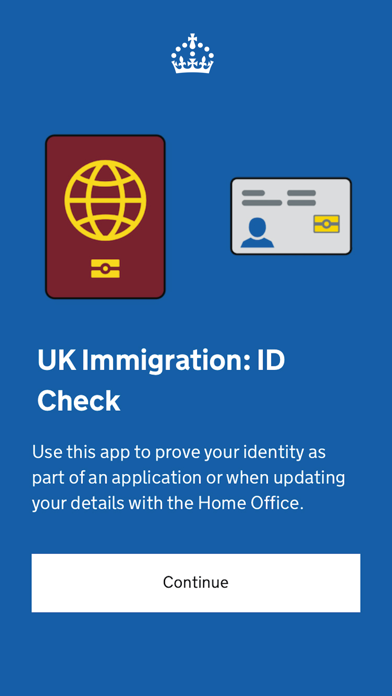
UK Immigration: ID Check Negative Reviews
MJAMERICAN PASSPORT HOLDERS! I had a hard time scanning my passport and finding the correct positioning. I finally found it after opening my passport to the page above my passport ID with my photo, etc. on the page above, I held my phone a little over halfway up the page vertically, the page number being at the bottom left hand corner. Hope this helps. I had to hit ‘try again’ many times. Again, I did not scan the page with my photo in the passport but the page above with my signature..Mer JaneVersion: 3.8.285
Frustrating but finally got it to work!I was ready to give up on the scan BRP/passport chip function after *many* failed attempts - & the awful reviews convincing me it just doesn’t work (on iPhones at least). But have *finally* managed to get it to scan by placing the phone directly on my BRP & keeping it steady (rather than moving it around as the app instructs). I lined it up with the top of the phone. Good luck to all of you struggling! Hopefully it will work eventually!.Alibeck42Version: 2.0.198
Doesn’t scan passportsI don’t know what’s up with this app, but its “scan passport” functionality just doesn’t seem to work. Went back and did verification using my BRP and it worked fine, but that doesn’t really help if you don’t have a BRP..ZackzachariahVersion: 2.0.193
READ THIS FOR HELP WITH CHIP SCANFOR NFC CHIP: My husband was able to get it quickly when he said he opened to the first page (I used US passport) and scanned NOT the inside of the cover, but the plastic page. Took him about a minute after my futile attempts for over half an hour. I have iPhone 15 Pro.
Rated one star because of how long it took to actually get chip scan working, after extensive research. The directions in the app are not accurate considering how many people are having issues with it as well..KhritterVersion: 3.0.250
Horrible app doesn’t work on iPhoneHorrible app, doesn’t work for iPhone, had to click through the option of app doesn’t work then got slapped with another 200£ fee for visiting a visa application center after paying for visa and IHS and not being able to go back. Ridiculous this wasn’t warned beforehand and that if the app had worked, there’s be no need to go and no fee. The uk needs to get their stuff together and stop outsourcing visa offices to foreign companies that are for profits.TimothyA WangVersion: 1.118.762
Fix your stupid appFix the stupid “scan the chip” portion of your dumb app doesn’t work at all does try to continue scanning it’ll progress and then op it failed to scan. Its more like op no we failed to create an acceptable app and made all the visas set to expire by December with no thought into ensuring we had a working app in the first place.
Here’s a thought Fire everyone who was part of that development process because they have no clue about app development or implementation..Cubia5321Version: 2.0.198
Impossible to take proper imageThis is unbelievably bad. The automatic capture of the document image is completely broken. Why is there no way to manually capture the image rather than having the app automatically capture a photo then telling me there’s too much glare or that there’s something else wrong with the photo?! Unusable, locked out for an hour because the app can’t take picture..K3P6M8Version: 3.27.332
App doesn’t connect from Safari linkRidiculous app. It won’t connect from the link in Safari when you press “continue”. It says there is an error and to go back. If you can’t complete the process with the ID Check app you have delete your application and start over. The App Support Link in the Store sends you to a generic Home Office page. Could it be more useless?.TouristinitalyVersion: 2.0.164
Worst app everI have spent months trying to use this app to take a photo of my BRP, but it doesn’t work. I have wasted more time trying to use this app than I did applying for my initial visa and my permanent UK residence. It is the worst and I can’t believe it’s the only option the UK government has come up with. And I know I’m not the only person who the app doesn’t work for!.George CarlinyVersion: 3.0.277
RidiculousNon-EU passport holders are required to verify with a BRP card. Unfortunately, the app does not scan BRP cards reliably, so after several days of multiple attempts, I need to pay additional fees to have my document verified physically because UK immigration cannot design a functional app. Applying for visas are stressful enough, the app adds to it all..ChrisinbostonVersion: 3.20.321
IPhone users, I solved it!After many attempts at scanning my passport what finally worked was opening the back cover and setting my iPhone on it, it scanned immediately with no issues..AuddddddddddddddVersion: 2.0.198
Use your BRP if you can!After many attempts and trying different methods mentioned in the reviews, I could not get my passport chip to scan. I started over using my BRP and it worked very easily. If you can, use your BRP!.OhLordJennMcCordVersion: 3.0.277
Only works on Android not Apple!I tried to scan over 20 times from 2 different Apple iphones (current iOS etc) and every time it said I had moved the card or the phone and so it didn’t scan. I had not! My friend luckily had an Android and that worked first time. Everything else was the same. Apple said to contact the Home Office and tell them to fix it (what a terrible response - really disappointed Apple!!). Don’t stress yourself. Borrow an Android and you can get through this. (One other caveat - if says you can finish from the email it sends. Don’t count on it. I never did get one and completed on friend’s phone). Apple and Home Office - fix this. There’s a reason Reddit and Google say it isn’t working on Apple!.PaleSageLawVersion: 1.109.10576
Chip scanning doesn’t workMany reviewers have already said this, but I also found that the chip scanning feature did not work on a US passport.
I sincerely hope the developers will look into this issue..MockTurtle1Version: 2.0.198
USE THE WEBSITE INSTEADIf you fail a couple of times you can go back to the ukvi website through your phone and just take pictures through there… wayyyy easier.Please listen…Version: 3.17.314
Constantly disconnectingApp is constantly disconnecting which will cause you to restart the whole sign-in process over and over. Tasks were easy to do but once it disconnects it’s a pain..CyaninsVersion: 2.0.198
Does NOT scan passportsThis app doesn’t scan passports, and without a BRP card, I cannot process what I needed to. I called the app support line: “we are very busy please call again later.” Call was disconnected..IPhone15ProMax2024Version: 2.0.198
Photo not workingThe examples they show are all taken with a DSLR or professional camera in studio lighting. Could not recreate in my home. My photo was always rejected by the app despite meeting the standards.PhoenixanderVersion: 3.0.277
Absolute RubbishThe app does fine scanning passports, but it won’t let me scan my BRP. You’d think home office would be able to scan the only biometric e-document they issue..Empty EngineeringVersion: 2.0.193
NFC reader needs checkingHave tried multiple times to scan my BRP to no avail. Physical BRPs expire end of 2024. A big fix is needed if the implementation of evisa programme will start in Jan 2025. A lot of people will be stuck..GoddessyangVersion: 3.0.250
Doesn't work with iPhoneDoesn't work with any iPhones, it feels like a scam, I don't know anyone that doesn't have an iPhone and really need to get this done, I'm so frustrated.AhsiwvVersion: 1.109.10576
Worst app I’ve ever usedThis app just doesn’t work at all. Tried using it on 4 different phone and it just never worked.SharkkeyyVersion: 1.125.787
Passport scan not workingI cannot get the passport chip reading function to work. Stuck on visa application process. Very frustrating..Nyc_icVersion: 2.0.198
Does not work but is requiredHad to use it multiple times. Does not scan BRP cards or passports effectively on iPhone SE, 12, or 13..Wyatt707Version: 2.0.198
RubbishDoesn’t work and is too complicated..ChillywdjVersion: 3.20.321
Nightmare appThis app won’t work for me. I made an appointment at an EU support center. I’d give this app zero stars if I could..Klimt Connoisseur:Version: 1.83.8431
Is that a joke?Does not work at all..SalahidinVersion: 2.0.172
This ain’t Silicon ValleyHow can they justify using an app like this?.Mark HeitnerVersion: 3.0.277
CrushingAll crushing after the nfc.Mino19993Version: 3.10.292
BadBad.JrgguVersion: 3.27.332
完全不能用Useless.ZzzzzzcxxxcccxVersion: 1.96.9519
Piece of GarbageIf I could, I would give this zero stars. What a waste! It struggles reading the chip in the card or passport. The slightest movement and it says it can’t read it, then you have to start the whole process over again. There is no way to link it to the account online. Asks for a QR code or connection code, but there is not codes on the website. Once again the UK government has failed. They should have just kept the BRP cards!.Sassy SonyVersion: 3.0.277
The UK Hates ImmigrantsThe UK hates immigrants and the proof is this app. We have to use it, but it’s completely useless. They’ve had 2 years to fix it since the last time I had to go through this process and nothing has changed. I’m therefore convinced that while they could have fixed it, they choose not to. Anyone with an iPhone is better off asking a random stranger with an android to let you use their phone to use this app. Cheers.Frustrated1000!Version: 3.0.277
App is horrible, I agree with everyone elseI tried over multiple days to get the app to work and I couldn’t. I tried my iPhone and on 3 Android phones and it didn’t work, so I had to book a biometric appointment.
I’m not sure I believe that it “doesn’t work on iPhones” because I’ve talked with other people where it worked on their iPhone. I just think the app is extremely unreliable; it might work for you or it might not. I tried all the tricks people recommended and none worked.
My advice would be if it isn’t working for you, don’t waste multiple days trying to find non iPhones to try it, I’d just book the biometric appointment..JrhuberVersion: 1.114.752
No code, no directionsSame issue as other users. I cannot get a code and cannot find information on how to get a code. I can’t start the application without verifying my identity in the app, but can’t verify my identity without an application. Bravo, Home Office!.CococoveVersion: 1.96.9519
QR Code??There is no direction on how to get a QR code- app is useless.Kelly SilnesVersion: 1.90.9028
Horrible appNo place where you can find a QR code and more than that no place to input your code. This app is horrible! Would give zero stars if I could..AlesteckelVersion: 1.83.8431
QR CodeI don’t have a QR code and there’s no help on where to get it I’m extremely frustrated.JsjahsjkskaVersion: 1.79.8059
No way to connect the qr codeGo to web
Download app
App says connect with a qr code
Where do we get the qr code?
The ux person needs to be fired.NycbritVersion: 1.79.8059
Confusing and frustrating experienceI’m having issues with the QR code or the connection code .. there’s not a single place I can find more info on what that does or what ‘devices ‘ I need to connect with !?? Frustrating.Wannna@777Version: 1.74.7868
VisaThe app is very slow to load, and it often stops working half way when you are trying to load information. Very frustrating..SmithCareyVersion: 3.29.347
Worked initially, but not for adding new passport to eVisaI had a name change and got a new passport after my eVisa had been approved on the old one. The app worked fine to add my old passport. I should be able to add the new identity document in a similar way: going through the flow brings me back to this app. But although it seemingly scans the new chip fine and gathers all my new info correctly, when I submit to the server the new passport number never appears in their system. My options are (1) a new biometrics appointment at my expense, which I find offensive, or (2) post documents to an office in Liverpool after arriving in the UK. Meanwhile I had to get a standard ETA on the new passport, even though I shouldn’t require one, because the airline could refuse me a boarding pass if the new document isn’t connected to a valid visa. Infuriating. If the system only worked, I could avoid so much hassle..Pavel and SamVersion: 3.29.347
Worst app I’ve used in yearsI would give it 0 stars if possible. I cannot scan the cover of my passport, it keeps giving me an error message..GeneratisimoVersion: 3.27.332
Difficult appTrying to get a copy of me UK eVisa App is not working correctly.MémèreeVersion: 3.7.280
Absolutely terribleThis app is terrible. It just doesn't work. Trying to take a photo of my passport has been impossible. Please fix it!!.Bananaz57Version: 3.0.277
Awful drove me crazyThis is the worst app I’ve ever used. I couldn’t even get past scanning my passport as it keeps thinking it’s not the right document or says unable to take photo. Sometimes it would glitch and flash between the two notifications non-stop. Now I have been locked out of the app for too many tries..AngryPersonJustTryingToApplyVersion: 3.0.250
Constantly freezes and crashes.Has frozen twice on me. Once during BRP image capture and once during face scan. Had to start over each time which involved restarting the online process as well. On the third attempt, the app crashed and I just gave up at that point. Terrible app. Zero stars..MaarbsVersion: 3.0.250
Payoneer 💰Payoneer is an online payment platform that lets you transfer money from any corner of the world! A best and must have payment service for every blogger, traveler, freelancer, affiliate marketer, consultant, virtual assistant, business person, online sellers, and receivers. Earn $25 for free by joining Payoneer. Sign Up Now!AdvertorialVersion: 3.29.347
 Home Office