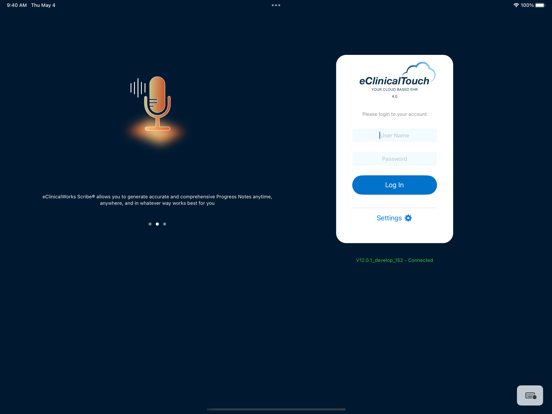
eClinicalTouch 4.0 requires EMR upgrade to V12.0.2 or above.
eClinicalTouch 4.0 puts eClinicalWorks users on the leading edge of healthcare innovation, combining the convenience, functionality, and portability of an iPad and iPhone with the industry-leading functionality of eClinicalWorks. Medical professionals enjoy intuitive, cloud-based navigation and complete access to patient records, diagnostic tools, and data analytics.
With secure data capture and unparalleled functionality, eClinicalTouch is your best choice for portable Electronic Health Records solutions, designed specifically with provider and nurse documentation in mind. And the information you capture automatically generates a claim on the practice management side of the comprehensive eClinicalWorks system. Experience the power, innovation, and convenience of eClinicalWorks – anytime you need it, wherever your busy schedule takes it.
eClinicalTouch contains the most-used features of the eClinicalWorks EMR, allowing you to:
* Enter new patient records
* Create new encounters
* Conduct telephone encounters
* Conduct a Televisit from your iPad/iPhone
* Work the office visit screen
* View and enter Progress Notes
* Record vital signs
* Use the full functions of CPOE
* Access the ICW panel throughout the app
* Review labs, imaging, and procedure results
* Refill prescriptions
* Document OB flowsheets
* Enable for voice and eClinicalWorks Scribe
* Use the built-in camera to assist in documenting Progress Notes
EClinicalTouch 4 Positive Reviews
I like itI think this version works better than the previous version. There is a learning curve involved (just like previous versions), but overall I think the UI is much more intuitive. Couple of wishlist things: 1. There should be a “default” button for each individual item in the Examination section rather than only being able to “merge” all available defaults. 2. When view past encounters for a patient, you should be able to swipe right or left to scroll between the different encounters; currently, you can view the past encounter, then you have to close it and reopen the list to choose another one..Hepke TuinsmaVersion: 4.8.1
App designOverall it’s a much better app than v1. However it still needs to be less clicks. Think about the most common reasons a physicians needs the app. When on call. And the most common thing we should be able to one click is send a Rx or Lab to any place anytime or to see a document and medical hx summary. It takes way too many clicks to do that now. Plus there are limits who you can send to. There should be a blank fax number field where we can put any number, doesn’t have to be someone prepopulated in our local version. Being to Call patient directly from within the app by clicking their number BUT too patient call originates from office or a masked number would be helpful since we don’t call patients from our personal phones even though that is where the app resides. A nice feature would be able to send a quick typed up letter with doctors signature to a patient would be a nice feature (sick note, jury duty letter) and inter office texting. BTW, the admin should be able to see all provider schedules from the app. Overall great job. Definite better than 2 stars, at least a 3. Make these click efficiencies and you are talking 5 star app..Drashish123456Version: 4.14.4
Notifications & App slownessFirst, I use the desktop, iPad and phone as part of my workflow. As most of us have done, I have created a workflow that will allow me function efficiently in the office setting (using the desktop and iPad). The new version 4.0 has been an upgrade in some ways in regards to iOS, but a downgrade in others.
For example, why do we no longer receive alert/notifications via the iPhone app? It was GREAT to know when a message/encounter/lab came in with the previous app, so that I could reply to it in an expedited manner. However, now there are now alerts and I have log in every so often to see if anything new is there.
While the iPhone/iPad app has increased functionality (which I love particularly with the phone), in regards to making it more practical to use when out of the office, the app is also slow compared to previous versions! Please fix this!
Also, there should be an option on how documents to list then in order of last received, instead of only by folder. Having to find “new” documents by scrolling the others that have been reviewed is time consuming in the office setting. Please make this an option..Reverend1982Version: 4.7
Not sure what all this people are talking about.Firstly, “Yes, eClinicalTouch 3.9 is faster. Hopefully, they can improve this.”
“My friends and colleagues, you have a fully functional EMR on a smartphone. You can do practically everything in eClinicalTouch 4 on a smartphone. A smartphone is not the best way to write progress notes for 40 patients, but I am sure that if you pass the learning curve, it is very doable. eClinicalMobile is a joke compared to the functionality that eClinicalTouch 4 gives you on a smartphone. I feel there is a good balance for this version to work seamlessly on both devices, i.e., iPad and iPhone. I will look forward to some improvements in the speed of data processing on the iPad.”
“Now, why do you want to write notes using eClinicalTouch 4 on an iPad when the web-based version can give you all and more? Again, if you pass the learning curve, you can document on the iPad as fast as the web-based full version. I feel this is a great improvement overall. I can e-message my patients, renew prescriptions, review documents, fax progress notes to other providers, complete notes, or billing, and much more from my iPhone.”
“Please, please, someone explain to me the previous reviews. Respectfully yours.”.FCVDMVersion: 4.4.2
Much better than v3.Much quicker and even though I havent been trained on it, its so far relatively intuitive. But the speed for me is much much improved..JpfbVersion: 4.6
Terrible upgradeHave been using EClinical touch for almost 8 years. This is by far the worst version yet. All the flexibility of using IOS have been taken away with this version. It has been come as cumbersome as using the windows version. This is basically a simple version of the windows platform with all the extra clicking and none of the benefits of using an iPad. I have stopped using this and have gone back to the laptop version. I watched all the videos and tried to make it as flexible as possible but have realized that my notes take longer and are not as complete. Definitely a major disappointment would definite not recomend this upgrade.CballestVersion: 4.3
ImprovedI’ve been using clinical touch for a while now, and the recent updates have made a noticeable difference. The app feels more stable and has become easier to navigate. I especially like the new customization options for layout. I also recently found out that prisma is now available, which has been a useful addition. It’s good to see the app continuing to improve in meaningful way..LilyD.OVersion: 4.13.1
Can really helpIt is a product that at times has been the best thing eCW does. It can really help with workflows and consents and is really nice for reducing the device between clinicians and patients.
We all hate to document, but this is a tool that makes it better..AborrusoVersion: 4.15.3
Log inNot sure why we can’t have facial recognition to log into our app in 2026!.AmyscoVersion: 4.16
Terrible APPThey turned a good ECW app into a terrible App they should be fired and sued for the crap application they forced providers into. If you are not already a ECW company DO NOT BUY!!!!!.Tomtgb2Version: 4.3
I like Sunoh.ai integrationWorks very well. Nice integration..Craig5434Version: 4.8.1
Free International Money Transfer 💸Enjoy high maximum transfers into more than 20 currencies while saving up to 90% over local banks! The cheap, fast way to send money abroad. Free transfer up to 500 USD!AdvertorialVersion: 4.18.1
EClinicalTouch 4 Negative Reviews
Very SlowWe upgraded to the newest version three weeks ago. Having been very efficient with the previous version and enjoying it more than the desktop version, I have to say that the opposite is true here. Running on my iPad Pro, this version runs much slower, with longer loading times in between screens (it times out with an error 20% of the time. It also has taken many normal practice functions, and made them require far more on the screen. One example: trying to fill a prescription request from my inbox rather than it bringing up the patient’s med list right on that screen, I’m forced to go to the virtual visit and pull the meds in there. The notes also take a good amount longer, as the individual load screens just take longer to get done. Another is that while you’re dictating, if a character such as a degree sign is placed, it automatically deletes your whole paragraph rather than notifying you of this to correct- highly annoying. The billing format is also worse, as it is harder to enter all of the diagnosis codes in than it was previously. Hopefully these problems will be addressed in future updates, but right now, I find myself having to go back to the desktop version more to get my work done. As others have said, it should be made easier, not harder to get things done..SlickmooseVersion: 4.4.2
TerribleJust awful since the update. It takes forever to load and do anything. For reasons that are not clear, prescriptions will just not randomly be able to be sent to the pharmacy. The ridiculous requirements on prescriptions such as you can’t use the word in or as are so frustrating. I really only use this when I’m on vacation. I cannot expect any person to ever use the iPad app to document real Notes. Probably will have to bring laptop on Vacation from now on. Stay away stay far away.
It may be fixable but I really don’t wanna spend 30 minutes with someone I can barely understand on the phone. Half the time they can’t fix the problem.Danno7373Version: 4.12
ProblemsThis app needs to be redesigned with the physician workflow in mind. Physicians mainly want immediate access to the most recent note and the most recent studies performed. At present, there are too many options, too much nonessential content, and too many clicks to get to the information that actually matters.
On iPhone especially, the experience needs to be faster, cleaner, and more intuitive. A doctor should be able to open the app and, within 2 to 3 minutes, find everything clinically relevant without digging through excessive layers of navigation.
The platform should prioritize efficiency, simplicity, and rapid access to key patient information..Littlebobby1Version: 4.16
Return back to the functionality of version 3.9EClinicalTouch Version 3.9 is Way better than 4.0. The same functionality 3.9 had needs to be returned to ECT 4.0. As it is right now I have to go back to a desktop or a laptop to be as efficient as I was with ECT version 3.9. I’ve spoken with the ECT development team and they say by ECT version 4.17, most of the 3.9 functionalities will return (like being able to do everything on one screen, instead of having to go back-and-forth between screens). Until then, sadly, I have to rely on a desktop to be efficient with the amount of workload I have. (I’ll update this review once 4.17 comes out.)..STFM...Version: 4.15.3
Truly unhelpful appI don’t know what’s worse, the fact that this app is beyond unhelpful in a clinical setting or that you have to pay a monthly charge to use it. Lol! It has limited functionality, its not user-friendly, and it logs off the second you have to tab away and use another function on your device. The constant need to log in rendered this app practically useless for me. I mostly use it to document images of skin and msk conditions and to check my schedule for the next day. Medical field is too fast paced for this clunky inefficient app. There are literally free hipaa compliant apps that are more helpful. Quite unfortunate..TerrigtnVersion: 4.14.1
3.9 was much betterEClinicalTouch3 was responsive and great! Version 4 so unstable, also do not understand why iPad eClinicalTouch cannot be built upon a solid foundation and have enhancements added. Each version is literally a new app that is built from scratch. Essentially starting over each and every time - seems inefficient. Epic Mychart, ecw healow, ecw kiosk, Microsoft Office and many other productivity apps appear to start with solid app and then build upon it - not having users uninstalling and redeploying a new app.
Also eClinicalTouch is sold as full charting on a iPad during office visits, it is not unreasonable to expect this..ECW V10 UserVersion: 4.6
BuggyClean interface, but in a fast paced clinical environment, I cannot be waiting around for the next window to load. Often times, it’s faster to force quit the app and restart than to wait for the app to load a window. I also love the ability to use dot phrases on the desktop cloud version, a feature that is sorely missed in ECT4. I tried to give this an honest effort as a replacement for the desktop version on my laptop, however, it’s not efficient enough to be worth the switch..Shapat1222Version: 4.15.3
Fix a but, add a bugFor a little while it seemed that the app had improved but it has reverted to one glitch after another. Each update fixes one problem but creates another. The latest is not being able to view documents when default is latest and the app closing very frequently particularly when opening ICW that I can think of quickly. It continues to not allow pasting because of “illegal characters”like those dastardly apostrophes. I wish our company had gone with some other EMR but too late and too much sunk cost now..Glitch, glitch, glitch, bugVersion: 4.16
Who decided this was good?I assume with the resources eClinical has they would have taken the opinion of people using the software to improve it. EVERYTHING IS HARDER TO DO WITH THIS VERSION. Also all the 2 star reviews are frankly being too generous, when you read their reviews you see them using the desktop/web version more. The whole point of the touch version is to get things done not to go back to the desktop. Refills are a nightmare. Reviewing telephone encounters is cumbersome, writing prescriptions and other orders are also unnecessarily complicated..WcmdtpaVersion: 4.6.1
IPad and tech support terribleI beg any physician or administrator thinking about this EMR to run away from this product as fast as you can. Tech support terrible. iPad extremely glitchy and slow. If you are lucky to get someone from tech support you can even understand, good luck getting them to even understand the problem you are trying to tell them about much les have the issue resolve. Please don’t use this EMR. You can spend half as much on an equally horrible product but at least you saved some money..Nucklehead8Version: 4.12
Not loving this versionI used to be quite efficient in touch. While some enhancements are helpful (reducing concurrency locks in TEs across platforms) and ability to view the resource schedule, I'm finding this MUCH less efficient. I'll admit there's always a learning curve, but placing orders as a physician is unnecessarily difficult. Bring back some of that ease of use, and I'll up the stars.
Also, sadly more clicks/taps... aren't we supposed to be working to reduce these?.SugUSer1Version: 4.4
Last version was much betterThis version requires more “clicks” than the last version. The commonly used icons are hard to find. Making a telephone encounter is more cumbersome. In clinic, I could use the last version without simultaneously running the desktop version. Now, I have to run both in order to efficiently do both tasks. The user should be able to run another program such as OpenEvidence without getting logged out of eclinical touch..Dr. PolarBearVersion: 4.16
Would give ZERO stars if that was an optionThis is a horrendous update that absolutely destroys the ability to write clinical notes efficiently. It’s unbelievable that the company did not run a beta test which would have elucidated the countless problems that clinicians and end users now face. eCW has shown a disdain for it’s customers by releasing this version.
They need to restore the old version and flush this version down the toilet.
Extremely disappointed and frustrated..Irritated user 3000Version: 4.6.2
They broke itThe upgrade looks nicer, but it is much slower. I used EClinicalTouch extensively prior to upgrading to ECW V12, and now I have had to abandon it. The order entry is painfully slow, constantly locks up the treatments with concurrency, even when you have been out of the chart for several hours. Hopefully the fix it in the future, I would love to use it again. Until then, I have completely abandoned and gone back to taking a laptop into the room with me..BHK10Version: 4.6
Downgrade from 3.9Hi, I have been using the app with templates and the Nuance cloud dictation for years in a very busy practice. The current iteration of 4.0 limits the customizable nature of the scribe function (listing which subheading to schribe under. The app has always been Half-baked and glitchy compared to the PC enabled version, but the scribe function umps to the top of the dictation every time I put in a new heading . Hopefully the Ai Bot version is better, although not enabled for us yet..MiketeliVersion: 4.6
The worstContinuous problems for months across multiple platforms including iPad, iPhone, now dealing with complete loss of dictation function, dropping valuable patient data. On average I have to log out or restart devices 5-10 times a day to get the app to function. Have replaced iPad, in-house IT have been troubleshooting our devices and Wi-Fi, and our side is fine.
Tell me it’s going to get better….Kat22022Version: 4.15.3
Not goodTry to avoid this system at all costs. This has made scanning papers turn into a whole process. Too many buttons to click and the accessibility is not there either. The whole system is slow and I have run into many problems and system errors with it since transitioning to it in July of this year. Poorly made. Poorly managed..Barfal Om YewVersion: 4.15
Go back to latest versionThe pros to this update are minuscule compared to the MULTITUDE of cons that the update brought. As mentioned in other reviews, the iOS version (iPad/iPhone) is trash. It takes 3-4x more clicks now to do anything. And as you’re completing your note, after each section is complete, it takes you back to the top of the note….the whole thing is inefficient..JBS-ALVersion: 4.4
EClinical appFound the eClinical app to be short on detail. Specifically, it seems inordinately difficult to obtain patients records and to send in pharmaceutical items during the office hours.
Overall impression: not quite ready for primetime..Rjb11959Version: 4.18
OMG, utter failureWhat have you done!! Version 3.9 was workable, just needed a few tweaks but this Version 4 is completely useless with all beginner’s mistakes. What were you thinking, who made this?? How could you have carelessly released such a nonfunctional inefficient piece of junk. You expect people to pay for this?.EveryDayIsExtraVersion: 4.4
What a disasterI thought this app would be something outstanding, but what a disaster! It is slow and unresponsive. Besides being unresponsive, eCW blocked viewing anything if the provider is not enrolled/subscribed to eClinicalTouch.
I would love to give Zero Star! Get your act together eCW!.Newton ChakVersion: 4.9
ECW 4 for iPadThis company seems to try to continually worsen its products.
From the non intuitive nature, its upgrades vastly altering its internal logic and the inconsistencies from one product line to another, it’s clear to me that they don’t care about the end user.Just a primaryVersion: 4.6.1
TERRIBLEThey took a wonderful app and absolutely ruined it. It is much slower to use. Unfortunately, it is closer to the desktop version of the software which is not a good thing. Please let me go back to the old version. This is intolerable..OledochutchVersion: 4.4.3
GlitchesWhen I am writing a note for recipient on an encounter with out ordering the medication first it’ll completely shut off the app..LatinRose19Version: 4.16
User unfriendlyDifficult to navigate, is not intuitive. Would expect this to mirror the desktop, but doesn’t in the least. Please allow eClinical in the Google Chrome APP.Fr1016Version: 4.7
Worst app I’ve ever usedBy far the worst app ever. Constantly crashing, and when it works it’s extremely slow. Please fix this. Currently it’s doing its favorite pastime with the wheel of death, not logging in. Typical..JustnononononoVersion: 4.6.1
Now your iPad has to be iOS 18Everything was chill until you forced me to spend $500 on a new iPad that can update to IOS 18. I hate it when companies do this.SlotlcVersion: 4.15.3
Bad updateBad update, everything was fine. This is now causing new problems. Wrong patients merging, appointments not showing up, exct.The Vein DrVersion: 4.6.1
TerribleBecause i enjoy fighting with a computer instead of treating patients..Arima CommanderVersion: 4.17.1
Not intuitiveCumbersome, repetitive, causing waste of time for the clinicians and doctors, tech support is as poor as could be.DankashenVersion: 4.16
GarbageLess the said the better i think.PT_2001Version: 4.4
Barely usefulHardly useful due to frequent crashes, and slowness..Seashell PediatricsVersion: 4.10
Horrible.Avoid at all costs.JoemanfortyVersion: 4.17.1
MDIn ECT4, oftentimes the Loading time and not recognizing the user credentials are frustrating.ScapsVersion: 4.18.1
Cecilia Grande MDIt’s extremely unreliable. It’s constantly down..You are horridVersion: 4.16
SucksConfusing, hard to navigate, too many ways to do one thing, not so very simple and fast for a fast paced office. Athena health way better. I promise.Killak222Version: 4.16
Update to v4.24.2 is a train wreckVersion 4.14.2 is a train wreck. HPI used to be editable by line in Preview tab. Now it is not editable at all. It has to be edited on the horrendous Progress Note tab, on which you cannot edit by line..A. NearnVersion: 4.14.2
Switching from 3.9 to 4This update is the worst.It is slow,cumbersome,and almost impossible to get anything done.The quick order magnifying glass does not contain the orders that I need and I don’t understand the quick note functionality.My app doesn’t even fit my iPad screen as the shots on this preview show. I had a training session webinar and the trainer ,although very helpful on some issues,told me to reply to a patient web message by writing in the blue block and hitting done,which is totally incorrect.You need to use the speech balloon to reply…which comes up only after hitting the w.Please eClinicalTouch this is a nightmare…..and a huge medicolegal risk when your trainers are giving practitioners wrong information..Dr jbrownVersion: 4.7
Please, stop upgradingLots of recent updates, no apparent improvements only more things that increase frustration..FlatulizerVersion: 4.18.3
Payoneer 💰Payoneer is an online payment platform that lets you transfer money from any corner of the world! A best and must have payment service for every blogger, traveler, freelancer, affiliate marketer, consultant, virtual assistant, business person, online sellers, and receivers. Earn $25 for free by joining Payoneer. Sign Up Now!AdvertorialVersion: 4.18.1
 EClinicalWorks LLC