AMZN Mobile LLC
Amazon Kindle: Reading App Customer Service

- Amazon Kindle: Reading App Customer Service
- Amazon Kindle: Reading App App Comments & Reviews (2026)
- Amazon Kindle: Reading App iPhone Images
- Amazon Kindle: Reading App iPad Images
READ ANYTIME, ANYWHERE
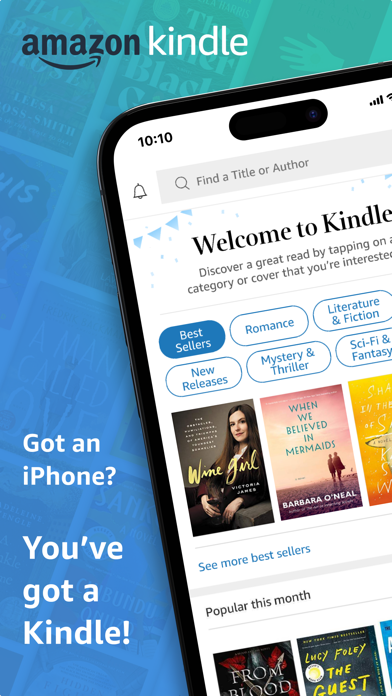
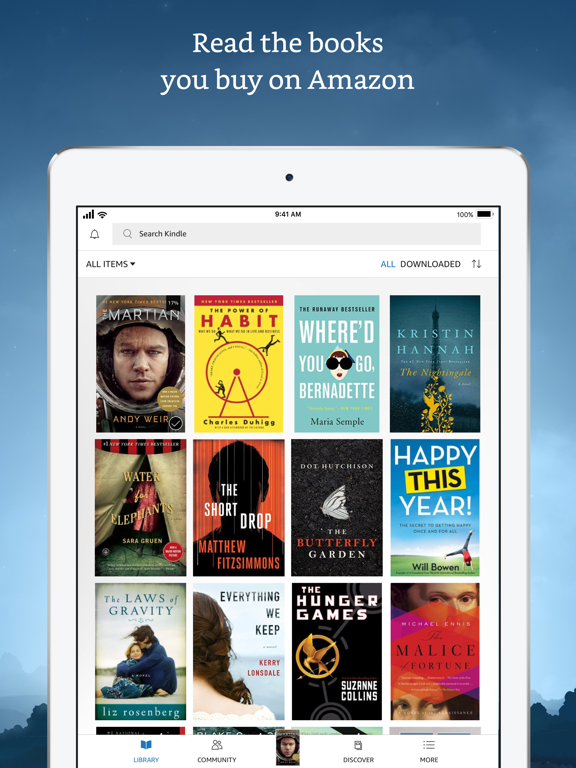
On the bus, on your break, in your bed—never be without a book. Kindle books you have purchased on Amazon will automatically appear in your app. Kindle Unlimited and Amazon Prime members can select and download Kindle books directly in the app.
FIND YOUR NEXT GREAT READ
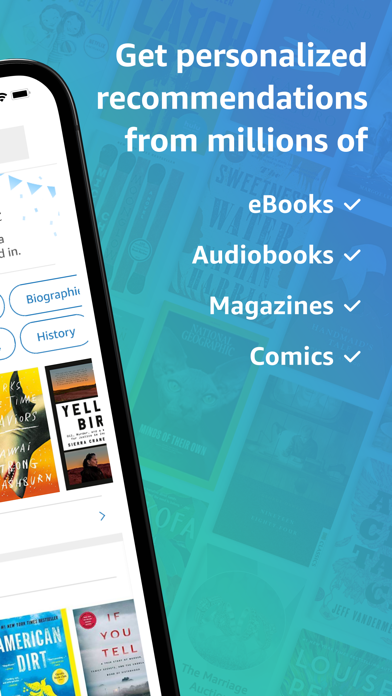
• Read the books you buy on Amazon in the Kindle app. Choose from over six million Kindle books (including those with Audible narration), magazines, and comics and start reading in seconds. Explore Amazon Charts best sellers and titles across genres like romance, science fiction, children’s books, self-help, religion, nonfiction, and more—and try any book with a free sample straight from the Kindle app.
• Kindle Unlimited members can enjoy unlimited reading and listening, with the freedom to explore over 1 million titles, thousands of audiobooks, and current magazines.
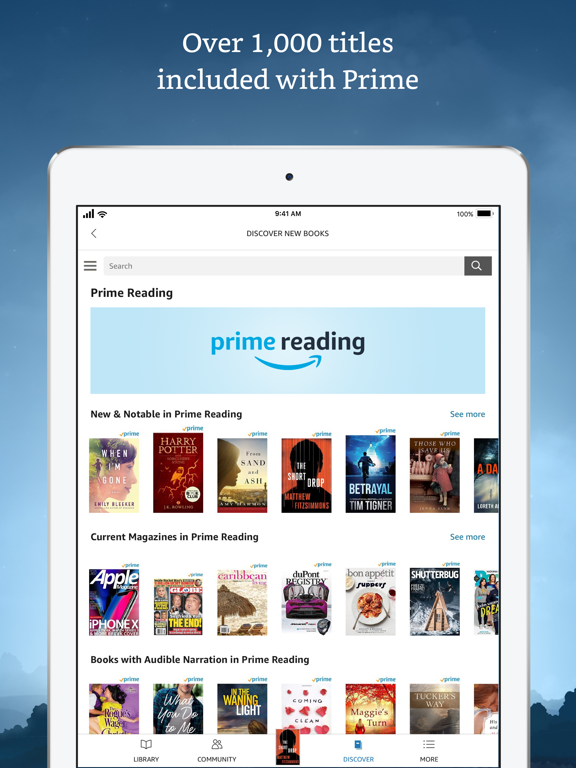
• Over 1,000 books, magazines, comics, and more included with Amazon Prime.
GO BEYOND PAPER
Turn your iPhone or iPad into a book with the free Kindle app—so you can read anytime, anywhere. Explore these reading features in the Kindle app:
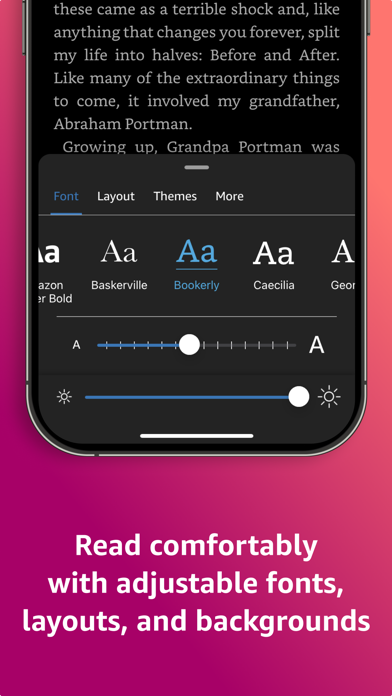
• Read your way. Customize your text size, font type, margins, text alignment, and orientation (portrait or landscape)—and choose whether to turn pages from left to right or continuously scroll. Read comfortably day and night with adjustable brightness and background colors. Go to the Aa menu in your book to get started.
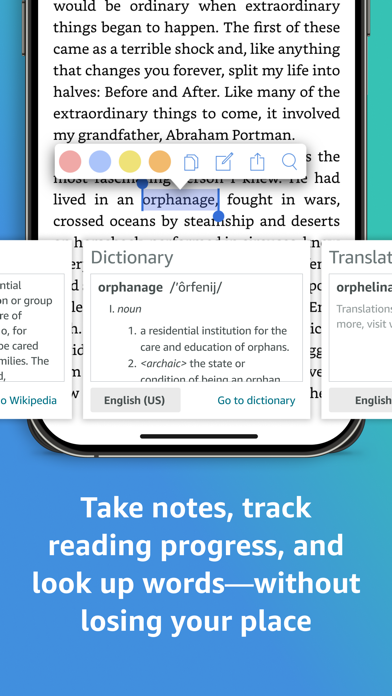
• Look up words, people, and places while you read. Breeze through words you don’t know and characters you can’t remember with the built-in dictionary, X-Ray, Wikipedia lookup, instant translations, and search within your book. Simply tap and hold a word to view its definition, or use the Google and Wikipedia links to get more information.
• Track your reading progress. See what percent of the book you’ve read, real page numbers (for most top titles), and how much time you have left in the chapter or book based on your actual reading speed.
• Bookmark places you want to revisit, and make highlights and take notes throughout your book. Open My Notebook to see all your notes in the same place.
• Hop, skim, and jump with Page Flip. Flip between pages or get a bird’s-eye view of your book with Page Flip—don’t worry, we’ll save your place.
• Zoom in on high-definition color images in Kindle books, magazines, comics, and manga.
• Sync your books across devices. When you’re reading a book, the Kindle app will automatically sync where you left off—along with any bookmarks, highlights, or notes—so you can start reading on one device and pick up where you left off on another.
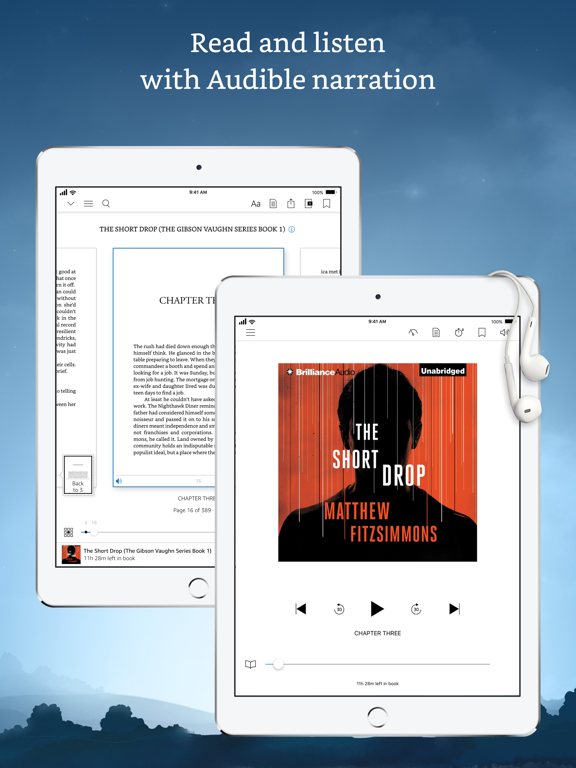
• When you can’t read, listen. Switch seamlessly from reading your Kindle book to listening to the Audible book, all within the Kindle app.
• Get notified when authors you love have new releases.
By using this app, you agree to Amazon’s Conditions of Use (www.amazon.com/conditionsofuse) and Privacy Notice (www.amazon.com/privacy).
Amazon Kindle: Reading App App Comments & Reviews
Amazon Kindle: Reading App Positive Reviews
I promise you you’ll like itThere isn’t anywhere else I like to get books, even on apple products. There’s are so many free books you’ll probably never read them all, for every age range. Cheaper than buying most books in paperback, though I do collect some books for when I NEED that physical page feel. Access to listings for used books if you want that instead of the kindle version you can, though it’s cheap, not free. Classics also available free though I have bought a few for $1 just for a certain version or illustrations to show my daughter. If you don’t like a book or version you find for free no sweat you can just delete it, and if you do like it then congrats. Don’t be afraid to browse some regular priced books or even the $1 book selection, though I admittedly filter the books by the star reviews so I don’t end up with a bunch of duds by accident. Definitely nice when the power is out and you want something to do, though a word of warning. Adjust your settings according to your device and it’s battery. I have low brightness and page flip off on my phone but higher brightness and page flip on for my tablet since it can handle the extra drainage. I should also mention they have different fonts you can use for your books including one for dyslexia. I use it because I have weak eyes, would definitely recommend it for the long book journeys. You can add notes and highlight things if you want to as well, so that’s readily available if you need it, too. Ok, I’ve said enough, try it for yourself and who knows how many books you’ll find? Happy reading!.Version: 6.38
New features remove what made Kindle betterEdit: another user did find a way to make it easier to highlight—yay! Unfortunately, I also discovered that they added several extra steps to DELETE highlights, so my review remains the same. In addition, the once fantastic light periwinkle blue is now a darker color that makes it harder to read what I’ve highlighted. Developers, please lighten it again! Make it a true highlight, otherwise what are we doing here? I’m floored. For months, I’ve been trying to move to other apps to avoid using Amazon’s products, but have remained with previously bought books because of the absolute ease of use, particularly when it comes to highlighting. And now, inexplicably, the app developers have copied what made other apps infuriating—adding features no one asked for and requiring me to choose a color and untap it to delete highlights— an extra step every time. This is hilarious. It totally interrupts the flow of reading and takes a full half a second longer to undo my selection, adding a full second or two to every highlight when it randomly picks up an extra word. For someone who owns and reads over a thousand books in this app alone, that time adds up precipitously. Undo this. Whatever the bug, fix it so that I can easily unhighlight a sentence in one tap and keep reading. Please do NOT worsen your product. It’s such a small thing, but what are the chances of developers mimicking the exact flaws of their competition?.Version: 7.36
Love kindle and kindle appI have three kindles, an iPad, and a phone. I love how my book progress syncs across devises. When I find myself in a waiting room I read on my phone but otherwise I use larger devises. I download books for free from my public libraries and they are easy to get and return. It is easy to navigate in kindle app; you can move easily to other parts in the book. X-ray helps me keep track of characters by giving me a synopsis of all the major players and allows me to easily find and review a specific name or detail in the book. And I love love love that when I read a reference to something interesting I can easily go to the web to find out more information, look at related pictures, etc. that helps me learn more and increases my enjoyment of my books. When I finish a book, I can read it and give a review. My Kindle app works seamlessly with Goodreads to keep track of my books and it allows me to follow an author so that I get alerts when the new book comes out. I also make it easier to browse my books by keeping books by the same author in a collection folder. It’s also super easy to change the font and the font size if you’re having difficulty with it for some reason. I just can’t say enough about the convenience and pleasure that I get from reading with a Kindle or the Kindle app. I have read books on OverDrive and on Libby as well but I find the Kindle app to be the easiest to maneuver and it offers the most options when reading. It also has a search feature where you could go to a specific location or page in the book which was missing and other apps. I highly recommend the Kindle app!.Version: 6.35
Overall good but…Kindle app is a great reader. However, it contains some extra features which would be AMAZING if they would develop them just a bit further so they could be put to more practical and more productive use. Kindle reader app for me, is more than just a reader like a little kindle device. It’s a productivity and learning tool and with a few little enhancements could be amazingly useful for that. Anyway, updated features are long overdue. 1. It would sure be nice if the highlights had major customizability (best) or at the very least, more color choices. As I’ve expanded my use of them, I have developed a system of highlights that act visual cues for myself for future reference. I have more ideas but the extremely limited choice of colors is frustrating that. 2. The flashcards feature works in a confusing and non-logical way. If I wanted to use the already existing ability to have highlights become flashcards, it only fills one side of the flashcard. It would be better if one could do something like allow me to choose to put adjoining highlights as a pair, the first on the front and the second second on the back. Then I could make flashcards from premises and conclusions in a book. I think that would get a lot of use from people like me who teach. 3. It would sure be helpful if I could select text across a page break with one selection rather than two separate selections. 4. Perhaps an option to read by vertically scrolling text would help with #3?.Version: 6.72
Incredible for accessibility but lacking some potentially cool customization featuresI absolutely love this app. I love the ability to have the Page turn animation because it makes it feel a little bit more like I'm reading a real book. I enjoy reading in bed, but since I'm quadriplegic I can't actually hold a book and read it while lying down so this app makes it very easy for me to read while using voice control on my iPad to turn pages without the need of help from somebody else. I would love to see some more options for customizing your library. I think it would be awesome if there was an option to display your books with a spine view like a normal library that you would look at in person. It would be even cooler if you could arrange the books however you wanted. It could be a fun game to offer library customization options like backgrounds or shelving options by reaching reading goals within the app. As I stated above, I can't read physical books due to my disability so a virtual library is the main library I have and it would be fun to be able to display it how I want since I can't build a physical library without also having to purchase the physical books for no reason in my case. Functionally, this app is almost perfect and it offers a bunch of cool features. I do wish that I could purchase books directly in the app instead of having to go to the website version of the store and I would also really like the customization options that I listed above. Other than that, I really enjoy and I recommend this app to almost everybody I know that reads..Version: 7.53.1
I see work is being done on library functionality, butAs an avid reader, I’d like to see more improvements for storing, organizing and finding books in my Kindle library in order to make reading Kindle books more enjoyable. 1) There should be a way to bring the categories into the library so I can filter by category and sub-category. For example: category Mystery; subcategory Police Procedural. I can shop for them this way in the Kindle store, I want to be able to view my library the same way. 2). There needs to be a way to quickly see which books have been read, and which have not. 3) There should be a private section in my kindle library that can't be seen by anyone I hand my phone or tablet to. 4) I'd like a way to easily view a series of books in order. It looks like this is being done, but it doesn’t seem to work. Also, I’d like to be able to easily go to the next book in the series. Currently, when I finish a book, a page comes up showing the title and synopsis of the next book in the series. (Thanks for adding that, it has helped a bit to at least see the title of the next book in order). Ideally though, I’d like to be able to select the next book (if in my library) and be able to open it from there. Instead, I have to search my library. Thanks for considering there suggestions..Version: 6.46
Buggy with poor tools for the jobYou’d think a piece of software designed to let you find and read books would do a good job at both. I have no real complaints about the ability to read books. Except for the problems I keep having trying to get the menu to come up. The only time I seem to have any luck is at the beginning of any chapter. Other than that, reading is fine. My real complaint is finding books. I tend to read a series of books and for some reason this software doesn’t really seem to care much about series’s. I should be able to easily find all of the books in that series, in order. Admittedly when I finish a book it will show me the next one, but if I go to the authors page, forget it. Secondly, I am on Kindle Unlimited. That means I read a LOT of books. Like 2-3 a week, often. You’d think the software would keep track of that so when I go back to an author after I’ve given him a year to get ahead of me on writing it would show me where I left off, out what other books of his I have read. Nope. Nothing there. Lastly is this annoying bug in the iPad version. At the end of a book, it pops up asking for a review. I rate the book, and that page pops up again. This is where I will select the next book in the series. But when I try to close that page you get back to the book, it will close the first page, but not the second one it opened. Annoying. Seriously, I know Apple knows how to make a decent interface. Do better..Version: 7.37
Wonderful appendage to the written word!Kindle is wonderful with a few glitches, some books are written in the kings English and it hard to know which is which, so I sometimes have to buy multiple books and authors particularly when they are old classic rewrites and or language translations. Then there is the frustration with my favorite aspect the ability to read, along with audible, unless you match the exact edition, author and publication the audible option doesn’t work and the hunt is on and so is the expense. If kindle could make clear which books offer the listen while you read feature and provide an exact book and link to laudable they could save me a lot of time and the expense of having to buy multiple copies of the same book same edition only to find that it doesn’t have that feature, now I have, between audible and kindle, many different iterations of the same books, sometimes expensive and time consuming…. Other than that if the app could become gradually more user friendly I’d be thrilled and give it a ten star out of five as such 4 star it of 5 because I do love it, I can read or listen to my favorite books anywhere, with headphones, on speakerphone, in the car or through JBL type WiFi portable speakers. I can carry a classics library in my pocket….does anyone remember how heavy real books are when trying to carry them through an airport?..yes kindle’s great!!!.Version: 7.43.5
Love the format, hate the appThe app hasn't changed in twenty years and it shows. It's nice to have all of my books in my pocket, on any device, but then it gets frustrating. VERY difficult to search my library unless I know exactly what I'm looking for. There's no "browsing" option that you can just scan what you have by author, by title, by content, genre, etc. Yes, it is possible to do this through a variety of archaic and inconvenient actions, but it's so unintuitive that it may as well be impossible. Show me a bookcase where I can see the binders and scan them or something. Let me set up a reading list (intuitively) so I can just go from one book to another. Let me bookmark a recipe in one book so I can just go to that whenever I want to, rather than having to bring up the book, then look up the recipe, then wait for it to come up... By that time, I've ordered, received and eaten a pizza and don't need the recipe anymore. Also, it's all too easy to accidentally buy the same title twice. When you buy Dostoyevsky's "The Possessed" in one format, for example, it should know not to advertise a different one to you! At the very least, it should tell you that you have it and this is a new version! Lastly, it should be able to read the book to you with AI, rather than charging you for an audiobook. Yeah, I know it's nice to sell the same book twice but you shouldn't train people to hack the app to get the most out of it. Here's to hoping the app changes (for the better) in the next twenty years!.Version: 7.1
I absolutely LOVE kindle unlimited!I’ve always enjoyed reading, but kindle unlimited has made it so much easier to read while being a stay at home mom to an almost two year old. I LOVE paper books, but I’m ocd about my pages/book getting bent up.. 😵💫 Kindle unlimited also helped me discover so many new authors and amazing stories I probably would have never read because I’ve never heard of them before. Kindle unlimited also suggests books to you based on books you’ve already read and I have yet to be disappointed (I enjoy horror, the more aggressive/suspenseful, the better). Some little things I enjoy about this app are the customization options as well as streak keeper. Some examples of the customizing options are being able to change the view to white pages, black pages, and even newsprint pages. You can also display the percentage of completion, hours/minutes estimated based off your reading speed for completing both each chapter as well as cover to cover and obviously page number out of total pages. The streak tracker is really cool because it lets you know how many books/which titles you’ve completed each year, tells you how many days/months in a row you’ve been reading, and encourages you to keep reading. For the price of one book a month, what is there to lose..? 😌.Version: 6.43
Works well to read but some problemsPROS: I like that I have some choice in the color of the “paper,” print, how brightly (or not—good at night) lit, size of print, etc. I like that if I dk a word, I can simply tap on it for a definition (although I’d like a better, more encompassing dictionary). Overall, I find it easy to read on the app. CONS: My biggest peeve is that is highly unreliable as to whether I’ve read a book or not. It is supposed to but often doesn’t, which I find quite annoying. Of course, major books stay with me, but I read a lot and don’t always remember, say, whether I’ve read a particular mystery. Similarly, it doesn’t always catch that I’ve already purchased a book. It is supposed to and should. I have paid twice for the same book a number of times. Less important but a matter of convenience, it doesn’t remember your last page read. It says it does, but here’s an example of it not working: I’ve just read something that leads me to wonder when the book was published, so I go to look for the copyright page. If I forget to look at my current page number, the app will take me either to the front or back of the book to see the date. Now Kindle sometimes registers that page (the beginning or end of the book) as my furthest page read..Version: 6.47.1
Love the app but suggested titles not working properlyI will start by saying I love being able to use this app to read anywhere at any time. Solid collection of books for kindle unlimited. Problem- the function that shows books other customers who have read the title have also read has been erratic for at least a month. This is a big deal to me, because it helps me select my next title. Sometimes it doesn’t load at all, and a spinning circle appears. When the function is working, it only shows the full selection of those recommended titles if it is the first book I have clicked on for info. For all subsequent books, it only shows 3 titles. This is a bummer. I have found that if I close the app entirely, and reopen, I can click a different book and once again, see a full selection of recommendations based on other readers. If I don’t completely close the app out between each book I browse, I am again limited to three suggestions. Mostly, now, I am getting the spinning circle and nothing is loading. Bonus points- when you click to see one of the three kindle chart recommendations at the end of a book’s description, there is now a tab up to that allows the reader to select between top 100, new releases, most wished for, etc. This has broadened the # of selections under a specific topic, which I truly appreciate!.Version: 6.48
My Favorite Reading App!If you’re an iOS user you really should check out All the features that are provided within the Kindle app. There’s so many features that I find very useful. I used to order books and I would highlight, tab and write notes on the pages of my books - but then what to do with the books once read . I mean sure you can give them away, store them, stack them etc but I have none of those issues now because all my books are saved in my virtual library. Which is fabulous for travel!! Getting back to taking notes and tabbing pages (bookmarking) I still do that now but it’s all part of the wonderful features available within Kindle; I can take notes, highlight (assorted colors), I can bookmark, select passages to save or I can easily Share passages with others! There’s also a dictionary feature within the pages so if you’re not familiar with a word you can instantly look it up. There’s many other features as well including whispersync which makes it seamless to pick up the story on Audible at the same point where you left off in Kindle, so you can switch between the two effortlessly!! Oh, I forgot to mention that even if you don’t use Audible, Alexa can read your books to you!! Try Kindle, it’s magic!!.Version: 7.20
An okay reader, when you can control itI have owned a Kindle and a iPad with the Kindle app since 2010, and I have over 34 thousand books. Neither the Kindle nor the App handle a large library well. The reader works well and the presentation is great, but trying to find the book you were reading yesterday or this morning can be a daunting task. The search engine is clumsy and there are only three indexes: by Author, by Title, and by Recent. You might think that the Recent index would do the job; however, that index is used to track both recently read AND recently purchased. So if you were browsing or reading your emails since you were last reading a book, and you decided to purchase a new one or a few while browsing, or if you received an email from a preferred author with the next volume in a series and decided to order it, and maybe a few more, all these new books get added to the Recent index. Ok, that’s not bad, you say. But when you open your Kindle or the App, it immediately goes into “update” mode to download your new books and you loose control until it finishes. In addition, if you had left the book and were at the Kindle library, you cannot browse to relocate the book you were reading until the updates are done. Also, if there’s a sale, and you take advantage of it and say you purchase in excess of 30 to 100 books, you might as well forget about reading anything until tomorrow. I don’t know why updates can’t be done in the background or as a separate task or application; and why can’t there be a Recent Purchases index so the Recent index can be for recently read items only?.Version: 6.7
Top 10 reasons I like my Kindle(s)I can categorize my library of books already enjoyed and not enjoyed I can also rate the books already read from 1* - 5* Kindle knows my taste in books based on previous purchases or books on my wish list. I use my dictionary all of the time. I enjoy highlighting well written paragraphs and being able to refer to them later. I enjoy writing and reading reviews. Reading in bed is easy; I can read multiple books and pick up where I left off. I don’t take my Kindle everywhere but I can find what I’m reading on my iPhone or iPad. I have three pages of books on my “waiting to be read” list and also on my “wish list “. I can adjust the font and brightness of the screen. I can preview the book’s characters or refer to them to refresh my memory as to who is who. If I am uncertain about a book, I can order a sample and read a few chapters to help make my decision. On my original iPad I can scroll down the pages instead of tapping to turn. Before ordering a book from the kindle store I read reviews submitted by others who have already read the book, helping me to make my decision. I receive advance notice of publication dates of favorite authors & I can preorder. Yes, I am pleased with my Kindle!.Version: 7.2.1
HighlightingI have been a kindle app user for many years. There have been improvements to the app that have kept me as a loyal user. Here’s one request I have (and I know it’s an atypical request and it may not ever be fixed but it’s worth asking): I browse titles, download samples, read samples, and naturally highlight and make notes as I read, whether the book is a sample or owned by me; if I like a book and want to read the full book, then I proceed to purchase it; the problem for me (and maybe no one else?) is when I purchase a book, my notes and highlights get deleted because the sample book is removed from my library and replaced with a full copy; but how can I transfer the highlights and notes? Is there a way, and if not, then can I keep the sample as well? The only workaround I can think of is to copy and paste to a document or to screen capture my notes and highlights to transfer to maintain a copy of them. These are tedious workarounds, and would love a solution. Yes, someone might ask, But why are you highlighting and making notes on a sample book? To which my response is, if I’m really into a book, I tend to make notes and highlights which means I will in turn want a full copy, which means I’m losing out on my notes and the moment I had going with the sample copy. This isn’t a high priority request, but would love an alternate workaround or solution. Thanks!.Version: 6.30
Kindle is a Must Have for Avid Readers!I have been using the Kindle app for many years - first on a stand-aloe kindle and now on both a laptop and an i-pad. The seamless experience of purchasing a book is incredibly satisfying - just a few taps and the book I want is available on my device. No more waiting for deliveries nor making trips to the bookstore or waiting for library queues. This saves me time and hassle. One of the standout features for me is the ability to click on a word and instantly get its dictionary meaning. This has been a fantastic tool for improving my vocabulary without interrupting my reading flow. It's these thoughtful features that make the Kindle app not just a reading platform but also a learning companion. Additionally the convenience it offers is incredible. I travel a lot and instead of lugging around heavy books, I can simply bring an iPad wherever I go. Whether traveling, commuting, or just relaxing at home or on the beach or near a pool, I have an entire library at my fingertips,, which is so liberating. Overall, the Kindle app has transformed my reading experience. I highly recommend it - even to those who need that feeling of "turning the actual physical page". You won't be disappointed..Version: 7.18
I am in love with this book.When I first started reading it, I thought I wasn't going to like it. Which was weird to think, even to myself, considering the opening hook was so beautifully written. But it felt like a sleepy autumn night; I could literally smell the hovering fog, feel the cool misty air on my skin, see the waters reflection dancing before my eyes as if I were right there. Not exciting but calm, as soft quiet feeling, as if nothing were to happen. And then the creases started to unfold. Fold up again, this way and that way. And it begun. It kept you thinking you knew what was going to pop up next, what shape would take hold, who was behind it all. But you'd be proven wrong within pages, and just as excited that you've failed, the same as if you'd outted the mystery instead. I loved Harley's no fuss-no-muss, this is what you get, this is who I am, attitude. I also loved that she could make a mean whiskey drink and her best friend seemed to be crazy wild and her polar opposite. Her family was full of genuine colorful people, and underneath it all she was a little bit loanly; drowning in all her untapped potential and loveless disposition. I hope in the books to come, she finds what will truly make her whole. I want to hug Beau, I felt sorry for Savannah's lack of courage and I even felt sorry for Patrick Middleton. I sort of want a pig now too lol Oh and the end! The final twist. Let's just say, I cried from the overwhelming pressure, caused by the array of chaotic emotions it instilled. I would have never picked this book for myself, so glad a friend suggested it! Smart, quarky, twisted and emotional. Read it! Four stars.Version: 6.38.1
Been using since Kindle began no problemsI am a long term user of kindle. It was the first truly successful e reader. I had searched for and tried other systems. Electronic publishing seemed inevitable and an excellent use of resources. I had a library full of books and was often on waiting lists at the public library. Our family fought over special books and were always losing them. When I found out one book could be read simultaneously by several family members I was hooked. We bought the special kindle readers for all four of us and then added the apps for phones tablets and computers. I have never had a problem managing my library with both free and purchased content. Kudos. Just hope the authors are getting a fair share. Editing at publishing houses is still important but publishers costs should be very much lower with no printing, no paper, no delivery costs. All ads are media driven. Lower production costs should mean lower prices without penalizing the author, maybe even increasing the payments. In summary, the kindle system has been efficient and bug free for me ever since it began. I still use kindles to read outdoors, and love always having my library with my phone when I am stuck somewhere and need to wait..Version: 6.8
Over 1,000 books in the palm of your handI got my first kindle seven years ago, and it changed my reading experience. I can now travel the world, and still have English speaking books with the push of a button. Since I bought the one with 3G incorporated, I don't even need a valid Internet connection. My reference books are always at hand wherever I am. Whether I'm on a Kindle, or using the free Kindle app for iPad, iPhone, or the computer, my notes are always available (on all devices with the Kindle app installed) thanks to Amazon's free cloud service. If I want to revisit a favorite novel, it's right there with me even on a trans-Atlantic flight where sleep might elude me. If I want to add a new book to my collection, it's just a click away. I was on a road trip through France with a group of Italians. The young girl traveling with us was bored so I pulled out my 3G Kindle, did a quick search of Italian books at her reading level, and downloaded a book we could read together. My Italian improved and the time flew by. In short, having a Kindle or Kindle app installed on your device is like holding 1,000 books in the palm of your hand. Plus, I don't have to dust off bookshelves. Or throw out old books to make way for the new..Version: 7.13
Still needs fixing!I’m not sure if it was the Kindle App or an IOS Update, but around the turn of the year, either when Kindle was updated, or when the IOS System Update happened, the Accessibility option of turning Text to Speech (TtS) stopped working correctly. It would crash the TtS capability, or just stop working, or skip half a page or more, then continue. With the latest update, they seem to have fixed the crashing/quitting problem, but not the skipping half a page, or more. It will be reading along, correctly, and then skip 4 or 5 paragraphs. It is quite abrupt, and makes the TtS feature unusable, which is very disturbing to those who need that capability, and really inconvenient for those who used that feature of IOS to turn the Kindle App into the next best thing to Audible, and some books just aren’t available on Audible. Besides, it is a Safety Hazard, because you would have to keep an eye out that it hadn’t quit or skipped! But the main reason for fixing it is the commitment they have to the non-sighted community. It is a great disservice to them, from a feature that had been working fine, until the updates that happened early this year! Please return it to functionality!.Version: 6.4
Good, but could be betterI like the fact that a section of text can be highlighted no matter how long it is. The entire highlighted text will show up on one page that can then be reviewed. Which means all the important parts of the book can be read right there without having to jump to the page(s) to read the whole highlighted text and then having to jump back. Much more efficient when reviewing the important parts of a book. I also like that the time can be displayed where it can be read while reading. I do wish that there was an option to show how many pages are left in the chapter as the time can be. While occasionally the two pop up’s that happen when text is highlighted are useful, normally they are just a pain and get in the way. I wish those could be turned off or on depending upon one’s preference. Additionally it would be nice to be able to modify the start and stopping points of already highlighted text instead of having to delete and highlight it again. I can’t tell you how many times I think that I have selected just the text I want highlighted only to find extra words suddenly added to it. There seems to be some algorithm at play that thinks it knows better than the reader what needs to be highlighted and constantly adds extra text to the selection..Version: 6.61
What? A world without Kindle? Egad!!!!!I have had a Kindle from just about day one. Wasn’t sure I could make the switch from holding a “real” book to kindle but it didn’t take long - one book! I will say there are a few drawbacks but for me the main one has been in book club finding a passage someone refers to on a certain page which I am unable to do. Kindle, if there is a way to do that, let me know! But, that pales in comparison to all the freedom it gives to carrying multiple books around, read at night while my husband snores away not being bothered by a flashlight I used to try to balance on my shoulder or the special reading lights I had to constant readjust! My original kindle bit the dust due to a sweet standard poodle spilling water on it which I did not notice in a timely fashion (not our dog as we have wee Maltese). I had loved the word game they had on that Kindle. In fact I was a bit addicted to it. My 3-4 year old grandson would play it with me. He would be so excited if he found a word. Alas, my newer Kindle does not have this game. We are both bereft. He still asks for it and he is almost 9. What gives Kindle? I will also say photos that are in books are not as good in a kindle. An area they really should improve upon. So, other than those complaints, no word game, photos not clear and not able to locate areas in the kindle to match a hard copy book I love my kindle. It’s been all over the country on planes, cars and RVs. It’s traveled to Europe and the islands. It’s soothed me, made me laugh, cry and made me a bit wiser. Do I still pick up a regular book at times. Yes, but I never seem to really get into them as easily as they just aren’t as versatile. So, do I love my Kindle? Oh, yes!👍🤩🤗👍.Version: 6.31
Enhancement suggestionsI really like the kindle app and am an avid reader. With that said there a number of enhancements that I would like to see. I have had 4 different kindles (keyboard, touch, paper white, and oasis) and an early Sony E reader. I read primarily on my iPad. Although the dictionary and highlighting are occasionally helpful. It would be nice to have a user setting to turn this off so I don’t constantly have this show up because my hand slips when holding my tablet. I still think you need a better collection hierarchy. I have 3000+ books in my library and it would be nice to organize by author or genre and then have one or more specific levels. Some authors write romance, mystery, and paranormal. This should not be too hard with the database capabilities available. It would also be nice if there was an easier way to add multiple books to a collection. A setting to automatically remove a downloaded book after completion would also be helpful. Just a few ideas. I have a current big investment in kindle but if somebody else has a good library organization capability I might move on since this is really holding things back. With hard copy books I can organize my shelves how I want, electronic organization should be even easier..Version: 6.22
Greatest Reading Option Ever!!I have “borrowed” several books using this app and I could not be happier. What a great way to have access to tons of fantastic books without spending a lot of money on books you may not want to read again. Or how about checking out new genres that you think you might like but haven’t had an easy way to do it. Or being able to read books across devices? Load a book on your phone, your iPhone, your tablet, your iPad, your pc; any or all of them. You are usually carrying one of these around with you anyway. Just like the library but right at your fingertips! There is a trial period. So I would say check it out. Got 5 minutes, 30 minutes, an hour? Read anytime, anywhere. Please don’t get me wrong. I love books, actual books: the feel of them in my hands; turning pages; the scent of paper and ink and bindings; the history of time and the people who read the exact book I am holding; the entire tactile act of reading an actual book. This is but an option. And a very good one! So if your life is busy and your time is limited, waiting in a doctor’s office, sitting on a bus, in line picking up the kids at school…anywhere…anytime… Read a Book!.Version: 6.46
BalanceI’m a book freak. I will read almost anything and my husband made a good point about all the space my books were taking up especially since I’d read 90% of them and unless they’re a favorite I won’t read again. So I grudgingly started to actually use my kindle and my kindle app on my iPad. First - I love that you can highlight great quotes or see - without it being intrusive - quotes that others had highlighted if there were many. I don’t have to scrawl all over my beloved books to take notes either. I love that my library -via Libby - allows me to read so many books on the kindle app and it’s connected to my account so I can put my iPad down and pick up my actual kindle. If you are a more-than-one-book a month reader I definitely recommend Kindle Unlimited. You can hold up to 10 books so you never have to wait to borrow a book when you’ve finished one. It’s an awesome App and I absolutely love my actual Kindle too. I do still read analog books though bc I’m not ready for a world without the smell of a fantastic old classic and a cup of coffee in my hands. Besides, I’m not ready to obliterate an entire beautiful magical imaginative and instructive industry. ❤️.Version: 6.85
Never thought I’d enjoy reading a Kindle—how little I know myself.As I grow older, I find my sleeping habits changing. I often wake up around 2:00am and simply take out my Kindle reading myself back to sleep. I could not do this we’re it a book. One would have to use a light which would disturb my husband’s sleep. As I wear glasses I’d be uncomfortable with one of those neck/head lights one can buy and possibly never fall asleep again. Now the best part of the Kindle is when reading any vocabulary one is not familiar with one can tap on it and a definition supplied there and then. If not enough one can simply go online and find the meaning, see the item and thus enrich one’s own vocabulary and knowledge base. The other aspect of Kindle I love is the number of books one can carry, almost weightlessly when traveling. If I feel like reading something serious, I can. Should I become bored I can immediately find something else. No need to try and find an English bookstore in say Romania simply click on one’s saved library and enjoy. I have around 200 books on my Kindle thus my library is in my handbag—what could be better?No bulky, heavy book to burden me, no confinement to that book—talk about freedom..Version: 6.10
Kindle over OverdriveUPDATE: I have been subscribed to Kindle Unlimited for some time now. I still am frustrated every time I try to simply find the K/U books that I have checked out. Why isn’t it a list like everything else? Very frustrating. It’s also too hard to find the Prime books. A list please? Down to four stars until there is a simple way to list my Kindle Unlimited books. If your library sticks you with Overdrive, I’m sorry. If your library has books in Kindle format always download them. The biggest Kindle advantage (among many) is the Search. Totally necessary in long books to look back for characters and references. How can a library-based app not include Search? What are they afraid you’ll find? Kindle handles the clock very nicely. Kindle allows you to turn the brightness down to a soft glow (on black) for recommended sleepy time reading. Overdrive is always too bright. I love Kindle's page automation. You can always see if you've turned a page or two accidentally. I prefer Kindle's font choices and page layouts. And the "About this Book" feature is wonderful. Try sharing it to Notes on your iPad and it will make a beautiful reading list or wish list. I like Kindle. I recommend the free Kindle app for iOS..Version: 6.70
So many books so little time!I enjoy my Kindle app so much! I use it everyday, even for my assigned reading for school. My problem is with the Kindle Vela which is accessible on the app as well. That’s on reason why I didn’t give this app five stars. On Kindle Vella, you can read stories in episodes or chapters. You pay coins for new episodes. Problem is that some authors don’t finish their stories. So here I’ve spend a lot of coins on a story that doesn’t proceed after say 49 episodes and another one that stoped at 360 episodes. It’s ridiculous that these authors can get a way with out finishing their stories after readers have spent coins to read their stories. I also have Kindle Unlimited. That’s where you pay a monthly fee of $5 I think and you can check out books that you return later. I’ve noticed though, after using my sister’s actual Kindle, that books that are only offered to KU on the app are offered for both KU and for purchase in the Kindle. It bothers me because my KU library is usually filled to capacity (20 books I think) but I see a book I want to read immediately but I can’t purchase it on the app but I can if I had an actual Kindle..Version: 6.77.1
Absolutely the best reading app!Kindle is well known to be probably the #1 most reliable and amazing reading app. Not only does it have its own device (I’ll talk more about that later), it can be connected to online libraries such as SDCL as well as having countless books available for reasonable prices you can purchase easily within the app. This really does help when you can’t find the book you’re looking for in a local store or library, and it’s cheaper. As well as this, using the same account, you can save your reading progress on different devices. When your device you were is unusable at that moment, grab another with the app on it and, presto, you are brought to the same point in the book you were at before. You can have a large ranging selection of other books to choose from with Kindle Unlimited! I strongly recommend getting it, as it gives you an even better experience with the app. Back to the device, you can purchase a Kindle device, and trust me, it is definitely worth the money. The Kindle device makes the words seem like an actual book, with its font giving you the impression that it was written with ink. It can also be used in the dark or the light and is a hundred times more easy on your eyes then the usual device you might use, such as an iPad. Not only this, but it has a dark mode and a light mode, and the funny thing is that you can use it naturally in the light or the dark, on either mode! This is definitely recommended to get as well. (Your progress there is also connected to the other devices) Anyways, this has come from a very, very happy customer, who is not in any way hired by the company. I am an ordinary person who wants to bring attention to this amazing app. I am very happy with it, and have never had any problems with it. Thanks, and have a good day. -A very happy customer :).Version: 6.49
My Favorite Reading AppI love the Kindle app. I am an avid reader, and have three reading apps. I have iBooks and the Barnes and Noble app called Nook along with Kindle. Of the three apps, I find I like the Kindle app the best because it is the most intuitive. It is the easiest to annotate i.e., highlighting, entering notations (which I frequently do when I look up the definition of a word I’m unfamiliar with), and determining where you are in the book or how much more time it will take to finish a chapter. The new feature of zooming out and flipping through pages is really helpful too as well as the ability to tap the icon that will return you to your previous location. The three things I would consider improving are: 1) when I’m reading with the screen brightness turned down because I’m reading in the dark, when I look up a definition of a word, the print is so small and dim that I can’t see it. I then have to get out of the definition, increase the brightness, and go back and highlight the word and look up the definition again; 2) sometimes the dictionary isn’t available and when I am told to download it, it won’t download, and 3) I really wish it had more colors available for highlighting the text..Version: 6.3.1
Easily one of my top 5 apps EVERBased on apps I actually use daily or weekly, this one is up there. Sometimes I’m here multiple times a day! I’d be lost w/o this app as I’m in no position to purchase a Kindle. But with my iPhone & iPad... , I pretty much have 2 Kindles (one small, one big!). And if a book is downloaded (not a sample or a Kindle Unlimited Book that’s on the server), then I can use this app with zero signal. It rocks, get it if you enjoy reading ebooks. You’ll be glad you did. It’s free too! I subscribe to Kindle UnLimited which allows me to “test the waters” of various authors or genres w/o purchasing them. It’s basically an unlimited time of borrowing up to ten books at once. If you finish one or don’t like it-you lose nothing since you can just swap it out for another book. Kindle Unlimited is $10/mo, however if you read as much as I do...you can save hundreds of dollars! And yes, there are plenty of great books available in the KU library, of all genres. It’s not like some free book sites where you just get the lame books that no one would want to read otherwise. Oh...and with the FREE Kindle app, you have the option of getting a sample (of decent size) of any book. There are also tons of settings to use to fine tune the way that bothers your eyes the least (if you’re like me & you don’t take those “breaks” we’re supposed to). It’s easy on my eyes...better with iPad but I read w/my phone while I’m out quite a bit...on break at work, in line at a store, waiting rooms, etc. Plus some books come as audio as well with no extra charge (you only need the Audible app, however you are not required to become a member of Audible & pay that high fee when the book is from the Kindle store)...pretty nice little loophole. So get this app!.Version: 6.19.1
Much needed readThis book has changed my life tremendously. I was suffering from severe back pain for six years. I was hospitalized on three separate occasions due to back spasms. I went to doctors, physical therapist amd surgeons with no relief. I found this book after i had a nervous breakdown while recovering from my last back incident. This book showed me about how my pain was a result of years and years of anger and frustration built up inside me. It would show up in the way of severe back pain. Once i started tackling the issues that brought me to this part of my life, i started having stomach pains and headaches. The sensations started jumping around to different areas. This helped me determine that it was truly MBS. This book opened my eyes to self help, compassion and gratitude. These are all needed when dealing with MBS. Please take the time and read. It will change your life. Take your time when doing the work and don't rush through it. Once you complete this you will never regret doing the work. Im still working through issues and occasionally have symptoms or sensations but i am far better off than 6 months ago and plan on continuing this healing process..Version: 7.0
Diabetes free problemI read everything about Diabetes and because of that I considered myself to have a knowledge more of the average among the persons who are Diabetics and because of that have some good knowledge of the subject. I and almost at the beguining of the book, I think, because I did not check the numbers of pages. But I know I am not so far. Even that I found a couple of, for me new information that is useful. I have to clarify that because the book was written, as Frank said, for persons not professionals in the field of medicine, a d consequently the book begin explaining the basic things. So I thing it would be betrayer if I make review when I finish reading the book, but so far I found the reading not boring, easy to understand and with good promises to offer not an average information, but something that sometimes seems contradict the actual knowledge of the average doctors. I have watched some videos of Mr Suarez and get good advice for the Covid 19 in which he recommend Coconut oil to combat the virus and give a very scientific explanation why. Yo también recomiendo el libro para mi gente que habla español ya que Mr Suárez escribe en los dos idiomas. Espero que Frank me de la oportunidad cuando yo terminé de leer su libro así como también su libro sobre Metabolismo. Yo quise aprovechar la oferta de Mr Suárez de tomar un curse gratis que el estaba dando con ocasión del Covid 19 per el que el regularmente cobra, pero lastimosamente el requería que yo compartiera la idea con mis amigos en FaceBook pero yo se que no me van a tomar en serio por que ellos están enfrascados en otras ondas..Version: 6.30
I really enjoy my Kindle.I love my Kindle as this is my only source for reading. I do not read paper books anymore. I read a fair amount everyday and enjoy it immensely. The only thing that rankles me is that your authors are allowed to write series that they do not finish sometimes. If you are reading these, it is nice to read that the characters are safe and sound at the end of the last book. I actually had a discussion with one of your authors about this. She said that the reason for not finishing a series was because it was not being bought and read and that you had software, "big brother is watching" to let you know how long it takes to read a page. Shame on you. This makes me Leary of buying series of books. By the way this author promised to finish the series and never has and I will never buy any of her books again as she has broken faith with me. I like my Kindle and it’s software, but I do not like all the emails and Texts being sent. These texts are for conversation when I am having a problem with the software. I did not authorize the company to use my private cell phone number for there companies marketing plan……...Version: 6.84
It works for me!I'vealways loved reading,and that hasn't changed for me after 50+ years. Kindle Makes having thousands of choices at your fingertips possible. No extra baggage, just options. I like that I can jot notes as I'm reading and I don't have to have a pen and paper to do it. I suppose if I lost the use of my iPad or iPhone it would hurt tremendously due to the fact that I have spent a lot on books in the last 10 years. Hopefully, that never happens! My love for reading a book in hand is still alive though -- have to admit that there are times I just want to sit down with a book in hand,curled up in a favorite chair. Kindle makes reading anywhere possible-- I don't have to cart a package of books if I travel, or find myself waiting in a doctors office or for my hair appointment. It's convenient and allows you to carry everything with you that you enjoy reading. I figure we are probably helping the forests a little, and the wood can be used for homes and furniture! It may also be helping everyone read more--and that is a good thing! I’ve collected 1,500+ books so far, and have enjoyed the increased knowledge they have provided as I read them. The prices of books has gone up significantly in some cases, which puzzles me. Yes I get that gas has gone up, but these aren’t paper copies being delivered to your door, so why such a change on pricing fir electronically transferred books??? Not at all happy with this situation because I too have felt the cost of gas prices and food prices as well as other items delivered by trucks to be sold in stores. I hope the prices will get better or it may cause me to hold back on how many more books I buy in the future. It might be time to go back to the library to request books vs owning them. That is my only negative comment, otherwise kindle is a great way to read..Version: 6.66
Kindle AppThe Kindle app for the iPad is a good stable way to enjoy reading. I like the options for font size and screen color. I can up the font size if I can’t find my reading glasses and tone down the light if I am reading in bed at night. What I don’t like is two things. 1) When I got my iPad last Christmas I had over 400 ebooks already. When I added the app, all of my books came over and I had no way of sorting between the books I had read and the books I hadn’t. 400+ books is a lot to try and sort through to see if I have read them or not. THEN, once I locate them there isn’t a way for me to sort them or keep them separate. I would pay for the app gladly if you gave me a few more choices on sorting and storing my books! 2) I am always buying new books but purchasing them has become a nightmare. It seems like every way I try and buy a book I am not able to. I can’t seem to find the “store.” I get to where I think I can buy and the only choice I have is to download a sample. I don’t want the sample, I want to buy the book! If anyone knows what I am doing wrong or how I can fix this, I would sure appreciate some feedback!.Version: 6.8
Need Kindle Immersion Reading at 3.5X and Increment SpeedsI will change my review back to 5 Stars when they get the Kindle Immersion Reading at 3.5X and Increment Speeds fixed for iPhone 15 Pro Max. Right now, it maxes out at 2.0X. That is terrible. I’m not sure when it changed. I’ve had this for years and I always have the most updated version for whatever reason it doesn’t work for me anymore. And when I talked to Kindle Support they said it’s a “known issue” but then said that “never mind, it’s been like this for years since 2020 or so” (which I know for a fact is NOT true) and it’s driving me nuts. I use this 100 times a day and read while listening (Immersion Reading) 100 books or more per year. Also, when you click on a word, used to be able to click the play button and play right back from that word. So if you highlighted a passage or if you clicked on even just a single word, you could then resume playback right from that particular spot. That has now disappeared. I have screenshots for all of this. And I have screenshots for when it all worked as well just a few hours ago today. PLEASE, Please fix my favorite app!!!.Version: 7.12
Mostly goodDefinitely the best source for a wide selection of books but since kindle has taken it’s toll on most local book stores, the kindle prices have escalated proportionally. Also, as kindle expands the options available, caution must be exercised to avoid ordering something other than what your looking for, ie you want a book but you end up with audiobook or sample chapter or some other new and improved offering. Question for Kindle: why do you not list books written as a series in numerical order and why do you not list books written with the same lead character by publication date? It’s an ordeal to find the latest release of a Jack Reacher novel if you don’t know the title as it may be anywhere within the twenty or so previously released JR books. If the author of a series of six or more books is also the author of a large number of novels other than the series the books in the series might be scattered indiscriminately among all the releases. These are just inconvenient irritants but one would think they could be easily resolved. This does not prevent Kindle from being the best choice available and their customer service is second to none..Version: 6.13
If only...Your app has improved over time. That is good. But one major issue I have is the fact that, when writing notes where sections are highlighted and I have to leave the app for whatever reason, if the “SAVE” button isn’t pushed I loose ALL of the previous entry. What a terrible waste of time and effort!! Why can’t the text entry remain in place and be there right where I left off? Or, if that seems to impossible to do, why isn’t there a simple auto save? That is ultra simple logic. This issue is extremely frustrating! This seems so intuitive that it’s hard to imagine why it wasn’t addressed right from the start of note taking design, or at least why it hasn’t been dealt with yet. So basic that it just doesn’t make any sense!! UPDATED: Quite seriously?!?! While writing another note, I wanted to reference another app in order to more fully expound on a specific thought related to a passage in a book I was reading on Kindle. I switched apps for only a second. ONE SECOND! And a paragraph I had written evaporated just like that! GONE!!!!! Good grief how obnoxious!!!!! This lack of basic, intuitive feature alone deserves 2 STARS!! Fix it and boom! 5 stars!.Version: 6.34
One of the truly greatest APPS ever!Kindle has revolutionized my reading and having it on my iPhone makes it even better the print is so clear, especially because of the ability to change the font size of the print. At my age, the ability to have great books in a compact size like I can hold in my hand, has saved my life in terms of reading. Also, since I have my iPhone with me anywhere, I can read whenever I have a moment, I could be on a line at a supermarket and take out the Kindle and read it or Iwill be waiting for a deposit at the bank and take out my phone and read it. Truly great. The way I can highlight my notes is just such a wonderful addition to my reading. After I have finished the book, I can transfer what I have highlighted to my computer along with my notes and opinions about why I selected those particular highlights. This makes for a wonderful file, a memorable experience and adding my own notes as my enjoyment and appreciation of the book, or on the other hand, allows me to see where the book has deficiencies both very important. I absolutely love it!.Version: 7.48.1
KindleI was a holdout, believing that a physical book, with paper and ink, held in the hand along with a whisky neat was the only way to appreciate literature. I eventually realized that keeping to that aesthetic should really lead to audio books since the tradition of storytelling is an oral art. And I can’t do that. I’ve gotten past this, though. Kindle on iPad makes room lighting issues irrelevant. I can adjust text size to accommodate visual weakness, including when I have read too long and either need a break or larger text. And, I can translate the occasional Latin or French phrase, make notes as I go (frequently remembering a book or music referenced within a book), or just follow a thought down a rabbit hole. I get more benefit from Kindle than I lose. And, finally, combine it with the Libby app (yeah, I know this is a Kindle review) to check out books from your library(s) (which I read on Kindle rather than Libby). What’s not to love? Most of the above is just justifying reading classics on any electronic device. But Kindle is intuitive, page turning is comfortable, navigating and keeping track is easy. Very well done..Version: 7.17.1
Great - butI love the Kindle App for IPad. It make reading several books at a time easy (I used to carry 3 books around with me, a junk novel, a good piece of literature, and a non-fiction). I have two complaints. One is that when you accumulate a large library (as I have) when you delete an item from your device, it remains in the library and there is a downward pointing arrow on the book's icon. Not every book that that is "new" bears a "new" label, and thus it is often a daunting task to determine whether you have already read a particular book. I have started to keep a list of finished books so that I don't open one that I have already read. The other is that it when you open it after reading on a Kindle or another Kindle app it will as you if you want to sync to the "most recent page read" which almost always is NOT the most recent page read. It is also almost not the furthest page you have read. I have started to note the location or page I leave off so that if I open the book on another app or on my Kindle I can go to the correct place in the book..Version: 6.70
LOVE my Kindle!!! BUT...last upgrade for it changed it!The last upgrade was again, a group of many improvements which will hopefully improve many users experience with the app. AND, I do realize that mine problem with it is going to be very minute to most. Please do bear with me. I've tried support, but they suggested I try through review. I am VERY hearing impaired! I've been this way my entire life. I've learned to adjust, but this one is a pain! At this point of life, I have HUGE problems hearing typical female voices, because they are typically in the treble range. I only hear base. I'm not the only, since this is typical for hearing loss, so there are more "baby boomers" on the way, who will also have this happening to them. So....what's the deal here, you ask?! Up until this last upgrade, the voice for "translation" of dictionary words has been male. A day doesn't go by that I don't look up at least two to five words. I LOVE learning new or odd vocabulary words, AND how they are pronounced. Now, even if I were to stand on my head, I cannot hear the voice you're using. Is there ANY help here for my problem?.Version: 6.3.1
Game Changer for HealingI’m 67 years old and approximately 10 years ago, I was attacked by an incurable disease called NMO a.k.a. Neuromyelitis optical that left me with chronic pain and Bedridden 24/7. This disease deformed my hands in which I have limited use so I had to purchase the book on Kindle. The book was absolutely amazing, but it never led me to the prayer of freedom because it was the Kindle version. But I’m unable to turn pages on a book so I didn’t order the paper back version where the workbook is. I wish he would put a digital form of the workbook at least so that people like me can pray the prayer of deliverance. I don’t know what that prayer is because it’s not in the book. However, I did ask the Lord to show me any sin that I have not repented of all throughout my walk with him and before. So I came up with several that I’ve asked God for forgiveness, but I don’t have any other direction as it don’t come in the Kindle version of this book. But I do highly recommend this book for anybody dealing with any type of disease, sickness, addiction, etc. and is seeking deliverance. It’s a good start. At least the Kindle version..Version: 7.47
Please fix end-of-page highlighting & Notebook font sizeHey Kindle dev team! You guys have done a fantastic job here. Love the app, and have used it to read and highlight hundreds of books. It works nearly flawlessly, except for two things: 1) When you want to highlight text that extends beyond the end of the page, the cursor either sits at the bottom of the page and does nothing, or it jumps ahead and highlights the next page or three. You guys have elegant solutions for this on the Kindle devices (it automatically highlights the rest of the sentence on the next page) and also with hyphenated words (it highlights the rest of the word on the next page). iBooks also just highlights the next word on the next page. Any of these solutions would be preferable to the haphazard way the highligting feature works right now. 2) In the Notebook for highlights, the font is teeny tiny headache-inducingly minuscule. Would it be possible to either make the default font bigger, or to have a font size adjustment feature like in the main text? That would be amazing! Thanks for your attention!.Version: 6.29.1
Best for all BooksUnless you are one that needs to show off all the books you’ve read on your shelves to make yourself feel smart, Kindle is the best way to read a book for so many reasons! Such as reading at night: you don’t need a book light—black screen with white lettering is easy to read and doesn’t disturb my husband sleeping next to me. Research and Review: if you want to look up a term or subject, you have a search tool that is built into the book! My only wish is that they have a tool that will read the book to you because Audible doesn’t have everything and I like being interactive with a book, such as writing notes, highlights, and marking pages. And I also like running on my treadmill while listening to books, but Audible is limited in old books. I wish Kindle would also take older books between the 40s and 80s and “Kindlize” them. (My word for books that can be read on Kindle.) Maybe the future will allow us to take our old books to a place that will scan them and Kindlize them—that would be cool!.Version: 7.2.1
Took me a LONG timeTo become an ebook user and ultimately a Kindle kween. I was one of many vp merch’s at that NY based bookseller during their heyday years. Quite frankly, I still purchase a few hundred used books each year as I’m a voracious reader and when I find something particularly fabulous via Kindle, I’ll often seek out a “real” copy for my library. Yay! The Kindle app allows me to go on vacation for a week, month or whole winter by just packing my IPad. Brilliant! I used to need to box up and lug boxes, (yes BOXES as I read 7-12 books a week), of books to support my vacationing pleasure. So, you haul an ATV or surfboard? I read at the open or close of my day! Finding a library or bookstore while on vacation is often a daunting task. As my students would say, it’s now “easy peasy”. I’m also a Prime member which gives me access to 1000 free titles each month across every genre and product type (magazine, graphic novel, kids books, games, etc.). Add that to online reading clubs like TheEReader, BookBub, FaithfulReader, GoodBooks, etc. and Kindle is the gateway to bibliophile Nirvana! Come, get your read on and Kindle!.Version: 6.8
I love this appThe Kindle app has been a mainstay on my iPhone. Works perfectly. The only downside is that you still can’t shop for books directly through the app but rather have to purchase via Amazon..Version: 6.3.1
KindleIt works great once you figure a few things out! Better than I suspected. Will get more digital books for my study!.Version: 6.32.1
Indigenous ResearchI am into my last phaser of the Dissertation for an Interdisciplinary PhD and absolutely love the Kindle books. I can read on my phone when travelling or waiting during line-ups, and highlighting key texts to copy and paste for later reference is an absolute game changer. The different colors with the highlighter allows me to make themes which I can access for later paraphrasing. Best of all, I can place onto my i-pad, purchase a microphone stand with an ipad hollder and read on my exercise mat for comfort as my back needs a break from sitting during long reading sessions..Version: 7.11
Handwriting with Apple PencilI hope you guys would consider to support handwriting with Apple Pencil. This would be very helpful to take notes just on the book pages. Would work well with study books. And please improve stability when working on split screen. Every time I come back from other apps, the kindle app would crash and have to restart..Version: 6.16.1
Incompatability problemI just changed my rating of my Kindle Scribe from 5 to 4, since I discovered that one of my downloads to Kindle is "not compatible with this device" and unavailable for download. I can see nothing on the Amazon website to indicate this. Whatever the reason for this incompatability, it makes my Kindle Scribe less useful than I thought it was. I believe the same problem occurs with other Kindle devices..Version: 7.4
Were to fined booksIt is a bit hard to find books. I have to go to amazon and get them. I wish I could buy them here but I just started so you might be able. But over all it is an amazing website and I recommend it to all!.Version: 6.30.2
Passable but disappointedWhen I heard a new Kindle app was making its way to Mac, I was excited! However, the product we received is more or less a cut and paste of the iPad app, which makes me question why it wasn't readily available when Apple announced that iOS apps could operate on M1 Macs... I would love the ability for the app to hide items in the library or change to light mode in the library view without having to change the OS settings from dark mode to light mode. Also... the app does not natively run on Apple silicon... just makes me question how much effort Amazon really put into this app. EDIT 10/18: Amazon updated the app to run natively on Apple silicon. The app benefits greatly from a performance boost but the features are still lacking. Again... passable... but disappointed..Version: 6.85.3
Great AppIt’s a great app, but you can’t buy books on it... you have to buy them on Amazon first.Version: 6.33
Not working on new iOS 16+Just hangs on new iPhone pro and doesn’t go past sign in screen ( keyboard is disabled at this point and doesn’t let me fill up my credentials ).Version: 6.67
Assistive readerThe assistive readers voice makes me want to run and hurl… preferably on it so it will short circuit and stop talking. Please get a better voice for the assistive readers. Everything else is amazing though..Version: 7.21
Lost my reading history and annotationsWith the last update, I’ve lost all of my annotations. I’m hoping another bug fix update will restore them..Version: 7.52
Trés bonne AppJ'aurai donné 5 étoiles si Kindle pour Mac synchronisait en temps réel, son contenu avec Amazone Kindle en ligne..Version: 7.48
Should be able to buy books through the allWhy can’t I buy books directly in the kindle app? It’s irritating to have to use the Amazon app and then switch back..Version: 7.30.6
Complete EBook ReaderKindle is a generous app. There is a large database of ebooks, many at low prices. The user can create categories or list the ebooks individually in a variety of ways. There are options for viewing preferences, and other options to use Kindle as a study guide..Version: 7.18
Library at your fingertipsI just downloaded Kindle Unlimited and so far it’s been incredible. Paying $1 per month instead of $15 per book is such a great savings..Version: 7.18
Keeps FreezingMy biggest complaint with this App is its propensity to freeze. I open the App and all I see is the cover of the book I last read. I cannot read the book, I cannot change the book; all I can do is look at the cover. Closing and reopening the app rarely works and I have to resort to a forced restart of my iPad. If this only happened once a month I would not be writing this review. If it happened once a week I wouldn’t be writing this review, but since the last update it happens daily, sometimes more than once. Hence the review. You are better than this Amazon. Fix it please..Version: 7.7
Free International Money Transfer 💸Enjoy high maximum transfers into more than 20 currencies while saving up to 90% over local banks! The cheap, fast way to send money abroad. Free transfer up to 500 USD!Version: 7.59