Business Card Scanner App | Scan Business Cards Using QR Code | Scan Conference Badges - Capture More Leads at Events, Conferences and Tradeshows
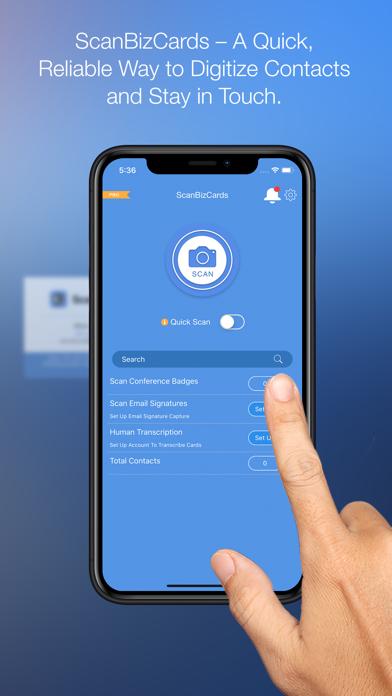
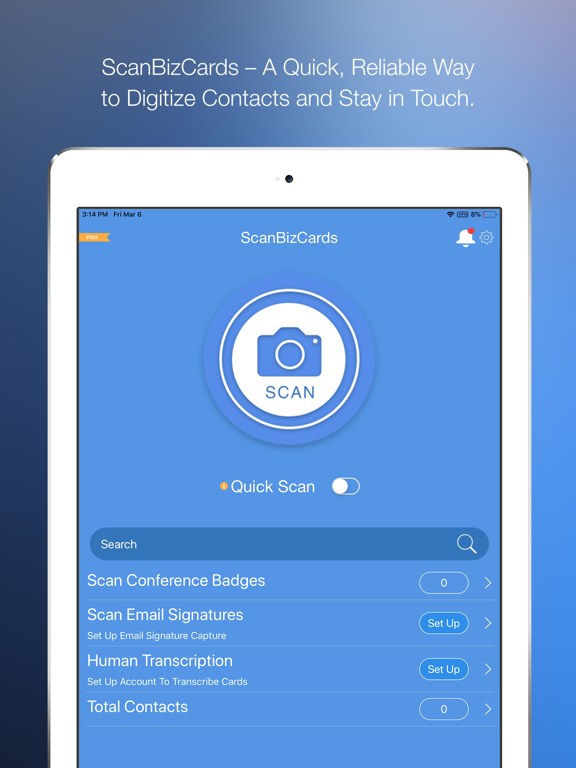
Scan cards and badges in seconds or submit tricky cards for 100% accurate human transcription!
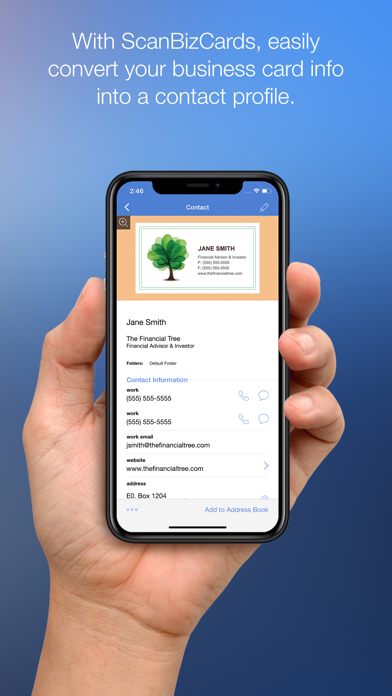
**Latest additions to ScanBizCards – Scan QR code, and save as contact in the app** ScanBizCards app users can now create a shareable profile within the app with contact details such as name, job title, company name, emails etc. This profile can be shared through the ScanBizCards share code (similar to a QR code). ScanBizCards app users can also scan the ScanBizCards share code using the default camera app on their device and save it as a contact within the app. If a user does not currently have the ScanBizCards installed and scans the ScanBizCards share code, they are navigated to a webpage on their iPhone/iPad’s browser and can download contact info as a .vcf file and store it on their native address book.
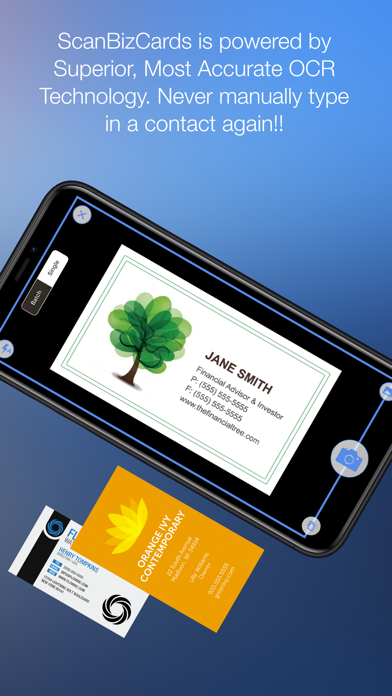
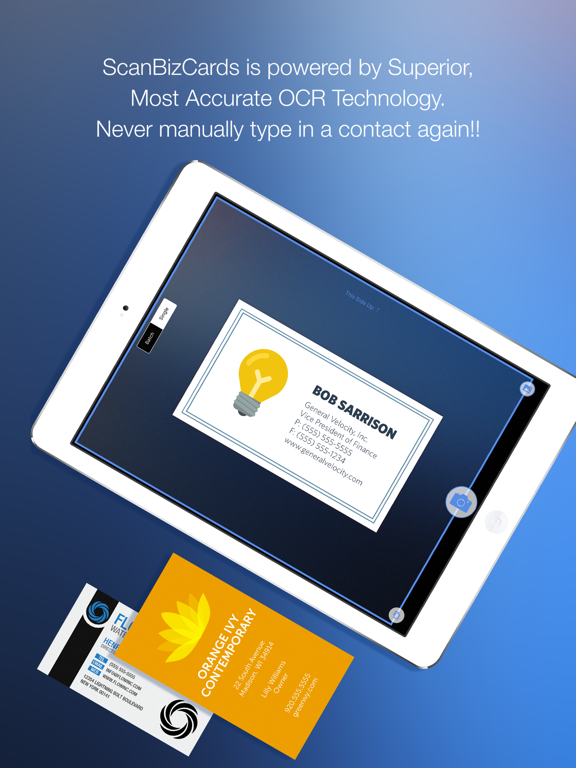
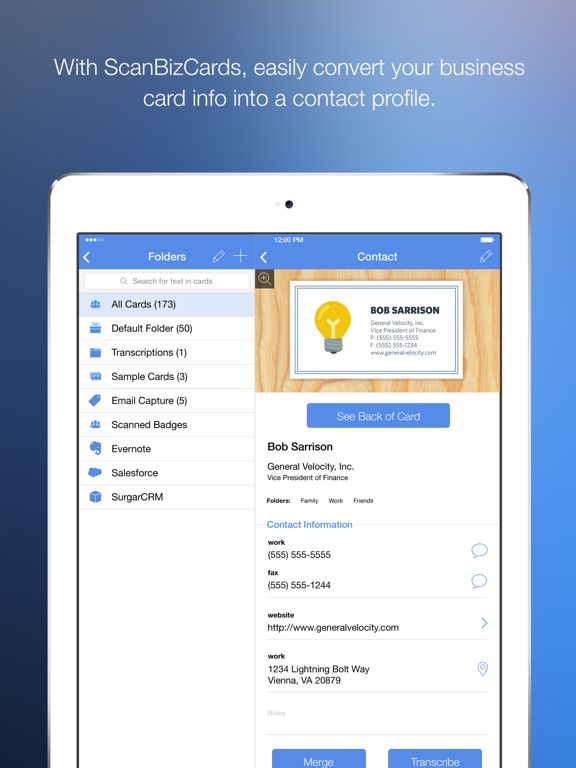
KEY BENEFITS - BUSINESS CARD & CONFERENCE BADGE SCANNING APP * Unlimited business card scans * Export directly to Hubspot and Outlook (limited to 10 card exports - unlimited on the Premium app). * Easily add contacts to iPhone address book * Create new contacts or merge scans with existing records * Scan both sides of the card--never lose a note! * Scan in any direction--it detects text automatically * Human transcription available for hard-to-read cards
ADDITIONAL FEATURES * Add notes to each contact * Forward contacts to colleagues (text, image and VCard) * Send instant email and your VCard to new contact * Search and sort cards with cover flow 3D view * Compatible with ScanBizCards Enterprise (available on the Salesforce AppExchange)
LITE (FREE VERSION) BUSINESS CARD & CONFERENCE BADGE SCANNING APP LIMITATIONS * Add unlimited business cards to the address book (USA users only) * One-time credit of 2 card exports to Salesforce * No assigning contacts to groups
Install ScanBizCards Premium for instant access to unlimited business card saves, full calendar integration and CRM integration, group creation, email signature import and much, much more.
AWARDS AND REVIEWS “Pretty amazing stuff” [Apple Gazette]
“Bringing order to the chaos of business card collection” [New York Times]
MORE ScanBizCards is the favorite business card app reader with reviewers because it doesn't just scan cards into the address book (better than other apps) - but goes much beyond, offering over 27 premium features not included in ANY other business card scanner app.
For more information please visit https://support.scanbizcards.com/ or email us at [email protected]
ScanBizCards App Comments & Reviews
POSITIVE REVIEWS
NEGATIVE REVIEWS
ScanBizCards Positive Reviews
Good, not great, but may be worth it for youSo I got the paid version because it offered a lot of features. Does a decent job of scanning information, but editing is needed. (I kind of expected that though.) My biggest issue is the whole restore your cards from "the cloud" feature requires a paid subscription. Not super expensive, but it would have been nice to know in advance.
The sharing feature is nice. I will be able to share client info with others in the office quickly.
So, it's good, but I am still wondering if the paid version is worth it..MooneyphotoVersion: 0
Since 9.9.3 update it stopped workingDice it auto updated to 9.9.3 it stopped working . App crash every 2 minutes even after updating to 9.9.9 still crash every 1 minute.Sheref SabawyVersion: 9.9.9
Très bienJ’aime facile à utilisé et trouver.Ti'gidou LucVersion: 8.0
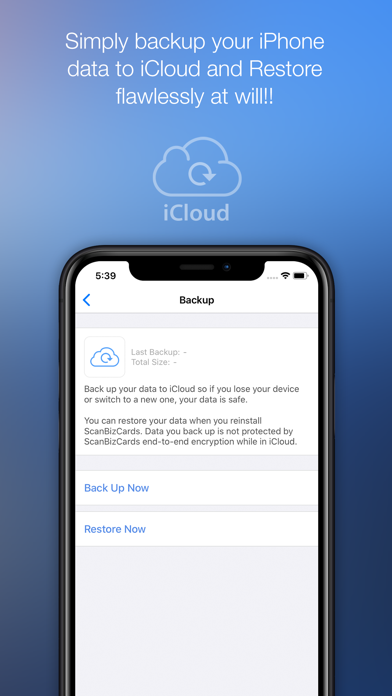
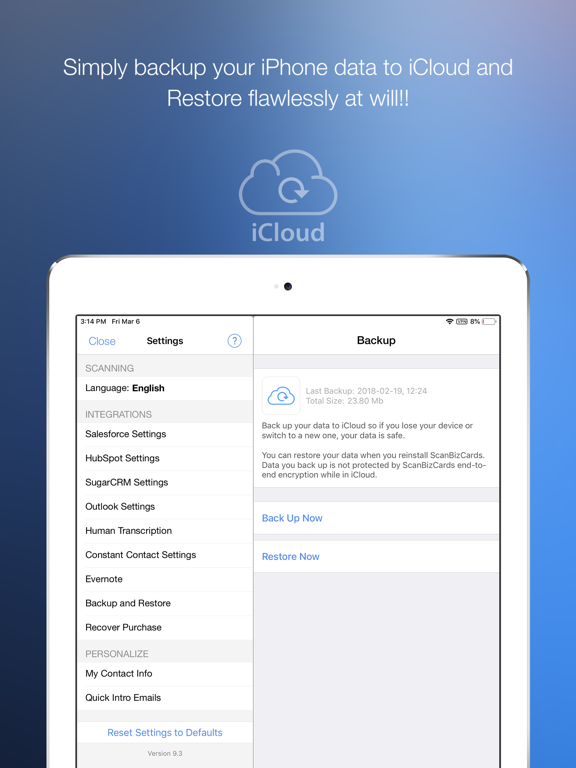
Great app. Cloud backup especially useful.If you move companies or lose your phone, it’s fantastic that you can restore your contacts from the cloud. I have 1,500 cards which are invaluable..Love music, love lifeVersion: 7.0.2
Director of Sales and Business DevelopmentWhat an absolutely amazing and fantastic tool. Works great and a huge time saver..DFSCORPVersion: 6.12
Love this appI hate keeping stacks of business cards and then typing them into my contact manager. This app makes it easy. It's not always totally accurate because of different styles and logos but it is easy to fix. It is important to keep your phone very steady when taking the picture of the card.
Easy to crop excess space off the card..SearchProVersion: 6.12
Excellent product!Keeps getting better with features. As I mentioned in a earlier review, good light with a steady hand are a must for great results. Something I get each and every card I scan, a remarkable product that continues to impress me with it's ease of use and RELIABILITY. Great job, I use the app everyday and love it..Buckwheeat Family useVersion: 0
Impressive but...It is great to scan and ad cards in your contact. However, it would be great if they had a application for your Mac or PC. In the case of conferences or trade show, it is a bit annoying. If the same app was on my Mac, I would simply take picture with my Phone and then do the rest directly on the laptop..GuertinpVersion: 0
SalesFollow the instructions....worked for me. Note that due to the layout of some business cards, some editing may be necessary. Found this more to be true when italics where used or on black cards..NancycleVersion: 0
Ok!It freed up my wallet so it wasn't so cluttered with cards..ZamboniDriver49Version: 0
Works fine for me.Works fine as long as picture is square and level, and it is bright. Take pic directly overtop, not on an angle. Also take it in landscape view and fill up as much of the screen as possible.
Faster than keying it all in including the extra time it take to proof the results..TugboatalVersion: 0
Great App, Definitely Saves TimeCard reader is very good for non-reflective /non-high-gloss cards, as the best results are when the picture is taken with the camera light on, and the glare messes the reader up. Similarly, without the light, any shadowing can lead to strange results. Probably 70-80% of the cards are "read" accurately and require no touch up, most problems come from fancy fonts or logos.
Categorizes phone number vs address vs name vs profession/title surprisingly well.
Major con for me: aside from lighting (addressed earlier) the addresses default to USA (most cards don't list country in address), which is a pain for us Canadians. This should be adjustable in settings somewhere. Changing country to Canadian is a pain with the drop down style menu.
Overall, a good purchase, and better than the other free apps I tested - hence I bought this one..Ace_macVersion: 6.08
ScanBiz CardsFantastic. Sales force integration is perfect!.SromskyVersion: 6.03
Very good appHandy, simple and helpful.SepidroyVersion: 6.06
Works!It actually works. Great app.Airplane33Version: 6.05
No more pocket full of business cardsGreat app. Scan a card, edit, add to address book. Awesome.MidnightmaxVersion: 6.05
Great appEasy to use.SolarkkVersion: 6.04.1
Excellente application!J'ai accès rapidement à mes cartes d'affaires, et sans l'encombrement d'un classeur. Facile à utiliser et accès pratique sur tous mes appareils..ArteauVersion: 6.04.1
Simply love itAmazing app.Wal004Version: 6.04.1
Amazing appEasy to use and it does what it says.JeroticaVersion: 6.04.1
Amazing appI love this app as it makes things simple & easy. Also attaches business card so easy to remember & refer.
Few small glitches which I believe shall be sorted with time..$ShekharVersion: 6.04
Very worthwhileApp works very well and allows you to either add to your iPhone address book or keep them totally separate and forward to your business address book. Only issue is the OCR accuracy as usual with these types of apps. Still saves a lot of typing, even with corrections required..Len4567890123456789012Version: 6.01
Useful AppA useful application for storing and sorting business cards..Wail BNRVersion: 6.0
Best time saving app ever!!!Very accurate but watch some numbers like 3 & 8
It mixes them up also watch lower case L l turns to /.RaukstarVersion: 6.01
Good but could be improvedWould like to be able to group the scanned business cards 😊.DuchessnikkiVersion: 6.0
Life made easyUsed this app first time today: a chance meeting at the Apple Store and a business card given to me . Rather than awkward typing this app made it easy to upload the information with a scan of the card and then send off a quick introduction in seconds..Pacific1971Version: 5.06
Great very intuitiveVery useful ...getting quicker all the time. Easy to figure out.Rebel dealerVersion: 5.05
If your in business then this one is a must!I use this app everyday. I get handed a card at trade shows, when I'm on the road and sometimes just meeting a chance meeting in a restaurant. I ALWAYS scan the card, the other person exclaims "that's cool!" And I review the details and save. Usually I hand them their card back and say "I don need this now, I've got a picture and your in my contacts"
Always impresses and you can't get a better first impression! Do yourself a favour, just download it and start using today. 😊.CampkinovVersion: 5.05
AmazingDoes exactly what it says. Amazing!.Tommy HilburgerVersion: 5.05
Free International Money Transfer 💸Enjoy high maximum transfers into more than 20 currencies while saving up to 90% over local banks! The cheap, fast way to send money abroad. Free transfer up to 500 USD!AdvertorialVersion: 9.10.5
ScanBizCards Negative Reviews
What a lousy appA one star rating is extremely high for this app. I installed this app a month or so ago so that I could easily scan in business cards in my phone without having to scan them on Dymo CardScan device. The problem showed up after doing a about 120 cards and attempting to sync with my contacts. The app took anything that was already in my database and randomly linked them adding email addresses to totally unrelated contacts as well as phone numbers. So, I have been going through my 800+ contacts and deleting the unrelated details for each contact. I suppose it would be easier to just delete everything and start over using the Dymo card scanner..NM-505Version: 8.0.1
Not very user friendlyIt does a decent job of reading the card but many times could not understand the company’s name because the name was in the logo and not just basic font type. In less it’s hidden in a setting somewhere it won’t allow you to add the new card to a specific folder. You have to go in and manually and change the folder after adding a new card. A great feature would be to open a folder and add a new card from within that folder so it goes directly to that folder. I will look for an app with features and options that better suite what I would like..PapaminterVersion: 7.1.3
Paid for app but can only scan 2 cards before having to pay more!All it does is take a picture of the business card. I can do that for free with my camera. I paid $.99 for this app and it only scans and transcribes two cards before you run out of credits and have to buy more. Why would I only want to scan two business cards per month? If I still have to manually type in all the information myself, why would I need this app? I would like a refund and I would like to warn others before they waste time and money downloading this app. Should be renamed as ScamBizCards.WFM96Version: 9.9.6
Does not work!I scanned the first business card and it did not recognize a single digit or letter, promoted me to manually transcribe it and deducted 1 out if 2 credit; 1 out if 2 credit for permitting me to type the business card info as indexable information for a photo. Something I could do for free in iOS Contacts. Scanned a 2nd card and prompted me with a pop-up that the app will transcribe it in 1 or 2 business days. Took a screen shot but can not attach it to this review. Very disappointed - a total waste of $2.99. Asked for refund - no replies!.PaydVersion: 7.5
Used to be goodI like this app and it saves a lot of time
However, lately you keep getting pop up dialog boxes for add on transcription services which is very annoying. How many times do you have to click “no” for them to stop asking you each time you scan a card. Besides, if you wanted a transcription service wouldn’t you get a different app instead of a scan app? Common.... use common sense !!!! I knocked down the rating by 2 Stars because of the constant annoyance.Stu123456543243Version: 8.0.1
Something must have changed.Everyone says this is a great business card app. Something must have changed because I think it’s horrible! I downloaded it paid for the pro version because of reviews and find that not only doesn’t it set up new contacts but I have to pay to have the card reviewed and all the information added. Not cool! To make me think it’s good download it with money then find I still have to pay to use it at all. Horrible!.NielgraphicsVersion: 8.0.1
Extorted me for money after I paid for the pro version last year.I was using thos app for over a year on the paid pro version, now all of a sudden, I get a message that says I can't scan any more cards unless I buy credits! Unbelievable! I honored my end of the bargain when I bought the pro version, now they changed the agreement by demanding more money. Now I have to spend hours of my time exporting business cards to another app, hopefully run by a more honest company..BigTomTVersion: 7.5
Bait and switch!Bought this app with the understanding that it has built in OCR capabilities, would scan the card, turn it into ascii text and place the info in your contacts. Simple right? NOT!
You have to submit the card image with additional credits you must purchase and they manually turn the info into text for you. No OCR involved at all. So it’s not instant plus you buy the app and you buy credits.
Waste of time and money..Ry 4Version: 8.0
Horrible appI scanned 3 cards when I got the app, and there were major mistakes in at least 3 fields for each card I scanned - misspelled email addresses, names, urls. I spent almost as much time fixing the mistakes as I would have just entering them completely by hand. That also created a lot of extra anxiety and distrust of the app - how could I have any confidence that the info for my scanned contacts would be correct. Waste of money and time..GibbydudeVersion: 7.1.3
Get your act togetherSo I opened this app to scan a business card only to be greeted by full page explanation of the app's new version....not necessary. However, hidden at the bottom were two options: "Download App" and "Remind Me Later". I chose the later three times, yet all three times the app forced me to the App Store. I decided, AFTER THE THIRD TRY, that I didn't need an app that tried to force me to download something that I do not want. I deleted the app..BuzzgossVersion: 7.1.3
USELESS APP -SCAM- Any Camera takes better pucture than this app.It is only $0.99 and it is a SCAM . It does not scan biz card but takes a photo if thats what you mean by scan.
I bought it and took a photo of a biz card but no transcribing. Tried to contact support or read about it and there is no support or website. So you are dead by payong $.99
You might as well die in a car accident for free..Ravi app1234Version: 9.9.9
Poor scanning for priceI thought the paid version would be worth it not only for removing ads, but also for a slick performance and interface. Turns out, the scanner does NOT automatically crop or enhance the photo. And, the accuracy of the text recognition was a little worse than the popular free app out there. While there may be another advantage I missed, I didn’t stick around to find out..K_KupVersion: 7.2.1
What happened to you?Bought this program along time ago worked great unloaded it onto a new phone with the new update and hasn’t worked right asking me for credits won’t let me scan. What did you do wrong?.GottagoautoVersion: 9.9.5
Works like hellWhen I bought it at first everything was working acceptably. The OCR was far from being perfect but acceptable. Then subscription feature appears. My god. OCR works like hell. Croping tool is so hard to use. When you manually enter a phone number it’s ompossible to put dots or dashes. Hard time to return to normal views after using the magnifying glass. It’s not hard to find a better apps then that. I really regret my investment..Carg0Version: 9.8.0
Hard to use and doesn’t workHard to use and I have to manually fix all the entries. It doesn’t go into my contacts on Apple. Waste of time and money. No support. Save your money..MommyIpadVersion: 9.7.1
GarbageThis app is complete garbage you can never spell anything out properly and it takes forever to scan doesn’t work well on my new iPhone or my old iPhone I wish I would’ve spent more money and got a better app because this one is a total waste of time.Thafunki1Version: 9.7.1
Why botherThe OCR does not function very well. I have to edit every entry anyway so why bother taking a picture..NicangisaVersion: 9.2.3
Corrections requiredAfter the latest update, the program is inserting spaces characters and number recognition is very poor.ITS-ReginaVersion: 9.0.1
Full feature set requires purchase unlike advertised.Full feature set requires purchase unlike advertised..Alex84959594838393Version: 8.0.1
BadI had purchased this software long ago with all features and now they have changed so that I can no longer use it in a way I used to. It asks me to buy credits..JdondonaVersion: 8.0.1
No longer works with outlook?Always asks to use transcription service and I can’t see how to turn that off.
Seems less accurate than is used to be.
Have had it for 4.5 years. Wouldn’t buy it again..StoobeefVersion: 7.5
Does not workBought the pro version and transcription stopped working. Now takes 2 days for someone to do it.Genegene88Version: 7.5
DisappointedI just bought this app. Scanned a few cards and most of information from the card was incorrect. If I have to make numerous corrections with names, titles and contact numbers, what is the point of the app? I should have saved the money and type out the information myself. This app should not claim to accurately populate fields if it’s not capable of that function..Consumer R.Version: 7.1.3
Terrible app.This app was a waste of money. The business cards I scanned worked perfectly in other apps but this one was terrible. Text came out as gibberish. Don't waste your $$$$$!!!!.Insp Gadget 113Version: 0
Not a great appTerrible app. Web based and far too many options, ie would you like email this contact and tell them about this app. Does not integrate well with existing contacts if you are using outlook and sorting by company name. Waste money for me..12456 phVersion: 0
Almost...Tons of features, but most are not really required. The one that is, scanning, is not that good..Nicon_hVersion: 0
Well, I've been scamedI'm not gonna speak much, but my review is identicaly like the one before mr, so 1st i waisted 5 dollars then spend 1 hour of my time trying to scan, the final was a piece of junk, im asking for my money back, thanks.PhilipposiosVersion: 0
Should have known better...Well there's five bucks and an hour of my time wasted. Gotta admit the video on their site made me think "hey for five bucks it's worth a try"
Simply put... This app doesn't work!! Tried at least ten different cards numerous times. Not one single area scanned correctly.
If it's too good to be true it usually is....JamesK071Version: 0
Complete Ripoff !!!They don't make it clear that the app DOES NOT WORK AT ALL WITH iPhone 3G but then when you open the app they apologize for not making it clear that it doesn't work with iPhone 3G. Why if they're honest is it not the first line in the iTunes store add. Thats what honest developers do. And apple thanks for your part in this rip-off..DomDomDomDomVersion: 0
What A JokeSo you give a message that says "opps doesn't work on your phone, and we didn't make that clear -sorry, you can certainly ask Apple for a refund". NO YOU CAN'T AND IF YOU KNOW YOUR DESCRIPTIONS ARE NOT CLEAR WHY DON"T YOU FIX IT RATHER THAN WASTE OUR MONEY AND TIME. Never again will I even look at your products let alone buy one..RAM CHRP CHSCVersion: 0
Not as good as CamCardIt's been a while since I used these "card" scanning apps being in a largely digital world. (Used to work for a telecom). Now that I am back in a more traditional role with a different industry and I had to dig out the card scanner memory box. I have used the same Apple ID for a long time so I can see the apps that I used to use. However, I am always looking for improvements, better apps, etc. 66% off the Pro price so I bought this one and to be fair Mac World gave this a decent rating although CamCard was listed above it. But. The OCR was supposed to be the best? Nope, not even close. It would have been faster to plug in the card to the iPhone manally that use this App. It read what it wanted to FINE but placed things in the wrong place and missed (did not read) a lot of other things.
CamCard did it 100% faster/better - same card scanned with two apps. And, as I now remember if you carry two adrress books and want to save the scanned ones into your "work" address book (aka Exchange in my world) CamCard allows you to save the scanned card into the correct address book which in my case is NOT the default one I am using on my iPhone. I have the default one set for personal. This app had no such function..JaredMCVersion: 6.06
MehMeh.PhantomsennisVersion: 5.06
Total garbageShould have read the reviews.DaveinmtlVersion: 5.06
Payoneer 💰Payoneer is an online payment platform that lets you transfer money from any corner of the world! A best and must have payment service for every blogger, traveler, freelancer, affiliate marketer, consultant, virtual assistant, business person, online sellers, and receivers. Earn $25 for free by joining Payoneer. Sign Up Now!AdvertorialVersion: 9.10.5
 ScanBiz Mobile Solutions L.P.