Yardi Systems, Inc.
PAYscan Mobile Customer Service

- PAYscan Mobile Customer Service
- PAYscan Mobile App Comments & Reviews (2026)
- PAYscan Mobile iPhone Images
- PAYscan Mobile iPad Images
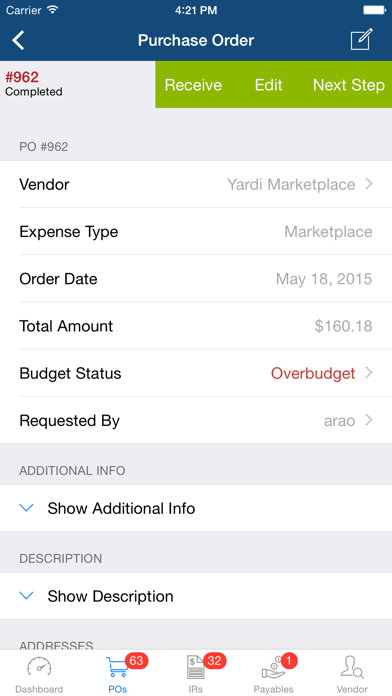
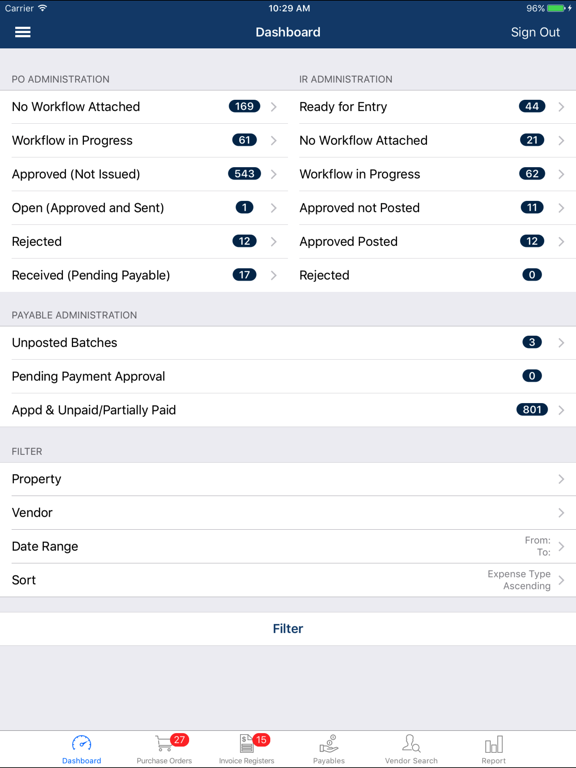
PAYscan Mobile adds mobile convenience to your PAYscan approval workflows. Quickly review and process purchase orders and invoice registers awaiting your approval with a few simple touches. Your company must be implemented to use PAYscan SP10 or later (SP12 required for version 3.0.0 features), and you must have an existing PAYscan account to use this app.
PAYscan Mobile features:
- Securely review and approve purchase orders, invoice registers, and payables
- Search for purchase orders, invoice registers, payables, and vendors
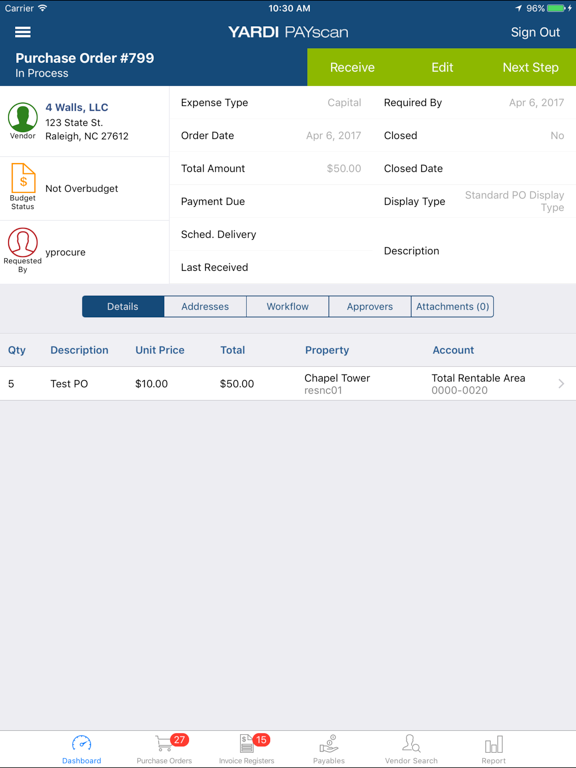
- Drill-down to review purchase order, invoice register, and payable details, workflow history, budget information, and attachments
- Review and validate invoice images using touchscreen gestures and summary overlay
- Email invoice images or download them to your iOS device
- View vendor information, ledgers, and monthly spending
- Contact vendors using integrated calling, emailing, and mapping
- Fully integrated with Yardi PAYscan SP12 or later
- Native support for iPad
- Integrated with PAYscan dashboard
- Add photo attachments to purchase orders and invoice registers from device’s camera and gallery
- Receive purchase order items
- Create and edit purchase orders
- Validate invoice registers
- View budget comparison report
ABOUT THE YARDI PAYSCAN SYSTEM
Yardi PAYscan streamlines the payables process and reduces costs by converting paper invoices into efficient electronic transactions. Workflow is automated as invoices are routed through the approval process all the way to vendor payment.
PAYscan Mobile App Comments & Reviews
PAYscan Mobile Positive Reviews
Very Useful; Please fix email functionI much prefer the app to the PC software. It is intuitive and convenient. One problem is that anytime you try to email a copy of an invoice, the app crashes and you have to log in again. I used to get around this by selecting the Save Image option and sending from photos however, this now crashes the app also..Version: 4.1.5
Definitely has more potential for utilityRight now you are able to make P.O.s and only approve or move IRs through the workflow. From a mobile device you can very easily add a PDF or image so the ability to create an IR through the app would be greatly appreciated and allow busy managers the ability to handle the entire process remotely..Version: 4.1.5
Great AppAwesome for our mobile users. Could be 5 star if it supported AppConnec Custom Configuration. This would make managing our hundreds of deployed devices far easier..Version: 4.1.4
Awesome!The app works great! I'm able to view both purchase orders and invoices that are awaiting my approval. Invoices include the actual image and even budget information. Awesome!.Version: 1.0.0
A few suggestions1. It would be great for the user to have the ability to change a code or description with in the app, not just online using the website. 2. Having to go to the details portion to see where specific job was coded to is annoying. It would be great if it was on the main page of where you see the invoice to approve. Instead of having to go to so many steps. 3. Would be great if the app gave notifications when an invoice was in your queue to approve. Just a few suggestions on how to improve on the app..Version: 4.1.3
Free International Money Transfer 💸Enjoy high maximum transfers into more than 20 currencies while saving up to 90% over local banks! The cheap, fast way to send money abroad. Free transfer up to 500 USD!Version: 4.5.0
What do you think PAYscan Mobile ios app? Can you share your thoughts and app experiences with other peoples?
Please wait! Facebook comments loading...