ConversDigital Co., Ltd.
Mconnect Player Customer Service

- Mconnect Player Customer Service
- Mconnect Player App Comments & Reviews (2026)
- Mconnect Player iPhone Images
- Mconnect Player iPad Images
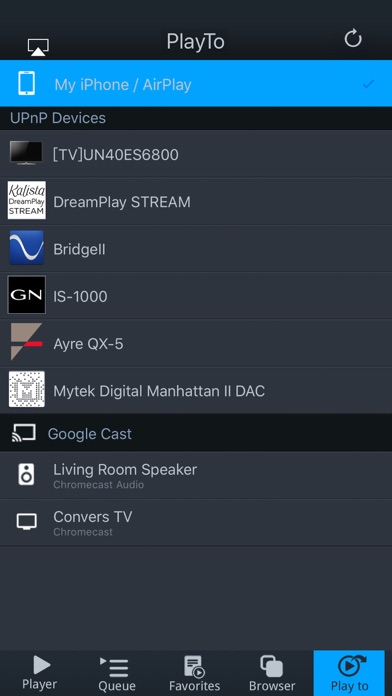
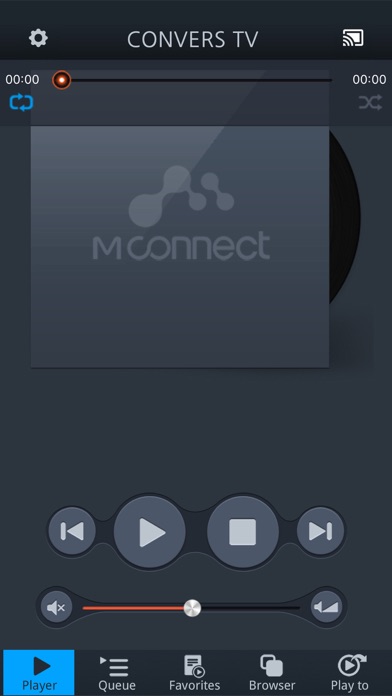
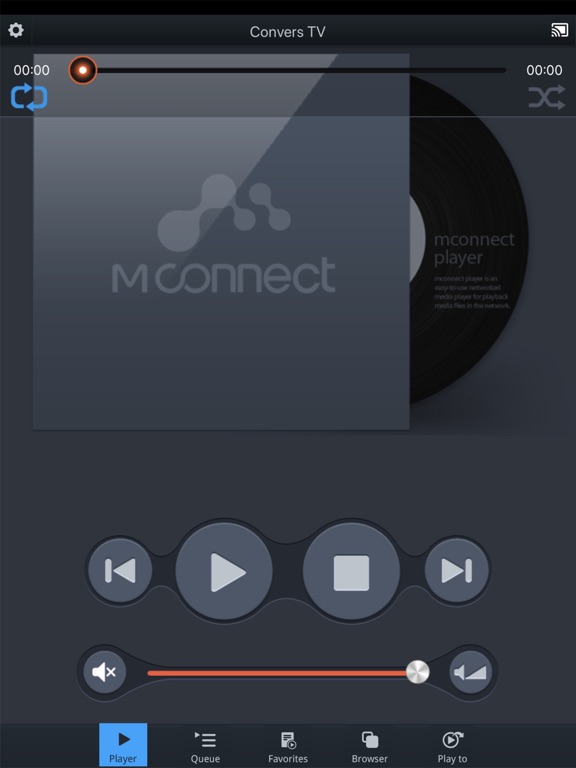
mconnect Player is a media player app to support UPnP/DLNA and Google Cast(Chromecast).
- Send Video/Photo/Music to UPnP and Google Cast (Chromecast) devices.
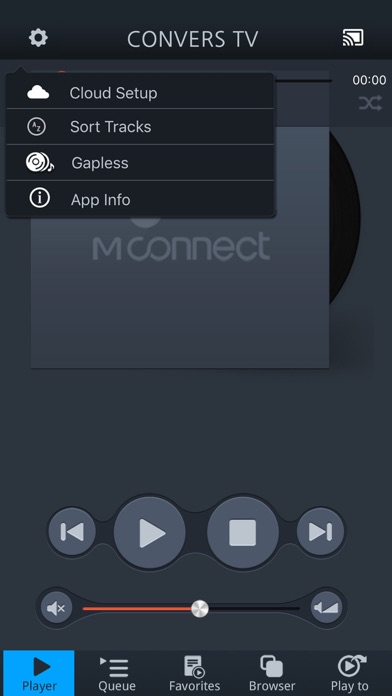
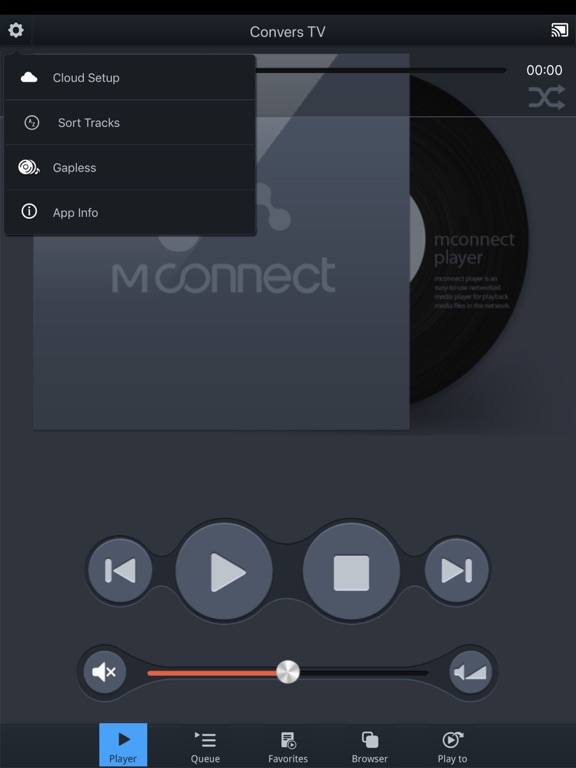
- Gapless Playback by App and to UPnP renderers.
- DSD and FLAC music playback by App.
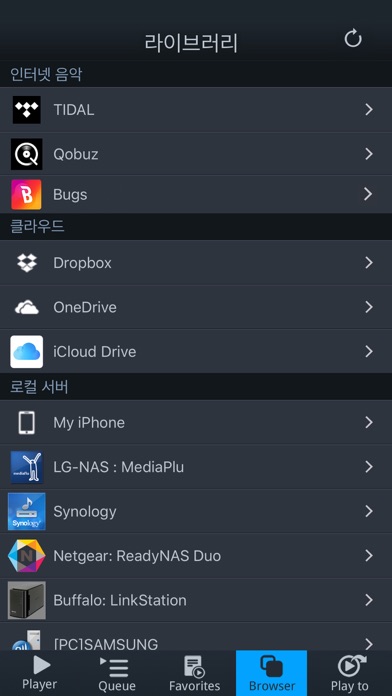
- Play TIDAL, Qobuz and Bugs music & video to UPnP and Google Cast devices.
- Send media files to Apple AirPlay compatible devices from PC, NAS and Internet.
You can play media files from any Servers to any Playback Devices with mconnect Player.
[Media Servers]
- Your iPhone and iPad.
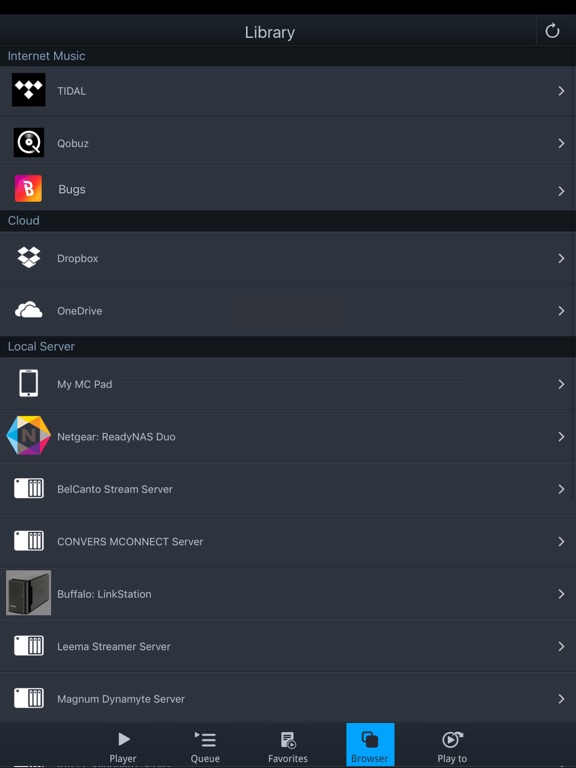
- UPnP compatible servers: PC and NAS.
- Internet Music integrated into App: TIDAL, Qobuz and Bugs.
- Cloud Server integrated into App: OneDrive and Dropbox.
[Playback Devices]
- Your iPhone and iPad.
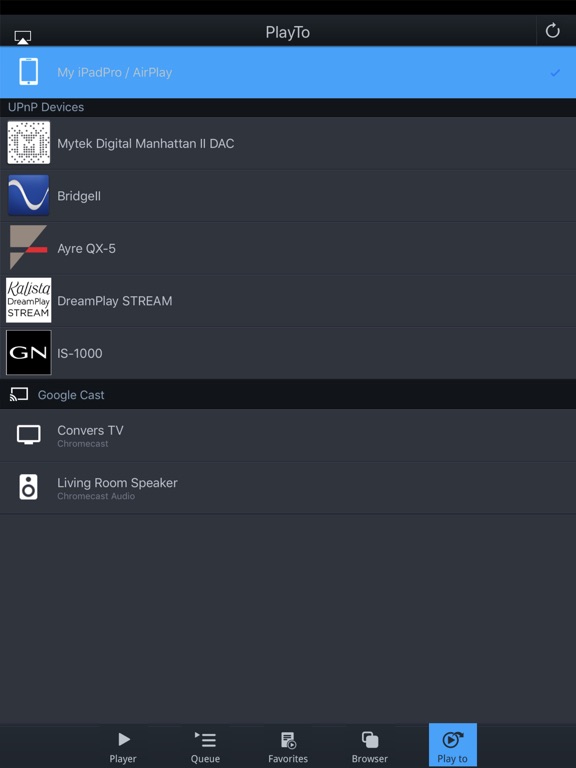
- UPnP compatible renderers: Smart TV, UPnP supported Audio, UPnP receivers.
- Google Cast: Chromecast, Google Cast compatible Audio.
- AirPlay compatible devices: Apple TV, Airport Express, AirPlay Audio.
Note: If you send a media file to a remote playback device, the playable media format depends on the media decoder in the remote playback device.
iPhone, iPad, AirPlay, Apple TV, and AirPort Express are registered trademarks of Apple Inc.
Google Cast and Chromecast are registered trademarks of Google Inc.
DLNA is a trademark of Digital Living Network Alliance.
UPnP is a certification mark of the UPnP Forum in the United States and other countries.
TIDAL is a trademark of ASPIRO AB.
Qobuz is a trademark of XANDRIE SA.
Bugs is a trademark of NHN Bugs Corp.
Mconnect Player App Comments & Reviews
Mconnect Player Positive Reviews
The author probably doesn’t use their own playerThis is a great player for DLNA (uPnP) sources. I use it all the time. There are obvious glaring problems with the app that leads me to believe the author must not use their own app regularly. 1. No “add to queue on the playing screen (so you can’t audition a track, decide it’s good, and add to an existing queue). 2. No playlist/queue management other than remove 3. there needs to be a randomize in the playlist/queue (destructive edit) and a randomize on playing a playlist/queue (non destructive) 4. Needs to be a manual (hold-drag) move of a track’s ordering in the playlist/queue (destructive edit of queue). 5. Optimize adding tracks to the playlist/queue. It is a ton of taps right now and feels like a lot of friction!!! Especially when I want to throw a lot of tracks into a playlist/queue from many different folders. 6. Bug in DLNA where after playing a long time, finishing its queue, then it is silent for over night, then I can’t tap on my “favorite” which points to a DLNA endpoint nor can I tap on the DLNA endpoint, does nothing, refreshing the browser doesn’t fix it, I have to kill the app and then they all work again. 7. The play screen is functional, but it could better highlight the album art larger, move the progress to bottom instead of covering the art… 8. The queue section could allow you to browse all playlists and the current temporary queue in a unified way, then I wouldn’t have to screw up my browsing that I began from Favorites. Fix these and the app will be killer..Version: 3.3.105
Good to uselessThe app plays well on my iPad Pro to Mytek after it is found. I am unable to determine which device is not working correctly. I tried it on my wife’s new iPad and it only plays 15 seconds and skips to the next song! Tried it again and still does the same. My iPhone X Max has trouble finding the Mytec Brooklyn Bridge. If I reboot the phone it will find it. I do not know where the problem is. From a user, I would love to be able to play internet radio. I know how much work goes into these programs and I do appreciate their efforts when I get it to work..Version: 3.3.26
Good streamerGot this app to stream at least CD quality music to a volumio server, and it does that okay! One nitpick, when I connected to tidal, it didn’t stream until I found the settings and selected the highest quality stream settings. Overall sounds good and let’s me easily stream tidal to my system more reliably that using the tidal app directly (which uses airplay or Chromecast Audio, not upnp, I believe). The UI leaves a bit to be desired, but it’s the best I’ve tried for iOS, so giving it 5 stars. Edit: just to clarify this app does not seem to stream Tidal Masters at 24bit. It could be a limitation in Tidal or my UPnP server (volumio), or my HiFiBerry DAC. I’m not sure what’s to blame. CD quality sounds great though..Version: 3.3.7
Dropbox IssueI love the player but I’m having an issue playing MP3’s from my Dropbox account. The last 10-30 seconds on every song is dropped and the music pauses until the time runs out on the track, then the next song begins. I can play the same music on another player with no issues. I’m sure it’s something that can be fixed. I love the looks of the interface..Version: 3.3.49
Perfect integrationExcellent integration with my various setups including 2 Volumio, Yamaha, Onkyo and even finds TVs. Flawlessly. Then the Qobuz integration is very well done in the that it brings in all the meta data and let’s you manipulate playlists etc. the only concern is that it should be easier loading up full playlists in the queue. The issue is you have to manually add the entire playlist to the queue not just one of the songs..Version: 3.3.51
Works well with Chord 2Go2YuThe app doesn’t require an expensive subscription and does the job of controlling streams from my NAS to my Chord 2Go2Yu. I don’t know why the developers constantly “update” the app when it usually works fine. I’m afraid to update sometimes because it actually creates a bug. The developers should be more specific with their update notes instead..Version: 3.3.110
Made my Denon Receiver useful againThis has been the best app for streaming Qobuz and tidal to my Denon AVR again. My model is right before they started shipping with HEOS. I can buy the HEOS box for $300 but all it does is exactly what mconnect does upnp stream. Thank you mconnect Devs for making my life easy again. The old Denon apps don’t even work anymore. Works perfectly.Version: 3.3.90
Perfect for Hi res DLNA off my SynologyI tried a bunch of different apps to play to a Topping D50 DAC I picked up recently. This plays everything I’ve thrown at it. It also has a straightforward interface and browses the music server quickly. I’m holding out hope they’ll add some remote functionality. I’d love to use my iPhone to control mconnect playing on a different iPad over my network..Version: 3.3.14
Very Well-Implemented iOS uPNP PlayerSwitched to this app from HK’s MusicLife and have been so pleased. The browser works great with MinimServer. The app switches cleanly between my multiple RPI renderers. Plus I get Pause/Resume, device-level volume control, and gapless playback! My thanks to the developer for this fine implementation of a uPNP/DLNA control point app..Version: 3.3.120
Good player but…Ok player that is at least better than the Arcam music life crapp. Only problem is it only plays one song and doesn’t play the next song in queue without being prompted to press the play button for EVERY song..Version: 3.3.120
Excellent AppI use this app with ifi idsd to stream Tidal. Works as advertised. Had to downlload both versions in order to switch from portrait to landscape. Only wish that I could split screen on my ipad which is what I mainly use as my control device. I great experience no the less..Version: 3.3.76
Was BAD NEWS Now GOOD NEWSUsing this app on an old iPhone 6S Plus, it used to take 15-20 minutes to recognize DNLA devices on my network! UPDATE: Now on iPhone Xs and iPad Pro, along with developer software updates, devices are recognized instantly! I conveniently stream Tidal to my DNLA network devices (like Marantz pre-processor and PS Audio DAC) using my phone, and the sound quality is excellent..Version: 3.3.9
Works then doesn’t then works.Keeps working or not working. Works great when it does. But then it will decide to forget my receivers upnp for a bit then works again. Needs to be a little more consistently reliable.Version: 3.3.44
Great app!No idea why reviews are so poor. First app to actually do gapless playback via ZdLNA after testing literally everything on the AppStore. Super stoked to finally listen to FLAC mixed albums and not deal with crappy gaps between tracks. Support this dev!!! Totally worth the money..Version: 3.3.12
Very Happy !I was looking for a way to control streaming services and my local files (smartphone, NAS) from my smartphone to my Raspberry Pi 4B running Volumio + Pro-Ject DAC. Works great. I was surprised that Tidal Masters works - just have to remember to turn the volume to 100% on the phone for MQA. Very Happy!.Version: 3.3.40
Frequent droppage of the songI can’t tolerate anymore because of the frequent droppage of the song.Version: 3.3.108
Terrific app, lacks support for above 16bit/44.1I love this app, so don’t get me wrong with this small criticism: Qobuz shows up and I am able to stream to any UPNP renderer on my net. Why though, when I have a Qobuz Sublime subscription and try to stream to a renderer that can handle 24bit/96khz or 192khz streaming is this app limiting me to CD standard. I can understand this restriction if I were streaming to the IOS device itself; but I’m not. With this one thing fixed, I would give it 5 stars,.Version: 3.1.3
Getting better…Each revision seems to improve this app..Version: 3.3.102
Almost goodUsing the app to stream from Qobuz to a Bose 500. A lot of good things but 2 huge drawbacks : 1) when going to the next track the sound is at zero... 2) the Qobuz quality settings are not stored; always revert to mp3 ; boring.Version: 3.3.82
Works great with Hegel H390Works as advertised! I was a bit disappointed that my Hegel H390 couldn’t stream MQA! Now, I’m able to stream maximum bitrate! Amazing! Wished, I could make playlists on this app using Tidal. Setup: Tidal Hegel H390 Google WiFi mesh.Version: 3.3.40
A work in progressThis is a very cool app. I was looking for something that would allow me to stream my music files from my iPhone to my Xbox One, and after 3 or 4 apps I came across Mconnect. I found what I was looking for, however, after each song play I have to start another song manually. I would have given it 5 stars instead of 3 if it weren't for that..Version: 1.2.0
Best DLNA music streamer for iOSI use mconnect in conjunction with Serviio installed on a PC and it works flawlessly for music streaming. Just click "Browser" and a link to the Serviio server appears. I have tried several other DLNA apps and none comes close for ease of use and music streaming functionality. Unlike some other apps, mconnect supports shuffle and album art. With Serviio (and some proper tagging) it is possible to shuffle by genre which is a really cool feature. I do not stream videos so I can't comment on that functionality. Try the free version to see if you like it. I reported a bug and they fixed it less than 24 hours! Outstanding. Definitely worth supporting this app's development..Version: 1.3.6
Likely the bestI spent more than 60$ today, purchased and downloaded every single apps that covered by "DLNA" search keyword. Finally found the one that useable. Please buy this program if you want to push musics, videos, pictures to any DLNA devices. Rated 4 stars for easy to use, powerful support of both airplay and dlna, work extremely stable, strong file formats supported included push mkv to DLNA devices. However, does NOT support MKV local play on iphone, and most important is does NOT support pushing subtitle over DLNA player. Please add those extra functions then it will be the best DLNA / DLNA remote program in App Store. Thanks..Version: 1.0.4
Mixed Results.I have this app with iOS devices. It has trouble connecting via wifi, but is generally good once the connection is made. I also paid for this app on an android DAP, it connects well with the streamer.But it fails to correctly index hi-res AIFF and WAV files. When I loaded FLAC files, they were correctly indexed, but absolutely ruined with spitting and screeching noise. Other apps sharing the same files do not corrupt the files. Overall, a disappointing experience..Version: 3.3.105
Actually useful....One of the few DLNA player apps that will automatically play every file in a folder. Does not stop playing after every single track!! Clean UI too, and nice internal playlist manager. Well done!.Version: 1.1.3
AmazingRoon gets all the buzz but this app is better and faster if you actually want to hear music seamlessly from all your connected devices, including steamers, iOS gear, whatever. No metadata and "critical" commentary like Roon but who cares? Best value, best app..Version: 2.0.2
Most reliable DLNA/UPnP music playerI have tried 3 other players for listening to music stored on my NAS, and this is the most stable and reliable one that I have used. If it had an equalizer, I would have given it 5 stars, but it does what it does well..Version: 1.2.8
Now I can play my music from my lg nasI have tried others but the others either slow or doesn't work..Version: 1.2.8
MehI have a Samsung smart tv and no purchased iTunes songs play on it all other songs not bought through iTunes work perfect.Version: 1.0.8
Simple and excellentLove this little app, which is just what I wanted to play the music that i keep on my NAS drive. In some cases, simple means lacking features, but here it means that it does exactly what I wanted it to, plays my collection without me having to create a playlist, although it is possible to create them, just not necessary to run the show. Nice work, gang!.Version: 1.1.2
Free International Money Transfer 💸Enjoy high maximum transfers into more than 20 currencies while saving up to 90% over local banks! The cheap, fast way to send money abroad. Free transfer up to 500 USD!Version: 3.3.124