ConversDigital Co., Ltd.
Mconnect Control Customer Service

- Mconnect control Customer Service
- Mconnect control App Comments & Reviews (2026)
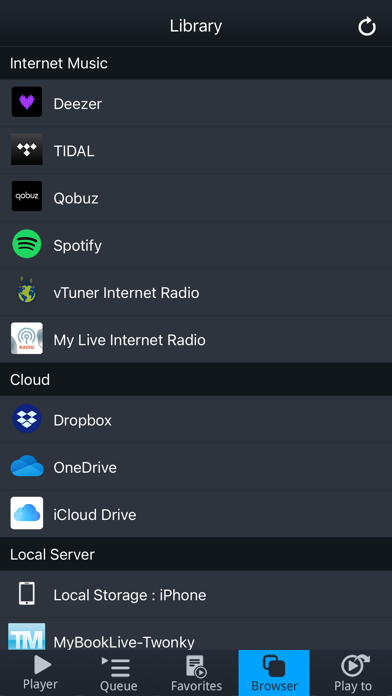
- Mconnect control iPhone Images
- Mconnect control iPad Images
mconnect Control is a dedicated control app for ConversDigital’s mconnect technology compatible network audio products.
1. Play TIDAL, Qobuz, Deezer and vTuner to mconnect compatible audio.
2. Stream music files to mconnect compatible audio from your phone, PCs and NAS.
3. Play music files in PCs and Network Attached Storages (NAS) with your phone and tablet.
[Features]
- Works with “mconnect compatible” network audio products.
- Stream music from your phone to mconnect compatible audio.
- Stream music from PC, network storage, and cloud to mconnect compatible audio.
- Listening Internet streaming music and Internet Radio with mconnect compatible audio.
- Play music in any servers with your phone.
- Network Audio Device Setup: WiFi selection, firmware update and other setups.
- Multi-room control: select group of speakers to play music simultaneously.
- Playlist management across servers.
- Track Sorting, Folder Bookmarking, and Remembering Renderer.
- TIDAL Integration.
- Qobuz Integration.
- Deezer Integration.
- vTuner Integration.
mconnect is a technology and trademark of ConversDigital Co., Ltd.
TIDAL is a trademark of ASPIRO AB.
Qobuz is a trademark of XANDRIE SA.
Deezer is a trademark of ODYSSEY MUSIC GROUP.
vTuner is a trademark of Nothing Else Matters Software Ltd.
Mconnect control App Comments & Reviews
Mconnect control Positive Reviews
Free International Money Transfer 💸Enjoy high maximum transfers into more than 20 currencies while saving up to 90% over local banks! The cheap, fast way to send money abroad. Free transfer up to 500 USD!Version: 2.4.118