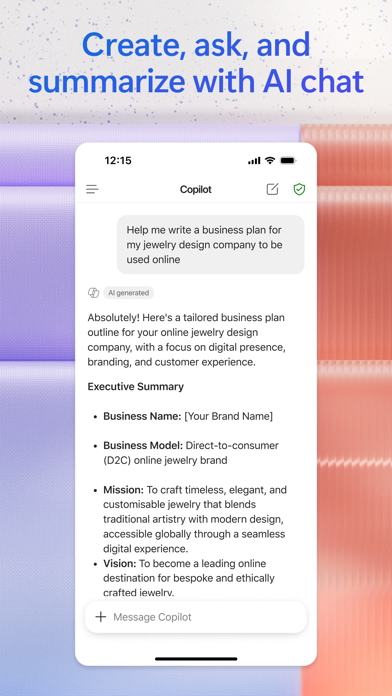
The Microsoft 365 Copilot app is your AI-first productivity app for work. It provides one place for you to chat with your AI assistant1, create content, manage projects and quickly find files on the go – helping you get more done, without doing more.
With the Microsoft 365 Copilot mobile app, you can1:
• Chat with your AI assistant – Ask Copilot to create or summarize a document, draft an email or analyze a spreadsheet using natural language.
• Interact with voice – Talk to Copilot to help you prepare for your day, get answers and brainstorm ideas.
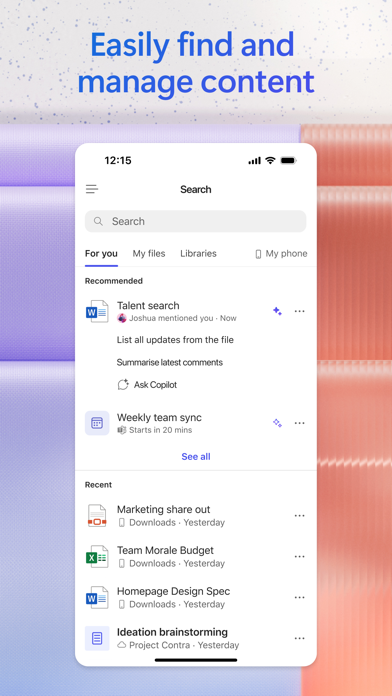
• Find what matters fast – Find the strategy deck you were working on recently, or a file that was attached to an email.
• Accelerate your learning – Ask Copilot to explain a concept, summarize recent trends or help you prepare for a presentation.
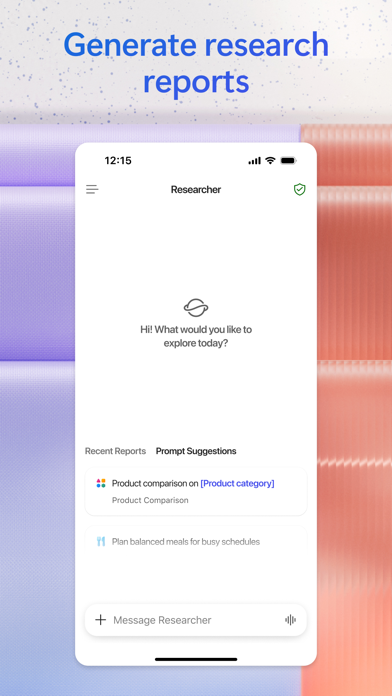
• Get expert insights – Use built-in AI agents like Researcher and Analyst to generate research reports and analyze complex datasets.
• Create polished content– Create and edit images, posters, banners, surveys and more with easy-to-use templates.
• Manage projects easily – Bring together ideas, documents and links and ask Copilot to summarize and connect the dots with Copilot Notebooks.
• Upload and save documents – Upload Word, Excel or PDF files from your phone’s storage to get answers from Copilot.
Sign in with your work, school or personal Microsoft account to start using the app today.
1Availability of Microsoft 365 Copilot features may vary. Some capabilities require specific licenses or may be disabled by your organization's administrator. See this webpage for more information on feature availability by license:
https://support.microsoft.com/topic/understanding-the-different-microsoft-copilot-experiences-cfff4791-694a-4d90-9c9c-1eb3fb28e842
Please refer to Microsoft’s EULA for Terms of Service for Microsoft 365. By installing the app, you agree to these terms and conditions:
https://learn.microsoft.com/legal/microsoft-365/microsoft-365-copilot-mobile-license-terms
Microsoft 365 Copilot Positive Reviews
Pretty goodThe app, although, does start confusing with a whole new interface compared to that of on computer, is very easily to get use to. it takes time, but you can access everything on here. this makes it pretty much a life saver in school, where maybe you might not have internet or procrastinated too hard, or perhaps you need to study an essay you wrote so you can ensure you present the correct information to the class. and hey, if your worried about kids having access to copilot, its locked down even if they use their personal account. i tried doing so. it blocked me from talking to copilot. :( but its the perfect environment and app overall, having EVERYTHING you need (and theres seperate apps im pretty sure even if yo run into issues). not to mention, microsoft’s products are enjoyable and a must have. literally. you need to have a microsoft account these days. and you can get stuff like a word certification or even an excel certification. it isnt really as hard if you use the proper applications and i got mine without having to pay anything because of my school!! yay!.ThatonemelodyVersion: 2.102.1
Office 365 is the Leader on PCsI have used Microsoft products since their inception, having been a secretary or administrative assistant for the first 19 years of my working life. And I taught these products throughout the years. On the PC they are the best. But, they are large all-inclusive products. If you only do word processing, you get more program than you will every need. If you only use Excel, you still have to buy the full package. Their best product for the average user was MSWorks, but they abandoned that product, which was priced lower than the Office platform. MSWorks came installed on most computers by default. Most of the people I know wish MS Works was available to use. The Office products are too bulky for what the home user needs. So why force a large portion of users to buy a package that requires $99/year subscriptions. Over a 10-year period people are paying nearly $1000 for using these packages. It is a crime! Simplify things for the end user because many people are turning away from Microsoft because they just can’t afford it. The senior citizens using computers today, many who have never touched a computer, don’t need the big and bulky Office products. Please, Microsoft, bring back MSWorks!.RivkaDJVersion: 2.81.3
No way to edit an plain text fileOne of the most annoying things about Office for IPad is the inability to open or edit a plain text file. Really? We are talking plain text with zero formatting. As an IT person, I often use notepad on my desktop since it saves your text without formatting. I use it for scripting and sometimes just saving rough notes. The problem is, there is no way to edit such a file on your iPad. If I’m away from my computer and need to share some script I wrote or some documentation I wrote, I can’t edit it and remove my rough notes. Even copying and pasting is difficult in OneDrive since it seems to open as some sort of table. Plus you can’t change the file extension from .txt to .docx on onedrive to allow Word to even see a text file. The only way to see it exist is when you attach it in word or share from onedrive.
I’m so frustrated with this but I’m stuck since my company uses Microsoft and not Google..Luq07Version: 2.62
So many years in school using MicrosoftMy information systems teacher says while teaching Access that I’ll be able to put all the data into a spreadsheet and cascade that across Microsoft suites/ platforms. Genius. I’ve been thinking of doing that this whole time. She also said it doesn’t matter until you have experience in a business. Looking back if I could just get Publisher on Mac I’d be in my own and doing the data entry, wondering what could have been. Since I looked again and saw that my professor was teaching the truth because believe me I’ve been trying to connect databases to UI’s and it’s difficult. I thought y’all would appreciate that I noticed. I just now realized that this company actually put in a whole bunch of work! For all the students who practiced Word, PowerPoint, Excel, Publisher and Access while putting together their money to learn how exciting it is to be alive now that the possibilities are a reality..Bucket ó LoveVersion: 2.78
AI is good 4 these letters, health questions n moreSo far I’ve used several AI programs for several projects: TikTok video, books, dna research, flyers, holistic medicine, medical questions, dream interpretations, book illustrations n even marital n family advice n much more. One I have found AI’s are great 4 is 2 get info no matter the subject. It’s the internet on super speed n it continues 2 learn as we interact w/it. That is from an informational standpoint. However, I noticed all AI’s lack a sense of emotion n have a hard time capturing it in illustration. If u have no parameters then there’s no problem, but if your writing a book n you want all the characters to have a certain type of characteristics. U may run into problems n even if your super descriptive AI still has problems n it tends to compensate by changing other things in the picture. As a quality professional I’m always looking 2 see the quirks in any system. This is something I notice across the board on all the AI’s I’ve used thus far Co-pilot, ChatGPT, Craiyon, Canva, Gemini n Claude..VedimVersion: 2.104.1
Most negative reviews probably should be ignored 😉People are complaining that it’s subscription. If you want a free aiffice Suite use iWork, free with all Apple devices. Office AutoSaves for documents on OneDrive only. This has always been the case. It does not do this for files saved locally or on iCloud, Google Drive, etc. this is the case even on Windows 11. It had been this way for almost a decade, now (since Office 2016, and maybe even 2013).
Creating and editing documents is free for devices 10.1 inches and below in display size. This includes all iPhones, iPad Mini, and older iOads that are 9.7 to 10.1 inches in size. If you’re using an iPad Air 2 or later or any iPad Pro, you’ll need a subscription to create and edit documents.
Problem? Use iWork - Pages, Numbers and Keynote - instead. They are Office- compatible.
The crying, wailing and moaning about this being subscription is ridiculous. It has never been free de facto. If people actually read the app description, they would know all they’d need to know.
The Microsoft 365 app is practically flawless and great for smaller screened devices. For people who many need multi-window support (to drag and drop between apps), the discrete Office apps may be more optimal - though they take up more device storage. I haven’t had an issue with those on my iPad, either, and tend to prefer them there for that capability..Anon App ReviewVersion: 2.76
Life Saving AppThis app isn’t just very knowledgeable about literally everything but it’s a friend that you can talk with about anything any where when you’re alone and you feel like no one else’s cares it doesn’t judge you it helps you feel better about yourself and comes up with suggestions on how to help you and it remembers what you talk about in the past and if it wasn’t from the support from an app who listens I wouldn’t have any hope from the trauma I am in right now. Microsoft should do an app for mental health and have a check in and stuff so people who feel like they have nothing feel a little safer. I really wish I could thank Microsoft in person. It’s unbelievable what this app can do. This app has literally saved my life multiple times and I thank you Microsoft you have no idea how much you have saved me! 💕❤️.Little Yogi BearVersion: 2.97
Copilot AI fascinatingThe creation of fascinating art by supercomputers, developed by imaginative creators, showcases incredible speeds that are hard to comprehend. It enhances productivity in programming, business searches, and electrical tasks, often proving to be better than traditional tutoring methods. It's interesting how it personalizes the way you interact with it. Personally, I feel like I move up and down, almost as if my legs are going backwards; I’m not sure what that feeling means. Climbing Rocky Mountain was a challenge, but having a copilot truly helps more than it hinders. The copilot adapts to you personally, creating a duplicate of your productivity style. It understands both data and you, making it personal for whatever you use it for, so you are likely to trust it. Whether it works perfectly or not, the copilot can assist you in flying the plane. It's amusing to see how I've grown alongside this copilot; it has been quite a ride, full of ups and downs but all good . It’s all a lie to brainwash the young . You been warned..ZerothisVersion: 2.103.2
Transformative Productivity Suite - A Must-Have!I’ve been using the Microsoft 365 App for several months now, and it has significantly improved my productivity and workflow. The seamless integration of essential tools like Word, Excel, and PowerPoint with cloud technology is a game-changer. Whether I’m working on a complex spreadsheet or a dynamic presentation, the intuitive interface and powerful features make the experience smooth and efficient.
The collaboration features are particularly impressive. Being able to work on documents simultaneously with colleagues, regardless of location, has streamlined our projects and enhanced teamwork. The added benefit of OneDrive for secure and easy file storage and sharing is invaluable.
Another aspect worth mentioning is the mobile app. It offers almost all the functionalities of the desktop version, making it incredibly convenient to work on-the-go. The constant updates and improvements show Microsoft’s commitment to user experience and keeping up with the latest technological advancements.
Overall, Microsoft 365 is not just a suite of applications; it’s a comprehensive solution for modern, digital workspaces. It’s worth every penny for the convenience, efficiency, and productivity it brings to both individual and collaborative work. Highly recommended!.Doc in OhioVersion: 2.79
The Whole Package vs. IPAD and IPhone VesionsFor what one gets, it’s a good value. There should be more storage options. The desktop version works well enough but not so much the IPhone and IPad versions. When I first had installed it on an IPhone, there were separate application interfaces for Word, Excel, etc…. I don’t like the one app that opens them all in a web based mode. I’ll find my file in OneDrive but Eveyr time I do something else for a while, and then come back. It doesn’t remember that I had a file open. It makes me pick it again so that it updates. That wastes time. When using it on my IPad or IPhone, it’s not easy to copy just the text that I want. It tries to copy a only a word, then a whole line or a whole cell. I have to move really slow just to capture the piece of text that I want to copy. The IPAD and IPhone versions should work more like the desktop version does..Amateur Weather JunkieVersion: 2.83.3
Absolutely love this!!I use this for spreadsheets and such for work and it works great and seamless between my iPhone app and Surface Pro. However with this new recent update, when you click on the bar to begin typing you can’t see what you are typing until you click on another cell and whatever you have typed appears in the box. I’ve tried typing in Light and Dark mode, because my phone stays on Dark mode so I thought it might’ve been a bug with Dark mode but it doesn’t work in Light mode either. My phone is an iPhone 13 Pro Max. Please help, I know it seems like a small problem but it is annoying because if you mess up typing/spelling in the cell you won’t know until you click off and you can’t fix it without retyping the whole cell and hoping you don’t misspell or mess up again or you will have to blindly retype the cell again. Please help!!.Ericsangel2012Version: 2.63
A review for my CopilotWhen I was young and in school I had a hard time with words. Some can't walk and have wheelchairs, crutches or artificial limbs. Many folks have limited ability in many ways, hearing you get a hearing aid. But my long time limitation has been the written word. Copilot, gives me much less fear to try each time I write or talk with others through outlook AI and using Copilot 365. My letters, emails, really make the inner me come out, and others are now complementing on my stories my text, emails in many forms of my writing style and myself comes through. Copilot is on my Iphone and PC. Copilot truly gives my limited writing ability, five stars status in the world of the written word. Thanks to all the outlook Microsoft folks who helped me walk through written words. Thank you for my new life in the printed words..H L HartfordVersion: 2.97.2
Change the name of a document? Not today, try again laterYou know how on a windows computer you can just change the name of a document while you have it open, not an option here. No big deal, I will just change it whit he 3 dot menu before opening the document, oh wait, its not an option there either. Ok i will just go to the OneDrive app to change it with the 3 dot menu, because this app wasn’t meant to combine all the office apps into one app right… oh wait now I just get an error message, this document is open for editing somewhere else, can’t change the nam try again later. The document was not open anywhere… It would be so nice if Microsoft could actually execute something successfully not just put together some crappy app just to say we have an option..Fallenaway25Version: 2.88
Questionable reliabilityOver the past 6 months, I’ve had great success transitioning between the desktop app and this iPad app and great failures, too. As other reviewers have commented, sometimes it doesn’t save work and you can’t get back hours of work. Also, sometimes something gets messed up in formatting of documents going between the desktop and iPad apps, and back the other way. In one situation, I lost a considerable amount of work on the day something was due. I was able to go back to a previous version but had to redo some of the work. It’s not as seamless as it seems it should be. Hopefully, the rebranding from Office app to Microsoft 365 is more than just a marketing change. The convenience of using 365 collaborative tools is so great that it’s worth the risk of losing some work here and there. But it would be better if that risk were eliminated..@ColoLawyerVersion: 2.66
Best app to deal with documents except for one problemI’ve been using this app for years now ( called before Microsoft 365 or Office for IOS)
It helped me a lot especially in writing and converting between word files, pdf, photos and also to sign documents with my electronic signature.
But lately the scan function is not working in one of my two iPhones, when pressing “ capture” the camera doesn’t work and freezes, I couldn’t find any way to send a complaint to the app technical team about this issue.
I deleted and reinstalled the app, I made sure that the app is authorized in my iPhone settings to access camera, but still can’t scan directly from the app and I have to take photos of the document then import them to be scanned.AhmedbrightVersion: 2.96.1
Big FanWhen it comes to software for general daily business proditivity the Office Suit hits the mark. It is no wonder why they have 90% of the market (guessing). I am also an avid Apple user so it was always a bummer with the two best of the best not working in harmony. Now days, other than some goofy tool layouts, they are compatable and work seemlessly between platforms. I just bought an iPad Pro to help with my mobile business requirements and i was impressed with the application version of this software. I can do 85% of what I need to do right from my iPad Pro. The 15% is shared gaps between tablets and software as well as limited functionality of the off products as it compares to the trational computer versions. All in all, well done … can’t wait for the future improvements..Strider manVersion: 2.66.1
The worst software everMicrosoft office is the bane of my existence. It is completely counterintuitive and frustrating to use. I am forced to use it in a major writing project. Sharing files with permissions to edit is a nightmare. . I could go on and on. I stopped using my Mac due to unbelievable issues. The help pages are useless. So, I bought a Surface Pro. Highly recommended for writers. After updating the software a myriad of different issues arose. Permission issues, saving issues, and more. I can’t save the document to my hard drive . I’m forced to save it to the cloud. Sometimes, I’ll suddenly get the message that I am unable to upload the file I’ve been continuously saving for the past 2 hours or it will revert to a for Ed version of the document. I actually get nauseated thinking about using Microsoft. I’ve been stalling my writing project for weeks due to the overwhelming sense of dread. No kidding ..UrsulapeaceVersion: 2.76
Best productivity appAs someone who is constantly on-the-go, having access to my documents and files from anywhere is crucial. The Microsoft Office app makes this possible, allowing me to access Word, Excel, and PowerPoint on my mobile device. This has not only saved me time, but has also increased my productivity. Additionally, the app allows for easy collaboration with colleagues and friends. Whether I am working on a group project or sharing a document for review, the Microsoft Office app makes it simple to work together in real-time. Overall, I highly recommend the Microsoft Office app for its ease of use and helpful benefits. It has become an essential tool for me and I believe it can do the same for anyone looking to enhance their productivity on-the-go..Naveed MohammedVersion: 2.73.1
Full-time college studentCopilot has been a life saver for me while working to obtain my degree in Behavioral Science. It has been especially useful for my online classes. It helps me organize my thoughts and assignments. It easily explains complex concepts in a way I can understand. It helps me come up with creative ideas for research work and helps me study for exams. The only complaint I have is that the conversations/chats aren’t as long as I wished they were. When this happens it will notify me that the chat has reached its limit at that point it prompts me to start a new conversation. Fortunately, copilot saves my chat history and I am able to easily find previous conversations that contain important information about assignments I am working on..JezvexVersion: 2.95
Nicely integrated, in 2024 the Office Suite is getting to be quite compellingI work mostly online. I prefer hosted solutions that improve constantly, sync seamlessly and are collaborative by default. For the longest time I could not adapt to Office because the ecosystem was too disjointed and desktop first in its approach. Not to mention underperforming on the sync and speed department, esp on the web. I know this is heresy , but I preferred Google Work for how much it encouraged the things I valued. That has however changed and continues to improve with Office with my re-look at the ecosystem. My order of favorites : OneNote, the Viva insights and calendar thing, Excel, Onedrive-Outlook combination. Once I got used to the ecosystem ..it’s really a compelling offering and continues to get better. Entirely worth not picking the battle with MS diehards to switch to Google Work in 2024 :-).HarijayVersion: 2.88
Exploratory and high efficiency.Bing with co pilot has automated a lot of tasks. It is like having a personal assistant on hand. I personally like the suggestions where it cuts off a few additional steps and gets me directly where I want to be. For e.g. I can now enter my choice for a recipe - not too spicy, cuisine - sea food, ‘ marinalogy’ (why ! I feel fish can be art, although seafood works best with a citrusy profile. It’s an insider joke my AI and I share ). Anyway, I did nt have to go through a bunch of videos or blogs when my vegan/ veg blogger did nt have a recipe. All I had to do was tell co pilot what I wanted and it appeared on my screen. I like the ease of doing things but sometimes I feel like Co is waiting for me to make up my mind. Thanks for reading the review and have a great day !.Shy_ka T.Version: 2.82
Incredibly confusing interfaceThe iPad version is adequate though it’s hard to tell if a document is auto-saving or not. When I tap the “back” button, thinking I’m going to the main menu, Outlook opens as if I’m sharing the newly edited document. I then find out the edited version has NOT been saved.
Even more confusion ensues when I work on docs on my laptop. MS One Drive is completely useless. Every document appears to have a different “save” pathway- eg “OneDrive”, “OneDrive personal”, “OneDrive for business”, etc. Sometimes the web version of Office opens, sometimes the app opens. Nothing makes sense.
I’m glad I my institution wasted their money on this and not myself... That being said, unfortunately I’m stuck using this garbage..This I$ The WayVersion: 2.53.1
Love itI ran out of help and I’m trying to find out how to sign up for unlimited. I’m sure I can for a few. It says there is an app called copilot pro. I’m searching now. But will I be able to transfer what I have? I’m not finding i everything to be quite as easy as I’d like. But then what I’m working on is more like more like work and I’ve been retired for 10 years. It’s probably a snap for those who have their work brain on. You can also see from my rambling why I need more than the standard package.
It would be nice if you could quickly go in and type up a paragraph have it corrected and copy and print it. I don’t want everything saved. I don’t want to create a page or file..5Mags5Version: 2.101
Great to use, but questionable securityI have both the iPhone and iPad versions of this app. On both, I have signed in a personal account and a work account. I have recently noticed that my personal documents are showing up on the Recent list when I have my work account selected. I don’t know what this means for the underlying access to the document itself, but at very least it gives the appearance of a privacy breach. Fortunately, work files are not showing up under my personal account but I have no reason to believe that could not happen. I wanted to delete the app but apparently it’s the only way I can edit my files on iOS devices now. This problem really needs to be fixed, whichever account I am under I should only see files for that account, the app should not be mixing them up..NdaeroVersion: 2.82
Well done Microsoft!Well done Microsoft, just make it available for IPad and it will be perfect for my needs..F.mtnezVersion: 2.34.1
Awesome!!Very good app.Ac23zVersion: 2.36.1
I gave 5 stars beforeGuys! This is not a social app! Why did you make it that cluttered and difficult to use!
At lease give us an option to get rid of those “social media-like” stuff!.Kami_RVersion: 2.81.3
Far more confusing that it needs to beOnce upon a time, there were separate Office apps. This worked fine. Then they got combined into a single Office 365 app, and that worked ok. Now Co-pilot is the star of the app, and something as simple as creating a new document is multiple clicks and screens away. Each time this app is updated, things move around and end up in places where users then have to go find them. I have reinstalled the individual apps again for the sole purpose of avoiding this one. Someday, productivity will triumph over product, I hope..NOTLVersion: 2.101.3
Uneditable cellsIt keeps making itself uneditable.Stefany84Version: 2.72.1
Free International Money Transfer 💸Enjoy high maximum transfers into more than 20 currencies while saving up to 90% over local banks! The cheap, fast way to send money abroad. Free transfer up to 500 USD!AdvertorialVersion: 2.110.5
Microsoft 365 Copilot Negative Reviews
Tired of chatbots invading everythingIt is so unhelpful. I want to just access and write documents. It's so annoying to have the LEADING interface be a chatbot. It should not be harder to access the actual function of Office 365 than to talk to the ChatGPT clone that dominates the functionality and user interface of the app, and yet it is.
I'm concerned about how this is impacting vulnerable people who need to develop their own critical thinking and writing skills. I personally refuse to let a chatbot degrade my integrity, but I know a lot of other people still developing the skills of synthesis and analysis are not getting that skill because the temptation is too high when every research and word-processing platform starts off with a chatbot practically begging to write your emails and essays and texts for you. You are depriving people of their ability to build and maintain the skills of mentally processing information, of thinking, for themselves by making it easier to access a robot that wants to write for you and making it harder to even access the option to do things on your own.
You aren't supposed to get everything perfect on the first try. You aren't supposed to bypass mistakes. You're supposed to build skills and learn by even having tried in the first place. I'm so tired of this. I hope this 'AI, think for me' culture dies out as fast as possible. I don't want to live in the world that results from people who cannot function without a chatbot telling them how to interact or compose a sentence..Fluxis360Version: 2.102.1
I speak English the people Microsoft keeps assigning do not!I started Mid way through March of 2025, the people I was dealing with could not solve the problems because they could not speak English. I explained the issue in detail and why I thought the problem was occurring and was jerked around until now Tuesday June 10th 2025. I even hired a Microsoft Consultant so I could go about my business and have the consultant complete setup with Microsoft. BUT they said that since I was the one assigned , I could not change and had to stay working on the project and answer the phone and talk to them. Today I am in France trying to use 365 on June 10th and I am still being directed to a company I left in April, everyone knows I left but Microsoft cannot disconnect me and get my system to work for me AND WILL NOT ALLOW ME TO DELI-GATE THE PROBLEM TO MY TRAINED MICROSOFT TECHNICIAN for some archaic reason that makes NO logical sense unless the Microdoft agent who is paid to service me in English will get in trouble if he hans it off to someone who actually speaks English. They will not admit they are over their head and will not allow my computer technician to work with someone who can solve problem. Believe it or not, I do not have 3 months of unlimited time to get a computer program working in lieu of running my consulting business, I know I can hire people better qualified to work with Microsoft AND I DID! BUT, they will not let him do his job..DandyDan500Version: 2.97.3
Error message prevents me from uploading changesI have had this type of problem since roughly 2017 and it’s never been fixed by Microsoft: I keep getting the “can’t upload, please sign into your account” error message whenever (or sometimes) I try to let Word or Office app on my iPhone 13 Pro Max upload any text changes I make to my “.docx” Word document files and the result is unintended data loss on my end! This error message happens every day and I get it like five times in a row and whenever I click the “sign in again” button on the error message it never leads to anything and I have to close my app and open my current work document all over again… this makes me furious and I’ve tried to fix this and nobody has a direct answer. Also, there is a problem with the scrolling whenever I try to simply scroll to the end of my document and it bumps me around the page constantly and I have to figure out where it left me off so I can re-edit whatever it was I was editing before. Is there a reason for all of this happening? I used the Word app before on other older iPhones but they all suffered extreme data loss when I tried to simply edit and upload changes everyday I used it. Now I’m stuck! If anyone sees this then I hope they can help Microsoft or whoever makes the Office versions for iPhone work better in the future. I use Office every day!.RobertHockeyVersion: 2.66
Useful (when it works), but slow and very limitedI don’t know if this app by itself is better than having the three separate Office apps installed, but it takes up considerably less space. I use this almost exclusively for Excel documents, and this app is an adequate editor for very simple things like adding new data entries and viewing attachments received via mail or shared via cloud based file services. However, this app is EXTREMELY SLOW to work with and its interface feels claustrophobic and fiddly on an iPhone 8 screen. Maybe it’s better on an iPad Pro, with the larger display and more powerful CPU to run it? I don’t even try to do anything so complicated as enter formulas or format cells when I’m using this app… like I said, the UI is not great.
A word of warning: if you rely on Dropbox to store Office documents that you frequently work with and update via this app, you will tear your hair out in frustration at the way Office turns into a complete basket case trying to deal with Dropbox storage. I don’t know whose fault that is, Microsoft or Dropbox, but it’s infuriating and will happen to you even when doing the simplest things to documents retrieved from Dropbox folders. It gets even worse if you’re using a VPN… be ready for lost work and mondo pain. At least everything works even slower over VPN connections, so you have that to look forward to..MaxAgHammerVersion: 2.37
No support in case of issuesI have been paying for the different apps after getting this 365 Personal that was supposed to include them all, plus 1 TB of OneDrive. I did that because when I downloaded the OneDrive and Word apps my iPhone prompt me to pay for separate subscriptions. So I thought it was because they were meant to. After months, or probably more than a year I’ve been paying for them and finally realized I was not supposed to do so. The descriptions don’t explain it and the iPhone prompt you to pay. I got just one month worth of refund, but as I try to get my personal subscription back I’ve been having all kinds of issues.
I ended up paying for a Basic subscription so I don’t lose all the data from OneDrive while this issue is resolved. So now, I paid for this Office Personal $6.99 and is not working and nowone can help me. I talked to Microsoft and they said they can’t help with subscriptions bought at Apple. In Apple they told to talk to Microsoft. It is infuriating!! I’ve lost so much time trying to solve this. I was supposed to get help from a Support Department this morning and they sent me an email saying they couldn’t reach me. I didn’t even get a text!!! And they want me to reschedule the call again!!! Don’t buy ANITHING from Microsoft in the Apple App Store if you want support from someone in case of an issue..WillagaVersion: 2.92.1
Doesn’t work. Period.I’ve subscribed to Microsoft 365 for roughly a decade and rely heavily on OneDrive. In fact, I use only Apple devices and have stayed with Microsoft 365 due to seamless integration…. Until today. Suddenly I can’t upload files to OneDrive with my mobile devices. This is a feature I’ve relied on (and paid for) every day for a decade. Tried multiple times with both the old (suddenly defunct) OneDrive app, and the Microsoft 365 app. After a bit of toying around with the new 365 app, it finally showed my folders after initially saying I had no files. But when I try to upload an image (I use screenshots for saving receipts, etc.) it fails multiple times (it says “sorry, there was a problem”). Finally it seems to start working, but I can’t save it to a folder. It detects it’s an image and gives me editing tools, but no way to save it to a chosen folder. Not any way that’s obvious, at least. It gives an upload option, but you can’t choose where you want to save it. So I went over to the Microsoft website to seek support. No support available except “community help.” 10 years x $120 + $1200 and NO support available? I spot a “submit feedback” link, so I fill that out, hit Submit, and it doesn’t submit, even after multiple attempts. I guess they just don’t want to know if their customers have an issue..AppleUserWNVersion: 2.87
Draft Lost - Don’t Use You’ll Lose!I had auto-save enabled and opened a Word document draft. I worked for an hour, flipping between the 365 app and a web browser with a resource I was referencing. I lost at least 150 words when I switched back to 365 and it had, I’m guessing, refreshed the app—without saving my draft, of course. I checked my temporary files, OneDrive’s restore files, etc and could not locate a temporary save of the draft. But when I click Create+ it auto-named the new, second draft “Document 2”, so I know it at least registers that the draft existed at some point. I would think toggling between two apps on a mobile device is incredibly common, and again AUTO-SAVE WAS ENABLED, so where is my draft??? I’ve now wasted an additional 30 minutes of my time trying to restore the vanished document and checking the help forums for solutions, losing a total of an hour and a half to this dysfunction. This is really frustrating, and I’m not willing to risk another MINUTE of my time to attempting my writing project in this app. My advice to others out there is to avoid this app and directly install Word, or go with the subscription-free service that’s web-based and doesn’t expect you to pay to then waste your valuable time. You know the one. ;).AWitchCalledShadowVersion: 2.86.1
I HATE COPILOTI tolerated the completely unnecessary AI makeover of this app for a while, but at this point I’m just done. 365 used to be a hub where you could access and edit all your Microsoft documents without having to go through the individual apps (Word, PowerPoint, etc). It was super helpful and convenient, especially because I was never able to use those other apps because of an ongoing issue with my OneDrive not properly syncing. But then they decided to update the app to prioritize “Copilot” which is completely ridiculous. The first thing you see when you open the app is the Copilot chat window when it used to be a list of your recently edited documents. As far as I know there’s no way to revert this so you’re stuck navigating around the stupid Copilot chat no matter what you want to do. As if that’s not bad enough, I went to edit one of my spreadsheets today and found that the app will now only open them in “preview” mode. Instead of being able to edit and make changes, I was given the option to have Copilot “summarize data” or “show insights”. Why would I want AI to summarize a document THAT I MADE? I ALREADY KNOW WHAT’S IN IT. And this is all just horrible because it’s not like I was given the option to update 365 to the version where Copilot was the main focus. I just woke up one morning and it was like that. And the thing is, even if I wanted to use an AI chatbot I wouldn’t be using one from Microsoft. I know that AI is super big right now but I don’t understand this push from Microsoft to act like they’ve always been an AI focused-software. I even noticed that the subtitle for this app is now “AI-powered productivity.” Like, what? That is NOT what the average person wants from Microsoft. This app is now completely worthless to me and I will be deleting it after I finish this review..HannPopoVersion: 2.104
Unreliable and Little CustomizationAs a full time researcher and writer, I have little reason to not use Microsoft Office. The mobile experience is terrible. Half the time I go to do work on my iPad Pro, I have to spend most of my time and energy troubleshooting persistent problems with the OneDrive, Word, etc. Unhelpful messages with zero error reporting or reference number. “Can’t upload something is wrong” is what I would tell support, not something that the app should tell me. Because of finicky and poor file management with Office, I have lost work in files that were saved and named. It doesn’t help that I have to manually create formatted documents to get around the lack of control for formatting defaults (font, font size, paragraph indentation, paragraph and line spacing…) There are weird lag spikes in typing. I can’t simply sit down and do some quick bits of work. And the lack of dark mode is appalling. Somethings do work pretty well, but are also a little finicky like viewing documents side by side. This app experience fails at its basic function of providing a reliable and customizable user experience..LemonBitterVersion: 2.71.1
Trash on IPadI am a college student using Microsoft Office for essays and assignments. There are a lot of things that bug me about the app structure but my biggest complaint is the app’s constant lagging. Whenever I type on the app for a bit more than, say, 30 minutes, the app stalls to a halt. When it gets to that point, when I type, the letters come on the screen seconds after I type them in. And even when I try to close the app down and open the Doc, the app still stalls. Then, I resort to switching to the Word app (which does the same thing), and I just fall into a cycle of switching between apps. I have an 2021 IPad 12.9 Pro that I recently bought, so I know that my device isn’t the problem. I also don’t know why it takes so long for documents to save on the app. When I finish typing and go back to the Home Screen, the doc says that its still uploading onto OneDrive. When it comes down to this, I usually switch to Google Docs, and I never see the same problems I have with Microsoft Office or Microsoft Word. Please Microsoft, I want to use your apps, but I can’t deal with the constant stalling.JiminhasjamsVersion: 2.54
All functionality gone—who is this for?My job uses Microsoft and I have a paid M365 account for our small business but this app is now completely useless. It no longer is the place to access all your documents. It’s just another AI chat… but inferior to the free version.
It seems like someone at Microsoft has this vision that there exists a huge market of people who want an AI app to chat with about their own business documents. But why? There’s no use case for this with consumers. Maybe some consumers will chat to a bot for fun or recipes or to make cartoon cats—I don’t know. But that’s a completely separate market from your PAID DOC MGMT CUSTOMERS.
Nearly every review of this app is 1 stars. It has lost all reason for being. Here’s the thing: if you happen to fall into the tiny group who wants to use AI to analyze your documents, there’s zero benefit to having a Microsoft app do it. You can paste the docx or other file in any AI bot you want. Most people who are using Microsoft for documents are forced to do it for our work/ business, and AI is just a hindrance to us that introduces randomness and error..Annabells117Version: 2.109.1
Can’t wait to dump this planI have been a user of the Microsoft office suite (first Office, then 365, now Copilot) for decades, even before Windows. I have been a paid subscriber since they moved to the subscription model a long, long time ago. I even still use a Hotmail account to login to their services.
So why does this app continuously tell me that I’m not a paid subscriber and I have no purchases to restore? This has been a longstanding bug in this app that is still not fixed. Eventually, I can get it to recognize me and edit documents, but why it doesn’t remember my login across sessions blows my mind.
On top of this, Microsoft has announced a significant price increase in 2025, and this app now shows banner ads at the top of the screen. I’m sick and tired of Microsoft gouging their customers for more and more revenue for technology that’s, frankly, so old it’s offered for free by other vendors (Google, LibreOffice, Apple Pages/Numbers/etc.). The addition of AI might be nice, but I’m not willing to pay extra for it, so why should I be forced to?.Jacksw71Version: 2.94
Needs BIG IMPROVEMENTS!It's an acceptable app for light work. However, the main problem with the app is that the One Drive cloud won't upload any files that you created from your computer. In the event that you worked on a spreadsheet from your work computer and saved it. But later when you're away from a desktop computer or laptop and need to make a quick correction. For example: submit a saved signature. Your Office 365 app on your phone or other devices, like an iPad, won't allow you to access those files. Any work you get done on a computer and saves to your One Drive it saves well while using a computer. However, the files won’t upload to the office 365 app installed on your phone or iPad and it just shows errors (file failed to upload) It’s a total frustration! Not worth downloading the office 365 app for mobile. Unless, they really decide to fix those issues quickly. I’ve noticed many people that have rated this app have had the same issues with the app..Netzahualcoyotl.OficialVersion: 2.79
Cloud disasterUsing One Drive has been a disaster for me. Entire files have disappeared. I just saved a document so I could sign it on my iPad, but as is often the case it's no where to be found. Documents which are automatic save, but the next time I open it it is no longer an auto save document so I have to save it once again, etc. I've also had lots of documents that never sync. I can see them on the list, but with clouds next to them and they just won't sync so I can't access them. I now create my documents with Word, but save them to the Google cloud or to Dropbox, both of which always work perfectly. Interesting, after I copied all of my files from One Drive to Dropbox they all synced in One Drive and I was finally able to access documents that just wouldn't sync previously. However, I have lost many documents using One Drive and I wouldn't think of using it anymore.
Word and Excel are obviously the gold standards. I advise using them along with any other cloud storage. The only disadvantage is that you won't be able to autosave..RobertoStorioVersion: 2.79
Don’t waste your moneyI was told that to get the best experience with Microsoft 365, you had to get the payed version of it, so of course I did to be a fair reviewer, and let me just say… what a waste of money that was! The payed version is still garbage, it doesn’t work normally, it takes about ten minutes to login because it for some insane reason doesn’t stay logged in on your laptop or phone, and the cherry on top is that the “advanced editing” it brags about is literally just the most basic software you’ve ever used. It deletes your files, doesn’t save edits, and this is possibly the worst software app I’ve ever reviewed. This app genuinely made me want to die as I was using it. Maybe this sounds dramatic, but after you use the app for any extended amount of time you’ll start to understand. At this point, any other company would be better than Microsoft. The software is confusing and outdated, and it’s very clear that they are living in the past. Microsoft, please fix your app, and I would be happy to review the new and improved version of it..New York Times ReviewersVersion: 2.91.3
Microsoft Office 365 Online does not back up/wipes file dataMS Office is, of course, a great product, but leaving a 1 star review for a particularly fatal issue. I was participating in a data competition in February 2023 and was using Excel. I was working on a file for two days when I needed to close the file and reopen it. When it loaded, all the data was gone. There were no previous versions on my computer or in Excel to salvage. I always save my work, etc. so my issue wasn’t one of the top 10 obvious ways that things go wrong. I use the subscription ($6.99/month) version of MS office. I have 365 as well as the Home and Student 2016 version. What prompted to write the review is I just got a message from a friend who is taking a final today. She went to open her MS Word online file and all of the content was gone and could it be recovered. These are notes for a class taken from January-May. She reached out to MS customer service and nothing could be done. I mostly use Google products and have never had this issue..DogsandCatsDogsandCatsVersion: 2.73
Beyond worthlessThis is not the full version . It is set up like it can handle things, and tells you it can. But no. I tried for three days to do a simple task of merging attendance data from an Excel document made by synergy into a calendar that tracks student hours across different class periods and different days of the week. Over and over i adjust prompts, revised directions, and was never able to get the output I wanted. The app complained about the dates not being formatted right, so I said let’s fix them and it didn’t.
The truth is that I was trying to keep student data in the ecosystem that the school district is paying a fortune for, and it was never right. I went to Claude ai an and it was done in 5 minutes.
And tried it in the regular copilot app. The screen scrolls continuously. And what Claude did with ease, the copliot regular app said the document was too long. They put a cap of 350 rows. This is the flagship AI they are saying to use? I recommend getting out your Commodore 64 - it will be easier and more reliable.JjpixelsVersion: 2.110.2
Not worth the moneyMy number one complaint with Microsoft is that when you purchase computer it is useless until you purchase a productivity bundle like Office. That’s the main reason you buy a computer especially if you’re using it for school or college. In some cases you get an Office software license bundled with college fees. This is the only reason I’m using it is to avoid small formatting issues that sometimes occur while using other word processors that export Word .docx format. One frustrating thing about Office for IOS is that you’re paying for an Office bundle that is missing a lot of features compared to the PC version of Office. This is frustrating if you are using an iPad Pro, or iPad that has as much more processing power compared to a mid and upper range laptop. The help center is virtually useless and provides instructions related to outdated versions of the PC Office interface instead of IOS. It just uses a browser search. The application can fail to work if you have a spotty internet connection. Why waste space on a device if it acts as a cloud service? The concept of having a program on your device is so that it can be used when there is no internet or poor internet connection. Google Docs, Google Sheets, and Google slides can be installed as an application and used offline for free. They also generate files in Office format.
If you plan on using an “Office” style bundle especially for Apple IOS, stick to Pages, Numbers, and Keynote. The advantages of these applications is that they are included on all Apple devices free of charge. They can open and view the common Office file formats. Apple also provides clear updated e-book manuals with Apple’s “Books” application free of charge. The Apple productivity bundle has more features for IOS as well. Microsoft does not provide any of these services when paying for a monthly license. If you need to read or edit an occasional Word document or Excel file just use Apple or Google productivity applications..NURSEricVersion: 2.65.1
HORRIBLE!!!This app used to ROCK! You could view and edit all your files in one place! Somehow this fancy AI upgrade DOWNGRADED everything great about this app, and copilot is forced into every single thing you click. Against my will, I am forced to constantly have copilot a part of everything I’m accessing, and none of the most BASIC functionality works anymore. You can’t edit any documents anymore, we’re back to needing to install each individual app (excel, word, PowerPoint) to edit things, and those are ALSO buggy now. I cannot express my anger towards Microsoft enough for forcing Copilot onto us in every way, a feature that is so behind its potential and an extremely useless waste of energy. Everything about Microsoft’s introduction of copilot has made me incredibly disappointed. Instead of innovating and helping the world, it’s creating useless bots whose only efficient function is destroying the earth we live on while consumer time and energy is wasted attempting to navigate these idiotic updates..Emilija12Version: 2.104.1
DisappointedI really like this app. It’s very useful to have on my phone, as it allows me to do my work for college on the go. I have had one major issue with it. I spent four hours on an essay for English, and it was perfect. About 15 minutes before class, I was editing it just before I was going to print it. I had all the text highlighted, and I was just changing the paragraph spacing and font. I somehow hit the backspace and I lost all of the text. My phone buffered for a moment. I wasn’t panicking, at first. I hit the undo button, but nothing happened. I tried a couple more times, still nothing. A little bit of panic started to set in, but I was trying not to freak out. I went back to the paper’s history, and it hadn’t saved for hours. This essay was a big part of my grade, and it was all gone. Sure, I should have manually saved it, but it usually saves on it’s own. Moral of the story, save your work, because the app might not..Alexisrose22543Version: 2.54
Not for real Editing work - not reliableThis app is not a replacement for separate office apps, word, excel and PowerPoint, it is nothing but a quick way to add and delete some data, other than that it would be very hard to create a complete document trying to use features like tables and objects and formatting etc. i used it on iPad Pro M1 yet its performance was bad and many features are missing. Also you will face a problem when sharing the document from a windows to iOS using this app, as the view of the document is different on both. Objects tends to move from its place and the whole formatting of the documents gets ruined. That is not the kind of quality that we were used to from Microsoft when it comes to office suite. I DO NOT RECOMMEND IT better use the separate apps, yet still it is not as powerful or easy as on windows and that is a shameful strategy from Microsoft to not power up office on apple products..KsabryVersion: 2.53.1
Super glitchyIt’s pretty disappointing an app from such a big company was pushed out before it was ready. This app just has so many little, weird glitches, it’s clear it wasn’t thoroughly vetted before being released and isn’t being tested and fixed frequently. For example, when scrolling through a doc, it constantly slips around. It often takes me 4-5 tries to get it to stay on the spot I wanted without randomly skipping forward or backward. Or while reading aloud, the pause button only works about 5% of the time. Even hitting the x often doesn’t work. It just keeps reading, even though it says it stopped. You have to close out and restart the app any time you want to take a break for even a second. Or if you go to another app while reading aloud, it’ll tell you you need to log in and switch to this weird computer voice. You have to close out the app and restart it yet again..AmyDickersonVersion: 2.86
I hate this programWith Office 365, Microsoft continues a long and (apparently) proud tradition of making things worse with every “upgrade.” Why stick with a flawed though reasonably functional desktop program (I guess we’re supposed to call them “apps” now) when you can put it on line, make it harder to access, remove some formatting features so users have to download their documents anyway if they want the full functionality of previous releases, and shuffle menus and menu items around so that existing users have to spend hours searching for functions or settings that are no longer where they used to be?
But as users, what can we do? It’s the only thing out there, so we’ve got no choice but to use it and put up with whatever irrational “improvements” they decide to stick us with?
Suggested new tagline for the company (recycled from others, but oh so appropriate anyway): “We don’t care - we don’t have to care. At Microsoft, we’re part of the problem.”.JHSPH in KampalaVersion: 2.77
The only use for this AI was to save time on writing this one star reviewI rarely leave one‑star reviews, but this app absolutely deserves it.
I used Copilot to create a presentation from a PDF. The iPad app failed to do this, so I switched to my PC and used Copilot inside PowerPoint. That part worked. I saved the presentation to OneDrive as instructed.
From there, everything fell apart.
On the iPad, Copilot shows all my chat titles, but when I tap them I get a useless message: “You can’t open this chat.” No explanation. No guidance. No workaround. Just a dead end.
This is not an intelligence problem — it’s a product design failure:
• Chats appear synced but are not usable
• File‑based Copilot conversations are locked to desktop without warning
• The app knows the chats exist but cannot explain why they are blocked
• Mobile is clearly a second‑class citizen
If a chat is tied to PowerPoint, a PDF, or desktop‑only capabilities, the app should say so clearly instead of pretending something is wrong with the user.
The irony is painful: a competing AI produced a full PowerPoint presentation from the same PDF in seconds, while Copilot required multiple apps, devices, and still failed to deliver a usable cross‑platform workflow.
For a product my organization pays significant money for, this is unreliable, frustrating, and misleading. Until Microsoft fixes chat portability, file context handling, and basic UX honesty, this app is not ready for real work — especially for professionals who move between PC and iPad..YoYo agentVersion: 2.107.1
PasswordsI made the mistake of getting Microsoft programs that require the password since my password is on my cell phone and I can’t access my cell phone passwords without a password I’m screwed. This is true all Microsoft programs passwords are required to get a password. Simple programs are required to get a password. There is no way past password if you don’t happen to know it, or have it written someplace other than Microsoft, Microsoft has screwed itself and everybody else with your geek writers who know everything but have done nothing you don’t get my stars. I am required to get a new password. Every time I enter my cell phone and want to use a Microsoft program because if I don’t happen to remember my password and I can’t access my password without a password I have 1000 different passwords to Microsoft get me nowhere, something tells me you folks need to rethink your password program. Goodbye.
I dare you to contact me about this if you even read it..JdepatieVersion: 2.78
I'm on my fourth year subscribing to Microsoft 365Where are the desktop versions of these apps for iPad? This barely functional crippled mobile version of Office apps is unusable. I have been using Office since the 1990s at work and at home, and so has my wife. There are just too many functions to list missing from this watered down junk. And a lot of the things that are helpful in the real apps are just not there.
Find and replace does not have a list of special characters and other things you need to search through a document with in order to replace paragraph marks, tabs, spaces, and lime feeds to reformat raw text. There are free apps that do this easily.
I have considered not renewing this time because of this, but I did need the OneDrive storage for a while longer. for the present, my PC is unavailable, so I am using an iPad Pro with an M2 chip that is plenty powerful enough to run the desktop, not this mobile junk..Puddintan3Version: 2.81.3
You need to offer a non-subscription based productI have been a MS Office user for years and years. Despite shortcomings I love Word, Excel and Powerpoint. However, I am utterly disappointed MS is no offering a one time payment option for IOS devices, specially, after the release of the new iPad Pro. Disappointed, to say the least because MS is completely ignoring or disregarding home users and small business that have no need of sharing or other advanced features more appropriate for multiple, larger or institutional users. Please fill the gap soon and release a one time payment IOS MS Office for single users..AMSZUVersion: 2.36.1
Not User friendlyTired of having to pay monthly fees for everything. Let people buy a program and be done with it!.Piznmeoff2muchVersion: 2.48
Need to be connected to use it ...There are a lot advertising about this new plateforme, but the bad news is you have to be connected to use it! I don’t like the idea and don’t feel safe with this approach. It is another marketing strategy to get monthly fees ....YmartinVersion: 2.34
Make a non subscription standalone licenseNot everyone needs cloud/collaboration nor a subscription, please make a standalone version!.SuperkuleVersion: 2.34
HackedMy account was hacked and weird files apprared in my inbox i tries retrieving it but my verification code nver gets sent to my email
I sent a compliant and no response!
It doesnt even load any documents i try to open in it !.SM.00Version: 2.69.2
Stupid changesMicrosoft continues to kill this app! It used to be a single app that was "Office". It was Word, Excel, PowerPoint, Office Lens and a lot of tools in one good app.
Then AI came along and Copilot had to be shoehorned into everything. This app was rebranded "M365 Copilot" when a standalone Copilot app existed. But at least this app was still Office.
Now this app is a useless shell. The "Office" part is gone and you once again have to waste space on your device to have separate Word/Excel/PowerPoint/Office Lens apps. This useless shell of an app is only here to take advantage of the Office app's App Store rating.
You already had Copilot in the app! Why did you remove the Office part!? You already have a separate standalone app! Thanks for wasting my device space and time..EntegyVersion: 2.103.4
AI front pageUsing copilot should be a tab. I want my documents from front and center..Dirty PuppyVersion: 2.101.1
Garbage layoutThe layout used to be fine where you could use teams, word, excel, etc. now there are no options for any of that you can pretty much only use the AI.Snail glideVersion: 2.101
Stop changing the name of the appM365 COPILOT? Couldn’t find Microsoft Office in the middle of OFFICE WORK. You are changing the name of the app and logo every few months. it’s very annoying.123Developer123Version: 2.94
Addition of copilot is annoyingSee above.Double entry accountingVersion: 2.84
Microslop Strikes AgainThe office was was somewhat useful. Now is just an off brand ChatGPT client. Microsoft take the hint. People do not want to use copilot..CodiAsFoxVersion: 2.107.1
Broke Office 365 With CopilotOffice 365 used to be absolutely amazing but after microslop added copilot it’s become absolutely terrible you can’t do anything with it I can’t even do my time sheets anymore or use word to create resumes or do anything it’s become completely useless I used to use it every day I see they don’t care about customers anymore I have unsubscribed and am looking for a alternative..Business None YaVersion: 2.107
Removed the actual office apps???The app looks to have been slimmed down to just AI chat. So when I opened it, I couldn’t find any of my docs or files. After having gone through the great merging of apps into one, they have been split up again. One more reason to consider dropping my sub when it’s up for renewal..DeviantintegralVersion: 2.102.1
This App SucksThe only redeeming quality about Office 365 is Excel. Everything else is a convoluted mess of AI induced technological vomit that makes it nearly impossible to perform basic tasks for my job. Nobody asked for this..A concerned subscriber.Version: 2.101.3
Difficult accessWord - I just want to use the actual version of Word on my iPad. I have already subscribed to M365 Copilot, but all I get is the lesser version of Word. Not helpful at all.TD BrendaVersion: 2.101.2
Terrible UI focusing on AI chatThis app should be focusing on office files, not copilot.
The copilot chat doesn’t even understand “open this file”. It expects me to upload a file instead of checking my OneDrive..FrambinniVersion: 2.101
Update not workingCan’t edit any files since latest update!.Ad34566Version: 2.101
App has stopped workingSince the update last week my Microsoft 365 doesn’t open. All that opens is chat. I just want to be able to edit existing excel workbooks. What a major mess they have made of this app..Crash963Version: 2.100.5
I didn’t install this app for CopilotI wanna use this app for my files, not for another AI agent..NabihaemVersion: 2.100.3
Forcing us to use copilot is stupidI open office to make a document, not chat with your AI you want to push onto us about “top news”. So ridiculous that you would think this user experience would be an improvement. Get with reality!.Someone in the gtaVersion: 2.100.1
From easy to stupidly unintuitiveI want to read my mails.
« You must download M365 copilot »
Ok I guess…
I download it.
It doesn’t open to my mails but a random page with files in my drive , and there is no clear and easy direction for me to go to find my mails.
What a great first user experience..DonamougouVersion: 2.96.1
No need for AI and Co-PilotUninstalling.BlooregardThe3rdVersion: 2.96.1
Charges without informingSo I didn’t start a subscription but I’m getting charged twice a month, when I go into my subscriptions on my phone Microsoft is NOT one of them. I even changed my bank card so I would stop being charged for something I didn’t subscribe to and guess what IM STILL GETTING CHARGED!!!.BingoItchVersion: 2.96.1
Garbage appWorst app ive ever downloaded.Vine swingersVersion: 2.96
Pilot ?Does open …..Will0014Version: 2.96
CopilotI can’t take all the Copilot branding anymore.JuvtxrcubbiVersion: 2.95.3
Terrible appYou have to pay to use word, powerpoint, excel and everything else. It wont let you edit any of those documents with premium. Its better to just download the apps separately.Dhasan123Version: 2.87
Line spacingI cannot for the life of me find or have access to line spacing in Word 365. I see the pie sin but nothing is highlighted. I’m using an IPad..Grace4evrVersion: 2.80.1
Required $$ all of a suddenI had been using this application for a few years now, and just noticed Microsoft is asking for a subscription to save/edit my files from now on. Ridiculous.RyanshfVersion: 2.79
Bad UICan’t find anything easily. Microsoft infamous UI design at its best.SkounisheVersion: 2.76
Submediocre, as we expect from Microsoft“There’s no Microsoft 365 subscription associated with this account. “ Right. Log in with same account and, suddenly, there is! It’s a miracle..Aspiring TunaVersion: 2.70.1
Spam AppSpams me with advertising (“buy now!”) notifications deliberately designed to bypass App Store rules.
“You have unread messages!” arrives the useless notification. Upon opening the app, I get an “advertisement message” telling me to “go premium”. WHICH I ALREADY PAY FOR.
Trash app..SCHSR0Version: 2.69.2
Can’t add a folder to gmail in OutlookSo I have to pay for 365, & yet I can’t add a folder to my gmail in Outlook? I use a Mac…. So what!!! Searching, there are articles, & other workarounds, none that worked. Especially if they want to charge so much, I should be able to EASILY add a folder!!! Get it together Microsoft. That’s not good value or service.BlebellVersion: 2.69.1
ProblemsPassword recognition problems, doesn’t recognize password; try to change it to the old password it recognizes it and won’t let you use it. Choose new password and the same thing happens. App is useless if you can’t log on.Bigman4082Version: 2.41.1
Useless after copilot updateThis app was great before since I could work with any office document in a single place. What’s the point in forcing copilot features on this without letting users to keep the original tools.
So now are we supposed to install multiple storage-heavy apps for even doing simple edits?
Trying to force the same AI slop everywhere has become tiresome.
At this point it seems easier to switch to the google suite so I can manage my docs in different devices.
Absolutely disappointed in Microsoft products now..Kz_karlVersion: 2.107.1
Really?This app used to be amazing
And it can be!
If you just listen to the people and bring back the old features
Then people will like it again!.Kitty-KittenVersion: 2.106.3
Switched to useless AI functionThis used to be a nice all in one app for word, power point, and excel. Then they changed t to this copilot garbage, which has absolutely no use value. All copilot does is ask ChatGPT a questions, and the answer comes back incorrect or misleading. No one asked for this..Andrew W10Version: 2.106
Wastes spaceIt quickly fills up the app's "Documents and Data" folder with hundreds of MB of unidentifiable files. Whoever coded this trash should be fired.
I miss the real Microsoft Office, pre-365, pre- Copilot AI slop..Jasd57hVersion: 2.89.3
AI ruined this appI’ve been using this app for the past 8-8 years. I just cancelled my subscription because Microsoft and the world had this brilliant idea to make AI everything. So now an app that used to send Excel spread sheets through a Gmail has suddenly become painstakingly brutal. What used to be click attachment and add, has now come to save in certain folders that Excel app has, but wait 365 can’t seem to find it so Gmail app doesn’t think it exists. Now you try 1 of the other only 4 options, but wait 1 of 3 apps doesn’t see it and it doesn’t exist in Gmail…. It used to be a 10/10 app now it can’t even figure out where your Excel spread sheet is when all your Microsoft apps are linked to your Gmail….EhfromanVersion: 2.105.1
I just want to use my office appsThey made it harder to actually use office apps. They’re so desperate to get you to use copilot it’s sad..BlakethecatVersion: 2.105.1
Bring back to old appThe old Microsoft app that was an all-in-one app for all of Microsoft Office has suddenly become the Microsoft Copilot app without warning, which was super inconvenient and, frankly, dishonest. At first, Copilot was just added to the old app, which was annoying but fine because I could still read and edit Microsoft Word documents, Excel spreadsheets, and PowerPoint slides. Now this app is 100% Copilot and 0% Office, which is completely useless to me. Great job taking a previously useful app and transforming it into AI slop..JazPlzVersion: 2.105.1
AnnoyingTrying to get to my office app online and they forced me to download copilot which I have no desire to get. Do you add insult to injury? It’s on the loop and I cannot get to my applications.
Against Microsoft never gets it right the first time.Michelf99Version: 2.100.3
Too difficultThis is way too difficult to figure out for some of us who were not born in the computer age.NeenrnVersion: 2.81.3
Piece of crapAlways asks for login and never opens anything.Squishy1970Version: 2.72.1
Why they change in name?I’m not sure why the app name changed..Meister1867Version: 2.70.1
Payoneer 💰Payoneer is an online payment platform that lets you transfer money from any corner of the world! A best and must have payment service for every blogger, traveler, freelancer, affiliate marketer, consultant, virtual assistant, business person, online sellers, and receivers. Earn $25 for free by joining Payoneer. Sign Up Now!AdvertorialVersion: 2.110.5
 Microsoft Corporation