Cascode Labs Pty Ltd
Context Camera Customer Service

- Context Camera Customer Service
- Context Camera App Comments & Reviews (2026)
- Context Camera iPhone Images
- Context Camera iPad Images
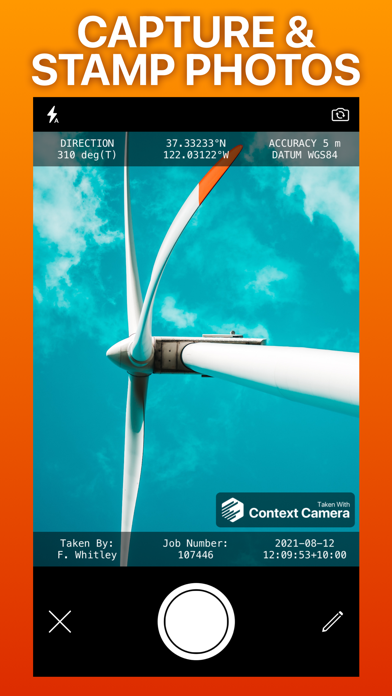
Capture more useful photos by stamping them with flexible information overlays. Trusted by professionals in construction, insurance, safety, inspection and emergency response. No in-app purchases or subscriptions.
Key features
- Choose from a selection of built-in information overlays, or create your own.
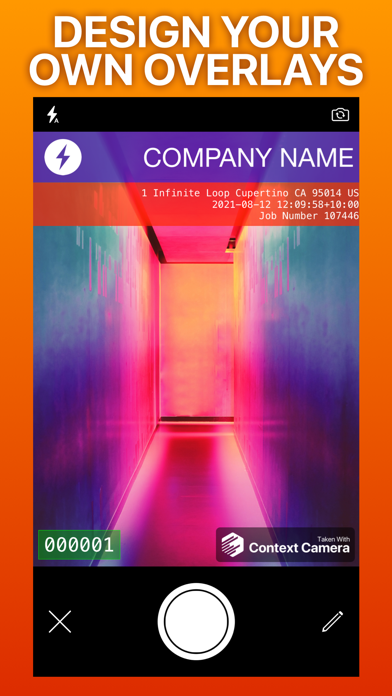
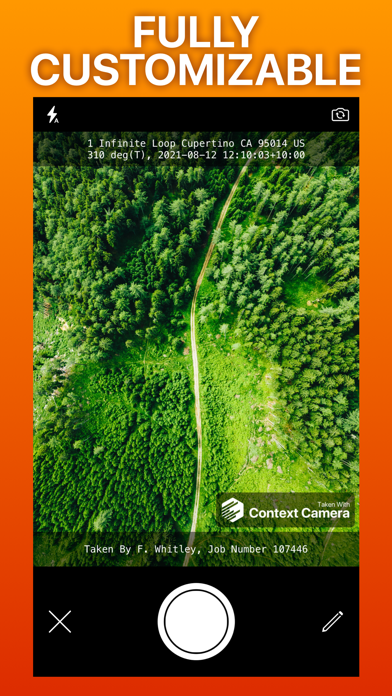
- Overlays can show information including location, direction, user comments, date/time, and address, with support for a wide variety of formats and units. Custom overlays also let you add logos and watermarks for a professional touch.
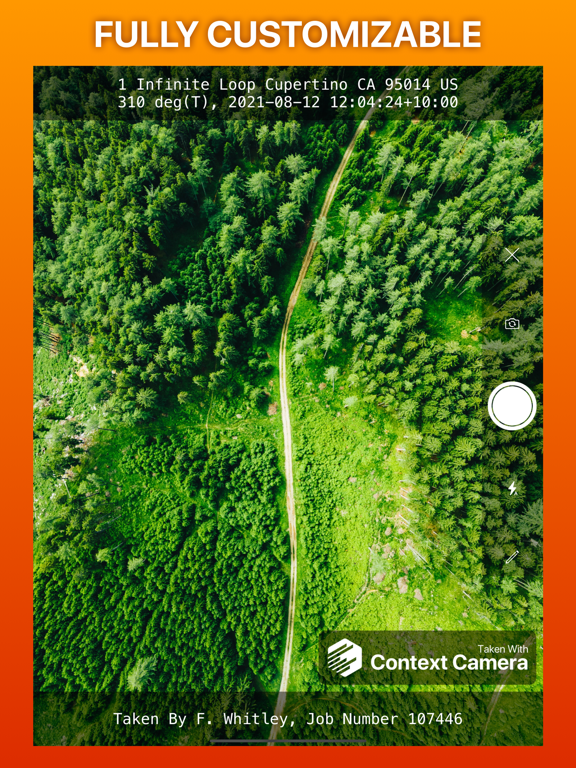
- Take photos using the built-in camera which supports zoom, focus and exposure controls. Your chosen information overlay is drawn on the camera preview to show you exactly what your photos will look like.
- Store photos inside the app to keep them separate and annotate them, or automatically export them to your photo library, iCloud or Microsoft OneDrive.
- Flexible photo export options including custom filenames and exporting multiple photos as zip files.
Not supported
- Importing photos taken by other apps.
- Multiple device sync - photos stored inside the app are stored locally on your device.
App Store Privacy Information Note
Because you can optionally link cloud storage services to Context Camera, we are required to disclose the considerable data collected by these services in the privacy section of our App Store listing. If you do not link cloud storage services to the app minimal data is collected. See our privacy policy for details.
Please email [email protected] with any questions.
Context Camera App Comments & Reviews
Context Camera Positive Reviews
SUPERB! BEST IN ITS CLASS! Anyone in Safety MUST HAVE!I have first, I want to say I have been with these guys since about the third or fourth day they put this app out. It was a superb app then, it remains the best out there of all absence class. If you have a job where you require photographic evidence or documentation, this is your app. This app not only records and imprints all of the GPS data, it also imprints directional data and photo notes in the overlay. There is absolutely no dispute whatsoever of all GPS and labeling information on this highly professional photographic overlay. I have tried and tested other apps (in this class) and keep going back to this one. It is highly manageable, highly simple, and is absolutely fantastic. I use it in recording inspection documentation, and [it] still remains the best in its class. Secondly I want to say that the developers have ethics above and beyond most other developers in the App Store. They have remained faithful to their past customers in that they do not come out with additional in-app purchases for their older customers to buy, nor do they cease production of an app and come out with a new version to purchase all the way around once more. They develop, push the updates out as app updates, and you are not left having to keep purchasing more and more from the developer. This developer has the best customer loyalty and satisfaction than any other developer authoring apps in my iPhone currently. You won’t be disappointed. Try it. Much appreciated and Highly Recommended in MANY WAYS!!.Version: 4.9.3
Perfect and essential for LE use.Been using it since it came out, and after all these years there's still nothing better that can touch it. Dev has continually updated with more and more features, and it was well worth more than the cost for the Pro version. Now that all users have free access to all features I hope it isn't an indication that it will no lonver be supported. This app serves its purpose perfectly, and is is essential for any LEO and/or first responder; I've used it for evidence photography, casefiles, and for simply covering my six 😉👍🏽. Proffessional looking pics with every bit of custom info [text and images] you may need overlayed on them, and all in a highly customizable format. Expoeting and sharing is practical and a breeze. Get the app... you wont need or want another of its type..Version: 4.7.0
This is the best app for site documentation for anyone.!I have used this App for almost as long as it as been around and you wouldn’t find a better product out there. It is simple, gives Courtesans Coordinates if desired, allows for small notes on each pitcher, and allows you to document on each pitcher with point outs (lines, arrows, circles, boxes,….). It does take a little bit of getting used to placing the point outs and in the pictures, using the filing setup in the app, as well as where your photos are stored on your phone. That bit I admit is a pain as the app will back up an original image in photos in some versions without the info and that can be a tad frustrating. But in the lasts version that was fixed. A really nice feature that none of the others had was the ability to transfer the files with all your markups and notes into photos on another Mac or iPad Pro! I don’t have a PC anymore sorry to say that you can transfer via iPhone to PC. But if you had a light drive memory stick or backup memory backup available that had the ability to be used to dump into your computer then I don’t see why you couldn’t use that to transfer your site photos. Overall this app has helped me take on City Hall, fight a Contract you was installing a new road in front of my home incorrectly, show proper site damage to my home after the 2020 deraceo and increase my insurance claim, fight my Parks Department not maintaining my park next to my home, help prove that I had a gas main leak on my property, helped prove that a new Digital Cable/internet company was Trespassing on my property and my my neighbor’s property out side utility easement, helped me provide evidence to the police department regarding a drug house that got removed from my neighborhood, and helped me help my neighbor prelim do preliminary inspections and design for a 18 hole frisbee golf courses in the parking next to my home..Version: 4.6.0
Construction Documentation You Need!!I have been using the Contex Camera App for over 5 years in the commercial construction industry and have not found another camera that can perform like the Contex... For example- Each picture has the Latitude and Longitude in the format you choose. The feature I use most is the Note feature, you can add two lines of notes describing what you want the viewer to look at- Great for documenting good and bad construction work... Hey, give it a shot, you won’t be disappointed....Version: 4.0.0
Perfect solution for what we needed!My friend operates a refrigerated tractor trailer and needed to document the seal placed on the load at both the shipper and receiver in the event there was product missing. We looked at expensive cameras on the market, but they kept the time and location in the metadata. She needed it ON the photo showing the seal intact along with the bills of lading. Context Camera absolutely fills this need perfectly! Thank you!.Version: 4.8.2
Recent update ruined the app!I have been using this app for close to 10 years and CONSTANTLY tell people to get it. Today I opened the app to be asked if the app could have full access to every photo on my phone. I chose “limited access” and now my photos will not auto export. I work as a construction inspector so photos are the cornerstone of my job. I guess I will have to look for a new app that doesn’t want to invade my personal life and entire phone..Version: 4.8.2
Best GPS camera app out there!I love this app. It's a must have for me and my job. I have to take daily photos of work completed and materials for verification and the ContextCam is the best tool I have. Very easy to use and and I love the function of being able to type notes and descriptions on each photo for my records. This app is a must have for time stamp and GPS photos..Version: 4.6.1
Love the app!The custom overlays are great for watermarking your company logo into photos and the automatic address detection and addition saves so much time. Two features I would love to have: Automatic removal of the comment field from the overlay if I don’t add a comment, and some way to automatically upload photos to Dropbox or Google Drive for additional automation options from there..Version: 4.8.1
Great appI use this for work to document areas where I monitor vegetation. Both the location and note feature are very useful. It is nice being able to have this app on my iPad rather than having to remember a separate camera and placard to note needed information in the photos I take..Version: 4.2.2
Some additional Features would really be helpfulI have used context cam for several years at work and overall, it’s great. The biggest missing feature I see I the ability to export coordinates along with the photo so coordinates for each photo do not need to be manually entered. This would save a lot of time. Overall great product but has room to improve..Version: 4.9.5
Great app, suggestionContext cam is very reliable and easy. If I had to suggest something, I’d love to be able to duplicate albums and delete all annotations in mass. I send photos to adjusters and sometimes the captions are confidential and the adjusters aren’t able to share the pictures because of that..Version: 4.7.2
Great appEasy to use and understand. One improvement would be the ability to have tags or create comments that are shown on the comments screen so you can just tap the tag or comment and it auto inputs into the comments section instead of having to type it..Version: 3.12.0
Best Tool to Capture Photos with Date + Location DataVery useful for those who have to log the date and the location with their photos. The way the information is displayed is configurable for your individual needs..Version: 4.9.8
Could be betterI bet lots of people love the way the app operates. It would be a 5star app if you it let you have the option to take the photo then label the picture while showing you the photo you just took. But after you acclimate you’ll love it.Version: 5.1.0
Great app for photo documentationI’ve been using this app for several years now. It is outstanding for use in documenting photos for legal work. I use this app several times a week at work and I appreciate the work put in to keep it running smoothly. Great job..Version: 4.9.4
The best “work” app on my iPhoneI use this app for work inventories and equipment tracking. It is also my “go-to” app for insurance photos and real property survey photos. After using, I send the photos to my work e-mail address and share with my co-workers. I highly recommend this software!.Version: 4.0.0
Exactly what I was looking for and morePhenomenal software with tons of features, some that I didn’t even know I wanted (like creating custom overlays that include logo). Love the versatility, multiple export options, and inclusion of all of my camera’s capabilities (like .5 and 3X zoom).Version: 4.9.1
Years of exceptional quality and reputationHands down the best Time Date Location Stamped Overlay. Qualified and accepted for critical document submittals by wireless TeleComm carriers for strict location and timing requirements. Nearly ten years now and have had 💯% completely satisfactory experience.Version: 4.6.1
Great for presentationA customer showed me this app. During the day I take many pictures of different failures this allows me to keep them organized when writing reports many days later.Version: 5.0.1
Memory enhancerI have found this an excellent app for quickly recording things for my business records that could be converted to paper long after my memory has lost the details..Version: 4.9.8
Handy toolI use this camera on projects where I need time and location data (and photo direction) associated with each image. It’s a great tool to have. Image management is a little cumbersome, but that is the only weak point. This is a great app, a highly recommend it..Version: 3.14.0
Love the ideaI’m only rating this a 4/5 stars because I would love to see a one time purchase for use of full features. Willing to pay a good price for that. Otherwise an awesome app that I wish could come standard on all phones! Also love all of the other developers apps.Version: 4.3.0
Makes My Work Life EasierI have to document day and time in photos in real time for work on a regular basis. This app has saved me so much time and headache per the last few years. Best investment for work that I have ever made. Highly recommend!.Version: 3.6.1
Great except need 2 hands…This is my timestamp goto camera. Recently began using a crutch 🩼 to help keep balance. I’m frustrated because THIS app doesn’t let me use the volume button as alternate shutter. There’s no free hand when using TWO crutches, as is sometimes required due to arthritis. Please update app!.Version: 4.8.1
Never lostWhen and where nothing works. The gps on the camera always has my location..Version: 5.0.0
App is great for adding address information for work photosWorks great for separating work photos. I like that I can export to the photos app and then search by address.Version: 4.9.5
Best for Construction Progress PhotosThe app is very easy to set up, is easy to use and captures all of the metadata needed for progress photos right on the photo itself..Version: 4.1.0
OutstandingSimple interface that razzle dazzles my clients with useful data, quality photos and timeless simplicity. Don’t change a thing..Version: 3.5.3
Essential toolI use this all the time when I survey offices for installations. It keeps my work photos away from my cat pictures. 😄.Version: 5.0.1
Makes me look good at work!Love it! One start reduction for not having the ability to use location to suggest previous annotations. That should be option..Version: 4.7.2
CameraWould really like to use video with my phone! Camera function works great! Would love it if you could use video with this app! It would be great!.Version: 3.7.0
Use EverydayImmense time saver when all the information I need is watermarked on my construction project photographs. Reliable. A quality app I value..Version: 4.3.1
Steve JamesonWonderful inspection tool Perfect for emergencies, auto accident records if you have to go to court, these are 100 times better than just a picture..Version: 4.1.0
Love this appI like being able to label my pictures and having GPS coordinate available. Very easy to use..Version: 4.7.2
ExcellentNo issues, easy to use, can change settings and information on the fly..Version: 3.7.0
LandmanReally like this tool. I have had several people praise the pics when I send them in an email..Version: 4.6.0
Excellent for documenting location and time!I love this app. I recommend this app to everyone who needs to show something with time and position..Version: 3.11.0
Best photo app for technicians!Been using it for years, dev is very responsive and always keeps app up to date !!!.Version: 4.8.2
Excellent resource!Used for documentation while working with the USFS. Great tool, simple to use and adjustable to our needs for photo documentation and plotting..Version: 5.0.0
Best everExcellent product. I have used it for years to document my work. Excellent business tool..Version: 4.8.2
Using app since 2015There is currently no better photo stamped app on the market. This is available for Apple products only..Version: 3.11.1
Maintenance/Cordinator P66I have used the app for about 9.5 years that I know of and have had no issues. Great reliability.Version: 4.9.6
Contex camVery useful and extremely neat for us people that needs it to help make the job easier.Version: 4.5.0
Best camera app for welding inspection workflowsI wish this would hook through Dropbox, but flow via Microsoft storage is good too. Automate them reports boys and girls, it’s a game changer..Version: 4.8.2
Downloads are now working for older devicesThank You..Version: 4.2.1
GreatAwesome, very useful at my job. Hope it keep going, very fair business practices. Should put in a tip jar in the settings.Version: 4.7.2
Great app. Very helpful.Records date, time, location, and direction of the photo which is very helpful in numerous scenarios..Version: 4.4.2
Perfect for what i need!This app meets every need for me at work. Full customization, free, no ads, simple overlay, simple app!.Version: 4.6.0
Works really goodWe use it for work extremely helpful. Lots of legal issues in the pictures resolve it..Version: 5.0.0
Great resourceWhere is great work to pinpoint a lot of things so there’s not communication error.Version: 5.0.1
Great for workIt’s awesome to segregate my work photos from my personal ones. I’ve synced it to my computer to auto upload and it’s a game changer. Makes work much easier for me as I do inspections and take tons of photos! One thing I want to see is the a “retry all” button when you take pictures outside of wifi or the upload fails. I often take 30ish photos and have to manually click retry on each one. Otherwise great app!.Version: 5.0.1
VNot only great app: but superb, and very useful..Version: 4.9.8
For workHas good features but could use a few more.Version: 5.0.0
Good appApp seems stable. Good options for adding time and location information to pics..Version: 4.9.5
Best PurchaseQA/QC life saver.Version: 4.9.5
Almost perfectI don’t see an option to import pictures. I have pictures that I need to add timestamps to, cant find an option anywhere to import photos.Version: 4.9.5
Pipeline InspectionEasy App to you use and accurate GPS.Version: 4.9.3
Easy to UseBasic but effective.Version: 4.9.1
Volume button shutter doesn’t workLove the app, 5 stars when this feature works as it says it does thanks.Version: 4.9.2
Above the competitionI especially like that you can edit the photo descriptions after they've been taken. I like that the photos are kept separate from my photo library which is great for work. I've found free alternatives are so buggy they're unusable. Great app..Version: 4.9.0
RobfMenBest.Version: 4.6.1
Still needs some workThe options aren’t all available for editing the field used. I need 3 of the 5 lines with text in the ‘All’ format but have to choose either all 5 or one of the 5, it’s not a great solution yet..Version: 4.8.2
GoodIt’s a useful picture app..Version: 4.6.0
Safety AdvisorWorking in pipeline industry..Version: 4.6.0
AwesomeGreat product!! Love it.Version: 4.5.0
Very useful for locationsGreat camera pictures.Version: 4.5.0
Awesome!We use this app daily for our survey photos. Very handy to have GPS coordinates showing in the photo along with notes, etc..Version: 4.4.0
GoodWorks good.Version: 4.4.1
Like itVery good app.Version: 4.4.0
TtyytyyGood.Version: 4.4.0
InspectionGreat.Version: 4.4.0
Awesome!Excellent tool @ work outdoors..Version: 4.3.1
PerfectHas all the information I need to have with my photos for work..Version: 3.9.0
Text hard to readOnce they add the ability to adjust text formats I will revise my star rating. Expensive app for its limited capabilities..Version: 3.14.0
Great App for Inspection photosLove that you can change the notes before or after you take the picture and that it doesn’t have to be saved in my library. The last app I used would fill up my phone with work photos I didn’t want on my phone-now I can just email them to myself and upload them to my work server and on flash drive to be handed in at the end of the project. Brilliant..Version: 3.5.3
Great app!Very well made..Version: 2.1.3
Awesome!!Great app for marking photo locations and descriptions. I haven't found anything even close to it..Version: 3.4.0
Good for Law EnforcementI had a recent occasion where this would have come in very handy for crime scene photo’s, given it’s ability to overlay location data to a photo. Will now be my at work camera app..Version: 1.3.1
Best for the jobIf you need to document where something is, here's your tool. Plus the developper is very responsive. ;).Version: 1.2.0
Free International Money Transfer 💸Enjoy high maximum transfers into more than 20 currencies while saving up to 90% over local banks! The cheap, fast way to send money abroad. Free transfer up to 500 USD!Version: 5.1.0