Dexcom
Dexcom Follow Customer Service

- Dexcom Follow Customer Service
- Dexcom Follow App Comments & Reviews (2026)
- Dexcom Follow iPhone Images
The new Dexcom Follow App is part of the Dexcom SHARE® system.
Use this app if your loved one is sharing data from their Dexcom CGM app. The Sharer will need to send an invitation to allow you to connect after you have installed the Follow app.
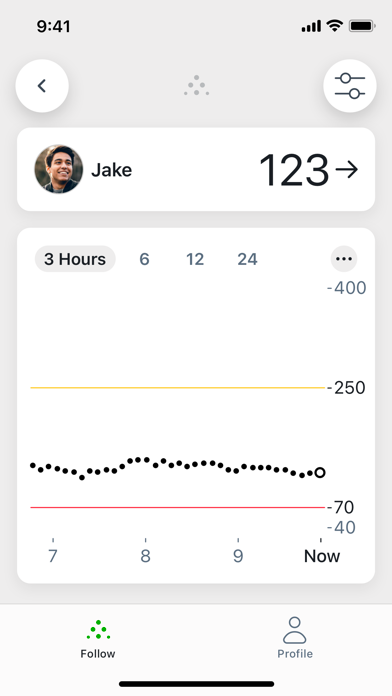
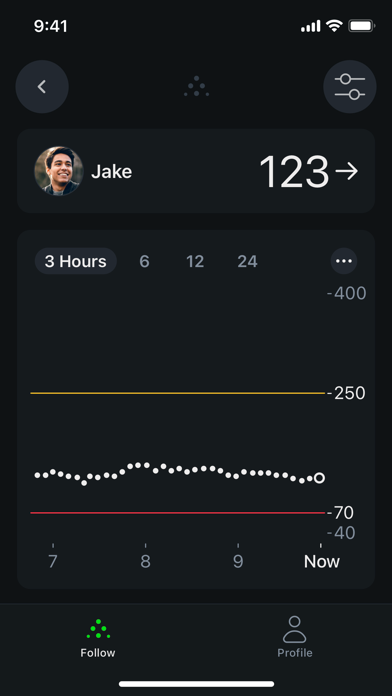
Dexcom Follow works seamlessly with your loved one’s Dexcom CGM, giving you visibility into their glucose data, even when they’re far away. Dexcom Follow allows you to view and follow their glucose levels, trends and data right from the app. Whether your child is in school, your parent lives independently, or your partner is traveling, Dexcom Follow helps you stay connected and informed.
With Dexcom Follow, you can:
• Remotely monitor your loved one’s glucose at a glance from your phone or Apple Watch†
• Receive glucose information of up to 25 different Sharers – children, friends, or other loved ones – if you know multiple people with diabetes
• Respond quickly with the help of customizable glucose alerts and push notifications that can inform you when a Sharer’s glucose levels are outside of target range
Dexcom Follow App Comments & Reviews
Dexcom Follow Positive Reviews
I’m 1/2 okay with this new appFirst and foremost: the widget option must come back…. Losing this feature is a giant step down. But it stopped working on the old app anyway. I also wasn’t getting alerts anymore on my old follow app that is why I changed over. The Home Screen widget is a must have back-- as a parent this was key when I am busy/working/ or generally trying to not be rude in social situations. That feature was everything. It made checking much more discrete and less invasive. And let’s face it diabetes is part of every moment of the day — Iets get there in less steps. Okay- so porting in the people you followed on the original follow app is a little confusing but I do believe they tried to explain. I just felt like it was a pain. I follow my daughter and her friend. Otherwise the layout does not feel that impacting from old to new it is all reasonable. Bring the widget back you can have 5 stars.Version: 1.1.1
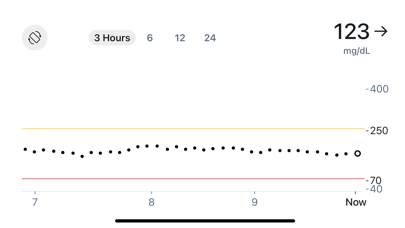
Sensor dataOverall I like the functionality of the app. It’s clean, minimal, and easy to use. I specifically like that the enhanced version allows you to see the values of individual readings on the chart now. One additional enhancement I would like to see for helping out as a caregiver especially from far away is a reading of how many days are left in the sensor so I can make sure my family member is changing them when they are supposed to.Version: 1.1.1
Widget & NotificationsI agree that the widget should come in ASAP, it’s very convenient to be able to see my wife’s sugars right at the Home Screen. It would also be beneficial to get the actual numbers for sugars whenever it notifies us for sugar alerts. An example would be “Low glucose notification from…” or “High glucose notification from…” it would be nice to have the actual number at what it is next to the high or the low. I believe it does it on the Dexcom app itself but not for the follow app..Version: 1.1.1
Somewhat the sameI don’t mind the new app except for one issue… The trend arrows are no longer showing when you go back in time so I can see a visible trend of either up down or steady… I have a trend arrow for my up to the second blood glucose level but if I wanted to check to see what my Ronderos were doing three hours ago from 1 to 130 trends don’t show with those blood glucose reading numbers… I would like to have those arrows returned if that’s possible please and thank you.Version: 1.1.1
Widgets are fantasticThe lower ratings make sense, any big visual change will take a moment to get used to. That said, the core functionality of the phone app remains the same, whitch is great. The standout improvement is the addition of the CarPlay widget. Being able to see readings right on the dashboard is brilliant. Thank you for this thoughtful addition..Version: 1.1.1
Widget?I can’t understand how an “improved” app can remove such a beneficial item? Please update as soon as possible to include one in this DexcomFollow app. Also, it was beneficial to clearly see the amount of time since the last reading. That number is hidden under the bottom banner unless the screen is moved up. Honestly, the format of the previous version was much clearer and easier to read..Version: 1.1.1
Overall life enhancingA great app—my family member has wanted me to get alerts though when the sensor is in its grace period. Also I am concerned about the fact that every time this week when I open the app now, it says it’s been updated and to update now, but when I hit update the option is to just open the app. Seems like a glitch..Version: 1.1.1
WidgetsI use the app to keep an eye on my wife’s sugar. So far I like the layout, but it’s very aggravating not being able to have a widget on my home screen like the latest app allowed you to do. It was nice being able to just open my phone and see her sugar first thing without having to open the app. It would be very awesome if they would bring the widget back..Version: 1.1.1
Free International Money Transfer 💸Enjoy high maximum transfers into more than 20 currencies while saving up to 90% over local banks! The cheap, fast way to send money abroad. Free transfer up to 500 USD!Version: 1.2.1
What do you think Dexcom Follow ios app? Can you share your thoughts and app experiences with other peoples?
Please wait! Facebook comments loading...