Apple
ApplePixelmator Classic IOS Customer Service

- Pixelmator Classic iOS Customer Service
- Pixelmator Classic iOS App Comments & Reviews (2026)
- Pixelmator Classic iOS iPhone Images
- Pixelmator Classic iOS iPad Images
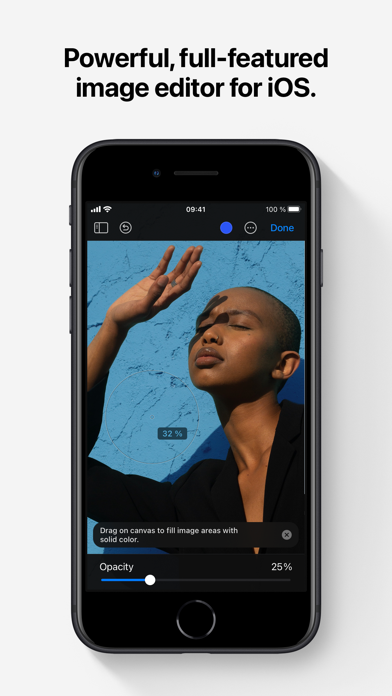
Pixelmator is a powerful, full-featured, layer-based image editor that lets you add shapes, images, and text to create beautiful image compositions, touch up and enhance images, sketch, and paint on iPad and iPhone alike.
Designed exclusively for iOS and iPadOS, Pixelmator takes full advantage of the latest iOS and iPadOS 17 features and technologies, giving you innovative, fast, and powerful tools.
Create Eye-Catching Designs
- Combine words, shapes, and images to create breathtaking artwork right on your iPhone and iPad
- Apply non-destructive layer styles like shadows, outlines, gradient fills, and more
- Insert, group, and blend layers of an image
- Easily add, combine, and customize shapes
- Blend layers, shapes, and text using any of the blending modes
- Use precise selection tools to edit areas of an image
- Automatically select subjects in images with the machine learning-powered Select Subject
- Crop, arrange, and rotate objects and layers with pixel-perfect precision
- Easily remove the background of images or cut and paste objects from one image to another
Add Shapes and Text
- Create flyers, logos, and other compositions using vector shapes and their styling options
- Customize Smart Shapes with easy-to-use controls
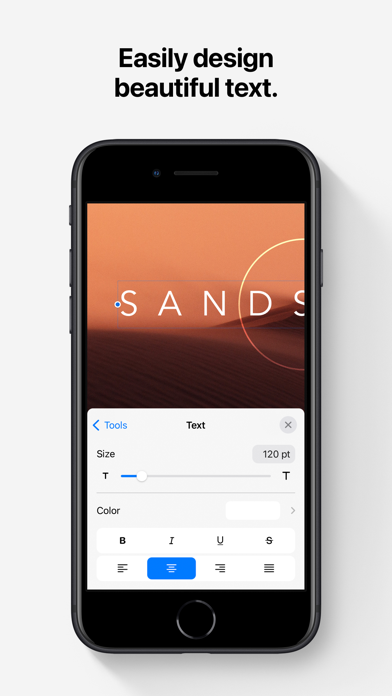
- Add text and make it look gorgeous with 24 pre-designed text styles
- Change the font, size, alignment, line spacing, use custom fonts, and more
Paint and Sketch
- Paint stunning images right on your iPhone and iPad
- Choose from over artist-designed brushes and numerous painting techniques
- Paint with near-natural wetness effect of watercolor and crayon brushes
- Create stunning pixel art images with the custom-designed Pixel brush
- Paint with incredible detail thanks to the double texture brush technology
- Vary the speed of your stroke to change the thickness of some of the brushes
- Easily select and fine-tune colors with a full-featured color picker
- Instantly choose colors right from your image with the Eyedropper
- Paint more naturally than ever with the Apple Pencil, featuring palm rejection, pressure, tilt, and acceleration sensitivity
Edit and Enhance Photos
- Get started with dozens of beautifully designed templates
- Instantly improve your photos with single-tap color presets
- Take full control over the tonal range of your image with levels and curves
- Easily remove color casts and set the right white balance
- Wipe away image imperfections, skin blemishes, and unwanted objects with the Repair tool
- Duplicate areas of your image with the easy-to-use Clone tool
- Pinch, bump, twirl, or warp areas of an image with powerful, Metal-based Distort tools
- Blur, sharpen, lighten, or darken areas of an image
- Choose from dozens of breathtaking effects to subtly improve or completely change the look of an image
- Open and edit images of up to 256 megapixels
Export and Share Images
- Optimize images for the web using quality, color depth, and size settings
- Export images to Files, iCloud, or open in other apps using a file format of your choice
- Using the integrated share extension, easily share your artwork with friends and family using Mail, AirDrop, or post it to social platforms like Instagram, Twitter, or Facebook
Compatibility
- Open and save images using HEIF, JPEG, PNG, and TIFF formats
- Work with multilayered Pixelmator Pro and Adobe Photoshop documents
- Save your edited images directly to Photos
- Create, edit, and keep all your images up to date on all your devices thanks to iCloud support
- External keyboard support with over 70 keyboard shortcuts
Built for iPhone and iPad
- Pixelmator is meticulously thought through and created from the ground up for iPhone and iPad devices
- Designed to take full advantage of powerful iOS and iPadOS features and technologies — iCloud Drive, Photos extension, Split View, and more
- Thanks to Apple silicon, Metal, Core Image, and Core Animation, Pixelmator delivers state-of-the-art performance and real-time responsiveness
Pixelmator Classic iOS App Comments & Reviews
Pixelmator Classic iOS Positive Reviews
Had it ForeverMy last review has changed after some discussion with the team. But a few things remain to be seen before this rating becomes 5 stars for me. I found out that I can simply revert my file manager from recent projects to files and photos. This made me feel much better navigating thru my projects. So that bumped up my rating. I would still like to see a “less IOS User Interface”. When you tap a layer and get that pop-up window that you have to painstakingly tap thru to get to the tool you are looking for that happens to be at the very end in the list, that could be reworked. It really slows down the speed of a project. I would like to see a full list of the tools appear upon taping a layer. Kinda like a right click on a desktop. Another great thing to see would be some form of perspective tool like the one native to Apple’s photos app. Again, as the title states, I have had this photo editing app forever. Its been awesome, and it’s an extremely powerful photo editing app. And there will always be room for improvement and opinions on what will make it better. But hopefully we can see some changes I’ve offered to them, and then I can return here singing their praises..Version: 3.1.5
New bugs are making usage a lot harderThis is the best photo editing app I've been able to find, and I've used it for years. But recently, there's some problems, mostly involving layers. The most annoying to me is that, when I copy and paste something, it often ends up far away from where it was copied from, to the point where it's usually out of the editing area entirely. This can be a real pain if the pasted item is very small. There's also cases where layers don't respond when selected, previews on the sidebar don't update... these are all fairly recent, they only started happening in the past few months..Version: 2.8.1
What a great option for those of us on older IPads…I recently purchased Pixelmator. And let me tell you, this app has been a dream come true! I currently run 4 IPad Air 2’s in my music, film and graphic studio. And there just is not many options out there for those of us running older IPads to edit decently, without having to pay monthly fees, which I have always refused to do on any software! The more I learn how to do on this software, the better and better it appears to be for all of your basic and even some more advanced features! For the price, to features ratio, you simply cannot go wrong. There are ways to do almost everything basic you need to do. Some of the things are a different way than you may be used to. But it all works in the end. After spending about 8 hours so far on the software, I can say, I am very happy with my purchase. The only issue, was how hard this software was to find initially when I was searching options for my situation. Not enough people talk about this software in reviews or articles. I am very happy I discovered Pixelmator!.Version: 3.0.12
Like cameras, the best image editor is the one you have with you !I’ve been using Pixelmator on iOS since before Photoshop on iOS even existed. While waiting to buy the new iPhone 6S on launch day, my client called me in a frantic about a mistake on her mock-up she would be showing her customer in minutes. A passionate Apple Store employee recommended I try Pixelmator instead of losing my place in line, and after emailing my client from line outside the Apple Store just minutes later, Pixelmator quickly replaced my Mac as my primary brainstorming/mock-up tool. Like cameras, the best image editor is the one you have with you! I can’t say enough good things about the Pixelmator team and their dedication to making the best mobile raster image editor over the years, and wish them boundless success as they are brought into the Apple family of exemplary mobile tools..Version: 3.1.14
Best All Around App For CreatorsThis app can replace so many of the single tool apps that nickel and dime you for subscriptions. This app replaced Canva, Photoshop and their sister app (Photomator) can replace Lightroom. It works so well on Macs, integrating with your photos in a similar layout to the photos app so finding photos is a breeze. If you’re a professional photographer and need heavy lifting, I would probably still be stuck with Adobe. But if you’re someone who likes to creator some photo art on their spare time and put content out there for creating, then this app is the one for you. Break free of being stuck with the subscription nightmare that we live in and get this. It’s far easier to learn than Adobe apps and the workflow is smoother. My apps are now Final Cut X for video, Pixelmator for editing and Photomator as Lightroom. Now I need to find a good sound editing app and I’m all set to make videos out constantly paying $100/month in subscriptions. I hope this app doesn’t go towards a subscription model and just has you pay for major updates that you can opt out of if you don’t need. I have definitely recommended this app to other creator friends..Version: 3.1.6
Can we get a Isometric Drawing Guide (Please)This feature is available in others but I think it would be useful for drawing 3D scenes, and such. Thank you so much, this app is ultimately amazing, some say the new UI is terrible but I disagree because it’s looks more modern and similar to Apple. I hope you implement my suggestion, because I have this and I was sad I had to use other apps such as: Inkscape to make isometric, which not only hard and difficult I feel that you could find a way to do it. Snap to the grid where when you draw the lines would snap to the isometric grid until you disable it, this would be important too. Please do this, overall 10/10..Version: 2.8.3
Long Live Pixelmator! (An Elegy)This has been one of my favorite (and most-used) apps since I began tinkering with images and piecing things together - usually to share for a laugh or two among friends and family. I just read the news that, per 9to5 Mac, Apple stated the app is no longer receiving updates. This comes on the heels of also hearing that they are moving many of their in-house creativity and productivity sweet over to a freemium and/or subscription model. I find the loss of future support for this app to be a sad development and one which will negatively impact my iOS experience when the day finally comes that I can no longer install this on new devices. I find the transition of other apps by Apple (especially those previously designed by other developers) to subscription-based models to be hostile to the consumers that buy into its very ecosystem and experience. We are all systematically being priced out of the very technologies that decades of consumer-patronage enabled to be developed. Pixelmator will die. Apple will have killed it. Long live Pixelmator!.Version: 3.1.16
Great app with one glaring omissionI’m still feeling my way around this app and it seems to have everything I could need except the ability to mask. This is an essential part of my workflow so it’s quite the handicap to be without it. There is an erase tool but that is destructive to the image so not a great workaround. Masking in this app has been discussed for a long time on the forums but there hasn’t been a definitive answer from the developers as to whether this is a realistic expection or it just can’t be done. Both Lightroom and Art Studio Pro have pretty robust masking on the iPad and iPhone. Masking would make this a 5-star app without a doubt..Version: 3.1.6
Please at a color picker to the text color panelI love PixelMator. I’ve been using it since the beginning. Therefore, as an old user, I am asking the developers please consider adding a color pick to the text color panel where we usually choose what color you want for our texts. And one more thing please when we are trying to choose a color, the page will be behind the color panel where we cannot see what color are we actually choosing. So please make sure when we are trying to choose the color the page goes up to the top of the PixelMator window..Version: 2.8.3
I’ve loved this app for awhile but please fix this with new update!I’ve been using this app since 2015 and it has been a great app with everything I need and more. Unfortunately with the new update that came out recently I can’t darken photos like I was able to before. I loved using this feature and it’s sad to see it change. Please make it darker so I can darken my backgrounds in my photos!! Otherwise this app is great!.Version: 2.8.3
My favorite editing app since 2016Friend asked what I used for editing and I suggested this. They were shocked to see how expensive it was. I didn’t remember paying that much so I looked it up and I’ve been using this app for almost 10 years and paid half what it costs now (thanks inflation!). But I would still pay that today since I use it all the time..Version: 3.1.7
Great app but needs more stabilityIt doesn’t do it every time but sometimes mid project I’ll leave the app via multitask and I see the Pixelmator canvas go black and I lose the project. Also one quick edit: can there be a version of the a-b line that doesn’t start in 45 degree angle? Either vertical or horizontal? I’ve utilized the “rotate” option but it still seems un-level.Version: 3.1.1
Full stack mobile appPixelmator for the iPhone is amazing and all, but it lacks a couple basic features; Canva rotation: canva rotation feature is a necessity for me personally and others my agree. Clip masks & layer mask: been using the app for a while (not up to a month) and I’ve noticed it last masking ability or maybe I’ve not been able to figure it out 🤷♂️..Version: 2.9
Hadn’t opened in a year, then WOW!I spend so much time with Procreate, I just never bothered to open Pixelmator. It’s come a long way with excellent Retouch tools, layers, tons of features to fix, improve and create stuff in the art, design and creative universe. You can easily fix the screwed up areas of your AI outputs from Leonardo and MidJourney. Glad to see the team didn’t let this app get stale.👏🌟👍.Version: 3.1.7
PerfectI've had this for quite a few years and I love it. It doesn't have all the bells and whistles that a lot of other drawing apps have, but that has honestly made it easier to learn to use and, more importantly, less of a strain on iPhones past and present. At this point, Pixelmator is like a dear old friend. Highly recommend..Version: 3.1.15
Need Pixelmator Pro for iPadPixelmator for iPad is a good all around product and so is Photomator. But both are lacking compared to Pixelmator Pro on Mac. The iPad Pro has the same powerful processor and graphics of a M1 or M2 Mac now, so there are no hardware limitations. And there are far more iPad users than Mac users nowadays. The iPad touchscreen gives so many more options for photo editing with the Apple Pencil over the Mac. So I really hope they bring the full Pixelmator Pro app to iPad soon..Version: 3.1.6
No vector editingHonestly, a bit upsetting. I use Pixelmator Pro for Mac as my main vector drawing app as an alternative to Adobe illustrator… and was upset to find that after purchasing this app - there’s no option to edit Bézier curves or creating new ones?! I was really really hoping this would be the app to counteract expensive Adobe subscriptions. Or that it’d be like Procreate of vector editing… I really really hope this would be added. X.Version: 3.1.15
PLEASE FIX! Dark mode isn’t fully darkWhy does dark mode still have white/gray menus? 💀I like the app for the most part otherwise. But please fix this eye-nuke so I can edit without light-blindness every time I need to edit layer styles, tap any of the icons in the top right and whatnot. The templates on the start page have thick white borders too that can be eye-burning. TLDR; MAKE FULL DARK MODE PLEASE. NO MORE BRIGHT MENUS/ELEMENTS..Version: 3.1.5
Best photo Editor!Just what i was looking for, tried sooo many photo editing apps that saving a skin damages PNG Quality at lower pixels 128x128 untill i found this one. I make texture packs and minecraft skins. This is just the right photo editing app. Took me a few minutes to learn how to use but definitely happy with my purchase. Thank Youu Devs. =).Version: 3.1.5
Wish it had a pixel effectI love this app and only have one request. If you could add the pixelate effect like you have in the MacOS version, that would be great. It’s useful to be able to select and pixelate out sensitive data from pictures. The name of the app would imply you had this effect haha..Version: 3.1.6
It needs the skew a picture or photo optionLove this app. I use it to make stickers but it’s missing skew. Need it to skew logos on some pictures because the way the picture I’m using the person is at. Other than that it’s an amazing app to use..Version: 3.1.16
Everybody should own this app.This is a great app with with a design that captures Apple's own aesthetic paradigm. There are still a few features lacking—like some basic sheer and distort transform abilities—but I'm looking forward to future updates, and hopefully an iOS version of Pixelmator Pro..Version: 3.0
IPadOS 26 ruined this applicationI’ve been using this app since it came out and I used this every day. I am so upset on how much iPadOS 26 destroyed this app. The keyboard shortcuts work when they want to. And I can’t press and hold down the arrow keys it crashes the app. I don’t understand how it got so bad and they’re not updating the app. I keep checking and nothing. Did Apple ruin this application?.Version: 3.1.16
Not saving progressBeen enjoying the app for years so not giving it 5 stars feels ingenuine, but recently my files havent been saving, its happened multiple times. i have an iphone 16 running IOS 18.1.1., ive tried deleting unused files and everything but it still won’t save. thank you in advance..Version: 3.1.12
Powerful!I love the powerful features, simple user interface and spectacular results! Pixelmator combines all the features that you need to publish content with ease while achieving professional results. Get this!.Version: 2.9.1
Cloning issueIt has worked fine until recently. Cloning in retouch isn’t working properly on my iPhone. It has been very frustrating trying to get support..Version: 2.8.1
I’ve been using this app since the beginning!Love the app! Except… please allow for input when selecting text font size! Having to hold the + or - button is absolutely ridiculous..Version: 2.8.4
One of my all time favorites.I recently wrote a negative review but this team is still responding and making updates. Keep up the good work, and please keep adding features!.Version: 3.1.8
Missing essential featuresBought this with the promise of perspective editing and it is no where to be found. It is available on the old version and on the desktop version but missing from this one. Requesting a refund..Version: 3.1.16
Exactly what I neededThis app is awesome! It brings the sort of editing tools I'd normally reach for gimp/photoshop for to my iPhone in a surprisingly intuitive UI layout. Now I can make spur-of-the-moment memes on my phone >:3.Version: 2.8.1
Outstanding Photo Editor.Keeps up with most of today’s AI programs if you learn to use it to its full potential. It’s in expensive, and best of all - no subscription!.Version: 3.1.15
No ability to work with GIFsThe app itself is terrific, which is why I’m rating it four stars. But the inability to work with gifs is very frustrating, and shouldn’t be a limitation of such an expensive app..Version: 2.8.3
So GoodAbsolutely love this app. without a doubt i think of using this application for most of my quick editing before a share..Version: 3.0.7
No dark mode in 2023?!Longtime supporter of Pixelmator on the Mac, but I open on my iPad Pro and the system dark mode is completely ignored with unexpected bright blinding colors. Maybe I’m overlooking something simple. Please help me use this at night..Version: 3.1.1
10/10, IncredibleI’ve been using Pixelmator almost every day for 5 years now to edit my product photography. It’s incredible. The ease of use, flat rate price and dynamic tools are simply unmatched. With this app I’ve managed to build a business entirely from my phone and now quit my day job! Thank you so much to the Pixelmator team, keep doing what you’re doing 🤞🏼.Version: 3.1.2
Great graphics app!I’ve used this app for many years. I’m surprised I didn’t write a review sooner. I love the simplicity of the design. It’s sooo much easier to use then that behemoth Photoshop..Version: 3.1.10
New version required pleaseThis is a wonderful app and I’ve used it for years. But the ipad version does not have as many functions as the mac version. This is not practical and files between the two os are not compatible. This should be fixed. In the meantime, I’m left having to use something else..Version: 3.1.12
Great app.Surprisingly powerful. I love using it. I am constantly learning about the features. There is a little bit of a glitch with the odd crash, this is annoying because I lose my work. I hope they iron that out. Aside from that? I believe you should buy it. It’s worth it..Version: 2.9.2
No EDR supportPlease add EDR support..Version: 3.1.1
A must Have for those who work with Photographers and PaintingWhile I will use procreate for creating professional painting. I will use this app for all editing of my photos and quick touch up of some artwork. It has simple yet powerful tools that any beginner and professional will use daily..Version: 2.9.2
Incredibly awesomeWish I found this earlier..Version: 2.4.4
Love it until it freezesJust bought the app and love it. Edited one photo and then the minute I opened the second photo, it freezes. App crashes every single time now. Please see what's wrong?.Version: 2.3.1
Excellent!A very good photo editor at a very affordable cost. It has a bit of a learning curve but that is to be expected that offers a rich set of photo editing tools. Also, I love and appreciate the idea behind the pay once for the full version approach. Please keep it at the same. I do have a few suggestions though which might make the user experience a little better: 1. Redos are hidden behind a tap and hold and you have to repeat the action multiple times to redo your last action. Both redo and undo as well as most of the other actions could be replaced with icons (also to preserve real estate). A long press could possibly host a sub menu or a text/header/hint. 2. State management for undo and redo is good. Maybe in the future a History tab could be provided for a quick undo/redo. 3. Gradients seem to be missing. 4. I am not sure as I haven’t compared but I have a feeling that blending modes could be more powerful. 5. Blending modes are indispensable to photo editing but again, are hidden behind a Format menu. That is not at all obvious to the user. I believe blending modes should also be accessible from the main page. 6. Blending mode cannot be currently applied to a group. You have to ungroup the images, apply the mode and then group the images again. Though you do have the option to merge. There might be a few more things but I am pretty sure the team behind Pixelmator already has priorities set for improvements and add-ons for their next version. Overall, very good and I would suggest people to support the engineers behind this..Version: 2.4.2
2 stars dinged for losing all my documents when I exchanged iPadICloud sharing only is just garbage for those of us who refuse to buy into more cloud storage. I need to offload my documents to desktop, NOT TO A STUPID CLOUD. I lost every document in frustration when I tried to offload some work before restoring and exchanging a device. Why not just keep a doc in iTunes file share? I am so sick of the lack of transparency and redundancy of iCloud sharing running amok and trying to take control of everything I do on my Apple gear..Version: 2.3
Great graphic editing appsI use this for all my office marketing. It’s pretty easy to use. I wish you could crop individual layers..Version: 2.6
Brilliant and easy to useThis app has sold me Pixelmator for Mac but the iOS version is so much easier to use so I don’t even bother with the Mac version. Still great to support the dev for such a great piece of work..Version: 2.4.3
Extensive editorLearning curve, but fantastic capabilities.Version: 2.0.2
Good but...The app itself is really good, excellent editing and tools selection! However, once you save your file (or by mistake) there is no redo... you cannot redo what you did... please fix it!.Version: 2.3
Exactly what i neededThis app is so well conceive. It's an almost complete photo editor and for my use, it is on par with its mac counterpart. I can finally edit my pictures on the go without traveling with my mac. This app is worth its price. :D.Version: 1.0.1
Layers and selecting are amazingI can't believe this app is only 5 bucks. It feels so powerful!.Version: 1.0.1
July update is great. One request though.Please add back numerical values to sliders. Useful for consistency when editing multiple photos. Thanks..Version: 2.7
Looooove itI love this app so much. I hope it continues to get support since Pixelmator Photo, while also awesome, is a different kind of app all together. This is my go-to tool for creating images for work that need to be specific resolutions and many of my posts on Instagram start here since Instagram crops portrait oriented photos.Version: 2.6.4
Interface needs to be updated.Love this app but I 100% believe it could be better with an improved interface..Version: 2.6.4
Great but a few suggestions!!!There should be a clipping mask option along with maybe a pen tool. (Like photoshop).Version: 2.6.4
AmazingGreat app for photo editing and graphic design that i’ve used for years!!.Version: 2.6.3
Dude this thing is sickThis is like the only App Store review I’ve ever left but this is the best app I’ve ever bought. Been using it for years, quicker faster easier and better than photoshop for 95% of things I edit, and I be editing. It’s not Lightroom (at least on iPhone) so don’t expect it to be better at editing colours and exposure and stuff, but it’s infinitely better than the photoshop app for iPhone for graphics, edits, etc. Thanks guys. You make my life easier.Version: 2.6.3
IGypsy37I have been using Pixelmator since it first came out on desktop and after that iOS. It is my number 1 go to app for editing and building images. There is so much that can be done with this app. I highly recommend it! What I would like to see, though, is the ability to position the centre point of the vignette effect anywhere on the image..Version: 2.5.4
Ne permet pas d'ouvrir les .pxdL'app est franchement géniale, et j'ai une excellente expérience avec. Cependant, avec le récent abandon de l'app Mac Pixelmator de base, au profit de la Pro, j'ai bien peur que cette app devienne obsolète car elle ne peut pas ouvrir les .pxd de la version Pro. Est-ce possible d'en ajouter le support?.Version: 2.6.3
Bad color banding issueThe gradient maker is useless as there is a massive color banding issue. I reached out to the developer months ago and the issue has yet to be addressed. I will update my review when the issue is fixed!.Version: 2.5.5
Great investmentBought this app in my first year of Middle School, gathered up some money (that was a lot for me at the time) and paid for it. 5 years later, now at my end of High School, I am still using it regularly for school or personal projects. Had a bit to learn at the beginning, but it’s a great tool for what it’s worth and gets the job done if you know how to. Couple of my school friends ended up buying this too. Would recommend.Version: 2.4.8
FORGET PHOTOSHOP!I’m only a hobbyist but everything I used to do in photoshop can be done in Pixelmator. Forget Adobe’s monthly fees and buy this once!!! I use it on the 12.9” iPad Pro..Version: 2.4.6
Best Image Manipulation AppThis is the best image manipulation application on the AppStore that I could find, at first I was hesitant to buy it but after using it for some time and learning the layout/how to properly use it, it’s easily the best app. Great if you’re looking for something like Photoshop/GIMP on IOS..Version: 2.4.6
Pretty alrightDecently powerful for an iPad editor. The menu based selection is cumbersome. The worst part is the hidden layer, it shrinks to hide, so I have to click on it to see what’s in it. Really inconvenient when I’m working with multiple layers. There are better editors out there but this is pretty alright regardless!.Version: 2.4.6
My favorite iOS photo editorPowerful features. Love to be able to do layers on the phone. Spot adjustments like dodge and burn. Warp. Fantastic!.Version: 2.4.6
Free International Money Transfer 💸Enjoy high maximum transfers into more than 20 currencies while saving up to 90% over local banks! The cheap, fast way to send money abroad. Free transfer up to 500 USD!Version: 3.1.17