VA Video Connect Customer ServiceUS Department Of Veterans Affairs (VA)

VA Video Connect Customer Service

  1. VA Video Connect Customer Service
  2. VA Video Connect App Comments & Reviews (2026)
  3. VA Video Connect iPhone Images
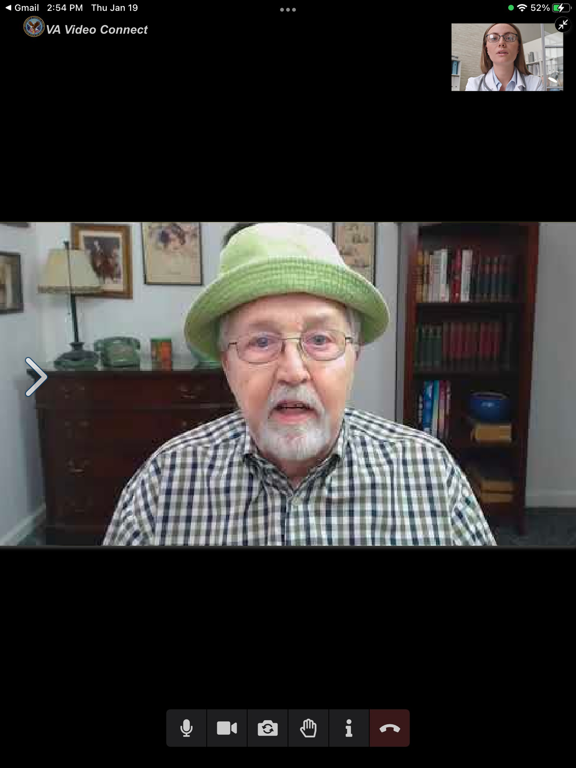
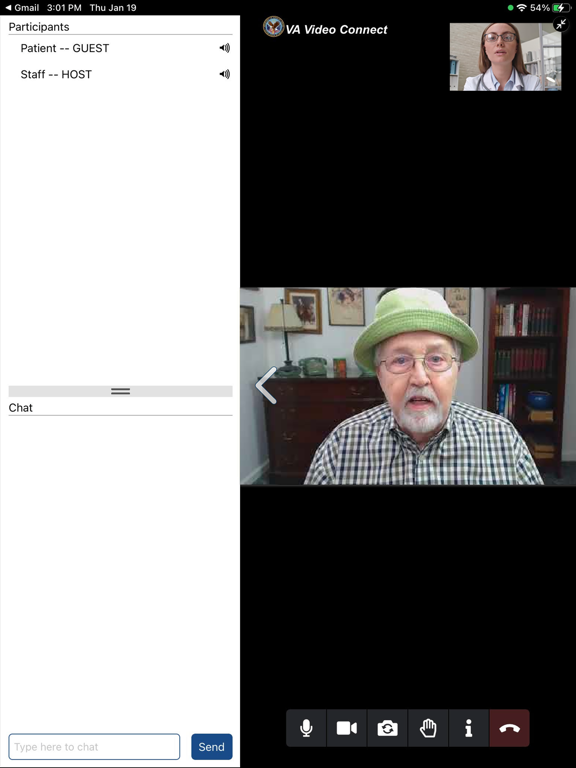
  4. VA Video Connect iPad Images

Requires camera – does not support Apple Watch.
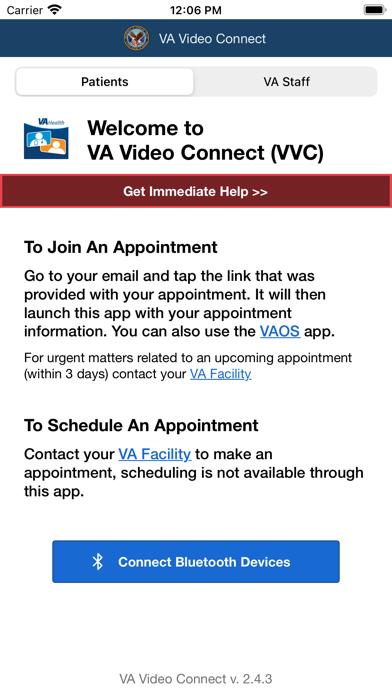
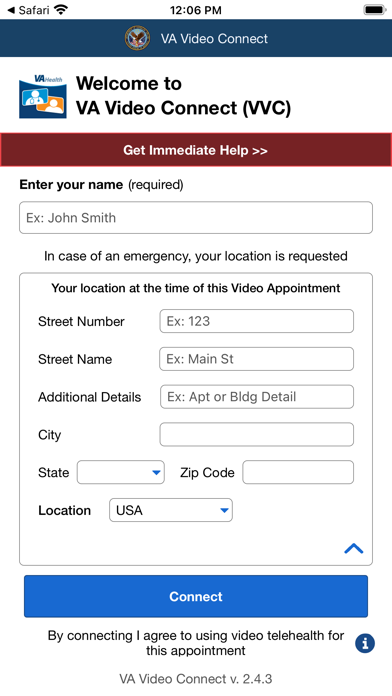
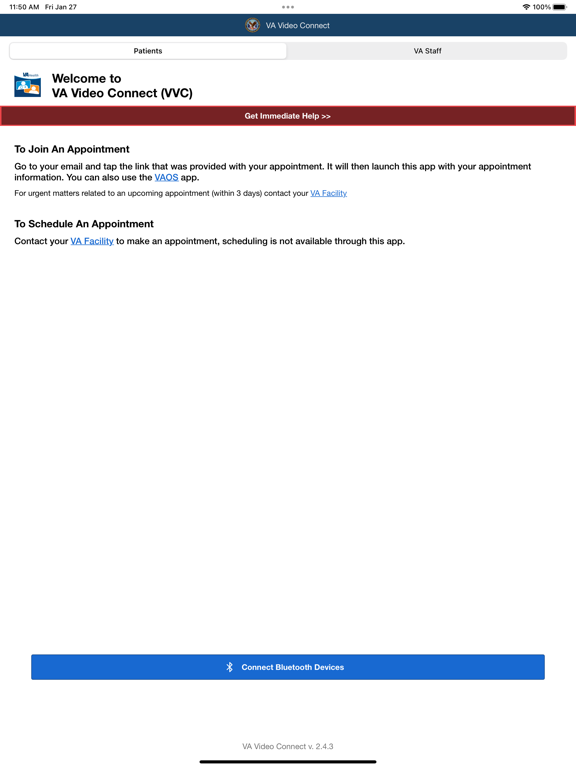
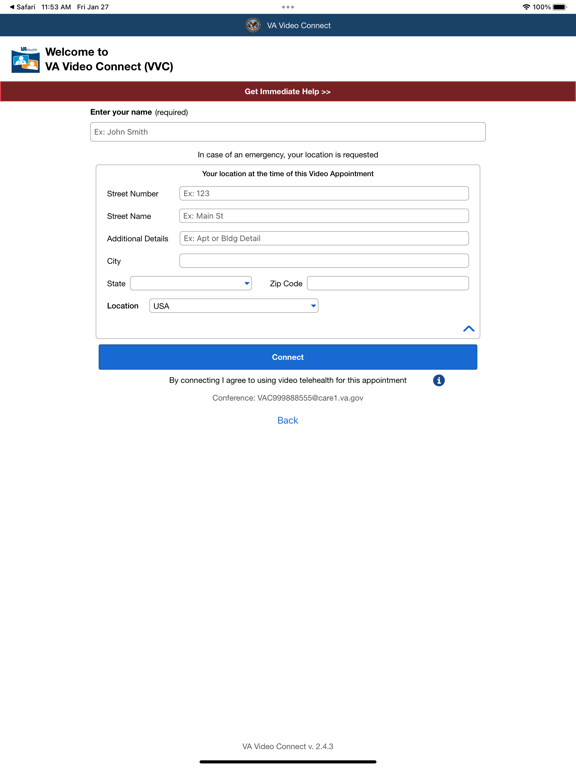
The VA Video Connect (VVC) application provides video conference services to connect Veteran patients with their VA medical providers in multiple platforms. The VVC iOS version enables Veterans and their VA healthcare provider to participate in a virtual medical appointment using Apple mobile devices (iPhone, iPad).

VA Video Connect App Comments & Reviews

VA Video Connect Positive Reviews

Needs tutorialToday was first time using it. My provider kept saying he was putting things in the chat. But there wasn't a chat window. After awhile I noticed a red circle with the number changed from 1 to 2 to 3 and recognized the number changed everytime he told me he was putting something in the chat. So I tapped the number and a skinny side window opened with words all scrunched up making them illegible. Then when the meeting ended, nothing. Just a blank window. No way to get to the information he had typed. It disappeared. The connection was fine, the audio and video worked well. It would be so very helpful if there was a tuturial explaining what the icons mean and how to get the typed chat links and info over to where I can store them outside of the meeting so I can use them..Version: 1.9.1

Quit whiningI think the VA has done an excellent job with this app. I use it on my iPad with WiFi and have had absolutely no problems at all. I did have an issue where the Doctor could not hear me so she left video on and called on the phone. After my appointment was over I realized that my volume on my iPad was all the way down. That was operator error, not a problem with the app. It is a safe and secure way to have a face to face with any doctor at the va. Is positioning of a camera that serious? I think that with everything that is going on in the world today that it is amazing how we as a “people” have adapted. At least I can see the people I am talking to. There is absolutely nothing wrong with this app. Absolute Kudos to the developers and again, thank you for sour service and or support..Version: 1.8.1

Open it with safari!The app it self is a gateway to use for video connect. Once you receive the link in your (tablet, or cellphone) you will need to click on the link says “Telehealth scheduling Service system” click on “click here now to join VA video connect visit” then as the link opens up you will want to make sure it opens up in safari not google. To do this you will have to copy the link off of your google address - copy and open safari - past the address unto safari “web address” then open the link that way it will open it up. You will have to add your name and press “connect” and make sure to allow to use microphone and video. You should be later connected with your provider. Hope this helps!.Version: 1.4

Getting BetterOver the past couple of years our VA locally has gone from simple unsecured free conference apps to using this program almost exclusively. With privacy concerns becoming more important than ever and now becoming fully compliant with HIPPA Privacy Laws I find that it is more comfortable talking about more sensitive medical concerns. This represents a giant step forward for appointments that should not be done in person. Unfortunately it is still a very poor substitute for appointments that need a physical examination and a spot on diagnosis. Most vets are not fully aware of what their different minor symptoms may mean and little issues become bigger issues very quickly. This is a good tool for informal follow up but over use will lead to bad healthcare..Version: 2.1.2

Clicking appt link in email does not launch VVC app on iPhone 14I have an iPhone 14 Pro. I have the VVC app installed. When I click on my appointment link in my email, it does not launch the VVC app as intended. Instead, it launches a mobile browser session in the Chrome app, and requests permission to access my camera and microphone, which I grant. The experience of connecting with my VA provider in the Chrome mobile browser is not a positive one. I have tried copying the appointment link from the email and pasting it into a mobile Firefox session, but this is no better than Chrome. Is there anything I can do to make it launch the VVC app when I click on the appointment link in my email — or to find out why this is not happening as intended? I am able to participate in troubleshooting this issue in a phone or video call, if you would like to connect me with a help desk technician. I myself am a healthcare IT help desk technician, so I am well versed in troubleshooting end user issues with computers, mobile phones and browsers. I look forward to hearing from your team..Version: 2.6.1

App not working in Chrome (iPhone), use SafariClicking the appointment link in my email, made it open in the Chrome web browser with a blank screen and not the app. I copied the website address in Chrome and pasted it to the Safari web browser. This caused it to open in the app. So it’s buggy as heck. Wished they fixed it or made it properly open directly from the app..Version: 2.1.2

EhIt works alright. I have an iPhone and if you don’t go through safari for the link, it won’t open the app, so always use your native browser for the link. Things are so automated now that I have only been missing the link once at the time of the appointment and all I did was call the VA to get it sent. There have been a few times where the app didn’t work at all. During those times, you just do a telephone appointment with your provider instead. The real benefit is the ability to see anyone anywhere. I’ve been using it for therapy for about two years and without this function, I would have had to take a lot of time off work to get to appointments. I also saw a therapist at one point that was 300 miles away and I would have had to wait for months for one in my area otherwise. It’s not perfect, but neither is anything else in the government sector. It’s not nearly as frustrating as people say it is..Version: 2.9.6

Works great!I have been using this app for many many years and I have seen the app become much more stable and capable as the updates and improvement have come into it. I use it several times a week for various medical and therapeutic uses with my providers and I have zero problems with it whatsoever. It does have a slightly clunky interface to it but it's not anything that is so out of normal app interface standards that it can't be understood and made to work in a perfectly acceptable fashion. So yes, it's some good. I've used it on my iPhone and on my iPad and it works just fine. I've used it on just using cellular data and on Wi-Fi, and it works just fine. And I'm grateful that VA has a tool like this to help people like me who sometimes have difficulty going out in public..Version: 2.9.6

Great serviceI have enjoyed using this feature for years now but recently have been having issues with the audio from the providers end. They can see and hear me but I am only able to see them. The audio has not been coming through the last three appointments. I have deleted and reinstalled the app to no avail. I have an upcoming appointment on the 10th of this month and would like to get it working properly. Any advice?.Version: 2.9.6

Telehealth from homeGreat app with no lag or disconnect during usage. iPhone 8Plus device used during telehealth appointment. Internet connection speed wifi used. For all users, once the provider sends you the appointment link, you must wait for the provider to create the session and establish the connection entering the online chat. Next, the veteran will be able to access telehealth with ease. Enter your name under guest information tab and you are done..Version: 1.4

IPhone issuesEvery time I try to use this app through the VA it is very hit and miss. It says my camera and microphone are blocked when they aren’t. I’ve updated my phone and I have turned it off and on again. I have also reinstalled the app I’ve even gotten in touch with tech-support to no avail. When it works it works great. But who knows when it will work..Version: 2.9.6

ConfusingThe individual sending links out should state in subject more detail information as I receive numerous VCC links by email daily. I have no clue which link is for what instructor. The user needs to be informed and probably class giving to the End User here at the VA. The app itself works well if I use my cellular network. If I use the VA network the App sound fails constantly because of bandwith issues.Version: 1.8.1

Email link doesn’t launch AppWhen I click the link in the email, it launches to Chrome and not the app. If I copy/paste the link into Safari, it asks if I want to launch in the app. I wish I could find my in the app itself without having to depend on the link launching the app. Otherwise, Video connect is great! I am thankful for it!.Version: 2.2.7

Life saverIt was hard at first but after 2 days it is like wearing a old hat. Wish I didn’t have to put all my information in every time I get on line, but audio and video works great and using video online groups have helped with my recovery. Cannot be in person so this is the next best thing..Version: 1.8.1

My preferred method of appointmentsI don't like driving so this app is a godsend.I suffer from multiple mental health issues and this makes it very easy to contact and be in contact with my providers. The reminders via email also keep me up-to-date with any changes.Version: 2.0.0

New version doesn’t work with dark modeThe interface is adequate although the delays make it very difficult to communicate with my doctor. We were talking over each other quite a bit. Initially I couldn’t see the text when inputting my name and address but tried turning dark mode off and it resolved the issue..Version: 1.6.6

Good appThis is a very good idea that VA have done with this app. I now can visit my doctor in the comfort of my home. I don’t how to drive to VA for my appointment with my provider. it’s just like I’m there with him in person. Thanks VA for this app everything went well, keep up the good work..Version: 2.4.3

Good Meeting ExperienceThis was my second time using VVC. My first meeting was done at the VA Clinic and did not keep a connection. Used the app this morning from home on my IPAD with no issues. Great video and audio. Thank you for the adjustments you have made so far..Version: 2.6.1

How to use this appDo not open the app after you installed it. Just go to your email click on the link to proceed to video medical room (vmr). Once you’ve click on that link it will ask you do you want to use va video connect app. Select open..Version: 1.3

GreatI've been using video connect for years, and it's wonderful. Except for occasional glitches, it's always worked wonderfully. I highly recommend it..Version: 2.5.1

Roy Janey 0978I was on this for 1 hour never got to talk to anyone took me a few minutes to figure out how this works as I have never did a video chat before, please reschedule this appointment for me asap. Thanks.Version: 2.6.1

OutstandingThe Video Connect has been a vital tool in my medical care. It’s very easy to get the hang of after a couple appointments. Don’t let anxiety get the best of you! It’s safe, Secure, and relaxing having your appointment in Comfort of your arm chair..Version: 1.7.6

Free International Money Transfer 💸Enjoy high maximum transfers into more than 20 currencies while saving up to 90% over local banks! The cheap, fast way to send money abroad. Free transfer up to 500 USD!AdvertorialVersion: 2.13.5


What do you think VA Video Connect ios app? Can you share your thoughts and app experiences with other peoples?

Please wait! Facebook comments loading...

VA Video Connect iPhone Images
  • VA Video Connect iPhone image 1
  • VA Video Connect iPhone image 2
VA Video Connect iPad Images
  • VA Video Connect iPad image 1
  • VA Video Connect iPad image 2
  • VA Video Connect iPad image 3
  • VA Video Connect iPad image 4