Qrayon, LLC
Noteflow+ Digital Notebook Customer Service

- Noteflow+ Digital Notebook Customer Service
- Noteflow+ Digital Notebook App Comments & Reviews (2026)
- Noteflow+ Digital Notebook iPhone Images
- Noteflow+ Digital Notebook iPad Images
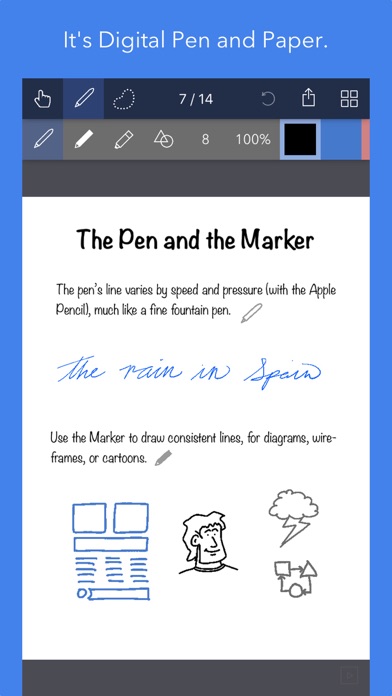
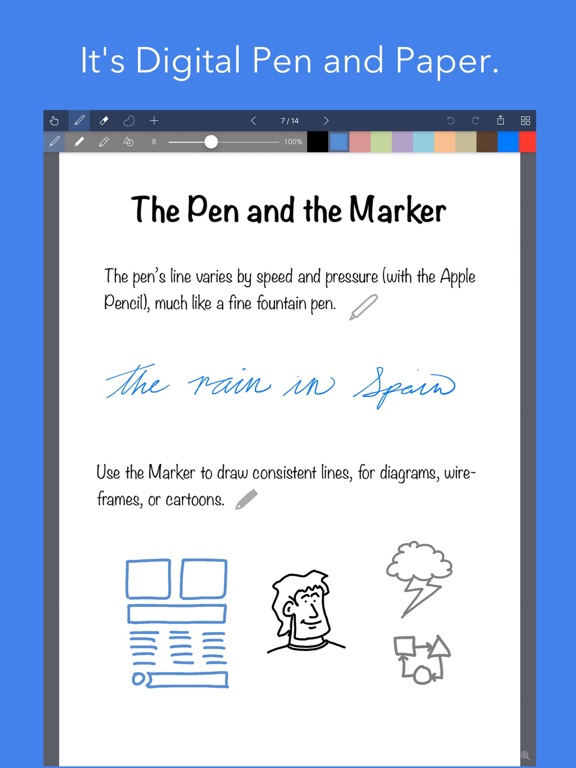
Noteflow is designed to replace pen and paper. It is a modern digital notebook that lets you get the most out of your iPad or iPhone.
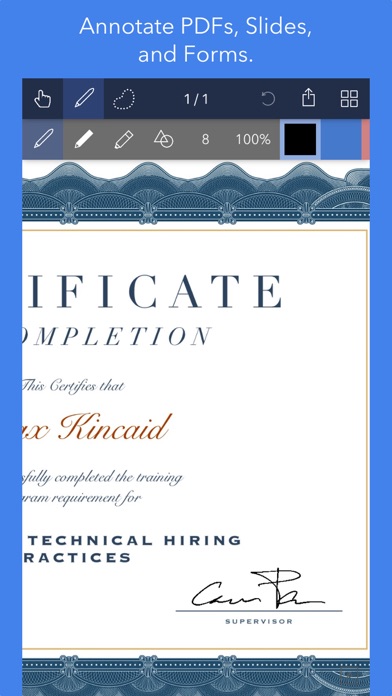
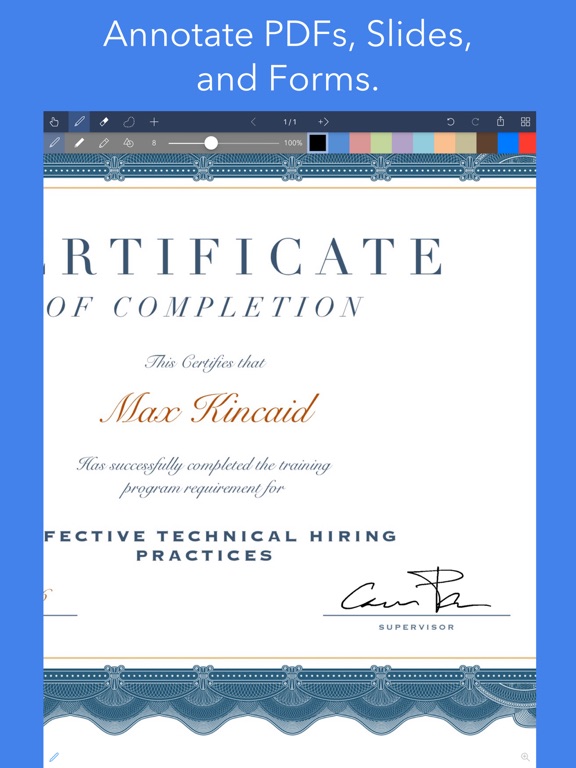
Use it for taking notes, annotating PDFs, sketching and doodling, plus a whole lot more:
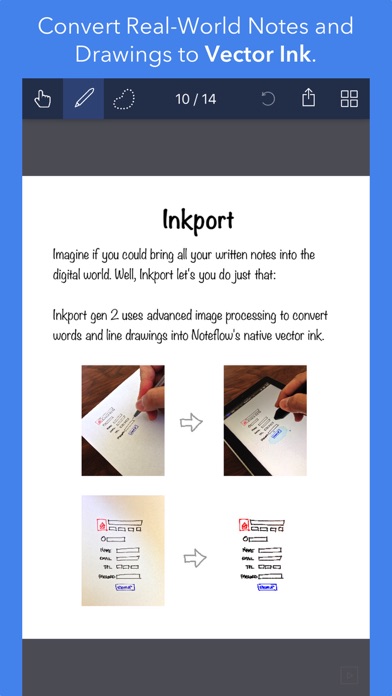
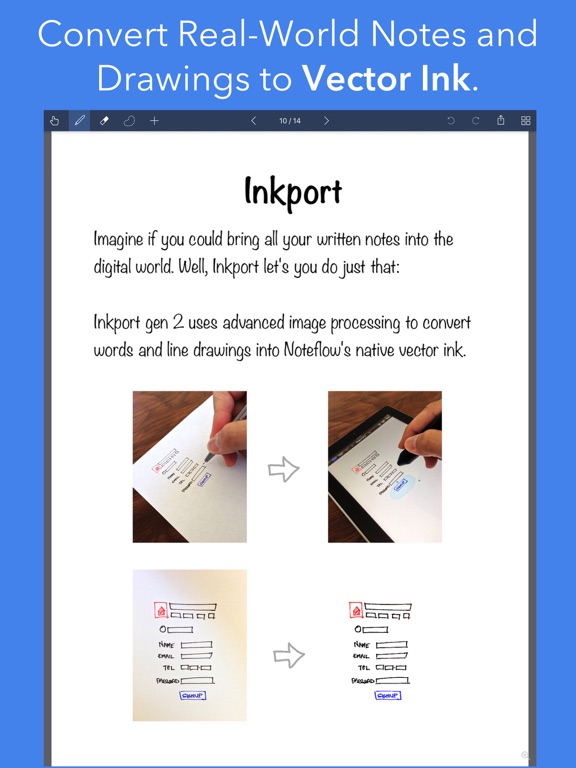
Copy and paste from the real world: Use Inkport gen 2 to snap a picture of a whiteboard or writing and convert it into Noteflow's native vector ink. No special paper needed. Then resize, re-color, or edit as if you wrote it in Noteflow.
Create layered drawings without layers: Use the highlighter tool to color and shade behind existing ink. Use Color-Select to separate and edit individual colors. It's a much more fluid and natural editing experience than with layers. Use the straight-line tool with a grid for fast and intuitive wireframes and drafting.
Drag-and-drop, cloud-storage, and more: Noteflow natively integrates with iOS's file system and drag-and-drop capabilities. Drop photos and text into Noteflow, and drag your drawings into other apps. Store your files locally or sync with the cloud service of your choice. Make Noteflow a seamless part of your workflow, the way you like.
SPACE FOR YOUR IDEAS TO ROAM
Our vision for Noteflow is simple: to be digital pen and paper.
The magic of pen and paper is in their versatility. They are useful for so many things, but particularly for the freeform capture of ideas. Noteflow expands upon this quality.
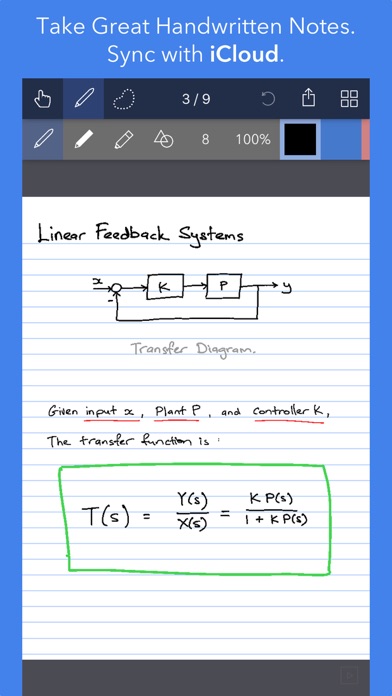
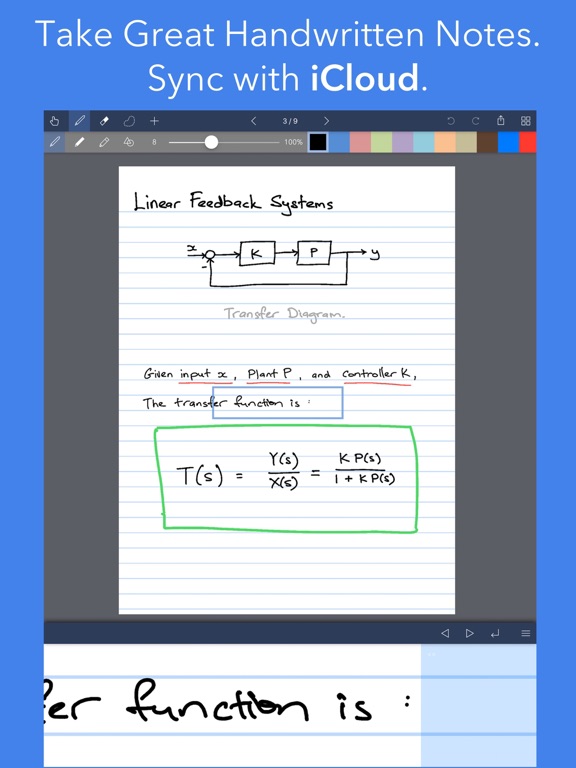
You can naturally do all the things you normally do with pen and paper: take notes in meetings or class, and jot down flashes of inspirations on the go. And you can take that to a whole new level:
One of Noteflow’s best uses is for "thinking on digital paper": quickly capture key ideas and concepts, then move and organize them on the screen.
Noteflow's vector ink engine lets you scale and edit your work without any loss of quality. Your words and drawings remain tack sharp when zoomed in, giving you a huge effective working canvas even on a single page.
There are analogues in the physical world, such as sketchnotes or everyday working on a white board, but being able to fluidly edit and move your ideas around the page is something you can only do digitally.
When you represent the ideas in your head with your own personal scribbles on the screen, it effectively becomes an extension of your mind - giving you more room to think.
We've designed every part of Noteflow to let you intuitively capture and work on your ideas the way you like. Whether it's dropping in existing information, quickly sketching concepts, or assembling polished presentations for others.
By resizing ink and zooming in, you have a huge effective canvas to work with, even on a single page.
As your ideas shape up, Noteflow has all the tools you need to tidy them up and format them to share with others.
DIGITAL TOOLS FOR A DIGITAL AGE
I hope you'll find Noteflow a useful part of your workflow, and that you'll discover new ways to do things with it that weren't easy before.
We're very proud of the work we've put into Noteflow, but we're also just seen the beginning of what's possible with powerful new digital platforms like the iPad.
Our goal is to push these platforms to their limits to craft useful tools. Tools that can help us think a little more clearly, communicate a bit more effectively, and connect with other in new and enriching ways.
Thanks for joining us on this journey!
-- The App Makers @ Qrayon.
Noteflow+ Digital Notebook App Comments & Reviews
Noteflow+ Digital Notebook Positive Reviews
Printing, what about printing??It’s all good that you want to produce a paper-less notebook, but sometimes you need to communicate with other people, or produce documents. I’m very disappointed in the printing capability. I have an excel spreadsheet I use to create a year’s worth of weekly agendas. I use this by importing it as a PDF and marking it up with an Apple Pencil. Works great in GoodNotes. It also seemed to work well enough in Noteflow+ that I purchased it. But when I try to print out a page, I have to choose between a png or jpg?? So I tried printing the whole thing, thinking I could select the page(s) in the print dialog. Painful at best... then I find when I print, the “background” of my pdf is not printed...WHY? This makes the product virtually useless. How about offering me a choice? Or better yet, add a feature that allows various ways to print. If you need some details on what stories to put in your backlog, let me know. 30 years ago we talked about the paperless office, and yet we produce more paper printouts than ever. Guys, you Really need to fix this. Also start answering your requests from your site. How about an email address? Really? Come on. Fix this and I’ll re-rate this app, until then I’m not looking at your other products which I like and I’m going back to GoodNotes..Version: 1.2
Long Time UserThis app for a long time. It is definitely time for a refresh or update. It has gotten to the point where it is not as user-friendly as it could be. I get a lot of ‘file deleted’ messages. It is an actually deleted per se, butIt does cost a lot of hassle trying to get my documents to function. There are limitations that seem like they could be conquered by now. Each page should be customizable rather than uniform stationary. When I export with graphics, there is always a graphic missing from the first page. There are just so many small glitches. I still use the app regularly but there are small time-consuming glitches that I wish I could be refreshed, corrected and just feature updates that seem long overdue. Don’t get me wrong it is definitely worth having..Version: 3.1
Good but.....This is my second app by this developer. I like the simplicity of the app. However, I would like to see some improvements made to the eraser tool. I am not able to get smooth lines/edges when erasing. I end up having to clean up edges using the background color in the pen tool. I will say that I read the previous reviews before buying the full version. The pencil only tool has been fixed (small icon in the lower left corner) and I have not seen the stray marks from my hand resting on the screen when using my Apple Pencil. So it seems this issue was fixed. Otherwise this is just what I was looking for..Version: 2.7
Great UXVery happy with the app. It’s helping me learn better. I do wish if there’s a feature to fix the location of the page when I write. My hand kept moving it. And more brushes please. And is there a read only mode where I can just swipe right and left to turn pages? I also wish I can double tap with two or three fingers to fit the page to the width of the iPad..Version: 3.1
Outstanding tool for thoughts and organizationAs one who uses their iPad as their collective life in electronic form, this app has brought a different and improved dimension in mental impressions, key to recall. Top of the mind recall is critical in my world. My impressions at this early stage are, that this app will become a primary tool for me as I develop the habit to use it. Maybe not totally perfect but my enthusiasm may be inflating my rating just a bit..Version: 3.0
Great app overall but it really NEEDS some fixesThis is a great app overall, but it desperately needs some fixes. For example... * There is no confirmation when deleting pages and no undo for deleted pages - they are gone forever if you make a mistake * There is no confirmation when deleting a file (although I was able to search around and find an accidentally deleted file in the recently deleted area of the Files app) * The app doesn't keep your place when the app re-opens (it is very annoying every time to have to find the last file used and navigate to the last page used) * On my device (a mini), the "wide lines" are still way too close. There needs to be a 'super wide' line option to have decent space for writing * App defaults to finger pointer with no option to change the default to the pen (so you can't open the app and start writing immediately) * Unlike their other app, the eraser doesn't seem to offer the option to erase specific colors (I'm NOT referring to deleting all of a specific color, which can be done). This is so disappointing! * Navigating through notebooks with many pages is a big hassle (there is no quick way to jump to a specific page or to the end - it's not a big deal on small files, but it's really difficult with 100+ page notebooks). Not many page icons are shown either (it would be better to show a whole screen of thumbnail icons so we didn't have to do so much scrolling to find the page we need) * No undo for import issues. For example, I accidentally imported a 200+ page PDF and had to delete each of the 200 pages manually since it wouldn't undo the action * To print, you have to remember to export to a pdf and then print. I think there should be an easier way to print * The icon is so dark that it looks like a grayed out app on my screen. Please add some lighter icon options so users can pick an icon that works better for their screens I had to go to their website for help, but I found their help is lacking. For example... * There is supposed to be a way to shade behind ink, but it doesn't work (it shades over everything). Perhaps this can be done, but it is not explained how to do it * It says you can rotate, but the instructions for this feature do not seem to match what is on the screen (there is no round rotation grip) * It says there is a straight-line tool, but I can't find any such tool, even though I can find the other tools * It references the 'gallery', but I can't find any way to get to the gallery (to access the app's settings). The default home screen seems to be the app's files in the Files App with no settings for this app * It references pan mode, but does not make clear what pan mode actually is * Etc. Please consider the suggestions above. If you were to fix these items, I think it would be a 5 star app..Version: 3.4
Excellent tool for artistsI use Noteflow+ to keep track of ideas and sketches for various projects. I can even add photos. So if I want to paste a picture of a glaze test tile next to a sketch, I can. If I need a fabric swatch, that can go there, too. I can track a work in progress, or take notes on techniques. It is better than any paper sketchbook I’ve ever kept.i can even add pictures I’ve drawn by hand. 😍😍😍.Version: 2.0
Very GlitchyFor a paid app, it is very glitchy to the point that it is mostly unusable. I frequently experience the app crashing suddenly, or closing the file I was working on and saying it was suddenly “deleted remotely”. It is very annoying. I love the app but I’ve had to switch to alternatives because of how often it crashes..Version: 3.2
PenI have a lot of problems with there not being a pen only function. On Cardflow there is . When I write with the pencil there are dots everywhere from my hand as well as line just kind of popping up. Seems very glitchy and annoying.Version: 2.7
Great except for one thingReally enjoy the app and its intuitive feel, however the ink engine is not quite as smooth as I’d like. Noteshelf 2 simply has the best engine for that. Really wish I could take the two because I really like how smoothly the app flows in N+.....Version: 2.4
Feeling LovedThe first version was good and carried the momentum from InkFlow Plus. The recent update made it better. Frequent updates make a big difference. Thanks Qrayon..Version: 1.2
This tool is life changing!You can literally do anything you want in it! Props to you guys for looking out for the visionaries!.Version: 2.4
Great for mixing hand writing and drawingsThis is a great app. I use it for preparing notes for my class and then creating PDFs of that..Version: 2.7
Best App For VisionariesIf your old school like me, I love pen and paper. This is it. So easy to use, so many features. Love Love Love it!.Version: 3.1
Helps you go from analog to digitalIt’s great to capture a whiteboard, digitize it with Inkport, clean it up, and share it with your colleagues..Version: 1.8
ConsistentAnother top quality note application. Thanks.Version: 1.5
Mostly reliable tool for notesThe inkport function is most unique feature of this app. there are times it crashes after capturing with inkport. recommend saving often by closing and opening the file..Version: 3.0
Very handyWorks well, I like the calendars and the auto line advance..Version: 1.5
Great app!This is The best App I have used It would be great if you also had one for Microsoft and android users!.Version: 2.7
Great but frustratingShape detection thinks everything is an oval. There’s no real way to layer. Filling a shape w color is painful. features that do exist, however are great..Version: 2.7
A bit disappointingAdds some good features to Inkflow but writing not as fluid as in Inkflow and needs palm rejection.Version: 1.1
Getting betterRecent updates were a nice addition to the app….Version: 3.2
Love the updatesGreat app(s)!.Version: 2.7
Free International Money Transfer 💸Enjoy high maximum transfers into more than 20 currencies while saving up to 90% over local banks! The cheap, fast way to send money abroad. Free transfer up to 500 USD!Version: 3.4