Snailed It Development Ltd
WhenWorks Customer Service

- WhenWorks Customer Service
- WhenWorks App Comments & Reviews (2026)
- WhenWorks iPhone Images
- WhenWorks iPad Images
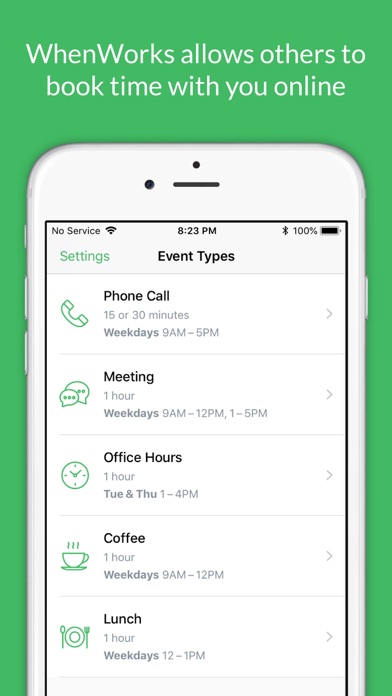
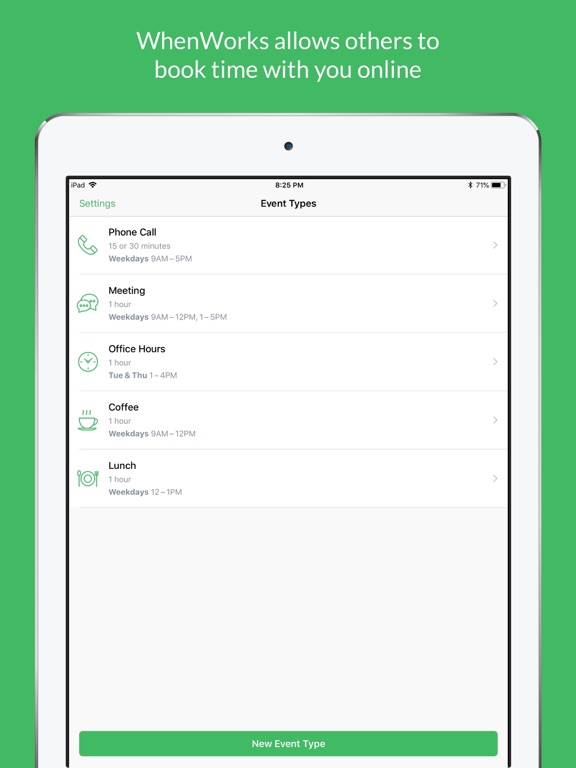
WhenWorks eliminates the hassle of scheduling meetings by allowing clients and colleagues to automatically book time with you online, only when you're free and only during the time slots you've defined.
Setup is a breeze. Just install the app on your iPhone to create your free WhenWorks account and you'll immediately have a web page where guests can book appointments with you online.
WhenWorks integrates directly with the built-in Calendar app on your iPhone, so it always knows your real-time availability and instantly updates your calendar as appointments are booked online.
WhenWorks is ideal for anyone who needs to regularly schedule appointments with clients and colleagues, including sales people, technical support and training representatives, financial advisors, attorneys, educators, personal trainers, massage therapists, hair stylists, photographers and more.
HOW IT WORKS
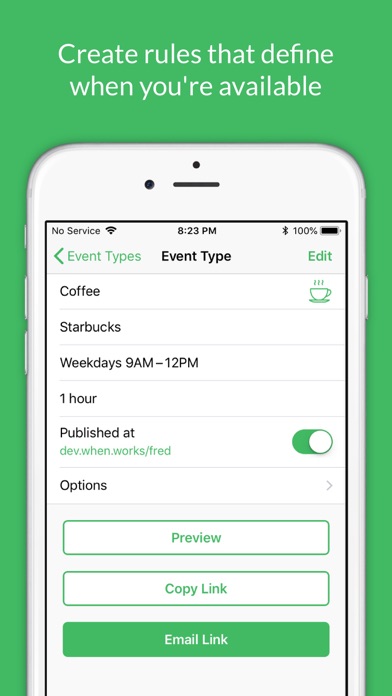
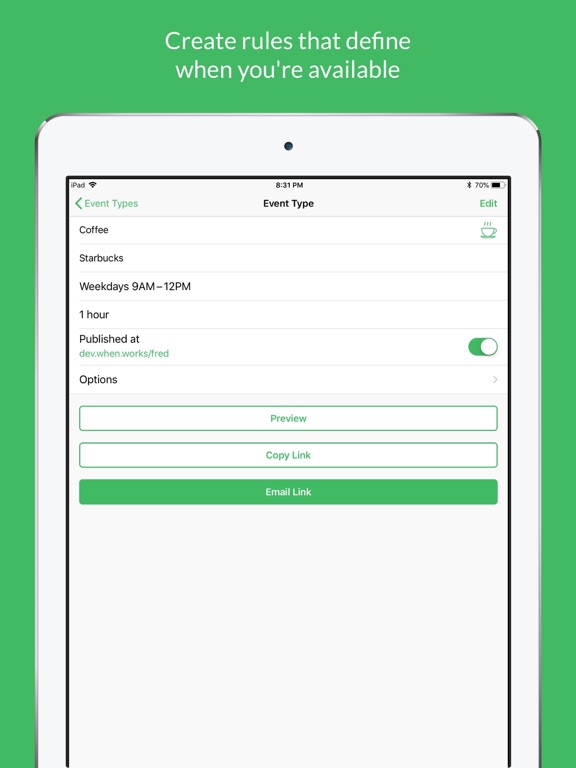
1. Create rules that define when, where and how long you're available to meet with others.
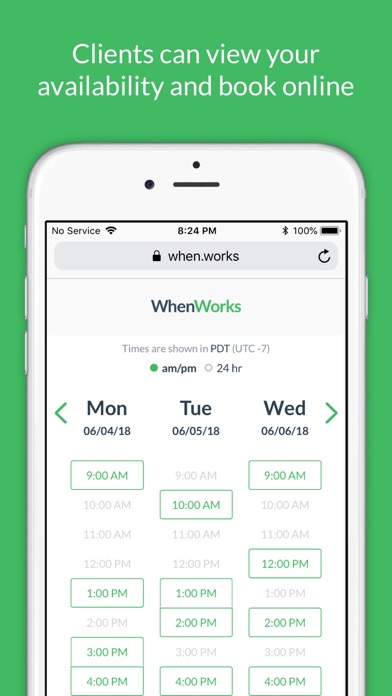
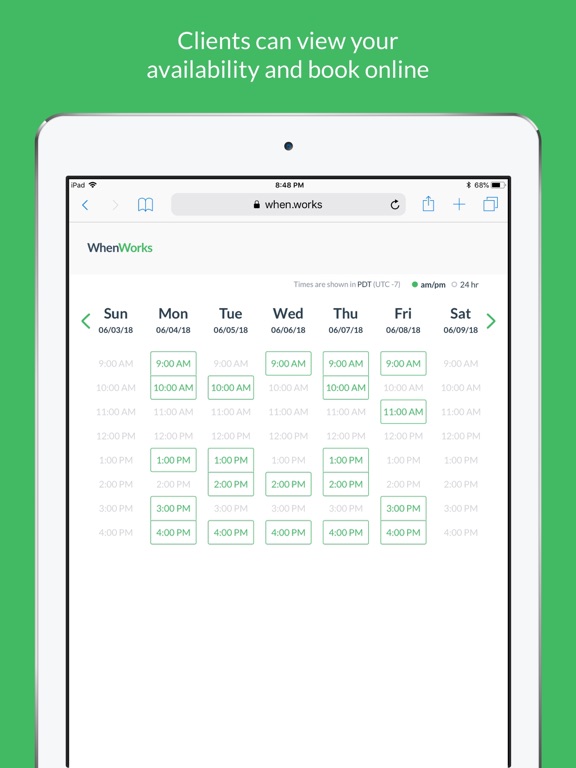
2. Share your scheduling link with clients and colleagues to view your availability and book appointments with you online.
3. When a guest books an appointment, a confirmation email is sent to you and the guest and the event is added to your calendar automatically.
FREE
The following features are provided for free in WhenWorks:
• Online Scheduling Page
• Unlimited Event Types
• Support for iCloud, Google Calendar, Office 365 and Outlook.com
• Schedule up to 5 appointments each month
PRO
You can optionally purchase a WhenWorks Pro auto-renewable subscription (monthly or yearly) which includes everything in the free plan plus the ability to:
• Schedule unlimited appointments each month
---
WHAT ARE THE SYSTEM REQUIREMENTS?
Scheduling appointments involves two parties:
• Host - a user who has created a WhenWorks account for Guests to view their availability and book appointments with them online. The Host must install the WhenWorks app on an iOS device running iOS 11 or greater.
• Guest - a user who visits the WhenWorks website to book appointments with a Host. Guests do not need the WhenWorks app. All a Guest needs is a web browser.
WHAT CALENDAR SERVICES ARE SUPPORTED?
WhenWorks supports all of the leading calendar services (iCloud, Google Calendar, Office 365 and Outlook.com) but is particularly well-suited for those who use iCloud, due to its deep integration with the built-in Calendar on iOS.
DO I HAVE TO USE APPLE CALENDAR?
No, you don’t have to use Apple Calendar as your primary calendar app. You can use any calendar app on your iOS device, including BusyCal, Calendars 5, Fantastical, Google Calendar, Outlook, Week Calendar and others.
IS MY INFORMATION SECURE?
None of the details in your calendar are published online. Only your availability, in the form of time slots, is published online.
What’s more, since WhenWorks is an app that integrates directly with the Calendar app on your iOS device, it does not require you to provide your login credentials for syncing with the calendaring services you use (iCloud, GoogleCalendar, Exchange, Outlook, etc.).
Your sensitive login information used for accessing these services is NOT used or known by WhenWorks and is therefore not collected or stored in the app or online.ailability.
PAYMENT TERMS
Prices may vary by location. Your WhenWorks Pro subscription will be charged to your credit card through your iTunes account. Your subscription will automatically renew (every month or every year, depending on the term of your subscription) unless cancelled at least 24 hours before the end of the current period. You will not be able to cancel the subscription once activated. Manage your subscriptions in iTunes Account Settings. Any unused portion of a free trial period will be forfeited when the user purchases a subscription.
Privacy Policy: https://docs.whenworks.app/company/privacy-policy
Terms of Service (EULA): https://docs.whenworks.app/company/terms-of-service
WhenWorks App Comments & Reviews
WhenWorks Positive Reviews
Very good concept and shows lots of promiseI really like format and ease of use but why limit this app to ios devices - I would like to use it on my mac - possibly by signing into a website. Question or suggested enhancement : rather than me sending an email invite to a client to schedule a phone call and then having client decide they want a meeting with me instead which makes me have to send a new email invite (this time for a meeting) is there a way to send client an invite letting the client choose among interactions: phone, meeting, etc and then have the app show available time for the type of interaction client wants. also would developer please explain the extras that come with upgrade other than number of appointments that can be made monthly - Thank you !.Version: 1.0.1
It’s got potentialI've just spent a couple of hours setting this up and playing with it. I think it has a lot of potential. I am not crazy about the two stage process you need to go through to get the calendar of availability on the webpage. I feel it should be possible to combine the calendar of availability with the timeframe requested (the second page you have to navigate through) and have it dynamically update to avoid the extra step. Or maybe someone has a better idea? I am also frustrated by the fact that the pre-booking description is the same both on the initial "book some time with ..." page and the actual activity (second) page, unless I am missing something. It seems so obvious to me that two fields should be able to contain different content that I assumed it was an oversight.... if this is by design, then this is a feature request. It would also be nice to be able to add some customized welcome text to the initial “book some time with” page above the list of activities. Some of the Interface of the app is a little strange... you can see the options of an event type, but you can't edit them without going back a page to tap edit before returning to the same page to change things? OK, whatever. For a 1.0 effort, this is pretty good. I am not yet sure if I'm going to stick with it, but it does seem to work as advertised..Version: 1.0.1
The potential is worth paying in advance for.I love this app, it’s made my life so much easier in just two weeks of using it. I’ve saved at least an hour of productivity everyday eliminating the usual back and forth to figure out a time for 15 minutes of conversation. There’s a lot of potential for the app, and I already subscribed for a year because of how quick I got a response back from their support when offering questions and feedback. For me, the best part of this application is being able to monitor availability based on multiple calendars. Used Calendly for years, and the fact they couldn’t integrate more than one calendar to track free time was absolutely frustrating. Looking forward to seeing what’s next..Version: 1.0.2
Incredible...use it with multiple calendarsI love this app because it’s the only scheduling app I have found that works with multiple calendars. I have only had one issue. If I put this app on my iPad in addition to my iPhone, it changes my default calendar from my Office365 calendar to the iCloud calendar. The fix was to delete the app on my iPad. The advantage of being able to work with multiple calendars far outweighs the bug I mentioned. This is the best scheduling app out there..Version: 1.0.4
Very convenient for my workflowIn my line of work, I am constantly scheduling meetings with various people who come to my office. WhenWorks has saved me many hours of back and forth with others to find agreeable times. I keep the options simple, and I’ve received lots of positive feedback from clients for the ease of use and efficiency in scheduling. After a few months of using it, I rely on it now..Version: 1.0.4
This saves me at least 20 minutes a dayUsually, I have to go through multiple emails of back and forth to get a meeting scheduled. Sometimes it takes days to settle ona time. This app cuts that Dow. To 1 email, and before long the meeting is in my calendar. Yes!.Version: 1.0.4
A Rare Five-Star Review From MeLove, love, love, love, LOVE this app! I love that I can actually do this in an app instead of on a website. I love the options. I love that I don’t have to grant access to my accounts. I love the mobile website that my clients use. I love the price (I upgraded to Pro)..Version: 1.0.3
Great concept - Excellent executionFinally, an appointment scheduling service that actually saves me time and seamlessly updates my availability based on multiple calendars. I have not had a single issue since I started using it..Version: 1.0.1
Happy Music TeacherThis app is gold. I can schedule with students in multiple cities and use this link as a reminder to keep my students reminded of their lessons.... just AWESOME!.Version: 1.0.4
The best scheduling appBy far the best scheduling app! User friendly, reasonable price. Please don’t go away.Version: 1.0.4
Nice appThis app is exactly what I’m looking for. but too expensive for me..Version: 1.0.2
Perfect simplicityI’m a pastor and include a link to my When.Works schedule in my email signature. My congregants have quickly taken to using this to schedule phone/Zoom calls. I love how user friendly it is for all of us..Version: 1.0.6
Simple // FantasticA fantastic and simple app. Has saved me tons of time when scheduling meetings by just forwarding a link..Version: 1.0.3
Doesn’t WorkThere aren’t enough options for limiting how far in advance clients can book (auto set to 90 days). Also, rescheduling an appt is not always an option. Not enough options for professionals. Client feedback has expressed frustration with app..Version: 1.0.4
What a time saverI love how seamlessly this integrates within iOS, and clients have been appreciating the speed in which we can organize appointments..Version: 1.0
Free International Money Transfer 💸Enjoy high maximum transfers into more than 20 currencies while saving up to 90% over local banks! The cheap, fast way to send money abroad. Free transfer up to 500 USD!Version: 1.0.9
What do you think WhenWorks ios app? Can you share your thoughts and app experiences with other peoples?
Please wait! Facebook comments loading...