Snailed It Development Ltd
Nautomate Customer Service

- Nautomate Customer Service
- Nautomate App Comments & Reviews (2026)
- Nautomate iPhone Images
- Nautomate iPad Images
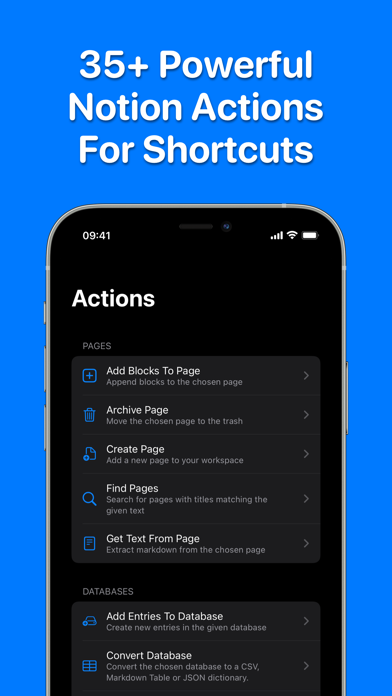
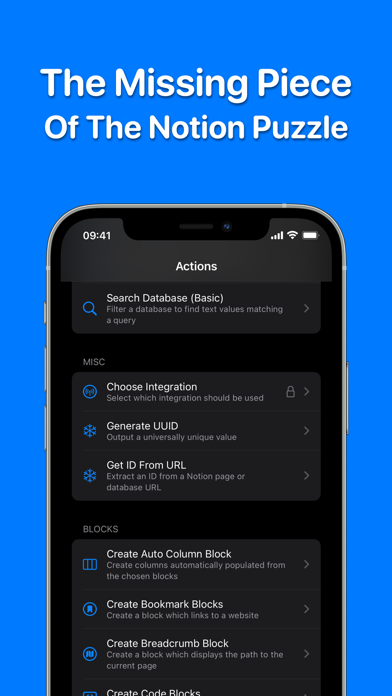
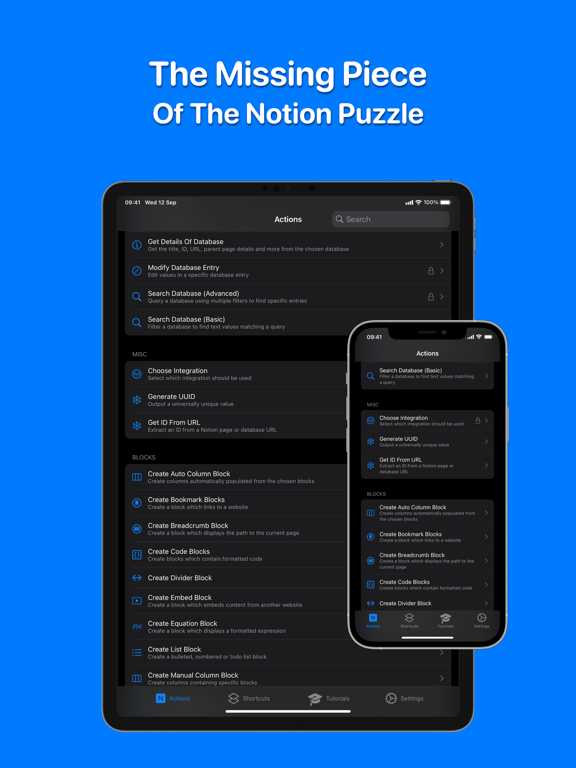
Nautomate adds 40+ native Notion actions to Shortcuts, giving you automation superpowers!
Fully automate your whole Notion world:
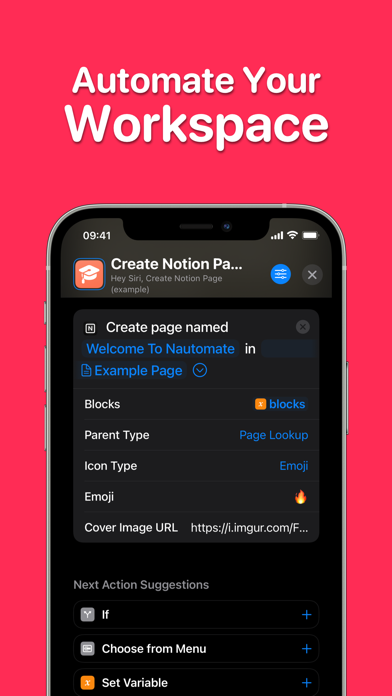
• Create pages with rich content blocks
• Create databases with custom properties
• Add to or modify values in a database
• Create powerful searches for databases
• Extract markdown from a page
• Convert a database to a CSV, Markdown Table or JSON Dictionary
• Supports connections to multiple workspaces
...and much more!
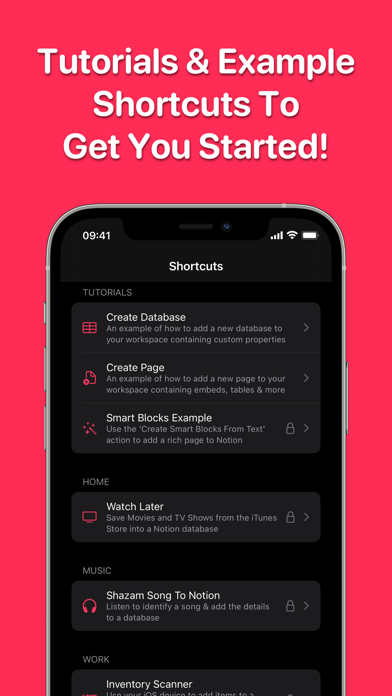
Each action includes a detailed description along with example shortcuts and tutorials to get you started.
More than half of the actions are completely FREE to use, forever.
Available on iOS, iPadOS & Mac. A single subscription unlocks everything across all devices and allows family sharing.
None of your Notion data is ever viewable by any third-parties.
---
Terms of Use: https://nautomate.app/terms
Privacy Policy: https://nautomate.app/privacy
Nautomate App Comments & Reviews
Nautomate Positive Reviews
Good app with serious potentialAfter seeing the news of the original developer’s passing, I’ve taken down the original review and it’s first update, which was critical of the developer’s attention to the app without being aware of their health situation. It came off as insensitive – my sincerest apologies and condolences. The original developer built something special here for heavy notion users who don’t have coding background but want to connect apps to their Notion pages. I still get frequent use out of this app, and once some of the lingering bugs get ironed out as well as the capabilities catch up to current Notion features, this tool will be a serious powerhouse. Thank you to the original developer, and I’m rooting for the current one(s)..Version: 1.2.4
A wonderful legacyThe developer left us all a gift and I am so grateful for this automation. Go into the app knowing that the deveoper passed away, I was expecting some things not to work. I am thoroughly impressed in what they were able to accomplish in Version 1. Using this every day! ------ New users: This requires some technical skill to set up. Following tutorials should set you on the right track, but don't leave a nasty review about not hearing back. Now you hopefully understand why. It's still better than nothing..Version: 1.2.1
The DevI have no affiliation with this app, nor did I know the dev. I have no idea what the future will hold and if someone will take over development, but the dev passed away. I can understand being upset about there not being support to an app with a subscription, but hopefully this review will stop the “The developer needs to do better” type reviews..Version: 1.1
5 stars after figuring out how to fix it not workingWhat fixed it for me was changing the “Name” column back to “Name”, I changed mine to “Title” and that’s when it didn’t work. Figured this out after a long search and comment by a YouTuber Jordan Parker. I don’t usually need support, just need a working app, and it’s just that for me! No other apps like it. So thank you!.Version: 1.1
My ‘Go To’ for Notion AutomationThe developers keep making this better and better and more solid with every update. Anytime I need a quick entry into Notion. I love making my own shortcuts and Nautomate makes this easy and fast..Version: 1.4.2
Powerful and Infinitely UsefulThis app has been rock solid for over a year of hard use..Version: 1.1
Lifetime SubscriptionI’m not sure if there is any automation that requires this app to communicate with a hosted server. If this is not the case and there are no ongoing costs beyond development I would really appreciate a lifetime subscription. I understand there was a lot of work put into this and i would like to support you as a developer but I can’t personally justify the ongoing monthly/annual cost just for communication with the notion api from shortcuts. Please introduce a reasonable lifetime purchase if feasible..Version: 1.1
Free International Money Transfer 💸Enjoy high maximum transfers into more than 20 currencies while saving up to 90% over local banks! The cheap, fast way to send money abroad. Free transfer up to 500 USD!Version: 2.0.5
What do you think Nautomate ios app? Can you share your thoughts and app experiences with other peoples?
Please wait! Facebook comments loading...