Bending Spoons Apps ApS
Alight Motion Customer Service

- Alight Motion Customer Service
- Alight Motion App Comments & Reviews (2026)
- Alight Motion iPhone Images
- Alight Motion iPad Images
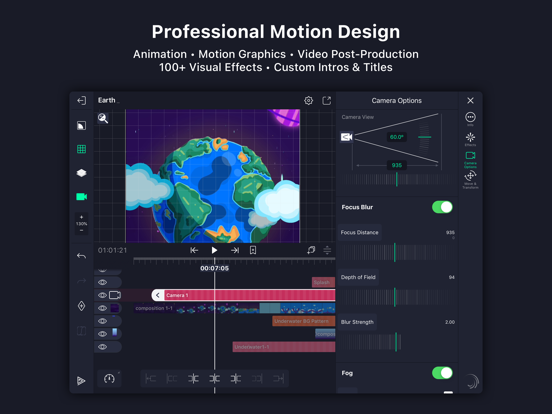
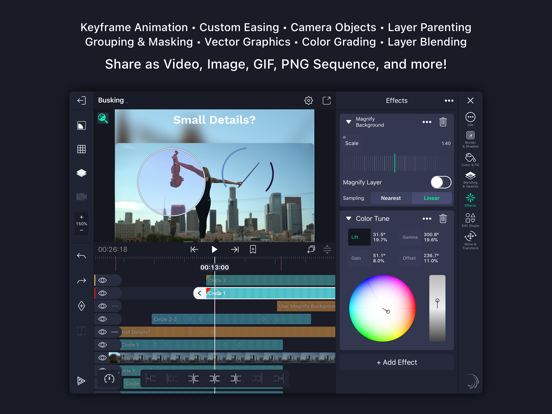
Be part of the movement! Alight Motion is the first professional motion design app for your smartphone for iPhone, iPad, and Mac, bringing you professional-quality animation, motion graphics, visual effects, video editing, video compositing, and more!
• Multiple layers of graphics, video, and audio
• Vector and bitmap support (edit vector graphics right on your phone!)
• 160+ basic effect building blocks that can be combined to create sophisticated visual effects
• Keyframe animation available for all settings
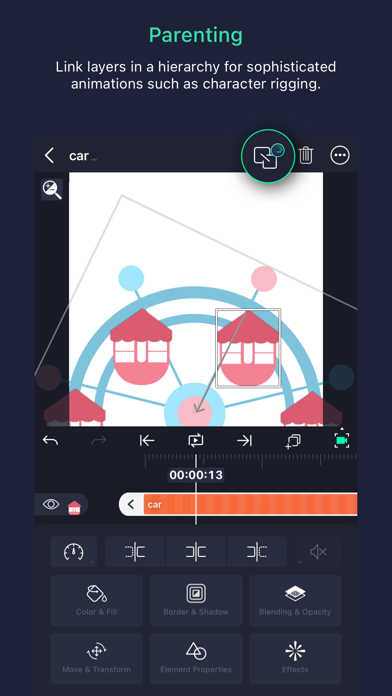
• Link parent and child layers and rig character joints
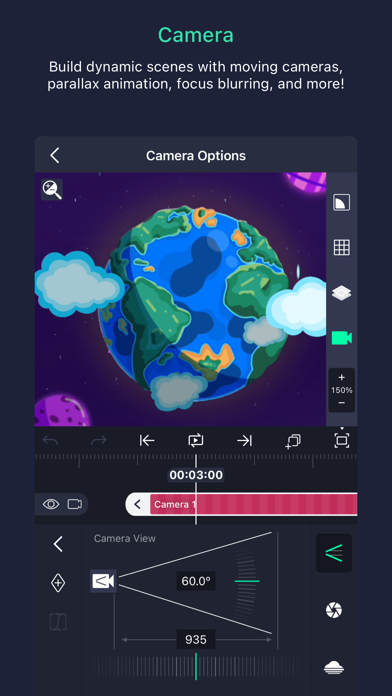
• Cameras that pan, zoom, and support focus blur and fog
• Grouping and Masking
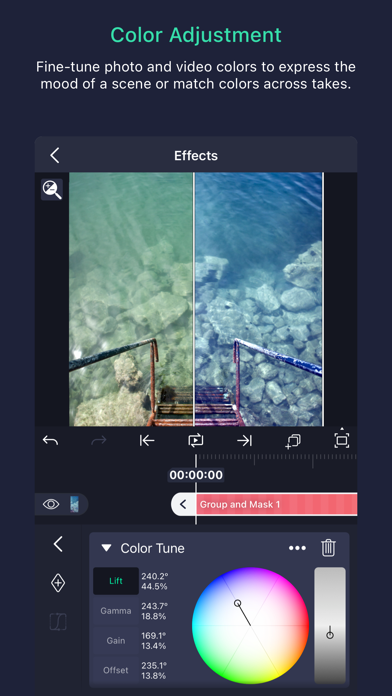
• Color Adjustment
• Animation easing for more fluid motion: Pick from presets or build your own timing curves
• Bookmarks for ease of editing
• Velocity-based motion blur
• Export MP4 video, GIF animation, PNG sequences, and stills
• Share project packages with others
• Solid color and gradient fill effects
• Border, shadow, and stroke effects
• Custom font support
• Copy and paste entire layers or just their style
• Save your favorite elements for easy re-use in future projects
Alight Motion is free to use with basic features and a watermark on videos you create. There are several paid membership options in the app to remove the watermark and access a regularly updated library of premium effects and features. These subscription membership options are charged when you select to purchase them, and renew automatically unless canceled at least 24 hours prior to the beginning of the next subscription period. After purchasing, subscriptions can be managed in your Apple ID settings. You can find more information about subscriptions at https://alightcreative.com/support
Terms of Service: alightcreative.com/tos
Privacy Policy: alightcreative.com/privacy
Alight Motion App Comments & Reviews
Alight Motion Positive Reviews
Lags and freezesIn all honesty, I love this app wholeheartedly! I’ve been using it for years, I’ve gotten the subscription and I haven’t been able to find anything else like it on a mobile device! My only issue however, is the massive amount of lagging, crashing and freezes that happens. After a few years of having the app on the same device, it started to run slower and slower until eventually it would just crash every time, I tried reopening the app, clearing storage (which wasn’t an issue in the first place), restarting my device, everything I could think of! Eventually I simply deleted and reinstalled the app, and for about half a month, that was working out well, and I thought it would take a while at the most until this issue arises again, but after about a week of not using the app, the same lagging, freezing and crashing started up again, even though my device storage is clear, and I haven’t made many projects on the app yet. I don’t know why this has been happening, but I can’t find many solutions aside from deleting and reinstalling the app around once or twice a month, which one could imagine, is a very tedious process. I love this app very much, but the crashing and lagging issues make it really hard to progressively use the app when I have to not only get rid of all my data on there, but also to do it so often that I can’t be comfortable using the app on a regular, whatever this issue is, I hope it becomes resolved, thank you for reading ^^.Version: 5.0.0
Alight Motion Fills Me With RageAh, Alight Motion. It has a nice layout, clean transitions, good motion blur, and is easy to use— you’ve spent multiple days working on two different edits, both of which you were very excited about sharing with social media. Your edits have smooth transitions and cute voiceovers from your idols and favorite characters. Everything is on beat because of the time spent making it such way, and you are enjoying your day when suddenly— BAM! There is an odd loading screen that has popped up and it glitches you out of the app while you’re editing. You frantically open the app again to make sure your most recent changes were saved and... Oh, would you look at that? All of your edits have been deleted. Now you don’t know what to do because even if you could collect the rare motivation to edit, your edit wouldn’t be safe in the hands of this app. Not only this, but you have no where to turn because you only know how to use Alight Motion and spent a long time watching tutorials where nothing went wrong. Alight Motion gets everything an editing app should have right— except for the fact that it may just decide one day to delete all of your progress. I would continue to use Alight Motion if it weren’t for the overwhelming fear of my work being deleted and lost forever. I’ve had malfunctions in editing apps before but this is worse than any other, especially considering that in all other cases of my edits being deleted, I clicked something or made a mistake by myself..Version: 3.5.3
Great but somehow got worseI’ve been using alight for 2 and a half years, and before that i would somewhat make an edit here and there in alight so I’m not just saying this happened all in one update but over time. I love the new effects they add, it’s really nice and allows me to be more creative!! However, its gotten incredibly more laggy over time. It wasn’t as bad back then, add too many layers itd be a problem but now it gets laggy over little things like any of the blurs and if I’m going to be honest, if I overlap keyframes, it also becames laggy. Sometimes it doesnt render my edit correctly and has it lag the clip itself however it’s only happened on my ipad so maybe that’s not Alight’s fault. Another thing that I’m pretty sure was actually in an update was the way overlays/colouring looks and acts different than before. It doesn’t make it look “bad” but I had a set colouring routine for a whole year and it always stayed the same because it did the job and fit what I wanted the edit to look like. But in April 2021 when I tried to use the same colouring, it was very different, more saturated, less transparent and it felt like the settings were completely different. I can recreate something similar to what it used to be but it’s never the same and I personally wish they kept the colouring and overlay settings to work the same as before. I’m unaware if any other users feel the same as me so maybe it’s just me. Now while I’ve been talking negatively, I really do love Alight and have been an original user since the demo ages. There’s more good than bad, I just felt like addressing what’s been bothering me the most..Version: 4.0.2
Exceptional!Alight motion is a great editing software! despite people saying that they find it difficult to even start something on the app because of how complicated its layout looks compared to their usual editing app (e.g. capcut, blurrr, or vsp), its actually very easy if you follow tutorials and get used to it. ive been using alight motion for maybe a year or two and so far? its great. although it is very laggy and crashes whenever i edit no matter how simple it is, the outcome is always what i expect it to be. theres also a lot of ads, but im used to it by now. for you editors considering to use this app, i advise you to PLEASE follow tutorials instead of downloading presets and xml files. following tutorials lets you get used to the layout, effects, tools, and just everything in general, while only using presets and xml files from other editors come with you not learning ANYTHING. if you want to get used to the app and learn how to create things yourself instead of being a lazy bum and using others premade effects, then learn by the tutorials other alight motion editors create for YOU guys. no, im not saying that using presets and xml files are nevessarily bad—im saying that if you depend on it too much, you wont learn anything. aside from that, this is a great editing app for people on mobile and i highly recommend it if you cant afford vsp or ae! (i hate capcut dont keep using it).Version: 6.2.48
A few problems, otherwise goodHi Alight Motion! I enjoy using your app even though I only use it for the video movements. Although, I have a few concerns. One thing is that it constantly gives me ads. For example, when I click to like projects and then I create it, I get an ad as soon as I do. Another thing that bugs me is when I have to watch an ad to export, when I finish watching the ad and I press go to press save, it gives me another ad again! Very frustrating. And ANOTHER thing that is awful is the constant lagging and inability to load. My WiFi is always at full bars and my device is an iPad Pro 4th generation with plenty of storage, so there’s no reason for your app to have such difficulty. After watching the ridiculous amount of ads, your app constantly tries to offer me to pay $7.99 A WEEK just to get no ads, export freely, etc. It’s not necessary to charge people that much per week, it would be more understandable is you put it to a month, for example. You should have the option like “don’t ask again” like other Apple apps do. Last thing I was dissatisfied about is when you removed the feature to watch an ad to remove your obnoxious water mark. I understand you have to make money for your app, but there’s plenty of other ways to! I’m probably better off switching to CapCut, since they added better features to their app for free. Otherwise, your app is good. Thanks for reading -Margaret.Version: 6.2.19
Good but too many glitchesIt’s a good app it’s better from my experience from CapCut with the good effects locked behind a cash grabbing system but most importantly is the glitches it crashes mostly ever single time a add multiple effects on one clip and try to copy and paste. Then when I started editing on alight motion it worked perfectly fine but then I started making edits and now there is a glitches that I have where I try to adjust the volume on my clips so I can here them in the edit, but now it don’t work anymore and now I’m contemplating on whether or not to switch back to CapCut because EVERY SINGLE TIME I TRY TO CHANGE THE VOLUME IT STAYS AT 100 AND I TRIED FIXING IT BY RESTARTING THE APP, DELETING THE AUDIO AND REPLACING IT AND TRY TO PLACE KEYFRAMES ON WHERE I WANT TO CHANGE THE VOLUME BUT IT CLEARLY DOESN’T WORK and it drains your battery life badly like when you’re using vector drawing which has some problems too but yea, it drains your battery it’s glitchy and you have to learn more about the app then CapCut, which is a more friendly editing app. Now to my offense I’ve just started editing on alight motion for about a month now and I’m still learning how things move around but idk maybe it will get better or not. Oh and check out my TikTok edits will you, I need help getting engagement on my videos..Version: 6.2.53
It’s a good app kindaThe apps not bad but like the free version you can do a lot of stuff with it and you can make some pretty cool edits but now when the update came most of the stuff like the effects or all you had to have premium like a membership so I had this edit I made and I didn’t get the Membership yet I was planning on getting it but not anytime soon so my edits were all based on free affects so I made the saber effect for one of my edits but now I can’t export the edit because it’s changed to membership so I’m not able to download it to my photos because I’m broke and sometimes the thing like glitches a lot and it just closes you out of the app which is pretty annoying every time I make a long edit it’s always closing me out of the app and the fact that I use are like the wave ones the way the facts and like all of them are for memberships so I can’t I are used to use that affect all the time but now I can’t use it anymore because the membership and stuff not saying that should be like there should be no membership because the app itself and going on like the free you can make some pretty cool edits with it which is why I gave it like four stars so that’s not bad but like now the times all the effect are all for membership and I don’t have that 😗✌️.Version: 3.6.2
Great Editing Software but still VERY BUGGY and NO TIME REMAPSince 2020 i've been using Alight Motion and I've enjoyed editing all my videos on here. However, the software is still very vulnerable when it comes to minor crashes and glitches. This app becomes UNUSABLE when below 25 percent, while the phone is charging, and if the phone is at medium/high temperature. Another slight nitpick that I have with this app is that the IOS version is the ONLY version does NOT have an option for time remapping. I was excited when I was informed the 5.0 update would have an option for time remapping, only to have the excitement shattered to see that it was only on Andriod and NOT IOS. I've been waiting ever since. PLEASE release the time remapping function for IOS, even if it's just an option for Premium users. Adding a time remapping function for IOS would save all users so much more time when editing their projects and would drive users to the app instead of pushing them away. Other than those two personal nitpicks, I love this app and would recommend many video editors to invest some time into this app especially if they want to learn the fundamentals that are in other higher-end/higher priced VFX editing softwares such as After Effects and Davinci Resolve!.Version: 6.2.10
Awesome app, although lates version is almost unusable..Iv used alight motion for around 2-3 years now to make motion graphics, and help with tweeting for my animations on my iPad. Iv loved how simple and easy it is to use, and how you can create some really impressive edits and motion graphics if you take time to learn the program! From an artist standpoint I love using alight motion as an alternative to after effects and premiere pro, as both are very expensive and difficult to learn. But alright motion gives about the same results for a LOT cheaper! I recommend it for anyone looking to get into motion graphics, tweeting, or editing! As I said before I used alight motion on my iPad, and in the most recent update ( 4.2.5 ) it’s is practically unusable! The app crashes after a curtain time period ( it’s the same every time ) the effects menus don’t flip for they iPad display, and the new mechanics added to the motion blur effect are seemingly broken.. they don’t work when they are needed and do when they arnt.. if you could please patch this soon as I’d like to get back to editing! Thank you so much! Edit (oct 8th 2024) Idk if it’s my iPad or something but I can’t export anything.. it keeps crashing, even adjusting the export settings dose not do very much.Version: 6.2.8
My go-to app for edits <3 / edit: not the best anymore...Alight motion, if you’re reading this I have one suggestion that I make at the end of this review, so please keep reading! I started using this app because I wanted to start making edits! I saw many editors use video star but it’s just so confusing and I can’t even make a smooth transition that I didn’t pay for. I never heard of this app but I tried it and I love it! It’s really smooth, it has keyframes (my favorite features) and there are many effects that you can actually get for free! There are a couple requests I would like to make for certain effects I would really like to try but overall I enjoy this app. I have read every single one of the other review and even though a lot of people are complaining about glitches and bugs I don’t really have a problem with it. Apart from occasional lagging it’s really fine by me. In the end it always turns out smooth! I’m definitely planning on buying the premium version for Christmas so I can use better effects. I do have on problem about this app which is the watermark on each video. I completely understand if you want to show someone using your app but I think the watermark style is a little bit weird compared to the previous watermark style (it looked prettier). So I’m just saying if you want to keep a watermark at least make it pretty! Edit: I do like this app but recently when I have started more complicated edits it’s lagging way more. Now I have an edit I just made and it will not upload into a video that I can show! I’m very sad about this :c I made the review 3/5 stars, sorry..Version: 3.5.3
Issues!Ok so I really love this app. It made editing easier and its really a good editing app. It’s not for beginners but for intermediate or advance editors. The one thing I do note is that, when u create a account, lose your files, your files won’t be saved. By files, I mean projects. I wish that when you create you account, and the app have all your projects and such, you projects wouldn’t be deleted after you delete the app because your account is still active if yk what I mean (sorry I’m bad at explaining), also, there’s this issue where everytime I’m in the app for like 30 seconds to 1 minute, the app crashed and it exit me out of the app everytime so it gets hard editing because I wouldn’t be able to do stuff because of the consistent crashing and exiting out the app. I do hope you find a solution or maybe it’s just my phone, I don’t know. And lastly, the premium purchase, 5 dollars a week is a bit too much for me. Like I wish it was atleast 5 dollars a month because I, as a high school student, can’t really use the full potential of the app because of the weekly subscription and having to pay weekly. I would love it if it was once a month. Anyways that’s all my concerns, thank you!.Version: 4.4.7
Truly an amazing app! Couple things though.This is honestly one of the best apps I’ve had for animating, if not the best! I love the dynamics, and though it seems intimidating and challenging at first, once you watch a tutorial or two you know the whole platform! This works wonders when you need to tween, and though it’s not my favorite for editing (purely because I have other apps, not a fault with the app itself) it’s amazing for animation. One little problem that I don’t particularly like is the price of the subscription however. I was there before the update, and I actually quite enjoyed it then, I was thinking of buying it. But that much a week is a little expensive on my end, especially as a middle schooler who uses the app for fun. I would understand if you had a subscription, but for the features taken away like certain filters and features and the amount of screen space taken from the watermark is a little excessive. I understand the team works very hard on the app and I appreciate the effort they put in, it’s just a little upsetting that the people like me who can’t afford the subscription can’t use the app to the full extent. Thank you anyways though!.Version: 4.5.5
Love it 100%. HoweverI love alight motion! It great for editing, animating, and I just love everything about it. It’s makes my animations better and it’s simple to use (well for me). However, the problem is that there would be weird stuff going on. Like for one, it would show all my photo and I would be fine, but then all of a sudden, the photos disappear. Even when I allow it to use all photos, it wouldn’t appear. I had to delete and reinstall the app again for this to work again. I’m not particularly happy about this because all the projects I had in there are now gone and the data is, well of course, gone. The next thing is that it would just randomly crash and take me back to my Home Screen. I had this problem many times before and it’s really annoying because I had to delete it again (and I just deleted it , the two situations happened within an hour of each other). I was completely confused because before these problems alight motion was perfect (little problems here and there but it’s not crucial). I’m not sure if it’s a bug or some other thing causing this but I don’t know how to fix it..Version: 3.6.2
Is everything this companies does just for moneyGenuinely no monthly plan is absolutely absurd. I as a person with other things in life to worry about has to either pay 5 dollars or 8 dollars a week for a mobile service? not to mention 30 dollars or 80 dollars a year for this application I need no research to understand that this truly is not worth the price id rather learn an entirely different application to approach a hobby of mines. Then you as a company know your losing users like why must you be so parasitical on your own users like really must of your users are kids what kid is gonna to casually be able to ask the parents or guardians or anybody for that matter for a constant stream of 8 dollars a week no subscription should exceed 8 dollars a month. I am also an old user of this app coming back with only great intentions and this was a terrible welcoming your app to this day crashes on very minimum projects, the intrusive alight motion sign if you don't pay for some absurdly priced subscription will always hunt you, reasonably you don't get as many options as much as premium users. The old alight motion never called for the intrusive display nor the idea of no month fee what genuinely happen, once a great app now a cash grab?.Version: 6.2.6
It’s not great, but not badI often reach issues of the audio going silent,with me having to restart playing the edit from the beginning or some random point. Furthermore, there aren’t any fixes, tricks, or anything i could find to fix it (though this is likely just a problem of me getting another device for this), it doesn't mean it’s not a problem. Alight frequently crashes, lags, and freezes with no light at the end of the tunnel in updates to fix it. There are many features gate kept by them requiring a “premium” subscription fee to reach its “full potential”, although some people like me can watch ads to unlock these features which is great. But it shouldn't even be a problem in the first place as gate keeping shouldn't be a part of communities (whilst i understand they need money, doesnt mean I need to like the fact). To edit greatly you need effects, many moving parts, and layers which alight can’t even handle sometimes in a 30 second edit for me (and I have a high budget). In conclusion it needs to face it’s problems with lag/crashes, bugs/freezes, gate keeping issues, and more to improve. All this isn’t to say it’s bad, but to just show people issues they may find along the way..Version: 6.2.2
Problems With LoadingI’ve seen this app everywhere. I started out with Video Star, and wanted to get into Alight Motion. I got the app, and editing with this app was really easy! I loved it and I kept editing. But every time I would go to import, it wouldn’t let me. It would be stuck on the loading screen. So I had to screen record so that I could show it to my friends. Earlier this week, I decided that I would buy the Premium Pass. I went to my profile, and it showed the “Premium Options” (or whatever it says). I went to click on it, and, it went away, with a loading screen. I waited, and it never came. I logged out, logged back in, and it didn’t work. So I decided to go into a project, go to a premium effect, and press the “Premium Option” feature. Again, it got stuck in a loading screen. So I tried again. It didn’t show a loading screen this time! But, sadly, it would not let me click anything. I kept pressing continue, I tried seeing if it would switch to monthly if I clicked it, but no use. I really love this app and would love to support you guys with the premium membership!.Version: 3.3
All is great except...I love this app, and would 100% recommend to anyone considering it, but lately I’ve been having some issues. I’m having problems with my cursor and elements. It’s been happening for a while, but it’s just now starting to get on my nerves. I have my “show cursor” settings on, and it was fine at first, but now it will stamp itself in place on my screen and stay there until I close out the app. It’s hard for me to explain, but imagine having two cursors on your screen. There is one that is stuck in place, and the other one that is fine and showing your taps (like it should) Second, after the latest update, I’ve been having issues with my element’s text. When you have an element that mainly consists of text, it will let you do a simple text edit when brought into a project. My issue is that when I add an element (with the simple text edit) into my project, make the changes I want, and exit out of the project, it doesn't save. When I go back in the project, the element text is set back to its default. It’s hard for me to explain, but I hope that these things can be fixed soon!!!!.Version: 3.5.2
Access Premium FeaturesI recently just downloaded the app and so far, it seems like an awesome editing app for the iPad. My gripe with this app is that I can’t access certain features because you have to pay a monthly or yearly membership, and I don’t have any money in my account. I just wish there was a way for us to access the premium features with out paying the membership for a certain amount of time like having a lifetime payment, or even watching a 30 second ad (just like ibisPaint). Some people have said the before the update, everyone was able to access all the features before the update came, where the membership was now required and many people have complained about the situation. There was also an event that had all the features on this app to be used by those who didn’t pay the membership that I missed. So, that’s why I’m putting a 4-star review. I wish there was a way we can access the premium features for a certain amount of time or just pay for it for one time. Hope you guys are okay with the review.Version: 4.0.2
I Love This App But it’s Letting Me DownI love this app, ive been using it for a couple years and i’ve started to rely on it just for normalcy in my life. But when I go to export projects every once in a while they won’t export saying it failed. So I lose all my hard work and I can’t save it or watch it or any of that stuff. And it just hurts me every single time because there’s nothing I can do. Lately it’s gotten incredibly easier for my app to lag when scrolling through my project. I used to be able to hold over 100 projects on my phone without a problem and without the storage on it in my phone to exceed 30 GB, now I can’t seem to get it below 50 with only less than 30 projects on my app. The graphs for transitions are never smooth anymore which graphs are supposed to help with. And certain effects are hard to use, like the mosaic effect which shifts the layer so if you tried to make a transition with it, it wouldn’t match and is useless to use. I love this app, it’s one of the only editing apps i’m able to do so much with without paying, but it’s just gone incredibly downhill and my experience has worsened overtime and looks like it will never get better..Version: 4.3.5
Please alight motionHey alight motion. I'm rating you guys 3 stars because i'm SICK and TIRED of waiting EVERY DAY for an update. ITS BEEN A YEAR SINCE YOU ADDED NEW EFFECTS. 15 months since 5.0 released. I understand it's hard to run an editing app and stuff and that adding new effects can be difficult, but i have a suggestion! PLEASE, PLEASE, PLEASE, PLEASEEEEEE ADD REVERSE. i've never needed and wanted something so bad. I desperately need you guys to add a reverse effect because i'm tired of exporting a single clip and adding it into a different editing software just to reverse it. Your app is amazing and i've been using it for over a year, so this would be extremely helpful! I'm not the only person who thinks this because i've seen many people complain about the same thing over on tiktok. Other people ask for smoother slow-mo, but I don't care. I can live with pre-made twixtor for all I care. I BEG OF YOU. Pretty please with a cherry on top add reverse. I need a new update desperately. At least 3 times a week, I check the app store to see if you guys have added a new update. The day i see the word "update" instead of "open" is the day i can finally be happy. I'm a pro-user. I bought pro. I need this..Version: 6.2.6
I love it but it has an unusual glitch.I love alight motion. I think it’s one of the best apps for editing. It has a lot of effects that other editing apps don’t have so that brought my attention. I’ve been using alight for almost a year and the past glitches didn’t affect my edits until the one I have now, on my iPhone 7. I got this glitch recently about maybe a week ago. The glitch disabled my use of photo or videos. It looked as if I didn’t have any photos or videos. At first I thought I had accidentally disabled it in the settings, but i checked and it was still on “Read and Write.” I disabled it then enabled it again to see if it was a small glitch. Turns out, that didn’t work either. I tried deleting and reinstalling the app but all that did was delete all of my projects and stop my membership. No worries on the membership though, I can handle that. The last thing I tried was making a new account but it still showed that I had no photos nor videos. I hope this glitch gets fixed soon..Version: 3.3
I would like for Alight Motion to add a few things.I would very much recommend this app to lots of people if they are a beginner or not good at animating in other different apps. Although, Alight Motion needs more things and something to help the newer player base understand better with animating gacha(Life), (Life2), (Studio),(Club), Roblox, or drawing animations. Keep in mind, there is no replace, move layer up or down to another, or a duplicate option. Which there is none, and it makes me upset because I sometimes make a wrong layer, forget things that are supposed to be on a different layer, and I might want to duplicate a layer in case I want to repeat it instead of making it from scratch more times. There MIGHT be an option for those, but if so, they are not in plain sight. Also, I’d link some animation tutorials for roblox,drawing,and any version of gacha inside the app for others. Also, I am a YouTuber who enjoys this app VERY MUCH. But those sort of bug me. I love the app, and overall, I would give 5 if some of those options existed, and that it is very useful! -ST4RP0PZZZ OUTTT!.Version: 6.2.53
SuggestionsI need Am is lacking a proper masking tool. I haven't used vector drawing in 2 years and nowadays I just pay the monthly plan for Blurrr app and mask my things, photos and videos alike in under 3 minutes. Another feature I think we need is puppet tool, would be really convenient for making animations, also the 3D section needs more vitality, when I look at some AE manga animation projects for example, the way they're able to make a 3d rendered scene from scratch is incredible and I find myself stumped at how to approach that level of competence with the current features. Although the most important feature in this context would prob be the Z plain, there's just not enough tools to create 3d trees for example and really make the environment look and feel 3D. Ultimately, these features would take time to implement, however I think the longer it takes, the more people are becoming experienced enough or unsatisfied with the level at which they are stuck to make the switch to AE..Version: 5.0.0
Love the app, but..I’ve been using Alight Motion for nearly a year now. I mainly use it to make sprites for animations, and it usually takes about an hour. The past few days, every time I try to enter, it’s froze before asking me if I’d like to enroll in a subscription. I’m a teenaged small YouTuber, so I can’t afford the subscription. It won’t work no matter what I do. I decided to delete then re-download the app because this happened a few months ago, except it would kick me out and I’d have a limited amount of time until I was kicked out again. So, I made sure I had my account set up so everything wouldn’t be lost, and guess what..it deleted nothing except for my projects. I’m so disappointed. So how about this. Stop asking if we want a subscription every three minutes. Make sure there aren’t any bugs. Thanks to this, I’m probably gonna have to delay a very important video. (And in case you’re wondering if deleting the app resolved my issue, it didn’t. Which make things ten times worse.).Version: 5.0.1
Its just too laggy.This app is great in all it offers, I personally use it for animation and it does an excellent job. It can make smooth great animation thats easy to learn and has many effects that really improve the quality of the product. Despite all this, however, it is EXTREMELY laggy. It crashes all the time. Cant handle even half of one of my characters let alone two or more. It wont let me go further than animating like 2 characters in groups, and even then its struggling. I cant make a singular background or overral edit. I dont know why this happened after the first month of use but, it just stopped accommodating. Back then I could make a whole 30 layer character and duplicate it twice for shadows and lights and such, but now if I even think of duplicating anything, it would probably kick me out (like it does whenever I have one too many layers visible) Its a shame. This app is what motivated me to animate but the lag just makes it unbearable. I just think for a big app with so many features it could have done better. For now I have no alternatives so I just cant animate at all :{.Version: 6.2.7
No Way If I Have To PayI’ve been using this app to learn how to make basic animations, but I’ve been hearing that some people have to pay, and this is/was the go to app for animators to animate, but honestly it was also the best and only app to go for those using iPad or iPhone whether it be for animation or edits, please Bending Spoons make it free again, not everyone is willing to pay to make, post, save their creative art/work, a lot of would rather it be free. A lot of artist may stop using your app, and stick to free alternatives, even if it means traditional. Anyways thanks for hearing us out and hope things get better. I’d stay even if there are ads, I’m going to anim school in Aug. and this would be a nice app to practice and post with even if there were a bunch of ads like every 15 min, I’d be satisfied with 10 a long as I get to practice animating and still learn to do anim edits. Please make it completely free to use in every way, even with ads, you don’t know how many broke peeps you’d help..Version: 6.2.48
Great editing appI love alight motion!! i like to edit and post online as a hobby/just for fun, and the switch to am has made it a lot easier to make more complex edits and play around with a lot of effects. controlling fps, having keyframes, and an overall very in depth editing app makes the whole process easier. however, it can be VERY buggy. alongside frequent crashing which has gone on the whole time ive had it, i’ve recently found i can no longer turn down volume using the slider (not a big deal since i can manually change it, but a little annoying). i’ve also recently had the issue that the playback just won’t work. it’ll randomly pause and not go forward or just not play at all, which is an inconvenience since i need to see what im editing and play it back so it’s satisfactory. i find my work arounds, but these bugs can be annoying. overall, i still recommend!! it’s a nice editing app, and seems overwhelming at first, but is actually pretty easy.Version: 6.2.53
Good for transition edits, but super laggy.I usually use video star and do velocity edits. Something happened and i can’t use it anymore so i tried alight motion because i use to use it for small things. i decided to have some fun and make a transition edit even though i was not use to it. I liked how the edit came out but i would not export and the percentage went to 100,000! i’ve tried everything they said to “fix” it but it doesn’t work. i deleted the edit because it did take up a lot of storage. i worked on another transition edit and it was definitely a lot simpler and this time it exported. i liked the edit and honestly alight motion is really easy to learn and i like that you can use pro effects just by watching an add. on the other hand, there is no twixtor (smooth slow-mo) just choppy slow-mo. so you have to either download twixtor clips, or use a whole other app to make your clips twixtor. that is one thing i don’t like about this app when it comes to velocities. Overall if you make less advanced transition edits, this app is okay..Version: 6.2.6
Very good app, although some issues.Perfect for editing. Amazing features, effects, etc. Some things do however bug me. When importing videos, from the media screen, the video i want to be imported doesn’t show up. This has been going on for a while. And it is starting to get frustrating when i’m available to begin editing a video but i can’t even get the first thing i need to get started. Another problem that is a little less problematic is the lag that happens when editing the project. The delay and visual bugs that happen can get quite annoying and inefficient as you have no idea if something looks good or not when you cannot even tell what is happening in the project. The video turns out fine after exported but that takes time that could be used fixing errors or making improvements. I feel as if these both should be fixed as fast as possible. When this is done if ever done, it will be a 10/10 app and software..Version: 4.2.3
No bugs!!! Except...Okay. To be completely honest, this is the best app I have ever decided to download. The interface was really easy to pick up and with the new update I had none of the bugs mentioned in previous reviews. The only issue that I have is when I export footage with alpha transparency. I keep choosing the HEVC codec and choosing export, but after the loading bar appears no saving option shows up. The program stalls, and after a few seconds, crashes. I hope that this bug will be fixed in later versions, but I would still strongly recommend this app to anyone who wants to create motion graphics. This program is on par with After Effects and has so many great capabilities. For me the issue with Alpha exporting barely takes away from my work, because I can just import the video I want to overlay graphics on. So no matter what level you are with motion design, I can tell you that this app is for you..Version: 3.1.2
It is very goodMost critical: If you sort all the reviews by most critical there is a lot of illogical and stupid reviews people have only with their phone and not the app. Mostly lagging, crashing, overheating their mobile apps i am very sure that’s most likely to be your device’s problem. They are also listing the fact that they have to pay for editing, no you do not. It shows you the menu of subscriptions every time you open the app just incase you want to get it. You can either press try out effect or watch an ad for it. Me: I have made a lot of good edits with this and the smoothness is so delightful, this app is the best choice you can pick if you want animations and smoothness. This is also a better app to graph between your key frames. This is better than capcut there is no comparison unless you want to use more of your time making worse edits than alight motion edits. Alight motion overall is a 5/5.Version: 6.2.10
A great app and really efficient for any project! However the adds are really annoyingI love it, it’s really easy to use, the effects are amazing, and it’s honestly one of the most useful and daily apps I’ve ever used. There a good graphs, good key frames, and good resolution and quality. I’ve been using it for an year now, I’m still learning but improving. A bit of constructive criticism however, everywhere I click pops up an ad. Whether it’s exporting my project or just clicking a random template button. If this goes on it’s going to become those cheep knock off games that ad farm their players and I don’t think that AlightMotion is going to stoop from that level. It’s still annoying so I’d appreciate less ads. Maybe just make an ad pop up during exporting and nothing else? It’d be much less annoying and would actually encourage editors like me to edit more! I also have a complaint with the app logging me off. Maybe it’s because my device is outdated or I use too much layers but I’m constantly getting logged off of the device.Version: 4.5.2
Amazing Software something the iPad has needed!!!This software is amazing. It’s the true motion graphics software that we have needed for iPad Pro. I think the UI needs some work, for example some panels like the shapes panel stays open all the time. I think the UI should be done in a more responsive and dynamic way allowing the user to take advantage of greater space. The app has great features and functionality and will for sure be my go to motion graphics software as soon as I see the crash bug out. The app is crashing at times, but the one I am noticing as a constant is when trying to go back to all your project files. Instant crash. This piece of software has huge potential and it fills a huge gap for video creators and motion graphic creators/animation. I truly hope the devs understand that they are sitting on something game changing. Would also be nice to have the option to have a flat rate buy price or sub option. I don’t know how long you guys have been on the platform, I only just discovered you tonight on a whim. The App Store has never shown me the app before and I’ve been looking and checking in to see if any good motion graphic software came for years. I only wish the App Store showed the app whenever it first came. This app is really exciting, and like I said before I truly hope the developers understand just how big of a thing this is. It’s something we desperately need. Please fix the crashing bug ASAP!.Version: 4.4.8
After effects/videostar qualityBy far one of the best video editing apps. it has the easy ease graph, tiles, motion blur, vectors, 3D effects. and i say this as someone who’s edited with after effects, final cut pro, cute cut, and even imovie, tried to edit with videostar, and whose first time editing with this app was maybe 5 minutes ago. however, for every give, there’s a take. there is a watermark, which is pretty big and would need to be cropped out to be rid of if you don’t plan on getting the subscription. the app crashes. a LOT. especially when you’re using groups. you might be trying to export a video with a group or two and it’ll crash every time you try, rendering it practically impossible. you might just be skimming through or playing your video and once it gets to the group(s) it’ll crash. groups aren’t the only thing that makes it crash because this is a good app and has good stuff that’s almost too much for the app to handle. only good part about that is that everything autosaves, which is good and bad because you’ll keep your progress but if you screwed something up and it crashed, you can’t undo it, you have to do it manually. here’s a tip for exporting projects that are a lot for the app to handle: instead of exporting it from inside the project, close out of it and tap and hold on it until it’s selected, then export like that. but otherwise, this app is incredible and if you can’t pay for after effects or videostar, i suggest trying this out. maybe find a loophole around the watermark..Version: 3.1.2
Good app, having some troublesI'm having some problems exporting this video. In the video, there's a certain moment where the horizontal flip effect is used. I thought nothing of it since it seemed to work fine before I exported the video. But after exporting at that certain moment, the overlay distorts and stretches. I find this odd because there wasn't a distortion like that in the editing part. I've spent the last 30 minutes trying to fix this, and yet nothing has changed. And within those 30 minutes, I've discovered ANOTHER problem: the ads. I understand them for the exporting and the special plus features, however, once the video is exported if you leave after the video is fully exported they give you another ad. This becomes an issue when you’re trying to fix a problem that only seems to be happening during the exporting process; it becomes frustrating to sit through an ad (the same ad as well, mind you) several times just to see your video distort for the millionth time. TLDR: The export is showing distortions in the video that aren't there during the editing process, and the consent checking for errors within the export leads to frustration when it comes dealing with the ads. EDIT: Also, the transparent option for the background won't export to be transparent; I took the video to a different editor (so I could add some finishing touches) and it was just a black background. Not to mention that the logo (for non-paying users) doesn't fully turn white/react to the chroma key if you do have a colored background. Lmk if I’m misunderstanding the transparent thing..Version: 6.2.25
Alight Motion is Great !!I honestly love alight motion, and i use it all the time. the performance is overall very good, and theres tons of effects to play around with and choose from. some effects are behind a pay wall, but if you just watch the ads when exporting, you can use them just fine without any money down the drain, which i think overall is a very good way to approach, makes my life easier. now, i do have a couple things i really wish alight motion had, like smooth slow-mo, or reverse. this app has almost everything under the sun when it comes to editing, i just think its silly to not include reverse. i think in future updates, i'd really love to see a smooth slow-mo feature, and possibly a reverse feature. imo, that would overall uplift the editing experience when using alight motion. overall, great app, and its quite easy to learn for beginners, very worth it..Version: 6.2.37
As an semi-experienced user.The app’s great. If you’re creative enough and can think outside the box, you can make practically anything. I’ve been using this app for about two years now on the free version, though I just watch the ads. And while it may not be much, it’s enough for me to reach a good level of video editing, just not “professional” or “expert” levels yet. It may take a while to learn the app initially (about a few weeks), after you do, it’s basically secondhand nature. But there are glaring problems. Not sure if they still keep this app in check as much as they should, because first of all, the glitches and bugs are insanity. -If you exit the app and enter while in the editor, you can hear that the audio of an ad plays, but the ad doesn’t even play, so you have to close the app and re-enter. -When you extract audio from video, the waveform doesn’t appear until you exit the project and then re-enter. -Randomly, audio will not play. It just doesn’t play until you, again, exit and re-enter the project. Unless if you wait a while and then try again, maybe it will work but who knows when it will cut off again. -The lag. Sure, it does depend on the device, but there needs to be a way to optimize the project playback so you can actually play the video *somewhat* without it running at 2 frames per whenever. There’s more bugs and glitches that I didn’t mention, these were just off the top of my head. But other than that, if the bugs and glitches and whatnot were fixed totally, then this app is a no-brainer, best video editor for mobile..Version: 6.2.53
I love it 😋I love alight motion a lot it’s really good, but I’ve been having a mental breakdown because I spent 3 days in an edit and now alight motion keeps kicking me out so I can’t export. :(( Please fix this !!.Version: 3.6.2
Good but fix lagI bought pro and it’s worth it!.Version: 3.9
It’s an amazing app, but keeps crashing.Alight Motion has an acceptable amount of transitions and options. However, the app can’t seem to handle itself. It’s extremely irritating that the only way to genuinely lower the chances of the app crashing is to edit in this specific order with the quality way down low. There have also been errors with exporting projects that people, and myself, and worked hours on completing. Otherwise, this is a very good app for editing... at least when it actually functions..Version: 3.3
AMAZING!I use this to tween on gacha life! This is so amazing no crashes nothing! This apps is getting me so many subs! I love it I got 1k subs! I love ur apps it’s where I edit my glms ( gacha life memes ) I love it!! Tysm for making it on ios.Version: 3.2.1
I love alight motionI use alight motion free and its so good. Very easy to use (to me) but its soooo laggy. Maybe its my phone but its just so laggy.Version: 5.1.0
Amazing, except for the lagThis app is great for video edits, and editing. It’s really good for making amvs, except whenever I try to preview it, it’s lags a lot. Also the red line from the vector drawing is kind of annoying, but overall, I love it!.Version: 3.2.1
It’s goodJust a little laggy but besides that it’s amazing!.Version: 3.2
No keyframes when adjusting speed in IOSHello, I hope this reaches out to the developers. I personally like this app and I think its pretty good, and im starting to understand how to use it bit by bit. Although, I found out there is no keyframe button when adjusting speed in IOS, and I hope u fix this. Thanks<3.Version: 6.2.53
Lag and exporting issuesIts an amazing mobile editing app, but it really needs to step up alot. if you’re looking to make good edits on a phone, this should be your first choice, but not because its so AMAZING but because its the best option available. it has good effects, good features, etc etc but if i could use after effects, i would drop alight motion in a heartbeat. ive been using alight motion for 2 years now, consistently, and im using it almost everyday. my biggest issue is the lag, which most of the reviews are about. its so.. SO.. laggy.. i use multiple different effects and use shapes + copy background to layer them ontop of eachother, so that means im always having many layers (over 70 sometimes).. nd to keep track of them, i tend to group them together. when you group things together, the project will NOT export no matter what. i had to copy my project about 7 times last night and export each part separately, on the lowest fps possible, lowest quality possible, and ungroup all the groups so it would work. i spent about an hour and a half trying to figure out how to export it without crashing. besides the crashing, lag, and exporting issues, adding more effects would be lovely. you guys have space, a lot of it, to add more effects. for some categories in the effects, i dont even have to acroll down to see ll of the effects available. id recommend adding more effects before blurr becomes everyone first choice for editing. Their variety of options for effects is so SO much more than alight motion. in conclusion, its a good app that i wont stop using, but it could really use some updates. it feels a little abandoned by developers, which is so crazy to me because so many people use this app. i dont pay 40$ a year for the bare minimum 😭.Version: 6.2.48
YOU COOKVro, PLEASSEEE make an animation app?? -Irai Koshibii.Version: 6.2.25
😭Return new effects, like zoom🙏🙏🙏.Version: 5.0.2
Answer and questionsIf your having trouble with alight motion kicking you out everytime. Its most likely your storage on your phone. Q: I got a unskippable ad and i couldn’t export/skip the ad. So i deleted alight motion, logged into my account. And all my stuff is gone? What happened can i get them bsck?.Version: 4.5.5
Effects takes too long to loadI would give it 5 stars if the effects didn’t take 12-15 seconds to load Please fix this!!.Version: 4.4.7
Its really goodI like this a lot my only problem is the yearly plan part.. i wish it was like cute cut where you pay 10$ once and its fine pretty much forever but ig other than that the app is pretty solid.Version: 3.9
I love the app but its too laggyIt’s to laggy and the developers don’t respond to my replys when I ask for help. Are you working on anyway to fix this?.Version: 3.9
Pls fix the crashingI'm an anime editor/ animator and any time i group this and use the key frames it crashes and ruins the edit pls fix this:/.Version: 3.8
Very good appThis app is very good and makes great edits but when you try to group things it crashes and that is very annoying trying to edit things when the app keeps crashing..Version: 3.6.2
Fix your thingsWhy the app keeps dying ? I want to make some edits but I can't.Version: 3.1.2
OkIts really good. but after a moment it dosent work any more💔.Version: 6.2.53
Good appVery smooth transitions nice app nice effects a very variant based app nice.Version: 6.2.53
Alight motion Is the best animating app I know and is definitely a go to appThis is the best animation app I’ve ever seen and tried it has helped me so much with my art along with my animation skills and improving does take time but once you understand it it is definitely worth your while and 100% So I suggest you go and try it.Version: 6.2.53
Family guyIn episodes.Version: 6.2.53
PeakPeakest app.Version: 6.2.53
BRUH THE MUSICGuys I’m struggling to import my music from Spotify sm pls help me😩.Version: 6.2.53
It’s amazingIt’s a great editing app. I love it, it’s pretty easy to use ig you watch tutorials, and once you close the app, your projects save instantly. Exports are pretty fast. I love this app.Version: 6.2.53
Awesome animating appI finally use it as a animating app since I learned how to anime and this app is actually really good just whenever I green screen or let’s say green screen and then group it with something it makes some things white so like it kind of ruined my videos and I always try to fix it, but it doesn’t work and whenever I have too many things on something it just lags out please tell me if the lag is supposed to happen or not and I also have pro since I finally learned how to animate on there.Version: 6.2.53
It was a little glitchWhen I started it was easy to understand but when I reposted to another project or element it was glitching so I must ask to pls fix the glitch.Version: 6.2.53
GOOD FOR EDITINGThis app is kinda hard but it gets easier every time I use it.Version: 6.2.53
Amazing appIt’s obviously hard at first but I recommend looking for tutorials.Version: 6.2.53
I love becauseWe can get bounce for free I love to tween with it.Version: 6.2.53
AwsomeIts so good yum.Version: 6.2.53
I can’t use itI looked at the tutorials, and most of the options for animating that the tutorial has are not on mine. My screen looks nothing like this and it’s frustrating and overwhelming..Version: 6.2.53
Free International Money Transfer 💸Enjoy high maximum transfers into more than 20 currencies while saving up to 90% over local banks! The cheap, fast way to send money abroad. Free transfer up to 500 USD!Version: 6.2.53