Sony | Hearing Control Customer ServiceSony Corporation

Sony | Hearing Control Customer Service

  1. Sony | Hearing Control Customer Service
  2. Sony | Hearing Control App Comments & Reviews (2026)
  3. Sony | Hearing Control iPhone Images
  4. Sony | Hearing Control iPad Images

This app is for Sony's CRE-C10, CRE-E10, and CRE-C20 self-fitting hearing aids.
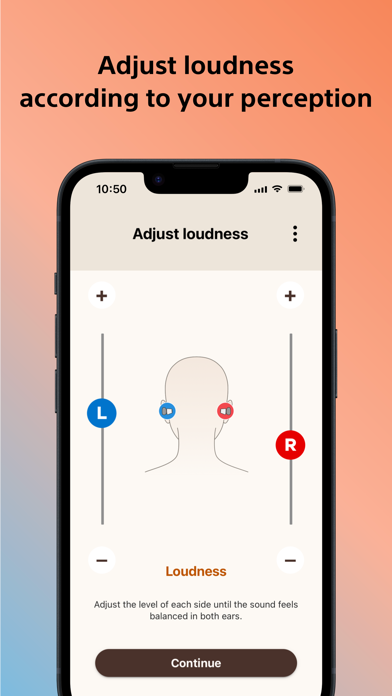
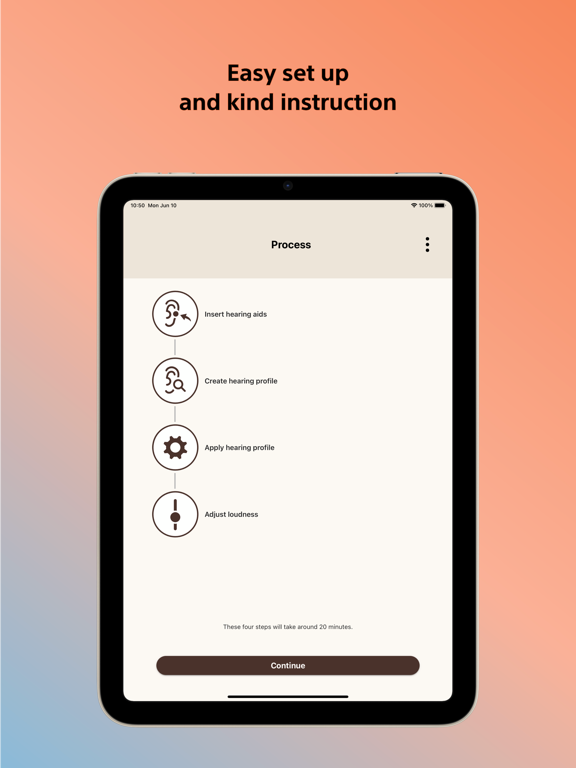
Easy and quick initial setup and remote control with kind instructions.

Main Features
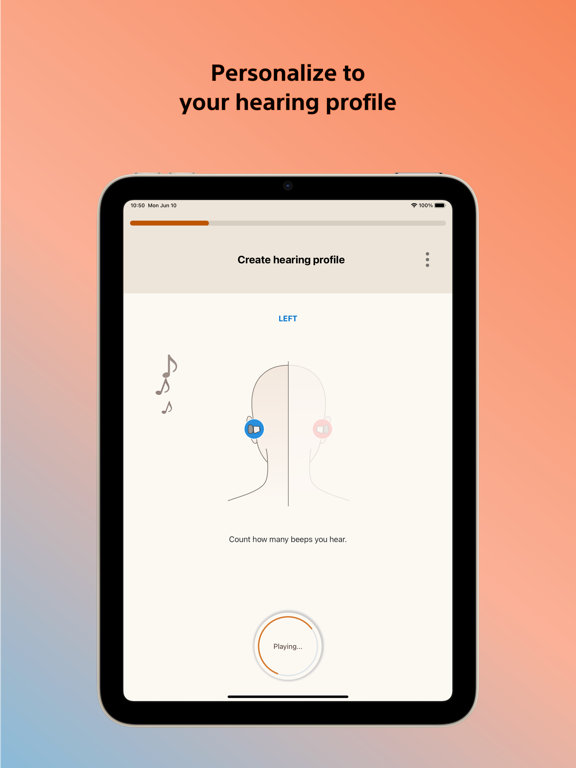
- Personalized to your hearing: The hearing aid can easily be customized to your hearing through the self-fitting test on the Sony | Hearing control app, so you don’t miss out on a thing.
- Easily controlled with your smartphone: Easy to set up yourself, control volume, sound balance (tone), and directionality* with the app. The device communicates to your smartphone by acoustic link and Bluetooth*.
- Bluetooth connectivity for audio streaming**

* Bluetooth is available on CRE-E10
**iPhone with Apple iOS (15 or higher)


Warning:
Depending on your condition, this product/app may not be available.
Please refer to the package or "Safety and maintenance information" for details.

Sony | Hearing Control App Comments & Reviews

Sony | Hearing Control Positive Reviews

Frustrating pairingThe pairing process was very frustrating and had to restart process multiple times to even try getting them to work. For whatever reason they would loose connection, especially the right one and i would need to star over. In the end the right stopped responding to the app/phone and i just responded with generic 2 tones heard, just so i could use the darn things and will try to go through the process again later. Not the greatest sound quality but improved my hearing in my left, which is most deficient. Would be good if the whole pairing process was a little easier.Version: 1.0

Worked for meWorked for me today on my iPhone — no registration issues..Version: 1.0

App works great- Apple or AndroidFolks, if you are frustrated with the app or hearing aid connection, chances are you're not following the necessary steps: Bluetooth off, volume above 75%, and speakerphone on; meaning, phone is not set to vibrate or mute. Have someone call you, and if the phone is not ringing loud, your setting is on vibrate. Please follow the app, step by step, listen to the beeps carefully (no cheating) in order to set up your hearing aids, to your hearing needs only. Good luck and Happy Hearing!.Version: 1.0

Free International Money Transfer 💸Enjoy high maximum transfers into more than 20 currencies while saving up to 90% over local banks! The cheap, fast way to send money abroad. Free transfer up to 500 USD!AdvertorialVersion: 3.1


What do you think Sony | Hearing Control ios app? Can you share your thoughts and app experiences with other peoples?

Please wait! Facebook comments loading...

Sony | Hearing Control iPhone Images
  • Sony | Hearing Control iPhone image 1
  • Sony | Hearing Control iPhone image 2
  • Sony | Hearing Control iPhone image 3
  • Sony | Hearing Control iPhone image 4
Sony | Hearing Control iPad Images
  • Sony | Hearing Control iPad image 1
  • Sony | Hearing Control iPad image 2
  • Sony | Hearing Control iPad image 3
  • Sony | Hearing Control iPad image 4