MochaSoft
Mocha VNC Customer Service

- Mocha VNC Customer Service
- Mocha VNC App Comments & Reviews (2026)
- Mocha VNC iPhone Images
- Mocha VNC iPad Images
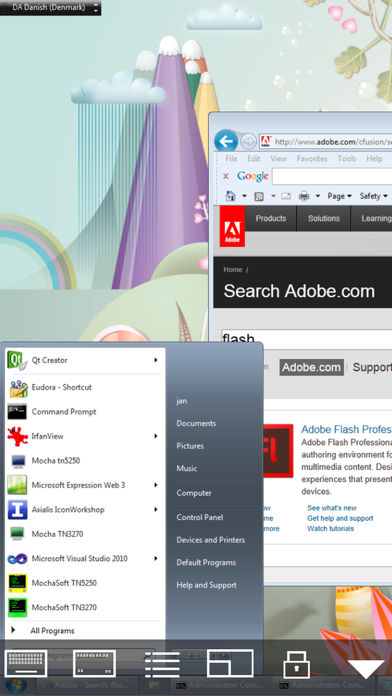
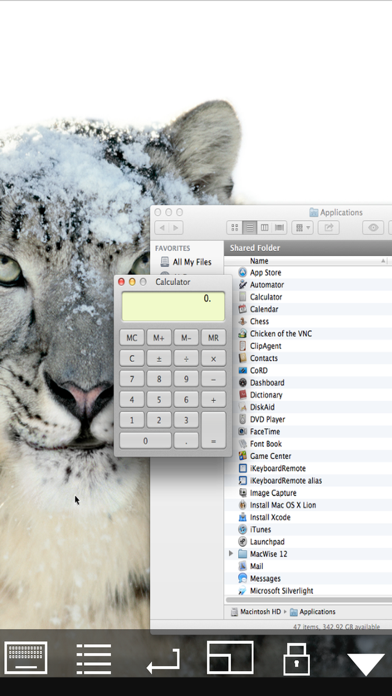
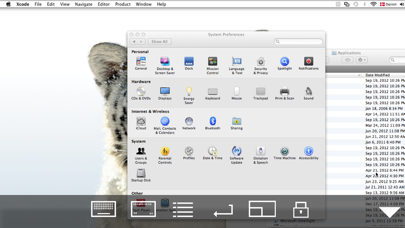
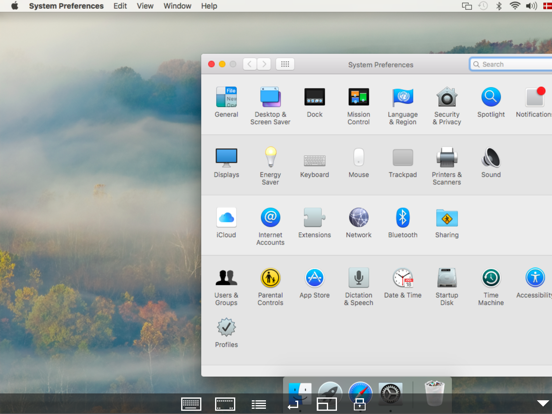
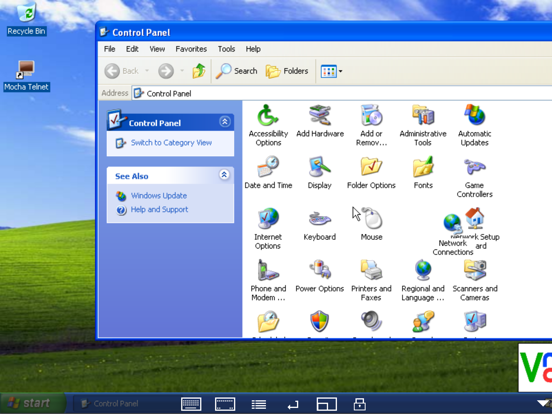
Using your iPhone or iPad, you can connect to a Mac or Windows PC, and see the files, programs, and resources exactly as you would if you were sitting at your desk, just on a smaller screen.
Before buying, please try Mocha VNC Lite
FEATURES:
- Standard VNC protocol.
- macOS sign on with user id and password
- Encrypted password signon.
- 8 and 32 bit color modes.
- Local Mouse support.
- Support for Swiftpoint GT hardware mouse.
- Support for Mouse Easy. Use an iPhone as a bluetooth trackpad. Mouse Easy is a free App.
- WOL (Wake on LAN).
- Printing.
- Camera as barcode scanner.
- NETBIOS and Bonjour name support.
- Zoom and scroll as the Safari browser.
- Landscape mode.
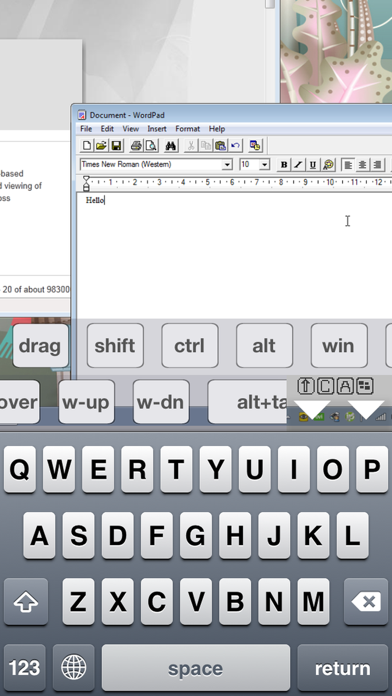
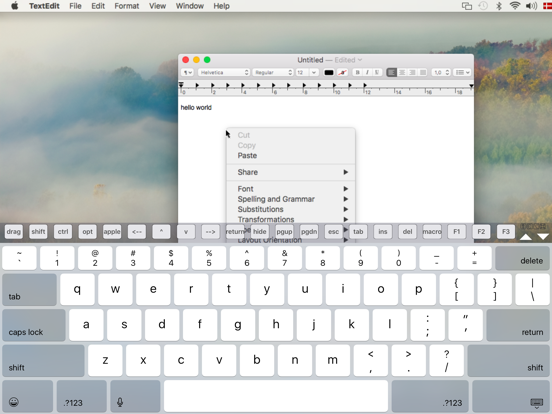
- Banners with extra keys.
- Extra keys as ALT,CTRL, Option and Apple key
- Has been tested with RealVNC, TightVNC, UltrVNC on Windows, and Screen Sharing, which is included with the macOS.
Mocha VNC App Comments & Reviews
Mocha VNC Positive Reviews
Facial recognitionLove this app but I hate that I need to enter my password every time my phone goes to sleep. I would give this app 5 stars if it had facial recognition. Thanks Tim.Version: 5.3
Not bad so farTried out the lite version to test if it will connect with my macs and it does(while many other vnc apps wouldn’t). Refresh rate isn’t the greatest but what can u really expect on an iPhone 7 over cellular data... My main use is to access my Mac and run terminal commands on it remotely. Works like a charm. Keyboard and mouse gestures could be better but once u find out where the up/down arrows etc. are u can accomplish what u need. Will update this review once/if I find any critical issues..Version: 4.7
Works great for me!Excellent resource. I use it to manage the Macs on my home network. Has a few kinks in terms of UI, but what app from a small dev’ doesn’t?.Version: 5.9
Great application that is already indispensible for me!As far as VNC clients are concerned and given the size of the iPhone display, this is an extremely powerful application that delivers exactly what it needs to and is far superior an experience to WIMO and PALM versions. Folks, this is an administrative style DESKTOP CONTROL application. This is NOT for watching videos on your PC (there are plenty of streaming services and applications available for that). As in ANY VNC based connection, of course refresh rates will not support playing video remotely. However, if you are a network admin or network support person and you need to connect to workstations and servers remotely for troubleshooting and support, this is “hands down” the best mobile VNC client out there! I am giving this app only 4 starts for now because there is still opportunity to polish the keyboards for more ease of use, connections should not be limited to 6 and one should be able to rename connections rather than relying on host name or ip address. I would also like to see future versions that support: screen scaling and color depth control. However, setting the “version 1” interface issues aside, this VNC client does what it is supposed to..Version: 0
Solid VNC clientIf you're looking for a solid VNC client that lets a power user do what they need, this is it!.Version: 4.6
A bit troublesome in getting it installed, but that may be Apple's fault,not MochaSoftI don't know why the other two reviewers had issues. The first thing I did was to uninstall the Lite version (which btw, wipes out any settings you already had). I was repeatedly unable to install the application thru iTunes (purchased on the desktop thru the store as I could not find in in the store listing on the iphone itself). After several try's, I gave up and looked again on the iphone store (from the phone) and there it was! Selected install, (already paid, yes), and once it installed, immediately fired up the vpn, and connected directly to my CentOS 5 desktop and began using it. Love the addtional keyboards, the ability to create macro's for keystroke intensive, repeated work. The response was phenomenal, and worth the $6 bucks just for the additional keyboards (w/Function keys, WIN key, CTL/ALT, etc, etc) Now if they can get an SSH client out of the door they can get more of my money! I still appear to be having issues over the cellular network 2G/3G both, in that VNC never connects. I use VPN to connect, web browsing works just fine, but VNC never connects. If anyone has an idea of what to tweak, please let us know! Keep up the good work!.Version: 0
Would give 5 but mouse pointer is off a bit, worth the money if you need left mouse click.For the $5, i think a great product, can't see why anyone would pay 5x for Jaadu. I had the Lite version for a long time, but then got annoyed i couldn't left click the mouse and paid the $5. Only problem with mouse control is when you hold finger down on iPhone screen to click and drag, you have to put your finger a little down and to the left of the object you want becuase the mouse location is off. Fix that and for the price, terrific..Version: 0
Easy to use, and just works!Very well written app that allows me to remote desktop connect to my iMac computer at home. I can see the iMac's screen on my iPhone 4, scroll around, do mouse clicks by tapping the screen. For the Mac, it uses the built-in VNC Server software so you don't need to install anything extra (just activate Screen Sharing on the Mac). I suggest you test out the free version first (Mocha VNC Lite) which has basically the same functionality except for some more advanced mousing options (e.g., dragging, right-click, etc). I'm a bit more computer savvy than most people, so I was able to configure my router to allow me to remotely connect to my Mac using an Internet connection (by port forwarding and setting up a Dynamic DNS). As such, I can access my Mac remotely while traveling or on a business trip. Connecting via a fast WiFi works fairly smooth and quickly, but it really slows down if using a cellular 3G connection. But, it still works. I highly recommend this app if you want remote desktop connection with your Mac..Version: 2.8
Useful but hard to useThis application definitely accomplishes what it sets out to do. It gives you complete control over a remote Mac using the VNC protocol. My main complaint is that the controls are not at all intuitive. It would have been much better had the developer used the conventional Mac gestures, i.e. those you would use on a Track Pad, to move the cursor around, drag, drop, double click, etc. One reason that they might have chosen otherwise is that you also need a separate way to pan and zoom the screen. So rather than moving the mouse, swiping the screen scrolls the screen up and down. Fine, this could have been accomplished by providing a "function" button. As it is, you can't really move the cursor smoothly from one place to another. Instead you just tap in different areas to reposition it. This creates problems because you end up activating things that you didn't mean to activate, etc. Maybe this was easier to program or requires less network bandwidth, but it is very awkward..Version: 2.8
Nice graphics, iffy interface, lack of encryption supportMocha VNC handles graphics pretty nicely: zooming, scrolling, and display are smooth, and display quality is high. Unfortunately, it falls short in its user interface. Its mouse interaction is modal and often requires switching modes multiple times for something as simple as clicking a button. Dragging seems to be impossible. There is little documentation on how it's supposed to work. Standard Macintosh and iPhone scrolling gestures are not recognized, and the application doesn't provide the iPhone "magnifying glass" to help with precise pointing. Another deficiency is the lack of support for SSH and other encrypted connections, making the application unsuitable for many IT tasks or accessing a desktop machine with important information on it. There aren't many VNC clients for the iPhone/iPod Touch, and this one isn't too expensive, so you may still want to go for it. But it needs work..Version: 0
This is one of the most useful utilities I haveI just upgraded from Mocha VNC Lite to the full Mocha VNC mostly to support this developer. This version adds some cool features — CTRL, ALT, etc., keys; better mouse control, function key, but I'd have bought it anyway, just to vote with my dollars for this developer and this app. It's one of those things I didn't realized I needed until I had it. I find dozens of reasons to quickly pop into my iMac when I'm sitting at the other end of the house with my iPad or iPod Touch, and this application makes it so easy to do. I see that it's gotten some negative reviews, but I really can't see why. It took me about two minutes to config this app to access two different Macs, and now, it just works. I just open the app and select which computer I need to access. It's easy, quick, and it works..Version: 0
Not very good for a mac with an ipodThis program works but it keeps crashing on me because of the memory limitations of the ipod touch. so it is not useful. i suppose you might be able to change your screen resolution on your host and get it to work. don't try to do it after login though because the app will crash before you can. I wanted to use my ipod as a sophisticated remote with some video presentations. aint gonna happen with mocha. the programmers need to develop a work around for large screen size memory limitations. perhaps they should employ a clipping algorithm? i don't know if the more expensive competitors use one so i can't recommend anything. part of the prob is that macs require 32 bit resolution. i am sure that for windows users this program is more workable because they can degrade their resolution. we need more memory in our ipods. wait before you buy this. i am sad :(.Version: 0
Excellent VNC appThis is a great VNC app. The interface isn't slick, but it gets the job done. I use it to control a number of different computers from my iPhone, over both WiFi and 3G. Connecting via WiFi is obviously a lot faster, but overall, it works flawlessly. Any basic tasks that you can do while sitting in front of your computer (launching/quitting programs, changing system preferences, transferring files, etc.), you can do from your iPhone—from just about anywhere in the world—with this app. Note: Setting up your network so that you can connect from the outside world does require some technical know-how, so if you aren't comfortable with that, then this app may not be right for you. But if you're familiar with VNC server setup, then Mocha VNC is great..Version: 0
Works great for meThis works really good for me, its a little slow but its actually better then I expected on my wifi connection. I am also not sure what all the bad review are about either. One the mocha website they recommend RealVNC enterprise with vista.....this didn't work for me. I tired ultra VNC and it fired right up with not problems. Oh for the poster below, I am pretty sure the reason you can't connect to you computer when on 3g is becuase your port is not forwarded on your router. Use your internet IP in Mocha VNC for the computer that is the server , not the local IP address your router has designated your computer. Then forward your port, in my case port 5900, to what ever local ip address your router has designated for the computer you have the VNC server on. Hope this helps..Version: 0
Great App and works as expectedI have been using this app since I bought it to test it and so far it has worked perfect. I connected to my PC via VPN and then launched VNC and the connection is super fast without any issues. I recommend this app for anyone who requires remote access. I tried this on a Win XP and on a Server 2003 machine both had real fast responses and the connections never dropped in over 30 mins of usage. The error with connection others have had must be errors at their machines because I have disconnected and reconnect many times to see if errors would generate and none yet. I really like the ctrl alt del support and the left mouse click support. Great app and congrats to the developer..Version: 0
Good but not greatA very complicated task was taken on by the developers. Good choices in trade offs on the mouse and navigating larger resolutions on the small screen of the ipod touch. I would like to see the edges more restrained; you can have a good bit of grey wasted space as your scrolling around. Would be best if it stopped at the edge of the visible screen. Not as fast as I thought it was going to be by what others have said. Even over my G-wireless to a 100M connected PC there was about the same lag as is experienced when using it over a 512kbps DSL connection. I probably can switch to 8-bit color and get it a bit smoother but it works well enough for simple tasks. Just don't expect a perfect experience. Its not even in the same realm of speed as far as a full-PC to PC vs this..Version: 0
Very nice appI suppose it depends on what you expect and what to do with it but I find this application to be very good. It works well with dynamic DNS and you control your PC ( or Mac) from anywhere in the world - how cool is that?! ;) I do have one suggestion though - it should specify somewhere that if you can't control the mouse you need to change the server settings. I had my ultrVNC server on read only and couldn't do anything. Once I switched the settings to full access everything was good. I ended up buying the full version anyway. I think the free version is very good and the developer deserves a lot of credit for a job well done!.Version: 0
Great app for Admins, Not for average users, needs some work.This app is great if you are an on call admin who may need to log in 24x7. Saves me from having to tote around a laptop and wireless card. Using 8-bit color it is plenty fast over the EDGE network to reboot a server or fix a few problems. Full version seems to have a few more bugs than the free version. A) Crashes about 30% of the time I load it. B) The caps key does not seem to work, so if I have an uppercase letter in a password I'm hosed. Even with the bugs it has still saved me a few trips into work already. If they can fix the bugs, It'll get a five star from me..Version: 0
Gretat app.Great app...once you set it up...they really need a walk threw video or customer service to walk you threw step by step.....once you get it going its great.....yes you dod need to refresh the screen...but the fact that I can be driving 80mph down the freeway and crontrol my pc from my iphone is great.......for set up go on you tube a do a search there you will see a setup video on how to do it.....turn off desktop background for faster response.....it's a lot faster over wifi, but 3g is ok but atleast you can use 3g anywhere.Version: 0
Easy to configureI don't know why people wouldn't know how to get this connected, it is so easy all you have to know is the password and port number. Both are setup by the user on the desktop or server that they have so if they can't get it working it would be there fault. I tried the iLiveX and that is a joke. This app is cheaper and works as ILiveX does not even have any documentation to help a customer out. If you want remote desktops on ipad or iphones this is the app to buy..Version: 0
Great app! Works with Vine server too.Theipodguru...when you are on your home network wifi it is probably connecting to port 5900 over bonjour, or simply allowing access because you're already behind your network routers firewall. To access from another network or over 3G you need to allow access thru your router from the outside world. I would recommend investigating port forwarding and use an obscure port on the router to port forward to 5900 behind your firewall, and make sure you have it all password protected..Version: 0
Was great, now only good.Updated my phone to 2.2.1 and updated mocha vnc accordingly and now it does not respond to the "finger flick" acceleration when moving the screen while connected. Tech support said this is intentional cause by some screen handling issues that caused crashes. I've moved back to the previous version 1.1 and works fine again. (I did that by not syncing the iPhone after i purchased it. I just deleted the 2.0 version from the iPhone and resynced to iTunes and it uploaded the previous version.) 5 stars to the 1.1 version. Only 3 for the 2.0 version..Version: 0
Good working app!This app does exactly what it says! I read the previous reviews, and followed some of the suggestions, and voilà! Took a few minutes to get everything installed and running - connection was made - runs a tad slow BUT I am using a 3G card for my home Internet. YES, it does show low memory and YES all you have to do is disable the notification and it all runs fine... I even run dual screens on my PC on it flows perfectly between the two displays. A little practice on using the mouse and you're up and running! I have suggested to all my friends!.Version: 0
Wonderful APPPlease stop giving 1 star ratings just because you are too stupid to setup a VNC connection. This is a wonderful application that has worked flawlessly for me with a RealVNC server. They have addressed the large resolution issue, so there are no more screen resolution limits. Two issues that they need to add/fix: 1. no alt/option key in Mac keyboard mode. 2. No dual screen support. Other than that, this is definitely worth the asking price. Certainly a better value than $30 for the other VNC program!.Version: 0
App is good but needs a screen lock option.I wrote a review earlier today that the 3.0 upgrade broke the app. Well it appears the upgrade borked the ad-hoc wifi. I did a reset on the network settings and now everything works fine. My only wish was a way to lock the screen. I'm usually using this at the top of the ladder and every time I zoom in on what I need to do on the server the display rotates and then I have to zoom back in again..Version: 0
Glad to see full release, but...I'm sure you're working hard on the paid release, and it's appreciated for a very nice app, overall. I gave 4 stars for the Lite version, but in all honesty, I have to drop a star due to some issues: Several crashes on start, lost edited connections. "option" is missing, in "Mac OS-X" mode, "extra" function keyboard nice, but there's no "winkey" in MacOS-X. Otherwise, it's a great app, and is a great implementation of VNC for the iPhone. Keep up the good work - I'm looking forward to the update which, hopefully, will address these issues..Version: 0
This worked well for me...I am a windows 7 user and this worked well across my local network and across the internet. I used this in conjucntion with tightVNC (PC side program). My only complaint WAS that the app doesn't make it easy to get to you favorites and it should atleast offer to save passwords. It does save profiles and passwords I just didn't realize it, so I love this program. It does what I need..Version: 2.9
Has Paid for Itself Already Several Times OverThis app has already allowed to address several issues within our corporate LAN. Along with VPN, I was able to log in, connect to my Mac and help several users out. On one occasion I had VMWare running on my Mac and was already running the AD Console so fixed a password issue on the spot! Thank you this app paid for itself several times over..Version: 0
Reliable!This VNC client is one of the most reliable client I have ever used. It always work with mac OSX screen sharing. The only change I would like for this client app is that I wish there was a way to zoom out and see the entire image of the server screen without keeping both fingers on the screen to zoom out pinch. I also wish the streaming of video would be a little smoother if bandwidth is low. Other than that, this is a great app. Please update for retina display to show entire server screen in the ipad display.Version: 3.1
CoolI tried the lite version and decided to buy it. It's a great app. Perfect for everyone. It does what it says. U can view ur whole computer on ur iPhone. Can start ptogeams can write in word and everything that u would be able to do in ur computer. It's cool. Just gave it 4 start cuz it crashes here and there but not alot and it goes a little slow sometimes. But overall it's great..Version: 0
Works as advertised, but often inadequateThe lack of modifier key support (ctrl, alt, command/win) and right-click aren't surprises (it's mentioned in the description last I checked), but it's still a serious shortcoming. I understand the idea of having a premium version with extra features (which I just bought), but personally I think the ones listed above should be considered requirements, even in the free version. Still, most people will be satisfied with this for most circumstances..Version: 0
Not overly responsive companyI have a simple issue with this app... Let me connect without entering a password. My server asks for a password after the VNC session is established. I emailed them about allowing that and they basically told me that I don't know what I'm talking about and it's a major security problem and it's not going to happen. Last time I checked, my security was my problem, not theirs! Password-less connections are something every other VNC client can do. Fix it!.Version: 0
IPad version runs funny on my 27" iMacLove the app works great on the iPhone but acts funny on the iPad. I get a big bar on the side unless I zoom in. Not sure why it does that. I also get a lot of low memory warnings because of the servers resolution (2560X1440). But you can turn the warnings off. I've used this on the iPhone over 3G with a VPN with no problems. So unless the new version broke that I would ignore the review on 3G..Version: 0
Simple set-up, just worksI was really impressed with how easy this was to set up for my Mac. Just turn on screen sharing on the computer, turn port forwarding on in my router, and point mocha to my ip address! This is the type of coolness you'd expect to take hours to setup, but I had it going in minutes. App is simple to use and it gets the job done!.Version: 2.9
Great AppThis is a great app, and the TightVNC server is a free VNC server with a windows version. A few people have mentioned some problems in their reviews that I want to clarify Upper Case-I have passwords that use upper case letters and have entered them with no problem. Ctrl-alt-del - if using TightVNC it must be run as a service for ctrl-alt-del to work, this is a TightVNC limitation not a mocha limitation Encryption/ssh tunnel - the U.S. Govt restricts the export of "strong" encryption and since the app store servers are in the U.S. mocha would be restricted as to who the app could be sold to, and would open themselves to potential litigation were an iPhone with controlled software taken to an export restricted country. This is the same reason mocha is selling a telnet client but no ssh client..Version: 0
A much needed application!I'll probably have to blame Mac OS X's built-in VNC service for forcing 32-bit mode, which is a bandwidth eater. I'll try an alternative VNC server, but this client software is just what the doctor ordered. The only issue is the program not initiating its own network connection. I have to surf or get email immediately before starting VNC, or it won't connect. Other than that, it does the job, plain and simple..Version: 0
Terrible customer serviceMocha Soft's only response to my issues was to "Contact Apple and ask for a refund." So, don't bother to purchase this one. The program crashes, does not support my monitor size, and has problems connecting to realVNC. All the company needed to do was acknowledge my issues, but would rather I not even be a customer..Version: 0
Workde for meI wanted to see how large downloads were doing without going to the PC. MOCHA VNC said try LITE (free) first before buying. LITE worked well for me . Set up was easy on my desktop. I could not get it to work on my laptop until someone told me to go to control panel, firewall and open the port, 5900 for VNC. It worked. I appreciate the app and purchased to regular version..Version: 0
Good but features missing still...There is CTRL, there is ALT. So logically you would think, hmm.... CTRL-ALT.... wait for it. DELETE? Nope. Not here. And yes I tried CTRL ALT backspace.... no dice. Why can't there be a ctrl-alt-delete button?? Where is this 3rd keyboard? I only have 2. I want to scroll the window by touch, not just the screen. I can't do this unless I'm missing something. If you don't need right-click, or the windows key, you aren't missing much..Version: 0
Best Mobile VNC Client I've UsedI really like this VNC client. Works well over EDGE using a VPN connection if you choose *no* to the 32bit option. With the addition of the ability to send ctrl+alt+del to a Windows client, the paid version is a must have. Performance is awesome when using 3G or WIFI. I've used mobile VNC clients before, dating back in the Sharp Zaurus days. This is the best mobile VNC client I've seen..Version: 0
Does what it's supposed to doI use it on my iPhone 4 and my iPad and it works fine. I agree that local mouse control could be better, but it does what I need it to do. I've used numerous VNC clients on both Mac and PC though this is the first I've used with a touchscreen interface. Not sure how much better the technology could be executed on the iOS platform since VNC itself has it's own limitations..Version: 0
Great app! Just what I needed!This is the perfect application for me since my computer is on most of the time yet I can't always be at my desk. Now I can do anything from anywhere in my house. I even set up a domain name for my computer using DynDNS. Now I can control my computer from around the world. This is a great app, I just wish it was a little smoother..Version: 0
Must have for System/Network AdminsThis software has allowed me to fix several critical issues while away on vacation. Just the other day I fixed my VOIP server while sitting in a McDonalds. It's very smooth and accurate. One small random bug with the all in one ctrl+alt+del button, but still manageable. Totally worth $6..Version: 0
I use it dailyPlease enable ALL keys in macros, especially the 'return' key. Thanks for great app at a great price!.Version: 0
Needs to support Magic KeyboardI have been using this VNC app since the iPad first came out. However it does not support the iPad Pro with Magic Keyboard. So I am looking for another VNC client to spend money on..Version: 5.2
Awesome AppExactly what I was looking for. Bought after trying the Lite version even though I don't need the extra features. I just want to ensure future development on this software! Works awesome to control my Mac OS X Box..Version: 0
V2 and v2.7I had quit using your app since v2. But now with your v2.7 i'm back et very please With the speed and new keyboard and Thanx for giving us the smooth panning of v1.1 !!! I'm very please !.Version: 0
Nice app!!Well i have used both and they are excellent but if your only using it to check up on something then stick with lite version. The paid version is excellent i use the paid because i need to rightclick and use arrow keys but these two apps are fonominal great they both connect extremely fast !!!!.Version: 0
By far the most user-friendly VNC appIMHO most user-friendly VNC app, esp. with the ability to login with Mac credential after connected to VNC server. However, please update your app icon. it's pretty out of date now that we are on Yosemite! Update the icon to a beautiful one and it will be 5/5 stars 🌟🌟🌟🌟🌟.Version: 3.9
Works great!Mocha VNC, full version, works as described. Operates nice and smooth with TightVNC Server installed on a Window Home Server box. The extra keyboard options work well and most importantly this version has Ctr Alt Delete capability. Was more than happy to support this version by purchasing it. It works as advertised. If your looking for a good VNC client this one will do the trick for you..Version: 0
GreatGreat app. Timely support from dev. New version a bit ugly, but improved wireless keyboard support more than makes up for this..Version: 3.6
Great VNC clientI have used this app for years. A robust app with loads of features. Has served me well..Version: 4.5
Best VNC client for iOSBeen using this for years and it's worked better then the competition. It has everything that I have needed to use Mac and Windows server. Unlike some others, it works with the dock on a multi screen Mac.Version: 3.9
Best app I've used so farI've been using the iPhone for 2 weeks and I wasn't really impressed until today. After setting up my VPN, I intalled this app and I was able to create a flash animation and publish to the web from my iPhone, riding the bus. I'm now impressed!.Version: 0
Works on Mountain LionWorks just fine for me with OS X 10.8.x. This app is fantastic - it allows me to quickly log on to my home Mac when I need to access something, run an application, etc. Very simple and it's been rock-solid for me. One thing I'd like to see is an option to choose just one display in a multi-monitor setup..Version: 3.3
Works on iPhone 5Thank you. For making it work on iPhone 5 new screen.Version: 3.3
Great updateBeen using this for a couple years and it worked well enough. This latest update has made a huge leap forward in responsiveness. Very happy with this app now..Version: 3.2
Works WellI've used this app for over a year (previously on iPhone, now on iPad) for connecting to Leopard and Snow Leopard based Macs; Mocha VNC has always worked as well as network conditions permit, and updates have been regular and substantial. Recent changes in how Mocha VNC deals with various touch gestures has significantly improved overall ease of use..Version: 2.7
Much improvedI use this app quite a bit, and the latest update assessed most of the quibbles I had..Version: 0
AwesomeI was torn between this and Jadu. After trying the free version of this app I was very impressed! Very stable never crashed and quick synch! I upgraded to this full version and it's awesome. My only beefs are the win key doesn't seem to work and I wish there was a shift key for use in selecting many files. Honestly why pay so much more for Jadu? I have my parent's PC set up with tightVNC and can access it securly over the net with this app and easily troubleshoot any problems they run into. Highly recommended!.Version: 0
Decent app, glaring bugsThis app needs to address the memory bugs and problems minimizing programs. These are huge glaring bugs that should have been immediately addressed. Gets the job done, but since I've upgraded to Windows 7 I've been eagerly anticipating an update..Version: 0
Fix It PleaseI love this app and it worked very well until recently. Please fix the 50 pixel problem on Mac OS X..Version: 0
Amazing appWorks very well for me. With some minor router configuration it's possible to access the VNC server over 3G. There's something magical about being able to access my computer from anywhere in the world..Version: 0
Great productI've purchased Jaadu thinking that such a high price product and with such great reviews it must be a great product. I got very disappointed. In contrast, this software is very easy to install and even though it's speed needs to improve, over all I'm happy with it and I would recommed it..Version: 0
Best crossplatform vnc appWorks great vncing to my xp or osx computers. I use it with tightvnc on my PCs and built-in ARD on my macs..Version: 0
It managerIt just works ! Fast and easy to use. I use it eveyday. Tried many others, but this is by far the only best remote control addon for iPhone. Next release please include: 1:Name sorting (A-Z) and/or groups, in ordre to keep things structured. Actual version may get confusing with many entries. 2:Copy from feature, because it is long to setup many machines for the same network information..Version: 0
Works perfectlyI am in North America and I can support my family's PCs back in Europe with no problem. The PCs run UltraVNC on WinXP and Vista. The PCs are behind router firewalls so do not forget to forward the ports. Awesome App..Version: 0
Decent when it worksIt works well when it doesn't crash. It may have to do with the PC screen resolution being 1920x1200. Usually resetting the iPhone will correct the problem..Version: 0
(REVISED RATING TO 5. Both requests MET!)(just revised my star rating to five due to the incredibly quick response to the two issues listed below. So as you read on please remember that the issues have been addressed.) Listen folks. Of course this is an incredible utility and it works fabulously, and yes, it is absolutely incredible at the price of just $5.99, but WHY oh WHY is there: 1. an artificial limit of just 6 hosts in the host list?? I have 3 clients and collectively I have to monitor 11 PCs in their offices. Here I am limited to just 6? Why not an unlimited number that you can keep adding as needed. 2. No provision to include a simple text field that will allow me to insert a written description of the host PC e.g. Janine's computer, Dolphin Server PC etc. A long list of IPs is a tough way to identify which PC you are about to access. Please could these be added in an upcoming update. That WOULD make it an absolutely PERFECT app and have me revising my 3 stars to 5 in a flash..Version: 0
Works very wellI am very happy with this, it's a great little tool. I'd like to be able to name hosts, and hear a click or see a graphic when the mouse is clicked but beyond that all I have to say is thanks very much for a job well done!.Version: 0
Multitasking Technical Support...My client called me while I was taking the bus home, not only was I able to remote connect into his server to see what the problem was and fix it, I was able to maintain my phone conversation with him at the same time allowing him to know what the problem was and that it was corrected. I use this app more than any other. You won't be disappointed with this VNC client..Version: 0
Great ApplicationLove this app it works very smoothly and easily. I have access through my iPhone to 2x home PC's and a Laptop all running UltraVNC. Simple setup and easy to use. A+.Version: 0
Free International Money Transfer 💸Enjoy high maximum transfers into more than 20 currencies while saving up to 90% over local banks! The cheap, fast way to send money abroad. Free transfer up to 500 USD!Version: 6.2