MochaSoft
Remote Desktop - RDP Lite Customer Service

- Remote Desktop - RDP Lite Customer Service
- Remote Desktop - RDP Lite App Comments & Reviews (2026)
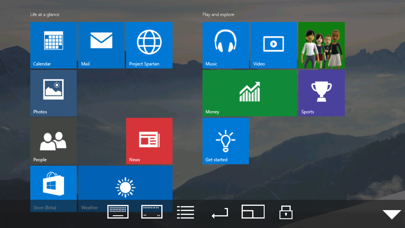
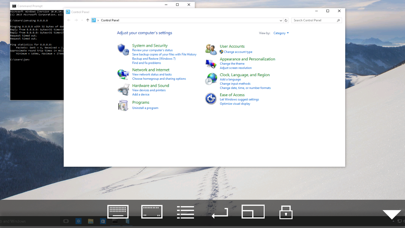
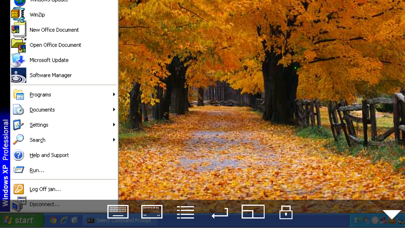
- Remote Desktop - RDP Lite iPhone Images
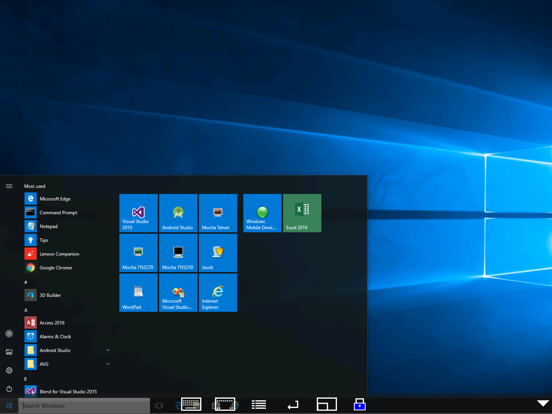
- Remote Desktop - RDP Lite iPad Images
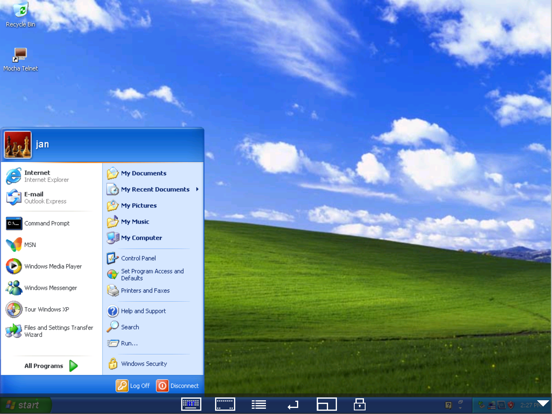
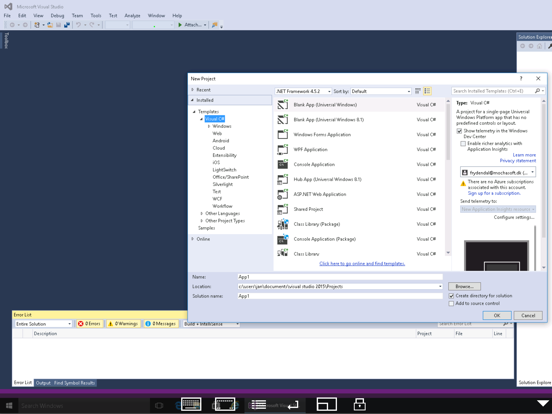
Using your iPhone or iPad, you can connect to your Windows Workstation Computer and see the files, programs, and resources exactly as you would if you were sitting at your desk, just on a smaller screen.
Mocha Remote Desktop (RDP) provides access to a PC running Windows XP Professional or Windows 7/8/10.
HOME edition or Windows 200x Servers cannot be supported.
LITE VERSION
Has a 5 minutes session limitation.
FEATURES
- Standard RDP protocol.
- 8/16 bit color mode for faster screen updates.
- Zoom and scroll as the Safari Browser.
- WOL (Wake on LAN).
- Printing.
- Barcode scanner.
- Support for Swiftpoint GT hardware mouse.
- Support for a Bluetooth mouse, when using an iPad.
- Support for Mouse Easy. Use an iPhone as a bluetooth trackpad.
- Stylus pen.
- NETBIOS name support for easy configuration.
- Landscape mode.
- Have patent license for the RDP protocol from Microsoft.
LIMITATIONS
- Windows HOME edition cannot be used, as it does not include the RDP protocol.
- We cannot offer Windows 200x Server access, as it will require another patent license from Microsoft.
Remote Desktop - RDP Lite App Comments & Reviews
Remote Desktop - RDP Lite Positive Reviews
Ok, But Not Working for My iPad MiniI Used on Today, but Nothing Happened.Version: 4.8
Simply the best Remote DesktopThis is the best remote desktop in the app store, the latest version fixed the connect issue I have by using TLS 1.0. I hate using Microsoft RDP, it is difficult to select and move around the screen, it is great that other company could build a better product than the ones that build the original software, I have used this software for years on my ipad and my iphone and never have security issues on the server like others write on the reviews, it is safe to use this software. Because I like very much this app I have buy the paid version..Version: 4.8
Best remote RDP and wake on LAN/WAN software.Tried all the other RDP and wake on lan-wan apps. This one is the best I’ve found. Best but not perfect, hence the 4 stars. Developers, try adding SSH access to this list. You can’t access Linux servers via RDP but it can be shutdown via SSH terminal. I can wake up my computers weather they are Linux, windows 7 or 10..Version: 4.9
Best in Class - No Data Collected - FreeIt bothers me that Apple selectively avoided protecting this developer from targeted spam from greedy developers who felt threatened by this awesome app that does everything I could ask for perfectly. THANK YOU!.Version: 6.0
Most reliable appI have used this app for almost 8 years. Amazing performance and doesn’t crash at all! Kudos to folks hard work!.Version: 5.7
Great app to start scanning my computer (but that's about it)I like this app because it allows me to start a computer scan when I'm away from the computer. Also, people complain that they cannot use the Ctrl+Alt+Del to access the Task Manager; there is a workaround by going to the Windows Security icon in the start menu. What I don't like is how there is no click&hold, no click-hold-drag capabilities at all, and apparently it is not in the full version either. I reduce the screen size to save on memory, but then I need to drag windows around to see my stuff. I also cannot use the top-left corner menu either to move windows, because Windows will not cooperate in that accord. I'd safely say that if all you're going to do is just click about, then this app works..Version: 0
Do I require a PC OR MACI need to know!.Version: 5.3
Works great, though has some minor annoyancesIf you have the right OS and have it configured properly for remote desktop, then this app will work fine To those who say this is a bad app because it's not usable with any "home" OSs, this is NOT this app's fault, you will have the same limitation if you were to use the actual client program installed on every Windows OS XP and up, therefore it is MICROSOFT'S FAULT, you have a problem with it? Bring it up with Microsoft, therefore of you know what you are doing (and admit it, the majority of you don't), and everything is set up properly (and it took me a while to set up, even when I have had previous experience using remote desktop on the past), then it will work fine, so if it doesn't work, it is because YOU are doing something wrong, so if you need to, look up some information on remote desktop or terminal services and you may be able to make it work Now for the reason I rated this 4 out of 5 stars instead of 5 out of 5, there is a lack of dragging support, because of the zooming and panning support, so if you attempt to drag something, you will end up panning instead, this will make it impossible to do things like play solitaire or copying or moving files by dragging, but if you don't need to do any dragging on this app, then this app is for you.Version: 0
Works fineI always read bad reviews not good ones cause maybe the company owners or marketing firm writes those. Call me jaded lol But most of the 280 negative reviews sounded like people just don't know how to use VPN &/or Remote desktop connections. I installed the "lite" version cuz what the heck, it's free, rt? In under 5 minutes I was logged in and working - I activated my VPN FIRST, then booted up remote desktop. I'm logging into a remote server for work so the computer I'm logging into is already set to accept remote connections (important note! Lol). I input the "IP Address" (which in my case was more like a URL than IP address). My user name & password & it worked immediately. No problem. Maybe me detailing my steps will help others. All & all, it worked & easy setup if you've done remote connections & know what it's asking. Now - does it crash? Lose my settings? Etc..? Can't say. I just used it once so far (hence 4 stars not5) but so far so good! :).Version: 0
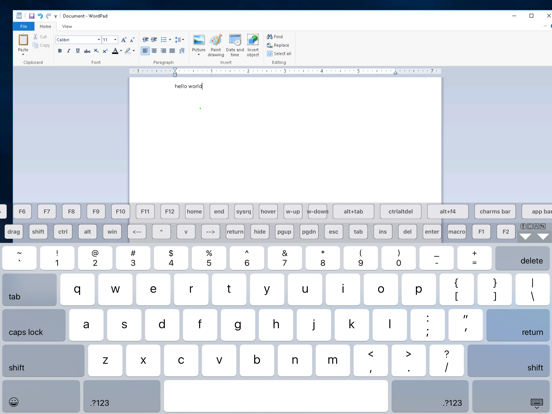
Works Well on Win 7 (64)It does work well but not without some research on your part. For Windows machines that support Remote Desktop, you must turn on this feature or you will never be able to connect. As with most Windows computers, this process is not intuitive. I had to Google the info by searching for "turn on Windows Remote Desktop." There are instructions (HELP) available on the RDP website but these do not go far enough for a novice to be able to make sense of them. Those icons you see in the screenshots evoke the keyboard, bring up a menu that includes disconnect and center/resize the guest screen on the iPad. A double tap on this icon will lock the screen in place so that you can use a slider bar without sliding the entire screen. It is very exciting to see your remote computer completely accessible on your iPad. A fantastic value for the price..Version: 0
Perfect remote desktop app for iPadAs an IT guy, I highly recommend this app for anyone who uses an iPad and needs to connect via RDP. Connects to anything from WinXP to Win Svr 2008 R2. This is an awesome remote admin tool. I must caution those of you who want to try to "work" on that remote desktop; it's a little clunky for that. I suppose the paid version would improve that experience. Also, before I downloaded this app I read all of the 1 star comments and noticed that most were from people that were having other issues beyond this app. For example, not knowing their IP or not knowing how to enable remote desktop on the remote machine. Seriously, if you can't figure that out, then you need to call in an IT pro or cousin or something before you slam an app..Version: 0
Real tool for adminsGreat program, especially for the price... If you know anything about the remote desktop protocol, then you are laughing as hard as I am about the idiots leaving bad reviews because they can't connect to their home pcs with home editions of windows. Read the reviews from people who know how a program like this should work, and believe me when i say it works exactly as it should. This program works the exact same as if you were logging in on a windows machine to a desktop that has the ability to connect remotely. I use this for our servers and several desktops in my company and couldn't be happier. Very pleased. Thank you so much for such a great app for free!.Version: 0
Ok for Limited UseAfter using RDP Lite, I can say that WinAdmin is currently a better choice for regular use. If you only need to access a server every once and a while, this free app will do. It's main flaw is the interface. Like MochaSoft's VNC apps, RDP Lite also relies on an interface where you switch mouse modes. The first mode moves you around the screen. The second mode is the mouse on the remote desktop. The switching back and forth becomes a pain. I prefer WinAdmins tap commands which are easy to learn and increases the usability. However, this one is free! So you have nothing to lose by trying it out. Version 1.0.Version: 0
Great app!I only wanted the app to be able to check my work email at any time. I already use the remote desktop on my laptop, so after entering the same info as on my laptop, it instantly connected and I was able to access my email. Although I haven't tried anything besides the email, it looks like I shouldn't have any problems. It looks exactly like it does when using the remote desktop on my laptop. After reading the other reviews, I agree that people should try to research what info needs to be entered before giving it a negative review. Great app, and it was free, so really worth trying out..Version: 0
Pretty good for a FREE rdp app.The setup was easy. Just download and install the RealVCN software from their website then install the app. That was it (it's two steps of you already know your wireless ip address and have set up your settings). It connected right away for me. The screen resolution could go higher but that's ok. My only gripe is that when you zoom out to show the whole screen there's a boundary of grey outside your pc screen. If they could fix that to show only the screen when you zoom out, that'd be great. Overall, I don't think the 3 stars does this app justice. It desrves 4 stars..Version: 0
Great!I've got this on my iPhone 4 with latest OS from Verizon. I've had no problems at all connecting to my work PC (static IP). For those having problems connecting, look at port forwarding in your router's setup. Small piece of advice: Troubleshoot from a computer, not the app! When you can connect to your remote computer from another computer, put the settings into Remote Desktop Lite and you shouldn't have any issues. Although the display is small and I would have to be in great need to actually "work" using this method, it's nice to have it as an option..Version: 2.7
Not exactly fair to compare a FREE app to one that costs $12Ok folks, what part of free don't you get. The darn thing is FREE. Sure there is another competitive product available, and I happen to own it. But guess what not only is it not free but they don't even offer a free "light" version. At least the people at MochaSoft offer a limited feature version of their product so you can get an idea of what the full paid version is like. I purchased WinAdmin when it was the only RDP client available, and guess what it isn't perfect either (shocker). Don't forget that the cost of WinAdmin is DOUBLE that of the full MochaSoft RDP client..Version: 0
Works! I was able to connect to my 64 bit Windows 7 computer in under 5 minutes. Also, if you want to be able to connect over a 3G network you need to log into your router and set up forwarding to your computer for port 3389. Once that is done you use the app to connect to your router's external IP address and port 3389. That will allow you to connect to your computer. More detailed instructions (with pictures for those who do not want to read ) are available on the developers site..Version: 0
Initial setup confusion, but works wellI was about to give this a one start rating, as I could not get it to work on my 3G iOS 4.2.1. If I go Configure>New>PC Address and hit the Icon area "PC address", the iphone timer just churns away, and does nothing. But I found that if you just input your DDNS address directly into the input area, then it takes it and works fine. It's pretty cool to be able to remotely log into my home PC network, and it's fairly responsive over a 3G connection. Very decent, especially for a free app!.Version: 2.7
Awesome!!!This app works great (lite version). I use it on a regalur basis. I have connected locally with no problem and remotely via external wifi and 3G. version. My only complaint and would give the app 5 stars if it supported 128-bit encryption or higher. Currently, the app supports 40-bit only. This is OK while internally connected on my private network but not to safe externally. Hope to see this in future updates especially in the full version (paid). The app works so good that I purchased the full version...see full version for my review..Version: 0
Surprisingly Works as Advertised - Check website for instructionsWorks! I tested this by opening folders, browsing the web, even using the instant messenger on my notebook, viewing movies, etc. Of course there is lag and the resolution isn't exactly as clear as the desktop which is expected due to the intensive task of what this app is trying to get a phone to do. After logging back onto my computer I did notice that my folder icon looked different and a few other minor things. and btw, READ! the requirements are LISTED. For XP-Pro only!.Version: 0
Awesome App!Seriously, this app works perfectly on my PC on Windows XP. Now I know I can use my PC anywhere there's wi-fi! Although the screen is a bit laggy when I drag anything, it's a perfect companion for my soon to be clamcase. I can convince my friends that apple released a touchscreen notebook, assuming I skin Windows XP. The only complaint I have is that I want all the mouse functions. I am not spending 6 dollars just to be able to right click or scroll, and get all of these features I don't need like another keyboard..Version: 0
Life SaverThis app saved my life. one time in my history class, I forgot a project at home before I went to school. to save myself, I used this program with vista and emailed the file to myself and was then able to access the file on my phone and get it at school. other than that, it's way better than windows mobile, and it runs quickly and easily. one drawback, I can't seem to be able to right click but typing is fine..Version: 0
It works!Just as long as you realize you have to be on the SAME network as your PC, this app does exactly what it says it does! You CANNOT be 500 miles from home and expect to connect to your PC unless you have a public IP address for it (why would you???!?). If your office has Wi-Fi and you can connect to it with your iPhone, then you could access your office computer and check to see if an email has arrived while you're in a meeting..Version: 0
Works greatAlot of people don't have a clue what they have. This app works great if configured properly. Also your home ISP must support outside or remote connections, in some areas I know TWC doesn't allow any outside IP addresses to be accessed or any open ports. Talk to your ISP before whining. And for the home users, Microsoft didn't put the proper application with that version of windows to do any remote connections you need to use a 3rd party software on the desktop to access it..Version: 0
Saved my skinI just used this app in conjunction with the Cisco VPN that's built into iOS to save my skin during a potentially expensive incident. Instead it cost me $0 because I was able to connect to my infrastructure and do what I needed to do quickly. With that in mind I have paid for the full version because what I just accomplished with this app was worth WAY more than $6. Many thanks to the developer for making a reliable, easy to use, FREE remote desktop app!.Version: 0
Seems to work wellInstalled and worked well. I need to do more testing, so far it looks great. I'm considering the full price version. For those complaining, keep in mind you need to enable remote desktop in XP first. Search for "configure remote desktop XP". Also, if you're behind a router you'll need to configure the router to redirect traffic to your machine. Search for "configure remote desktop router XP". It will require some comfort level with computers though. Good luck..Version: 0
Better than iTapRDP and Desktop ConnectIt is definitely a better application than Desktop Connect, which is too slow for typing while connected via Desktop, and iTapRDP which does not work with physical keyboard. I've not been able to define a custom resolution in portrait mode. If I could do that I'll uninstall the two other (paid) applications that I've already purchased. This one is fast and works reliably..Version: 0
GeniusI love this app as it is iPhone friendly AND is the only free one that actually uses Window's RDP session instead of downloading a program and using valuable system resources. My only complaint is that it's a bit hard to mouse click on edge of screen.. As for the pebkac issues being reported; Windows XP Home will NOT work with this app as Remote Desktop is NOT a part of the Home edition. This means that the developer is not a penny pincher - you are..Version: 0
Work Great I Love it Now I have my computer in the Palm of my handsThis is great you get full access to your computer. You surf the web everything its like I have my compute at my finger tips (literally). This will be useful once I go back to college best it the best app ever. I just hope people figure out how to use it before they bash it with negative comments it's only took me a few google searchs and I was set up in no time. Great App my favorite thus far!.Version: 0
No scroll in lite versionI wanted to email a picture to a friend but I forgot it was on my computer. In 2 minutes flat I was able to remotely connect to my home computer and send the email to my phone. I couldn't be more impressed with it's stability and ease of use. This app is fantastic. I don't understand how someone could vote < 3. I give it 4 because no scrolling really detracts from it's possibilities. But then again this is the free version!.Version: 2.7
It works!Others I tried were very cumbersome. This product worked immediately by simply entering my IP and password. No download on my PC required. Works almost like Microsoft's Remote Desktop app. Very nice. After using it for awhile I'll most likely buy the paid version to get a couple of the other features. Thanks for a well designed product with excellent help and documentation..Version: 2.8
Looking really promising.. but buggyI've had the same problem, I was using it for 5 minutes and then it locked my phone in a hard crash. But I'm looking forward to the next release as this is a small killer app for me. Thanks.Version: 0
It works!!Works surprisingly well on my iPhone 6S. Meets all my needs, which to be fair are quite simple So I can start tasks that will take long and monitor their progress without having to go to my computer. Two most useful features are the customizable special key bars and the customizable screen geometry so I can use it in portrait mode easily..Version: 5.1
Serious system error.?!App looks great and connected fine, but caused errors with my windows. I have now removed the user account I had created for remote connection and my system looks ok now. I followed the setup info on the website, but the error report screen always on top while connected, I had a very poor expierience. I will take any tips as I would really like this to work!.Version: 0
No vista supportMight be useful when it supports vista.Version: 0
Totally awesome!Works for me & I love it!.Version: 0
2-minute session limitation!?Uh, how is a 2-minute session limit useful to anyone? If that's what they're going to do it should no longer be called the "lite" version but rather a "trial" version. Luckily Microsoft's own RD Client app is free..Version: 4.3
Works great!!!Woo, been waiting for this one for a while now! Works perfectly, Not only works XP Pro, but also works fine on Win2k3 Server..Version: 0
Unbelievable! I love it!!I have been waiting for this app since I purchased the new IPhone. They also have a paid version that offers other features. It does work with XP and Server 2K3. Work with vista, does anything work with Vista...sorry does Vista work with anything? Awesome Job MochaSoft! No extra third party apps on the server or workstations needed, no web client to install; just allow the remote connections on the PC\Server (woohoo), and viola your desktop with a wonderful app called RDP Lite..Version: 0
VistaWould be nice if there was lists support.Version: 0
Works greatWorks right out of the box. No problems for me..Version: 0
It pretty goodI haven't used much of it but I like that I can see my stuff on my laptop on my iPhone.Version: 4.1
Remote desktop LiteWorks fine for me, I had to use the pc name instead of IP with default port and I'm using winvista. Thanks.Version: 2.7
Works well, but controls are awkward.This app works well, connects to Windows like regular RDP. The mouse or I should say touch function is a little difficult, but it gets the job done..Version: 3.7
Works greatIt works great love it!.Version: 4.0
Awesome appThis is the only app that works without having to download things on your computer it's the best app I really suggest this one.Version: 3.6
Great!Awesome app. Very useful for managing multiple computers..Version: 3.5
Good app, can be improvedUnlike other comments, my experience was quite good actually: quick, responsive, easy to setup. After configuring my work vpn on an iPad 2, I was able connect within minutes to my PC win7 station. Could be improved by adding screen resolution selection, in an easy manner..Version: 3.5
EXCELLENTThe best program of app store, fast, simple, no need for desktop client, easy to use, simply awesome, many many thanks. Le meilleur de tous, simple, rapide, pas besoin de client a installer sur le pc, simplement parfait, merci beaucoup..Version: 3.3
Works good, but keep improvingAt $5.99, I found it a little over priced, but it should work well for my needs. I would suggest you add a cap lock key, and maybe a transparent keyboard???.Version: 3.1
Works just as advertisedI use this to connect to and manage my windows home server. Works great for my purposes.Version: 3.1
Perfect!Does exactly what it says!.Version: 3.1
Wondeful appBut doesn't work anymore with iphone 5.Version: 3.1
Pretty fast...I use this app to log to computer at the shop, for irrigation. My boss & i just love it!. Very fast to connect and easy to manage. It's a 5 star!.Version: 3.0
Simply perfectDoes precisely what it says, plus it does it with extreme simplicity. No need to add program on the remote pc, or complicated server setup. Fast, reliable and very well thought in usability. I love working with it..Version: 2.9
100%Really good tool!!.Version: 2.9
Free International Money Transfer 💸Enjoy high maximum transfers into more than 20 currencies while saving up to 90% over local banks! The cheap, fast way to send money abroad. Free transfer up to 500 USD!Version: 6.3