Apple
AppleAirPort Utility Customer Service

- AirPort Utility Customer Service
- AirPort Utility App Comments & Reviews (2026)
- AirPort Utility iPhone Images
- AirPort Utility iPad Images
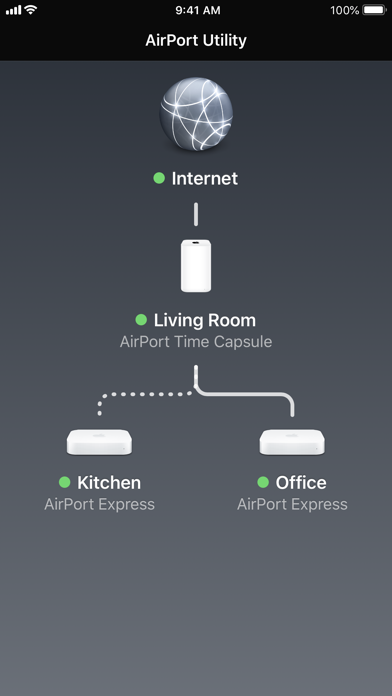
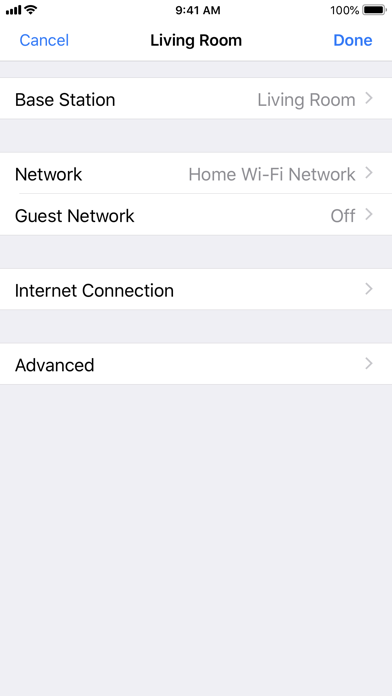
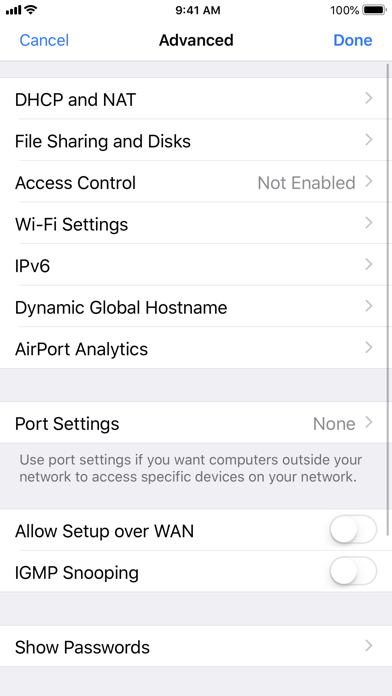
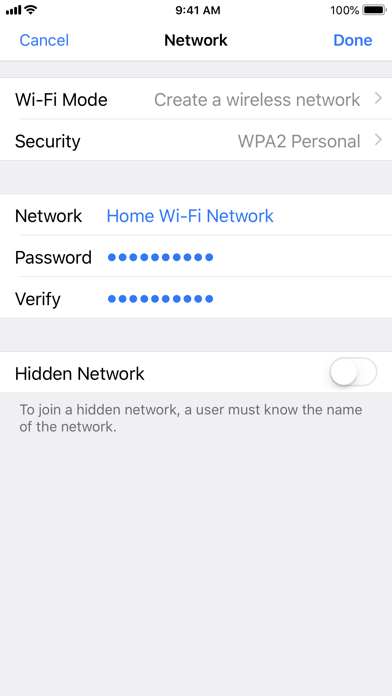
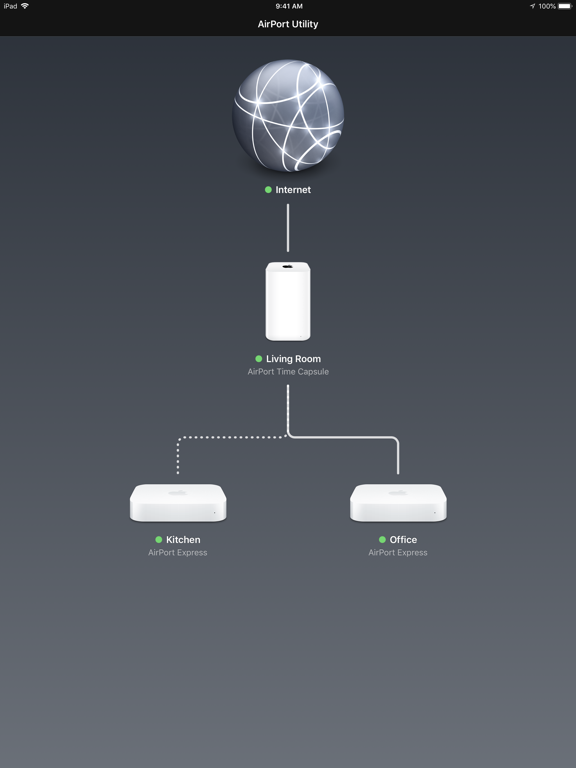
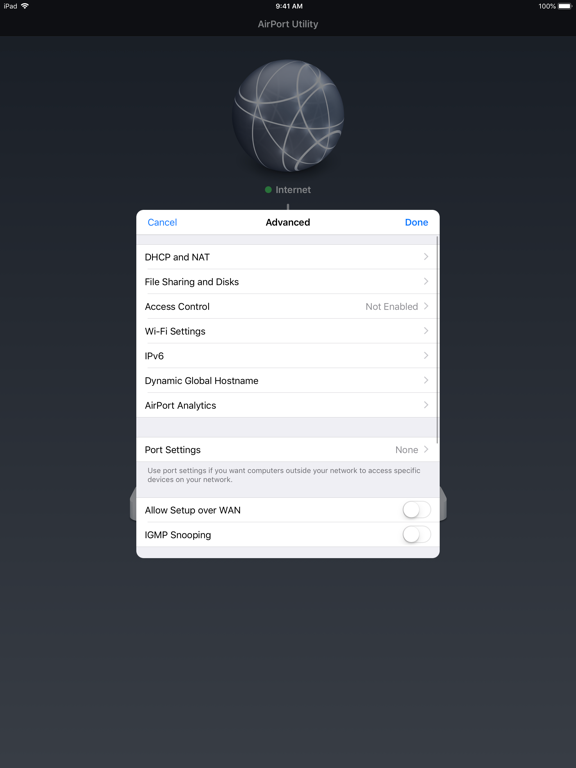
Use AirPort Utility to manage your Wi-Fi network and AirPort base stations, including AirPort Express, AirPort Extreme, and AirPort Time Capsule — right from your iPad, iPhone, or iPod touch. See a graphical overview of your Wi-Fi network and devices. Change base station and network settings, or manage advanced features such as security modes, wireless channels, IPv6 configuration, and more.
AirPort Utility works with all Apple 802.11n and 802.11ac Wi-Fi base stations, including AirPort Express, AirPort Extreme, and AirPort Time Capsule.
Features
• See a graphical overview of your Wi-Fi network
• Get information about your connected Wi-Fi devices
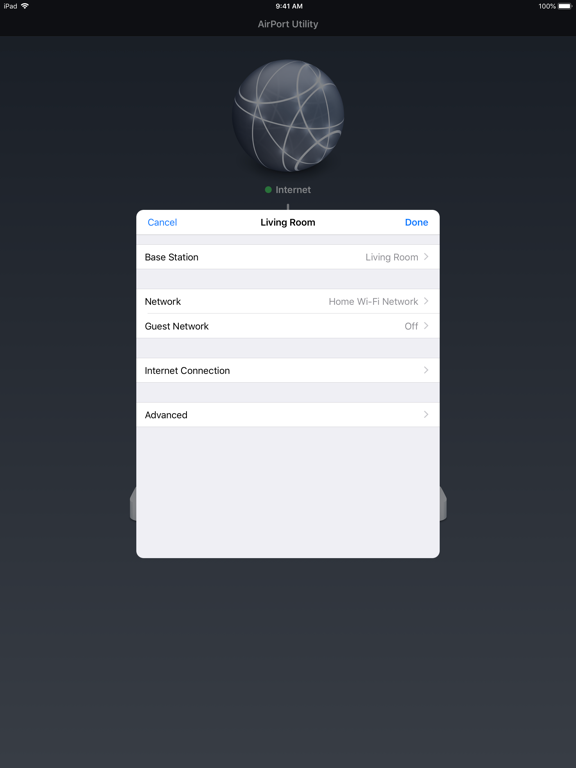
• View and change network and Wi-Fi settings
• Restart or restore a base station, or update the firmware on a base station when available
• View or update passwords for your network, base stations, or disks
• Easily access network information such as IP address, DNS servers, and router address
• Manage DHCP reservations and port mappings
• Configure base stations for IPv6
• View status or error messages
• Archive Time Machine backups
AirPort Utility App Comments & Reviews
AirPort Utility Positive Reviews
OH NO, I didn’t mean to update!I’ve been using this app to manage my AirPort Extreme for years. It’s not the most in-depth router management tool but, it’s the only router management tool available to manage an Apple Airport product. I had no intentions on upgrading/updating this app. on my iPad, which is what I use for pretty much everything apple based on the terrible reviews this update 1.3.6 was getting. Unfortunately I accidentally did update the app while I was updating other apps. Once I realized what I’d done, with great hesitation I launched the app and held my breath... it seemed to launch normally, in fact it was fine! After testing several features I could not find any issues or even any changes. The WiFi scanner is still present and works fine, (I’d seen a few comments saying the upgrade broke or removed the WiFi scanner). I went through several areas in the app, NAT setting, port forwarding, etc. everything works fine. if I didn’t know I updated the app I wouldn’t be able to tell the difference between the two versions. Apple has stopped supporting all things Apple Airport but as of this review are still selling airport products. Apple’s not exercising Best Practices in my humble opinion but everyone knows the Apple knows what’s best for us, the Apple is here to help us, the Apple will keep you safe, the Apple is good, trust the Apple... but seriously, the update works just fine for me..Version: 1.3.6
Device selection unavailable for left area of the appThe app is essential for managing Apple Airport devices, and I use it to handle many. Configuring access management is limited, and NAT and port mapping seems restricted as well. To add to it, I’ve recently added more devices to my network and find sometimes the visual layout of them all (I’m managing 10) ends up spreading them out wider than the iPhone screen, which creates two problems. The first is that I cannot scroll to see the far left devices without the screen snapping back to center. The second is that often the left-most device is completely unselectable, almost as if the tapping detection area of the app is cut off to 75% of the screen from the right. This is true in either portrait or landscape orientation. I would love to see the app updated, but it looks like it’s not getting much attention as Apple discontinued the Airport device line a few years ago now..Version: 1.3.6
Good way to keep in touch with your Airport ExpressesMy household has a couple of ancient Airport Expresses, which have a tendency to fade into the background until they get lonely, and cry out for help. When this happens, they usually just need to be introduced to a new router on the block, or perhaps have their firmware upgraded. Since this only happens every couple of years, however, there's always upfront overhead to digging up and installing the software for Windows. The app makes this dramatically easier, and is a lot easier to use on top of it. For various reasons, it's much simpler to ensure the app gets installed on each of my iDevices and is kept up-to-date via the App Store than it is via the PC. So, from my Airport Expresses, a big thank you: They feel far more cared for as a result. Indeed, they're even get proactive firmware updates now, instead of having to wait until they start refusing to take requests..Version: 1.3.4
Mr.AirPort Extreme is a very reliable and stable router/access point. It’s sad that Apple discontinued it in 2016 and then we start seeing the flourish of Smart Home devices, along with mesh Wi-Fi that AirPort Extreme seems to be a precursor to these home networking devices with ease to configure multiple access points. Apple’s loss of this opportunity is most unfortunate. While in the meantime, I believe many of the AirPort Extreme users are still enjoying the convenience it brings, as well as its ability to achieve ~350 Mbps in download throughout and >400 Mbps in upload, in a 1Gbps broadband service. Airport Utility is an essential and concise app to help manage AirPort Extreme but it doesn’t seem to work with iOS 13. I hope Apple can continue maintain this app, or even better, kick off another endeavor in creating home networking devices that our MacBook Pro, iPhone or iMac can work with less seamlessly..Version: 1.3.5
Excellent information, but you have to dig a littleThis utility has a no-nonsense interface. The only graphics are the startup screen that show icons of all the nodes on the network and their connections. Clicking on any node brings up basic, but important info for that node. Touching Wireless Clients brings up the MAC address of any connected machine. Touching any address brings up the helpful info you need to dig for: Connection data. This app shows the Connection quality, Data Rate, S/N and Mode for each device. That is priceless This info isn't even available on the desktop version. The only options you can't change are DHCP Reservations and Port Settings. Access Control is included and is very helpful because you can go to a machine and check its MAC address then set Access Control from the iPhone..Version: 1.3.4
Convenient app but iOS8 update freaked me out for a bit.Ever since I purchased my first AirPort Extreme a couple of years ago, this app has made it quick and easy to set up and alter the settings on my base stations. A recent update to iOS 8.0.2 freaked me out for a bit since my iPad couldn't locate any base station on my network. The thought of having to work solely from my computer when wanting to change settings on my base stations was annoying since the convenience factor would be completely eliminated. I didn't want to assume the app was a lost cause so I went to the apple support page and their suggestion was to simply power off my iPad and turn it back on. Sounded way too easy but it worked and the app is once again convenient..Version: 1.3.4
Excellent coverage but needs improvement in other areasBeen using Apple Routers for over 5 years now and not had any problems with them as such. Could expect the ability to turn off internet Access for specific devices or at night at specified times so to avoid misuse. Also would like better control on who’s using how much data with MAC address and device names with the WiFi networks. Lastly being an Apple product please release app support for iPhone X ‼️ Firmware updates are overdue ‼️ Also a big downside with fiber connectivity is that the speed drops greatly on WiFi on the wired extended airport express. Unsure why but my Main Aiport Extreme gives me D:100/U:100 Mbps but my wired extension of Airport Express gives me D:40/U:40⁉️.Version: 1.3.4
It's just ok...It does what you need to configure and manage your Apple Airport device, but it suffers from the same lack of Apple love as other Apple utility apps, and here is why: this update provides a new Wi-Fi scan feature that lets you list networks around you, their signal strength, and what channel they're on, so you can make a more educated decision on how to configure yours, however, as useful as this feature can be, the presentation of the info is just awfully simple: a list. No charts, no sorting, no nothing. Come on Apple, you guys are known to design the most beautiful looking devices and apps, why is that you show no interest on giving this type of utilities a better looking and more helpful UI? Same with OS X wireless diagnostics. Just drop me a line if you need some help ;-).Version: 1.3.4
Decent App, Nice Display, Some BugsDisplays a nice net map of your Apple Airports. With the AirPort Extreme, it transmits past my neighbor's homes so I really don't need more than one so I don't get the cool display anymore. Shows your public IP, nice. You can run your own server and point it's DNS back to your server. Nice. What you can't do is have separate DHCP controls and specifically separate DNS for the guest network. This is a major fault as suppose your DNS is a Mac Mini in your home... Guest network cannot access your Mac Mini on the non-guest, DNS points to Mac Mini, game over. -2 Offers to save your Airport Admin password and used to do that... But now just offers and doesn't not save. That is very bothersome -1 Over all, an decent utility with a very nice design with some silly problems that should be be fixed years ago. Apple is exceedingly slow at responding to customer bug reports so don't hold your breath. If you can't deal with what I have mentioned, don't by Apple Airports..Version: 1.3.4
App Crashes on iOS 13I’ve been using my 3rd Gen AirPort Extreme for 10+ years as well as the AirPort Utility app for as long as it’s been available and understand that Apple has long since discontinued their router sales and support. That said, I can’t 1 star review due to how well it has worked and how useful it’s been in the past, however I/we can only hope Apple addresses this issue. With the last app update being more than a year ago, we can only cross our fingers. My AirPort Extreme has been the best router I’ve ever used and have even considered purchasing a used one as a backup in case mine ever kicks the bucket. Help, Apple! 😬.Version: 1.3.5
Faster than claimed by manufacturerHave two of them as I love that o can use for music without having to use tye tv screen as is done with Apple TV. One I have doubled as a WiFi extender and to wirelessly pump music into my stereo using the laser link into my boutique stand alone fav for greater music reproduction. This air device is like a one in all and very versatile even though it’s kind of old and obsolete I never want to be without it in life as nothing like it exists anywhere. Never should be taken out of production in my view. Nice and compact with pretty darn good rage still today. Both mine are the last version..Version: 1.3.6
Simple and informativeI’m no super user. I just want to plug in my ancient Apple Time Capsule and connect to the internet at a reasonable speed. This app helps me do that admirably. This morning I finally unplugged my fast but unreliable new TP-Link router to return it (piece of junk), then dug out my trusty Time Capsule and hooked it up. Got the flashing amber light and no internet connection. Hm. Opened this app, which showed me in a few words and some handy pictures what the problem was. Fixed it and was immediately up and running. Thanks, Apple. Boy, I wish you still made routers..Version: 1.3.6
Tends to lose routersThe app works OK, but tends to "lose" routers occasionally. For example, I have an AirPort Extreme connected directly to the DSL modem upstairs, and another in the basement extending my wireless network to some NAS drives. Everything on the network works, but this morning the app couldn't find either router (even though my iPhone was connected directly to the upstairs AE). If I forgot the router in the app and let them be re-discovered, the app only found the basement AE. It didn't recognize the AE sitting between the basement AE and the Internet..Version: 1.3.4
Works great, before and after iOS 8Airport Time Capsule with iOS 8 works great, no loss or degradation of function. This app has saved me loads of time, allowing me to make changes to my Airport Time Capsule without dragging out my MacBook or sitting down at my iMac just to look up the MAC address of all the devices using my wireless network, for example. If you're having problems using the app, try a hard reset on you iOS device, force quitting the app before restarting..Version: 1.3.4
#UtilizeTruthThis airport app design is one I truly utilize… one thing hasn’t changed, it’s Apple’s Wi-Fi game. They stayed ready to keep from getting ready, and I know this review is getting heavy, but my devices from like 2014 and my connection always reigns supreme! one thumb up and the other is around this eaten apple’s core… we wish that you had brought us more… But yet on our own thus we must explore. Not a snake nor a garden no more. -green miyagi 💚.Version: 1.3.6
Finally fixed in iOS 13I was worried we wouldn’t see an update since Apple walked away from AirPort devices but glad to see a newly released update for iOS 13. Had to reinstall because it wasn’t asking to save passwords (remembered the choice from the crashy version but wouldn’t save still) and that fixed that. Hopefully they’ll work harder to make their own apps ready on day one when iOS 14 comes out—or even better don’t break it next time?.Version: 1.3.6
Needs update! Only RSSI app around!This is about the only app on the apple app store that has a true wifi spectrum analyzer and tells you the RSSI of your wifi connection which is very important information. It really needs an update since some buttons in the corners can be used on newer iPhones since they are mostly off screen. The app crashes occasionally The wifi scan information is really limited, it could really use displaying the same image as macOS does: (channel, rssi, noise, SDR Rating, phy mode, ect) Lastly, it would be nice if there was options to group search results by same channel so it’s easier to see how many ppl around you are using the same channel and also sums up which channels are being used instead of this very long unorganized list of results..Version: 1.3.6
Easy setup! I see room to make it easierRouter was very easy to setup with this app. Much easier than any other I have ever had. It seemed to know what it's problem was and why it couldn't connect to the internet. Only reason I didn't give it 5 because it seems Apple would give it an "Autoset" option that would automatically use certain checks and set it up for you with the most common settings. Great router with much better signal than my last Belkin!.Version: 1.3.4
Solid productivity toolSince 2012, I have used the Apple AirPort utility for two different networks, each using an AirPort Time Capsule as my main wireless base stations along with AirPort Express base stations to extend my network connectivity. When I have moved to a new office location, this utility has made connecting to a new network easy, backing up to AirPort Time Capsule is very important since I use a variety of Macs, and iOS devices..Version: 1.3.6
The best app Apple has madeUnlike most apps by Apple (which come preloaded and can't be deleted, eg podcasts, newsstand) this app must be downloaded and can be removed. Up front, that's 3 stars. I love how to app is also baked into the Settings>Wifi>manage this network, too. Functionally, this app is amazing. Took 2 seconds to turn on my new AirPort Extreme and set it up as a wireless bridge to my existing FIOS router. Keychain and remote restart is handy, and too. Great work!.Version: 1.3.4
About as much control as the older Mac/Windows Airpot UtilityI have a 3rd gen Time Capsule, and the fact this app does everything but hard drive management is great. I can configure port forwarding to my Mac and PC, I can manage what's on my network (and filter what shouldn't be there), and I can reset my router from across the house when I absolutely need to ( a rare occurrence indeed). Add drive management for Time Capsule and attached storage, and this will be perfect..Version: 1.3.4
What I Needed When I Needed ItI needed what I would call an RF Field Strength meter for my iPhone that I could carry to where I plan to install a WI-FI outdoor security camera. Just wanted a measure a bit more definitively than a 3-ring clam shell provides. After trying out 4 or 5 paid apps that didn't measure dbms, I found this app. Its pretty austere and not overly intuitive but its free and it works. Just be sure to toggle scanner inside the app as stated..Version: 1.3.6
Update it!I am unimpressed with the fact that a company like Apple seems to have abandoned one of its own apps. The fact that it hasn’t been updated in 3 years and the update brought support for iOS 8 is unacceptable. There have be 3 (going on 4) new iOS versions since then. As well, this Apple app is not optimized for my Apple iPhone X. It’s not like Apple to just abandon one of its projects like this. I understand the airport line is being discontinued but people are still using them!.Version: 1.3.4
Shows Wifi ChannelsThis is the ONLY App in the App store that shows which channel the networks around you are using. Playstore has “Wifi Analyzer” that shows so much, but this at least shows the bare minimum you need to help you select the best channels for your router. Setup permissions in settings to allow Wi-fi scan first and you’ll be good to go..Version: 1.3.6
Issue after iOS 13 but can be fixedThe app crashes when you try to sign into your router after updating to iOS 13, but if you delete the app from your device and reinstall from the App Store it will work. Apple could probably fix this with an update to the app. Other than that, Airport Utility is fine. Too bad Apple has discontinued their routers which likely means support is being deprecated..Version: 1.3.5
Wi-Fi signal strength works.Found a review that said this works well and gave setup directions. (Step 1)go into app settings and change the slider for “Wi-Fi scanner” to on. (Step 2) Done with setup. Went into the app and clicked “scan” and am seeing dBm values for all networks around me, refreshing every couple seconds. I don’t have any airport devices, so no idea what’s up with that angle..Version: 1.3.6
Not compatible with iOS 9Pretends to scan but does not find the apple airport extreme in the same room when I use my iPhone 6. Installed exact same app on ipad running iOS 8 and it works. However, there are many configuration options not available to the user. Apple routers are light years (bad tech pun) ahead of the competition but I would like to see more configurability a la DD-wrt. Give the user more options please..Version: 1.3.4
Bring back AirPort!!!Honestly this is one of my most used apps on my phones since I still use like 4 AirPort Extremes around my hose it would be cool if Apple would bring back the Router line since they are so focused on the privacy side of things but I guess they prefer iCloud.Version: 1.3.6
Airplay 2 support fixed?Since Apple rolled out AirPlay 2 I had been having issues getting my iPhone to play over my stereo that is connected to the audio jack on my Airport Express. Today they released an update to the Airport Utility and I was Apple to successfully connect for now. Let’s hope it wasn’t just by coincidence and they really did fix the issue..Version: 1.3.6
IOS 13 supportI understand Apple is done with these router but they still have a large base who use them. Can we get some iOS 13 support for this app? It no longer works on my devices running iOS 13. I had to downgrade to iOS 12 just to adjust my settings. I love these devices and their ease of use. I’d prefer to not have to drop a ton of money to replace this almost flawless system..Version: 1.3.5
Good AppThis is a handy app for checking on your network or setting up new Apple base stations. Simple & elegant too. Note, if a base station does not appear or views the settings only, then Apple no longer supports that device. The device will continue to provide service as-is, but cannot be reprogrammed..Version: 1.3.4
Gonna miss it when I have to replace my 6th gensApple Airport wifi was by far the easiest to set up with multiple base stations. Still enough to saturate my internet connection so I keep using them until they stop getting firmware updates..Version: 1.3.6
Does not provide access to icloud ID/passwordMessage was displayed when Time Capsule had yellow light requiring update of iCloud ID & Password (for Back-to-my-Mac?) but iPhone App does not provide access to update (had to be done from Mac). If message is displayed in the App the App should provide a way to fix it in the App (or at least instructions on how to fix it from Mac).Version: 1.3.4
Long time userHave had this app since the extreme launched. Totally agree with what people are saying about lack of features and intuitivity. This is Apple and yet their router app seems more outdated than other manufacturers. Come one Apple get it together! Since last iOS update however my phone can’t seem to detect my extreme or express can’t connect or configure. Great!.Version: 1.3.6
The best example of Network ConfigurationMost other network devices require you to use a stupid web interface. This has been once of the best ways to configure a Network that I have seen. Completely intuitive..Version: 1.3.6
FINALLY! I got it to work!I think after the update, I am now able to extend my optimum WiFi with my 3rd generation time capsule! I’ve been trying on and off for years. It wouldn’t play nice with a Verizon router but plays nice with Altice! Thank you Apple! Love my Apple products, all 13 of them!!!!!.Version: 1.3.5
Love/hateI love the concept of this application. It has very great potential and many useful features. I use it frequently and it’s effective. It also is very difficult to understand as the menus should be revised and set up differently. Very outdated and has a few bugs. Sometimes no matter what it’s unresponsive. Please update!!!!.Version: 1.3.4
IOS 13 Crashes*Resolution*All, I was experiencing the same issues as everyone else, with Airport Utility consistently crashing after entering my password correctly. I uninstalled the app and then reinstalled later in the day. Works everytime now. Maybe uninstall and reinstall is the solution. Worked for me.Version: 1.3.5
Currently not working with iOS 13.1.1The app starts but crashes after inputting the password..Version: 1.3.5
Works fine.No problems here..Version: 1.3.4
Worked fineWorked great. Updated my airport firmware right from my iPad Air. Nice!.Version: 1.3.4
Worked Perfect to Find Neighbours’ WiFi Channel NumbersBut you first need to turn on the app’s Wifi Scan feature on your iPhone or iPad by using Settings/ scroll to AirPort Utility app/ WiFi scanner / slide button to right or green. Worked perfectly for me within 10 seconds to find the wifi channel numbers that my two neighbours are transmitting on (channel 1 and 9), so I set my wifi router permanently (from auto) to channel 11, to avoid interference. The possible interference (2 routers using the same wifi channel) may have been disconnecting my router from my ISP, requiring endless reboots of my wifi router. No one at my ISP Tech Support offered up this potential fix , even after 6 to 8 calls for help, and 2 in-home tech visits. I found this “change your wifi router channel” tip on the internet. Time will tell if it’s the ultimate fix for a wifi router that’s dropping the internet signal at least once a day..Version: 1.3.6
Even in 2024 this thing is greatHere in 2024 reviewing the Apple airport and this app. It’s so good. It’s easy to set up and dramatically increased my Wi-Fi speed..Version: 1.3.6
Works great!Went looking for a utility to view raw wifi signal strength -- theres a bunch of shovelware on the app store that claims to, but this is an official utility from Apple and has some special permission from the OS that gives it low level access. Once you turn on "wifi scanning" in the app store settings you can just hit "Scan wi-fi" and it works perfect..Version: 1.3.6
2023 test.It actually works great. Since there isn’t instructions I think most people just give up without reading some important information that I found posted in these reviews. After installing the app you need to turn on the wifi scanner that is off by default. You can only do this by going to your device settings application, scrolling down to the Airport Utility app then turning on the wifi scanner. Now launch the app and do a scan from the top right corner text link. Now play around for a bit. You will see your wifi network name and probably neighbours if you scroll way down. Now just check it out. Do scans from different rooms and compare the dbm signal info. Enjoy!.Version: 1.3.6
Not loading upI downloaded this but it just keeps searching and never opens up. it used to work for me.Version: 1.3.5
FinickyI use my airport express to allow me to use Bang and Olufsen active speakers from my pad and phone. It is used as an addition to my existing wifi network. When it’s working it works great, but if anything happens like a power failure or I need to change the password on my network, it’s a 1-2 hour chore to get it connected again. In the year I’ve had it, I’ve had to return it to factory settings more that 4 times and start all over again. I’m also using it to play music for my ASUS PC Laptop and it works for awhile then spontaneously says it can’t connect and has an error message...another reset. I like the things it lets me do, but it’s a little finicky and I’m fairly co outer savvy, I thing if this was owned by someone who calls when their machine isn’t plugged in, they’d throw it out in frustration..Version: 1.3.5
Need improvementStill waiting for a big change.....Version: 1.3.5
Free International Money Transfer 💸Enjoy high maximum transfers into more than 20 currencies while saving up to 90% over local banks! The cheap, fast way to send money abroad. Free transfer up to 500 USD!Version: 1.3.6