Alco Blom
URL Manager Pro Customer Service

- URL Manager Pro Customer Service
- URL Manager Pro App Comments & Reviews (2026)
- URL Manager Pro iPhone Images
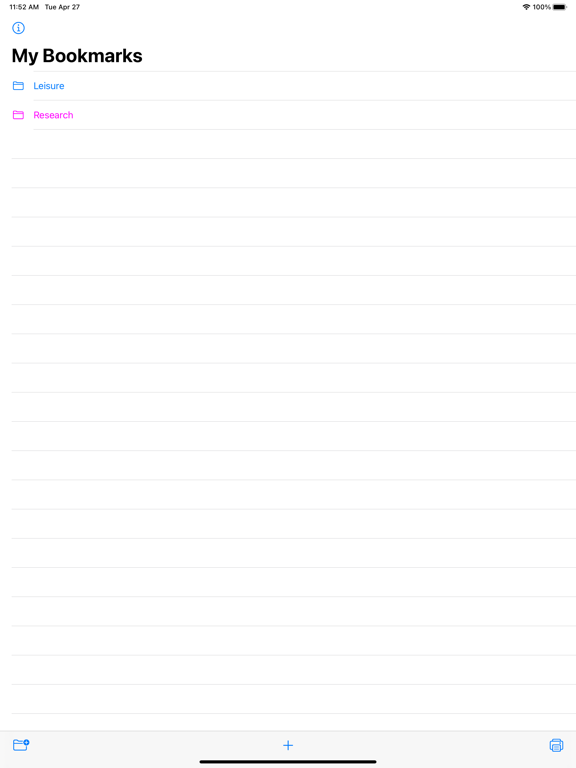
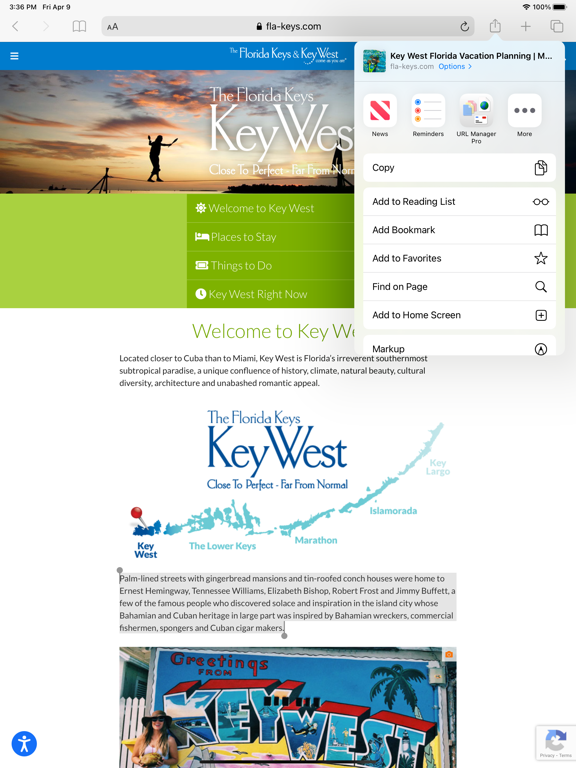
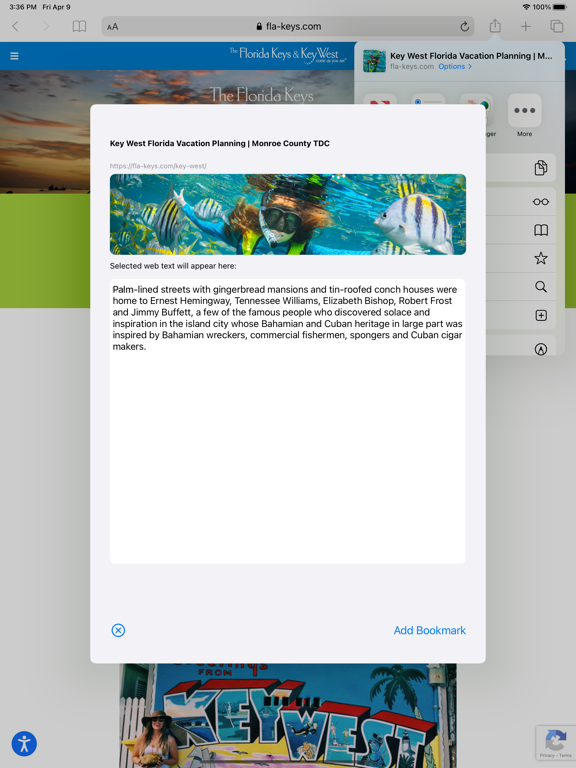
- URL Manager Pro iPad Images
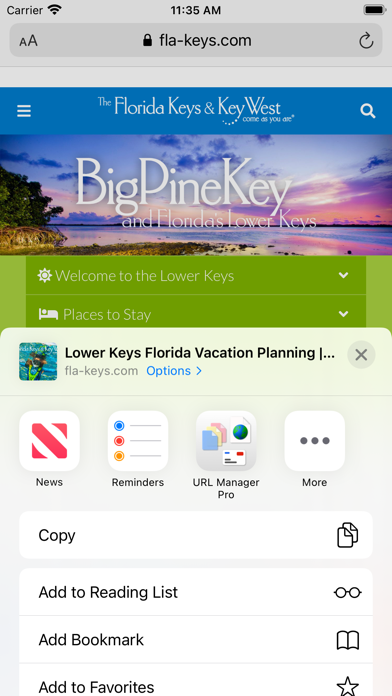
URL Manager Pro is a bookmark manager for the web and includes a share extension. While surfing the web using Safari or another web browser, you can bookmark the web page using the Share button and then add the bookmark to URL Manager Pro. Any selected text on the web page, will be automatically copied to the note field of the bookmark. If you want to add a note, that is also possible.
You can also bookmark any web URL that any other app might make available after you use the share button.
It supports the following features:
- user guide (PDF)
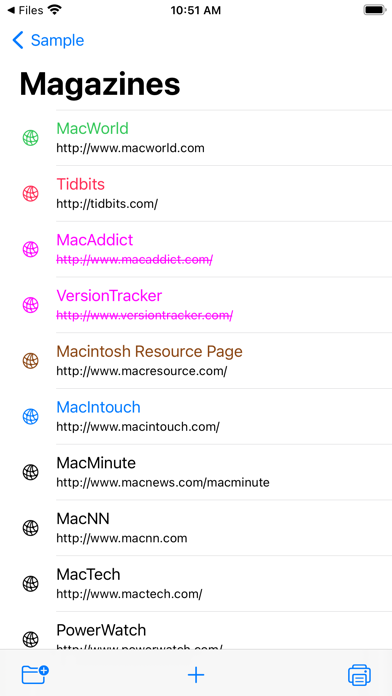
- creating bookmarks
- adding bookmarks
- adding notes to bookmarks
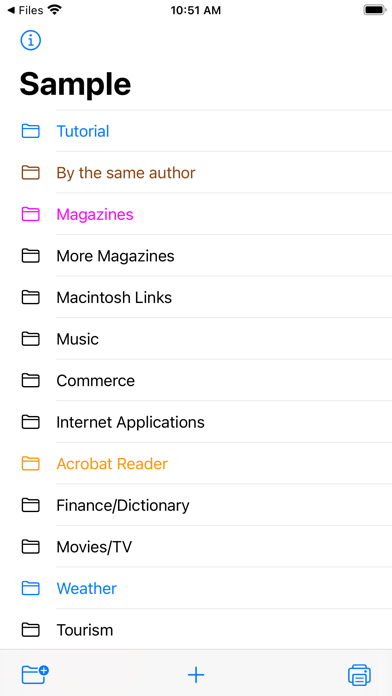
- creating folders
- moving bookmarks to folders
- deleting bookmarks and folders
- colorise bookmarks and folders
- opening (launching) bookmarks
- opening bookmarks in Safari, Chrome, Firefox, Opera, Vivaldi etc.
- emailing bookmarks
- printing bookmarks
- sorting bookmarks
- selecting bookmarks
- searching bookmarks
- copy URL(s) of bookmark(s) (several formats)
- mail bookmarks in HTML format
- export bookmarks to an HTML file
- Tweet (X) bookmarks
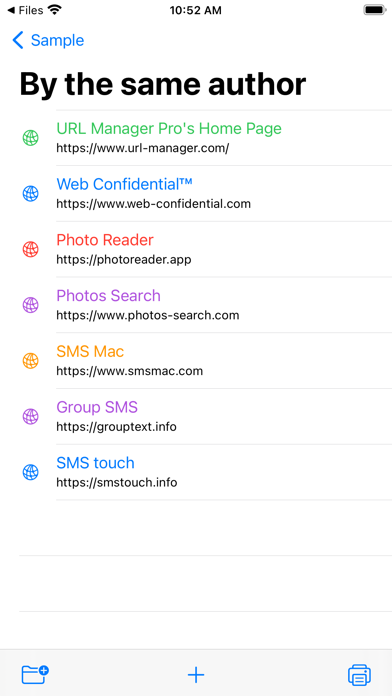
- showing name, URL and note
- showing date added attribute
- support for Apple Shortcuts
- compatibility with URL Manager Pro for macOS
- make several collections (documents) of bookmarks
Some examples:
1) build a collection of bookmarks for your research project
2) build another collection to fund your research project
3) use it as a Clipboard or Notepad of often used URLs you need to copy and paste
4) use it to print a handout to give to a class with reference documentation URLs
5) use Apple Shortcuts to automate
URL Manager Pro App Comments & Reviews
URL Manager Pro Positive Reviews
Lastet version better sortedInitially, v5 seemed finicky about opening the bookmarks file on launch. V5.3 works as it should. Thanks, Alco!.Version: 5.3
One of my most valued appsIt's wonderful to have bookmarks available in multiple browsers. Very easy to organize the way one wants. Easy to add a bookmark by dragging or Command-K. Excellent support from the developer. Also available for iOS. The only negative I can say is that I see almost no publicity or advertising for this app. It should be a lot more popular than it is. It's sort of a secret gem..Version: 5.8
Good but datedI like this program, had it a long time ago and when I found it again I was quick to purchase. It's still good, but I would like it to sync with pinboard and online services. I would be a great 'front end' for those services and that would make it easier to sync it across computers and devices (phones and iPads). So I'll give it a great at what it does, but needs to do more to actualize it's potential as my primary bookmarking app..Version: 5.4.3
The Best URL Manager - Exceptional support!I'm a URL Manager Pro user since 2002 or before. I love it and depend on this application. The developer has provides great and fast support. A favorite feature is "Open in Tabs" so I can have a folder of sites I visit daily and have them quickly open in Safari..Version: 5.0.3
Much improvedReally like the latest update with the validate function. Been waiting for this, and it's working great. Developer also very prompt and helpful on support. Thanks..Version: 5.3
If you Live and Die by the Internet….…then there is no better value in any app on the App Store than what this developer has given us for free..Version: 6.4.5
Not what I expected for the price.It’s got a lot of potential and really has a lot to offer. It’s a little clunky though, especially compared to the smoother apps that people are writing with newer frameworks. I would like to see the following upgrades: • Allow drag and drop from a browser directly to a folder, not just the main list. • Allow drag and drop when sorting in the app when you drop it on the line item or name, not just the folder icon. • Create a right-click menu that lets you do things like the OS does, new folder, new bookmark, duplicate, copy, paste, etc. • Have someone name their new library when they first make it, then you can enable autosave by default. I kind of expected the app to autosave. • Let people test it first, you’ll likely get more feedback to make the app better. That’s all for now..Version: 4.4.5
UPDATES ARE NON CONVENTIONALRECTIFIED AFTER A FEW TRIES TO UPDATE..Version: 5.5
Glad to see a Lion versionI've used URL Manager Pro for years and years and absolutely love it. Because I can use it across multiple browsers, my hundreds of bookmarks are always available. I store the data file on my iDisk and it's available identically on work and home machines. I can export an html version and access it on my iPad and iPhone. I recently started using the Menu Bar drop-down option and wonder why I never used it before-it's even faster than using the application window! In short, this has been one of those golden programs (sorry, now it's an App) that has always lived up to expectations and for which I am happy to pay the reasonable upgrade fees every several years when a major version change is offered..Version: 4.0
May not seem that flashy here on the App Store….Here in the App Store so many different apps try to show off features that don’t matter or social integration or they just have a lot of promises and nothing really works. Well URL Manager Pro is different. And because of this it might seem a little bit “boring“ at first glance. But when you combine the simplicity of this tool along with the desktop application you have the ability to manage thousands of bookmarks if need be. Forget social bookmarking or visual bookmarking, this is for people that have some serious bookmarks!.Version: 1.4
Great Cross Browser URL ManagerAll of my Bookmarks in every browser I use. I have been using for over ten years and have refined my bookmarks and want them in any browser I use. The author provides support after the sale and has plans to improve it yet, so I am glad to pay to upgrade to an Intel version after more than ten years of free upgrades! Alco is like an old friend after all the support he has provided over the years. Support like that and now updated for my Intel machines!.Version: 4.0
This is an excellent appI've used this app for many years. The only failing is that it's not cross platform, since I use Windows as well as Mac. I could ding it a bit because it uses the Services menu instead of a hotkey to make a book mark in Firefox, but that's not a huge disadvantage, merely an annoyance, albeit a continuing one. It also tends to show garbage characters for some characters in the URL. All in all, a nice program that I use a lot..Version: 4.0
Good managerGood to find an a bookmark manager keeps data on your local machine instead of web based. Coming from the PC world, this is the closest thing I could find that works like my old bookmark manager 'teleport'. It would be nice if this manager supported favicons or thumbnails of the webpage to help me remember what the bookmark was about..Version: 4.1
Alco is awesomeI’ve used this app since it was released. That was back when system 7 was still in use. Alco does a great job maintaining it and adds new features quite often. Its not fancy, it just does its job quietly and stays out of the way. The addition of the iOS version is a very welcome tool to have in my kit..Version: 2.2.1
Feature request: ability to import html fileIt would be convenient for me to be able to import previous bookmarks. Perhaps the folder structure could be preserved as well.Version: 2.2
Best Bookmark Manager now Native IntelI have been using URLMP since 2000, running it on Mac OS 9. It has been the best bookmark manager I have tried, and is one of my top utilities. I am so glad to finally have an Intel version. This release means I am no longer using any programs that need Rosetta, so I can now move to Lion. Thanks Alco!.Version: 4.0
Like the app, but...I like the app for organizing all my bookmarks in various folders, but it is now incompatible with Catalina and I'm not sure if and when it will be upgraded. I'm still running Mojave on one of my computers to be able to use this app, but would love to move to Catalina as soon as possible and still be able to use URL Manager Pro..Version: 4.6
It's what was holding up my update to Lion!It's that good an app! Seriously, there's nothing like it anywhere. All my bookmarks, available in all my browsers, all the time, no syncing needed! Well worth many times even the price after September 1!!! ;-).Version: 4.0
Program performance unpredictableI have been a user of this program for many years. It broke under Lion. It works intermittently for me lately. It is a fantastic program when it is working correctly..Version: 4.2
BoringBeen using URL Mgr since 2000. shame / lazy development. except for porting to OSX 10.10 Yosemite at vers. 4.4, nothing really changed since 2000 or vers. 2.7 not in features/functionality or GUI! the UI is totally in need of upgrading! glaring features missing (though empty promises since 2000): - web 2.0 / 3.0 - visual bookmarking incl. CoverFlow / share / sync / bookmarklets - export folders of URLs - etc top practical features: - bookmark from any web browser/open in any browser - pref to save how to open individual URLs with specific browser.Version: 4.4
Free International Money Transfer 💸Enjoy high maximum transfers into more than 20 currencies while saving up to 90% over local banks! The cheap, fast way to send money abroad. Free transfer up to 500 USD!Version: 2.2.8
What do you think URL Manager Pro ios app? Can you share your thoughts and app experiences with other peoples?
Please wait! Facebook comments loading...