ComcSoft Corporation
ITerminal Pro – SSH Telnet Customer Service

- ITerminal Pro – SSH Telnet Customer Service
- ITerminal Pro – SSH Telnet App Comments & Reviews (2026)
- ITerminal Pro – SSH Telnet iPhone Images
- ITerminal Pro – SSH Telnet iPad Images
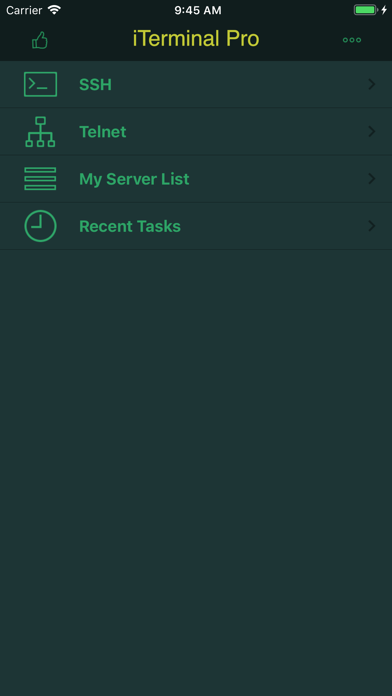
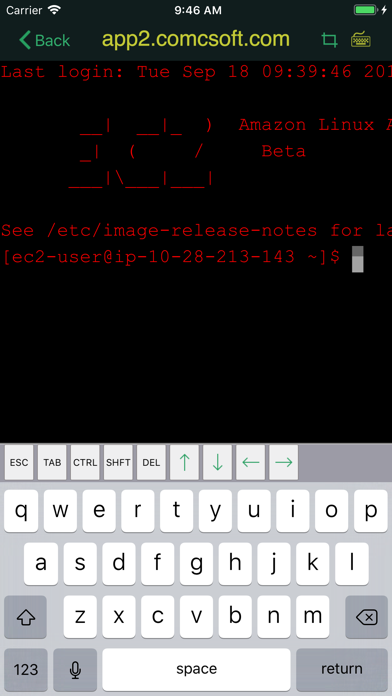
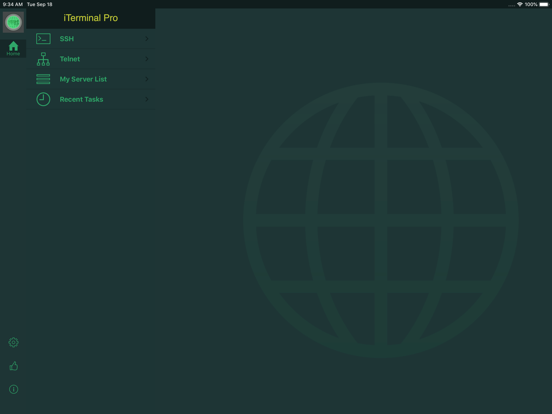
iTerminal Pro is the Pro Version of iTerminal on iPhone and iPad. iTerminal is a simple yet very powerful SSH and Telnet client on your iPhone and iPad. You can connect to remote servers through SSH or Telnet with iTerminal. Besides all the features available on iTerminal, the Pro Version removes all advertisement and includes professional Tech Support.
Supported features include:
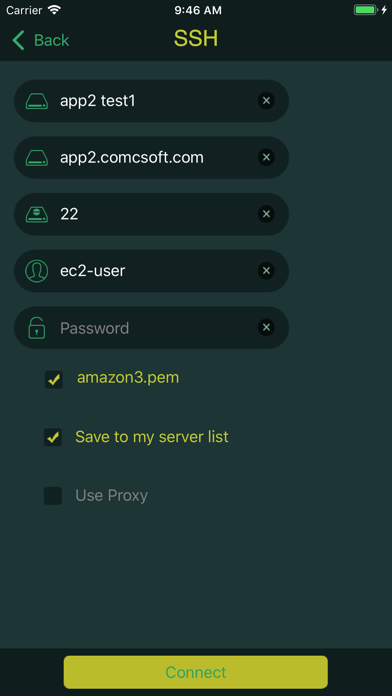
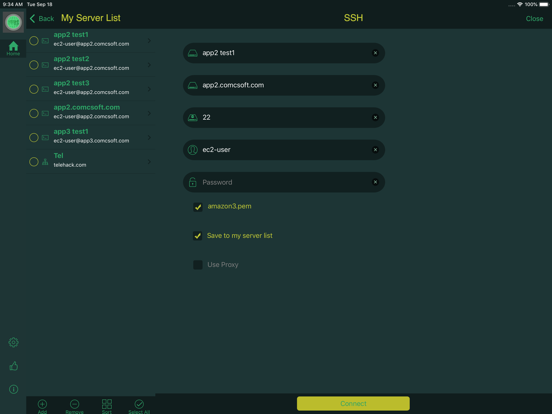
- Connect to your servers using user name/password or private key authentication through SSH.
- Connect to your servers using Telnet.
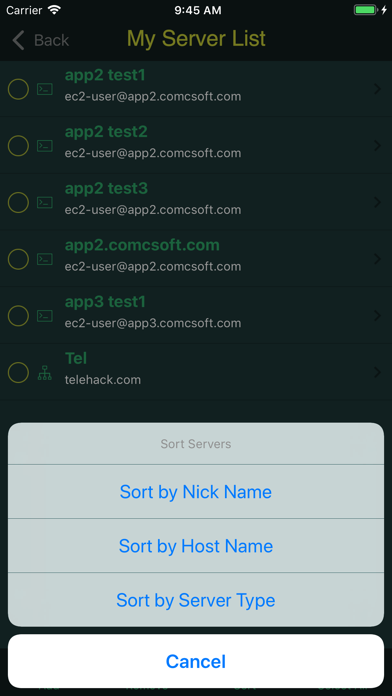
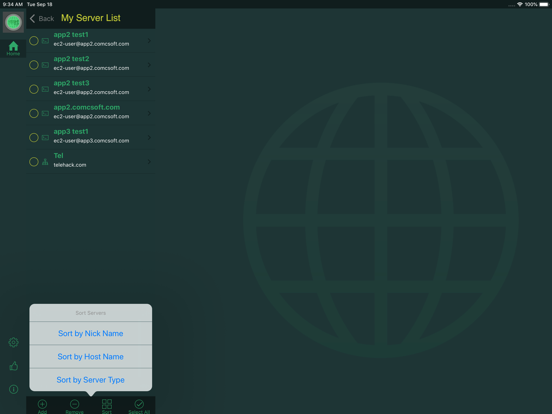
- Support Server List.
- Support exporting Server info to and importing Server info from iCloud. Now Server info can be easily transferred among different versions and devices.
- Support to connect through Socks 5 Proxy Server.
- Support history of Recent Tasks.
- Support Private Key Management and encrypted PEM and PPK keys up to 4096 bit long.
-- Support importing key files from and exporting key files to your iCloud Drive. You now can easily import a key file from your iCloud Drive by copying your key file to your iCloud Drive under /iterminal/key folder. It's more secure and convenient to import a key now.
- Support Bluetooth Keyboard.
With its simple interfaces, iTerminal provides the easiest way to securely connect to your remote servers on iPhone and iPad.
If you have any questions, please visit: http://www.comcsoft.com/Portfolio/our_apps/iTerminal/iTerminal_overview.php.
ITerminal Pro – SSH Telnet App Comments & Reviews
ITerminal Pro – SSH Telnet Positive Reviews
I love this ssh clientIt is beautiful and elegant. I am hoping it is still under development I have a few suggestions.Version: 8.91
Excellent!!!“The Pro Version is Excellent” The layout is amazing for mobile. Very mobile friendly, no bugs one tiny thing; however, wish it would keep the SSH server to stay open when switching through apps so when a user comes back, they can finish where they left off..Version: 8.20
Good terminal, but…I use oh-my-zsh on my linux instances, normal ssh will pass through all the awesomeness of zsh as well as the font and theme. Using this terminal, my zsh font is forcibly overwritten by the app’s font, and the theme is broken, making everything that makes zsh handy at a glance completely useless. There is other terminal apps that don’t override themes, and my preferences in zsh carry through perfectly. Other than rendering the features of my normal shell obsolete, this terminal works great, so long as appearance means nothing. Allowing users to set their terminal appearance is fine, so long as the customization is more than 5 colors for font and background.Version: 8.80
Excellent startThis app is off to an excellent start. One of the few telnet/SSH apps that doesn't suffer from echo issues when attempting to connect to AMX processors and touch panels. A nice clean UI as well. There is some wonkiness when it comes to saving servers (I really wish I could give them a name rather than just the IP). Fix that and add iCloud support so I can share the list between my phone and tablet, and it would make it 5 stars for me..Version: 2.00
Excellent app for real-world usageI can monitor production Unix systems and run scripts on the go. Very handy..Version: 8.80
BuggyKeyboard disappears does not re appear. Some buttons don’t work.Version: 8.20
Great Tools with a Couple Nagging IssuesThis app is great, in that it keeps reliable connections, looks great, and is a great value, since it's a universal app. However, when connecting a bluetooth keyboard, the 'minimized' keyboard on screen covers up the bottom line or two, making it impossible to see what I've typed. Strangely, hiding that on-screen keyboard (to actually see the bottom line) blocks my bluetooth keyboard from typing. It's a little annoying. With a little polish, this could become indispensable for me..Version: 2.02
Great terminal app but it needs Mosh supportI would give it 5 stars if it had mosh support. This is a terminal emulator for a mobile device, it really shouldn't be limited to only TCP connections..Version: 6.0
Nicely done, works greatNo complaints at all with this software. I highly recommend it.Version: 6.0
Just needs one last thingHands down the best terminal app out there. If there was high resolution support, it would be a 5 star for me..Version: 4.0
Missing something importantUnless there's a way and I haven't found it, I really miss not being able to use the CTRL key on my iPad Pro keyboard. Makes using vi cumbersome. Everything else is great..Version: 4.0
So far, so goodEasy to setup and connect. Only show in landscape view, doesn’t rotate. Also as mentioned screen refresh jumps around, kinda bothersome while using..Version: 8.0
ProblemAfter iOS or other upgrade I lost all of my saved connections. Not happy!.Version: 5.0
IndispensableBest terminal app for IOS. Gotta have for Linux administrators.Version: 5.0
CoolThis is too cool.....Version: 6.0
Does what I needI use it to connect to servers I administer via ssh, it works well for that. Allows use of keys for logging in, works well with my Logitech Slim Combo keyboard on my ipad pro from 2016. It is nice to be able to have a reliable ssh client that I can carry around with me for when I need to fix somethiing. Had a problem show up recently (12/2021) where the Apple iOS change clobbered the arrow keys, messaged tech support and they got right on it. Note that the copy function is kludgy when copying large blocks of test, but I don’t need to do that often. This is my most used app other than mail and browsers..Version: 8.75
Hynre.martinPerfect app.Version: 7.02
Security Update NeededThis is a handy utility; however, it uses an old algorithm which has some vulnerabilities. In some cases, depending on how recent your server is you may not be able to connect. Connection attempts to servers using OpenSSH 7 or better will produce the following error: Unable to negotiate with legacy host: no matching key exchange method found. Their offer: diffie-hellman-group1-sha1 Please update to your app disallow the use of the following protocol: KexAlgorithms: the key exchange methods that are used to generate per-connection keys.Version: 8.60
Good but missing some featuresGood app, I would have give more stars but I feel there is some important features or users customizable things available. I’d like to be able to work in portrait orientation and be able to cutomize a bit more the bg and fonts color to my liking :) and customize function keys ... Still it’s a nice app but for the price it should include a bit more..Version: 8.20
1st time usingThis is the very first time using SSH and Telnet- was extremely simple to setup and get into my server..Version: 6.0
Works great!I still use my laptop for anything complicated, but iTerminal is great for quick simple tasks. iTerminal Pro is even better without the advertising, and the price allows me to login to my servers from my iPad when I'm on the go. Any shortcomings any have more to do with the iPad platform than the app itself..Version: 5.0
Free International Money Transfer 💸Enjoy high maximum transfers into more than 20 currencies while saving up to 90% over local banks! The cheap, fast way to send money abroad. Free transfer up to 500 USD!Version: 10.0
What do you think ITerminal Pro – SSH Telnet ios app? Can you share your thoughts and app experiences with other peoples?
Please wait! Facebook comments loading...