Lux Optics Incorporated
HDMI Monitor - Orion Customer Service

- HDMI Monitor - Orion Customer Service
- HDMI Monitor - Orion App Comments & Reviews (2026)
- HDMI Monitor - Orion iPad Images
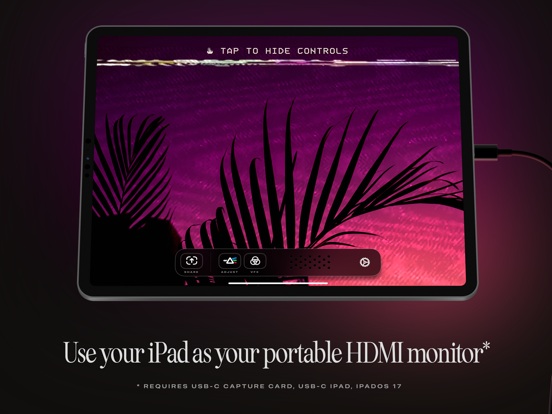
TVs and Computer Monitors are large, cumbersome devices. Wouldn’t it be a treat if you could use the portable screen you already have with you as an HDMI monitor for cameras, game consoles, computers or other devices?
Say “Hello” to the Orion Video System, a software application from Lux Entertainment and Optics Inc. With a simple USB-C Capture Card, or “dongle” and the free Orion Video System application, getting a big screen is never a big hassle*.
*Requires iOS 17, an iPad with USB-C, and a USB-C Video Capture Card.
WHAT TO USE ORION FOR
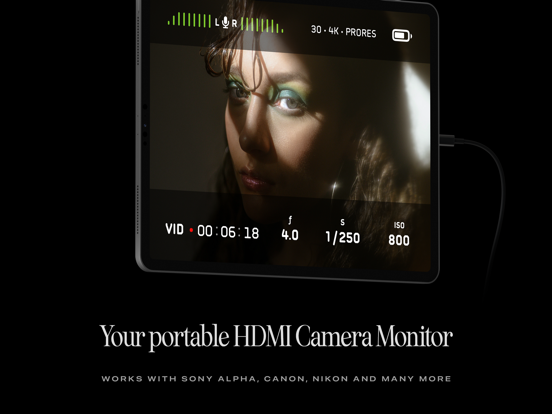
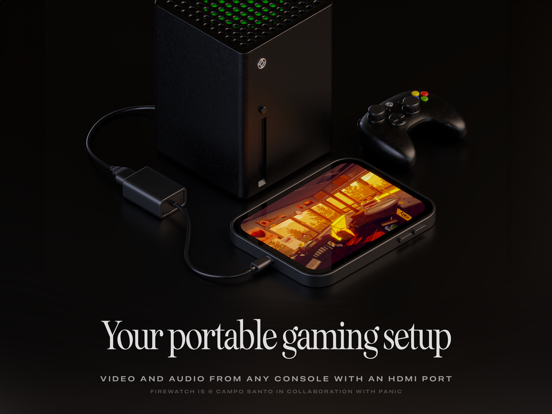
Orion is perfect for turning your iPad into a portable display for your camera, so you can check your framing, focus, color and more when taking video or stills. Or connect Orion to a game console for gaming on the go or when needing a quick, fantastic monitor and set of speakers. You can also hook Orion up to a Mac, PC or other HDMI capable devices to get an extra screen to output video to.
FEATURES
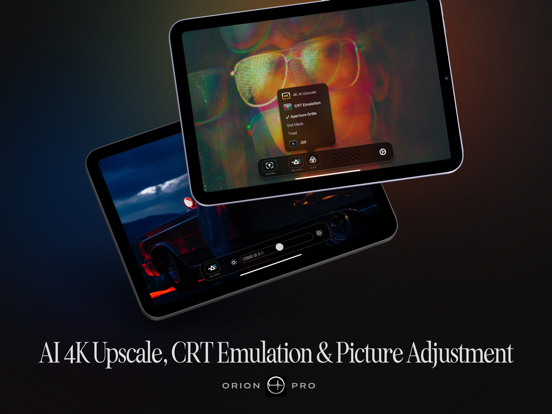
Orion is jam packed with amazing features. From the simple things like sharing a quick screenshot of your video feed to a quick, convenient set of controls and intuitive user manual, Orion makes your iPad an excellent external HDMI monitor. With Orion Pro — a one time upgrade — you can also adjust the video brightness (from regular brightness to darker than the system brightness), upscale HD video or games with our AI powered 4K upscaler, or enjoy a retro movie or game with the 3-way retro CRT Emulation system.
In addition to this, Orion collects and shares ZERO data. Free is truly free: no ads, no tracking, no nonsense.
Other great features include full audio passthrough for playing HDMI device connected audio directly to AirPods or other connected devices; sharing full videos from your device with iPadOS Screen Recording, and more.
ABOUT
Orion is a Fun Project developed by the minds of Lux Entertainment and Optics Incorporated. Our collaboration team includes Anton Heestand, Jelmar Geertsma, Jonathan Hollander, Cabel Sasser, Louie Mantia and of course our families who so lovingly support our silly and loving work on apps. Also check out Halide, Spectre and Skylight — our other apps, and please leave us a review if you like our app.
HDMI Monitor - Orion App Comments & Reviews
HDMI Monitor - Orion Positive Reviews
Been a long time coming!I have been waiting on a feature like this for the iPad for a long time. The app is almost flawless and i like the 4k up scaling. The only gripe i have with it though is that audio seems to come out in mono and not stereo. Besides that and a few stutters from frame rate (which could be a result of a cheap capture card) this app is amazing, and i would recommend to anyone. It’s an amazing feature for the iPad. Imagine you’re taking a long trip and you bring your console to play on the go, now you have a way to play the whole way! When they update the audio to stereo, I’ll rush back to update tp 5 stars..Version: 1.0.2
Not for gaming, but probably great as a camera monitorI bought this app with the sole intention of using my iPad as a portable monitor for Switch and Analogue Pocket. Unfortunately, there is noticeable input lag, even with wired USB controllers, which makes it unusable for my purposes (I’m a big retro gamer and input lag is truly a dealbreaker). I’m using the one-and-only USB-C video capture card linked from their website. The capture card could be the input lag culprit, but again, I’m using the only dongle listed on the site. If a different accessory is recommended for gaming, I’d suggest mentioning that on the website (there’s already a section for recommended gaming accessories). If a $150 high-performance capture card is required for gaming, I would have thought twice about purchasing the app. The fact that the app is marketed towards gamers as well as photographers is the only reason I’m rating the app three stars. If input lag isn’t a dealbreaker for you, Orion is a great app. Setup was ridiculously easy, and the CRT emulation effects are fun to mess around with (by the way, disabling the effects doesn’t seem to improve the input lag situation). I’m truly hoping Orion improves over time. I paid for the app in hopes of encouraging further development..Version: 1.0.2
Exactly as advertized.Does exactly what it says it does. I connected my Nintendo Switch through HDMI with elgato HD60 S+ and then USB-C through the capture device to my iPad Pro 2020 and everything worked from the get go (plug and play). I’ve been getting video and sound with no lag, and it’s excellent for gaming. However, the 4K AI upscaler does introduce tremendous latency (lag) so, do no expect it to be viable while playing video games; it will probably work best with videos. I do wish it works through USB-C directly without a capture card and an HDMI cable. However, I think Apple is to blame for that and not the developers (Hence the 5 star rating)..Version: 1.0.1
I love the concept and execution with a couple changesThe two things that are missing are being able to force the signal into either widescreen 16:9 or fullscreen 4:3 I need aspect ratio. The other thing I need is the ability to force the signal to fill the whole screen. When acting as a second monitor for my MacBook none of the resolutions that I tried using were able to fill the screen without black bars, even the ones in he exact dimensions of my iPad. These 2 quality of life features are a must for me to be able to use this as intended. Please add them.Version: 1.0.2
Utterly charmed by the COMMITMENT to the retro UI aestheticOur apps these days are so clean, designed to be minimalistic, unnoticeable, and out of the way. but this one goes all in on the retro aesthetic. and it doesn’t just cop the look with some cheap PNGs, but also the FEEL and the VIBE, with all the necessary distortion and static to emulate the experience of using a classic product from the 80’s or 90’s. there’s some cute silliness in the settings menu as well! the functionality is perfectly competent, of course, and image quality is crystal clear from my Genki Shadowcast (though the optional CRT filters are a lot of fun). this is literally exactly what you’d expect from an HDMI input app, just with a fun retro exterior for when you’re configuring it. also, color me surprised that this was developed by Campo Santo, of Firewatch fame. idk if i’m actually the first review, i’m sure the rest are just going through moderation, but i’m definitely proud to have been one of the first!.Version: 1.0.1
Great with ConcernsThe app is exactly what I needed. I can output my consoles and use my iPad as an external OLED monitor. My only concern is that the app seems to require camera and microphone control. I normally wouldn’t mind this, but the camera and microphone seem to be on at all times when I’m using the app. Is there a reason for this and can this be turned off. My iPad seems to drain battery very quick when using this app as well, I assume because of the camera and microphone being on at all times. I hope I can get more info about this. Thank you..Version: 1.0.2
Aesthetically Pleasing, but has large delays on iPad Pro 2018I read about the app online, so I decided to try and use my 2018 iPad Pro as my second monitor for my Steam Deck. I quickly made a purchase too, but very soon I found that the app would start having delays and it seems like the frames are being buffered / processed not fast enough. I had to go with another app to do my job but I really hope the developers can fix the issue because it is such an aesthetically pleasing app, and I can see the developers put a lot of attention to detail..Version: 1.0.1
Great, but needs frame rate settingsThe app is superbly polished esthetically. I didn’t hesitate in purchasing the pro version for the 4K upscaling. I could do without the fake settings, especially when the frame rate can’t be adjusted (a serious oversight in my opinion). If using this app with a Nintendo Switch, many games look like they’re performing poorly because it can’t be set to 30FPS. Still, an incredible app to have out of the gate with this added functionality in iOS 17..Version: 1.0.1
No audioI love the idea of this app, I’ve always wanted to use my iPad as an external monitor to my console or camera. I purchased one of the recommended adapters and got audio and video to work perfect on the first try which I used for about 2 hours. The second time I tried using the app with the adapter I got video, but no audio. I’ve tried all troubleshooting I know, including restoring my iPad with a Mac as new and getting the adapter replaced by the manufacturer, still no luck. Not sure what the issue is at this point, but I hope I can get the app working properly in the future..Version: 1.0.1
Very nice !!!I was doing this 7 or 8 years ago with an 'HDMI Cloner wand' and an MS Surface (detachable keyboard) primarily connected to a GoPro. A lot of gear but a large screen is SOOOOO worth it ! I have an iPad 6 mini w/ os17 (required). A cheap USB A capture stick and a USB C multiport hub… plugged the hdmi from a Direct TV box > Capture stick > usb hub > mini 6 and I’ve got my movie on my iPad — sound and all ! Not the best use scenario as the iPad can connect to any streamer, but I wanted to see if it would work, and it does so I will invest the $15 for a USB C capture stick and connect DSLR, GoPro and maybe even a Fire stick so I can use the remote and also bypass the GPS lockouts of the streaming services when abroad. The only downside I see is iPad power.. I’m pretty sure there’s no adapter that will charge and provide an extra C port, but maybe…. THANK YOU Orion !!!!.Version: 1.0.1
Awesome!Orion rules. I was a little concerned about reviews mentioning latency, but decided to give it a try anyway since I’m only using this for a temporary display on a headless server. I used the Guermok capture card recommended on their website and actually had no latency at all. It worked great! I don't know what Orion Pro gets me but since the app was free and worked so well I wanted to support the team behind it. Great stuff!.Version: 1.0.2
Video fixedThe initial problems with the video have been fixed and my Switch easily attaches to my iPad without having any workarounds. Bluetooth audio still breaks up when using AirPods and my Switch which is easily remedied by having the AirPods directly connected to the Switch. This is a five star app if the audio problems are fixed..Version: 1.0.2
Amazing experience from an amazing team!From the "unboxing" experience at the beginning of using the app, to the nostalgic options and 4K upscaling, this app is truly fantastic! The upgrade option inside the app is reasonably priced, and I gladly purchased it to support the team, as well as enjoy all features. Y'all are fantastic! Keep up the great work!.Version: 1.0.1
Works, input lag not for twitchy gamesThe app itself works great for games that do not require a super-low input lag. I tested with an Analogue Pocket with the HDMI dock and platformers / shmups were unplayable. I didn’t measure the input lag but it was enough that when I quickly pressed the controller button the game wouldn’t react until my finger was completely off the button, unlike when using a monitor..Version: 1.0.1
Great, but the huge top and bottom bars are annoying.I just got it. Great app. I use it to send my iPhone screen to my iPad Pro. Is there a way to get full screen? There is the huge black bar on the top and bottom of the feed that I can’t get rid of..Version: 1.0.2
It just works!In these days of empty promises it is just outstanding to find a product that delivers exactly what it says with no nonsense. Thank you for restoring my faith in app developers and for having a fantastic sense of humor. This crew takes their product seriously but not too seriously! I’m so excited…I’m so scared! 😂.Version: 1.0.2
Great!The app does exactly what is says, and it does it well! I purchased the one time payment because it’s exactly what is says it is! I do wish they would make a version comparable with Mac as well, that would be the only improvement that could be made for this app!.Version: 1.1.0
Good features but keeps crashingI have a 2018 pro 12.9 and installed the app. First time using it, it crashed. Opened it again, no signal, even though the hdmi adapter was connected. Reconnected the adapter, and got a signal. Tried to change a setting, crash. Restarted the iPad, worked well for a bit, tried buying the pro upgrade, started entering my info, crash. Would like to know why..Version: 1.0.2
So usefulAs an IT guy I find this to be incredibly useful, allowing me to always have a small lightweight monitor with me, but not adding to my overall gear load since I carry my iPad for multiple other purposes. The hardware add-on are inexpensive, and it’s just a reliable and useful tool..Version: 1.0.2
Love the vibesVery cool so far! some requests: ability to switch cameras (if i have a capture card plugged into studio display, orion prefers studio display camera rather than capture card) more stage manager size classes so i can have capture window next to other iPad windows thanks!.Version: 1.0.2
Worth the upgradeAfter using the app as a secondary monitor for my streams for a few months. i decided to upgrade to pro if for no other reason than to thank the developers for an app that works phenomenally and as described. Keep up the good work..Version: 1.0.2
No input lagThis is actually pretty impressive being able to play Project Diva on an iPad Pro. Could be a combination of the cable+capture card. Am not using the ones recommended by the developer since I had one already lying around, and it works great!.Version: 1.0.2
Great CRT filters, but lacks aspect ratio controlsThe app is very promising, quality of video is good, and the CRT filters are great quality... but I paid for the extra features and was disappointed that there was no "aspect ratio" control. It only displays widescreen with black bars, even when Window's resolution is 4:3. Please add an option to fill screen so I can raise review stars (and play retro games full screen) :-).Version: 1.0.2
Great app!Does what its meant to do great. There’s nothing else out there like it. Only recommendation would be for native video recording. Using the iPad’s built in screen recording works, but it would be easier to have a button within the app.Version: 1.0.2
Fun app but needs pinch and zoom to fill 4:3 resolutionsThe filters are really fun to use with Genki Shadowcast. It doesn’t fill the screen when I use a 4:3 resolution probably because Shadowcast is sending it as a 1080p signal but some way to pinch and zoom would be nice..Version: 1.0.2
Tethered?Okay so, not a review. I come here to ask a question as the support page is still under construction. My question is, can this be used for “Tethered” photography? If not, are you going to implement it in the future?.Version: 1.0.1
Does what it says on the tinWorked great with two of my cameras. Very low latency. Doesn't actually require a usb-c capture card. My cheap unbranded usb-a card worked via usb-c adapter and through a usb-c hub, which meant I could still power the iPad while monitoring.Version: 1.0.1
Needs workI paid for the IAP to support development, because I truly *want* this app to be better. But for now, Genki Studio is the better option to avoid input lag and screen tearing. I'll check back in as updates are released and update my review accordingly. Don't let us down, Lux devs!.Version: 1.0.2
Almost thereGreat app and almost a 5 star one. The only issue is that it does not transmit sound when connected to a Nintendo switch or Xbox - Only video. Hopefully with an update in the near future this could be fixed!.Version: 1.0.1
Just works!Works great right out of the box. No latency issues either. Tried it with a ps5 and a desktop computer with a cheap usbc hdmi capture dongle, no problems. 10 stars..Version: 1.0.2
App that does what the label says with personalityI’ve tried a few apps similar to Orion that do essentially the same thing, but this one has personality that the others don’t. I like it..Version: 1.0.1
Great start!Very promising and I’m impressed! Looking forward to the future updates, I’d love for it to have a built-in recording function and an off button for the brightness adjustment slider..Version: 1.0.1
Gamechanger!I’ll admit I was skeptical reading some of the negative reviews, but this app works great for me. Using my iPad as a 2nd monitor for my windows laptop has allowed me to untether myself from my desk..Version: 1.0.2
Perfect appNever thought of using elgato hd60s+ with iPad before , But thanks to this app you can … theoretically you can stream using streamlabs app on iOS , haven’t test it yet tbh.Version: 1.0.2
Pinch to zoomOverall satisfactory. I wish they could have pinch to zoom feature. Ipad has a aspect ratio of 4:3, but inputs are always 16:9, which makes the image too small. If you could have a pinch to zoom feature, this would be awesome..Version: 1.0.2
Gorgeous! Rock solid!Exquisite attention to detail. I’m just blown away by how beautiful this app is. I just needed something that let my iPad pretend it’s an HDMI monitor. What a joy to use this crafted gem!.Version: 1.0.2
It works!And surprisingly well. Definitely helped me out during a move with my monitors packed away. I’m going to be throwing an HDMI adapter in my bag from now on..Version: 1.0.2
Needs camera privileges for unknown reasonI emailed the support team asking this, but never received an answer. I don’t understand why Orion need access to your built in camera to operate correctly. I would love an explanation on this..Version: 1.0.2
Amazing with Switch 2I have two different types of video capture cards: one with just HDMI to USB-C and the other HDMI to USB-C with PD. Having a capture card with PD just looks amazing on the iPad Pro. 😍.Version: 1.1.0
16:9 only?So far this app is great, and it will be a god send for me out in the field. But, as far as I can tell there isn’t support for 4:3 input modes. This would be excellent for taking advantage of the iPad’s screen real estate when in use as an additional display..Version: 1.0.1
Works with M4 Mac miniIt “just worked” after I got the capture card. Going to try it out in depth now. Thank you devs..Version: 1.0.2
Major problems on iPad mini A1710-15 Seconds latency. App arbitrary quits. No support..Version: 1.1.0
Wow!You only needed to make this app work, which it does, perfectly…but you also chose to make it absolutely delightful. From the first moment I launched it, I was surprised and delighted. Excellent work. I upgraded to pro immediately. The light of Steve Jobs is shining down upon you. I mean that with complete sincerity..Version: 1.0.2
No sound since ipados 18.6Edit: I deleted the app and reinstall it. Everything work find for the sound. But the advance settings still don’t work. It was working great until ipados updated to 18.6. Now I get no sound and the advance settings reset as soon as I exit the settings window..Version: 1.0.2
Screen tearing, but it still worksThis app is good, since I can finally record my gameplay. However, (i don’t know if it’s the app or my capture card) there had been some slight screen tearing, which only lasts around a second. Is there a way to fix this issue, or do I have to live with it?.Version: 1.0.2
Just Amazing!This app is simply too good, 100% recommended..Version: 1.0.2
Cool conceptNice concept and works for the most part but tons of input lag on games..Version: 1.0.2
AmazingUsing this with a USB 3.0 4K capable USB-C capture card and playing PS5 with 4K output, (M2 iPad Pro 11”).Version: 1.0.2
Not sure why the low review score?The app works well and does exactly what it says. One time purchase for pro features is also appreciated!.Version: 1.0.2
Great app!Use this to turn my iPad into a monitor for my Steam Deck, the CRT options are fun for playing my older ROMS. Attention to detail is wonderful, unboxing at first launch is a fun experience. Would love to see PiP added in the future as well as more options for scaling and adjustments :) Thanks for the hard work!.Version: 1.0.1
Great, portable HDMI displayI am glad I ran across video output that was uncompressed YUY2 that did not work with a basic dongle using OBS on Mac before using this. I purchased an adapter that supported it and it worked on Mac. If the adapter is working with the HDMI input I can confirm it works perfectly. Feature request: the ability to record..Version: 1.0.1
Free International Money Transfer 💸Enjoy high maximum transfers into more than 20 currencies while saving up to 90% over local banks! The cheap, fast way to send money abroad. Free transfer up to 500 USD!Version: 1.1.0