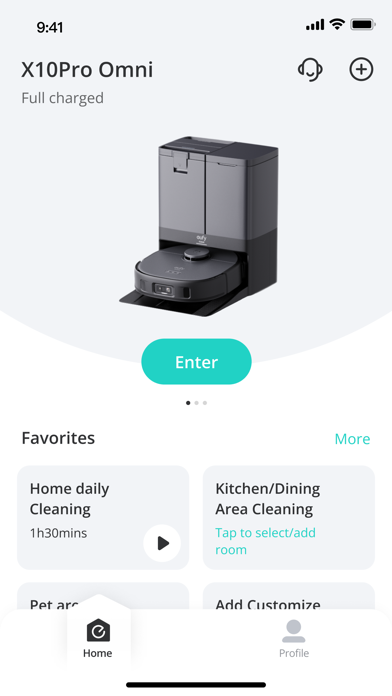
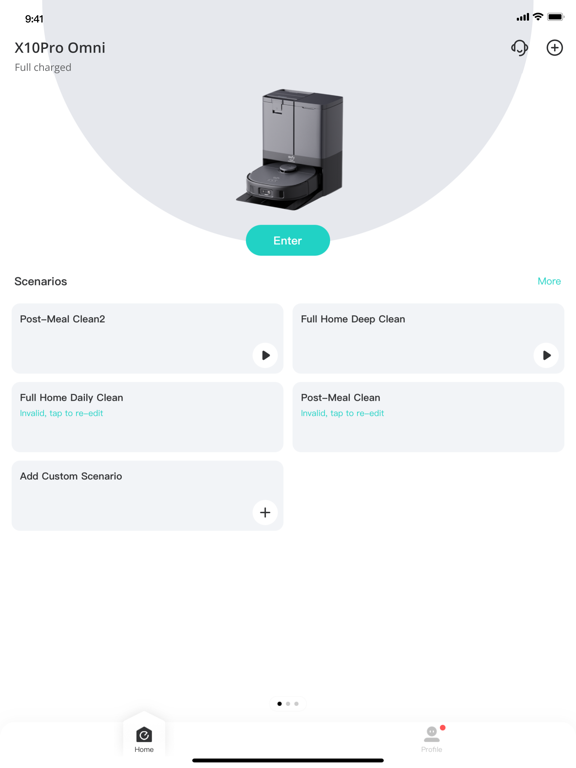
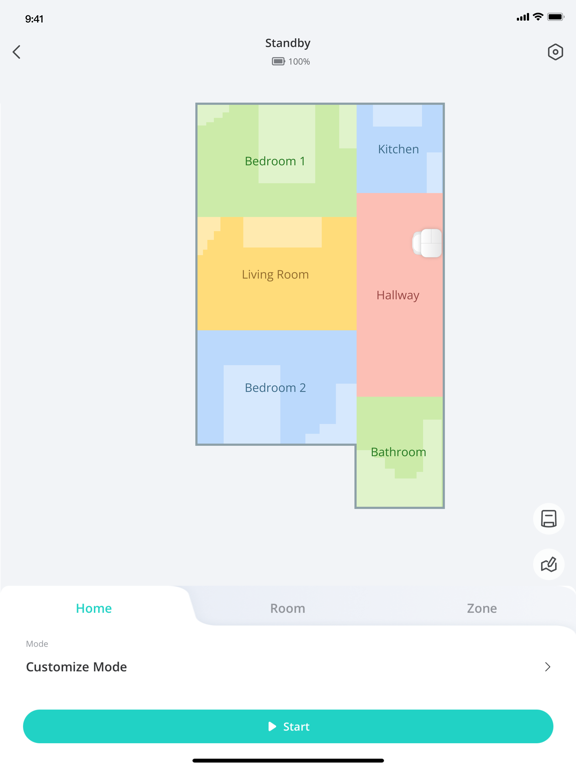
eufy Clean - Live Well. Live Smart. Control your eufy smart home devices from anywhere.
You can also share eufy smart home devices with family members, so everyone can set their own personal preferences for each device.
How to use eufy Clean:
-Note: For new products released after 2026 (such as C28, S2, etc.), please use the eufy app.
- Registering your account: After downloading the app, create and register an account with your Email address. (Or directly log in with your EufyLife account)
- Adding devices: Open the eufy Clean app and follow the intuitive setup procedure to pair new devices with your smartphone. If a device has already been setup by another family member, you can request control access to operate that device from that family member.
- Using devices: After successfully pairing the new device, it will show up in the device list. Simply tap the icon you wish to use and start enjoying the Eufy smart home experience.
Contact Us:
• Email: [email protected]
• Website: eufylife.com
• Facebook: @EufyOfficial
Eufy Clean (EufyHome) Positive Reviews
30 C MaxReceived Robostud for Christmas. The app was easy to set up and I started using it today. Before using, I prepped each room as was recommended. I believe this is why I has no trouble with it getting stuck.
It does show some intelligence. Actually it is smarter than some of my in-laws. I watched it clean and thus far I am satisfied. Be aware today is the first use by me and thus far all is well. I will update later if any issues arise.
I did call customer twice before I purchased it. I wanted to ask questions and to get recommendations. The first call resulted in me talking with James. He spent about 30 minutes and he gave very good advice. I appreciated his truthfulness. The second call resulted in me talking to Jabraan. He was very helpful as well. Their helpfulness is one reason I chose the Eufy brand. Both customer reps told me to call back if I had further questions. This customer service is unusual and out of the ordinary.
The model I chose has boundary strips and thus far works well. The remote control is a nice feature also. I do wonder if the G30 Edge model would have been a better choice as it has navigation. I wish there was some way to try it but the 30 C Max works well with random bounce technology.
The Eufy brand has excellent reviews and their customer service is second to none. I would chose them in the future..Sooner-magicVersion: 2.5.4
New onset problemsThis is my first robot, vacuum cleaner. I have had it many years, and I have always loved not having to vacuum or sweep every day. Setting it up with easy. Mapping the house was easy. Replacement parts are reasonably priced and easy to change. I have always had problems with losing Wi-Fi and I thought it was because the modem was too far away from the base. We got wi-Fi extenders, and I moved the machine closer to the main modem, but it still happens. It is very annoying because I have to reset the machine every time. The steps are not clear because the buttons that it says to push are the same on my machine. Despite it being off-line, it's still cleans and functions normally even if it's off-line. I just can't adjust the map or set no go zones if it's off-line. The latest thing is my whole house map was lost, now I have to remap the whole house. Sometimes the problem goes away and all of a sudden everything is back to normal. One thing I have noticed with this machine is that it leaves a small scuff mark on each leg of everything it goes around, chairs, tables, sofa legs, so I stuck a piece of felt on the machine all around it to prevent this problem. But it has caused permanent damage on my furniture, which I imagine happens with all machines. I love it so much, but I hate having to reset and re-map the house often..ClaudiaIvonneFrancoVersion: 3.18.1
Love loveI was worried that I bought mother gaget that I am not going to use. Oh well , I am using this vacuum 2 or 3 times a day. I have two cats and they shed all day long. Just turn my vaccine on and it does it’s job. I do empty it about 2 times while doing the whole house. And it is kinda scary how much hair and dirt it collects. The only advice I have make sure you buy the correct type for your house. Mine is for hardwood and I have hardwood floor but my bedrooms are carpet. It cleans that too but not as well. I am very happy with this purchase. I am sitting in my room and turned it on right now , I can hear it going through the house. I do block sections to make sure one area ( for example kitchen) is completely clean. You can visibly see the cleaned 😊.Mojdeh123456Version: 2.5.90
Our new HobbesCarrying on the name, but not the issues. We have named our succession of many robot vacuums “Hobbes” after the Calvin and Hobbes cartoon character. The reason? They would all play loudly and boisterously at their vacuuming, but at the least provocation, would get hung up, conk out, play possum, quit just as Hobbes would do when the adults came around, leaving Calvin holding the bag. Well, we are no longer nearly so vexed, thanks to eufy! While still affectionately calling him Hobbes, he takes care of the vacuuming very well, gets his work done, rarely getting indigestion, and is much less noisy. Since we are relatively new to eufy, the jury is still out on battery life, so we will report back as that unfolds..Tim GoebelVersion: 2.3.7
New version is a step backwardAs of March it’s harder to get to some features, maps lost details of furniture placement, and for all the effort they didn’t even align to support the HomeKit launch for robot vacuums.
Also, they in-app notify you of advertisements you have to delete completely to clear notification, but valuable notices like to change a filter or your vacuum is stuck dont even pop a dot on the icon, and are in a separate area of the app.
The redesigned app is a big step down from the prior version. Not at all sure what eufy is thinking. Also, many parts you need now are only sold in kits, and the number of parts in the kit do NOT line up to maintenance schedules. You have to contact customer support to get a link to buy some parts infovidually..ZelanniiVersion: 3.6.0
Developer requestPlease update app so that we can note when rubber strips have been replaced on robovac! We can currently do that for all the other pieces of the vac, but just keep getting messages to replace rubber strip with no option of resetting the alert.
In general, LOVE this app and the G30 vac we have. So thoughtful to build in screens where you can see where each part is in its lifecycle (and even just when parts need to be cleaned). My request above is the only little thing I’ve noticed that I wish could be better. This app is so well designed that it has greatly increased my impression of the quality of Eufy, and I’m more interested in buying Eufy products as a result. Keep up the good work!.Go576Version: 2.7.32
Nice vacuumThis is the second one I owned. I have the 30edge and it’s mapping is a awesome feature. I dare not run this while my pets are home alone! I ran into that issue once before and I learned my lesson. First one I owned was a 30c and it was a good vacuum but not as intelligent. Also I started repairing the wheel motors and after the second one is when I upgraded. If I were to get another, I’d get the one that empties itself. I’ll stay away from the mopping ones. Also, if that station could self clean the head on the vacuum that’d be amazing..BanksdeVersion: 2.16.0
Easy to use app. Would like better control over the on/off functionalityOverall the app is easy to use and configure. One nice feature that I would like to have more control over is the random on/off functionality. I have 2 switches - one in a bedroom and one for the outside porch at the entrance. The random on/off works well for the bedroom as it gives the impression that the house is occupied. The outdoors light is an issue though, as I’d like the light to be always on so that when we come home it’s on. With it randomly turning off, we sometimes come home and the outdoors light is not on. It would be nice if this feature could be disabled. That’s the reason for 4 stars, otherwise it’s a very good app and switch..TachsheetVersion: 2.1.1
Convenient and Reliable, With Room for ImprovementNo major complaints here—the vacuum/mop works well, and the app is simple and intuitive. That said, I do have a couple of suggestions for improvement. First, I’d love to see a roller with no-tangle technology, since long hair gets wrapped around it and requires manual cleaning about once a week. Second, the vacuum could be more powerful, as it occasionally leaves behind small debris even at its highest setting.
Even with those minor issues, my wife and I are really enjoying the convenience of not having to sweep and mop every week. Overall, it’s been a great addition to our home, and we’re very happy with the robot..Yeah digity dogVersion: 3.12.1
Not receiving photo detailWhen I go onto the app, it shows a small emblem of something that prevented it from cleaning but every time I touch the icon to see what it noticed. It doesn’t pull up any photo and shows a traffic home instead of the image. I’ve tried looking on line to see if I had something turned off, but some of these other users have. What looks to be an updated app from what I have which also gave them a second option within the AI recognize to allow photos to be. And I’ve tried looking on the App Store for this other version that I’m assuming you guys have but cannot locate. Can you help me clarify what’s going on? also, with this other app that they use..RexTortugaVersion: 3.4.16
UndecidedAfter many years and 3 robot vacuums from Neato. I was skeptical about changing brands, but since Neato went out of business and “Rosie” would no longer connect to the internet, I had no choice. So far, the Eufy has met most of my expectations. But the app…. It definitely has some great features that Neato didn’t have!! But one thing it’s missing, (I think). I would like to wake up to a notification that my house was cleaned overnight! With Neato, it was a simple “ Rosie has finished cleaning”. Can this app do that??? I tried emailing Eufy support but they aren’t very helpful and with 24 hours+ between each email, it’s going to take forever. So… I’d like to at least know if that’s an option! Until then… undecided..*A_J*Version: 3.4.13
Attractive switch and appI really like the way the Eufly switch looks, blends in well with my other switches, it has a unobtrusive light (that’s white, not blue or some other obnoxious color) on it so that I know it’s connected etc.
App works well for managing the light. Nice interface and overall design. Allows you to turn on/off at a certain time or do a countdown timer to turn it off once. Also an away moderator randomly turns it on and off within a specified time of day.
I really want it to be able to turn on and off with sunset/sunrise and this is not currently an option. Though this is an option on other developers’ devices, it is not yet an option with eufly..SnarkfaceVersion: 2.0
App doesn’t workGreat bulbs but this app doesn’t work. I’ll fix my review when the issue gets fixed. I get all the way to the part where you connect to the bulbs WiFi from your settings. After that it asks you to log in to your WiFi but when you type in the password and hit next, a loading sign pops up then NOTHING HAPPENS. It just stays on the same screen. Been trying all day. Reset the bulb. Redownloaded the app. Tried 100 times. Apps just buggy and broken.
Edit: I fixed the issue by manually entering in the WiFi. The app itself is intuitive and good but the bugs are still an issue. Connectivity isn’t always great and that Set up bug was app breaking. Added a couple more stars..Review7134Version: 2.0.1
Eufy teaches a couple of old dogs new tricks!We absolutely love our Eufy. I have never been a fan of the robot cleaners until my daughter got a Eufy and then talked us into buying one too! Oh my goodness, I thought I was a clean housekeeper. My husband has our Eufy automatically set to come on at 10:00 am. Our new pastime is looking at the canister every morning and being amazed at how much dirt it picks up. At 73 years old and my husband at 77, I guess you CAN teach an old dog new tricks. Am totally convinced this is now the only way to vacuum. Thanks Eufy for making our life so much easier..LEESBURGFLORIDAVersion: 2.4.0
My New Best FriendI love this little lady! I have severe osteoarthritis in my hip and knee so pushing a vacuum is really hard for me. I ran my new RoboVac today and she was a marvel. It was fascinating to watch her find her way in and out of tight spaces. Due to my arthritis I had not vacuumed in a while and I was a little appalled at the amount of dust and debris she picked up! Had to clean her twice during the first run. (Super easy to do). Now that she’s made the first pass I will run her frequently and keep things in better shape. Glad I bought this item..MimichyrelVersion: 2.5.90
Eufy clean (home )Fantastic ! I found it extremely easy to set up our new g32 Robovac to our Wi-Fi address. ( after charging / easy step by step instructions . ) Great features . Clean /pause /return to charging dock . The device does an outstanding job . If power is low or any issue arises you are informed . When finished it returns to the dock / or also to recharge when battery needs charging . What more can you ask for ?.Pete 500Version: 2.11.0
Good app but it has some bugsOverall the app is clean with an easy to understand UI. My issues come from two items.
1. Room division is broken. The robot combined my kitchen and dining room as 1 big room when in fact they are separate. The app won’t let me divide the room the way it should be. I can either cut the room in half or not do it at all. It appears that I have to place the ends of the divider line into a black space (wall or outside) on the map.
2. The ads along the top get a little annoying..Gt_devVersion: 3.16.0
EufyClean Widget No Longer Accessible in iOS 17While I have not had any major issues or WiFi connection issues with my RoboVac devices and the app as some have reported, I did just encounter an issue when upgrading to iOS 17. At first, the EufyClean widget indicated that my device could not be loaded; however, after removing the widget, I could no longer find it in the list of widgets. I had even removed and re-installed the Eufy app and ensured that I have the latest app and firmware updates. I did report this already but figured it could get more traction and visibility on here..TechGuyNJ72Version: 2.26.2
Just Purchased Omni C20 ProSo far so good set everything up follow the instructions. Charged it all the way before running and double checked everything.
Seems to be that when it is mopping it starts off with wet scrubbers, but then they dry off as it moves on and it doesn’t disperse water as needed just scrubbing dry floor so read a few things online and it said to clean nozzles, but it’s brand new so I increased the water setting in the app and currently waiting for it to charge.
The mapping seems to be very good and has come a long way from my older model, but my only complaint is once you have a map. The customization features of the map are very poor. Doesn’t let you square off a room the way you would like or change the shape in your next update. Please add some more customizing features.
Will update soon.Unresponsive appVersion: 3.17.1
Need quick buttonsTried to set up a way to simply hit a button to start vacuuming a room. But instead you have to select the device then select the room or home and I always need to check the setting, if it’s going to be vacuum only or vacuum and mop and at what level. They have “custom scenarios” but it won’t let me select just a room or a zone. It only gives the option for me to do the entire home. Please fix and it would get 5 stars.G60mannVersion: 3.10.1
So far so goodFirst test run with Eufy Robo G30. Setting up was difficult but problem turned out to be unit too far from router for initial pairing. This was covered in very comprehensive troubleshooting video online but could be mentioned right at beginning as it is so critical. Instructions start with positioning charging unit with clear area around it so was a long way from my router, then goes straight to Wi-Fi setup. Operation looks very good as we have a small apartment but it manouvered around everything very well. It’s definitely a keeper!.RobannvacVersion: 2.6.31
EufyMy sister had bought one of these and recommended it. I was looking into Rumba‘s but this Eufy was a little bit more affordable at the time. I honestly love it. I know I only have been using it for only an hour but it was a super easy set up and it just needs some minor assembly (brushes and WiFi set up), but other than that it just starts and goes right away. It has understood my staircase, rugs, chairs, baskets, carpet and etc - able to do everything so far..For all my dog hairVersion: 2.2.0
EufyLife Must Needed App FeaturesThe app is fine. I really do like it. Except 2 things. 1) you cant save or restore previous maps: Im afraid if I get a new device I will have to remap everything. Not cool! 2) set a schedule for zone areas: it would be nice to set a schedule for different zone areas for instance Monday and Wednesday for living , den and dining room. Tuesday and Thursday for bedrooms and bathrooms. Setting a schedule for the whole house is crazy. These are two features that I wish are available. If they are added I will change my review stars. :-).KeepingSelfAboveWaterVersion: 2.5.3
Robo Vacuum loses all info when stuckEufy Home is a great app, however, the only issue we’re having is when the app notifies me when my robo vac is stuck. It will lose the information with vacuum and make me set up the model of the vacuum and the WiFi process all over again. I have to leave the app open while the robot is cleaning because if I close the app and it gets stuck, this happens every time. Please fix the bugs..MiksimmsVersion: 3.1.4
Worked fine before the last 2 updates...The app worked fine before the last 2 updates, but now, even after another update that supposedly cured the app of bugs, I STILL can’t control my grouped bulbs as a group. I have 2 bulbs grouped together that I was able to dim and brighten remotely, but, after the second-to-last update, all of a sudden, I couldn’t dim and brighten my grouped bulbs. The last update was supposed to deal with bugs, but I still can’t dim and brighten my bulbs simultaneously. I can dim and brighten, plus change the color temperature of my bulbs INDIVIDUALLY, but not SIMULTANEOUSLY..QuiGonJayVersion: 2.0.1
Works great!Only draw back was the setup. Many troubleshooting efforts. Had to wait for after Long weekend but customer support was great..J-WalkenVersion: 2.6.11
No schedule mode showing on appI was very excited to receive my new Robovac 30c today, and while the vac itself seems just fine, the “Eufy home” app was a little more of a problem. I could not find the scheduling function. Only “standby” function was showing which could merely start and stop the robovac. A quick call to the help desk, and Christian, the rep on the line, quickly diagnosed the problem. Should anyone else be having this issue, click on the picture of the Robovac itself, not the play arrow below it. It will run through a tutorial. Keep swiping until you can hit “done”. Scheduling and other modes will now show. Thumbs up to the help desk, and to a great little worker bee robovac..Genevieve506Version: 2.1.6
Quality decreaseHas degraded over time. Frustrating pop ups, struggles to remember map settings.Bumble BriiiiVersion: 3.18.1
Amazing New AppEufy recently just updated their app , they did such a good job . The 3d mapping is phenomenal. Glass like text display over picture . It’s a pleasure to use . 10/10 ..NinosterVersion: 3.7.3
Fixed after updateThey fixed the issue with the paths failing to load after this most recent update.Chubby_lover_69Version: 3.6.0
New App version has messed up so many things1. Running scenarios was too easy in previous version. Now if a scenario has a schedule, running it ad-hoc is a pain. Play button should be available for all scenarios, even if they have a schedule.
2. The text fonts and look and feel of the previous app was more modern and now it's just too clumsy and more like Roborock. The app has lost the ease of use for making it minimalistic..IrajatmittalVersion: 3.6.0
Program bugCurrent update has caused some issues. Accessory updates trying to update for a bag change on the L60 SES, or new roller causing app to crash.
Vacuum still works just keeps warning needs new accessory..VadsVersion: 3.5.2
Vocal French Pack with a spanish accent???Really nice app but you have to change the french vocal pack. We don't understand anything. If you want a voice just tell me. I have given my voice in french several times for applications..JaycytoVersion: 3.1.0
Daylight Savings TimeI had my schedule set at 2:00am here in Canada and woke up to dirty floors, so when Spring DST change happened at 2:00am, I guess the clock went from 1:59am to 3:00am, therefore skipping the cleaning schedule. Hopefully Eufy can do something about this bug. For now I am setting my cleaning time to 1:58am..Wen_2kVersion: 3.0.2
No Room schedule cleanI have the Robovac X8. I am a bit sad and also confused why I am not able to use the Scheduled Room clean if I have the multi map option enabled. What is the point of being able to manually selecting a map if the robot then can not use that information for its schedules? It really seems like from a software perspective that there should be a way to make this work. Maybe have a map selection tab inside the scheduling portion of the app. Or have a “primary map” which is the only one that one can select from for scheduled cleans. Anyways it’s always going to be the map where the base station is located anyways..BitpowerVersion: 2.24.1
Needs more scheduling optionsInstead of just having one time per day that it cleans, can you make it so that you can add multiple scheduling times?.Matt1372Version: 2.15.0
EufyHomeAmazing product.JessZwickVersion: 2.5.70
Nice appVery nice app! Glad I bought this robovac..MikmabzVersion: 2.5.70
AwesomeLove my eufy g30 robovac... regret not buying it sooner! Lol.ThewhizeguyVersion: 2.5.52
Free International Money Transfer 💸Enjoy high maximum transfers into more than 20 currencies while saving up to 90% over local banks! The cheap, fast way to send money abroad. Free transfer up to 500 USD!AdvertorialVersion: 3.18.1
Eufy Clean (EufyHome) Negative Reviews
Changing for the worseThis latest update took what was a beautiful and serviceable home screen that utilized the entire screen space to show me my vacuum status and main information and turned it into something that uses 1/8 the screen space and is at the top of the screen where I now have to readjust how I hold my phone to tap any of the buttons to control my device. But then they didn't make changes to the full details screen to where those controls are in the same position. So now you have to do this weird hand shuffle to select your device and then hand shuffle back to the bottom of the screen where all the controls are on the detailed screen. It's pointless and unnecessary changes like this that make me enjoy my Eufy devices less and less each day. There was nothing wrong with the beautiful full-screen home page that showed me more info in a much more user-friendly manner and had controls in the same location as the following main page so I don't have to adjust how I'm holding my phone. Is it really that hard to get consumer feedback for these changes prior to making them? Now that you've bothered developing the changes, despite them being worse, you will probably just keep it that way because there would be a "cost" and time to change it back. Why can't you just leave well enough alone, Eufy? Stop making the app experience worse. Stop changing the UX just for the sake of changing the UX. It's already great. All this app needs going forward is just bug fixes. Don't need to change the layout of anything...well now you do, because you need to bring the old home screen back..TheIndieArmyVersion: 3.5.2
Ho humThis app is necessary to the operation of your Eufy device, so a review is almost pointless. The devices seem great, but the app itself leaves little to be desired. The biggest fail in my mind is the scheduling utility. For example I have the lightbulbs. I have to go to each individual bulb to create a schedule. I have yet to find a way to group and set a schedule for that group. Which brings me to another point...it’s kind of clumsy finding your way around some things; it’s not very intuitive. But anyway, once I create a schedule for, let’s say a time to turn on my bulbs, I have to create yet another schedule to turn them off, use the app or switch to manually turn the lights off. I have six bulbs at the moment so creating a schedule for something as simple as turning on when I get up and off shortly after I leave becomes overwhelming and complex very quickly. A duration and group scheduling feature would be very very convenient for those of use with multiple devices. Again, if the features are available, it’s not very intuitive to find them...and I’m in IT.
Be warned....I guess it makes sense now after thinking about it, but it didn’t occur to me until setup. Because the lamp or fixture has to always be in the on position, if the outlet or fixture has multiple devices then you will have to put a bulb in every outlet to work properly.
I will say setup was very easy. Took a minute or two to setup each bulb..Jfro95Version: 2.3.6
Eufy not recommendedRoom division function is broken, vacuum frequently has problems when switching between maps, the vacuum frequently runs into objects it just mapped when navigating back to base station, the base station is sometimes bumped out of place by the vacuum causing it to not charge. But the real kicker is the advertisements on the app. There are banner ads, little gifts shaking around, and a new banner ad at the bottom of the vacuum control page. It’s positioned to be right in your face and right next to commands you’ll frequently use, apparently to get you to accidentally click it. If you do hit it, or try to hit the x to close the ad, the app becomes a web browser that has no apparent escape back to controlling your vacuum except to close the app and try again. This level of trying to get you to “upgrade”, when all the problems I have with the vacuum are software related (yes, I keep the vacuum clean) all point to a company value system that intentionally gives you a broken product over time and keeps a “deal” for a new product right where you’re bound to see it when you’re struggling with the vacuum. We also had a Eufy baby monitor give up after a year for no good reason. Never again, Eufy..PoliticalresponsibilityVersion: 3.18.0
Updates downgradeThe biggest downfall to these vacs is the app. I’ve owned x8 for 18 months & it’s seems with every app update comes a downgrade to the equipment especially to the battery. I’ve only used this vac a handful of times & now it can’t even go 200sq ft without needing to return to base to charge. It’s set to auto return cleaning if battery runs low after charging yet it never does. 1 update wiped out my old maps another time I deleted the map & wanted to create a new map because it wasn’t cleaning the whole area. After hours of creating a new map it followed the exact same path of the deleted map big waste of time. Activity log upload is set to on & if anyone bothered to look at these logs they might be able to correct the slew of problems customers are having. If eufy wants to respond to this review don’t bother you have the log uploads go read them. For now I will refrain from updating the app & just use the vac occasionally as that’s all the battery is good for at this point. Will have to research other manufacturers.BostonFan10Version: 2.24.1
Eufy X8 Robovac - terrible mapping appEufy engineers please listen. Your mapping app is awful. My new x8 can not map my house. It took 13 times to finally get a map of my house I was exhausted. When I finally got a map to work it worked for a few day then lost the map for some unknown reason. There’s no option to go back and get a previously used map. This is a huge flaw in the programming of this app. I ended up having to remap my house four more times before I got another map to work properly. That map also lasted about two weeks and for some reason when I sent the Robovac out to do a specific room the map got lost and an error message was presented and it returned to the dock.I now have to remap my house for an 18th time which I will not do. I am sending this back in hopes that they can get the app to work because without a functional app this Robovac is completely useless. This is very disappointing because this is a good product that I REALLY wanted to keep but with just a completely terrible app this product is useless!.PurplejmbVersion: 2.6.31
It’s clear. They’ve been paying for lots of five star reviews, because this product is nowhere near.This is one of several apps you can use with the eufy robot, and none of them live up the expectations of what the devices say. I have tried all of them in hopes that I could have a better experience, but the mapping has many issues. The auto clean features and buttons and notifications are horrendous, and though they say you can customize them.
And the worst is the Experiences dealing with their AI generated customer service. If you give feedback in the app, it will still trigger a customer service response, which is absolutely not how you should be using a feedback system. “People” are trying to tell you what’s wrong with your device and all you do is send them Customer service and then wonder why your app is not behaving correctly for using it? You’re not trying to be helpful by responding to everyone with trouble shooting steps what you’re doing. You’re saying “it’s not us, It’s you the end user”to every single problem, which is a lack of accountability. And accountability is what you want in a product line’s support. I mean, we all know that this is going to result in some Dev is going to say “Oh my God, I’m so sorry. You should let us know about this!” but they have a multi response multi day chat open that they’ve been just letting go hog wild. If the devs cared they already of seen this feed back. No one cares.
If your looking for a security or vacuum look elsewhere where. I thought this one would be fine. Because I have such a little carpet. But now if you have a single piece of carpet, this vacuum is going to hate..G LeeafVersion: 3.14.0
Doesn’t Work AnymoreHave been having problems for 6 months and gave up trying to get eufy to work with app because I don’t have time to fix eufy's problems for them unless they want to put me on their payroll. I heard there was an update so tried again. The first problem I’ve encountered is it no longer remembered my device which I’ve had for years. The second problem I had after resetting my device and Wi-Fi is that after about one minute of use the unit powers down and will only turn on again if I put it on the base. I have tried six times with this cycle and am tired of restarting it every minute. The battery is fully charged. What is the deal? This unit was really expensive and I feel like it’s a piece of junk and no one who cares is running this show. When I first got my eufy L70 Hybrid I loved it and would have recommended it to anybody. However, now I would never buy a eufy product again..Ziggy & FuzzVersion: 3.1.0
Makes bulb reset impossibleThe original smart bulb setup was already plagued with issues but I’d figured out a way to work around it by selecting “manual setup” & entering out wifi name n password. The current app update has made this option useless and after being forced to reset our bulbs I can no longer get them connected to our wifi, they just show as an unprotected option in wifi settings. After trying every possible way to get them re-set for 3 days I’m BEYOND frustrated & throwing them all in the trash!
I’ve tried:
•Regular Setup: entering 2.4gHz wifi password, selecting the eufy lumos bulb when instructed too, & going back to app. All it does is come up with a processing circle for a minute and nothing else happens. No connection to bulb, no option to go any further. Nothing.
•Manual setup selection- The update now makes this option useless since it just switches from the app to the wifi settings (where I assume your supposed to select the eufy bulb since there’s no instructions) but once connected to the bulb there’s nothing further to be done. I’ve even gone into the bulb’s wifi info screen & manually entered our IP, DNS, etc info.
I’m on an iPhone XS Max with the latest iOs- if I could go back in time and prevent this app from updating I’d do so in a heart beat. If you ever have to reset your bulbs & connect them to your router/smart home manager like alexa...GOOD LUCK!.Girl_styleVersion: 2.3.4
App update isn’t user friendly.Vacuums, work well. And the app was fine last week however, today when I got on it, both of my vacuums which I only have two of. Are on two different screens that I have to swipe over to get to. I cannot change the order of which one shows up first and I cannot see what both are doing at the same time I have to swipe through to see each one. Why? On my iPad Pro only 1/3 of the screen is being used by the app and 2/3 of it is just white space that could easily hold the information of both vacuums on it, I have no idea why the update was changed to be like this as it seems more like a downgrade. I was thinking of adding another vacuum to my upstairs, but if this is how the app is going to be, it will not be from this company. Again. The product works just fine. But this update isn’t helpful or necessary. And I’m hopeful it will change..Pinkmomma770Version: 3.0.0
Suddenly unable to set light bulb and smart plug scheduleFor a few years now the EufyClean app has worked fine for my Lumos Tunable bulbs and Smart plugs. But recently it looks like now all the app allows me to do is turn the lights on/off and change their brightness/color. I cannot change the schedule I have set for them or make changes to Default Light State. It returns me an error saying the device isn’t connected to the network, but that’s clearly false since I can control the lights on/off and also color/brightness.
Smart plugs have the same issue not being able set the schedule with the error that the device isn’t on the network.
This clearly is a bug introduced in one of the recent app updates. Please resolve this bug quickly with a new app update as I need to change the schedule of my lights for an upcoming vacation..SUPERDUPERDISAPPOINTEDVersion: 2.29.1
Very poor supportI bought a number of these bulbs some years back. At first, at least they worked and were supported in the app. They could only be controlled by Alexa or Google. They never supported HomeKit. I have requested support for Shortcuts so that you can work around this, Anker obviously has no intention of doing anything but the minimum for Apple users.
As of the latest update, the app can’t run for any period of time without crashing. I have an older model of EufyHome bulb that has a music mode but the app can’t stay running. I get that the bulb I bought is more than two years old and I shouldn’t expect it to continue to work now (really?) but the app has become useless.
I used to think that Anker was a a reputable company, but obviously I need to move on to another another brand that actually supports the Apple community and assign all of these bulbs to the landfill where they belong..MatthewrigdonVersion: 2.5.70
App is GarbageSo many issues with this app. You email and then hear a person say we are working on it. Months later nothing. Right now, indoor light schedules in app don’t let you edit or work. You get an error when trying to edit. They don’t turn on by schedule. They will turn off by schedule but you can’t update schedule anymore. Next issue is the app would show live status. Now you have to close app and open app to go into it again to see the status updated. Third issue is no widgets for ios18 and apple is now at ios26. This app is not updated to work with Apple for widgets. This whole app is garbage. I wish I never got the light bulbs since they have to work with this garbage of an app. Will any of it get fixed. Stay tuned and good luck! The app is a joke and so are the developers and customer service for this company. 🤣.RichieRich#3Version: 3.13.2
Great Vacuum-App doesn’t perform as promisedThe Eufy 8x is a great vacuum and I love it.
Unfortunately, it doesn’t performs as promised because the app is terrible. Updated app, and updated firmware on unit and it still doesn’t work as promised and advertised.
Took about 25 attempts to get both floors of my home mapped. I followed all instructions, but it would never save the second floor map. There one second gone the next.
If and when you can complete the mapping—divine the rooms is a headache. I’m not exaggerating when I say it took me an hour. It adds areas to rooms I didn’t ask it to, subtracts away from areas I did want etc.
After finally getting it to save both maps, and spending an hour getting rooms divided—it STILL doesn’t work correctly. I can’t switch back and forth between maps—the app just sits and idles when I try.
When I attempt to vacuum from the “current map” (my second floor) —it loads that map but overlays it on the first floor floor plan—so then it vacuums the wrong spaces.
Literally one of the most annoying and disappointing pieces of tech I’ve ever experienced.
Works great if you have one single level. If you have two floors, get a different brand..Dollfingal22Version: 2.27.1
Latest Update Destroyed FunctionalityThe latest software update totally removed my L70’s ability to handle baby gates. Once I finished one side of my house, I was able to manually drive the robot up to the gate, pick it up and place it on the other side of the gate and have the robot clean the second side of the house successfully while maintaining a map of both sides of my house. After the latest update, not anymore. It cannot figure out where it is once it is on the other side of the gates and continually thinks it is on the first side of the house, re-writing the map (incorrectly) as it goes. The only way to use it now is to reset the map every time I clean, also redoing my no go zones, which is a huge waste of time. I’ll be looking into competing products that allow me to store multiple floors in their app, which would accommodate baby gates..Kwyn1221Version: 2.5.90
Used to be good, latest updates worse than everHad a higher end eufy robot vacuum (Hybrid L70) for a couple years now, and the app has gotten worse and worse over time: - map gets corrupted and no go zones are lost. Resetting doesn’t help. Update: After 2 more attempts, the app finally saved the map properly with new no go zones - relentless ads for other eufy stuff in the app that nobody asked for - constant reminders to change/buy new robot vacuum components when they have plenty of life left - gets stuck over and over in the same spots, and when you try to add a no go zone for that spot, the map gets corrupted again - uploads map data about your house to a Chinese AI company, and refuses to work if you block internet access to that company I’m sure I’ll get a generic response from the devs below asking me to contact support (yep) and get a scripted response from support to try things I’ve already tried. Why can’t the developer reply here to the specific problems with the app noted above? When are you going to let us shut off the ads and maintenance reminders in your app? Are there plans to allow the robot to fully work offline?.UlVersion: 2.17.0
Doesn’t workI have 4 Eufy light bulbs and have been fine for years. Suddenly about a month ago one of the bulbs wouldn’t work. My other bulbs were working fine. I worked on the issue for about 2 hours and finally got it working. Then again last night it quit working again. After working on the issue for hours again, I was never able to get it to work so I took one of my other bulbs and put it where the original bulb was and now it won’t work. This morning NONE of my Eufy bulbs will work. When I had the first problem I contacted Eufy and they had me try several things but none of their suggestions worked. I fixed it on my own. I’m not wasting my time contacting them again because they are of no help. Don’t buy Eufy light bulbs..Dragonfly059Version: 3.4.13
Problem still not fixed.Abkut a month ago, my Google home lost connection with my eufy smart bulbs. After hours of troubleshooting and connection errors on eufy end, I reached out to customer service and they acknowledged a problem.
Today, 2/6/24 they replied saying it is fixed. But it is still not fixed. I will post below but please reach out to their customer support on their website and annoy them enough until they fix it.
“ I hope this message finds you well.
We are reaching out to inform you that the backend issues affecting the interaction with voice assistants and the saving of schedules for your smart bulbs have been resolved by our technical team.
To ensure that your devices are functioning correctly, we kindly ask you to confirm if the connectivity and scheduling features have been restored on your end.
If you find that the issue persists, please try manually toggling the physical switch of the device to trigger a reconnection. This simple step can often help re-establish communication with your smart devices.
Thank you for your cooperation and understanding.
Warm regards,”.The DuncerVersion: 2.29.1
Needs a lot of work.Needs a lot more than just a fresh coat of paint. While the new update does improve the UI’s appearance, the functionality is just not up to par yet.
First, IFTTT integration needs to happen to be a truly competitive product. Then, I would be able to do such things as schedule the lights to come on when I get home or when the sun sets in my location since the app that comes with these light bulbs does not provide this functionality.
Next, the favorites vs starred effects seem to be similar types of methods to accomplish the same end but it's confusing to have both simultaneously. It's annoying that you can't change the preset started effects in any way (rename, change color or brightness) and that you can't even select either the started effects or the favorites when you set up a custom schedule on the light!! What is the point?
Right now, these are basically "dumb" light bulbs that can be turned on or off with your phone. Without the ability to select preset favorites in schedules or integration with IFTTT then these will never be smart lights..Kait_9990Version: 2.0
I can’t get past the home WiFi setup section...I just got the Eufy Genie speaker and I can’t seem to get past the section in the setup where it asks for you to put in your WiFi network. When I click next after putting in the password, it just freezes, then at the bottom of the screen it says that I didn’t connect to the Eufy Genie (even though I did) and then the app crashes. It seems to me as if it’s an app issue and not a hardware issue with the speaker because I can actually play Apple Music when just connected but I can’t do anything more because I didn’t get through the setup process. I hope this problem gets fixed as soon as possible as I would like to take advantage of all the features that the Eufy Genie has to offer..Donny BerlingerVersion: 2.1.0
UI is terribleEach time you come out with a new UI improvement I think it’s less intuitive to use. The last one seems to make it look flashy, but it has no utility to it.
If I were you, I would fire your UI programmers and hire new ones That have experience. Besides the utility issues, some of the pages are very hard to read and I need to. Increase my brightness on my iPhone to be able to read them.
I’m pretty happy with the unit except it’s not very good at vacuuming Which is not good. But in my opinion, the UI keeps on getting harder to use compared to when I first bought it. A year ago. I think you should start all over and redesign the whole UI..SnellbacherVersion: 3.7.3
Please fix the app!I use to love using the eufy vacuum but ever since an update was made to the app, it’s just a frustration and burden to use honestly.
The app doesn’t even show the vacuum going anymore, it just thinks it’s always on the base charging. While it’s running the button to pause it constantly stuck on play. If you press the return to home to charge it’ll says it’s already on its charger while it’s midway through your house. It no longer maps where it has been while it’s vacuuming. And it seems to get lost way more then ever now. PLEASE fix the app as this was such a great and helpful product that has become so frustrating to use!.AZgirl94Version: 3.2.4
Critically flawedThis app has a critical flaw in it where login fails despite having entered the correct information.
When I initiated help via chat, the response I received was that it’s a known issue and suggested 2 options that are not really solutions: create a new login using a different email address or delete the existing account and re-register using the same email. That’s a hassle coupled with a burden.
With the advanced technology needed to create a robot vacuum, how is it possible that such a simple, critical aspect of accessing the app used to control the vacuum has failed and been allowed to be in this state for several weeks?
Does eufy think that users will decide to buy eufy again when upgrading their vacuums in the future and will recommend its products to friends and family? Does eufy not realize that this kind of flaw will inspire people like me who normally don’t bother to review apps or products to actually leave a review highlighting such a basic malfunction?.Sbp5Version: 3.18.1
Buggy, confusing, horribleThis app is absolutely awful. Managing a map is a nightmare. I’ll add no-go zones and boundaries only for my eufy to ignore them and smash into things or enter rooms anyway. Or it’ll work for the current cleaning session and then disappear for the next one. The app tells me I can’t add new maps unless I turn on “multi map saving” (which I like actually can’t fathom why this is a setting that needs to be turned on va the default) and there is no multi map saving option to be found. Extremely disappointing, it honestly feels like vacuuming the rooms myself would be less hassle than micromanaging this piece of junk..Bnoj13Version: 3.17.0
Lumos Bulb and smart plugs not turning off/on at scheduled timeNot sure what is going on with Eufy Clean app. I have a Eufy light bulb and smart plugs. Last week, I noticed none of them were turning on/off at the scheduled times. It all happened the same day so I thought maybe there had been a power outage, but then the same thing happened the following day.
I removed all the devices and started from scratch. They all connected without any issues but then the same thing happened again. None of them were turning on/off at the scheduled times.
They turn on manually, but that defeats the purpose of using these “smart” products. The firmware is up to date and I’ve searched the FAQ and online, and have not found a solution.
I have other Eufy products and they seem great for the first few months, but then there always seems to be an issue. Sorry Eufy, but I think I’m done purchasing your products..Jesie RVersion: 3.4.9
Clean and Security App gives double message and terrible customer support.I spent over $2k on two of the best vacuums. One works. One does not. After spending a month going back-and-forth with a negligent customer service I don’t even respond to them anymore. With another company, this would’ve been a 30 minute phone call. But with Eufy it’s been a month long email taking several days for them to respond in between. They outsource their customer service to India and it shows. Their apps are one main reasons for their progression from great paring of tech and functionality to cheap consumer goods from China..JtennileVersion: 3.7.3
Used to be goodIn the last year, this app has become practically unusable because it refuses to switch between maps. Restarting the app 5-10x works sometimes. I love the vacuums, but no point in buying again if the maps won’t work..AshenspryVersion: 3.18.1
BrutalYou will constantly need to reset, re-map and get app to rediscover your vacuum.FunwillyVersion: 3.17.1
Maps are gone!Machine will no longer load maps… remapping does NOTHING to fix this! If this is not resolved promptly, I am returning my machine which I have had for two months!.Weezy54Version: 3.17.1
Map keeps screwing upNot sure what’s going on. Everything ran fine until today all of the sudden the map went completely wrong. And there’s no way to revert to an old map as it only allows to save 1 map.I941Version: 3.16.0
Required internet connectionIf the vacuum requires a factory reset all the maps & configuration are lost. There’s seemingly no way to backup the vacuums configuration or maps..MitchellBundyVersion: 3.11.0
Not notificationsThe app does not send any notifications to my phone including even cleaning complete, robot stuck, etc. is it supposed to send notifications?.DG_CanVersion: 3.9.0
Spamy appConstant barrage of notifications to buy more products from eufy. There should be a setting to stop all these ads. I bought a 1000$ product only to get ads in home screen overlaying everything. Then a separate ad everyday for more products. Then a message in my inbox with more ads. With mo way to turn any of it off. Im returning the product just because of the annoying app..PlooghtyVersion: 3.8.0
Useless app nowI hate this update can’t find anything and so confusing it’s nuts. Such a useless update. I have two robots and feel like I wasted a few thousand dollars on this trash. All due to the app horrible update it sucks..MagpieRavenVersion: 3.5.4
Flawed updateWith the newest update, I cannot see the batter charge in the app.
Also don’t love the map and have had a lot of difficulty dividing rooms..A-jammerVersion: 3.5.4
Buggy appNot merging and seperating rooms. Just hangs on the screen processing.Qwerpoiuasdf;lkjzxcv.,mnVersion: 3.4.16
BugWon’t le me split/fusion rooms.5l3dg3Version: 3.4.11
WidgetsLegacy widget no longer works on ios18. Very annoying..Chort13Version: 3.4.3
Warning to new buyersThe nice UI in the mapping image on the App Store is fake. Talk about false advertising. The real UI is nowhere near as clean as that. Spent an hour with tech support today trying to understand how to get that clean map only to be told the image is a marketing image not real..Ddeacon22Version: 3.3.2
False Advertised Products In AppYou will be offered upsells to other products in the app which are incorrectly photographed showing items they do not include. You can’t cancel those orders, support is slow, and you’re on the hook for return shipping for their mistake..I Think I’m FairVersion: 3.2.4
AdsNot sure why I'm getting ads after I spent so much buying this robot vacuum but I'll be switching to another brand for my next one..WinnowKidVersion: 3.2.3
Custom map constantly deletedI must have made my custom map a dozen times, the app can’t remember the map you take time to create.
Even with the latest update, you will have to create your map and your “no go” zone again and again and again….SamgagzzVersion: 2.29.1
Upgraded modem broke wifi functionalityGreat until upgrading my modem completely broke the wifi connection. Wi-Fi is dual mode but will not work with this vacuum..DatKingRaVersion: 2.17.0
Can’t connectJust bought the 53C. Haven’t been able to connect to the 53C to the app. Having same issues as others. I wait to the 99% and says failure to connect.
Also after first vacuuming the blue button to remove the tray with the dirt broke.
Not a good start..Anyone else have same issueVersion: 2.6.80
Not working anymoreWas working perfectly with my 15c max vaccum until last update, the wifi connection has been reset during the update and now it’s impossible to get it back.EladarVersion: 2.6.31
Impossible to connectWe keep trying to connect but after 99% it says ‘unable to connect’!! What can we do for this?? The customer service button also is an empty page on the app. Quite frustrating!.==(BR)==Version: 2.5.3
Impossible to connect using this app to the robovac 30CI get to 99% connection then they say connection failed!
We’ve tried everything.
This app just doesnt work with robovac 30C.Pinky787Version: 2.5.2
Impossible to connect to my Eufy 30C with iOS appDevs, a quick Google search will show you I am not alone in that I can't connect the vacuum to the app.
I can connect to the Wifi from the vacuum but returning to the app gives a please connect to your eufy device error, despite me being connected.
Bluetooth and data is disabled, and its still not working!
People have been having this issue for at least a year..Anonym56Version: 2.3.5
Payoneer 💰Payoneer is an online payment platform that lets you transfer money from any corner of the world! A best and must have payment service for every blogger, traveler, freelancer, affiliate marketer, consultant, virtual assistant, business person, online sellers, and receivers. Earn $25 for free by joining Payoneer. Sign Up Now!AdvertorialVersion: 3.18.1
 Power Mobile Life LLC