Power Mobile Life LLC
Eufy Life Customer Service

- Eufy Life Customer Service
- Eufy Life App Comments & Reviews (2026)
- Eufy Life iPhone Images
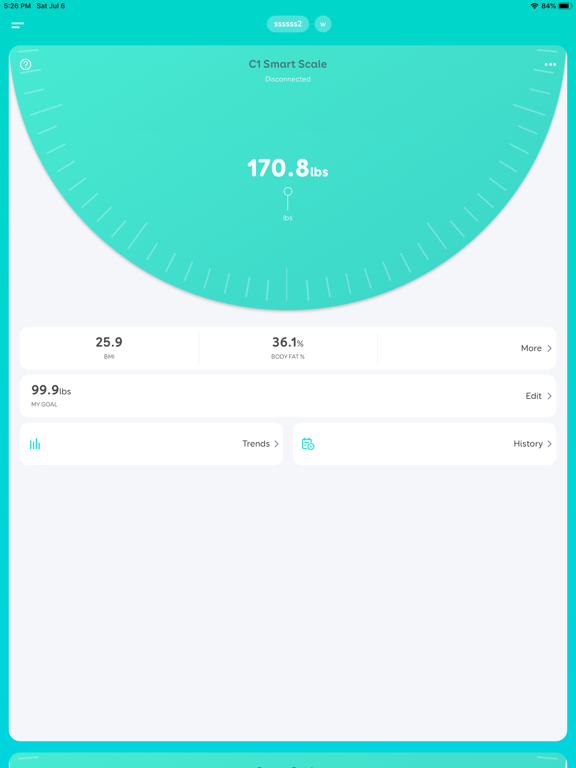
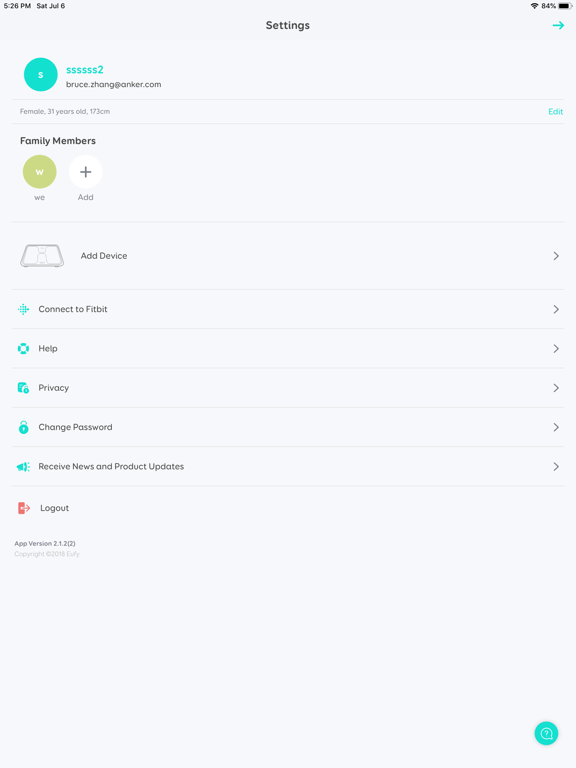
- Eufy Life iPad Images
The EufyLife app is dedicated to improving your health. We’ve blended technology and convenience into an easy-to-use app that automatically syncs your health data.
HOW THE APP WORKS
A EufyLife account is needed to use this app. You only need to provide an email address and registration takes two steps and only a minute to complete.
To get started, download EufyLife to your mobile device and register your email address to create an account.
HOW TO PAIR DEVICES
Eufy products are designed to be user friendly. Pairing devices is as simple as enabling Wi-Fi and/or Bluetooth on your mobile device, turning on the Eufy product, and following the on-screen instructions to complete pairing. That's it!
HealthKit
The EufyLife App will synchronize the records after each weighing (Body Fat Percentage, Body Mass Index, Height, Lean Body Mass, Weight) to Apple Health.
Since the privacy of your health data is very important, EufyLife has an entry point where you can choose to sync your data to Apple Health. No data will be synced to a third party until you choose it.
Eufy’s BodySense line of health and wellness-focused products are currently available for use with EufyLife: Smart Scale.
CONNECT WITH US
• Email: [email protected]
• Website: eufylife.com
• Facebook: @EufyOfficial
Eufy Life App Comments & Reviews
Eufy Life Positive Reviews
Pretty good Smart Scale AppIt’s definitely a SMART SCALE app. Tells you your proposed age health, body type, and other small details that are semi critical. Like for example body fat percentage, pulse heart rate, muscle mass, water intake percentage, even protein percentage like what, and bone mass. Or skeletal mass and others; helpful app/product in really helping to motivate and stay fit in critical points to someone who may not even know in areas of their personal physique. Even the little dash detail added of a virtual 3-D body image of you with adding a set day goal of either gain weight (muscle goal added) or losing weight (bonus of fat percentage goal). Definitely, an app and product one should get to get motivated and (or) to get to keep track of fitness, the smart intelligent way of a self-investment to a better life, like literally..Version: 3.1.1
Just What I Wanted!I had another scale that shall remain nameless that was supposed to do some of what this one does. But the extra features on that utter one stopped working about three moths in, and was just a regular, digital scale with button batteries, after that. This scale uses batteries I actually have in the house, PLUS the extra features work! And I can take my measurements with me to the doctor or fitness trainer (you know, if I had one) and show them where I am and progress I'm making. It's nice. I'm digging Eufy's products, so far! ❤.Version: 2.1.2
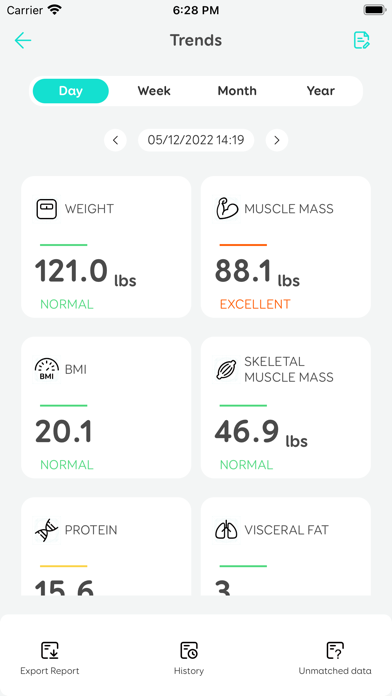
Data isn’t helpful without better dashboardsIt’s nice that it works and UI is clean but having all this data isn’t worth much unless you can makes decisions with it. I find the trends dashboard needing a lot of improvements. My biggest issue with the display is that it is very limiting. For example, you can only see 6-months in the *year* view. You still have to scroll to see the whole year. Moreover, you can only view the Year in the timespan from January to December, as opposed to October 2021 to October 2022. I would actually love to see my metrics on a graph over the course of several years to see how major changes in my life affected my health. Metrics like these fluctuate over long periods of time and so choosing custom periods and seeing that over time helps because I know the life events that influence changes in my weight, BMI, body fat % etc (new job, changes in a relationship, new habits, etc.).Version: 2.3.2
No longer connects after recent updateUpdate-the app now connects regularly , but it still doesn’t capture weights when scale is not connected to the app. This means I always have to have my phone with me if I want the app to track my weight. 3.5 stars if half stars were an option. Original review-After last week’s update, my scale will not connect with my iPhone app. I like that the combined the data from my two scales, but if it doesn’t add any, that doesn’t really matter. After latest bug fix my scale connected once, but that was it. Also, it used to upload previous weights when not connected, and it did not this time, only the last one. Guess I’ll need a pad and pencil if I want to track my weight. I’ve taken batteries out, turned Bluetooth on and off, put in airplane mode, nothing seems to help..Version: 2.3.31
Good app, needs improvementHello, I like this app but I think for my scale I can update my measurements. It would be helpful to have an example (picture) of how to perform each measurement. Also, I think it’s a little annoying to have lo goin back in every once in a while because I’m randomly logged out of the app. There’s a weight widget under the big numbers in the main screen that had the numbers hidden, I don’t see the point if in the big numbers I have my last update of my weight why hiding the histórica and the button to see the numbers it’s pretty small, also the proportion of the numbers in the graph don’t show the variation and it usually looks flat. Please consider this changes to have a better experience..Version: 2.13.5
NewbieI am new to this app, so I am still figuring it out. One thing that would help a lot would be if I could view it in dark mode. Many older adults are concerned about their health and don’t have the visual abilities they used to! Dark mode is so much more user-friendly, so this option would be very much appreciated. I am making progress on my health, and like the way the app sets the next goal. Maybe I just have not seen this yet, but when the app says my protein is low, is there a place where it tells me what it should be? It is improving, but it would be nice to know how far I have to go. Thank you for this app. I will review again when I have been using it a little longer..Version: 2.15.0
Keeps getting stuck, requiring rebootNot sure what is going on. It’s trying to connect to network and just freezes. A LOT. Was good until this starts happening. I moved house recently and am trying to update to new wifi router. But it freezes along the way. Do I need to remove device and start fresh again? I am connected via Bluetooth is that good enough? Is wifi even required? Am I missing functionality? Quite flawed that it gets stuck rather than just detecting no wifi signal and giving me an option to add a wifi router address. The search feature to find wifi signals does not seem to work either and it either gets stuck or I get a message that I cannot connect to the scale even though I am connected via Bluetooth. It also frequently gets stuck on the first screen. No buttons work and I can’t even scroll. And I end up having to reboot. Let me say also that I had an old scale from EUFY. And you guys changed the software and suddenly it was chewing through batteries like crazy probably constantly hunting for a Bluetooth connection even when not in use..Version: 3.3.5
I’ve been a loyal customer since 2020My first scale I got when I moved to nyc and it was recommended by a friend and I loved it. As the years went on the company came out with my data points to track but only on the newer scales so I caved and bought a new scale except that the data points of my own health were nice to see the app got worse and worse. For me to use the app and analyze my data, I have to close it at least 2-3x to see everything because the app keeps freezing and it’s beyond annoying. I would of switched to a new company but all my data for the last five years of my weight journey has been recorded on this app and I don’t want to lose those records..Version: 3.3.7
Great App with Fantastic Features, But Needs a More Readable Design.I’ve been using the Eufy Life app with the smart scale, and overall, it’s been a fantastic experience! The app’s functionality and capabilities are truly impressive, making it easy to track and understand my health metrics. The only major drawback I’ve encountered is the color coordination within the app. The light green background, which seems to be their theme color, combined with white font, makes it really difficult to read and quite frustrating to navigate. I hope they consider updating the design for better readability, but otherwise, it’s a great app! I am taking out 2 stars for the poor readability within the app..Version: 3.3.6
Almost perfectI love my scale. I had a Withings until it died and customer service was useless so I got this one. Set up was easy. I have two issues which keep me from giving it 5 stars. 1. I have to open the EufyLife app in order to save my measurement and then it saves the one so just took before I opened the app. Either save it without me having to open the app or don’t save it after I do another measurement. 2. Occasionally I have to login to the app. Not a problem but it doesn’t use Apple’s api to allow accessing passwords. I have to go out of the app, open 1Password, copy the password and go back to EufyLife. This is not ideal first thing in the morning with my glasses off!.Version: 2.1.0
Used to be betterI got the scale overseas when I was visiting family loved the simplicity and the information it gave me and the seamless connection to the scale was great. Got home bought a P1 pro more advanced model. I noticed they changed the whole app including a avatar of a chubbier version of me and the interface is different and not user friendly like it used to be. Like the saying goes if it ain’t broke then why fix it. Please just leave it the way it was before it was much more intuitive. Also it doesn’t record my numbers every time only when the numbers change the old app recorded it every time I stepped on the scale needs a serious revamp and bug fix….Version: 2.3.31
Great overall; the "unmatched measurements" feature is annoyingI'll start with the positive -- overall the app is great and works just fine. Not many complaints. A recent change, however, introduced a UI feature that bugs me about "unmatched measurements" whenever I open the app. This happens, presumably, b/c others in my household who use the scale choose not to use the app, so their measurments are "unmatched". However, users of the scale shouldn't have to use the app -- so why is it now my problem? Please get rid of that, and make the app leave me alone! I don't want to be bugged about other users' measurements..Version: 2.3.31
Stop trying to be a calorie counterApp works alright, definitely some glitches caused by the new update and UI changes but I definitely think this app should stop trying to serve too many purposes at once. I only want this to sync up with my C1 scale. It doesn't need to include any features about tracking calories or anything, please. The UI was rearranged and makes it a lot harder to navigate to relevant information in service of implementing that calorie feature that nobody asked for. If I wanted to track calories, I'd use MyFitnessPal, Lifesum, or the app I developed for myself. No need to have the app I use for my scale also try to be this.Version: 2.13.8
Love the app but issues with caloric intakeI have loved using this app for keeping track of my weight. I recently started using the calorie tracker and I love how it helps me stay diligent about what I consume. I also love that it give me a break down of what I ate throughout the day as far as protein, carbs, vitamins, and minerals. Very cool! However, the data I enter doesn’t always save so I have to continually go back and re-add things or re-adjust the amount. It’s kind of frustrating. Other than that I love it!.Version: 2.13.5
Unable to login anymoreUPDATE: Developer responded very quickly and published a fix! I am not unable to login to the app after a phone and app upgrade because the new app thinks my email address is not formatted correctly. I created my account over 3 years ago and had been using the app without issue until now. Please fix the email field validation. And yes, I didn’t confirm my account is correct because I am able to login on the website..Version: 2.1.16
Great app with an annoying flawI love the smart scale, and the app is easy to use with plenty of detailed information. It would be perfect, except for one thing (developers, please take note!). While the app provides details like date, weight, and measurements, it doesn’t include the day of the week. This makes tracking weight trends frustrating, as you can only see the date, not the day. It’s really annoying—why not include this basic feature? You’ve obviously thought of everything else!.Version: 3.2.0
I love the C1 except...I truly enjoy using (and looking at) my new C1 scale!!! Though for the first thirty, or so, weighings I was mostly only able to receive weight/bmi data; until I discovered a work around! For whatever reasons, my feet do not make proper electrical contact with the scale; I now lightly dampen the contacts with a microfiber cloth before use! Now I receive full readings over 90% of the time! I still occasionally receive just weight/bmi data, though only very rarely. On the APP side: I really like the additional graphics under the 'TRENDS’ section, though for myself the 'last' tracking does not assist me greatly... If you were to add some, or all, additional display options to 'TRENDS’ it would be a greater help! - Options: Daily average Lowest daily value Highest daily value Thank you for your time and Great Products! Thomas.Version: 2.1.0
Warm, bright, color issueI have 4 sets strip lights and during a recent update I am unable to program individual lights on the customized section for daily scheduling, the warm, bright, cool option are not available and only able to choose from the color wheel. I am unable to select the warm feature. Please fix this issue. I am using multiple strips and I am not able to match the warm color from the color wheel. PLEASE ADD BACK THE WARM,BRIGHT,COOL OPTION IN THE CUSTOMIZED SECTION..Version: 2.16.0
Needs Greater Attention To AccessibilityAs a blind person i was able to configure this app without the need for any sighted assistance. Pairing the device the first time was a bit buggy. Initially the registration page would not go past the third page. The workaround was to go to Settings/Bluetooth and finding it there and then going back into the app. The device does seem to work as promised, but the layout is not suitable for VoiceOver and many of the buttons are unlabeled. Hopefully a future release will address these issues..Version: 2.1.1
Great App For Their ScaleI use this app on a daily basis to take my weight on their companion scale. It was easy to setup the scale against their app for multiple users and feed that data back to Apple Health. I never have any issues with their app and they keep adding new features. The last is a reminder to take your weight, which is fantastic and allowed me to delete a reminder I had set to do this!.Version: 2.2.40
Great App Except For The Calorie CounterThe app connects to WiFi and Bluetooth flawlessly and is very informative. I would give the app a 5 out of 5 except that the calorie counter in this app is horrible. The app also does not have the ability to sync with MyFitness Pal which is a great calorie counting app. I hope that someday soon they finally give the ability and option to connect and sync with the MyFitness Pal app, or drastically improve their calorie counting feature which at this point is terrible..Version: 2.17.1
It helpsHaving this scale in my bathroom allows me to conveniently weigh myself after a shower. The app is super easy to use. Aesthetically pleasing. I haven't had anyone else in my family log in because I don't want access to their weight. I would like for everyone to be able to log in independently so I haven't tried out this feature. Other than that Ibcan definitely see trends in real time and I like the info it gives. Good inexpensive purchase. I bought mine at Burlington..Version: 2.1.22
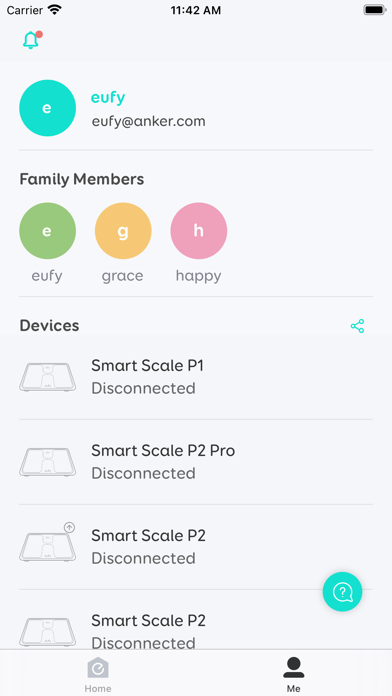
Confusing usersI have a family of five - I have lost a lot of weight and four of the five of us weight around the same amounts now - the scale does not always bring up the user selection which is frustrating to weight myself and see the scale auto pick my son and NOT give any option for me to change the user and record my weight to my profile. Is there a way to get the user list every time if the weights are so close together like they are in our house hold?.Version: 3.3.8
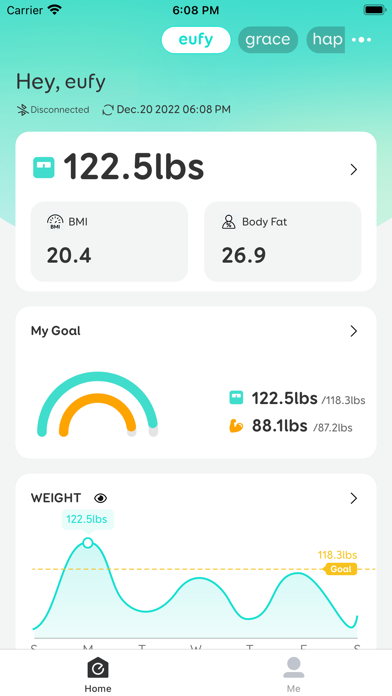
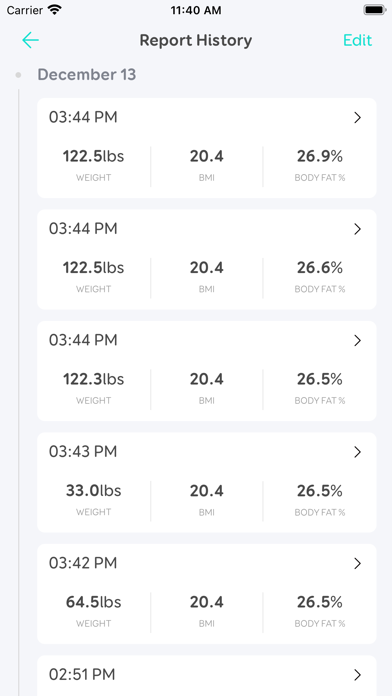
Excellent, reliable app. A few tweaks would be great.Enjoy the app! Very very solid. Use it multiple times a day, mainly to monitor my weight. From a practical perspective, I want to see my weight info far more than the other metrics provided by this excellent scale & app. The weight info is what I want to review every day, and I want the app to show me the weight info ASAP. (I assume that weight info is the priority for +99% of users.) In this context, my suggestions for new features in the app are: 1. Greater ability to fix weights info such as: - Move a weight from one “family member” to another. Currently can’t. - Retrieve an accidentally deleted weight. Currently can’t. 2. Greater ability to mine the weight data such as: - Option to graph the highest weight of each day, lowest daily weight, and the first weight of each day. (This is the info that I used to monitor my status.) Currently displays only the final weight of each day. 3. More pleasant user interface for the Home screen: - From there, ability to access the graph for “Trends“ by day in 1 tap (perhaps add a small calendar icon next to the small eye icon on the Weight card on the home page). Currently need 2 taps. (That extra tap is repetitively annoying.) - From there, access the “History” in 1 tap (perhaps add the icon for “History” to the Weight card on the home page). - Also, enable swiping on the Weight card so that I can quickly quickly see weights from earlier than 7 days ago. - Option to hide the “My Goal” card from the Home screen. (This card immediately gives the homepage a negative vibe due to the card reminding the user of failure and unfulfilled aspiration. Although the card is well intended, it immediately gives a negative feel to using the scale. Everyone knows their goal weight. And most everyone frequently subtly adjusts that goal a little or become satisfied with getting close enough (i.e., it’s not a static number in reality). Currently can’t. - Option to delete a “My Goal”. Currently can’t. - To reiterate, it’s annoying to always have to pass through the Overview / Trends page to get to the weight history & graphs. (I look at the Overview stuff maybe once every 10 measurements, but I look at the weight stuff every time I use the scale.) I’m not reading not a mystery novel - I want the punchline now..Version: 3.1.1
The Eufy app is hard to see and readThe Eufy scale is very nice and the output is great and was highly recommended however the app that is used for reading the output from the scale has a very light gray color and very small font for the printed text. The output from the scale is hard to read and to see. I’ve adjusted the text on my iPhone and the brightness but to no avail. I’m thinking of returning the scale because of the app. I cannot read the app information..Version: 3.3.6
ImprovementLove the app, a suggestion on the home dashboard it would make more sense for the graph to be limited to the data in the week so that the trend for the given week is clear. It seems to be working off the complete data set so if there is a large discrepancy in previous data the trend on the home page shows very marginal trend changes which doesn’t show a true reflection of the 7 days.Version: 2.13.5
Map revisions are a major disappointmentThe robot usually works well enough. It maps rooms, figures out a food cleaning strategy, and goes to work. Small things can clog it, etc but for the most part, it does what it’s supposed to. The app on the other hand is a bit of a disaster. Granted, the cleaning reminders are a useful features but the constant map revisions (WHICH CANNOT BE TURNED OFF) make the robot an unreliable cleaner. So you set up your robot to clean certain rooms but then Eufy decides one room should really be two and so the other part is no longer on the cleaning schedule. This map self-sabotage process cannot be turned off. Your only option is to keep logging into the Eufy app and reverting maps back to the original settings. Eufy / anker confirms this is not a bug, it’s a “feature”..Version: 3.3.12
Increase reports listed in trendsThe scale itself is pretty good and I like the reports it lists in the app. The main problem with the app is that you can only see the historical trend for 4 of the 10+ data points it collects. So I can’t look at a visualization of my bone mass, protein, etc. Since the app still has this information (it’s viewable in the history) how hard would it be to graph it?!?! Separately the scale is great but some of the numbers in the analytics are still pretty dubious..Version: 2.1.4
Good but needs helpFirst off I really like my eufy smart scale for keeping track of weight and health metrics associated with it. The eufy Life app presents the data in a well thought out and logical format. My biggest problem and concern with the app, is when you look at the graphs for all of your health data over time, the data points are so tiny you honestly can’t see the numbers! Please provide larger graphs and data points to make it much easier to see!!.Version: 3.2.5
Love this app, just missing one thingWe have had the scale for years shared between my partner and I and is reliable and works well for daily health monitoring. The only thing that it is missing is, in data trends the app doesn't include the year! If you someone that looks back at a bunch of data points and wants to compare - you can only see the exact date. At least give us a tooltip!.Version: 2.1.22
Another try hardThis bridge app is to get data into the health period. If it would just run in the background and sync when there is new data that would be amazing. Also the scales interface is awful. There is a happy and sad face, 16px x 16px, nearly six feet away from my eyes and they are both yellow. I don’t know why they are both yellow but it’s impossible to tell them apart. Stepping off the scale to take a closer look causes it to go to next screen..Version: 2.13.0
Please add thisI’ve been loving this app and eufy scale quite a bit, I think it’s been a huge motivator for me to not only lose weight but get my body comp numbers right too. The only thing I wish is that the app kept the date on the exported reports for organizational purposes. I find it difficult to add the dates post export because the document is pretty cramped as is. I like to get third part opinions on my BMI numbers so just simply adding the date to the exported document/photo would remedy a lot of confusion and friction for me..Version: 3.3.12
Works WellOnly wish I could go further than a month back for the graphs..Version: 3.3.3
Loosing functionalityPreviously, I could share eufy scale, but I can’t anymore. Trying to share between my wife and I but just not working..Version: 3.3.11
Great scale, awesome appI like it.Version: 2.1.13
App needs some workScale works just fine but logging food is way out. Everything is measured in grams which makes more effort in figuring things out. I don’t know how many grams an egg is and 280g sirloin isn’t 42calories.Version: 3.2.2
Sketchy BehaviourScale is nice, software is operating well and doing what it should, with one exception. If I am playing audio and I open the Eufy Life app, the audio I am playing on my phone stops playing. No idea why a scale app needs access to that. Not confidence inspiring..Version: 3.2.1
The View Report section does not work on iPadThis section has a button that should be clicked to continue, I saw it on my iPhone, but on the iPad it is out side the visible area of the screen and can’t be pressed..Version: 2.13.8
Can’t read the font on latest updateLove the scale, and the app for the most part, but the font is so small on some of the screens and you can’t read the white font on the pale teal background and vice versa. Any decent graphic designer should know you need to have more contrast between your print and the background if you want people to be able to read it..Version: 2.13.5
Great scale but the app could use some work!As mentioned in the title, I love the scale and I love the portion of the app that breaks down the variables; what I don’t like is the food log! The food log is beyond basic, you can only use a few characters in the search bar and when you enter your own food, or, “customization” it doesn’t allow you to change the weight of the food or put in additional details. The app also doesn’t pull this data from other connected apps, as I have my Carb Manager app connected with my Apple Health, which eufylife is connected to. I would love it if eufy would improve on this portion of the app so I don’t have to use two or three apps to input all of my data..Version: 2.13.2
Careful with updatesHi. The new update raised all my weight records from the 80kgs range to 800 kgs. One year of trends got all damaged! Not happy After the update I had to uninstall and reinstall the app and everything was fixed. Thank you for the fix..Version: 2.0.1
Could use some design improvementsEufyLife makes it pretty easy to track your weight with a Eufy scale and is mostly easy to use, but I have several suggestions that I think would make it a much easier app to use. 1. Dark mode support would make it easier on the eyes at night and would fit better with the contemporary aesthetic of iOS apps. 2. The ability to select a custom color scheme for each user would be a nice touch, instead of being stuck with the weird yellow-green color you get assigned or whatever. 3. Auto detection of the user based on the measured weight seems like table stakes for such an app. It should know when my girlfriend who is 60 lbs lighter than me is using it and not make me manually switch users. 5. Ability to zoom out of trends to see a longer history would be nice. The layout could also be redesigned with smaller margins and padding to allow more data to fit on the screen. Maybe even allowing the device to be used in landscape would be helpful for this. 6. Body Fat % seems wildly inaccurate, ranging between 5% to 60%. This data truly seems to be garbage, and if so, just get rid of it altogether, otherwise it does more harm than good. Maybe there are other products aside from the scale I own that are more accurate, but I just wish I could turn it off and delete the data for this. 7. Related to the above point, being able to reorder the trend charts would be nice, so I could put the useless Body Fat % at the bottom and see more relevant data..Version: 2.1.8
My goal functionGreat app. But I think there are a few improvements that can be made: for now I can only set weight as my goal, but I want to lower body fat instead. There might be a function to customize the goal. Also, the quick view shows BMI and body fat, we might be able to choose the data that we want to be shown on the main page..Version: 2.1.4
RecommendationEverything seems to be in order but my body fat percent is way off. You should give the option to calibrate some of these numbers.Version: 2.1.4
Great app, quick response from supportThe redesign is clean and modern and the ease of use is fantastic. I’d love for the developer to add a weekly summary page for the week, showing things like notable changes in data like, “You’ve lost 3 pounds this week!”. I reached out to the support team regarding the ‘decimal place’ issue and they had a very quick response and their solution worked. (Just delete the app and reinstall and login). Thanks to the devs!.Version: 2.0.1
Update IssuesApp worked perfect until I just updated to 2.0. Now my weight all had an extra 0 or decimal. Instead of weighing 180lbs I weigh 1800lbs! Needs to be fixed ASAP! Was a 5 star app until this issue so I’m downgrading to 4 star until it is fixed. Same issue after 2.01 as well..Version: 2.0.1
Free International Money Transfer 💸Enjoy high maximum transfers into more than 20 currencies while saving up to 90% over local banks! The cheap, fast way to send money abroad. Free transfer up to 500 USD!Version: 3.3.12