Eufy Clean (EufyHome) Customer ServicePower Mobile Life LLC

Eufy Clean (EufyHome) Customer Service

  1. Eufy Clean (EufyHome) Customer Service
  2. Eufy Clean (EufyHome) App Comments & Reviews (2026)
  3. Eufy Clean (EufyHome) iPhone Images
  4. Eufy Clean (EufyHome) iPad Images

eufy Clean - Live Well. Live Smart. Control your eufy smart home devices from anywhere.

You can also share eufy smart home devices with family members, so everyone can set their own personal preferences for each device.

How to use eufy Clean:
-Note: For new products released after 2026 (such as C28, S2, etc.), please use the eufy app.

- Registering your account: After downloading the app, create and register an account with your Email address. (Or directly log in with your EufyLife account)

- Adding devices: Open the eufy Clean app and follow the intuitive setup procedure to pair new devices with your smartphone. If a device has already been setup by another family member, you can request control access to operate that device from that family member.

- Using devices: After successfully pairing the new device, it will show up in the device list. Simply tap the icon you wish to use and start enjoying the Eufy smart home experience.

Contact Us:
• Email: [email protected]
• Website: eufylife.com
• Facebook: @EufyOfficial

Eufy Clean (EufyHome) App Comments & Reviews

Eufy Clean (EufyHome) Positive Reviews

30 C MaxReceived Robostud for Christmas. The app was easy to set up and I started using it today. Before using, I prepped each room as was recommended. I believe this is why I has no trouble with it getting stuck. It does show some intelligence. Actually it is smarter than some of my in-laws. I watched it clean and thus far I am satisfied. Be aware today is the first use by me and thus far all is well. I will update later if any issues arise. I did call customer twice before I purchased it. I wanted to ask questions and to get recommendations. The first call resulted in me talking with James. He spent about 30 minutes and he gave very good advice. I appreciated his truthfulness. The second call resulted in me talking to Jabraan. He was very helpful as well. Their helpfulness is one reason I chose the Eufy brand. Both customer reps told me to call back if I had further questions. This customer service is unusual and out of the ordinary. The model I chose has boundary strips and thus far works well. The remote control is a nice feature also. I do wonder if the G30 Edge model would have been a better choice as it has navigation. I wish there was some way to try it but the 30 C Max works well with random bounce technology. The Eufy brand has excellent reviews and their customer service is second to none. I would chose them in the future..Version: 2.5.4

Love loveI was worried that I bought mother gaget that I am not going to use. Oh well , I am using this vacuum 2 or 3 times a day. I have two cats and they shed all day long. Just turn my vaccine on and it does it’s job. I do empty it about 2 times while doing the whole house. And it is kinda scary how much hair and dirt it collects. The only advice I have make sure you buy the correct type for your house. Mine is for hardwood and I have hardwood floor but my bedrooms are carpet. It cleans that too but not as well. I am very happy with this purchase. I am sitting in my room and turned it on right now , I can hear it going through the house. I do block sections to make sure one area ( for example kitchen) is completely clean. You can visibly see the cleaned 😊.Version: 2.5.90

Our new HobbesCarrying on the name, but not the issues. We have named our succession of many robot vacuums “Hobbes” after the Calvin and Hobbes cartoon character. The reason? They would all play loudly and boisterously at their vacuuming, but at the least provocation, would get hung up, conk out, play possum, quit just as Hobbes would do when the adults came around, leaving Calvin holding the bag. Well, we are no longer nearly so vexed, thanks to eufy! While still affectionately calling him Hobbes, he takes care of the vacuuming very well, gets his work done, rarely getting indigestion, and is much less noisy. Since we are relatively new to eufy, the jury is still out on battery life, so we will report back as that unfolds..Version: 2.3.7

Developer requestPlease update app so that we can note when rubber strips have been replaced on robovac! We can currently do that for all the other pieces of the vac, but just keep getting messages to replace rubber strip with no option of resetting the alert. In general, LOVE this app and the G30 vac we have. So thoughtful to build in screens where you can see where each part is in its lifecycle (and even just when parts need to be cleaned). My request above is the only little thing I’ve noticed that I wish could be better. This app is so well designed that it has greatly increased my impression of the quality of Eufy, and I’m more interested in buying Eufy products as a result. Keep up the good work!.Version: 2.7.32

Nice vacuumThis is the second one I owned. I have the 30edge and it’s mapping is a awesome feature. I dare not run this while my pets are home alone! I ran into that issue once before and I learned my lesson. First one I owned was a 30c and it was a good vacuum but not as intelligent. Also I started repairing the wheel motors and after the second one is when I upgraded. If I were to get another, I’d get the one that empties itself. I’ll stay away from the mopping ones. Also, if that station could self clean the head on the vacuum that’d be amazing..Version: 2.16.0

Easy to use app. Would like better control over the on/off functionalityOverall the app is easy to use and configure. One nice feature that I would like to have more control over is the random on/off functionality. I have 2 switches - one in a bedroom and one for the outside porch at the entrance. The random on/off works well for the bedroom as it gives the impression that the house is occupied. The outdoors light is an issue though, as I’d like the light to be always on so that when we come home it’s on. With it randomly turning off, we sometimes come home and the outdoors light is not on. It would be nice if this feature could be disabled. That’s the reason for 4 stars, otherwise it’s a very good app and switch..Version: 2.1.1

Attractive switch and appI really like the way the Eufly switch looks, blends in well with my other switches, it has a unobtrusive light (that’s white, not blue or some other obnoxious color) on it so that I know it’s connected etc. App works well for managing the light. Nice interface and overall design. Allows you to turn on/off at a certain time or do a countdown timer to turn it off once. Also an away moderator randomly turns it on and off within a specified time of day. I really want it to be able to turn on and off with sunset/sunrise and this is not currently an option. Though this is an option on other developers’ devices, it is not yet an option with eufly..Version: 2.0

App doesn’t workGreat bulbs but this app doesn’t work. I’ll fix my review when the issue gets fixed. I get all the way to the part where you connect to the bulbs WiFi from your settings. After that it asks you to log in to your WiFi but when you type in the password and hit next, a loading sign pops up then NOTHING HAPPENS. It just stays on the same screen. Been trying all day. Reset the bulb. Redownloaded the app. Tried 100 times. Apps just buggy and broken. Edit: I fixed the issue by manually entering in the WiFi. The app itself is intuitive and good but the bugs are still an issue. Connectivity isn’t always great and that Set up bug was app breaking. Added a couple more stars..Version: 2.0.1

Eufy teaches a couple of old dogs new tricks!We absolutely love our Eufy. I have never been a fan of the robot cleaners until my daughter got a Eufy and then talked us into buying one too! Oh my goodness, I thought I was a clean housekeeper. My husband has our Eufy automatically set to come on at 10:00 am. Our new pastime is looking at the canister every morning and being amazed at how much dirt it picks up. At 73 years old and my husband at 77, I guess you CAN teach an old dog new tricks. Am totally convinced this is now the only way to vacuum. Thanks Eufy for making our life so much easier..Version: 2.4.0

My New Best FriendI love this little lady! I have severe osteoarthritis in my hip and knee so pushing a vacuum is really hard for me. I ran my new RoboVac today and she was a marvel. It was fascinating to watch her find her way in and out of tight spaces. Due to my arthritis I had not vacuumed in a while and I was a little appalled at the amount of dust and debris she picked up! Had to clean her twice during the first run. (Super easy to do). Now that she’s made the first pass I will run her frequently and keep things in better shape. Glad I bought this item..Version: 2.5.90

Eufy clean (home )Fantastic ! I found it extremely easy to set up our new g32 Robovac to our Wi-Fi address. ( after charging / easy step by step instructions . ) Great features . Clean /pause /return to charging dock . The device does an outstanding job . If power is low or any issue arises you are informed . When finished it returns to the dock / or also to recharge when battery needs charging . What more can you ask for ?.Version: 2.11.0

EufyClean Widget No Longer Accessible in iOS 17While I have not had any major issues or WiFi connection issues with my RoboVac devices and the app as some have reported, I did just encounter an issue when upgrading to iOS 17. At first, the EufyClean widget indicated that my device could not be loaded; however, after removing the widget, I could no longer find it in the list of widgets. I had even removed and re-installed the Eufy app and ensured that I have the latest app and firmware updates. I did report this already but figured it could get more traction and visibility on here..Version: 2.26.2

So far so goodFirst test run with Eufy Robo G30. Setting up was difficult but problem turned out to be unit too far from router for initial pairing. This was covered in very comprehensive troubleshooting video online but could be mentioned right at beginning as it is so critical. Instructions start with positioning charging unit with clear area around it so was a long way from my router, then goes straight to Wi-Fi setup. Operation looks very good as we have a small apartment but it manouvered around everything very well. It’s definitely a keeper!.Version: 2.6.31

EufyMy sister had bought one of these and recommended it. I was looking into Rumba‘s but this Eufy was a little bit more affordable at the time. I honestly love it. I know I only have been using it for only an hour but it was a super easy set up and it just needs some minor assembly (brushes and WiFi set up), but other than that it just starts and goes right away. It has understood my staircase, rugs, chairs, baskets, carpet and etc - able to do everything so far..Version: 2.2.0

EufyLife Must Needed App FeaturesThe app is fine. I really do like it. Except 2 things. 1) you cant save or restore previous maps: Im afraid if I get a new device I will have to remap everything. Not cool! 2) set a schedule for zone areas: it would be nice to set a schedule for different zone areas for instance Monday and Wednesday for living , den and dining room. Tuesday and Thursday for bedrooms and bathrooms. Setting a schedule for the whole house is crazy. These are two features that I wish are available. If they are added I will change my review stars. :-).Version: 2.5.3

Love my robovacIt works very well even with the clutter on the floor. Although it bounces around so much it runs out of battery power and needs to go recharge. The only thing I would recommend would be an option to name the rooms mapped and the ability to set timers for each room on different days. So I can go through ahead of time and move the furniture I wish..Version: 2.6.90

Worked fine before the last 2 updates...The app worked fine before the last 2 updates, but now, even after another update that supposedly cured the app of bugs, I STILL can’t control my grouped bulbs as a group. I have 2 bulbs grouped together that I was able to dim and brighten remotely, but, after the second-to-last update, all of a sudden, I couldn’t dim and brighten my grouped bulbs. The last update was supposed to deal with bugs, but I still can’t dim and brighten my bulbs simultaneously. I can dim and brighten, plus change the color temperature of my bulbs INDIVIDUALLY, but not SIMULTANEOUSLY..Version: 2.0.1

Robo Vacuum loses all info when stuckEufy Home is a great app, however, the only issue we’re having is when the app notifies me when my robo vac is stuck. It will lose the information with vacuum and make me set up the model of the vacuum and the WiFi process all over again. I have to leave the app open while the robot is cleaning because if I close the app and it gets stuck, this happens every time. Please fix the bugs..Version: 3.1.4

“Louise” my new housekeeper by way of EufyFinally running Louise everyday to round up cat hair and debris. We live in the country with one young cat inside...can’t wait till we can get her outside. Eufy has done a great job making her way around the downstairs (2400) square feet. Pretty interesting to watch. Has only gotten hung up on light weight things in the floor like panty hose, sock...great job. I feel we are so much cleaner .... running it daily till I see less picked up.😍.Version: 2.3.8

Eufy robovac 30cAlthough we only just got the product, the app seems to have a nice UI and the vac itself seems to be responding well to it. I give 4 stars, however, because it appears we are unable to connect multiple devices to the vac which is not too much of a bugger but slightly inconvenient as we would both like to have control over functionality. Maybe if there is a firmware update this could be resolved or maybe it’s user error....Version: 2.0.1

No notifications?The vacuum seems to work very well and the app seems pretty intuitive, but where are the notifications? My vac got stuck the other day and I didn’t get a notification. It would be nice to get notifications when I getsstuck or when it’s completed successfully. I am not getting those notifications. Even if I open up the app and go to notifications there is nothing there. I’ve looked at all the notification settings on my iPhone and everything seems to be set right..Version: 2.1.3

Mapping DevelopmentsWe need more mapping solutions as below: 1- Should be able to reach our maps from the website and able to make updates just like on the phone. 2- Should have the option to Quick map of a room that we specify (Not the hole house) 3- Should be able to change something acknowledged as wall to something else and/or able to remove that..Version: 3.0.0

UsefulThe app is useful is helping me adjust the settings of my vacuum depending on what I need that day. It’s also nice to be able to set a schedule for the vacuum to run (just gotta remember to pick up large debris and cables and empty the canister when it’s done). It does disconnect from the Wi-Fi and the app on its own from time to time, seemingly at random, and it can be annoying to have to reset it. But overall it gets the job done..Version: 2.24.1

Last update broke the map displayUpdated the app and now it won’t show the map properly. The dialog comes up, shows the map, clears and displays “preparing map”, shows the map, clears and displays “preparing map”, shows the map, etc. it’s stuck in a loop. Doesn’t affect the functionality of the actual vacuum, but it’s annoying when I try to check its progress..Version: 2.9.0

Mostly works wellThe app is fairly easy to use with my color bulbs. I would like if the changes between colors, white and intensities would have smoother fade transitions from one to another instead of snapping quickly from one to the other. Or at least options to change the transition duration. Sometimes the color wheel isn’t the most responsive. It won’t always let me smoothly swipe through colors. Gets stuck and or snaps backwards. The color adjust isn’t always accurate for which color is active. ie. dark blue shown in app and light blue or even purple is the physical light color. There’s more control and features that could be added over time. Overall it’s a good app with some need for a little more tweaking and development which would make it a great app. Hopefully the developer gets it there!.Version: 2.1.1

Good app, but…I find it a bit irritating that I can’t schedule the RoboVac to clean more than once per day. I have cats that shed and kick litter around throughout the day, so I’d really like to be able to have the RoboVac run at least once in the morning and once again in the evening. Obviously, I can manually tell it to clean, but this seems like a really simple and obvious feature that should have been added years ago..Version: 2.6.70

No schedule mode showing on appI was very excited to receive my new Robovac 30c today, and while the vac itself seems just fine, the “Eufy home” app was a little more of a problem. I could not find the scheduling function. Only “standby” function was showing which could merely start and stop the robovac. A quick call to the help desk, and Christian, the rep on the line, quickly diagnosed the problem. Should anyone else be having this issue, click on the picture of the Robovac itself, not the play arrow below it. It will run through a tutorial. Keep swiping until you can hit “done”. Scheduling and other modes will now show. Thumbs up to the help desk, and to a great little worker bee robovac..Version: 2.1.6

Vocal French Pack with a spanish accent???Really nice app but you have to change the french vocal pack. We don't understand anything. If you want a voice just tell me. I have given my voice in french several times for applications..Version: 3.1.0

Daylight Savings TimeI had my schedule set at 2:00am here in Canada and woke up to dirty floors, so when Spring DST change happened at 2:00am, I guess the clock went from 1:59am to 3:00am, therefore skipping the cleaning schedule. Hopefully Eufy can do something about this bug. For now I am setting my cleaning time to 1:58am..Version: 3.0.2

EufyHomeAmazing product.Version: 2.5.70

No Room schedule cleanI have the Robovac X8. I am a bit sad and also confused why I am not able to use the Scheduled Room clean if I have the multi map option enabled. What is the point of being able to manually selecting a map if the robot then can not use that information for its schedules? It really seems like from a software perspective that there should be a way to make this work. Maybe have a map selection tab inside the scheduling portion of the app. Or have a “primary map” which is the only one that one can select from for scheduled cleans. Anyways it’s always going to be the map where the base station is located anyways..Version: 2.24.1

Needs more scheduling optionsInstead of just having one time per day that it cleans, can you make it so that you can add multiple scheduling times?.Version: 2.15.0

Works great!Only draw back was the setup. Many troubleshooting efforts. Had to wait for after Long weekend but customer support was great..Version: 2.6.11

Nice appVery nice app! Glad I bought this robovac..Version: 2.5.70

AwesomeLove my eufy g30 robovac... regret not buying it sooner! Lol.Version: 2.5.52

Free International Money Transfer 💸Enjoy high maximum transfers into more than 20 currencies while saving up to 90% over local banks! The cheap, fast way to send money abroad. Free transfer up to 500 USD!AdvertorialVersion: 3.18.1


What do you think Eufy Clean (EufyHome) ios app? Can you share your thoughts and app experiences with other peoples?

Please wait! Facebook comments loading...

Eufy Clean (EufyHome) iPhone Images
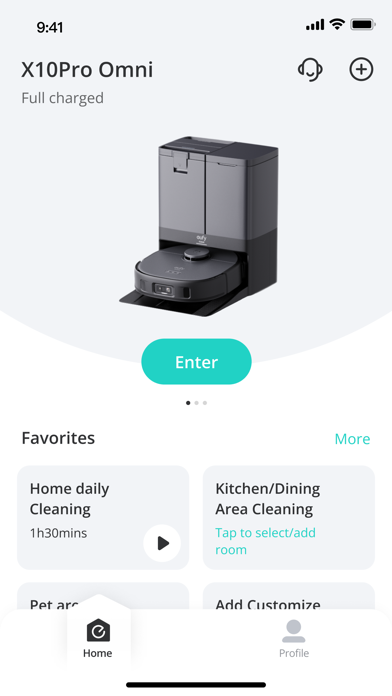
  • Eufy Clean (EufyHome) iPhone image 1
  • Eufy Clean (EufyHome) iPhone image 2
  • Eufy Clean (EufyHome) iPhone image 3
  • Eufy Clean (EufyHome) iPhone image 4
Eufy Clean (EufyHome) iPad Images
  • Eufy Clean (EufyHome) iPad image 1
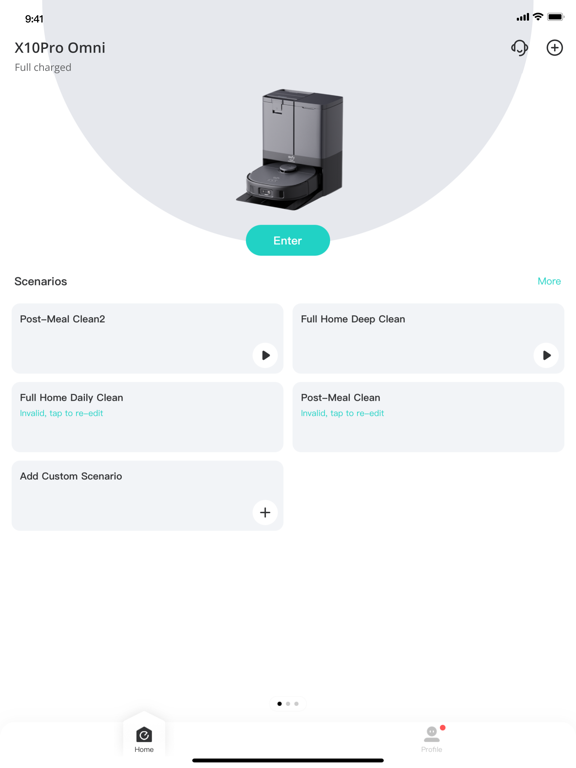
  • Eufy Clean (EufyHome) iPad image 2
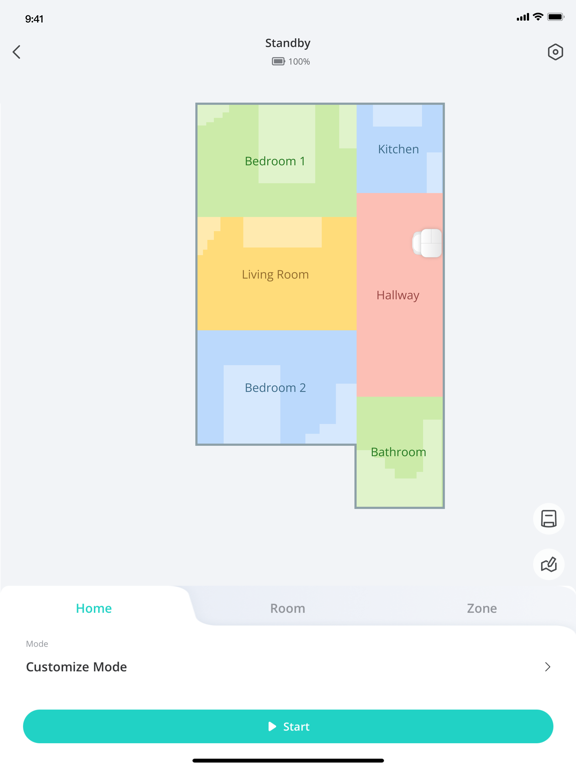
  • Eufy Clean (EufyHome) iPad image 3