Resideo Technologies, Inc.
Total Connect Comfort Customer Service

- Total Connect Comfort Customer Service
- Total Connect Comfort App Comments & Reviews (2026)
- Total Connect Comfort iPhone Images
- Total Connect Comfort iPad Images
The Total Connect Comfort app allows users to remotely monitor and manage their heating and cooling system – at anytime, from anywhere. Total Connect Comfort works with Honeywell Home Wi-Fi Thermostats and with Honeywell Home Redlink Comfort Systems when used in conjunction with a Redlink Internet Gateway.
With the Total Connect Comfort app users can:
- View and change the schedule (for thermostats that support this feature)
- View and change heating and cooling system settings
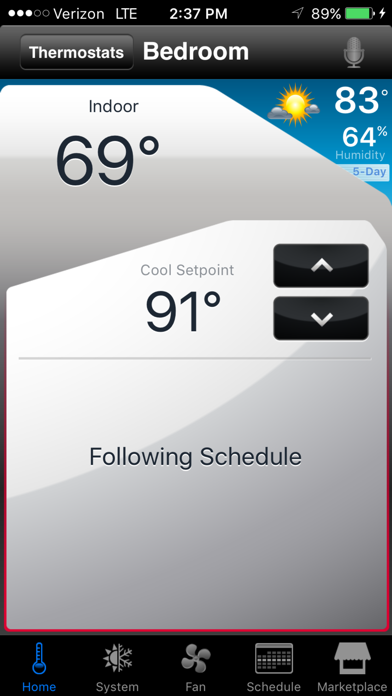
- View and set the indoor temperature
- View and change system fan (for thermostats that support this feature)
- View and change humidifier and dehumidifier settings (for thermostats that support this feature)
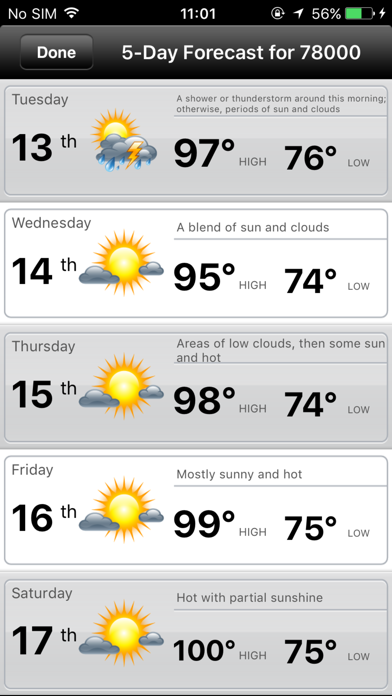
- View 5-Day weather forecast
- View outdoor temperature and humidity (when used with an outdoor sensor)
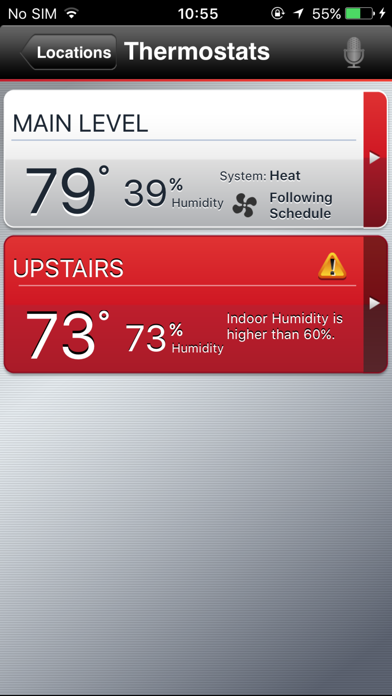
- Access multiple smart thermostats
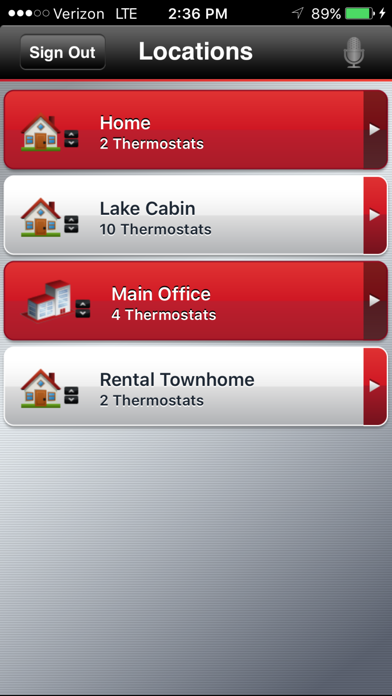
- Access multiple locations if more than one system is registered
- View thermostat alerts such as high or low temperature
- Use the Demo Mode before purchasing a thermostat
- Automatically upgrade to new features once they become available
Whether a homeowner, business owner or both – users will find comfort in Total Connect Comfort.
Total Connect Comfort App Comments & Reviews
Total Connect Comfort Positive Reviews
Export and import schedule neededApp works great. Would be 5 stars if you could export and import schedule. Ability to export normal schedule before editing for vacation or other event. Also very much needed for sites that have more than one thermostat. I will keep asking for this till someone listens. Give us option to not even show microphone, who is that lazy? Last update has caused latency with app, was spot on before. Very nice to be able to see if fan is running now. After icon update, app is buggy when changing temp or time, I see a lot of communication errors that were not there before icon update. Now, app does not notify of WiFi disconnect, at all. Why not allow time input for hold times? Very annoying to scroll for hours of time when you could just dial in a time and be done. Is anybody out there? Update App runs better now. Smooth like before they “updated it”. Still would like ability to save certain schedules for different events. Pain to redo schedule when different needs arise. At a church setting, we have Bible School in summer, revival in fall, and other times when weekly schedule needs changed. If we could save these changed schedules, we could just call them back up into service and not have to manually edit these schedules. We have 5 of these thermostats within our church. No more stars until someone actually reads this and does something to enable this much needed feature..Version: 3.10
Large 4 story split levelI’ve had the HW RTH9580 installed using Total Connect now about 2 1/2 years. The app is really great - a mix of “some” services everyone would need - to “some” that have been left off, usually because there is much less request for those. Possibly in the future this could transform into truly 100% full featured - but until then, the few items that do not appear don’t make me lose sleep. For instance: Can’t Change from “Heat” to “Cool” automatically. No problem here, we always have weeks between the needs - giving me plenty of time to manually switch. Can’t set fan to run automatically for “x” number of minutes per hour, in case there had not been any air flow during that period. A nice feature - but one that I would guess very few would really use (to justify the added costs of development) Can’t see a “true” outside temperature, since that info is pulled from the internet for your Zipcode. Hmmm. I can’t really see the great advantage of (installing and synchronizing sensors) the extra work to see if it’s really 37 and rainy as opposed to 32 and snowy. But that’s me, my Zipcode May be one of he more accurate one? Bottom Line - This app has saved us at least hundreds of dollars. We’ve even adjusted the temperature down while on a Mexican vacation after we left town with the temp set at 72. It has also run, along with my RTH9580 without a single problem this whole time. Thanks for this app, and your fine integration to the various thermostats..Version: 3.6.6
Okay, but Needs a Little WorkI replaced another brand of wi-fi thermostat with this one after the original failed. I bought the Honeywell partly because of the reviews and partly because of the company reputation. It works, but I am a little disappointed at this point. The thermostat does not update the indoor temp properly or often enough so it gets cold in the house before it turns the furnace on and then it overruns the set temperature so it gets too hot inside before the furnace turns off. I thought it was a problem with the unit so I returned it and got another. No difference. I called the support number and got someone overseas who had no idea how to understand the problem or tell me how to fix it. In addition, the unit does not have a function to give me daily unit run times. On the plus side, it is easy to set up and the display is easy to read. I would give this unit 5 stars if it would work correctly and give me some idea of how much the furnace runs on a given day. Update, one year later. The unit has settled in as far as holding temp goes, and I like the feature where it anticipates the heat time needed to meet the temp setting at a given time. Especially useful given that we reduce the house temp to 60 degrees overnight in winter. The unit senses temp drop during the night apparently and calculates the time needed to meet the warm up time in the morning. I would give it 5 stars but there is still no function to view actual run times..Version: 3.6.1
New UserPurchased a Honeywell “Smart Home” color thermostat to replace a builder installed Honeywell thermostat on our hi-efficiency (95%) gas furnace/AC unit. The original thermostat worked well, but the display was just too small to comfortably read, and programming, with no WiFi feature was extremely(emphasis on extremely)difficult. The large color display on the new thermostat is excellent. The app seems to work well, however after only a few days of use, I’ll reserve total judgement for now. I have noticed that the outside temperature reading does not seem to update very often, and the displayed outdoor temperature rarely is even close to three remote reading thermometers we have in our home. I have noticed that the furnace cycles more often than it did with the previous system, and the thermostat has no choice of temperature differential settings. There is a conventional/hi-efficiency setting, which I have set to the hi-efficiency setting. It would be my choice to have a couple of degrees differential between on and off, so the unit didn’t cycle so often. I do plan on contacting my HVAC supplier to find out if there are any adverse effects from the more frequent cycling. At this writing, I am about 3 months from using the AC part of my system, so may add to this review at a later date. Summary, to thermostat manufacturer, or app developer, this really need a differential choice..Version: 3.6.6
So far it’s the best I’ve had..and I had a few..I just installed a new Carrier high efficiency furnace in our vacation cottage up north Michigan. I had bought a $99 Honeywell RTH6580 at first, installed it and found out it didn’t have any battery backup. Since it’s a vacation home, I want the thermostat to remember the settings because I’m only there if you times per year and the power seems to go out regularly. No where could I find anything about a backup system, so I tested it by turning the furnace off for a while and reconnecting. The thermostat went to a much higher (probably a preset) heat setting than I had it. So that thermostat came off the wall and went back to the store. Then I tried a $99 Sensi. It was very difficult to set up, I never could get it to connect plus it only went down to 50° and I needed to go down to 42 because that’s the temperature I keep my cabin in the winter. So they one came off the wall and went back as well. I then bought the Honeywell RTH9585. It stores settings in permanent memory, not just limited battery back up, which is great because sometimes power is out for several hours, and no batteries to change. its goes down to 40, was really easy to set up and connect to my router, app has worked flawlessly. I love it so far. And I’m getting a $50 rebate from the electric company for installing it...awesome..Version: 3.6.1
Great app!This app is a great addition to the smart stat. It provides the same info as if I was standing in front of the unit. I can perform all I need to do with this app and what I can’t is not that important to the functionality of the unit so it can wait until I’m at the unit to perform. I have 2 systems but only purchased 1 stat to see if all was good with it. After about 2 months of having it operate my main level, I will purchase another one for my second level. The setup was a little confusing at first as the color wires did not match up to the new stat. But once I researched on what each colored wire actually is and what it does and matched that to the stat, it was pretty simple on how to wire it up. I like the outside temp feature where I can see at a glance of the outside temp,although I have other apps for that it’s still nice. Having the schedule pretty much operate the system it’s nice when like on holidays when everyone is home, I can just go to the app and change to the desired temp and it will hold there until the next scheduled setting and it will just continue with the schedule from there. Or I can just do a permanent hold and release it when I want. Like I said earlier, it does exactly what I need it to. My only complaint is the price, albeit comparable to other smart stats on the market, they are all over priced, in my opinion..Version: 3.8
Use data for something useful, pleaseFirst, I’m really pleased with the straightforward functions and usually-intuitive user interface. We’re away from our house unexpectedly on a frequent basis and having the ability to remotely adjust or shut off systems is super helpful and gives us peace of mind. Having said that, Honeywell could take their game to a whole other level, if they used data they already have access to. Homeowners or businesses that have multiple thermostats would benefit from some analytics that take the rate of (speed at which the systems) heating/cooling in their home/Ofc and the outside weather data to calculate what the most economic settings are. Every home/ofc is unique. I constantly question whether I should set my upstairs and downstairs thermostats +/- 1 or 2 deg apart, so that I’m not running them unnecessarily. This would be an easy thing to do and would be SUPER HELPFUL. The “reports” we get comparing last year’s running time to this year’s is useless information. The system would learn how our homes heat and cool and offer the cheapest way to do that … or give us a setting to do that automatically. If they add in our individual gas, elec, oil unit costs, they could calculate how much we actually save! … and it could be linked to the outside weather for greater savings..Version: 3.11
Prior 5 starI have two HVAC units and have had two programmable thermostats for almost 10 years. We are on the Phoenix, AZ save 3 plan, so your thermostats were perfect. But recently one of them went down. Ordered one that looked the same, but turned out to have no WIFI. My mistake. So ordered another. Looked slightly different with buttons instead of touchpad, but connected to the app, so happy. So now temps in Phoenix are hitting the 110 and above mark. It is important to lower our temps for a couple of hours, to then coast through the 3 hours without the units running. So the app was perfect until daylight saving time hit for most of the nation. The new thermostat keeps kicking on an hour to early, meaning I am charged like triple for it being on. The time is correct on the thermostat, yet still kicking on at 5 instead of 6. While the old one on the other unit is functioning fine, this one is not. So tried to look up how to get it back on Mountain Standard Time. Looked like reinstalling all over again. Have to call to have someone else do that. So thought I’d trick it by changing programming hours. Nope, kicked on an hour too late. So thought maybe the app was fixed on MST. Nope. Still kicking on and costing me money. Wish someone would tell me what is with this app only on this thermostat. Is there a simple fix. My rating for the app before 5 stars, now 2-3 on that one thermostat..Version: 3.10
Nice UpgradeNeeded to replace my old thermostat as it started short cycling the furnace. Anyway I debated between two different smart WiFi thermostats. This one and the Sen-Si. Both had similar ratings but at the end of the day I decided that the Honeywell won out on overall reliability. I give it 5 stars because it works great and the app functions without any problems. I only wish the Honeywell would work with Apples HomeKit interface and that some of the advanced features could be changed from the app. But as these are not advertised it doesn’t warrant taking away retain stars. The Sen-Si DOES interface with Apple HomeKit, but there were just too many other complaints about the Sen-Si plus users having an issue with it dropping connection with the internet. I did notice that several problems with the Honeywell were noted by users. I have looked into a lot of these and some are most likely operator error (I’m not saying people are stupid, just that sometimes technology can be a little confusing). I found that many issues could be avoided or fixed easily in settings or advanced settings. ie. in order to get accurate outdoor temp and forecast you must allow access to your location. If you don’t, I’m not sure where the temp and forecast comes from but I’m assuming the default location is the Honeywell corporate offices. If the furnace cycles too often you probably need to adjust the temp swing in advanced settings. Also power problems may be a result of using a separate 24v power source instead of the one available at the furnace. At the end of the day, I’m happy with the product that Honeywell put out and am not disappointed that I purchased this thermostat..Version: 3.6.6
Good device but don’t expect too muchThis thermostat works great when it works right. I don’t know how it reads outside temperature but most of the time is not in agreement with actual temperature in the area (does it read “official” temperature at some other location?). The other thing is that it is supposed to be a “smart” device and adjust itself according to our usage trends, but it has never changed its set preferences from the day it was installed. One thing I don’t like is that it changes the heat mode to “emergency” mode too often, seems to kick in more often above 71°F which I think it’s too much too soon. The remote works great, it even works overseas! Other than that the device works great, it keeps the house at the desired temperature, although I liked the two-degree differential the other thermostat had to kick on; this one turns itself on at a one-degree differential, so it turns on more often during the day, but I haven’t noticed a difference on the electricity bill and that is fine with me. The major flaw I think is that it doesn’t change “Modes” automatically (Cool to Heat and vice-versa), a feature I was looking for but could not find in local stores like Home Depot and Lowe’s, at least I can do that from my Iphone and don’t have to go to the actual device to change it! Hope this helps, happy hunting!.Version: 3.6.6
Good functionality but still needs workThe good: I can control the thermostat remotely. It's been reliable over a couple years of use. The "air circulate" mode is very useful and helps inhibit mold and stale air. This mode circulates air about 8 hours per day even if the heat or a/c isn't on. I like that I can see system status remotely - in other words, in addition to turning it on or off, I can see if the system is actively operating at the moment. The mediocre: The "air circulate" setting can't be customized. Also, it's not intuitive. The app interface makes it seem like I have to leave the system in heating mode (but set to 55 degrees) in the summer time if I want to use the air circulate. The app should have a dedicated setting for "air circulate" that doesn't have an apparent requirement for the system to be left in heating mode. I can't see the status of my system fan in the app when in "air circulate" mode. The bad: There is a "marketplace" icon on the main screen which I don't need or want. This replaced the equally useless "contractor" icon which the app used to have. Now, each and every time I adjust the heat, Honeywell wants to present me an upsell. This "marketplace" should be buried in a submenu somewhere. Voice control is not implemented well and I'd prefer not to have it at all. There should be a way to disable voice control..Version: 3.6.1
It's been great.No changes from the following I wrote a while back. I LOVE THAT IT"S ABSOLUTELY BULLETPROOF. Never fails, always works. Still needs the clock fix :-) . I had the excruciatingly expensive version installed several years ago after my original thermostat screen faded away. While I'm fairly capable of fixing things, the dual fuel heat pump/gas system and its associated wiring intimidated me. Indeed, on my now fifteen year old system, it was definitely not "plug and play" as it apparently is on current systems. In the beginning, it was absolutely obnoxious. It would regularly crash and require restart to reconnect to the wifi system. NOW, it continues to be absolutely flawlessly reliable after I presume a number of software updates. If I were to grouse about anything at this point, it would be that (a) the clock runs fast (about 20 minutes a year), and (b) the menu will not show time setting screen without a complete remove the batteries reset. Hopefully the current version of my unit now simply includes automatic synchronizing with internet accessed time. I should note again that the unit is now absolutely reliable. The aps on both the phone and the tablet work easilty, obviously and flawlessly. It it weren't for the clock issue it would easily earn a "five.".Version: 3.16
Love it!We upgraded to a Honeywell smart thermostat many years ago. It was connected to older mechanicals at the time, so we didn’t get the total benefit of the app from the standpoint of being able to control humidity through it. That changed when we updated all of our mechanicals this year. We also went for zoned heating/cooling, meaning we have 1st and 2nd floor thermostats along with electric, automatic dampers in our duct work. So, now we have two smart thermostats and have control over temperature and humidity. The thermostats doo a great job of keeping the house at an even temperature from top to bottom regardless of the season. I love being able to control the temperature, in particular, via my phone or iPad. The app gives me good information as far as inside/outside temps, inside/outside humidity, if the system is actually running, what the set temperature is. And it gives me this for BOTH floors. Schedules can be customized for each floor through the app, too. I particularly like the app when we have been traveling. I usually put the the temperature on a vacation hold, so about an hour away from home, I like to cancel the hold so the house is comfortable when we walk in. So, great thermostats and great app to use them..Version: 3.10
So much potentialI have been using this app for many years and basically, it performs as expected. If you want something that lets you remotely monitor and set AC temperatures, as well as give you notice that a temperature has exceeded or dropped below a set temperature, this works. The reason that it only gets 4 stars is because it could be much more useful with a trivial amount of programming. It knows exactly when the system is on or off. Why can't it give you a monthly report of that. Sure, Honeywell would need to aggregate the data (which it most likely does anyway) and it would need to push that data to the app and add a screen to the app to report the data. This information would be incredibly helpful in telling you the health of your HVAC system. For example, if it is summer and it takes twice as much run time, you may very well have a leak that could be repaired before the AC completely fails. Having worked at a large technology company, I can assure you that Honeywell has likely discussed this many times. Please go ahead and add this feature. If you want to charge for it, go ahead. Total Comfort Connect already has all the technology necessary to make this happen. It just needs a reporting screen..Version: 3.16
Boomer issuesWe got this thermostat for our second home so that we could turn the heat or A/C on with or smartphone before we arrived. It does what we wanted through the app but I wish we didn’t have to sign into the app every single time we wanted to check the temperature in our home when we are not there. Also we chose it over other stats hoping for a greater amount of simplicity for us Boomers who are neither ignorant nor proficient with electronics. It does do some funny things that we are not used to. It will turn the furnace on very very early trying to anticipate having the house warm by the wake time which makes the house too warm in the early mornings causing us to wake up. It tries to out think is if we try and manually regulate. I suppose it’s just us but we are sure used to an old school thermostat that does we tell it to do when we want it to do it not an adaptive one that seemingly makes it owns decisions. It was mainly for the app that we chose it and for that, we are happy with it. Just wish we didn’t have to sign in each and every time!.Version: 3.8
Works Great!I don’t understand why when you try to do a temporary override of the system the maximum time you can override is 3 hours. When you pull up the screen to override it, it shows the maximum adjustable end time as the time until the next program starts which would be great. Once you set it to override until the next program period you think everything is ok but if you go back in to review it the override has reset to 3 hours from the current time. Today is Thanksgiving and the business will be unoccupied and I want to override the system all day until the night setting kicks in. Unfortunately all I can do is override for a maximum of 3 hours at a time. This has been going on for over a year and I would think it would be corrected by now. UPDATE: After doing some more digging I found out that the thermostat itself has a setting that can limit the length of any override. The app would submit the override request but the thermostat would limit the duration to 3 hours. After changing the thermostat setting for the maximum override time to 12 hours the app worked flawlessly. Also found out the thermostat has holiday settings that allow any holidays you pick to have a different schedule..Version: 3.6.6
Great when it works; interface is kinda last centuryIt’s great that this app exists in the first place and I really like the ability to control my thermostat remotely. However, there are issues with reliability and interface that would make me think twice next time. Reliability: The remote access features run through a remote server and required an additional router to be installed in my home. If the Honeywell server is down for repair or maintenance I can’t access my thermostat remotely. Most recently the server was down for several days with no warning and no communication from Honeywell. Today they sent me a message saying that their servers would be down intermittently for the next 5 weeks (!!!). Which means I don’t know when remote access will work and when it won’t. Good thing it’s not a home security product! But seriously, this does not indicate a commitment to reliability on the part of Honeywell, and it tells me I should not count on them to support the product long term. Interface: Any time I enter a change (increase temperature, turn fan off, etc) I need to follow that by pressing “Submit”. It’s particularly annoying on the iPhone. Just turning on the heat means I have to press SYSTEM -> HEAT -> SUBMIT. At that point all the options are greyed out and I have to press HOME to check or change anything else. Feels like 1998 to me. Surely more contemporary and human-centric UIs are possible in this decade. Note: interface is somewhat more pleasant on the iPad. But “Submit”? Really? Bottom line: I would forgive the clunky interface if the company was actually committed to non-stop server reliability..Version: 3.6.6
GlitchyI liked the Honeywell thermostat for the wi-if feature and, because you can turn the learning mode off. I am on a time of use plan, so when I set the temperature, I need it to follow the schedule I give it (not get all smart about it and pre-cool before the off peak hours start, as that is not useful). I wanted a WiFi unit to check the temperature during the day, when I am at work. (Sick dog at home, can’t handle the AZ summer heat without proper AC, and outages are common during the monsoons). The app can get glitchy where you either cannot log in or cannot communicate with the thermostat, but it resolves itself by the next day. However, recently there was a power outage, and the WiFi router restarted. No matter how many times I follow Honeywell’s instructions to reconnect the unit to the WiFi, the app says it needs to reset. Now the unit itself says it is connected with the WiFi, and the app can see the room temp and the temp the unit is set too, both of which update properly in the app throughout the day. It’s been 3 days, a hundred resets, and still not correcting. I don’t want to call the help number and get transferred to someone in another country and try to explain this to them... so I’m on the search for a brand that has a better app and still has the option to turn off the learning features..Version: 3.8
From Southwest Florida where are the temperatures are routinely 92 and above.This extraordinary thermostat was put together with a package deal last week by the installer who we contacted through the promotion at Costco. From day one to the later installation date they handled everything beautifully. When I saw the thermostat being installed I asked them to budget some time to explain it to me because I had mixed results and ultimately A fatal experience with the nest brand. It only took a few minutes to coordinate the Wi-Fi with the different links that were provided and to add the security codes that make this thermostat responsible to those codes. I would say the whole thing took less than 10 minutes given that there were a number of steps and the fact that it is installed on my iPad as well as my iPhone. In a word it works beautifully,,, I can raise temperature is lower temperatures I can view the five day forecast and there probably some other features that I haven’t developed yet. I’m confident anyone using this thermostat would be greatly impressed and delighted with the accuracy, the function, and the ease-of-use..Version: 3.10
A little quirky but it does workI find that I may have to actually perform an action more than once and keep the application open long enough to make sure that it actually performs the action before moving on. If I want to lower the target temperature, I set it, and then hold it open until it indicates the air is on. Then I have to reset the target temperature because it reverts back to the current ambient temp. Not sure why that happens—it did not do that when it was first installed. A little quirky but it does work and I can set it remotely as well. Plus, with everything that we now know about the other well-known options, we can be thankful that this thermostat offers more or less exactly what I promises. It does not allow other apps to take over your wifi, does not allow access to other apps or small appliances in your home, didn’t secretly do anything, and regulates your temperature, either manually or by schedule. I thought about replacing it with the Ring but knowing what I know about corporate ownership, I will buy another Honeywell when the time comes to replace it..Version: 3.10
Could it be better?Overall, the app does what I wanted it to do...remotely control my thermostat. One feature that I would like to see is the ability to program a “dead band” into a temperature setting. For instance, if I don’t want the cooling system to cycle as frequently and I’m perfectly fine if the temperature “drifts” a little bit. If a dead band feature was available I could set the temperature I desire and a number or degrees I was comfortable allowing the temperature to drift. For example, let’s say I wanted a cooling setpoint of 78° F and was okay if the temperature drifted up to 81° F. I could set the temperature of 78° F and a “dead band” of 3° F. What that would do is reduce the cycling of the system and it would allow for longer run times (which is desirable, believe it or not) when the system did call for cooling. I can do that manually using the app, but it’d be a convenient feature that would boost my rating to 4 stars. If they added a “run time” feature so I could see how many minutes the system was on in a given day, week, month as well as the number of times it came on I’d give it 5 stars. I know they send out a monthly energy report, but that only tells the story on a monthly basis and I assume it’s rounded up to the nearest hour..Version: 3.7
All important features of a modern thermostat work greatWhen I say, "all important features of a modern thermostat", I mean those features that control the heat/cool appliance to achieve comfort all day, each day. This means the thermostat itself is smart enough to start early enough to achieve the desired setpoint at the desired time, and its related app gives easy access to all features of the thermostat's program, which is full-featured. It doesn't keep statistics, for example run times, but if the ultimate goal of gathering statistics is to determine the effectiveness of a given program in optimizing utilities usage, this can be achieved by gathering utilities actual usage (not just their costs) from the monthly bills, and one would also need to gather the Heating/Cooling Degree Days for the same period, available free on the World Wide Web, so I'm not reducing my rating because of that missing feature. That would be a very cool app that would do all that, and maybe somebody will write one, but it probably shouldn't be expected to come free in an app that is only designed to give access to the actual thermostat features..Version: 3.8
It works great!I just installed the Honeywell RTH6580WF WiFi thermostat and I have to say that I am really happy. This thermostat is a real bargain in my opinion - under $70 at Home Depot and less on line. Honeywell supports the thermostat with an online control center which allows you to set up (email) notifications for a variety of potential issues with your HVAC system (temperature in/out of the temp range that you specify, loss of WiFi connection, system not responding to settings, etc.). There is also a phone app which allows programming of the thermostat as well as a number of other controls. The ONLY thing that I would add to this thermostat would be to have notifications come via text instead of email. I wrote to tech support yesterday asking about this feature - haven’t heard yet (it’s the weekend). But based upon the features lacked into this unit, I won’t be surprised if they come back and show me where I missed that OR if they add that as a future enhancement to the app or control center. The bottom line is that this a great, programmable and remote controllable thermostat at a great price!.Version: 3.6.6
Honeywell WIFI ThermostatI installed my WIFI thermostat about two years ago. I must say I like the convenience of a WIFI system. Setting it up though was a bit of a challenge. I have a heat pump and the packaged instructions did not cover this type of install. Fortunately, your phone support was able to provide the necessary instructions to complete the install, after a lengthy wait on hold. For the first year, the system worked well. However, over the last year and the last couple of months in particular, the system has been increasing unreliable at times. Either it won’t allow me to log in (despite the fact that I never log out) or the system is simply down and won’t record my changes, locks up, or sluggishly responds. Many times this occurs late at night, so I’m forced to walk over and adjust the thermostat manually — defeating the whole purpose of having a WIFI system. With a Company of this size, not to mention the advanced technology, one would not expect this to be a regular occurrence, particularly with all the competition in this space. Please work on resolving these issues and avoid taking down the system for nightly or periodic updates. Thank you!.Version: 3.9
Best Thermostat Ever!I love this thermostat! It's saved us money and the fact that there aren't any batteries is the best. I love the fact that I can change the temperature or setting from anywhere I have cell phone service or wifi connection. The only real downside to this unit is it only allows you two timed settings throughout the day. We have it set to drop temperature at night while we sleep and then to raise temperature back to normal when we wake up. And that’s all there is for the timed controls. It would be nice if say a couple of hours later after we wake up and leave the house I could have it setup to drop temperature again until we all got home from work or school and then raise the temperature again. It would save money since no one is home. Yes I can change the temp at work, but most of the time I get too busy and forget. Other than that, great product! The monthly emails showing heating and cooling per month compared to the previous year is nice and it allows you to tweak the programming a bit to save money..Version: 3.8
Honeywell RTH6500 ThermostatFive stars for sure. The Honeywell RTH6500 Thermostat is my first experience with a programmable thermostat and an iPhone app. As with anything new for me, especially anything “techie,” there was a learning curve. Fortunately, it was brief. After a few weeks I became comfortable with the thermostat and the app. Now both serve their purposes very nicely and both are easy to use. I just set the schedule and forget about it, mostly. I would say always instead of mostly, except that my wife and I can’t agree on the best ambient temperature at which to keep the house. For over 50 years we have argued silently over this issue. She has not mastered the controls in the thermostat or the TCC app, so she just randomly pushes buttons on the thermostat until she gets a number she likes. It is then simple for me to open the app and surreptitiously correct whatever she just did without leaving my chair, and without starting an argument. 😁 Five stars for making a useful device that does what it promises (and for giving me a chuckle at the same time)..Version: 3.7
Multi LocationI really like this app! I use this app for 3 houses in 3 different states. My elderly mother always has trouble with setting, changing the schedule, settings, and season changing, on her thermostat. I live 500 miles from her. I got her a Honeywell thermostat and now I can make the changes for her on my phone. I’ve been using the app at my own home in NY for about 10 years with a couple different thermostats. Then we got a home in Texas so I got a thermostat for that home as well. It took me a little while, but I figured out how to add all 3 thermostats and get them in their perspective locations. The app shows local weather conditions at all 3 homes, and gets the thermostat time (dst/time zone) adjusted automatically. In a bit of a separate note, I found one of the thermostats had about a 2 to 2-1/2 deg offset. It said the temperature was 76 when it was actually 78. There is a setting within the thermostat to correct the temperature reading. I prefer adjustment would be .2 deg resolution rather than 1 deg..Version: 3.16
Excellent productI've been wanting one of these for quite a while now, but was just too cheap to pay the premium price. Lucky me, I found one about 30% off and just had to get it. The installation was the easiest I've done yet. I've put in a few different brands in for other people as I am a handyman. The hardest part was running a new wire through my walls. I only had two wires and this needs at a minimum, three wires. So, after tearing up my attic floor, the new wire is in. From here on out, it's basically a plug and play. The app is perfect. It has everything you need, with no unnecessary bells or whistles. It's completely programmable for those with set schedules. And it even tells you the temperature outside (based on local weather report) I am super impressed with this product. No, there are not any push notifications, but I disable those anyway. All I have to do is open the app, and I can tell if anybody has changed the temperature. I would, and have already, recommended this product to family, friends and clients. God job Honeywell!.Version: 3.6.6
So Convenient for a Second HomeWiFi Thermostats came out shortly before we bought a second / future retirement home. The Honeywell unit that I purchased didn’t have a lot of extra features, but I really only needed basic functionality and the price (< $100) was a perfect fit for our needs. Being able to control the temperature from anywhere I have a connection to the internet is great - especially in the winter when we are heading up to the house. Once we are about 90 minutes out, I update the temp and we arrive at a nicely warmed up home. Unfortunately for us, our A/C isn’t tied into our heating system so I can’t control the cooling, but that’s not the fault of the thermostat. And the only times I’ve had issues connecting to the thermostat is when the local internet is acting up - again, not the fault of the t-stat. A helpful feature is bringing up the app and being able to see what the temperature is inside the house. It’s been 5 years running and if it croaked tomorrow I wouldn’t hesitate to purchase another..Version: 3.6.3
Totally meets our expectationsWe originally bought a EcoBee, mostly for price and functionality. It met our needs for function and were tally satisfied, until we got our first power glitch during a thunderstorm. The thermostat did not recover. It happened a second time within a month. Contacted tech support, they said they were able to replicate in a lab environment. The only cure was to pull the thermostat from the base and plug it back in to get it to reset. Hard to do when you’re 2,000 mile away in the winter! There is no battery back up in the EcoBee to filter a power glitch. Bought the Honeywell unit, which has a battery back up and it has handled power fluctuations from thunderstorms with NO problems. We have the remote sensor for our second floor and does a fantastic job of averaging the temperatures. Have only had the unit for three months so looking forward to see how it performs in the winter months and total remote monitoring. Costs significantly more than a EcoBee, but it works and I feel worth it for our needs..Version: 3.6.6
Functional but VERY BASICOk so this app does the job, for sure. It basically simulates using a thermostat which is nice BUT… can you PLEASE just let me type in the temperature that I want to set it to and until the time I want it to temporarily be there? Why do I need to press the up & down buttons (can’t even hold them down to go faster) and move in small increments. That part is so annoying and frustrating and it’s a basic function of using an app. The whole benefit of having this app is to make it convenient and for me, not being able to quickly enter number values kills the experience for me. But, it does work!! (hopefully this basic “feature” will come in a future update!) Update*** Nothing has been done to enhance this app in quite some time. It’s been all but forgotten, sadly. It’s almost the end of 2025 and this app still feels like it’s from the App Store of 2012. I absolutely hate having to open this app up. This only reason I do is because the actual hardware is just as bad and doesn’t work 80% of the time to touches (the sole purpose of a touchscreen)..Version: 3.17
Pretty good Unit & AppAfter a purchase of a new home, I was in the market for a smart thermostat. I didn’t really like the idea of the nest thermostat learning my temperature habits and deciding for me what the temperature needed to be in my home. I took a chance and purchased the Honeywell. I had some trouble with the wiring diagram and had to call customer service. I reached a woman who I believe was in India and I was worried that I would not be able to understand her and that she would not be able to solve my problem. To my surprise, she spoke very good English but I could still recognize her accent. She asked me a few questions, placed me on a brief hold and gave me some instructions which solved my problem. I love this device. Lots of features. The app is very handy. I really like the schedule but I wish there were a week 1 schedule and a week 2 schedule as I alternate a different shift at work every other week. I have had the unit for a while now so I am used to changing the weekly schedule to accommodate my work schedule. All in all I am happy with the unit and the app..Version: 3.6.1
Works greatI have two of these thermostats. One in a house in Florida. And one in a house in the northeast. Regardless of which house I am in, I can check on heating or AC of either house at any time using my iphone or ipad. Both systems are easily viewed interchangeably on the app both while in the house or away. The units were easy to program after the thermostats were installed. They also continue to be a breeze to use as I come and go to or from either house and temporarily or permanently modify the house temps. As I am approaching either house after a long absence, I can log in and modify the temperatures in the menu so that the house is comfortable upon my arrival. But perhaps most important, you can program the system to alert you if the temps hit a certain low or high target signaling a problem with your heating or cooling system. This happened for me once a few months back when I was notified of a rising temp in the AC. I immediately arranged for a service call to have the necessary repairs made..Version: 3.6.3
Simple to set up, Simple to use.I have had one at my home for several years. I recently bought a couple more to give to a friend. The thermostats work well and stand the test of time, power off power on again, internet on/ off, still comes back easily. When we spend a few months out in the motor home, We can constantly monitor home temperatures and adjust, switch between heat & cool, emergency heat, or in mild weather, off when not needed. We get text when temp goes out of set parameters, or if the stat quits communicating, which allows us to have someone go check. We have a separate Camera system, and a separate Alarm system, giving some redundancy. Our Alarm is cellular so not affected by WIFi outage. There is a small fee for the cellular option, but well worth it for reliability, and the option to have service where there is no no wifi. It would Be useful if the Total connect had the cellular option. I could control & monitor the stats in my storage and shop..Version: 3.6.4
Great productI have been super happy with my Honeywell Wi-Fi thermostats which I’ve had probably close to 10 years now maybe longer and I’m more than happy with the app. I remember thinking about getting the first generation of Neat but opted for these instead because the Honeywell thermostats at the time at least were a little more accurate. They have proven quite good in enabling me to adjust the temperature when I am away from home, like if I forget to change the settings when I go on a trip or if I’m going to be coming home early. The app is probably not the fanciest one that you may see but it is more than adequate for controlling your thermostat or creating a seven day schedule. If it helps I have one downstairs for my Navien tankless boiler and hot water radiator system and one upstairs for a Unico air conditioning system. No problems at all with having two of them in the same house one for heat and one for air conditioning. Couldn’t be happier..Version: 3.10
Functional but could be betterI’ve had this thermostat for a few years now and it does what I intended. It’s quite basic, which may appeal to some but gives it an unfinished feel in my opinion. I haven’t much experience with other smart thermostats but this Honeywell technically does the job but it’s not much to look at and it’s interfaces are somewhat clunky. Others have mentioned its sensitivity to changes in temperature being different than their previous thermostat and I found the same to be true. Setting up a schedule is fairly simple and mine has stuck to it without issue. The app is sparse but functional. Just feels like not much effort was put into it. Mine shows the outside weather conditions as well, though I’m not sure how often it is updated. You can also set reminders for when to change air filters which can be handy. All in all it is a nice thermostat and I may not be utilizing all the features/capabilities. Hopefully with time there will be future updates that could bring additional features like run time usage or energy usage etc..Version: 3.8
Works greatEverything was great until this update now the only thing you can do is read the message You are not connected to the internet while trying to log in..Version: 3.6.1
Update 3.17This update is terrible. It’s created 2 extra steps to change anything about my thermostat. Technology is supposed to make things more efficient for us. This new layout is trash. If it’s not broken, don’t fix it..Version: 3.17
New update not niceNew design, you need to click 2 Times before getting in your thermostat … I only have one thermostat so why let me choose my single choice ?.Version: 3.17.1
Select thermostat featureOk. Why do I need to select thermostat when I only have one? Why can’t that be disabled?.Version: 3.17
Online statWorks great, I enjoy being able to adjust it through my phone and check in on the house when I am away. My only beef would be that it doesn’t have me on the right time zone. It should know that, should it not??.Version: 3.6.6
Great appPlease allow us to hide the rebate button and to open up the thermostat directly (if you only have one locations). The less clicks to change the temperature the better!.Version: 3.17.1
Extra work required on new version. Change backUpgraded app now makes you click location of thermostat and then overview of thermostat to then view main thermostat page. Programmers please add ability to go straight to the main control screen for a thermostat like it used to be..Version: 3.17.1
The application do not load since last upgradeThe application do not load since last upgrade, november 2025. It stays in the background. No user interface appears. I have to use the web portal to control the thermostat..Version: 3.17.1
FunctionalityWe’ve been using the smart thermostat and app for about 6 months now. We really like the functionality and ease of use. It’s great to be able to monitor the house temperatures remotely while we are away for extended periods of time. Overall it’s performing really well. No complaints..Version: 3.17.1
Love ItNice and simple, easy to use, keep up the good work!.Version: 3.17.1
Nice FeatureI have found this system is a great way to monitor and adjust home heating and cooling systems from a distant point. Works quite well..Version: 3.17.1
Not working on iPad6 ios 18.7.2The app works well on my iPhone 16 pro but does not start on iPad. Tried to remove and re-install the app, nothing works. Still authentication fail. I can connect on website. It used to work last winter. Update: Thanks for fixing the issue a few days later.Version: 3.17.1
Solid Product works greatThanks for addressing the login issue. App works great again..Version: 3.17.1
Not workingApp not working since the update this morning. Immediately kicks me out. Otherwise love the app..Version: 3.17
New update on iPadOS to address issues rolled out quicklyI’m editing my prior review. The prior version was crashing on startup. Within a few days (in the same week), they released a bug fixed version. It’s back to being a reliable solid product to compliment a reliable solid thermostat.Version: 3.17.1
Free International Money Transfer 💸Enjoy high maximum transfers into more than 20 currencies while saving up to 90% over local banks! The cheap, fast way to send money abroad. Free transfer up to 500 USD!Version: 3.17.1