At Resideo we're on a mission to make our future better for our planet, together. We create products and services that automate homes and buildings to make every day better.
We're on a mission to create a world where homes and buildings are good for the planet, where technology works to simplify everyday life. Where people are happy, healthy and secure.
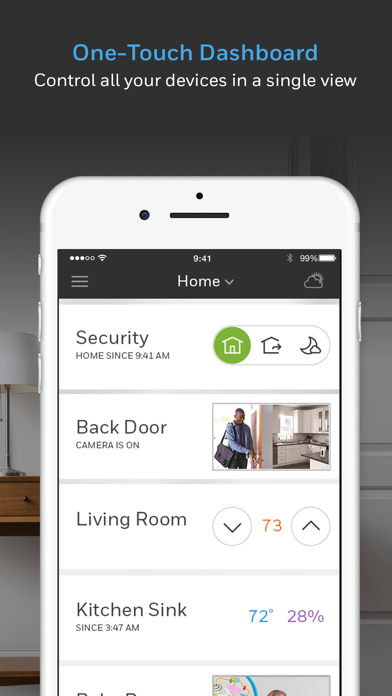
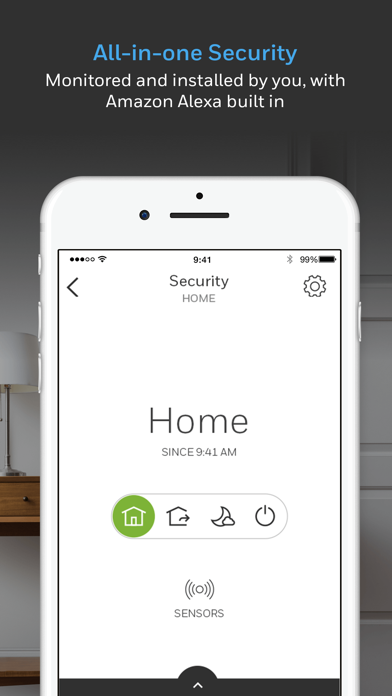
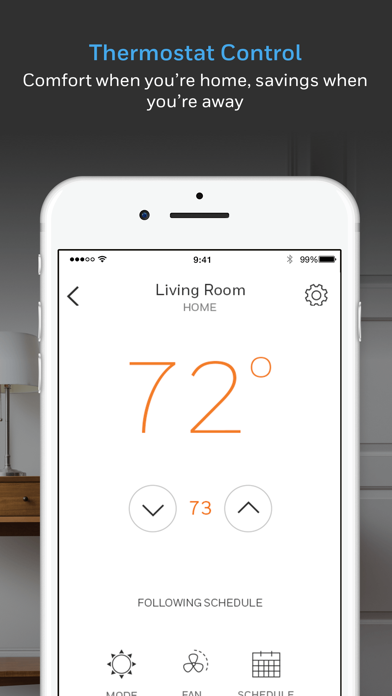
Resideo products help simplify home comfort, security, and awareness by allowing easy control with a single app. Our heritage and experience in and around the home means you can trust each of our products to perform brilliantly and give you a smarter, more comfortable home.
Together, we can protect our time, our water, our energy, our air, our homes, our families, and our planet.
Together, we help protect what matters most.
Learn more about the Resideo and Honeywell Home family of connected products at www.resideo.com and www.honeywellhome.com
Resideo - Smart Home Positive Reviews
Not updating unless restartedThe app is visually appealing and logically organized, but there is a major flaw. When returning to the app, it doesn’t reflect current settings of the thermostat unless the app is terminated and then relaunched.
For example: yesterday I changed the set temperature from 70 to 72 in the morning and when submitted, the app showed a set temperature of 72 and Hold until 3:45 PM. This is all correct. When I went back into the app today, instead of showing a set temperature of 70 and FOLLOWING SCHEDULE is still shows a set temperature of 72 and Hold until 3:45 PM. I can leave the app open and this will not change; there is no obvious way to force the app to refresh what is shown. If I terminate the app and then launch it again, it correctly shows a set temperature of 70 and FOLLOWING SCHEDULE
I like the app but I cannot recommend it because of this behavior. When the app is already running and the user switches back to it, before presenting information to the user, it should always refresh the data since someone else may have changed the thermostat via local controls, someone else may have changed the settings via another instance of the app, or the previous app setting changes may be modified by a schedule, as in my example..SoCal Rob OCVersion: 5.9.4
It’s okay, but glitchy sometimesSometimes it does some bizarre stuff. I have the latest version installed according to iTunes, but for example just now I noticed that my AC was running and the physical thermostat showed a set point of 76, when my schedule in the app should have it set to 78 when I’m at home. So naturally I opened the app, and a sign in was required (so it seems to randomly sign me out?). I signed in, and it showed “using home settings”, but the set point was 76 even though the schedule says 78 for my home settings. When I clicked on the schedule button, it shows my home settings to be set for 78. So why is it saying that it is using my home settings but set for the wrong temperature? I manually changed it to 78, it stopped cooling, but then said “hold 76 while home” (so what the heck??) even though the set point was now 78?! I tapped and selected to remove hold, and it is back to normal, but this type of thing happens more often than I would like (this is definitely not the first time). I also would like to see a feature to hold a temporary set point for a specified amount of time rather than always holding until the next event. This would be handy if you want to run it just for a few minute and then go back to normal, like almost every other programmable thermostat… And my final complaint is that it doesn’t show you an up to date run time for some reason. This seams like such a basic thing but it takes two days before you can see any runtimes so you are always missing two days worth of data. In todays day, I don’t see any excuse for these types of bugs and lack of features..ShawnC22002Version: 6.6.1
App no longer worksI have two T6 Pro thermostats that have bee functioning flawlessly with the Honeywell Lyric app for last two years. Then last week noticed app no longer gave correct status readings ( showed units running when in fact they were off , and current and set temperature values were reversed). Checked for new updates but none available last week. Decided to delete one of the thermostats from app and add it again. Big mistake. I cannot get through the install process. App gets to point to select network name and then nothing. iPhone setting shows it available but no options from there. I have tried deleting the app, backup data, reset thermostat to factory settings, nothing seems to help get the app to add the device. Saw new version yesterday and downloaded it but same issue. Not supposed to be this difficult to work with an app. It is now Friday December 4, 1:30 pm central standard time and have been on hold on phone with customer support for 1 hour and 55 minutes with no indication when they will get to me or if there is even anyone at the office.
Not the kind of product behavior and customer support I expected..AppBluesInCCVersion: 5.4.0
Decent, but has bugs.If it weren’t for the two huge bugs, I’d give it 5 stars for ease of use. Thermostat is the T10. 1). The iOS version that I use on two devices won’t update the weather from my T10 thermostat unless I completely close the app via the app switcher, and reopen it! If I simply swipe away, and revisit the app later in day, which is normal on an iPhone, it still shows the weather from earlier, and doesn’t pull the current weather from the Tstat. 2). It seems to arbitrarily create a daily schedule alongside the group schedule that I set up. I have completely reset the schedule, deleted it, and started from scratch, several times, only to find a few days later that it spawned an additional daily schedule for Monday or another day. Very annoying. I have removed the T10 and replaced it to reboot it each time I reset and deleted the schedule, to make sure I was starting from a clean state. One more issue in the app, the humidification window protection setting feature is totally opposite of the written and online instructions! The app indicates that on its scale of 1-10, 10 is the most protective, ie. It will lower how much humidification the system allows to minimize frost buildup. However, all other instructions, written and online indicate the opposite, that a lower number is more protective. Which is it?.Gunslinger 4uVersion: 6.1.0
Doesn’t work at all anymoreInitially, I liked this app. It allowed me to control the thermostat at my home, as well as the thermostat at my parents home. I was able to set a temperature hold, cancel a temperature hold, turn the furnace on or off, turn the air conditioner on or off, etc. Now I can’t do any of those things. I rebooted the app, I rebooted my phone, nothing helped, the Resideo app is now totally useless.
Fortunately, I can control the thermostat at my home with the Total Comfort Connect (TCC) app. That has always and continues to work perfectly. Unfortunately I cannot use TCC for my parent’s thermostat, I am forced to use Resideo for that thermostat. So I can only control their thermostat through the thermostat itself, which totally defeats the purpose of having a smart thermostat. My mom passed way earlier this year and my dad is in a nursing home, so I need to be able to control that thermostat remotely when I’m not there., and now I cannot.
Unless they fix this and restore full functionality I do NOT recommend this app.
To make matters worse, my user name and password no longer work on the Resideo web site, even though I have triple checked that they are correct. Unbelievably bad company and app. Come on Honeywell, go back to TCC, Resideo is worthless..Nobu's momVersion: 6.14.0
T5 thermostatTypically, we have zero issues with the app or our thermostat. Lately, it has been quite frustrating. The geofencing feature has a mind of its own and seems to work when it wants. The app stopped recognizing our thermostat resulting in me having to set it up again. Not a big deal, right? Well, I spent 30-40 minutes standing in front of the thermostat going through the setup process in the app a good 10 times. System still doesn’t work and the app shows I have no devices setup. I eventually gave up and will try another time. Extremely frustrating. I got to the end of the process several times and was prompted to configure the device and then register it (which I have already in the past). It would think for about 3 minutes and eventually give me an error message. Then would say setup incomplete and prompt me to start over...
Honeywell, never had issues before. What’s going on and how can I make this function properly again? This is the second smart thermostat I have had made by Honeywell. First one melted and almost caught fire... thank you.FhicvnvbcjohnVersion: 4.2.0
Resideo has made this app worseAs most people have commented the Honeywell Home as was slow and occasionally had problems. I have over 20 thermostats for my house with radiant heating zones and air handlers, humidifiers and dehumidifiers all using the T10 thermostat. So I really rely in this app. Despite the slow nature in the last 6 months the app was working pretty well aside from taking time to update the current temperature when you opened it up. Now that Resideo has taken over it essentially is non functional. When you open the app it doesn’t show all my thermostats right away. Then some disappear and reappear again. With over 20 thermostats it becomes difficult to review the temperatures etc when the thermostat data doesn’t show up consistently. Then changes I make to the temperature are not registering either. I deleted the app and downloaded the latest version. That didn’t fix the problem at all. Half my thermostats still don’t show up. Amazingly on my other devices that haven’t switched to Resideo yet, the app works as well as it did previously. Resideo. If you don’t fix this problem within the next few weeks you are going to loose a lot of customers..RobthereviewVersion: 6.0.0
Inadequate app alert. Settings menu limited.By sheer coincidence I woke up and noticed a visual water leak badge alert on my phone. I never heard an audible alert from my phone. Went to the detector and heard the alarm on the detector itself (all was dry though, so either this is extremely sensitive or it was a false alarm). I then checked the app settings thinking maybe I’d muted something accidentally during set up, but this was not the case— I found no way to adjust or specify the alert types. In my view my phone should be blaring a loud alarm when a leak is detected. It’s an emergency, right? A badge alert does no good whatsoever, and if there was an audible alert, it was too short and didn’t even arouse me from sleep. This is very concerning, because if I hadn’t woken up by coincidence myself and happened to 1) check my phone and 2) notice the tiny little badge notification on my phone, there could have been thousands and thousands of dollars worth of damage taking place and I’d have no knowledge, being I was out of earshot of the alarm on the detector itself. Everything else has seemed to functions well and reliably, so this has shaken my confidence in the device..ExpokeVersion: 4.4.0
App Does Not Allow Temperature AdjustmentsI have these thermostats in 2 homes. One set of thermostats works with the app, while the other set will not respond to changes made on the app, only manual adjustments. This has been occurring for almost two months. I have repeatedly called Resideo. They say it’s server issues. Occasionally after a call to report the problem, the app will allow me to adjust the thermostats for a few hours. Then it stops working again. Extremely frustrating given the limited adjustments you can do manually on the actual thermostat. For nearly a month my thermostat was running a program I did not want, but could not change because it could only be programmed from the app. I regretfully have 4 Lyric thermostats and a leak detector which I purchased with the primary intent to monitor and adjust the temperature in my homes remotely. Since the update to the app from the original Lyric app, I have had constant frustration and am unable to use the thermostats/app as intended..Sck1974Version: 4.4.0
Great when it worksI’ve had this for probably six months now. My only complaint is that sometimes it doesn’t recognize that my wife is home. I set it to give me an alert and I keep having to turn the geofencing feature off until I get home. Aside from that quirk it is terrific.
Second complaint is data logging, or the lack thereof. It’s not a comfort issue or anything like that but I find it amazing that there’s no way to see how many hours it’s operated or in what mode and what the temperature was say every hour for at least a day or a week. At one point I set the modes too close and believe that it would heat up the house then turn on the A/C to cool it back down. With a data log feature I’d have seen that sooner.
My wife is disabled and we don’t leave the house at regular times each day so the competition’s device that “learns” your schedule was of no use to us. In theory this is a much better option however Honeywell needs to build in a data logger and definitely needs to fix the Geofencing reliability. At the very least give us a button to override the home/away and/or refreshing the search when we know for a fact that someone is home..BrgbldrVersion: 3.9.2
Has come very far from when we were first introduced to the appThe app was very fluid for our thermostats and with the introduction of runtime I think it was the perfect way to express a full look of heating and cooling over a period of time without having to wait for that email that was on the 20th of the month. If there could be a developer that would look into creating a way to incorporate into the app specific runtime based by the hour, it would make the “day” look of runtime a lot more detailed than just a solid bar indicating the total heating/cooling of that day. I feel the need of having that specific data will help with creating schedules for folks who want to save energy, letting them know the time of day that the most heating/cooling is done and letting them know ways they can decrease the amount of energy being consumed by lowering the temperature during those hours. There is so much potential having hourly data for runtime and I really look forward to it being incorporated into the runtime section of the app in the near future if it could be done..TechBoy7219Version: 5.9.4
Nice design but doesn’t always work properly.The two biggest issues I have with the app are:
1. If I change the temp directly on my thermostat, it doesn’t reflect in the app unless I kill the app and restart it.
2. Recently the app has had a mind of its own and takes over the thermostat settings. For example if the temperature on the app is set to 71, and I manually change the temperature on the thermostat to 73, it sticks for about 20 seconds the sets itself back to 71 to match the app setting, as if the app is the winning device. I did some trial and error to narrow this down and can consistently reproduce the issue. If I kill the app on my phone (and don’t relaunch) then I can set the temperature at the thermostat and it will stay where I want it, but the moment I launch the app from my phone it takes over and sets the temperature to 71. Even if I set it to anything other than 71 from the app it still bounces back to 71 in a few moments. There are no schedules set, so it’s not like one is overruling. What’s most odd is this just stated happening a couple months ago, and we’ve had this system for almost a year..N3rdwadVersion: 6.14.0
MediocreFirst, the app works. I can control my thermostat from anywhere in the world (assuming my wifi works, but that’s a different review).
However, there are really two things I don’t like about it. The two main advantages of this app should be maintaining my programmed ‘stat while away and quick reads in the middle of the night (I got chilly last night and wanted to know what the temp was in the house). Well, the programming feature is buried somewhere. I’d rather have it on the main page. Maybe it’s because I only have one thermostat to control that I’m annoyed by this. If I had more than one I’d want to know which one I was controlling so I can give the benefit of the doubt here. The biggest problem is that I wear reading glasses and have to fumble for them if I want to read the house temp in the middle of the night. Make everything bigger and more obvious. When you wake up at 2am cold and need to know these details, it shouldn’t require reading glasses and focus energy. The digits are too small even with my cheaters (and my eyes aren’t THAT bad, just bad enough)..Jfh1971Version: 5.8
As needy as a 2 year oldThe thermostat itself is pretty good. I don’t have any complaints. The app? Well, that’s a whole different story. The constant alerts and notifications are as annoying as a toddler who is bored. They both are incessantly begging for your attention for no good reason. Why does the geofencing glitch out? Who knows! Why does the connection fail multiple times a week (and sometimes per day)? Who knows! The good news is I can just ignore the alerts and it usually resolves. However, my T5 device disappeared from my app device list. I have been through the “add new device” setup about 10 times and it gets right to the end where you answer some questions about your heating/cooling and then gives an error about being unable to complete set up or something equally non-explanatory.
The app worked for a good long time with just the annoying notifications being the issue. Now the app refuses to let me add my thermostat. So...you be the judge. If you want a nice touch screen thermostat, you’ve got it. Besides that, there I absolutely no guarantee it will be “smart” because the app has become useless. Sigh. Who has the time for this? Not me..AngryBirdMan12345Version: 4.2.0
Horrible App / Wonderful Devices/ThermostatFor some reason, the app is the most sluggish, buggy, and frustrating app out of all of the “smart” home apps I use. If the app is left open, it will freeze when you go back in, and then tell you it couldn’t log you in.
Then other times you open fresh, and you need to log back in, again. As if this thing is so important, like move stock options from one account to another or locking down a democrat email server.
Either way, it just is unreliable and aggravating. The integration with Ring and Alexa is also so poor, that they can’t make up the difference. If it wasn’t for the solid thermostat itself and the room sensors, I would have moved on to another platform two years ago. Fix the stupid thing please. Just use it for a few months and try to change the schedule a few times a month when you’re going to bed or other times, you’ll figure out these little ghosts in the machine..Sawyer612Version: 5.10.0
IPhone compatibleThe Lyric T5 has been such a reliable performer I bought a second for a second home we just bought. The unit requires a 5 wire cable or more, depending on number of heating stages, cooling stages, and heat pump. It requires a C wire to provide power to the unit for WiFi. Setup is a little bumpy, but after a couple of tries did set up and once it is it is solid.
The software is intuitive. I have 2 homes and switching between the two works easily. The iPhone and iPad software is easy to use. Setting up a schedule is a snap. Geofencing is an option.
Update: I had to reset my WiFi and the password went back to a different one. Set up for the app has not changed even though the iOS now is configured differently. Ignore the app instructions. Go to settings, go to WiFi, and accept the WiFi network your thermostat creates for setup. After that it worked. Ding Honeywell for not detecting the iOS version and having instructions appropriate for each iOS version..KD4TTCVersion: 6.14.0
Good idea. SUPER big riddled.Go to create account. Can’t. End up calling tech support which is not accessible in app without sign in. They confirm it’s app error not allowing account creation. They make one for me. Go to set up water leak detector. Takes full app reboot twice in order to finally get WiFi to finish connecting on device. Then the device itself says it’s 20 degrees warmer than it is in room per other thermo device in room as test and humidity reads 20% lower. This is initial reading. Maybe it will update more accurately in a bit. But I go to update alert settings.... and it’s so buggy that when I go to back out of alert settings it gives me an alert that it may take 24 HOURS to change how I get alerts from the device... AND then I get stuck in a loop where it just reloads the same settings page after each time I try to back out of the settings and it gives me this alert... requiring yet another full app reboot... off to a bad start Honeywell... will give your product longer than a few hours to redeem itself. But, so far an underwhelming initial user experience..Tuck RVersion: 4.5.0
Could be so much betterThis thermostat is pretty awful. Took me several tries and HOURS to get it programmed and I’m still not sure if it works correctly. It is difficult to program or figure out and the manual is not helpful at all.
The programming doesn’t work by DAY as implied on the package. You can only set all the weekdays at the same program. So if you have a set meeting or something say on Wednesday, you can’t program Wednesday any different than all the other days of the week. Just got the app set up hut it took HOURS and it is completely unclear if a/c is now ruled completely by my geofence or if the settings are still in place and working. The technology exists to make this a much better piece of equipment but it seems more like people who don’t use a thermostat designed it. Suggest you get a real user involved and perhaps someone from apple when you design the next version because of apple ever decides to design a thermostat they will put you out of business.Abeck18Version: 5.8
Outdoor remote sensor values not shown in appI have four of the new Honeywell T10+ thermostats, with various T10+ remote indoor and outdoor sensors paired with each thermostat. Each thermostat device on the wall does show the remote outdoor temperature from my actual outdoor sensor (not from AccuWeather) on their default screen. They also show that outdoor sensor in their "Devices & Sensors" screen along with the indoor sensors, displaying their temperature and humidity values.
However, Residio app only shows the AccuWeather data on the home page, and only INSIDE temp from each thermostat. Going into the PRIORITY screen of any thermostat in the app shows only the temperatures (without humidity values) from only the inside sensors (should also show humidity% for each) and nothing from the outdoor sensor. Clearly, therr should be an OUTSIDE data line on that screen for any thermostat paired with such a sensor. Also, going into the SETTINGS, DEVICES & SENSORS screen in the app still only shows the indoor sensors, now correctly showing both the temperature and humidity for each. Clearly, the outdoor sensor should also be listed on this page with both values..TunaEVersion: 6.10.0
Works great after powering off and on - updateOriginal post: This app used to work perfectly with our Lyric T5. Recently, the thermostat started to ignore the app. The thermostat is connected to WiFi because I can see the correct settings and current room temperature on my app. The problem happens when I try to change something on the thermostat via the app. For example, if I try to turn the thermostat from cool to heat, it will not accept the change. I open the app, select heat, select save, and it looks like it worked...except when I reopen the app, it goes back to cool on its own, the thermostat will not accept app changes, only manual changes keyed into the thermostat actually change its settings.
Update: I removed power from the Lyric T5 (either take it off the wall or flip the circuit breaker). Leave power off for over a minute. Once powered back on my Lyric automatically found the internet, reconnected, and now this app works perfectly. Very quick response from developer and their solution worked!.Viper-GatorVersion: 4.11.1
Thanks for the improved notificationsUPDATE: looks like notifications can now be sent as text messages (if you use your phone carrier’s special email address that forwards to text). Thank you! Adding a star.
Old review:
A handful of houses in our neighborhood have had TENs of THOUSANDs of dollars in water damage from leaks. When there is a leak in my home I want to know! Here are long standing notification failures with this app: 1) push notifications are easy to miss. I get hundreds a day. Might as well whisper to me at a football game 2) no badge icon - ok, I miss the push notification but at least there is a badge icon to let me know there was a leak right? No. No there isn’t. 3) email notification - too asynchronous, I need to know NOW that my home is flooding 4) text message - this is the ONE way that would be useful but they don’t support it. “Oh, just have an email sent to your phone’s texting email address”, you say? Sorry, can’t. Lyric requires that the email address be validated and you can’t validate it because it sends an HTML message and the text app doesn’t like that..Reckless BillVersion: 4.4.0
Overall a solid, good app.Quick update to the review below. It has now been just over four years now and the 10 to 60 second lag mentioned below is still there. Kind of frustrating but if you know what you are working with you get used to it. It really should be fixed. Even if the lag cannot be fixed, it should just say When the last reading was taken for the temperature and the setting so you know how dated it is.
————
Been using the app with our two Honeywell Pro Series thermostats for about 14 months now. Everything is pretty much great, but there is an ongoing (issue?) thing where you have to keep the app open for about 10-60 seconds before you can be sure whatever is represented on there is current and accurate. There is a long lag between what you press and what is actually happening. This is only a mild issue once you learn how to compensate. Would be great if that didn’t exist. We had been using Nest thermostats for years and years and never had a lag..Jbd1981Version: 6.17.0
Potential for a great appThis a basic app but has the potential to be a great app. Here is what I’d suggest to the developers to make it great:
1) add a mode icon to the main page so you can quickly see which thermostats/zones are in heat mode, auto mode, etc. and not have to click into each on.
2) Add detailed logging so you can see exactly when the fan recirculates, heat, or A/C is signaled to start/stop. Image has 31 days. Or logs along with the temp and humidity for the inside and the outside writing in the app for 31 days and being able to save that data, or being able to write to cloud or at least syslog. Now you can analyze the data (or have AI assist) to determine if your house needs better insulation, or your unit is undersized, or if one zones (i.e. downstairs) heats to where is triggers another zone to cool within a few minutes later because the thresholds are too close. Imagine then to also being able to set an alert like “Let me know if the AC is triggered with 30 minutes of when the heats was triggered for another zone”. This is what really makes a smart home..Joe RandomStringVersion: 6.18.0
Mostly goodInstallation was a breeze for me. I already had the blue C wire. Not as pretty as Nest or Ecobee, but nicer than my previous Honeywell internet thermostat, and much better priced. Set-up was a breeze, as well, with zero hitches. Obviously other have had major headaches. Not sure what accounts for the difference. Geofencing could be improved as the App only allows for one perimeter. I’d like it to change the temp when I leave and arrive my house, but also when I leave work so it can warm or cool the house by the time I get home. Apple Home (or HomeKit as many people call it) does this, but it’s a bit confusing to use two apps instead of one. My iPhone was consuming the battery quickly, until I turned off location services on the Lyric app and only allowed while using the App on the Apple Home app. It still knows where I’m at even even if I don’t have either app loaded, but battery usage is much better. Honeywell sent me a few “appreciate your comments” reply’s to my posting elsewhere. Hopefully this will translate into app improvement, and not just a corporate demonstration of responsiveness to make me feel good..BobbieGWhizVersion: 3.7.1
Updated reviewUPDATE: after I connected my WiFi to my preinstalled new home WAPs I have had no issues with my thermostat and the app. My guess is that it’s something to do with having a stable internet connection. Now if I make manual changes on the app or thermostat it does revert to schedule on time and with no issues. The only thing I don’t like about the app is that it is set up for multiple devices, so rather than just opening a thermostat app, I have to click through to make changes to the air’s fan settings.
Every time a manual change or any change is made to the thermostat, it does not revert to schedule!!! Even a manual thermostat can do this!! It’s not just me, I asked my sister who has the same thermostat and she has the same situation. The thermostat came with the house and I appreciate being able to change my thermostat on the app when I’m upstairs and the thermostat is downstairs, but this is such a pain. I’m tempted to buy a Nest, which is much easier to use or just a manual thermostat..RjvaVersion: 5.8
Setup process stopsUnable to complete setup in this app for my T6 thermostat. When I have to choose the thermostat in the app, you cannot click on the name and you get stuck on this page. All I can do is cancel the setup. Hopefully, Apple HomeKit works but I always have a message to register on the thermostat. Fix please !!.Mhudon1971Version: 5.3.0
Sometimes doesn’t workSometimes thermostat won’t follow schedule.Hurry up and fix pleaseVersion: 4.9.2
No connectionThe app and thermostat will not connect.OnkelGVernonVersion: 5.2.2
A lot of glitchesLooks like a very fresh app: a lot of glitches, problems during installation, error pop up windows during work! Trying to make it work for my T10..DzyanisVersion: 6.18.1
Works fine on iPad Pro but buggy on iPhone 10Not workin on iPhone 10.Discerning2Version: 4.3.1
Cannot link with Google HomeUp to a couple of weeks ago I was able to link my Honeywell Lyrica Thermostat to Google Home. Now I just get the “something went wrong” message when I try to connect..Iknow1canVersion: 6.20.0
Wifi Thermostat and Name changeSometimes the wifi thermostat becomes unresponsive.
Honeywell was a great name, why is the name changed to dumb name like Resideo? I think it brings this brand down, change it back to Honeywell.Superheater1Version: 6.20.0
ThermostatIt works awesome!.Big Dog 1955Version: 6.20.0
No DARK ModeI’ve requested this long ago but still nothing. This app needs to have dark mode capability! Nothing worse than opening the app in the middle of the night to adjust the temperature and going blind from the entire white screen! On top of that, why do different Honeywell thermostats require different apps!?.Drew519sVersion: 6.19.1
Geolocation doesn’t workI hate this app and I regret switching from Nest to Honeywell.
Can not for the life of me get geolocation working. Never thinks I’m home. This is a big fail, as saving money by not heating the home when away, then heating automatically when you return is the whole point of a smart thermostat.
Login is a pain. Why log me out at all? App isn’t smart enough to retrieve both my email AND pass from iOS..Paulywood777Version: 6.18.1
A great reliable thermostatI have been using this thermostat for 3 years. It’s very easy to set up and has been very reliable. I use it in my country home and it is very convenient as we keep the temperature of the home at 15°C when we are not there and move it up to 21,5°C when we head up there. I can heartily recommend anyone to buy this thermostat..MichaelQCVersion: 6.17.0
IPad issuesThe app works fine on my phone, but won’t work properly on my iPad. When I try to open it, it says it failed, asks if I want to send a report and then crashes. Useless on the iPad - and I’m on current iPad version..Trk66Version: 6.18.1
Overall okApp is overall ok. Wish it would show the difference in which heat ran heat pump vs aux in HVAC runtime.GK169598Version: 6.18.0
Life SaverThis water detector has saved us in at least 5 situations. The latest was the water line to the ice maker in our refrigerator sprung a leak. Water leaked under down to the basement through the kitchen cabinets, which set off the alarm, along with an email. It was a small leak, but if it had happened while we’re away, there would have been substantial damage. Because of the detector, maybe a quart of water was leaked…with no damage. Thanks to RESIDEO..Rod-FishlessVersion: 6.17.0
ApplicationTrès intuitif.Ok ça me vaVersion: 6.17.0
GreatGreat app ..works flawlessly .....OuttasiteVersion: 6.17.0
Free International Money Transfer 💸Enjoy high maximum transfers into more than 20 currencies while saving up to 90% over local banks! The cheap, fast way to send money abroad. Free transfer up to 500 USD!AdvertorialVersion: 6.20.0
Resideo - Smart Home Negative Reviews
Glitchy - Learn the loopholesThis app is definitely better than nothing! I enjoy being able to adjust the temperature and it does integrate with Alexa for temperature control, which is pretty nice. However, the app takes between 20 60 seconds to update with the current information on your thermostat. If you don’t realize this, which I did not for a very long time, you can often adjust the temperature and it doesn’t take. If you open the app and start adjusting the temperature, and then close the app… It just doesn’t work. When it finally downloads the current temperature, it will overwrite whatever you changed. I often work out of town and that’s the reason that I bought the thermostat. I would often remember that I had not adjusted the thermostat the day after I left, and it was very frustrating to think that I had changed the temperature and then come home and it was just running the normal schedule as though I was at home instead of being on hold for a week.
All that to say… The base functionality of the app is to adjust the temperature while away. The fact that there is no indication of when the app is refreshing or that it may not take your changes… That just is unbelievable. Add a spinning circle or an hourglass icon, that says refreshing your data and then no one is confused. Also… Maybe work on how to get the information to flow a little faster than 20 seconds. That’s a long time when all you wanna do is adjust the temperature..ITguyShaunVersion: 6.8.1
Used to work greatThey have updated this app recently, maybe the 2nd to the last update basically messed this app up. Like what the others are experiencing, the scheduling function has been a nightmare since. I used to be able to change it and it will follow the schedule properly (or even if I leave the schedule alone). Now, the schedule won’t change until you go to the app and close it, open it again and maybe if you are lucky it will show “following schedule”, otherwise, you have to close and reopen the app several times. It is always showing “no schedule”. Also, before when I click and adjust the temp, it will give me an option to either hold for a period of time, hold temporarily or remove hold, now it does not do that all the time, sometimes I click out of the main page where you adjust the temp and go back and it will show up, most of the time I have to close the app out a few times to be able to get these options to show up. Also, I did not change any of the settings in the app nor the thermostats and the only thing that I change constantly is the temp and schedule which I used to do all the time and the app always follows the schedule. Obviously something got messed up on the updates, I wish they leave the app alone, I understand that it is necessary for security purposes but sometimes if it ain’t broke don’t fix it. Do not need the bells and whistles, just app the works because it used to. Please fix the bugs soon, its a great app when it actually works..Dalex2012Version: 4.5.1
Best feature is worst part.One of the best things about this app is its geofencing feature, automatically setting temperatures back when it detects all users are away from home, then back to normal when one of them is near, so users always come home to a comfortable temperature. You have to be logged into your Resideo account for this feature to work, and when you are, it works great. The problem is this app regularly logs users off for reasons unknown to me or tech support, and does so without notification, so you likely won’t know you’re logged out until you come home to a freezing or sweltering home! Literally no other app that requires I be logged in does this, so it’s really inexcusable. In the past 6 years at least, this is the only app to have unexpectedly log me out. Rating would be 5 stars otherwise.
UPDATE: As you may or may not see, Resideo tech support responded to my review. That response lead me to removing 1 star from my original rating. In response to my complaint about the app frequently logging me out, the only app I have to do so, they told me to login every 24 - 48 hours! How is that a solution?! Clearly there’s something wrong with their system, and they apparently refuse or can’t fix it, so they want users to just put up with it. I’ve got 6 of these expensive thermostats in my home, so I either have to put up with it or spend a lot of money replacing them with Ecobees. I don’t recommend anyone buy Honeywell smart thermostats..AxeMan2UVersion: 6.15.0
Ok app, too many bugs to make it great.The functionality of the app is just not there for the price of their units. The app has frequent issues where it won’t update and you have to force close and relaunch. Basically I learned after I make any changes to temperatures, schedules and setting to always force close the app and go back in to see if the changes have taken place. Most time they haven’t, and I have to repeat the changes. The scheduling feature is a pain. You have to do everything multiple times and always go back in to check and make sure it is set. I recommend once you’ve set a schedule just NEVER change it. I went in today to try and make changes due to a recent heat wave and the app for some reason completely wiped out all my settings and stages. So I had to spend another 20 mins fighting with the app to recreate everything I had. Just not user friendly at all. I loved my Nest (and app), but hated its rooms sensors… With Honeywell, I love the room sensors but hate the thermostat and app. Really considering giving Ecobee another try.
————————————
Regarding the developers response - We don’t need your copy/paste same response to all of our complaints and I don’t need to reach out to tech support for help. You need to fix your app. Plain and simple, you have a lot of issues that we have all reported, you need to hire someone to work on the improvements to the app. Go buy a Nest, use their app for a month and then come back and make yours better. I promise you, my next thermostat I will be going back to Nest based on the quality I’m seeing today from your team..JpackVersion: 6.16.2
Flakey install software for network comm.Using iPhone 11 and reliable 2.4 GHz Wi-Fi at full strength I still had major problems getting two new (Dec 2020) units registered. It appears that the Honeywell app will try to connect to the internet through the 2.4Ghz bandwidth at the same time talking to the T6 Pro accessory Wi-Fi, but the T6 will drop its connection prematurely leaving the setup incomplete and requiring multiple restarts. As a recovery attempt, the app requests the iPhone to connect to the T6 Wi-Fi directly (dropping internet connection). This got me through the initial config but not the online registration. Several restarts are required to complete the process each picking up where the last attempt started failing with communication timeouts. Took about 3 hours to get through the config and app registration for 2 units and another hour dealing with a bug in the app that only allows one thermostat per user to be registered for City of Austin rebate and Partner Program. I have a T6 Pro unit for my living area downstairs and another for sleeping upstairs. The App incorrectly allows only one rebate and Partner Program application. I confirmed with the City of Austin Partner program administrator it is a Honeywell App problem as the single application restriction makes no sense. A customer can replace thermostats at any time and should be allowed to apply for each replacements.
A few of the contractor setup items should be user configurable, such as the type of schedule. People’s behavior can easy change..Big Oak 6570Version: 5.4.2
It’s an app, but?Update: I don’t use Twitter or Facebook.
The app developer reached out to me and requested that I contact them via Facebook or Twitter.
Original review:
I have two types of issues with this app, One. Functionality: well, this app does let you control the temperature, and does not use a schedule, it does not let you have a summer schedule. I wanna schedule a spring fall schedule, and so therefore you’re gonna need different settings in the winter in the summer and fall in spring. It would be nice if this app had the features that would allow you to have profiles so that you can have 4 to 6 different schedules for a different time of the year. Instead you have to reset this app every time I season changes. Two, accessibility: as a blind user, I find this difficult to use as an app, and wish I had something more like the Lennox I comfort. It’s provided a better interface for scheduling with voiceover from the iPhone. As I have moved, there was already a system installed, I just had to upgrade the thermostat to when I could use and settled for the Honeywell T 10. well it has a touchscreen interface, the app, as what I depend on to use it on the phone. However, there are a lot of unlabeled elements and things that do not work with voiceover. If those elements were approved, this would work well for someone who can’t see the screen. it’s not like you can say OK this thermostat doesn’t work for me, so I’m going to trade it out for another one, there is a charge for that. I hope to see accessibility improvements in the app..HawkEye2015Version: 6.3.0
Endless issues, get a Nest or something similar!I was warned about getting a Honeywell and now I know what they mean! Ugh!! You set the location to “Always” but the app continually asks you to confirm “Always” explaining how the app might not work or geofencing might now work unless the app’s location is set to “Always”. Despite how many times you set the location to “Always” it keeps asking you to confirm “Always” —it’s like an insecure date that keeps asking you if you are having fun! It gets annoying! Also when you sign into the app you are shown a blank home screen and you are unable to navigate to your thermostat; so you have to open and close the app multiple times til your thermostat finally pops up!! I have the highest internet speed on Xfinity and a 5G phone and there are endless issues with the app syncing to the phone. I’ve deleted and reinstalled the app multiple times for this T6 and same issues keep repeating so I’m not wasting any more time asking people how to navigate this app, nor am I sitting on the phone explaining my issues with the app, only to go back over the same process of deleting, re-installing, setting location to “Always.” It’s just not worth it! (And yes my phone is set up to receive updates so that’s not the issue either!) Save yourself the time and avoid the aggravation! Don’t bother with Honeywell, just get a Nest or something similar. This T6 hasn’t been worth it. Putting in a call to the HVAC folks that installed this T6 so we can get something reliable installed because clearly Honeywell has lost its edge!.ServRevVersion: 5.9.4
Lazy developer response to my original reviewTaking the star rating down to 1 from previously given 2 because of the lazy response from the developer. I got a response saying I was on an older app version. While technically true as the new app version was released literally the morning following the review I wrote, it’s lazy and shrugging off responsibilities to do an actual bug investigation. My apps get updated automatically and the Honeywell app did as well the morning the new version came out. I’ve had this issue SINCE WE INSTALLED HONEYWELL which was 14 months ago. Any decent developer or a QA team would have probably done a better investigation into the logs rather than just check app version. But I guess that’s the kind of quality we can expect from Honeywell looking at some of the other reviews as well.
—-———————————————————————-
I’m almost inclined to give this a 1 star rating. Every single time, and I mean EVERY SINGLE TIME I change temperature from the app, it does not register. I have to try multiple times and kill/reopen the app a couple of times for the app to send the message to the thermostat to change temp. I have 2 T6 thermostats and it’s the same issue with both. Changing temp directly on the thermostat works perfectly fine so it’s the app failing to communicate properly with the thermostat. Every other thermostat company has figured out how not to make this an issue. Why can’t Honeywell?.BlackIllusionVersion: 5.13.0
Terrible geofence and tech supportI’ve had a Honeywell Lyric thermostat for a few years now and up until recently, the interface between the app and thermostat worked like a charm. Recently however, (since they changed to the Honeywell home app) the geofence has been sporadic at best. When I get home after 9 hours away at work to find that the thermostat never turned down and my house has been toasty warm all day, it is beyond frustrating. If it only happened once or twice I would have an issue with it, but it has occurred many times now. I tried contacting tech support (because they were extremely helpful when I purchased the thermostat) only to be left waiting for a rep for over an hour with no response (three times now). I also tried chatting with a tech support rep with a similar hour plus wait with no response. My final attempt at emailing tech support was responded to after about a week (despite the fact that their web site says they will respond within 48 hours). Unfortunate the email response did not provide a solution so I responded to the email with additional information. That was over a week ago and I have still not received a response. I would have highly recommended the Honeywell Lyric and app in the past. However, after this experience I would recommend another brand with more stable service and more responsive tech support..Umarc2003Version: 4.9.2
Has Promise but Lacks Many Features and SupportI came from a pre-Google Nest and chose Honeywell because of the large variety of thermostats to meet my various needs. The app was clean and simple, but after using it for almost two years, I’ve realized it’s too simple and their support doesn’t care. The app lately has gotten very slow. It takes a minute or two for the app to display the current temperatures or settings of my thermostats. Nest let you set a schedule but override that with geolocation. Nest also ran the fan for a forced-air system for several minutes after the burners or compressor turned off to push that bonus heat or cooling around, saving additional money. Honeywell has neither feature. When I’ve asked about why I can’t have both geolocation and a schedule for my thermostats, I’m told “you currently can only have one or the other” with no explanation why or timeframe for it to get added. In fact, it doesn’t sound like they have any plan at all to implement these features. Honeywell Home is not actually Honeywell anymore, but was spun off to Resideo. Maybe Resideo doesn’t have the resources to properly support the app or the motivation to care, but now I’m stuck with a worse and worse app that hasn’t added features in…ever? and support that doesn’t want to actually listen to its customers..BrianbobcatVersion: 5.8
This new version is horrible.I don’t know what to say. Before they “updated“ this application it worked fine. Now I would have to say half the time it won’t even connect. I am at a point where I have to use the thermostat manually. The whole reason I bought this thermostat is because I can have the main unit wired in where it was originally installed an inconvenient location, and then have a remote unit in the room I actually spent time in. This has worked well for quite a while. However it is no longer the case.
One of the things I dislike about this app is that there is no access to customer service. There is no email there is no chat there is no phone number how can I resolve problems if I cannot talk to customer service? I am actively looking for another way to interface with this thermostat. It looks like I may be able to do so through Ring, but I have yet to find out. If this application is all there is I’m probably just gonna stop using it completely and go find a different thermostat. This whole experience has changed from one of being very positive to one of being very negative simply because of an update to the application. These people need to get their act together they need to provide customer service access in the app. Even if they do it’s nowhere easily found. so, as for now I’m pretty much done..RpinpvVersion: 6.0.0
Only Works about Half the TimeI don’t know how this app gets such good ratings (though few if any of the positive ones are recent). I have no end of trouble with it. I set up 4 thermostats in the house and they show up about 50% of the time. Sometimes I get everything and it works great, but the rest of the time I get a screen inviting me to add devices or a blank white screen. I exit and reopen countless times. Delete and reinstall, rinse and repeat. Sometimes it works and sometimes I give up. I added Honeywell tstats at a second house and set them all up but none of them appear in that location. Big mistake. Totally unreliable. Can’t recommend the app or the tstats (if you want to control them thru the app). Very disappointed and frustrated. I’m sick of wasting my time and recommend you look elsewhere for a connected Tstat. UPDATE: I just spent about an hour between wait time to get to a tech and time with the tech himself. I can’t emphasize enough how frustrating this app is and the tech, while friendly and trying to help, was not able to address the issue with any confidence. He did something and then recommended I check it again tomorrow and if it still isn’t working correctly wants me to go to my 2 locations, de-register all the thermostats (11 in total) and then delete the account and start over with a new account and re-register all the devices. Fortunately I have endless time available to me and I love pointless projects so this will be no problem. If you actually value your time and expect things to work when you install them, I recommend looking elsewhere..ChikinLadyVersion: 6.17.0
Huge Performance Downgrade from TC AppTL;DR: Keep the old app, Total Connect. Too much of a delay; massive headache.
iPhone 13 Pro: Compared to the Total Connect app, this is a huge downgrade. Weather takes forever to update on the main page but my biggest gripe with the app is that it is VERY slow to update and respond to thermostat changes. For example, when I open the app, it will be stuck on the last known settings (mode, temp, etc) - even if the settings are outdated (e.g., I changed the temp on the screen since I last used the app or someone else changed them on the app). If I change the settings at that point and then close the app, no changes will be registered (even thought the app temporarily reflects the change). Instead, I have to open the app, click into one of the thermostats, go back to home, minimize the app and continuously navigate back to the app until I see the settings update. At that point I can finally make a change and it's a >50% chance that the change will successfully apply. It's a guessing game if I don't know what the current settings are. Instead, I went back to the TC app which updates immediately and shows the settings in real time. Hopefully, they don't fully retire the TC app. Otherwise, there are plenty of other smart home devices to choose from..MaxmotivesVersion: 5.9
Pointless: It rarely works.The app is fine, when it actually works. However, it is constantly disconnecting from the WiFi (multiple times a day). It only seems to remain connected to the WiFi when my phone is connected to the same WiFi. Now imagine if you have an upstairs and downstairs thermostat, with corresponding WiFi’s. Even if you try to access the system from home, one of them will always show as offline because you can’t be on two WiFi’s at once. Do I need to get into accessing it remotely, if I can’t even access it from home??
In addition, it has so many bugs. I will go in and change a temperature setting and the app reverts right back to where it was. For example: My thermostat is off, I will go in and turn the heat on via the app. The screen will allow me to change it and then seconds later, reverse it back to off, as if I never turned it on. Lastly, it will sometimes completely drop one or both of the thermostats from the app.
The whole point of this app was the be able to control the thermostat remotely. If I have to be at home on the WiFi to access it, there’s no point. If I have to go directly to the thermostat to update it because the app is undoing my selections, again there is no point to this. It feels like such a waste of time and money. I regret this purchase..Ajp1389Version: 4.9.2
Multiple Lockouts with no recoveryFrequent incidents of msgs over the years that cause complete lockout of app - sometimes for months. Today’s repeat Example: “date & time of your mobile phone is incorrect”. The iPhone time is of course correct. But msg repeats and app can’t be used even after iPhone reboot or delete & redownload app. I have had another types of msgs with no recovery. Prior one Locked me out of app for many months thru summer and much of this winter. Reboots, Delete and redownload didn’t help. Issue disappeared last week after final of a long series of iOS updates. The problem didn’t exist on my spouse’s iPhone. No method to effectively contact app developers. Current issue resolved just now by setting iPhone to 24 hr clock even though it worked fine yesterday with 12 hr clock. And I don’t want to run phone on 24hr clock display. Reset back to 12 hr causes failure msg again. Thermostat and spouse’s phone are not 24 hr clocks and no issues for spouse. Frustrating to see the app working accurately behind the msg notice but no way to access app. Good reasons not to install Honeywell thermostats. Wife, however, was very happy with ultimate power. She likes the house 58° in Wisconsin winter. I bring winter camping gear to bed. App contributes to small family size..GarciawisconsinVersion: 6.10.0
Terrible in all aspects!!This thermostat was installed when we bought a new a/c about 3 months ago. On the colder nights we normally turn our heater on so that if the house temp drops to 75 or below the heater kicks on to maintain the 75 degree setting. EVERY time my husband or I do this we wake up in the middle of the night sweating!! The temperature turns up to 83!!! EVERY SINGLE TIME! The manual is useless unless you speak robot. My husband called the a/c company who installed it and they told him some directions on how to fix it, which didnt work because we couldn’t even find the buttons they told us to push on the thermostat. I downloaded the app thinking in may shed some light on the problem I am having. So I register my account, confirm my email. The app wants me to register my device by pushing the temperature on the middle of my thermostat screen for 5 seconds!! Of course this didn’t work because the thermostat is not a touch screen. I felt like a complete dolt for standing in front of the thermostat touching a screen over and over that literally did nothing.
It was like touching a computer screen from the 90’s and expecting it to actually respond!! So frustrated!!! All I want is for my children to be warm in their beds at night and Honeywell sure can’t seem to make this happen. Very frustrated!!!.JessicahuntleyVersion: 4.4.0
Suddenly offline and my house is freezingMy thermostat decided to go offline at nine this evening. I live in Alaska. It’s currently zero degrees Fahrenheit outside and getting colder. This literally happened apropos of nothing. We’ve had the thermostat for years with no issues. I tried to reset the Wi-Fi on the thermostat and suddenly, my app is telling me to connect to a network beginning with a T, while my thermostat is telling me to connect to a network beginning with an F. I find the network displayed on my thermostat and am able to connect, but the app won’t connect. This thing keeps shutting my furnace off. I’ve given up trying to reconnect the thermostat-I’ve tried factory reset, deleting thermostat from my app and setting it up as a new one….nothing. I can’t even get this thing to stop telling my furnace to shut off! Which means I am unable to keep the heat on manually. And again, I’d like to reiterate here THAT I LIVE IN ALASKA. We may not be “off the grid”, but it’s certainly starting to feel like I live in an igloo. Customer support isn’t available for another ten hours, and there are no stores open within hundreds of miles so I can’t even run out and buy another cheap thermostat just to get the heat working. I’m beyond furious..Ska397Version: 5.9.4
App has tons of bugs, thermostat follows suitWe finished building out house about a year and a half ago and put in 4 of these thermostats. From the get-go, the app had difficulty recognizing the divides, syncing with them, and staying synced. After a few months of continual babysitting it seemed to straighten itself out for a while (merciful, considering it was wintertime). We shut them off for the season and have not been able to get them working again this year. I’ve reset our router, run the repair protocol through the thermostats themselves, factory reset the thermostats, deleted and redownloaded the app...all to no avail and each step creates a new sticking point. Sometimes it can’t find a network, sometimes it goes all of the way through setup and then errors out at the very end, and now it won’t even begin setup because the app shows the connection to my thermostat but won’t ever proceed to the next screen when it’s tapped (it just highlights gray for a second, signifying it recognizes the tough, but does nothing). It’s highly disappointing to spend so much money on brand new state of the art thermostats and have them fail repeatedly due to poor programming on the app side, and to have no way to set them up and use them without this hateful app..Haley61792Version: 5.3.0
Worked ‘fine’ for the most part, now not so muchThe app has always had issues, especially in regards to saving temp changes I make manually. Constantly having to fully exit and reopen the app to make sure my changes took. Not a huge deal. However recently when I open it I get a pop up telling me the date and time on my device are inaccurate and to fix it before using the app. The date and time are not wrong at all. So I close the app, swipe it out of my background usage and open again. I don’t get the pop up after that, I get the pin request and when I enter my pin it goes to a forever loading screen, forcing me to close out of the app again. When I open it it asks for a full email + password login. I do that and sometimes it comes up with the date/time thing again, other times it does not.
The only workaround I found so far (and it’s only worked the once, as I just tried it for the first time) is changing the time on my phone to 24 hour time instead of 12 hour time.
I hope this (and the other random bugs) get fixed soon. Other than these issues it works well enough..McPhee-BellVersion: 6.10.0
Honeywell needs to get their house in order!I have three (3) Lyric Round 2nd Gen thermostats in two (2) separate homes. Everything worked fine for a couple years with their App and HomeKit. In the last six (6) months, then Honeywell App (iOS latest) and via Apple HomeKit has failed with numerous problems almost on a daily basis!
Customer Support is a joke with weird complicated “work arounds” to try to solve simple problems like thermostat being set to “Auto” temperature. Really? That was their main selling point two years ago along with Apple HomeKit integration. In the last six (6) months some of the thermostats would be seen and work on Apple HomeKit and others would not. I HAVE HAD TO RESET (factory setting and reconfigure) each of these three (3) thermostats numerous times! I think it’s poor Honeywell App integration coding with HomeKit, third (3rd) party customer support (Honeywell Corp selling Division) and lack of WANT by Honeywell to continuing to support said product, even though it has a five (5) year warranty!
I have everything from window blinds, outlets, etc that is a whole Apple HomeKit “smart home”. The Honeywell thermostats and their App integration with Apple HomeKit is the ONLY problem devices I have. Hmmmmmm
So Honeywell, in this environment, and stated above, who had the issue?.S.TydemanVersion: 4.5.1
The Honeywell App for Lyric Is Absolutely UselessWe got the Honeywell Lyric thermostat because of the Honeywell reputation. Installed in our newly built home and it is a very nice looking thermostat that works fine manually. The Honeywell app for it is horrible. Can’t believe Honeywell would put out such an inferior, useless app for its product. VERY disappointed - we got the unit to be able to control it when we are away, but it doesn’t stay connected to our WiFi and the app is so basic and rudimentary - it does not have any features that mirror the device other than temp up or temp down. What a huge waste of money this thing was. Would return it if I could. Honeywell, if you care about customer satisfaction you should invest in better app technology so, at a minimum, all your devices features are accessible via the app. Would NOT recommend this device until Honeywell upgrades their app to have a stable WiFi connection and has significantly greater features on their app. Until that happens, this product is a waste of money if you’re need if flexibility and control when away from your home. Also, I rate customer service “0” because I called and waited for 30 minuets and was still “waiting for the next available representative” - VERY FRUSTRATED!!.MER6662Version: 4.2.0
Not goodUPDATE: I’m taking my review down to 1 star after I was contacted by Resideo support after my review. The reason for that is that they provided me completely useless information that does not address the issues I mentioned. I’m very disappointed that they would go through the effort of responding and then provide me information that makes no sense and doesn’t solve my problems. Baffling.
Never stays logged in, never remembers my password, always tries to force a passcode and Face ID on me.. this is my thermostats and my water sensors, I do not need to be constantly nagged to increase or enforce my security on something like this. Other than that, I guess it works fine but it’s a completely missed opportunity that they have not built Siri integrations into the app so that if we have older thermostats that we could still action via Siri with the phone. Instead they would rather you throw what you have into a landfill and buy new ones. When the technology can be enabled through a simple software update it. It’s kind of crazy. They haven’t put time into doing it. There are many pieces of hardware that don’t allow direct integration with Siri but that allow integration this way..Cen3Version: 6.15.0
Always asking for location it doesn’t need.Don’t get this if you care about privacy. REVIEW UPDATE After developer responded: the app requires precise location to be able to adopt the thermostat. Despite being able to connect the thermostat to WiFi without the app the thermostat requires that it be registered for remote access. So the app is required for the thermostat to work. Therefore. To use the thermostat as a smart device a user MUST grant precise location to the app regardless of if you use or attempt to use geofencing. It requires it to even get to the add device option.
This means that the app or developer will/does/can record the precise location of the installed device where it was installed. This creating an opportunity for the cloud services of Honeywell or residio to have a database of users homes and their precise location. Regardless of if “geofencing” is enabled. Such information is a high value target for threat actors and data pirates: or in a more common practice your data and informations may be shared or sold by Honeywell and residio to “partners” for “marketing” so…
I reiterate my statement do not use or buy a Honeywell thermostat or use this app if you care about privacy..Muduck18Version: 6.15.0
Lyric round won’t work with ResideoThe resideo app and Honeywell thermostats, apparently don’t work together. I bought a brand new lyric smart thermostat, three months ago. It was installed properly with brand new heating and air conditioning system. When I go to set up the app with the thermostat, everything seems fine at first; The app and thermostat connect to each other. Then bring to the end. It says “ everything is connected” “now just register your device “But then, when you go to sign into your Resideo account and register the device it says” The resideo service is temporary unavailable at this time. Please check again later.” if I hit “OK “ again, it tells me “ the data cannot be read because it’s in the end, correct format”. This prevents me from registering my device. And if it’s unregistered, it’s useless. You can’t use the app, you can’t use the features and you can barely use the thermostat manually. You can’t change the temperature; it stays at 70 all the time. I’ve tried this numerous times. Tried all the tricks and tips in the book. Reset my router. Download Bluetooth most current firmware. And checked all the settings. Resideo and a Honeywell are worthless..HoodybffvhgdvhurfVersion: 6.6.1
Needs a lot of improvements and definitely the customer service is lacking a lot.Goes offline a lot like everyday and of course my other devices like ring and nest do not go offline only this one. It usually comes back on itself but when it doesn’t then I have to call. After numerous calls they still have no info on me when I do call. They don’t know what device i have nor do they have any record of my name or phone number. I have to give all that info again only to find out on the next call they again have no record of me. Would not buy again. When it’s offline u cannot control it from your phone when your away which is why I got it. They can’t walk you through an issue cuz their unsure what’s going on. Needs lots of improvements. Since they keep no records or notes of their customer calls when you call they want you to remove the device from the wall to see if it’s installed right. It is because I had it professionally installed. They argue with you even though you know that’s not the issue. It’s so extremely frustrating it’s beyond words. When I’m able to I’m going to replace it with something that works and does what it says it can do. Would not recommend at all..MekaMiaVersion: 3.9.2
New update is no goodI recently updated my app. Now I cannot connect to my device. I tried resetting everything from scratch like a new install and now I cannot ‘“select the thermostat’s name” even though it pops up. Not sure what’s going on but until they fix this bug I cannot give it a good review. I am using an IPhone 10 if that’s relevant.JERRAD1Version: 5.4.0
Updated app not workingSince the update two days ago, the app keeps sending notifications each hour that the system has disconnected from the wifi, then an hour later it reconnects. Definitely an issue with the update..KhsdfjkhsdfjkjsdfkjsdijofdsVersion: 6.18.0
Stupid App!Not loading and is consistently asking to turn on notifications. While a blank white screen in the background..Sammi57578Version: 6.16.2
App crashes if notifications are disabledIf you have notifications for this app disabled, it fails to run until you enable them..BobbybouschVersion: 6.16.2
App crashes all the timeThe app constantly crashes when you try and view a video clip. Even deleting and reinstalling the app no longer works. I haven’t been able to view a video clip for months because it just crashes when you go to view it.Bnewbs033Version: 6.16.1
NEW UPDATE HAS BRICKED THIS APPThe update on Nov 30 has made caused nothing but problems on iPhone. I am not able to select my thermostat in order to change my wifi info!! So frustrating, please fix!!.Reader224Version: 5.4.0
HomeKitDoesn’t support HomeKit in 2020, when annonced it will be support in 2019.Olip423Version: 4.11
Pain in the rearSee above.MakethenicknameoptionalVersion: 4.9.1
Support iphonexPlease fix this app to support iphonex ASAP. Useless app right now..BMAC 780Version: 4.3.1
Terrible AppBefore they changed their interface this was a great app. Now the new changes have completely messed with my thermostat. I can’t begin to count the number of times the new app forgets I even have a Lyric and completely deletes it from my devices and then when I change it to auto (hot or cold) it doesn’t communicate the information to my thermostat on the same network. It either changes it to hot or cold and stays on that setting, then hanged it to only hot or cold on my app. Get it together and fix this or change it back to the old interface guys...X MoZzyVersion: 4.2.0
Always Have To Login Back InAlways Have To Login Back In.Papadamo123Version: 6.20.0
Terrible app, doesn’t even work with AlexaI can’t believe the poor quality of the Resideo app! They have no quality control because they broke the one feature I actually used, namely the Alexa commands. If I could return my thermostat for a refund, I WOULD! Also, their chat support tells you that if you don’t agree with them harvesting your personal data, then you should not proceed with using the chat support! Wtf?!?!?.HorsejousterVersion: 6.20.0
App issuesNow Works on one device only..then asks for password again and again on other devices. Have to keep resetting password. To change devices. Was good before..app needs updating please.SakpomoVersion: 6.20.0
Remove product supportRemoved a product (leak detectior) support without notice making it unusable. Unit was working great. Bad support..MaxaubeVersion: 6.20.0
App and iPhoneThermostat not showing up in app on iPhone screen. Resets don’t work. App says I am already registered. Useless no point in connecting to wifi. Still have to walk to wall to set temp. Useless.Enaid53Version: 6.20.0
App NOAfter every update the app does not work and they blame internet providers.
I just spent 2 hours trying to reset app numerous times
App says now synced and working but when I get to home page it still says offline.Tornado toadVersion: 6.20.0
ThermostatNot happy with this app. Have to log in every time. Quality is starting to prove poor. Will not recommend this thermostat to anyone..OwufloVersion: 6.19.1
Kicked out of the app then password recovery doesn’t workMy title says it all. Very disappointing. Does this have to happen everytime you have an update?.DpabsterVersion: 6.19.1
UselessGetting error message all the time since the maintenance on February 3 2026..A320-211Version: 6.19.1
Brighter than the sunThe app works OK, but the entire app has a white background so even with my brightness down at 20% if you open it at night it is blinding…..just support a dark mode please. The grouping of days in the schedule seems to have a mind of its own whereby it at times groups all 7 days together and then it splits the week into 2 groups for a few weeks and then goes back to a single group again….no clue what is happening.Traveler88Version: 6.18.0
Doesn’t work with HomeKitExtremely frustrating experience trying to get this thermostat working with Apple HomeKit. I’ve reset Wi-Fi and HomeKit multiple times and followed all setup instructions with no success. While the thermostat works in the Resideo app, HomeKit cannot detect or communicate with it.
The app repeatedly instructs you to enable Local Network access, but the app never appears in iOS Settings under Local Network, making this step impossible to complete. This appears to be a bug, and based on other reviews, it’s not an isolated issue.
HomeKit support was a key reason I purchased this product, and after hours of troubleshooting, I’ve had to give up. Very disappointing experience for a feature that’s advertised as supported..Mooks1978Version: 6.18.0
Error after errorUnable to connect after app sits on configure then *troubleshoot..KpartistVersion: 6.18.0
Won’t openNot sure why I keep getting a blank screen whenever I try to login..Unh🙁appyVersion: 6.18.0
The worst…App doesn’t work anymoreRound and round you’ll go trying to set it up…app doesn’t work with latest iOS.FunwillyVersion: 6.18.0
Reset passwordUnable to reset (forgot password) from login screen. It goes back to previous page. Disappointing app..GalacticscannerVersion: 6.18.0
Stuck on syncing with Thermostat T9 after updated 6.18.0Stuck on syncing with Thermostat T9 after updated 6.18.0.Camry298Version: 6.18.0
GlitchesThe first time I ever used it there were immediately problems. After registering the thermostat it froze. Restarted the app and then it wanted security updates for PIN and faceID. Said OK, then it froze again. Restarted it again and blank login screen. Clicked and held the icon and selected faceID, restarted and froze. Turn off faceID and was able to get it working. Looked around at settings etc. closed app. Open app and blank login screen again. Now it logged out and ask me to log in again. This app is trying hard but clearly they don’t know how to test their apps..Mark AylwardVersion: 6.18.0
Cannot register new thermostat.Need help.Honeywell78Version: 6.17.0
Very user friendly and does the jobVery happy with product. It’s very easy to use. Putting it on hold or raising or lowering the temperature is simple.
I also have a Nest thermostat and hate it. After 3 years I still can’t figure out how to put it on hold and scheduling set up is a nightmare
However, this product is really easy and works..BarbottaeaVersion: 6.17.0
Graphisme à améliorerDispositif assez fiable ( connectivité informatique, communication courriel et alarme. Beaucoup d’améliorations seraient nécessaires quant à la présentation des données et des graphiques..EmasetVersion: 6.17.0
Redlink 3.0Just add t9 thermostat to HomeKit without using the app. You can make a schedule in HomeKit quite easily. Saves you having to make an account and download this terrible software. Also had t9 fail via power surge, so went and grabbed a new t9…Doesn’t communicate with original remote sensors, 4 throughout house. Redlink 2.0 is old protocol, new is 3.0. Even though packaging says it’s same t9 model. This information is not clear anywhere obvious. So now old sensors are wasted. Booooo. Otherwise works fine if you just use HomeKit not this app..TrymarkVersion: 6.17.0
Scheduler doesn’t workThe unit was installed yesterday. I set the heat to come on at 7am and heat to 72f. I shut it off last night because the heat was still running at 11pm. When I turned the unit on before 7, it started heating to 70f which was nowhere to be seen on the schedule..DaveP2525Version: 6.17.0
Device pairing failedGot three detectors, first one connected fine. Second one cannot pair, just fails to connect to wifi!.CanadianMNVersion: 6.17.0
Works PoorlyEvery time my wife leaves while I am still at home, the geofence switches to away mode. I have to log out and log back in to the app for it to register I am still at home. What a PoS! It also takes a long time to update when I want to check the thermostat. Otherwise it seems to work ok, but until this geofence thing is fixed it is a major PITA!.HowinerVersion: 6.17.0
Payoneer 💰Payoneer is an online payment platform that lets you transfer money from any corner of the world! A best and must have payment service for every blogger, traveler, freelancer, affiliate marketer, consultant, virtual assistant, business person, online sellers, and receivers. Earn $25 for free by joining Payoneer. Sign Up Now!AdvertorialVersion: 6.20.0
 Resideo Technologies, Inc.