QuickBooks helps millions of businesses around the world handle accounting, payments, & customers on the go, with Intuit AI in the QuickBooks Essentials & Plus plans, and access to trusted experts.
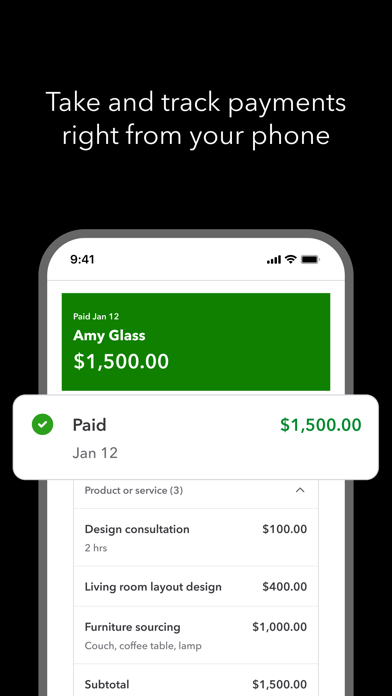
TAKE PAYMENTS FROM YOUR PHONE
With Tap to Pay on iPhone, take in-person contactless payments from your iPhone. Plus, send invoices customers can pay with the tap of a button and get real-time payment tracking and notifications.
CREATE AND SEND INVOICES
Add customers and vendor info, capture project details, generate and send invoices & estimates from photos of handwritten notes, right in the app.
CAPTURE MORE LEADS ON THE GO
Customer Hub and Intuit AI work together to surface qualified leads from emails. Your written and recorded voice notes will be included in auto-generated estimates. Review, edit, and send from your mobile device.
AUTOMATION YOU CAN COUNT ON
Intuit AI categorizes and reconciles transactions, combines data, spot inconsistencies for review, and proactively recommend next steps.
EXPENSES MANAGED IN THE MOMENT
Accounting AI matches transactions and expenses—even texting you to upload receipts for receipt-required credit card transactions.
RECEIPTS IN A SNAP, NOT A PILE
Take photos of receipts, which are stored and automatically matched to transactions.
AUTO-TRACK MILES FOR ACCURATE TAX DEDUCTIONS
Automatically track mileage via GPS with enhanced accuracy and optimized battery life. Swipe to categorize, stay organized, and maximize deductions.
SIGN IN ON WEB
The QuickBooks mobile app syncs with your QuickBooks Online account so your financial data is always up-to-date, empowering you to make quick, informed decisions from anywhere..
Not compatible with QuickBooks Desktop for Windows or Mac.
Some features may not be available in all QuickBooks products.
#1 accounting software for small businesses, based on PCMag Review as of 2025.
Terms, conditions, pricing, special features, and service and support options subject to change without notice.
From INTUIT
Makers of: QuickBooks, TurboTax, Credit Karma & Mailchimp
Visit:
• https://www.intuit.com/privacy/statement/ to learn how Intuit protects your privacy.
• https://www.intuit.com/legal/terms/en-us/quickbooks/online/ to read the Intuit terms of service.
SUBSCRIPTION INFORMATION
• Your Apple account will be charged when you confirm the purchase.
• Subscription will automatically renew unless you turn off auto-renew at least 24 hours before the end of the current period.
• Your Apple account will be charged for renewal within 24 hours prior to the end of the current period.
• You can manage your subscription and turn off auto-renewal by going to your Apple account settings after purchase. On your device, go to Settings, tap your Apple ID, then tap Subscriptions, and tap Cancel subscription.
• You'll give up any unused portion of a free trial period when you purchase a subscription.
• Limited availability. Features may be more broadly available soon.
• Tap to Pay on iPhone: Tap to Pay on iPhone requires a supported payment app and the latest version of iOS. Update to the latest version by going to Settings > General > Software Update. Tap Download and Install. Some contactless cards may not be accepted by your payment app. Transaction limits may apply. The Contactless Symbol is a trademark owned by and used with permission of EMVCo, LLC. Tap to Pay on iPhone is not available in all markets. For Tap to Pay on iPhone countries and regions, see https://developer.apple.com/tap-to-pay/regions/. Apple Pay is a service provided by Apple Payments Services LLC, a subsidiary of Apple Inc. Neither Apple Inc. nor Apple Payments Services LLC is a bank. Any card used in Apple Pay is offered by the card issuer.
• Money movement services are provided by Intuit Payments Inc., licensed as a Money Transmitter by the New York State Department of Financial Services
Intuit, 2700 Coast Ave, Mountain View, CA 94043
Intuit QuickBooks for Business Negative Reviews
Each app update=more unusableThe last few updates made the app unusable in a myriad of ways, with the latest one, it doesn’t even want to open. Just sits there. The changes Quickbooks had made recently, both to the online version and the app, made my work life miserable every week when I had to make my weekly invoices for my customers. Years of data were on Quickbooks so I didn’t want to leave it. But it got so bad that in January I jumped ship for the new year. In trying to find a new product, I sorted all the reviews by recent and found the recent Zoho reviews tended to be very good. I switched for the new year and the difference to my business is profound. The app works, the loading is fast, it has more features, I can quickly and easily make invoices. Customer service is responsive. I can not tell you, as a small business owner who does all the paperwork myself, how much of a difference it has made to me and my stress levels to not have to constantly fight and struggle with failing software. I am truly wondering if Quickbooks has decided to destroy itself as a company for some reason. I still have quickbooks as I do not yet know how to archive all my quickbooks data from last years. To anyone considering using quickbooks as a new user, I would advise you go to the reviews and sort by recent. You can do the same on google play and find an identical trend. To quickbooks I would say that I will never, ever return to using your product once I figure out how to retain my years of old data..Sigh, annoyedVersion: 24.01.5
This CPA hates it!I used this for about 3 days and have given up. It is a truly awful garbage app. It might work for someone with only one bank account and maybe a credit card. However, I have multiple accounts and credit cards that have “matching” transactions and this app made a complete disaster of very simple accounting. I ended up with every bank account and credit card out of balance with duplicate entries in accounts. There is absolutely nothing intuitive about this app which is ironic for an “Intuit” product. As a decades long user of QB desktop, I have reluctantly learned QBO despite its crappiness. However, this app is truly garbage. Double entry?? No. It is not intuitive enough to do any double entry accounting. For $35/month, it is an epic rip off. It is near impossible to edit the chart of accounts or literally do anything with this app. It was a huge waste of time for me and I am a very skilled accountant/CPA with decades of experience. Do not waste your money on this garbage. Fortunately, I chose the $1/month 3 month trial. However, after 3 days I have already cancelled and switched to something else. I don’t want to pay even $1 for this software development disaster. There is absolutely no way I would spend $35/month on it. Also, the solopreneur software is much worse for $20/mo. I tried it for a couple of hours then upgraded to “Simple Start”. Nothing simple about it. Do not waste your money on this garbage. I am so tired of Intuit buying out good software products and ruining them..ProudMommy22Version: 25.06.1
QuickBooks updateSince the update, we have lost function in a lot of areas and are very disappointed and scrambling to keep our business afloat. This is all on the mobile app. We have used QuickBooks for a very long time and are shocked that they would roll out this terrible update. 1. The Estimate and invoice list used to be automatically sorted by date now it is by number. There’s no way to change it back that I can see. We used to be able to look at our invoice list list and see what jobs are coming in order of day which was our schedule for the week. 2. Now we Can’t copy and paste into the phone number field when you’re typing in a new customer. I’ve always copied and pasted from our email submissions as it spares any typing errors. 3. We used to be able to click the arrow next to the address and see the location in maps. Now that is gone. 4. We used to be able to click on the customer field on the estimate or invoice and see the phone number and click on it and text or call. That disappeared. 5. We used to be able to change the customer name field and now we can’t. 6. Our estimate and invoice templates changed to some sort of QuickBooks default without any of our legal writing on it. Not sure how to add it except for on every single estimate, adding it to the notes of the customer. 7. We used to be able to hide the product name and just have the description of the product but that went away on the estimate and invoice. I’m sure there’s more of these are just the ones that have been an all day every day frustration for us !.Nora A.3.5Version: 24.04.1
If there’s other options I don’t recommend itEver since the most recent update I’ve had so many problems with QuickBooks. I use to love using the iPad app but now the only thing I can really use it for is to add new customers. I can’t add new invoices successfully like I use to. I have to now use the online version on Safari. When I go to an existing invoice on the app I can’t successfully make changes to those invoices. I use to have categories for all my expenses that I listed. Nope, can’t use that anymore either. If the category isn’t listed and I try to add it it says that the category already exist. On the app when I look at any expense it shows as no category. I go to the Safari version and I can enter or see categories. Well why the heck isn’t it being listed on the app. I have never been able to check my inventory quantity on the app. I always have had to use the Safari version to check that. I also can’t see a customers full history on the app. I may have 10 plus years of history on the customer and nothing or a couple of things may show. I’m sadly looking for other platforms to move to after using QuickBooks online for several years. I’m spending non productive time now on this review that I could be applying to catching up on all the things I’m behind on because of the terrible updates. I know that I’m wasting my time because who cares. It will be looked at as things have changed so get on board. Heck I’m not stupid! It’s just terrible designer issues that are actual fails that needs to recognized and addressed..Scott GentryVersion: 24.06.0
Why did the app developers cut out so many features?First, App developers know that a very important rule when creating user experiences is to create the UX/UI that is similar across all devices. Meaning if you launch Netflix or Gmail or any most other core apps the experience and interface and features are similar if you launch on your desktop or mobile. For some reason Quickbooks decided to totally reinvent the interface between Quickbooks online on the desktop versus the app. Probably the same people that thought it a good idea to create totally different user interfaces between QB desktop and QB online. But I finally got used to QB online after moving away from QB desktop and actually now like it. Now the crack QB development team is asking me to become used to a completely different interface of QB online from my desktop to my IOS app.
But interface aside why did the developers leave out so much of the “meat”. First thing I did when going to the app was to look up a Vendor open balance. Missing. You can’t find the vendor balance on the Vendor detail page. Second thing I wanted to do was to generate an AR and AP report. Missing. You can generate a P&L and balance sheet but most of the other reports are missing.
Seems the QB development team are stuck in mobile development of the past when mobile devices only allowed you to do limited things on the road. The reality is I run my life on my ipad. I certainly don’t want to be forced to buy a computer in order to run a QB AP/ AR report and figure out what I owe a vendor..Montana100Version: 21.04.1
Gets worse with each new version. Better off with an abacus!I can’t underscore how BAD this app is. Every time Intuit puts out a new version, it’s a whole new learning curve to figure out where they’ve hidden everything and how to do what I need to do. It seems as though the engineering department has no clue about real world experience of running a business. So, here’s a clue - business people don’t have the time to spend on relearning an already clunky and unstable app. Second clue - Business people are not your beta testers! Test, test, and retest these updates before you unleash them on the public. Again, the latest update has completely wrecked the app on my iOS iPhone and iPad. Now, I cannot utilize QB at all unless I utilize the PC in my office. I’m sure they will fix it in 2-weeks, but that’s 2-weeks that I have to try to work around this failure…and this is not the first time (nor second, nor 8th) …anytime a new update or version comes out it’s a nail biter as to how badly it’s screwed up and how many weeks it’ll take before I can use QBO on my iOS devices again. Now, when I start my iPad app, it says there is a newer version and I have no other option but to go to the App Store, where any attempt to update this app crashes the App Store, sending me into a constant loop. I feel like an abacus would be more productive than QBO..JRMedvedVersion: 25.10.7
Mobile app programI switched from another program for the 2023 business year to use QuickBooks exclusively for my company. Initially everything worked great the.n while creating estimates on the app for items I frequently use it could jot find the items even when I searched for it in the estimate portal. When I closed it and went to items the stuff is all there. Obviously I cannot manually create an identical item with the program so I have to go online to do the estimates if using items I have already created into my inventory 90% of the time because one or two items I can’t access. It works great online without issues. I’ve reached out multiple times over the past two weeks only to receive a generic reply that they’re working to fix the issue over the next few updates. I have not been happy with the customer service and looking to find another program that will function properly and actually fix issues when found.
Liz has by far been the worst experience and support I have ever had with an app and they’re online version. I even upgraded the highest package that they have and you cannot even get any custom help. Every representative you talk to on the phone gives you a different story and cannot trust anything that they are saying trying to get help is like pulling teeth I would never recommend this company or program to anyone..Kessick23Version: 24.01.3
Zero costumer serviceWhen it comes to problems what eventually happen you find out that the costumer service is basically non existent. There is no email to write first off no chat either. You must call to talk to a person what is refreshing however each time they make you go though the same trouble shooting what usually take min 1 to 3 hours! I’m serious. Our issue started in May and called about it every 2 weeks. Every time you speak with a new agent and go through the same conversation. They have very limited access to help you do each time they are connecting to the “ engineers “ who are supposedly working on your issue. If you really push it you may get as far as creating a case number what they will never follow up on and all the cases are automatically closed..? Really?
You can’t just be connected to a supervisor either! You must request a call back and they will try to call you back if you get luck the most random times. Since May I was only able to connect with a supervisor 3 times! For QB being a “tech company” have some pretty bad or lazy engineers or some under qualified upper management. For 6 months now we are unable to use our account don’t have access to all of our previously imputed data and still they don’t seem to know what is going on or how to fix it! If you already a user make sure your data is often downloaded and saved. Do NOT start a Free trial over apple app! Go do everything on they web otherwise you might find yourself in the same shoes with as they can’t seem to have that figured out at all and they don’t see any of our payments coming from Apple.
The whole Quickbooks is a total mess..Casa beneVersion: 22.10.0
Sometime it worksGlitches that appear minor in the app become a big deal, especially when they are the few features that you actually need. Specific to my case the invoices stop loading at a certain number. The app needs to be restarted generally four times in order for the latest stream to properly appear. There is no default option to clear filters. And many times clicking through isn’t helpful. Also glitches in trying to message invoices that have not already been emailed. And some inconsistency in the buttons to share via message. Online checking leaves much to be desired. My feeling is the money you pay for the QuickBooks subscription just isn’t worth it.
Welcome to 2026 quickbooks, the app is worse than ever more updates, more problems, more glitches. Thank you QB for your response it was not helpful. Refreshing the app might work but at this point only once in a blue moon. More frustrated and angry now than I was in 2025!
You need to figure out how to filters in your estimates and invoices, since once they’re set, they never seem to clear and are completely confused toggling through them only makes things worse than most times you will be shown zero results. Invoices from 2024 invoices from 2023 at the same for estimates it seems to be chaos..CrapappappcarpVersion: 26.01.0
Quick book invoiceOk so I heard about this program I sign up on the app on iPhone I follow all proper process as being told I get to the sample invoice that was created by QuickBooks so I’m under the impression that maybe they just wanted me to see what the costumer will see so they created the invoice taxes and etc even with my email there with no option to change or correct anything only a send invoice button so I press send as being told I receive invoice now as I stated I was under impression it’s just a sample and I’m to see what the costumer will receive so I press pay I receive an error message as to pay the sample invoice so I do so thinking I’m doing the right thing cause they program is leading the way so I pay I get a congratulation money Comes out my account thinking everything was done successfully I close out ready to use program I wake up following day only to find out they closed my payment processing saying cause I sent invoice to myself and paid the sample invoice myself which I was told to do so and as I stated they created the invoice with only the option to press send now I’m denied for money laundering 60 bucks which s as I stated I didn’t create the invoice nor did I put my own email to send to myself I followed instructions as told now I’m paying for a mistake I didn’t create this isn’t right and I’m so upset that the app gives instructions for you to follow they create they give no other options to correct and when you do as told if something goes wrong that you have no knowledge of your responsible as if you created the program to operate sich way it isn’t right.Angry mistreated a** costumerVersion: 23.07.0
Wow! This app is non functional with the last few years of updates.We downloaded this app four years ago for mileage tracking and receipt uploads. About a year ago an update came about that started overheating our phones and killing the battery. Come to find out it was the mileage tracker. So we turned that off and used it for receipt uploads only. Now with the newest update last week, that doesn’t work either. In fact nothing works. I’ve logged out, I’ve uninstalled, reinstalled, cleared cache, all the normal fixes and it’s just error after error. Even if you try to submit feedback on the app, error. Try to submit a receipt, it’ll take the picture. Go to upload it and then it’s an error. Go to your to-do list, which is something I don’t think anyone requested that is now a feature, and it just says “all up-to-date”. Nothing works correctly. Pay all this money for a premium service, monthly, for nothing to work like it’s supposed to. They’ve overcomplicated the whole system. It used to be very simple, straightforward, easy, intuitive, didn’t even have to know how applications work to figure it out. Now you can’t get it to work at all, even if you understand how applications work. What a joke! The company got big, greedy, and over overcomplicated everything without listening to their customers..Dr. KC NickelVersion: 25.10.6
Bad business practiceWe have been using the Quick Books Online app for approximately six years to do our business transactions. We create estimates which we later convert to invoices we match our transactions, track our mileage and snap receipts to pair with transactions from our bank. However, some new updates have made it so that our invoices no longer look the same. Instead of saying Bill, to then the name of the person, the name of the company followed by the address it now says the name of the person and then Bill to followed by the address. The names of our customers are now what used to be the Nic nicknames, thankfully, we don’t do anything silly for our nicknames. And we can no longer put our authorization numbers for our contracts above the first item in the billing section. It to be a part of the first billing item or as a completely separate note that does not show in the billing area but either in the bill to section or as a note at the bottom.
These changes were forced on us with absolutely no input. Many of these changes were also not noticed until after bills were sent out with missing information or incorrect information. I never thought that I would have to go over invoices to ensure that they were correct after converting from the estimates and having putting in all of the necessary information in the same way I’ve been doing for over five years. I have spent hours trying to find a way to make our invoices look the way we want them to. And the way they have all this time.
I am very unhappy with Quick Books at this time. I just want the old way back, and a guarantee they will NOT change my invoice style without permission ever again. It makes businesses look foolish..SESandovalVersion: 23.11.0
Stealing from your customers! Keyboard doesn’t come up STILL!!!Quickbooks is not providing the service I am paying for. UPDATE: this app still doesn’t work. I have followed every instruction and have taken every update. When creating an estimate from the iPhone app, the keyboard won’t come up therefore I can’t enter an estimate and must go to my laptop. As a self employed person, this is extremely inconvenient. I have given Intuit a lot of money for Quickbooks and TurboTax over a period of many years. As a paying customer, I deserve better. I am wasting money with this app. But can’t go to a non-subscription program because it isn’t offered. This is theft. You’re stealing from your customers. You have a months long issue with an app that doesn’t work, after a faulty update! Fix this app!!!
I have updated the app, deleted and reloaded the app, and still when creating an estimate the keyboard won’t come up! This app has become useless to me. When I create estimates from quickbooks online I’m unable to access them on the app sometimes for hours! The two are not communicating well at all. Self employed individuals do not have time for this! I am so disappointed that I’m going to either have to choose and learn another app or go old school with my own spreadsheets and invoices. This is so unacceptable!!!!!.AdamsInteriorsVersion: 24.07.1
App isn't worth itI've been a 20 year user and I can't recommend this app anymore. If you subscribe, expect significant price increases every year. This isn't for new features either since significant ones like payroll are add-ons that you have to pay even more for. On top of that the app doesn't even work most of the time. I've submitted feedback for years and things just don't get fixed. For example, invoices haven't loaded correctly for me for several years. New ones just don't show up on the list and aren't searchable. I have to go into the web site to find them. On top of that, the websites invoices don't match the ones in the app. Another example - it takes forever for the transactions to load in the app - they don't load 90% of the time and I have to force quit the app and restart and force quit and restart before they finally (sometimes) appear. This is another issue that I've submitted countless tickets on and it still hasn't been fixed. Scanned receipts don't match transactions most of the time. I have to enter them in a convoluted way just to get them to show up as something that can match...anyway I can go on and on. Don't subscribe if you want to simply have a usable accounting package that works. This isn't it and the price increases despite it not functioning is ridiculous..SilverzippoVersion: 25.12.0
Use someone elseI received a $1600 payment but QuickBooks is holding all of it for $70 owed to them which I have spent all day trying it pay. Somehow I have to wait days for collections to reach out to me about paying the $70. I have no idea when I will get MY MONEY. I’ve spent all day trying to pay it and I am at the mercy of your collections when they can get around to saying “hey”. This CANNOT be legal. I want my money NOW!!!!
Update:4/30
I received a $3600 payment on 4/29 with a payment link, that was processed, and I was informed it would be deposited today 4/30. When I went to check on the status of the deposit as it had not hit my account this morning, it’s now on hold and the forecasted time of receipt is now unknown. Apparently, my subscription ended, although it says payments currently active, and they allowed me to create a payment link, as well as receive the payment via my customers card. The $3600 funds are on an indefinite hold. It was taken from my customer, and not given to me to use towards rendering the service that my customer paid for. I was at no point notified of this by QuickBooks, and was on the phone over 3 hours today because each person that I spoke with did not understand what I was explaining. This will be the last time I use QuickBooks and will tell at the mountain tops for all of my colleagues to steer clear of this dysfunctional operation as well. Upon a quick google search, I have discovered that MANY have experienced the same issue, some for totals higher than 100k. It’s posted as feedback on their website for all to see. Please do your due diligence and find a better service. QuickBooks definitely ain’t it..EazyEMoneyVersion: 25.04.3
Using QB for My Small Business Was a BIG MistakeI run a small business that focuses on outdoor media. Recently a client payed for an invoice via credit card and I was hit with a 2.9% fee, when I refunded them I was hit with a 3.4% fee. All of this was not very clear on their end. I tried to talk with the customer service in the midst of everything in order to try to figure out what to do and it was by far the worst customer service experience I have ever had (and that is saying a lot because I used to have Comcast). It was very hard, unclear, and costly for me as a small business owner to do something relatively simple. I was on 6 different phone calls, and constantly ran in circles by the support team. At one point my call was dropped on their end as if someone just hung up during a time where the refund was pending and could have really helped me save some money. Long story short I am leaving QB and going back to handling things myself, it was too easy to make a costly mistake, too hard to get help in the midst of a stressful time, and very obvious that my business did not matter and was simply a 15 digit account number to them. My advice is do it yourself or hire someone who will actually look out for the best interest of your business you are working so hard to build. Audios QB..Hunter LVersion: 21.05.1
UselessI have used QB online for many years, and I’m very happy with it. The app is useless to me though, since the interface is way too limited. For example, one good use for it would be to enter receipts on the fly, but much to my disappointment I couldn’t do something as simple as to pull up a list of accounts to assign the cost to. Entering receipts would be a perfect use for a mobile app, but I simply can’t do it correctly. I mean, what did Intuit really think it was going to be used for?
Also, the payment methods I have set up in QB online are not available in the app, all you see is credit, check or cash. It seems like the app doesn’t synch fully with your online info, which makes you wonder what kind of mess it can create in your bookkeeping. Strangely enough, when I started the app it said that it was synching with my data, but it appears that this was just the basic data and none of my personal account settings.
It’s entirely possible that I have missed some of the finer details, but they really messed up the app by making the interface so different from the computer based online version. Having to learn and keep up with two versions is just too cumbersome for a small business owner like me, so this app is now deleted. Calling it a bookkeeping app is grossly misleading, since it’s so limited..Dragos45Version: 18.12.2
Experiencing problems with QuickBooks mobileThe recent large update has caused a significant amount of problems for the mobile version of QB, the biggest issues I am facing at the moment are 1: the product physically crashing during use; this causes a significant loss of time due to having to rewrite descriptions and add previous line items, what was a 10-20 process before the update is now a 30-40 minute ordeal.
That leads me to problem(s) number 2: during frequent use I am experiencing a glitch where attempting to tap on a line item will instead tap the line item below the item I am attempting to tap on, whenever I experience this glitch it also has a large delay on whatever it is that I am attempting to access. I have thought that maybe it was due to my phone that this glitch was happening, however opening any other app, regardless of how demanding it’s usage is, will immediately clear the problem. While this problem is more of a nuisance than anything it does continue to drain my time during invoicing, and as anyone in my trade would tell you time is money.
There are a few other problems that I am experiencing, however they are minor compared to these 2, I am hoping that these problems are resolved by the next update..HVAC StevenVersion: 25.03.5
Had it for 4 years. And it’s terrible! RUN AWAY!!!It’s Monday morning. QB has an internal error. I can’t run a profitable business like this anymore. Run away do not put your business in harms way. This software is unusable at this point and costing us money. I will never come back after today. I’ve had QB for 4 years. It’s had its glitches but this year it’s just about unusable. The only thing keeping me is it’s a trusted name and moving all of my data from prior years would be very tedious. But unfortunately I have no choice at this point. I have a business to run and I can’t do that when the app doesn’t work 90% of the time. I have no need for a pc and I don’t use most of the junk in the app. Day 4 quick books won’t let me create estimates. I read the developer’s response to Thursdays complaints about new features. We shouldn’t have to re install the app clear history’s clear data to force the app to work. It was fine just as it was. Quit making changes or create a duplicate app that you don’t screw around with all the time for those of us that are content with basic features. We don’t ask for improvements every day. If it’s not broken don’t fix it. You’ve “fixed it” to the point it’s broken and useless. I feel completely stuck with QB..Hannah viseVersion: 24.06.2
Allowed fraudulent chargesVery long story short. We noticed an erroneous instant deposit request which we never do. Reported it immediately, within 1 hour of the request being made. Was promised it would be stopped and removed and nothing else I needed to do. Lies. They not only allowed that request to be processed, they allowed 4 more to the tune of $22,000 by processed through my merchant account somehow without any invoice or payment processed on my side. They not only lied repeatedly saying I didn't need to get my bank involved (I did after they allowed more transactions after all my info was changed). No one ever returned our phone calls that we were promised and we stopped calling trying to fix the problem after the last rep told me"well you signed the terms of agreement" meaning I had to accept the charges bc I signed the agreement. My bank got my money back, then QB sent me to collections lol I disputed the charges and sent all three bureau's screen shots of no response from QB to resolve my problem. They removed the collections and ruled in my favor. DO NOT USE QuickBooks!!!!!!!!!!!!! They know this happens all the time and do nothing to support their customers. We moved to Jobber, protected payment processing and live chat support that actually responds!.Saved not soft 11Version: 26.05.3
Constant issues, and getting worse all the timeDevelopers like push huge changes to the app on Friday when everybody is about to leave the office. Most the time there are huge issues with these updates and they don’t get addressed until late the next week. I haven’t been able to access invoices for over a week now because of one such update. This is the one of the main features of the app and it’s been down for over a week. When we first got QuickBooks five years ago it was great. Since then, whoever has taken over in their product team has continued to make things worse and worse. At this point I would switch to a new accounting software if it wasn’t so difficult to do so once you get started with one platform. I can’t even submit a ticket in the app to report the current issue with QuickBooks because it keeps telling me “something failed”. But I’ve done tickets before and after months of getting the run around they just said that this was the way things are going to be now. As a developer myself, I’m really shocked at how bad things are getting with their mobile app. Online doesn’t have as many issues, but it really stinks to have to run to a computer anytime you need to do something..GrifftacularVersion: 25.11.1
Used to be great, then they “improved” QBI’ve used QuickBooks since the late 1990’s and was an early adopter of QuickBooks Online. While Intuit has improved the platform dramatically, the latest rounds of “improvements” that have made the mobile app entirely unstable and unusable combined with nearly doubling the price and a pricing model that is disconnected from business scale (one could pay the same for a small business with $50k in revenue and a not so small biz with $10m in revenue) has left me utterly disappointed and looking for alternatives. Problem is, switching is nearly impossible. So, if you’re considering QuickBooks, just don’t. Try Xero or any other other competitors out there. If Intuit can fix its most basic issues and start providing actual customer support that is accessible (just try the “app help” link which takes you to an Intuit help page with NO APP SUPPORT option!) with modern methods (like chat and email instead of only phone, and phone that can’t be reached most of the time - again, give it a try), then I’d recommend QuickBooks again. It’s a shame because there is so much that’s great about the platform... but when doubling the price for purported gesture enhancements results in app bloat and instability, avoid like your business depends on it, because it does!.Calebw22Version: 18.12.1
ABSOLUTELY HORRIBLE!At the time of writing this review I have been on the phone with support for over 3hrs. Quickbooks online has been nothing but a complete disaster! For years I ran QB 2012 for Mac and was fairly happy with the software until it started crashing on me in mid 2017. Since it was time to update to a newer version of quickbooks I was pushed toward the online version since the latest desktop version for Mac was 2016. I had nothing but aggravation with the online version on almost every aspect of the software but if I were to explain each one this would be a book so I’ll just explain the problem that was most expensive to me. The syncing between the business checking and credit card on QBO would not sync for sometimes a couple days other times a month. When the sync feature would work it would create duplicate transactions and I would need to have QBO audited by my accountant to match my actual accounts. The 3rd time QBO needed to corrected to match my accounts was the final straw. I purchased QB 2016 for Mac and wanted to transfer my QBO data to the desktop version. I’m told now that I need to wait a “few” days to have everything transferred over. I am completely disgusted with quickbooks and will be reporting this with the better business bureau..DSCHRIVersion: 18.5
Deserves half a star!I would give it a half-star if it were available, because it at least opens when I tap the icon. But, even then, it tries to log me into my mother’s turbotax account EVERY TIME!(and she died three years ago).
They say they try to make it easier to login by giving you only one password across all their products. But, these passwords are email specific, and if you have more than one Intuit account, it does not let you use an email specific password. So, you are prompted (no, you are ordered to) change password, and now the passwords do not match up because the other email addresses have different passwords. (Seems they would give you the option of using more than one password over multiple accounts...no, wait, that would be a user friendly option!)
There is no support for this product, none whatsoever. If you have a question and go to HELP, you will ultimately end up at the user group or user community. And, then there generally is no consensus on the solution. Every one is adrift on their own.
Just today, I had a customer who inadvertently paid twice on the same invoice, once by check on delivery, and once by credit card within their accounts payable process. I use and pay for qb credit card processing, so, I go to QuickBooks to determine how to give a credit card refund. And, the instructions IN NO WAY MATCH UP TO QBO! I called my accountant and she says she’s been trying to get them to give support to QBO issues for 6 years, and they do not even respond to her requests for help. She had no answer for how to issue credit card credit, and, she is QBO certified.
I had already bought and was using QuickBooks Desktop, and now, I’ll have to go back to it. Misery, I tell you, misery..MochasbossVersion: 18.12.1
Hate it, stuck with itWhere to begin. First, but an iPad, most things can’t be done from an iPhone, for example, item quantities, can’t change it or see it. If you need to enter a new product via the phone, you will need to go back to your laptop to log in and reconcile your total of items if you track quantity. So inconvenient, I’m not with my laptop most of the time, so at the end of the year, it takes HOURS to reconcile your inventory. Once an item is in the system, and you get new product in, unless you log in on a laptop to add the quantity, you’ll have negative quantities, cause you can’t do it from the iPhone. The IRS taxes you on your inventory, and every year I spent hours counting and reconciling.
Here’s the REAL kicker, started out as a promo for $40/mo in 2014, crept up to $50, then to $60 in a year, then to $70 without any improvements. So I exported my inventory data, stepped down to the $25/mo plan for my invoicing and estimates. Why pay $70 to track inventory that I can’t manage on the go? Since I’m counting at the end of the year anyways, might as well save that extra $540 annually. I can only assume that the nerds that built and maintain the app have very little retail business experience, just widgets guys. Sad..Audio PrecisionVersion: 21.06.1
Not for me, slow, confusing, etcThis is a confusing and difficult to use app. Not sure why the ratings are so good, I feel like a lot of people in my position would not like it at all. I’m not a paperwork person, I’m not a computer work person. I just build stuff and needed a better way to keep up with stuff and this has made it more difficult to keep up with receipts and invoices. The app is very buggy and glitchy. I have it on two phones. one phone it crashes on every time I open it even after updating it. Invoicing… It took me 15 minutes to send somebody an invoice after spending hours getting it set up. All I wanted to do was text it and email it to them and I couldn’t even do that. There was no way for me to text it to them. There was no way for me to add images to my invoices other than the logo in the top of the page. The website is very confusing. At least the app is easier to navigate, but it’s still flooded with a bunch of stuff that I don’t need and don’t want. Also no dark mode??? Are you serious? So when I’m filling out an invoice or an estimate for somebody before bed, I get flash-banged by my computer screen and my phone screen… we’re in 2026 people… sheesh. Also on my work phone, which is a brand new iPhone 14, the app is extremely laggy and slow. It is a brand new phone with a brand new battery and it hardly has any other apps on it. Why do I have to have the latest highest end model of a phone to run a basic accounting software? On my 15 Pro Max it runs smoothly. Tried to disable mileage tracking because it is so so annoying to use. Couldn’t figure that out. Took me a few days to figure out how to navigate between invoices and I still have a hard time finding everything. The receipt scanning is more difficult than just manually entering it into a spreadsheet..Bobthebuilder2002Version: 26.02.7
Could not get worseI’ve used QuickBooks for years and have complained to the company multiple times for the annoying ads that pop up as you are trying to create an estimate or invoice. Never a response from Intuit rationalizing why they are forcing me to watch ads when I’m paying for a subscription to a service. The neophytes responsible for maintaining this app and grinding it into a useless waste of memory would decide with every update to change the UI and workflow just to make the user waste more time trying to do some work. The last version is broken. I’ve called customer support and reported the issues, was told the issue would be resolved in 48 hours and I would receive a call to verify the fix. Neither has happened. My customer list is not accessible past the letter “J” and my product and devices list is no longer sorted by category. Having developed software for some of the largest software companies in the world, if I had let this abomination see the light of day, I would no longer have been employed. Now the app freezes upon opening and won’t advance beyond the opening screen. I’ve just cancelled my subscription and will also move to a different tax app for next year..Jks02191Version: 23.09.5
Progress invoicing doesn’t workWhen I try to send a second progress invoice form an estimate it does not reflect that the first invoice has been paid already and payment received. The balance in line items is the original balance from the estimate, not lowered by whatever I charged already. Also, in this way I could overcharge my client and QB would not prevent me from doing so. I tried that to see if that would work. This bug prevents my clients from tracking progress of payments and forces me to look back and track how much I charged for particular line item already.
It’s a huge inconvenience for a construction company.
I already spent 6 hours over two days with 4 different customer service reps and despite all being very patient and helpful, the last one admitted that it was a glitch in the system. I offered to spend some time with their software engineering department to work on that issue but nobody seemed interested to take me up on it. The reps were unaware of this issue until they saw my computer screen and confirmed I was doing everything correctly. It’s a major problem. I hope it gets resolved soon. Otherwise I would definitely give it at least 4 stars..PondelVersion: 21.09.1
Continues to be the slowest app ever….So, after writing a review and saying the app was slow and buggy and crashes constantly - as typical software/tech developers go…. “Couldn’t possibly be us, must be user error”… I got a developer response. It told me to do all the typical stuff they tell you to do. Refresh the app, uninstall/reinstall, reboot phone…. Yada yada yada - LET ME BE CLEAR…. I have done ALL of the above, I’m not an idiot when it comes to these things. Please be careful when responding as you don’t know how much or little experience your audience might have. This is also par for the course with QB customer service in general - you wait on the phone for hours (literally at times) only to get an “expert” who takes another hour to understand what you are saying, chats that are inane and take 15 minutes between responses - it is TERRIBLE. I am sure they blame COVID, after all it is the excuse for everything wrong in the world. The reality is they just don’t have it together. My honest review is after deleting and reinstalling, resetting, upgrading my phone software, etc etc, the app is slower than molasses. I have to wait 1-2 minutes for reaction/response when I select an option (if I ever get a response at all)..SingerGalInTXVersion: 22.01.0
Stop “fixing” itThis is now the third or fourth iteration of this stupid update. They’ve tried “fixing” this app several times, and every time they have ended up reverting back to the old setup. I much prefer the old setup, and I don’t think I’m in the minority on this subject. It may look nicer, but it’s slower and takes longer to do invoices. I do all of my transactions by phone, so using the browser version is a nightmare. The app is so much more convenient…when it works. I’m also tired of it “loading my data” every other time I open the app. The new invoice layout wastes a lot more ink with the wide color background/banner for the “bill to” and “invoice details” section, and you need a magnifying glass to see the text. Add an option on the app to choose the invoice layout, because changing it on the browser does nothing for the app. Also, if I want to add an item to the invoice, I can only search by “item”. I have over 300 products with 300 different item numbers. You use to be able to search by “item” OR “description”. Add the option to search by both again. If they fix these two problems, or just go back to the old app setup, I would change my review to 5 stars..KingPenn13Version: 24.03.3
Glitchy and horrible quality controlThis app has tons of glitches and problems, both in the app and the accompanying website. There is no quality control on coding or features that are added. Very low-quality developers, which is typical of everything QuickBooks does. Nothing ever gets fixed either, I’ve used QuickBooks desktop and online for years and it’s always been this way. Really doesn’t give you any confidence in the software that your entire company depends on.
Edit:
In response to the developer response… Restarting it or changing my Wi-Fi will not fix the problem with your app. It’s insulting that tech-support would even respond with that. The problem is low quality software. Also, I just spent an hour on the phone with tech-support to fix a problem with how some of our reporting is showing up… because of a glitch in the software. They changed so many things that they had to open a ticket to have someone else go in and reverse the damage that the tech-support rep did. The rep seemed to have very little knowledge or skill in accounting. ask any bookkeeper or accountant, they will tell you how much they hate this software, I’ve asked many..T9876Version: 24.06.3
Once again tax has gone awayAttempting to write business estimates but state sales tax is no longer appears as an option. In what dimension or fantasy land is there no sales tax!!! Quickbooks had done this a number of times over the last few years with updates where there was no tax function and quickly reverted back as it renders writing up new business useless with out being able to include tax! I tend to use it six days a week so I notice when they screw things up. i have started to simply add an additional charge line for tax in estimates that i have to delete when converted to an invoice. Then there is the 30 minutes minutes I wasted tonight where I copied an old estimate that inadvertently included tax. When I was done, the total included tax - you can see the different subtotal, then the total, but without the tax amount listed or tax option to click on. However, this quote needs to be tax exempt and since there is no option to change that, I will have to start over. I was gong to include a screen shot but there is no option for that here. So convenient I cold be using Excel!.Upholder1Version: 25.03.5
Horrible Service, Horrible Company, Horrible EverythingQuickBooks is a unprofessional service and honestly has no regard for the people who pay for subscription. I used invoicing for my car rental clientele and out of no where was flagged. Without any warning or notification QuickBooks put my funds on hold. I then went to call asking equestrians about why the funds would be on hold and what to do to fix the situation. Upon calling a representative she got an attitude and I told her I would no longer like to talk to her but someone else. I guess her feelings were hurt so I hung up the phone and proceeded to speak to someone more reasonable. They notified me that I needed to send in paperwork (bank statements, phone log, client contract, etc.) to which I had no problem doing so. The funds 3 weeks later were still on hold and I could not understand why. I call and without giving me reason they tell me my account had been closed for the past week. Yet they didn’t find it appropriate to call me, email me and I had continued invoicing throughout Thanksgiving. When asked how do I receive my funds they notified me that I would have to reach out to each and everyone of my clients. Have them dispute the already complete payments, then have them pay me again. Or I could wait 60 days for their accounts to be refunded and ask again. Totally unacceptable and they responded, “We are sorry for the inconvenience and the lack of notification”. Spend your money elsewhere because QuickBooks does not value the business you work day in and day out to build. They will outsource you to someone who can’t even understand the context of what your talking about and when asking to speak to a supervisor will then tell you they can’t get to them and will call you… No call, no solution, no respect for businesses. HORRIBLE.LTCA(3)Version: 22.11.0
Just downloaded and it won’t even openDownloaded the app and got the $1/3 month deal because I have family and friends who use it. I was only able to open the app successfully ONCE to fill in info and all it does is continually crash or get stuck on the “Intuit” screen. It seems like a ton of people have had similar issues for a while now (my friend said its been doing this for a while and would be switching apps, but I held out hope) and I can’t believe there hasn’t been a fix yet.
Based on the description/what I’ve been told this seems like the perfect app for my financial situation, especially with tracking milage, but if it doesn’t open how can I even use it? If anyone working on this app sees this, know people WANT to use and appreciate your product but CANT. Prioritize fixing your app for a week and I’m sure the customers that pay for your service won’t leave you… just an idea. Mobile accounting for small businesses shouldn’t be this difficult.
Update: App still crashes upon opening, definitely no user issue because I followed all of your steps. Glad I got the deal on the subscription because I canceled it right away….HelpYak87Version: 25.05.3
They will steal your funds look at the commentsI have used Square processing for many years now and this past year decided, January 1, 2024, to start using QuickBooks. The first thing was, I noticed how clunky and and hard to use the interface was. But I loved the professionalism of the invoices and the mileage feature. I noticed the first time I actually got somebody to deposit money through their payment, it was very hard to find where the money was and how to transfer it. They done you constantly to stay with their QuickBooks checking, and it takes days for the credit cards to clear, deposit into your QuickBooks account, and then be transferred to your business banking. It’s all in an attempt to make using your own bank instead of theirs, extremely difficult to point you towards using their QuickBooks checking. finally, less than a dozen invoices, and that’s all I’ve sent, this last one a customer paid me a deposit for their merchandise that was over $2400, QuickBooks closed My account without my permission and froze my funds in place. They admitted this and said it would take I’ll to 90 days to get my money. STAY AWAY!!.S. W. BiddulphVersion: 24.05.5
QBks App -> Less Than Half A LoafHaving used QBks for 24 years in one guise or another, I have long since grudgingly accepted their inadequate technology chops. Be that as it may, I must let them (and you, dear reader) know that the iPad version is a HUGE frustration. In most regards the 12” iPad Pro that I use is the best. Most advanced technology I’ve ever been pleased to use. However, tech laggards like Intuit make it a trial. Anybody know how to cut a check from the iPad version? PLEASE tell me! Yeah. I didn’t think so.
OK, how about putting in a bill? No? These are BOOKKEEPING items, guys! I understand they have as much to do with accounting as data entry has to do with data analysis. Yeah, these tasks are peripheral but ESSENTIAL. Seemingly IMPOSSIBLE with QkBks for iPad.
How in the name of all that’s Holy can ANYone claim that this PoS (no, not Point Of Sale) allow small business management?!?
JEEZum, Intuit!!! Splash out some of that Monopoly Money for some up-to-speed programming talent! And this time do it in the US of A, where there’s a fair chance the tech staff will understand what you tell them to do. Please and Thank You. By ALL means, give me a reason to update this review with a higher number!!!.DC_DaleVersion: 18.2
WARNING! They will hold your money for 7+ daysI’ve been using quicbooks for 5+ years, and until recently the payments side of everything was great, I’d receive deposits always within 24 hrs after a customer paid. Even large payments over 50k. Recently a 35k deposit came from a customer via ACH payment using a QuickBooks payment link, I checked my account next day as it usually hits without a problem but there was nothing. I called customer service and was told it’ll be available in 7-10 business days, when I asked “Why the change this time?” nobody had a good answer. I asked to speak to a manager and waited 20+ minutes then they finally said “Our manager will call you”… waited 3-4 days still no call. Called in again (I’m actually on hold right now going on 30+ minutes), same thing, except this time they said “My manager is very busy so he/she will call you back”… when I said “No please, I’ll wait on hold as long as I need to,” the line went silent as if nobody was there. But she didn’t hang up. I understand QB is not a “bank”, but to say there’s nothing you can do and then just hold someone’s money for 7-10 days then play these games on the phone is extremely unprofessional. Lesson learned, DON’T use ACH if you need your money fast. Or even better don’t use QuickBooks.
GLITCHY!! The app froze last Saturday night around 7:00PM (MST) when I was sending an invoice and DELETED all my work. I’d worked on it for over 8 hours on my only day off. A complete waste of my day. Beyond frustrated. Also, after recent updates I can no longer stomach to do estimates and invoices using the app, instead I have to drive back to the office to use my desktop which is a frustration. It’s lunky now, I can’t even scroll the notes I input under each specific item, I have no to type it on a separate note on my phone then copy/paste it into the item on the QB app..Mchadfield33Version: 25.03.7
Not really an upgrade from the old Self-Employed appFinally, after being told no a year and a half ago, Intuit has made available the option to “upgrade” from the old QBSE app and be able to migrate all my existing data over. A rep had told me back then that this would never happen and I’d have to start over completely.
Well, I’m three days into into my “upgraded” Soloprenuer subscription paired with this app and while most of my data was brought over from QBSE, not all of it was. I was promised an email when the migration process was over in about 24 hours total from the start, but that has yet to happen after three days. This new app seems to be struggling with my bank connections as they are very delayed or I receive emails telling me all my connections have expired and I have to refresh them. Never had that issue with QBSE.
This new app doesn’t really seem like an upgrade and in fact, I have to hunt more to find things that were bundled together nicely in QBSE.
I would give it one star but so far the mileage tracker has actually been working properly and as it should. This was a constant up and down battle with the QBSE app. But then also I used to always be able to upload PDF receipts on the QBSE app and while this new app does have that same option, it doesn’t work at all and I can only upload images. So, yet another step backward.
I was really hoping this would restore my faith in Intuit and their products but yet again, they’ve completely missed the mark again..Sapphiresky83Version: 25.06.2
Complicated Interface, Terrible Customer ServiceI am not an accountant by any means, but I was hoping Quickbooks Online would be easier to use for us average joes. Nothing about their program is intuitive- you are instead given loads of video tutorials and when that’s not enough you can call their Sales Department to get transferred to Customer Service (don’t try direct, it’s no use) who 9/10 times have thick foreign accents (which makes it even harder to understand the foreign accounting software) and if you’re lucky you get scripted answers with a side of sass. In my opinion, if your programming isn’t overwhelmingly user friendly you should at least have an overwhelmingly good customer service experience to give us all hope that we can, one day, figure it out. I am stuck with this program because my husband finds it easy enough to create and send an invoice, but unfortunately this leaves me to figure out the rest once a month. So all in all, thanks to Quickbooks Online our customers do know how much they owe us but as for the accounting, nobody knows what’s going on there..InklingByKateVersion: 19.12.0
This App is Unbelievably GlitchyTLDR: QuickBooks wants us to spend more money in order to use this app the way we want but the app is full of glitches and doesn’t even work
QuickBooks is hilariously absurd. They want to charge extra money monthly to allow us to create custom roles for employees. All we want is for employees to be able to create invoices on the go and then back in the office we can run payments. However, in order for them to create invoices they also have permissions to sensitive business information. After all that, to use this app is a nightmare. It is very slow and laggy. When creating invoices you nearly have to click every button/menu twice before it finally loads. When you add a product or service the app gets stuck in a constant loop of adding the product and the only way to stop it is to close the app and start over. The only problem is this glitch happens 50% of the time.
The QuickBooks GoPayments app works more consistently than this app but for some reason doesn’t allow employees to create invoices, only sales receipts. But even that app has its own problems..CavejeepVersion: 24.10.7
Awful UpdatesEvery time there is an update, we LOSE features we rely on. The fixes are too slow. An update should improve the app, not take away from it. I’ve been in touch with customer support numerous times and they assure me by “xxx” date the issues will be resolved. They’re normally wrong and this last time by over a month and counting. I own a small service company that visits customers annually. We refer back to last years invoices to compare notes. I’ve now lost the ability to view prior invoices. Only payments. Numerous chats with customer service has gotten me no where. I will be leaving Quickbooks when we hit slow season and I can take time to swap everything over. I’m losing time from what generates money because of Intuit’s VERY poor updating and feature losses/changes. I am EXTREMELY dissatisfied with Quickbooks and would advise finding something else.
EDIT: I got a response on this comment that did work and fixed the app issue. Thank you for this, BUT why has it taken 3 times of customer support and NOW (after a nasty/negative review) doesn’t suddenly become important enough?.JMac6707Version: 24.07.0
Very DisappointingAfter having the account for just a month it was permanently closed without notice or warning, Now I’m having the most difficult task of finding a source or who can be able to help me retrieve the funds left on the account grant It just a small business owner and it wasn’t much on their. But how close my account due to fraud without any invoices or transactions being made and then they still have yet to reimburse me for my funds on top of it’s been 3 months now since the date of opening the account and no one has reached out to me after saying they would have someone follow up with me and not one call or email have I received yet and I’m not giving up I work hard for my company to start and can’t see how this is my fault to a point not only am I mislead but also duped from believing I would have it more easy way of working with Inuit, Now I’m just sitting here with a setback and more frustration in on off the most important stepping stone in capital America, Thanks for waisting my time with you guys I’ll be sure to learn my lesson and never come bank here or service again..TunaS720Version: 21.07.1
ScamI have used this application for 3 months, everything worked great until they made a payment with a credit card, they asked me for my details and it seemed great but suddenly during that time that I was presenting them they began to block services from my account without any justification. We called again and again and only received responses like: we don't know why the higher department is doing this, with all this with $1058 withheld, after several weeks we got that money to say that they are going to refund it to our client at a maximum of 10 days. After 20 calls we call and to our surprise they say that they are not going to refund the customer anything. They are going to give it to us to our payment account blocked by them, the day after the call we realize that they have blocked the application and that we cannot enter under any circumstances. Nobody gives us a solution, our English is not very good and nobody helps us in Spanish, a shame, we consider our $1058 lost but we can openly say that this application is a scam and we do not recommend it at all.Yaime castroVersion: 23.11.0
Great but be carefulI am self employed and have a need to occasionally invoice customers for consulting work. Quickbooks allowed me to produce professional looking invoices, keep track of expenses. Typical amounts were $500 to $5,000. Without thinking enough, I added the Payment feature so that customers could conveniently pay from a link in the invoice. A month ago, I produced an invoice for an unusual transaction, the sale of a piece of industrial equipment that I owned personally. Its value was over $15,000. The customer chose to use the payment option and I was faced with a $421.00 bank charge. The payment option is of course a credit card payment setup with a flat 2.9% fee (+ $0.25 per transaction). After extensive discussion with Intuit hoping for a one-time compassionate reduction to normal bank transfer fees ($17), I realized that they could not or would not come to a deal on a onetime basis because the fees are not theirs alone (bank/ credit card organization too). I’ll only do that once. Ouch.
P.S. After posting this review, as you may see, I got an answer from QuickBooks from Caitlyn who may not have read my review very carefully. She said she could help “point me in the right direction”. The only help that I had need of is for QuickBooks to give me a partial one-time refund on the insane banking charge that I was subject to for a high value invoice. I obviously, as stated in the review, will only ever do this once and my reason for writing the review (when I asked to do so) was to warn other subscribers to consider carefully the value of their invoice before opting for, or allowing use of, the Payments feature!.The_brewerVersion: 20.07.2
Don’t buy thisPrey to god that you don’t have to call customer service or that there is a problem with your account I have. 7 days with out access to my account. Invoices to send taxes to file not a good app don’t. Buy this pay your local accountant I’m on week 2 that I’m not able to send invoices if I create a new account I lose all my receipts photos and I have to enter all my information again.Desgra2215Version: 21.06.2
This QuickBooks is not worth the valueAs a Business Decision I was convinced to migrate my invoices & my prior Accounting Application to QuickBooks Online mobile App....and lost a great deal of time & money wasted subscribing to this online app. If you are hoping this software will be a ClusterF***k free experience, prepare for the opposite.
It’s a great app (in theory) but it’s not ready for a SAAS subscription model given the bugs and stability on the mobile platform.
Forecasting was impossible after failing to recognize our past financials & csv sales data.
After the failure of csv, I began to separate the value of Quickbooks & the purchase of this product
When preparing Invoices ...my frustration was apparent after more than 6 crashes just to draft Invoice # 0001. I would load a receipt & it would crash again....without a bug/log report to ticket/Jira story all the issues & errors.
I have to leave the application, as it’s value negates the fact the UX is cumbersome - forcing a user to redo the same task 4-5X because the app doesn’t save draft documents in recovery when It crashes.
Not worth it on mobile, would consider purchasing a desktop licence, however would need Intuit to reduce the amount I spent on this app towards a license for my Mac desktop - as the mobile product isn’t worth its value & needs a beta program for UX of this app, and a few others from Intuit in the App Store.
It has potential for better user worksflows & Deep learning AI so that operation of daily/weekly/quarterly tasks are much easier and intuitive (no pun intended)
Thanks
Omar.RidiculousMusicVersion: 20.04.1
I hate QBWhen I started using QB fifteen years ago it was an awesome little program that didn’t cost too much and had everything I needed. Now it is a gargantuan pile of slag and I can’t get out as it would take too much time to transfer all my data to different software. It’s glitchy, freezes, has data entry problems and their support is basically ‘we are very sorry you’ve had this problem, we will email you in the future’. I haven’t used the app much but I’d highly recommend you don’t get stuck in QB!.ClovisssssVersion: 19.10.0
I hate this companyGouge. Terrible interface. Updates make it worse. It’s just a giant rip off, not worth half the outrageous price they charge. Every year they just jack the price, for no value. Can’t wait to ditch them, the AI revolution will see a host of much better alternatives soon..Fire Tower Film FreakVersion: 25.11.3
New GUI is the worstCan’t perform the features I used to be able to after their radical update. Very user unfriendly now, terrible software..TMH Construction Ltd.Version: 25.11.3
New update ver 25?I've been using this app for 6 years now. I used to think it was amazing. Some small glitches but they were addressed immediately and was a 5 star app for sure. Since the last update I'm considering making a big change and cancelling my subscription. These guys have changed the app and everything about it is messed up. So may Glitches! My payment terms have all changed. Customers with 60 day terms are getting reminders at 30. Taxes have disappeared. The layout of creating an invoice has way too much useless information. My invoices are missing my logo. Invoices are missing customer names. Invoices are being sent to the wrong customers! I can't preview an invoice to scroll through and find an old invoice without wasting time. I can't add a date to a line on an invoice. I do service and I may have 2 separate lines for labour so now I have to write the date in the description. I could write a whole story with the many things wrong with this app now. It is absolutely terrible..DicrickulasVersion: 25.09.4
Stuck signing outEvery time I open the app it says my session is expired, then I get stuck waiting to sign out. I cannot access the app. I have tried updating..ZambonisurferVersion: 23.12.2
Great app, terrible costumer service.After being double charged for months. They refused to refund my money and had to go through visa. Then months later my subscription was canceled and the representative helping me was blaming me. I did not cancel my account. I’ve asked for months to be contacted by a manger and never received an email. This is the worst costumer service I’ve encountered.
The saga continues…. My account is reinstated and they are unable to fix the issue of my account not updating past November 5th. It’s been weeks now and my HST bill with the government is pass due. I’ve contacted quickbookcares@… and still awaiting resolution..Natalie ParsonsVersion: 22.01.0
Worst serviceSpent 2 hours trying to open a Quickbooks Cash account to link to my existing account (one of the reasons I wanted to go with Quickbooks over other platforms). Transferred multiple times, constantly misunderstanding the issue. So disappointed in the service that I cancelled my subscription..Mathieu1991Version: 21.06.2
It was working until you broke it in the latest updateFilters don’t work, crashes often. One should do a better job of testing before release..DesikanVersion: 25.11.4
Méga bugDepuis la nouvelle "version", l'application est devenue très difficile à gérer. Plusieurs bugs, nouvelle configuration très désagréable. Pourquoi avoir changé ce qui allait si bien? 😡.Dominique JodoinVersion: 25.11.4
FIX THE FILTERSFor the love of god make an option to filter invoices by the invoice number. Ill create a invoice then have to search for it after creating it. The option was there for a few days as a teaser and then it was gone. Stupid layout.The Only ChanceVersion: 25.11.4
Too much AI, no real supportThe ‘feedback’ link doesn’t even work to send any complaints or concerns to Intuit. I’ve been using quickbooks for years, well over a decade. It’s been on a steady roll downhill for years now, but it seems they are more invested than ever in inserting AI into every corner of this program, yet no effort or mind is being paid attention to basic issues. The sales team is super eager to help you get signed up, but the support desks just pass you around for days with no answers. The camera feature to upload receipts is the glitchiest thing ever. You can’t add a reference number to receipts? The whole platform crashes on me at least twice a week. It just generally sucks and I and pushing to switch to Sage or Simply because I just can’t stand this anymore. I could go on for days, it’s cheep but you get what you pay for..AretouseriousrightnowVersion: 25.11.4
It’s OK as long as you don’t need supportBeen using it for 6 years. Fees are high and as long as you don’t need support you’re ok. If not…Good luck!.Yo canadian momaVersion: 25.11.4
Great until new layoutI loved using this product.. Until the new layout. The invoice number keeps the previous invoice for a different customer and for some reason that’s the last option window, before it would remain blank and auto populate saying to add. I can barley add a customers name and cannot duplicate so something like -
Jane Joey- addition rough in
Jane Joey -service upgrade
These do not work
My logo has disappeared on my invoice and I have to go back into web browser and re create
When selecting DUE ON RECEIPT it will auto correct to Net 30 which is super convenient when trying to collect payment and the customer says I have 30 days!!!
It was very clear and precise the older version worked well. It was easy to see who has paid, what is due and coming due and broken down into sections.
Your new platform is garbage and I get frustrated now every time I use this program to the point I want to cancel and move on..Snack0987654321Version: 25.11.4
Why do they keep making it worse??Seriously im trying to run a business and they keep updating the app and its just getting worse and worse and to top it off the rates keep going up. Over the period of 6 years my monthly subscription has doubled and the app is just getting slower and more terrible. Shame on you Quickbooks, why cant you let a good thing stay, we dont need changes all the time noone is asking for this!.Climatech H&CVersion: 25.11.4
Slow & bloated Receipts feature.Adobe executives really need a wake up call..PpuwuwVersion: 25.11.4
Glitchy, very glitchyVery disappointed with QuickBooks. I used their services for years now and only recently I have only experienced one problem over another. The entire app is so glitchy that it cant even recognize my password for my banking.
I made sure every single password was correct, reset each pin and password 3-4 times and Quickbooks kept telling me it was wrong. However, I was able to sign into my banking app no problem, even with the new passwords I made. I wanted to be sure it wasn’t a bank issue.
Would not recommend..Corey ChaVersion: 25.11.3
Not user friendly anymoreCan find people using keywords, not using house numbers, unit numbers or anything.APTECH MECHANICAL CAREVersion: 25.11.2
Used to be goodThis app used to be good, things in order and make sense where they are for the most part. the new update is horrible and i dread using it at this point and i have to use it everyday. please change it!!.SprucecleanVersion: 25.11.2
Doesn’t load informationI have to restart this app 10 + times for our current information to show. I try to view not due invoices, and absolutely nothing show up. Getting fed up with QuickBooks and looking for alternatives after 8 + years..AuthentCreativeVersion: 25.11.2
UpdateDepuis qu’ils on modifié toute l’interface l’appli n’est plus la même je pense changer pour le 1 janvier.
Bug sur bug et leurs nouvelle façon de faire les factures et d’encaisser prend 4x plus de temps que l’ancienne..Marti-netVersion: 25.11.2
Constantly MalfunctioningI’ve used QuickBooks for 6 years now and every year has got less functional. The mobile app barely is ever in working order, has taken multiple weeks for services such as invoices or estimates to be fixed. Every time calling I am told to use a laptop instead, which cannot be done from a work truck. No compensation has ever been given after opening a case for any issues. Customer service has declined in their friendliness in my experience over the 6 years as well. It’s a shame because the software is set up pretty nicely if it was functional consistently or at all..AlizarinCelosiaVersion: 25.11.2
Last updateSo many things stopped working right now. I can’t see any invoices or payments, can’t enter the milage, can’t send invoice. The app got literally empty from business data. Please fix it..Bezhan SVersion: 25.10.6
Not even allowing to post a pictureI’m so sick of QuickBooks not working! It keeps crashing, freezing, and wasting my time. Every update breaks something new, and support is useless. I’m paying for software that constantly fails when I need it most. Total disappointment — fix your product, QuickBooks!.Gill331Version: 25.10.7
App on phoneI was having an easy time managing my company through this service until just recently the app for the iPhone has been completely unreliable when I am trying to invoice or send estimates to clients on the go. Very disappointing especially with having to pay for this service and it being unreliable..ConnorMurphy216Version: 25.10.7
New app is performing poorlyI have used the app for years with no problems. Ever since the recent update to the app it routinely malfunctions. I am so frustrated I’m looking into switching to another accounting system..NRW 2023Version: 25.10.6
ProblemNever had any issues , and now I don’t see my layout anymore of my information and numbers , very bad situation.Pat FleowerVersion: 25.10.6
Constantly CrashingDidn’t have an issue until about a month ago. The app will work for a day or a week and then go into a loop where it starts opening the app and the auto shuts down forcing me to uninstall and reinstall. Extremely annoying to have to do. On iOS.Robbyrob321Version: 25.10.6
Bugs / GlitchesWhen editing a product/service description, pressing Enter doesn’t create a new line. Instead, it moves the cursor to the very end of the text box. This makes writing and editing descriptions frustrating, inefficient, and time-consuming. Please fix this issue as soon as possible..Troy DemoVersion: 25.09.6
New updateThe new update/ version is horrible , please put it back the way it was . 100 times better than the new one.WhobeaturcockoffVersion: 25.09.6
Please bring back the old versionThe new version has completely crushed my productivity. Why would you guys do that ? The interface makes the whole process 5 times longer. For some reason you have to download the invoice to preview it ? It is so much more difficult to export the invoice into another app and extremely complicated to send it in pdf .
I have no idea why you guys did this. My invoices for this month will take hours to send out..Doublecabs123Version: 25.09.5
PLEASE RETURN OLD INTERFACE!I usually don’t write reviews but this is well needed. Please quickbooks team lets us go back to the old interface before the update..Zak.25Version: 25.09.5
New updated appI used QuickBooks online for years. The new mobile update is absolute garbage. Why change something that worked great? Change it back.Eave28Version: 25.09.5
Latest update refreshI absolutely hate what you’ve done to QuickBooks with the latest update. It’s killed my productivity and im constantly looking for functions that have disappeared or been moved to inconvenient locations. I want my money back and will move to another platform..MountainLabConstructionVersion: 25.09.5
New update make mobile version uselessThe new update now make the mobile version absolutely useless. You now cannot send invoices on the app and add tax or dates into the invoice. It forces you to use the website. Like what the hell is the point of that !.EthanGordonVersion: 25.09.5
Payoneer 💰Payoneer is an online payment platform that lets you transfer money from any corner of the world! A best and must have payment service for every blogger, traveler, freelancer, affiliate marketer, consultant, virtual assistant, business person, online sellers, and receivers. Earn $25 for free by joining Payoneer. Sign Up Now!AdvertorialVersion: 26.06.9
 Intuit Inc.