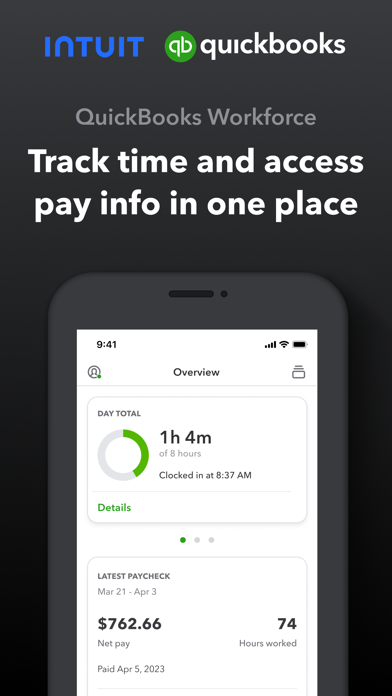
QuickBooks Workforce—an app for QuickBooks Payroll and QuickBooks Time (formerly TSheets)—lets teams view pay info and track time in one place.
Pay features are available to businesses that use QuickBooks Online Payroll & QuickBooks Desktop Payroll. Time tracking features are available to businesses that use QuickBooks Time.
What your team can do:
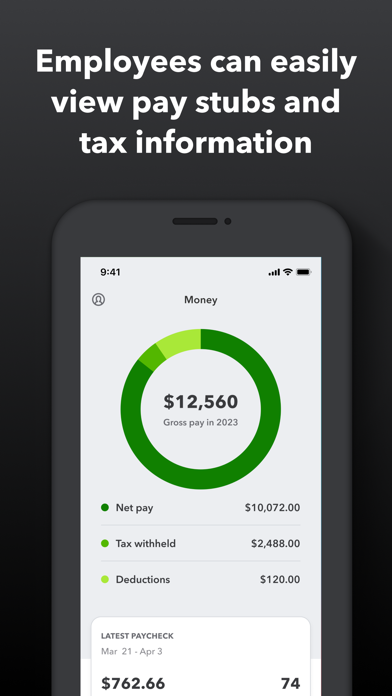
• Access pay stubs, W-2s, and other pay info anytime, anywhere
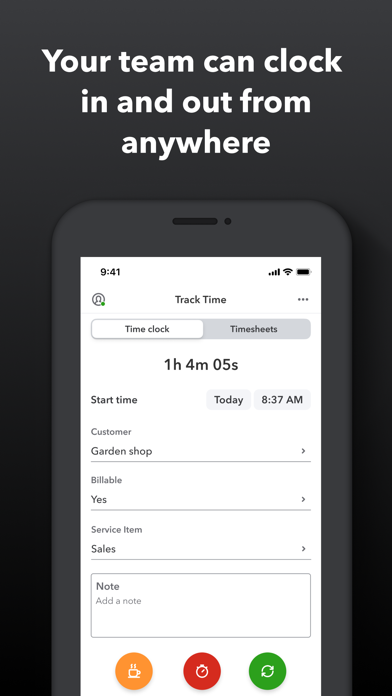
• Clock in and out, even without Wi-Fi or service
• Submit and track paid time off, sick days, and holidays
• Edit timesheets and manage job schedules
• Switch jobs, pause tracking, or take a break
• Use GPS location-based time tracking
• Add photos and updates in a project activity feed (QuickBooks Time Elite only)
What an employer or admin can do:
• Approve, edit, or delete timesheets
• Schedule by job or by shift
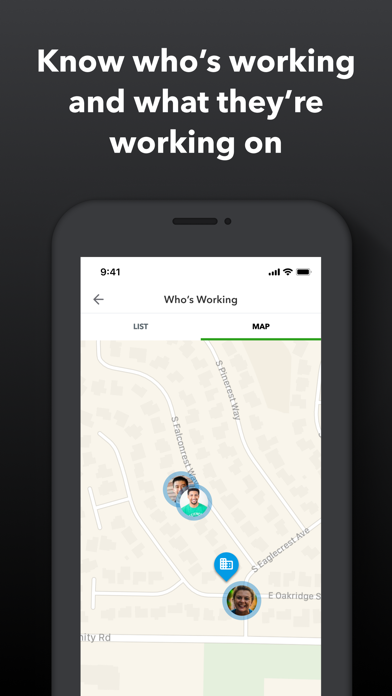
• See who’s working and where in real time
• Set up a geofence that reminds your team to clock in or out when they enter or leave a job site (QuickBooks Time Elite only)
• Create or modify schedules
• Push, text and email alerts are triggered if employees don’t clock in as scheduled, or approach overtime
• Track vacation, sick, or holiday accruals for employees
• See day and week totals, plus other time reports, at a glance
• Oversee team productivity and project status, and adjust budget, deadlines, and resources as needed (QuickBooks Time Elite only)
Extra benefits:
• Save on payroll costs and eliminate manual data entry
• Get real-time reports in multiple formats (PDF, CSV, online, HTML)
• Data seamlessly integrates with QuickBooks Online & QuickBooks for PC (Pro, Premier, & Enterprise)
• Integrates with other payroll, accounting, and invoicing software
• Protect yourself against labor disputes and audits with a detailed time log
• Accurate time data replaces paper timesheets and makes payroll and invoicing faster and less costly.
• Developer open API
Terms, conditions, pricing, special features, and service and support options subject to change without notice.
QuickBooks Workforce Positive Reviews
Incredible program!TSheets has honestly been a huge reason I made it through graduate school. I know this is geared towards businesses, but the fact that there were so many robust settings and options just let met customize it to fit my needs! I’m able to list classes as “clients” and add fields to track my time down to whatever level of detail I want (for example, which exam the topic I’m studying will be tested on & whether I’m doing class readings, homework, or projects - all with dropdown lists so I don’t have to type it repeatedly, plus a field where I can put notes about what specific chapter I’m working on!). It truly is so customizable that I can’t imagine anyone would be unable to make TSheets work for their needs (although I can’t speak for integration with other programs). It’s allowed me manage my ADHD by showing me how much time I’m spending on tasks so I can identify things that are just taking way too long and put more effort into working with professors and building better study habits in those particular areas. Plus, now I know how much time I’m spending on work as a teaching/research assistant so I make sure I get paid for what I’m doing! I cannot say enough how amazing this program is, and the fact that I can use it for FREE since I’m the only “employee” is just astounding to me on so many levels. Huge kudos to the developers for their business model, and I would readily and happily pay for this program if I had my own business (in fact, I’ve recommended it to my fellow accounting grads who have entrepreneurial plans). Give it a try - you won’t regret it!.TaylormickyVersion: 2.45.1
Outstanding customer service!Once again I am proud to say I use T-sheets bc this time Dustin saved the day! Each time I call in I learn something new and more details about the digital functionality of my business tracking gets smoother and smoother! And that’s not bc I’m techy at all!!! But thanks to their diligent help to make sure they understand how my business functions we are little by little setting even my QB to function better. I know how things work on paper but the transition into programs has been a steep learning curve. Honestly TSheets doesn’t pass the buck when it comes to making things function and breaking it down so you understand. As much as I hate overhead the combination of QBO, T-sheets, and Expensify has simplified my life so much! Once again one of the great employees at T-sheets, this time Dustin, held my hand as I was trying to understand how to customize my invoice. Then when he had exhausted his capabilities he helped me prepare how I should ask for further assistance with QBO. Bless his heart! 2+ hours and now I understand how these programs should function together and what result I am looking for. So excited! We are getting somewhere! Thanks Dustin!.Nyccole7Version: 2.35.4
Kelsey T. Rocks! (and she’s a dog lover - BONUS!)With one of the latest updates - I’m not sure if it was a TSheets update or a QuickBooks update - The mobile version of the time tracking system required that my employees select a customer when tracking their time. We are very small company and only have one employee who is tracking his time and therefore, we do not need time tracking at that detailed level. I chatted with Kelsey T. today to ask how I can remove that required field. She explained why the field is required and what needed to be done to “un-require” it. When I asked her what I needed to do, she went ahead and did it for me. It seemed to be an easy fix on her end as it only took a minute and I appreciated her doing it, saving me time. Kelsey is not the first customer support person I have chatted with from T – sheets. I have probably talked to three or four people and every single one of them provided the best customer service I have ever experienced. I’m giving Kelsey extra kudos today because she shares my love of dogs and congratulated me on good news that I received about my dog while we were chatting. Thank you Kelsey for helping me today and thank you TSheets for being so awesome..Ac8408Version: 2.40.1
Best App and Time Tracking Service! Amazing fast Customer serviceWork with Jen D through the desktop live chat this morning due to a sync issue with Quickbooks. It was solved in a matter of minutes and now we’re back to running our payroll for today! I researched this company and they gave me a trial with that trial it turned into years of commitment because of how easy it is to use.
If you are a business owner like me and have employees, this is the best investment you can make for payroll. It’s easy to set up easy to learn and you can even track GPS location of the employees to the phone through the app. We use the kiosks a lot for our tablets in each vehicle. Now they have face facial recognition for clocking in. So they cannot clock other people in and out!
Also if you ever have an issue the customer service especially the live chat through their website is the best. Wait time is practically zero and correcting the issue is almost under five minutes. They also help you set up everything and train you for no additional cost!.UnatcoVersion: 2.35.2
Ever since schedulingWe have had tsheets for years. It was always great, awesome customer service. However, since scheduling our phone apps have been having issues mainly with iPhones. We have had many phone calls and tech support requests with tier two help buuut, every time someone calls or responds its the same blanket response: reset the app or delete and reload. Which granted doesn’t take that long however, every time I do it it deletes all my sheets since the last sync. Which is the problem, our phones will sync for a few hours, a few days then poof they stop. Another response was you can’t close down your app. Well that seems like a software problem not a user problem. And yes I have used WiFi for 31 hours straight with my screen saver off to see if it would sync my 91 sheets. But nope. It’s been months if not a year since this problem has been ongoing, still no fix. I wish I could come in to a location and show them the problem, or let them deal with it. I have to much time invested in this app it to me and please use it constantly to switch services however I am becoming closer and closer to that option. Tsheets also told me to turn off a bunch of the options and only view a few members of my team....Thomas landscapesVersion: 2.64.1
TSHeets 5 star, this app is 4Almost gave this app four stars. I gave it 5. Reason is the app is not really what we’re rating, it is the overall service provided by TSheets. That is five stars plus. Having used other timesheet maintenance programs that sync with QuickBooks, Tsheets is by far the best. I run a small engineering firm. Having switched almost 3 months ago, we are quite used service now and we’re very, very pleased with it. I feel like there are a number of improvements that could be made to the phone app that would raise it to the level of the web interface, but, like other things that are first class with TSheets, I sense that they take suggestions seriously, and do expect the app to improve.
The app is useful, and I’m thankful for the the things it does do.
The web interface has many “apps” that significantly add to or improve aspects of the service. My best guest gripe is some of these do not seem to have migrated support for the IOS app.
For example, things I can do in the web that I’d like to see on this app:
1) the ability to hard input start/stop times through an override option on clock in interface.
2) a time slider option for time entry. Although make sure it useable; the web is a bit small and difficult to add times in between project clock ins that are within 20 min of each other.
4) interface a Siri option ala the Alexa/Echo phenomenon. I’m getting used to telling Alexa what to do. It’d be nice if through the phone app I could clock in and out of jobs by name..PeachsbVersion: 2.42.1
Thank you for (sort of) acting on our feedback!OK, so y’all seem so ‘bent’ on never bringing back the fabulous ‘Red 1’ method for notifying users when they’re on or off the clock... WHY? Please give us a real explanation as to why this is suddenly an unachievable request. It was so elegantly simple, and I’m still trying to believe that your users are your #1 focus. Hit us with the tech talk; some of us will understand if you would just EXPLAIN! As further incentive to answer this question... it may just shut me up! (Although I can’t promise that)
Thank you!
Ever since our company started using TSheets, we were all used to seeing that ‘Red 1’ on the app’s icon. Then, after a recent update, they decided to do away with that feature! Time over-run’s started occurring and missed clock-in’s. We grumbled & persistently submitted our dissatisfaction. Now, rumor has it, they’re fixing it & bringing that feature back! Thank you for listening & keeping your loyal users at the forefront when development makes changes! I can hardly wait to see that ‘Red 1’ again... keep up the good work!.Dman_MTVersion: 2.47.2
Best Time Sheet Program & SupportI rarely review a product, but I have to say that Tsheets is incredible. I currently am a sole proprieter doing consulting and needing to send bills with Quickbooks. I was often forgetting or trying to piece together where i was and when. This program is always there in your back pocket, and the integration with Quickbooks is perfect. When I grow to have more consultants working for me, I will pay for the product happily. That's the other amazing thing... i am on a free version...
FREE, and yet whenever I have a problem, I am able to call their tech support and speak with a human quickly who solves the problem efficiently. The last time I had to call I got Dom Cooper on the phone. He knew the product inside and out and got me through the finish line perfectly. That has been my experience with Tsheets since the beginning. It works... if it doesn't they help you solve your problem with a smile and confidence that wins the day. Keep up the good work..FiqkalVersion: 2.33.1
Practically perfect in every wayTsheets is amazing. I own an IT company with 10 employees and moving over to tsheets is one of the best decisions I’ve ever made. Fantastic integration with quickbooks allows us to set different rates for regular vs after hours work. Descriptions of work performed by each technician seamlessly transfers to quickbooks. My customers love seeing full details of the work performed on their invoices, too. I would highly recommend this for any service company that needs to not only track time, but also details on work performed for customers. They are also constantly improving the product. I love the ability to see where everyone on my team is scheduled for the week.
I’m always on the go and would love to see a specific mode within the app for managers so we can track how many hours our employees worked today, this week, and this month..N8nnnVersion: 2.58.2
As an Forman in the fieldThis app is great. So far with the few things I have used it is working well.
The scheduling on the employee side needs a little help. It is confusing and lacks a few things that would make it a bit more streamlined for the employees.
Other than that so far pretty good.
***** Update requested. *****
So you’ve sent me an email about my suggestions on the scheduling side of the app.
To start I think a monthly, weekly to daily planner view for the employees app would be a good start. To help organize the schedule and divide up the schedule. Right now my employees get confused on what is what.
Also I would like to see an app for scheduling I’d really like to see an app for admin. I do a lot of the scheduling in the field and it’s a pain from the app and real hard to attempt online from a phone. It would be nice to see some of the same options as the web site in an app version.
Another thing is floating jobs. Or an unscheduled job list. Able to be sorted by age of job, name or work order number.
Also roll over jobs. We usually schedule jobs for two days to 6 weeks with multiple and changing employees. If we could add and remove employees from the job list and have separate duties for each employee without creating a separate schedule that would be amazing. I found this app through a construction company we were working with. Therefore I believe more companies would be interested as well..Prick77Version: 2.53.1
Amazing customer serviceI had just recently download this app to track my hours as an employee for my job due to my boss being unable to keep track of them due to time issues, so i started off with the free trial. I had started using the app and tracked my work and break times. The features are very helpful in making sure my hours are correct and break times are deducted from the original work hours. The next day, to my surprise, I had received a phone call from one of your employees at customer service and was told that i could upgrade from the trial version to the full version for absolutely free and was told about many other helpful features that this app can provide. Very impressed with the quick and very helpful service and i would recommend this app to employees/employers who are in a similar situation as I am in..VlonebrenVersion: 2.71.2
Workforce changes not improvingOne of the greatest features of this app was the geo tracking. We use it on daily basis to see where our employees are / how long they have been on a job and it helps with time tracking to complete payroll and billing. When they changed the app to workforce the geo tracking stopped. I have called several times and am. It given any time line for this bug to be fixed. It has been a month since the bug was first reported and still no update. No projected time for fixes. Extremely disappointed
8-1-23- after writing this review I was contacted by one of the developers Nathan and after some clarification that our problem was with the mapping functionality not the geo tracking as I had written above we did determine that there was a setting in the app that was causing this issue and he walked us through how to change that which has corrected our problem.
I’m sorry it took the writing of a bad review to get someone’s attention but glad it got fixed.
If anyone else is having mapping issues you need to switch to the live version of the new update out of the beta version- it’s under the wand settings in the app.
Thank you to Nathan for helping us fix this issue 😊.DBMS-31461Version: 4.4.1
Customer service is #1Let me just tell you about how I made the mistake of giving permissions to users for job entry. I assumed that the adults in my business had common sense, I was wrong. One of my users deleted an entire job folder! I thought my day was over, that I was going to have to recreate weeks worth of time sheets. I called customer support and got Monica on the phone. She listened to my story and told me not to worry. Within moments she fixed the whole folder! I can go back to life as usual! (After I revoke everyone's permissions to job entry.) Thank you Monica and thank you TSheets for making a stellar product. I'm especially love the system log, which made tracking down who made the mistake a breeze. This whole program has made my life incredibly easy!.RPShashaVersion: 2.62.1
New release glitchySuper reliable when it was still TSheets, but transition to Quickbooks time has been terrible. Face ID, which is unneeded, creates serious lag every time I open the app.
Face ID appears to require cell data on mobile devices, which is a problem for a construction firm that may have job sites outside of coverage.
App periodically signs me out as well, which again is unnecessary since access to the phone is restricted by iOS set restrictions.
Finally, the location tracker is no longer reliable when using a time card. At times I forget to switch customers and could use the GPS trail to confirm when I left or arrived - no longer. Map typically fails to have any relevant locations, often showing locations from prior to the start of the current time card.
Intuit’s transition from TSheets name brand has been poorly handled across the board. They’ve removed options to save by committing to longer terms, made significant changes without warning customers, tech support wait times have increased while the quality of service has decreased and now the app is problematic.
If you’re considering this service, I surest waiting for them to get their act together because they’re actively giving me reasons to switch..AN459Version: 3.17.1
Fix the widgetsEvery morning when I wake up, it’s in a dazed and confused panic because it shows I’ve been clocked in for 20,000 hours AND ON holiday pay at that on my lock screen. Not once have I clicked it to find out. I forgot to clock out either. It’s just a glitch. I don’t know how no one brought it up that I can see or find. Intuit, I know well that you have the resources that your disposal to correct us.
Otherwise, if you can ignore that rant of mine and still want to see an actual opinion before you download the app, it’s pretty good. Not so much last October when I first got it but it works pretty all right for what it is at my time of writing in late February 2026.
Just updated the newest update though && still got a messed up widget. Would be real cool to have that working properly since it’s an option..CEO of UI/X ComplaintsVersion: 5.12.1
App has saved me a lot of timeThe people at TSheets have been fantastic to work with, extremely helpful & patient. App is extremely easy to use - processing payroll takes a fraction of the time as we were using paper time sheets. There is a definite learning curve like with anything new but it seems like they are always trying to find ways to improve & they appreciate customer input. My only complaint is that they updated the site which changed the configuration of my printed time sheets & they cannot put it back. :(
I would dock them 1/2 a star for that if I could. Other than that, this App has been a lifesaver - thanks TSheets & thanks to your many wonderful customer agents you have working in Idaho..G8990Version: 2.56.2
Maybe add an “are you sure” to clock-outs and even clock-ins?I’m still finding that I’m accidentally clocking out (and almost clocking in) often times due to the awkward positions of the clock in and out buttons. I unintentionally clocked out again last night and had already swiped the app to be off the screen. I was opening my iPhone 16 Pro from its locked screen and the work force app opened again as well and I inadvertently pressed the clock out. My boss had to correct it again due to this being just an hour and twenty-six minutes after clocking in. Please add an “are you sure you want to clock out (or even clock in)” prompt or move the danged buttons from the bottom of the app or something! Thank you! Otherwise I love the app..RresquireVersion: 4.80.2
A little strangePretty good for a standard time tracking service. Though, In my first day using it, already had to be in touch with customer service. I couldn’t log in to the mobile app with my login info. Then when I did manage to do that, it clocks you out if you don’t have location setting to “always” on which they give some reason about needing to search for job codes to remind you to clock in via notifications. But having used many other time track options this seems a little strange. Not that hyped on it using up battery life, not to mention I really don’t like when apps add another level of constantly tracking a persons location. I know it’s a young company and hopefully they take feedback like this into account moving forward as they grow. Bumpy start but hoping that’s the end of it..John-o-0117Version: 2.52.1
The baddest bish around Miss Ashley TIt was a beautiful Saturday afternoon, but inside I was dead. You see Friday night was full of debauchery and I was seriously hungover. Unfortunately I had to work but I didn't want to use my brain. This is when Ashley steps in, can I just say - she a angel! She helped me fix my schedule screen, I had been doing it wrong for too long. She made it better, she made me better too. Ashley's joyfullnes brought so many laughs to our conversation. I almost forgot I was dead. Her impeccable knowledge bombs about every question I needed answered were answered as if they were prayers. I don't know what I love more at this point smashingly Ashley or TSHEETS! Thanks for all the help and getting me through my scheduling issues..E SneezyVersion: 2.63.2
Arbitrarily cut off my recordsThis app was working fine for a period of time (I’d say six months or so), the. It started to warn me of issues logging into the “server”. This didn’t seem to matter because I was still able to log my time and I didn’t need to reconcile it anywhere. But, then suddenly, without any warnings, it shut me out of my data in the last couple of days. It doesn’t seem there is any way to recover my timesheet data so I am left with a need to report my hours and no records to access.
I rated three stars because the app was very functional for a good period of time (over a year), but with no warning or recourse to cut off my records is pretty egregious. Ultimately I’d only recommend if this is something you do to help manage yourself time personally..Deus19DVersion: 3.29
Works great but it requires location tracking to ALWAYS be on...No complaints about the software itself. It does what it needs to do and is very user friendly. The location tracking on the other hand... you can’t use the app unless you set it to track your location at all times. As an employee I feel violated by this feature. I completely understand turning location services on while I’m clocked in and using the app but there’s no reason it needs to know where I am at all times. Every few days I get a notification saying “TSheets has used your location 31 times in the background over the past 3 days”. Please change the location requirements and I’ll have nothing but great things to say about the app.TotallyNotAPersonVersion: 2.77.1
Great app! Small suggestion/issueT sheets is very easy to work with and visually appealing. When submitting times for payroll, it’s truly seamless.
Unfortunately, the small business that I manage had to make the decision to switch to Homebase simply because of its MESSAGE BOARD. Staff communication is very important and if it were to be included in T sheets, this app would be everyone’s go to I’m sure of it!
I think I understand that T sheets works within its niche of clocking hours and syncing well with Intuit. Simple is usually better.
We already use Quickbooks and Intuit direct deposit forms and a message board update would be so perfect.
so Please consider adding a message board! You’ll have my business utilizing your services through and through..HopeLoveGrace123Version: 2.119.1
Max HI use the live chat option and was directed to Max H. He was very good at answering my questions quickly and efficiently and allowed me to get on with what I needed to do. This software is well worth the money for any contractor with who has employees and needs to keep track of jobs the support is excellent and I highly recommend it
Jay Seel
AARC Drywall.SEEL12345Version: 2.34.1
DecentTook a star off because you won’t stop asking me to rate thegosh darn app.Hehgei rejoggnrjgirneVersion: 2.117.2
All is WellAll is Well.Walia SabVersion: 5.19.2
Yeah!This is one of the most user friendly services I’ve ever used..RhinobubbaVersion: 5.16.1
ServiceI appreciate the app.. the accessibility, the complexity of its ability to register the location of each specific job sites. The app itself has been an asset in my line of work, in regards with managing my clock in and clock outs… this is an efficient app, with a great way for managing the time spent with my many different jobs, and spread out locations.
I would recommend this app to others.
Thank you..Cherry-Man54Version: 5.16.1
Great!Excellent app, easy to use, A+ all around.No add sVersion: 5.14.1
Love the pay stub breakdownsYup..Boo738363628Version: 5.7.1
Well doneA little clunky to get used to but great once you get the hang of it. Well done!.D. Mark CVersion: 5.5.1
LanguePas de français.TrckjmVersion: 5.7.1
Pay chequeEasy to see all the pay cheque anytime more convenient. Thank you.Feed Lucy$Version: 5.4.1
Convenient and well organized.Simplifies tracking of pay stubs, earnings, and taxes..Mz. ButtonsVersion: 5.4.1
AdministrationWhen trying to review employee hours it takes forever to open the timesheets if it opens at all..Jennifer2005!Version: 5.4.1
Coordinator, bookkeeper and taxesLove the app so easy to use.Rosie2017!Version: 5.1.1
DecentWorks good no problems as of yet and been using it for a year now, would be a significant improvement if they managed to make it so that you could clock in and clock out right on the app, only thing it’s missing really.NDKlukeVersion: 5.1.1
Very useful appLoads fast and easy to search & locate information.IGingerPapaVersion: 4.87.2
Bit expensive but well worth it so greatBit expensive but well worth it so great.Vincent 88Version: 4.78.1
It’s fine.Works most of the time..MrTO2Version: 4.82.1
Great appTidy and easy to get around!.Nol910Version: 4.65.1
Keeping TimeI really like this you don’t have to have a notebook or a time sheet and easy to use.Air Cat in the SkyVersion: 4.62.1
ExcellentExcellent app for tracking paystubs. Super clear and easy to understand. I love it!.Divino81Version: 4.60.1
Great appI really like the app formatting.CurtischayeskiVersion: 4.56.2
Review of appLove it works great easy to use.RingerstarVersion: 4.56.2
Great App.This app is so convenient and helpful. A+.WowvhVersion: 4.51.1
Easy to useThis app is fantastic, very easy to use! It sends you notifications if you forgot to clock in or clock out. You can still change the time to reflect when you did clock in or out! It shows your paycheque & gives a breakdown!.Welcome with loveVersion: 4.52.1
Awesome App!User friendly and all infos are readily available.Jromee1234Version: 4.40.1
ComplaintI changed my phone number and the app does not allow me to edit the previous number and there is no support for this problem.Tapatío12345Version: 4.47.1
Free International Money Transfer 💸Enjoy high maximum transfers into more than 20 currencies while saving up to 90% over local banks! The cheap, fast way to send money abroad. Free transfer up to 500 USD!AdvertorialVersion: 5.19.2
QuickBooks Workforce Negative Reviews
Won’t turn off when i clock outClocked out, noticed literally nothing turned off. tried to contact customer support (who was very nice to be fair), had to give them my email, problem, and name like three different times before i could do anything. then the rep asked for a ‘company identifier’ which i could not find at all. tried to go back to my chat with the customer support staff and it just wasn’t there anymore. the app is still running in the background (despite me closing the app entirely through my phone) and when i go to my lock screen it’s still counting up minutes on the display that appeared there.
I just want to know what’s happening, did i screw up my time card? do i need to tell my boss i broke it? am i going to get paid? is my battery going to be passively drained by this app until i delete it? why can’t i use the app to find information WHILE im trying to use it to talk to customer support? why did i need to provide the same information repeatedly?
it seems like yall have a great customer support staff, but between the redundancy and inability to solve my problem i’m honestly just disappointed my first experience with this app had to play out like it did (Again though, no fault on the representative I spoke to, i’m quite happy with how they tried to handle it up until i couldn’t access the chat between us in the app).S͎o͎m͎e͎o͎n͎e͎Version: 4.43.2
Keeps messing up the clientI have been using this application since long before Intuit purchased it… it is an amazing application and I cannot imagine running my business without it… that being said, maybe 6 months or so ago, it has started changing clients randomly… so what happens is, we log into our client (say there name is Bill), log in, add notes - and then this application will change the client to Susy. The problem is we don’t notice and then when we do billing, we have time and notes associated with the wrong client… we have several hundred clients and login and out of them all day long, and add to that employees… so we might log into 10 different clients in a day, different notes, different amounts of time, and the data gets scrambled between them. Of course our work is similar so it is not easy catching the mistakes… except when a client is screaming at me about being charged for a time that we were not actually there!! This issue never used to exist!! We have had this application running on iPhones 11, iPhones 14 pro and iPhone 15 Pro - so it is not a hardware issue or a setup issue… the issue has existed since I transferred from the 14 to the 15. I do feel it is a lot better than it used to be, when the issue first started it was horrible… now it is more randomly throughout the week - so that makes it fun as well… anyway, a 5 star app, with a TERRIBLE problem that never used to exist. I have uninstalled / etc… I have watched it change my clients… i log in to Bill and I am logged in and then all of a sudden it changes it to Susy… there is definitely an error..QnigmaVersion: 4.19.1
Very disappointingI’ve used time tracking tools for years. I staryed w Exak Time, then to a couple other programs. After Tsheets was purchased by Intuit the program went down hill. When reviewing time sheets on the computer yo cannot edit the main body of text but instead have to hover your mouse over three small icons to the left, open a pop up window and then edit- it’s clunky. In addition, Intuit updates oir administrator wirh a vendor who was never an administrator of the company about every 4 to 6 months- trying to fix this each time has been extremely time consuming and frustrating. Also, it is inconceivable that a program would require you to be tracked “always” even when you are not using the program- why? The inly conceivable answer is big data, to sell my info. If there were a better option my company would switch in a second. The time tracking program is called “TSh*ts” around here. The same for Quickbooks. I still have to use excel spread sheets to get all the reporting my company needs- why??? And, It was quite a money grab when they forced the subscription service away from desk top software. I’ve been a user for decades and have researched options over the years (and switched one time), when something better comes along i will jump ship in a second..HarveyarleyVersion: 3.88.2
RUN from QB TimeWe are a small business who started using TSheets 7 years ago, and QuickBooks over 11 years ago. I had hoped that the acquisition of TSheets by QuickBooks would be beneficial and offer better syncing/features, but the opposite has happened. Over the last few months I’ve been fielding increased calls/texts from employees saying they can’t clock in because the app isn’t working. This causes me to spend extra time adding timesheets and making edits I normally wouldn’t do if the app had been working.
The biggest problem now is that QuickBooks is requiring all of my employees to create their own Intuit account, just to be able to clock in to our company time clock system. This is not only unnecessary, but it’s now forcing employees to provide personal information that QuickBooks doesn’t need. It also doesn’t allow me to assist the employee if/when they forget their password to reset or anything like that.
I overlooked the price increase, the rounding issues when syncing to QuickBooks directly from TSheets, and the absolutely useless PTO time entering process, but this has pushed us to look for alternative options because this new login and access process has been awful and time consuming. I spent 15 minutes dealing with issues for one employee, so multiply that by 20 employees and you’ll see how much time is being wasted for this useless change.
The app itself takes fore to load and for some reason I don’t understand, has to reload our customers and time information every time I open the app. This is all over WiFi and became an issue after the mandatory update.
As a long time customer and supporter of the original TSheets product, I advise you to look elsewhere for time tracking services..Gerty BVersion: 3.15.1
Terrible supportWhen this was tsheets the product was great and the support even better. The integration with quickbooks was seamless. As soon as quickbooks purchased it and turned it to quickbooks time, the quality dropped and support became some of the worst I’ve ever seen. The integration with quickbooks desktop has failed many many times and each time takes days and dozens of phone calls before the issue is resolved. Finally a few weeks ago the syncing between the two crashed again. This time no resolution. The solution quickbooks recommended? Send us your company file in the mail while we attempt to figure the issue out. In the meantime, everything we do in qb over those few weeks they have our company file would all have to duplicated and re entered once the company file is returned. No thank you. Is qb going to pay for all that data entry? Of course not. How does your product get worse now that you own it? And how do you not have any solutions to offer? We are now switching away from quickbooks time after 4 years of using it because other companies have figured out how to integrate with quickbooks better than quickbooks has. Ridiculous..JpommervilleVersion: 3.104.2
Too bad QuickBooks has ruined T-SheetsI loved TSHEETS before QuickBooks got involved. (It was totally predictable this would be TSHEETS fate.). TSHEETS customer service was the best. A very competent person would answer their help line practically any hour of the day. If there was a problem, they would solve it.
I am a general contractor. Our people are 1099s. The problem we had was that TSHEETS - on its own - will go in my QuickBooks vendor list and RANDOMLY pull vendors over into TSHEETS and start charging me for them - even though I NEVER put them there and did not want them there and NEVER recorded a single second of time for any of these “volunteer” employees. This had happened once before QuickBooks bought TSHEETS and I was told it was no biggie because I would not be charged unless time was recorded for someone (which makes total sense.). Recently I noticed 2 months straight of $70 per month. Our normal charge is $20. So an extra $50 per month was charged for 2 months straight. I investigated and called and was told - in QuickBooks fashion - that it was my fault. It was my fault because I had made it possible for 1099s to be employees. (BTW, the extra “people” I was charged for was so random, none actual 1099s, and one was in fact a charitable contribution.). I was told that it didn’t matter that no time was recorded by any of these extras that TSHEETS brought over. They begrudgingly refunded one month’s over charge - but not the second. That was - according to them - my fault after all.
TSHEETS WAS great. QuickBooks has ruined them - predictably. TSHEETS would have found a way to solve my problem. QBs doesn’t care, bottom line..22901WHDVersion: 2.66.1
Garbage and shadyThis app is extremely shady. It won't let me clock in unless my location is set to always. Then after tracking me my entire weekend when I'm not at work. I clock out on Monday, and the plumber comes back in the building. Not sure how long I'm gonna talk to the plumber. I don't clock back in. Then after standing there talking to the plumber for 15 minutes unpaid and clocked out about the job. It wants to tell me that I'm on the job site and not clocked in and it wants to set the location to only when using app. but before it says that to me, it tells me that it's been tracking me for three days. Mind you it's Monday. The app just told me it tracked me all Saturday and Sunday while I'm not even at work, not clicked in. When my employer isn't even being asked to pay me. Using my personal device that my employer doesn't pay for. I can't even clock in without having the location set to always. But yet it wants to tell me that while I'm on the job site and should be getting paid to be there. My location should be set at while using the app. I've mentioned this to my employer for three weeks straight now. And they said it should not be tracking you when you're clocked off work. When you're on your lunch break, and clocked out. When you go home from the job site, and you've clocked out. If a person clocks in whether they're on site or not, it should start tracking them then. Then ask a note for why your offsite from the job location. When they clock out, it should not track you at all. I'm a supervisor in construction, and I have to go to the dump off the job site, have to go to the hardware store and pick up stuff, and sometimes work at three different jobs in the same day 20 miles away from each other. I get paid for that drive time. This app is not an app I would recommend to anyone..JahragonVersion: 4.40.1
Off The Clock Surveillance?I actually really like the app. It’s easy to use and I find it helpful to have my location tracked for my job. That is,
when I’m actually ON THE CLOCK. However, after a recent update, I received an iPhone notification upon clocking in, informing me I needed to change my settings to allow T Sheets to ALWAYS use my location in the background, even when I’m not using the app or even on the clock. That is not ok with me. I have no worries about my company somehow accessing that info. What I want to know is, what is the app developer doing with this information? If it’s to somehow prevent a glitch in the system when on the clock and using the app, then fix the glitch! I’m wary of any third party that wants to track my info and I often intentionally choose not to use my location services. But when I do have location on, does T-Sheets really need to know how long I spent at Target on Saturday? What on earth is TSheets doing with this info? They have to know that many people (like me) are required to use this app by their employer, so I have no choice but to allow TSheets to gather information about me without my consent. Otherwise this would be a 4 - 5 star app based on ease of use alone..N1ckn@m3efg234Version: 2.77.1
Widget brokeThe app is great and deserves more stars. But I tired reporting an issue but since the app is free, it won’t register as a purchase so this is the only way to report the issue. A really great feature was the widget as I could see how long I’d been clocked in for the day (excluding breaks) AND could see exactly how many hours logged for the pay period. Since the new apple update (hate it) it only shows my unpaid time off as clocked in!! so as of right now, I’ve apparently been clocked in since 12am for 1019:10:35!!!! and have apparently only worked 1 day and 21hrs this week and 3days 12hr for today ( how you can work for 3days in a 24hr period is crazy lol and I have for sure hit over 40hrs this week). So I’d like for that to be fixed. I miss it!! I’ve deleted the app 3 times now, restarted my phone twice (with the app installed and without the app installed). It’s hard to gauge how many hours I’ve worked when I look at the time inside the app as it doesn’t subtract the lunch breaks from the overall worked hours. please, please, please fix this!!.AyelowVersion: 5.1.1
Bad functionalityFirst off it randomly crashes, I can’t put holiday or sick time in on the app. Also when I try to put my time in on the app it automatically puts brakes and lunches in and screws up my time. Then my boss calls and asks why I’m over hours then I have to find a computer to fix it because there’s no way to stop it. For some reason if I wanna put my work period duration in it doesn’t show the day just a number. Then I have to switch back and forth to figure out what day it is. But if I do the time in/out it shows the date but then adds the brakes again. The way it lists your past entires is awful and doesn’t make sense I wish it just showed a sheet the way the computer program does. I deleted this app and steer everyone at my job away from it to save them the headache. On a computer it works fine, I don’t know why they didn’t make the app the same. Also all the reviews are about how “great” the customer service and how they helped with the issues. That’s a lot of people with issues. I don’t have time to call customer service everyday just to put my time in. I just want it to work..Diksmcgee69Version: 2.57.2
The Quickbooks acquisition and redesign has ruined this platformDespite being a beta release for almost a year, where you could switch back to the original interface, this app is extremely buggy. Everything you expect it to do smoothly, it fails to do so. Switching your time sheet is extremely frustrating. Every single time, you have to re-enter your switch time twice, because it won’t accept it the first time and saving a change doesn’t change anything. It asks you for the project name, but not for the service item, which is generally what I’m changing when I switch. If you’ve been working on some thing for an extended period of time, despite manually setting a time for the switch, it prompts you to confirm a clock out time. If I switch tasks, and change the service item, the next time I switch, it reverts all of the settings, back to the initial timesheet, not continuing what I was doing previously. I revamping this app, QuickBooks has made this the least pleasant user experience out of any professional app I must use..MwhalentechVersion: 3.104.2
Calendar syncGave this 2 stars because after many times calling them regarding the iOS calendar sync, they have not updated it or even gave any type of solution. It’s simple. Have a real calendar you can subscribe to...you can download an ics file to merge the schedule to your iOS calendar but that’s it. If someone makes a change on the app, it does not show up on your iOS calendar. You have to physically download a new ics file every time you want to update the calendar. Other apps, like humanity for instance, actually let you subscribe to the calendar and it actually syncs by itself. You subscribe once and your set. Don’t know why this is such an issue for tsheets. You can’t even subscribe to the calendar from the app, you have to go on the website to do it. You’d like a big company like intuit would want to make their software function properly. Very disappointing.
———-
Updated from 2 stars to 1 star because after 2 years of asking them to improve their sync feature, they still have not. If I could give them zero stars I would..FireRuntVersion: 3.27.1
This App’s Functionality is Patchy, At BestI work on the employer’s side using this app, and since June I’ve been getting mixed messages from Intuit about the access to our pay stubs within the time tracking app. We’ve been told they’ll be together, we’ve been told now that they’re separate, and any method that we’ve been able to use to access our pay stubs is too complex and not at all what we were told we’d be able to do. The screenshots on the App Store don’t align with what we’re able to see in app at all. With the frequent updates and changes, my employees can’t clock in and remain clocked in - the app keeps clocking them out. I’ve spoken to support several times with no clear answer on when this will be fixed, and I have no other recourse but to leave a poor review. We’ve been considering going another route with time tracking because this has been going on for over 4 months. All I can tell my employees at this point is that there’s a new update every couple of days or so and to take the new update..MvonbarnVersion: 4.15.1
Clunkier and buggier by the day…Quickbooks Time, which was originally Tsheets, has gotten more and more complicated, clunky and buggy. The more Intuit tries to improve and innovate on this app the more they ruin what was an almost perfect app to begin with. The more features they try to add the more time it takes to do the simplest of tasks that are supposed to help you make money, track time. There are constant location tracking errors, app crashing, and screen lockouts that cause more time to be spent troubleshooting just to clock in and out of a job. Way more complicated than it needs to be. Very disappointed with what they changed from Tsheets and now with the new beta. I understand they're trying to make it better. I’ve sent many suggestions but it seems they are only interested in making it look cooler or have more features that I doubt most users actually use. I need this to track time, that’s it, if it can’t do that well than it’s not helpful to have all the other features..J.tschuppVersion: 3.69.1
Limited reception = bad experience.If the app wasn’t so reliant on reception at all times it would probably be much better. But for anyone that actually uses the app in the field, it’s painfully apparent that before I get to use the app at all it needs to check in with the server and that really messes up the functionality of the app. Sometimes I’ll be typing in a description for a time clock event and it will glitch out and act like I started typing in the middle of my first word because it didn’t pick up my first few letters. This is because it’s sitting there and reaching out to the server therefore it is somehow ignoring my input. Also when I open the app and I have limited reception or if I have a low WiFi signal, it’ll just sit there spinning and won’t load the app because it can’t first ping the servers. I don’t care how much information it wants to share with the servers but it should prioritize loading the app and giving me access prioritize my input over pinging the server..HAXD1Version: 5.9.2
Please bring this back:I have been using this app for 5 years as a manager over about 10 people. For the most part, we like it. Sometimes the tracking doesn’t record or is glitchy. Every so often we have to have an employee uninstall and reinstall it. But compared to most apps I or my company use on a daily basis it does an excellent job of keeping our team on the same page.
The recent large update changed the app in a way that is very frustrating to me. I used to be able to view all timeclock entries for the day on one screen. This allowed me to easily view what time all employees came in or left to review if anyone was late, to see what times people had left for lunch, or to note when someone had “mistake” entries where they had only clocked in for seconds before clocking out and in again. Lastly, I could see if someone forgot to clock out and the clock ran in giving them hours of credit after they left.
Unfortunately this screen has gone away. It has been replaced with a list of employees and their total hours for the day. I have to tap on each employee to open their entries. I still cannot see the start and stop time of their entries at that point so I have to open each entry for details. This adds a lot of time and frustration to the process of reviewing hours for employees each day or week.
Please note almost all of my use for this program is through the app. Although I do have access on my desktop and have used it when needed, this prior setup had allowed me to review remotely. Even if the new view were a default setting, I would appreciate the option to toggle to the former view..WeaselbellyVersion: 4.7.1
App is clunky and just feels thrown together without a planSo update about 10 min after I wrote this review they did update the app and it has fixed the crashes so far so I also updated the review to 2 stars for it working. As for any kind of support or getting a response from intuit on a support issue is horrible I’d rate that less then 1 star keep that in mind if switching to any of there programs you either have to pay for premium support or sit around and wait for any kind of response
I’d love to leave a review but I can’t even use the app! I can’t get thru to any support this is ridiculous for a program I’m paying monthly to use on top of having to pay for all the other QuickBooks programs so everything works together. iPhone XS Max and every time I log into the app to record time or see where employees are the whole thing crashes. Maybe the developers will respond to this and we’ll see what happens.SeusaCorpVersion: 3.6.1
Absolutely terribleI’ve never wrote a review, but I am so disappointed with this app and customer service. Aside from the app alone being glitchy, I was randomly signed out and through hours of trying to get back in, my account just doesn’t exist. Me and my employer spent hours trying all the troubleshooting steps, resetting passwords, everything there was to do, still won’t work. I call the help line of their website and was on hold for 35 minutes, after explaining my issue to the customer service representative, she out of no where put me on hold again! Didn’t say a word but I put me on hold once agin for 20 mins, until another representative picked up. This woman was as helpful as she possible, she contacted a technician and after almost an hour on the phone this time were still at a standstill. I also came to find out my previous intuit accounts I can no longer get into including my turbo tax which I’ve used for years. Very disappointed, not a user friendly app, a complete and utter waste of time..Member from the beginningVersion: 2.119.1
Pushy sales departmentSigned up for the free trial wanted to see the app. Within an hour received an email wanting to tell me about there product ok fine responded with one question told her If I had more questions I would reach out to her but I wanted to look at the app in my own time. Well that wasn’t good enough she had to reply back saying they prefer to talk again told her NO. So about an hour later received a phone call from a guy saying they require a phone call so they can tell you about all there options. Well I don’t care about there options I want to play with the app myself and see how it works. Seemed simple enough but not good enough for them so. There pushy sales department lost them a customer and a earned them this negative review. Companies should learn to listen to there potential customers if they want them to become paying customers. Cause this is one company thAt won’t do a dollar of business with Tsheets way to convert a customer. You get 5 stars on your ability to loose a customer..Dan JDAVersion: 2.77.2
Still lots of issuesYes - the app is a convenient way to clock in and out. But it is super slow and buggy. Often one needs to force refresh on the timesheets to be able to get synched up. Synching up while on the timeclock tab does not render the same results as synching while on the time entries tab. The GPS tracking is an absolute joke, it almost never works reliably. As an employer I cannot count on it, employees easily exit the app, turn off background refresh and despite tracking being required to be set to “always” it does not track them in real time. Easy to work around it to defeat it. The way it should work is that the app simply refuses to cooperate with the user until all mandatory settings to ensure real time tracking are set correctly, and, as soon as a user changes the settings, the app needs to inform the user that they are officially clocked out until they restore the correct settings. Then employees could be held accountable. The breaks feature is lacking as well, it should remind the employee to clock back in after the mandatory min 30 mins expire for a lunch break. Switching jobs and clocking out is often confused depending on the sequence used and results in inadvertant entry changes that are very difficult to fix. There should be an undo button if a mistake is made. Fixing clocking intervals if a mistake has been made is super painful. Each “leg” needs to be fixed individually and error messages are annoying and unhelpful when overlaps occur. It should instead allow resolution of the overlap by informing exactly what time the overlap occurs rather than having to exit and try to see where it is. This app is a constant source of complaint with my employees and due to the challenges - ends up not serving its purpose accurately. It is not a coincidence that all the positive reviews are from before Intuit bought TSheets. In the last few years this app has been 2 star at best.
Edit to the response: the developer response is not helpful because there is no training issue, the issue is not with the settings. The problem is with how the app works..NamiarepavanVersion: 4.68.2
What was once a good appThis app used to be perfect! It was simple and straight forward. I can’t count how many times I’ve had to call the help desk just to sign in to the app or the times that it will just delete my clocked times or change job locations/or any of the other options for no reason!
The “remember selections” option is non-existent any more. You used to be able to switch jobs and only have to change one or two options per job… now, no matter what, you have to manually enter in every option and the help desks response to their crappy app is “well, you just have to live with it…”. I have had to delete and reinstall this worthless app at least 10 times just to sign in! They turned a simple, reliable, user friendly app into something that makes you want to throw your phone at a wall every time you have to use it, all for the sake of changing the look/layout. If it’s not broke, don’t fix it!.TschomberVersion: 4.5.1
Adding time off got a bit more difficultI am my company’s administrator and was attempting to instruct a new employee in adding time off (a week’s worth) in the mobile app. This used to be pretty easy to do. Now you have to select “add day”, then click on the displayed day/date which is the current day, then select “add day” again to change the dates/times. This is not at all obvious when using it. The scroll is very sensitive too, so if you’ve figured out how to get to the point of changing the day/date and start scrolling to select a day/date and number of hours, as soon as you lift your finger to continue the scroll it accepts wherever you left off as the date/hours and you have to go back into it and continue. Customer service chat offered the advice of uninstalling and reinstalling the app. The problem is in the app functionality. Anyone else having this issue?.CbattistaVersion: 3.72.1
Requires an Intuit accountBe aware, Intuit makes all users create an Intuit account to use this app. You, as the employer, will be unable to recover or change their email and password. The burden is put on the worker to fix any account errors.
This caused a lot of problems for us because A) our workers weren’t too happy using an app that tracks them. B) some of them weren't tech savvy enough to figure out basic issues. C) Tech support is useless because the workers accounts are private and they can’t do any troubleshooting if the worker isn’t present or calling them directly.
Trying to get someone who doesn’t understand technology, barley speaks English, and can’t remember their password to call tech support to fix their account is laughable. We dropped this app and picked up ClockShark instead. We had it fully operational with all our workers within a few days. Zero issues so far..George T210Version: 2.121.1
Buggy and now completely unusableRan this as QuickBooks time and had some issues, but it worked better than the previous app we had been using. Our accountant requested due to the integration with quickbooks. Had some initial challenges with project posts not syncing with the server so I would reset the app and it would get better for a while.
Last reset was about a month ago now and I haven’t been able to log into or use it since. It sticks on the “setting up your account” screen indefinitely. Customer support has given me a “we’re working on it” response with no ETA and a “use the web interface in the meantime” solution.
I cannot use the web interface through my phone effectively. What worked through the app in 30s now takes 5 minutes to work right.
Completely disappointed in this product and more so in the customer service..GamedudVersion: 4.10.5
Customer serviceAs an employee who was required to use this app i have experienced syncing problems to where entire days have went missing because the sync did not finish properly, contacted customer service they ran me around and then basically said I must have reset the app that it was my fault and there was nothing they could do about the missing data, now I have to manually log my entire day but I still have to use this waste of time tracking app thanks btw I still have to go and write down and produce entire written account of all that was done on those days in order to get paid correctly, this has messed with my real life money and time management, would someone there like to reimburse all the hours that got lost so I can get paid! Sincerely, not happy with what happen, I’ll forever write everything thing down never trusting this app again….Ollie$72Version: 3.26.1
Can we give 0 stars?QuickBooks made changes to the project creation process without prior notice. Previously, entering project data twice was already cumbersome, but now it requires three entries due to synchronization with QuickBooks. Consequently, previous projects cannot be used in the same manner anymore; each one must be re-entered separately. Unfortunately, there's no option to sync old projects with the new ones needed for field access. It would be beneficial if QuickBooks informed customers about such changes beforehand. Furthermore, contacting QuickBooks support takes a minimum of 2 hours, and often the representatives are unfamiliar with the software, leading to frustration due to inconsistent support. Additionally, uploading pictures to projects has become excessively slow. If updates are being made, they should ideally improve, not worsen, the user experience..Judge Law1313Version: 4.39.1
Extremely unreliable.. notice the lack of responses on bad reviewsBeen using this for a few years now. The gps tracking is NEVER accurate. The customer service is never helpful and very basic (at its best). When reporting issues to the company , they never recognize any issues as a fault on their end. The solution is always “try updating the app”. When you let them know it’s still not working, they promise “someone will contact you” and it never happens. One employee has not been able to use his account for over six months and was told by technical support to “create a new email address and see if that works” I can’t believe it has taken me this long to finally give up on these guys. Don’t waste your time/money on this app unless you enjoy listening to elevator music for hours at a time to get nothing accomplished and be fed empty promises..TheIrieTreeVersion: 3.52.1
ADP is betterNever had to many issues with payroll timing when using ADP. But they say change can be good but I am still waiting to see the benefits of this change so far. Many on staff have grown accustomed to receiving their pay a day earlier most times. Submitting payroll funds well ahead to ensure a smooth distribution of funds. With my employers switch to QBs, my staff will be luck to receive their deposit by 6am come payday. A couple of times the deposits were late. Like, afternoon late… I really respect my staffers and I do not want to make excuses why they have to commute to work on payday with no pay. Rules are rules the payday is payday. But this seems like an unnecessary step backwards when most other services do not have this issue. I wouldn’t recommend this app to other HR professionals..BeastFlockoVersion: 5.7.1
Beware...$$$Doesn’t say anything about fees or trial peroid In the App Store, didn’t find out till after I downloaded and scheduled my employees about the horrendous fees...Hope this review saves somebody from the same grief I had.ReplaygamesVersion: 2.72.1
WORST Customer ServiceWe have been using Quickbooks for years so far, all has been well with great support up until 4 weeks ago when they updated their software to Workforce. Ever since then, our employees, including myself can not use the app. Quickbooks has essentially impacted the way our business functions day to day, with no support.
Every time we call for help or start a chat, it is the same run and around and we have experienced some very rude staff member’s. Stating there is nothing they can do to help AND do not even know when the app with be up and functioning again. We have begged numerous times for Manager’s to call us back (it is a 24-48 call back time for a Manager… so they say). No one has reached out to us over the span of 1 WHOLE MONTH. Staff members have hung up on us, ended live chats, etc.
I am in absolute disbelief, a large company such as Quickbooks should be capable enough to have GOOD customer service and know their customers rely on them to ensure all runs smoothly with their OWN personal business.
I am hoping with writing this review over all channels that we will finally receive help with this dire matter..SARAH.G.H.J.H.Version: 4.8.1
Intuit needs to get Out of it.It was great until Intuit took over, now it is a pain to change anything. They require email or phone call confirmation codes for nearly everything. It’s a waste of my time when I bought this to reduce my admin time..Intuit SucksVersion: 2.121.1
Not greatMy office uses it. I use it on my phone but it’s nothing but issues! Fill in information then save and exit and it doesn’t save. Having to redo it all over again. Sometimes 15 minutes worth of time lost to redo..SensfansVersion: 5.19.2
No titleIts tracking you working or not you should allow use your location always
Companies forcing you to download it
Don’t you guys see something strange ?.We don’t have Enough nicknamesVersion: 5.16.1
Greedy LobbyistsIntuit is a terrible, evil company that spent millions of dollars lobbying against a free tax filing system & to make filing taxes deliberately confusing so consumers would spend billions on their services instead. use another company’s app if possible.Panic28473Version: 5.16.1
Update has major bugVersion 5.9.1 is unusable for making time entries as the end time you can’t pick, edit or
adjust. Needs to be fixed.SEVENCLARKVersion: 5.9.1
Urgent Bug Fix PleaseI have deleted and restarted the app and cleared my cache and restarted my phone but still I can't seem to add an end time for a time sheet.YouwritepizzareviewVersion: 5.9.1
Always crashesWould be a great app if it ever worked. And where is this customer service??.Iser45678Version: 5.7.1
Very annoying!This software tracks the location even when it is not running, i.e. , in weekend, holidays and vacations. Really annoying..Sia2025GVersion: 5.6.1
BadThe development team should be sent to prison for this. Track you ALWAYS and when you try to put in your hours afterwards, it wont let you set the time that you worked. Yes, 9pm-4am? That is invalid. Even though THAT IS WHAT I WORKED. I worked 3 hours OT night shift and I cant go back after the fact to change that. The entire workforce app team needs to be sent to prison. Your all sc#mbags.
Edit: i just wanted to make sure i wrote the review. Life in prison. No possibility of parole. Solitary confinement..ChanyJackVersion: 5.1.1
Option response timeIt takes a very long time when you press any button resulting in clocking in and out way too many times.Bremsym06Version: 4.87.1
No one will helpOnce I got the email that my paystub was available for viewing I clicked the money tab and now there is no tab to go back to my timesheets. I tried contacting intuit and I got bounced to 4 different people. I need to be able to clock in for work. My boss knows and doesn’t understand why this happened. I’d give 0 stars but I had to put something ..GizzyGirl31Version: 4.81.1
Slow appQuick books is very un responsive, I’m trying to veil all my paycheques and it took over 10 mins for it to load.RiverkxdjkaaVersion: 4.77.2
Terrible Support SystemThe app is great, as long as you don’t have any issues. But as soon as you do, you’re screwed. Just like other Quickbooks applications, the support is terrible. There is a good chance you will be told there is nothing they can do, and no one else you can call. Or they might tell you what to do, and then it doesn’t work..MbrfaithVersion: 4.65.1
Worst Software Optimization EverSeems like my iPhone 15 pro is too old for this advanced software. Need to insert an Intel i9-14900k inside to make this software runs smoothly on my phone..Mr.SmallerVersion: 4.60.2
Won’t openAfter the recent update, I haven’t been able to open the app at all please fix this! Otherwise I love the app, but it doesn’t help if it doesn’t work..Wizeman14Version: 4.60.1
It’s slowIt’s way too slow does not load fast enoughIt asked for the load number too often I should remember the load number from task to task.Spud The bud From AlbuquerqueVersion: 4.54.2
MehGood to see pay stubs but i cant log my hours in app…which is the reason i downloaded it.TeshyyyyVersion: 4.47.1
DON’T INSTALL THIS IF YOU LIKE PRIVACYThis app leaks your informations to several agencies who then harasses you
It also tracks your mouvement at all times and probably sell this information too
Logs out and bugs frequently
Totally untransparent and ill-intentionned app
Don’t use this.ThatguythatmakeshonestreviewVersion: 4.46.2
Slow…. Soooo damn slooooowIt’s sluggish to say the least.
Sometimes it doesn’t save your changes of activities..FurackefnerVersion: 4.44.1
GarbageYou can’t set it to chose a favourite start time or end time so each time you need to ensure fit manually it’s 2024 link this to an ai that will prompt the person at the end of the day to meter the time.ZtylerzVersion: 4.43.2
Not easy to useCustomer Service is awful wasn’t even done asking my questions and they just cut me off. This app is makes it way harder than it needs to be..Panic CakesVersion: 4.40.1
Interface change not neededUpdate causes more issues for company.AT907Version: 4.33.1
Payoneer 💰Payoneer is an online payment platform that lets you transfer money from any corner of the world! A best and must have payment service for every blogger, traveler, freelancer, affiliate marketer, consultant, virtual assistant, business person, online sellers, and receivers. Earn $25 for free by joining Payoneer. Sign Up Now!AdvertorialVersion: 5.19.2
 Intuit Inc.