TP-Link tpPLC app lets you conveniently view and manage your TP-Link powerline devices via your smart device.
Simply connect your smart device to the Wi-Fi network of a compatible TP-Link powerline extender and start managing with ease. It will list all the compatible powerline adapters and powerline extenders in your current network, and allow you to manage your powerline devices individually as well as the whole powerline network with a few taps.
Features
• Display information of all compatible powerline devices in the current network.
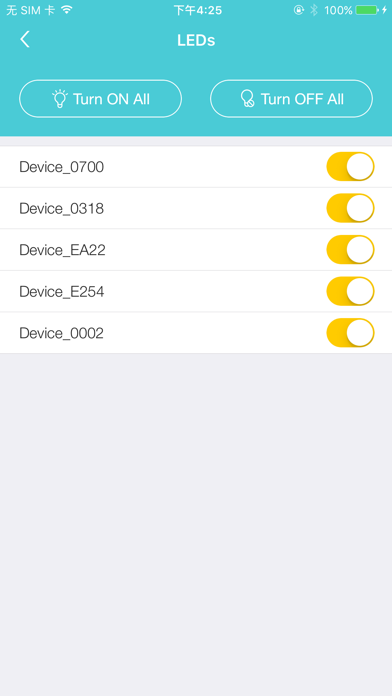
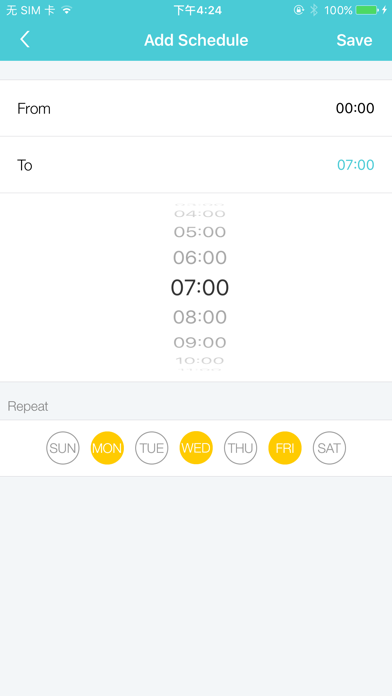
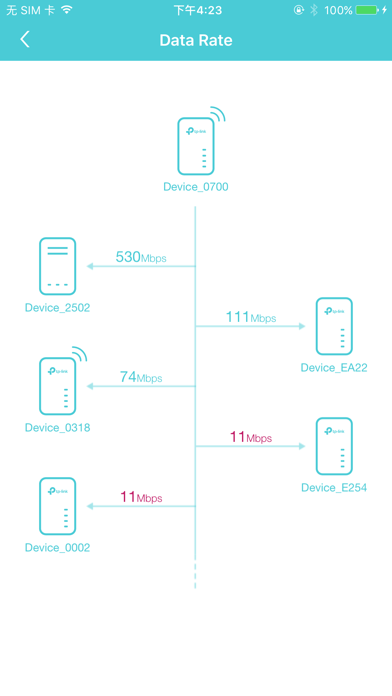
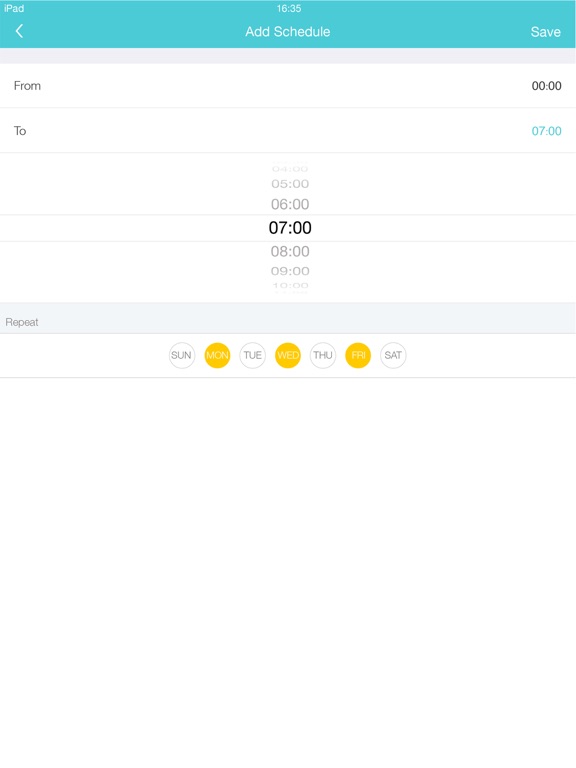
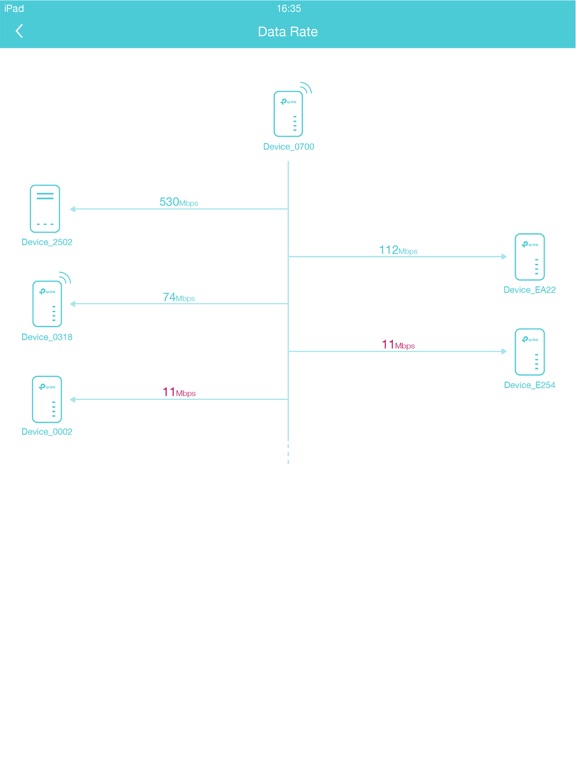
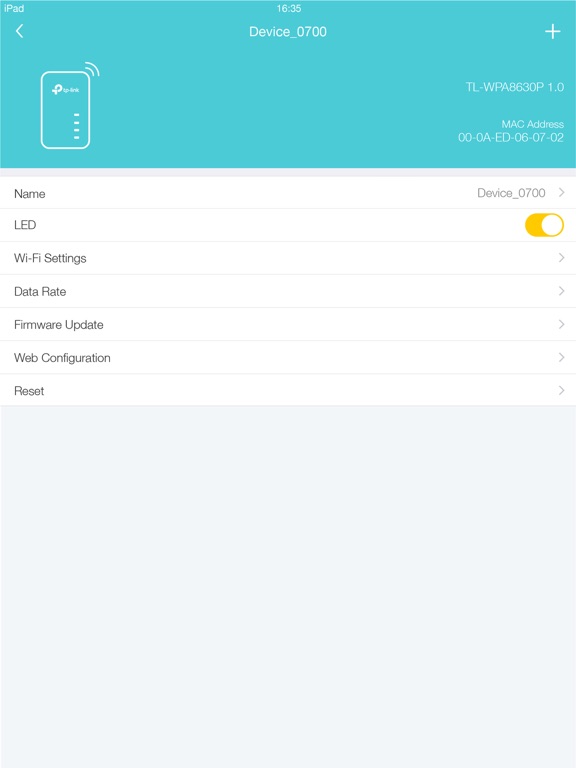
• Manage a powerline device such as changing its device name, turning on or off its LEDs, viewing its data rate, resetting to factory defaults, and removing it from the current network. For a powerline extender, you can also change and schedule its Wi-Fi settings, and redirect to the web management interface.
• Manage the whole powerline network such as adding a new powerline device, setting a new powerline network name, and turning on or off the LEDs on all the powerline devices in the network.
Compatible Devices:
https://www.tp-link.com/powerline/compatible-devices/
Privacy Policy & Terms of Use
https://privacy.tp-link.com/app/tpPLC/privacy
TpPLC Positive Reviews
Useful App (version 1.3.7)Installation was easy. It works as expected. It does what it says it would do in the description. I am using it with tplink model TL-WPA8631P KIT, which is excellent. This app allows to administer your tplink network at the basic level. It also gives you access to the web interfase for a more complete configuration. Just remember that the password to enter the web interfase is the same one as the 2.4 Ghz or 5 GHz networks. This password comes in the label on the side of the extender unit, and you can change this password with this app. Overall, I am very satisfied with this app..Rick macgeekVersion: 1.3.7
Works FineI’m not sure why there are so many negative reviews on this app. It’s not designed to do much, but it does do what it says. I found it very helpful in diagnosing the bottleneck in my power line network. I have 5 devices, and seeing the up and download rates of each device to the other 4 was very helpful.
As a side note, I discovered this helpful bit of info in the forums. If you see a big discrepancy between up vs download speed between two devices, the source of noise is likely closer to the one receiving the slower rate. eg if A->B is fast but B->A is slow, the noise source is likely near A..EdwindonnellyVersion: 1.3.7
Good WiFi power line extender.I have a home internet computer system with WiFi capability using a router and a WiFi extender. My house is not wired with Ethernet cable. To operate a WiFi sprinkler controller, located in my garage, from my house or yard; I needed to get a WiFi signal to go through a brick wall. Using the house and garage electrical wiring, this power extender worked very well and the price was much lower than any other alternative..BgymnVersion: 1.2.30
Doesn’t see my devicesUpdated due to user error. Once I plugged in my new device, the app could see every TP-LINK device on my network, through the new device. I was able to go in and rename everything to create a seamless experience for users (they only see two networks, one for normal, one for 5G). I have one device that is dramatically underperforming out of 4, and the app helped identify, but not troubleshoot that.
———————
Like other reviewers, this app does not see any of my devices, old or new..Paisley1969Version: 1.2.30
Great Wi-Fi for grandkids roomIt linked up on my first attempt with no issues and it has been working ever sense. The kids are no longer complaining about buffering during movies. According to the app the link speed through the electrical wiring is running over 300 Mbs. Being an old timer from the 1940s I am really impressed with the simplicity of this system..John FarVersion: 1.2.30
Was very unsure, but works amazinglyMy garage is 200’ from the router making a reaper almost impossible. Literally plugging in both devices took 5 minutes, and my garage has internet!.JumpforJoyVersion: 1.3.1
Security inadequateJust go the hardware and installation was a snap. After pairing and configuring the device settings the hardware worked well.
Once logging in to the app with admin Id and password, there is no way to log out of it.
Closing the app by swiping up does not log you out of the app.
The only way is to delete the app entirely and reload from the App Store.
Also, The Wi-Fi password is visible when app is open. It should be hidden..JupcoVersion: 1.3.4
P gudTook a couple minutes to set up the extender and clone the existing network settings. LED toggle is a nice feature and name changes etc seem pretty responsive.Barron T.Version: 1.2.23
Very Nice!Setup was simple! Addition of 4220’s simple. My condo is covered with WiFi. My TV’s are wired now and are working much better..RcubedVersion: 1.3.1
Average control appGreat product (TL-WPA7510 KIT), taken down a notch by a very average setup and control app. The great news is that you really don’t need this except for special case setup..TimrandVersion: 1.3.1
Info about this app not alignedIn the website the 4220 Kit is referring to this app but this kit is not supported. Add it guys! :).AngryechobuyerVersion: 1.2.23
GoodIt works for my ac wifi extender.Ys245Version: 1.6.0
Stable once setupA bit of fussing to get wifi to one of the out buildings on our ranch. Had to add another plug outlet on the circuit and that did the trick. Now have a stable 522 - 544 MPS more than enough for Alexa and smartphone apps.Darrenpara1234Version: 1.3.12
Not bad!!Wish I had more control of the end units, but it met my needs! Nice work.Kenshin on the go...Version: 1.3.7
Great app until updateUnable to detect devices after upgrade. Was a great app when it was working. Less 2 stars!.Eman588Version: 1.3.7
TL WPA4220 KIT (probably V1)This app will not connect anyone have any idea when more versions are going to come online?.Arby250Version: 1.3.1
Can’t buy individual unitsI bought the WiFi kit - actually works great - but they don’t seem to sell individual add ons ( like additional WiFi ends ) so it’s sort of a con - to add another single unit, you need to buy another base with a kit - seems like a waste to me.JnezonVersion: 1.2.23
Works pretty well, limited controlsPLC networking depends on your electrical installation, which is to blame if your PLC network is not reliable or provides poor data speeds, not necessarily the PLC hardware.
As per the app, it works, though it was updated only once in the last twelve months! I would expect more controls and access to logs from within the app directly..CcamartVersion: 1.2.4
FlawlessHad no problems setting up the power line units nor controlling basic setting with the app..Professor CanoeHeadVersion: 1.2.4
Needs WorkThe local pc app works better. Could be good if it detected all adapters..Red OrbVersion: 1.2.4
Free International Money Transfer 💸Enjoy high maximum transfers into more than 20 currencies while saving up to 90% over local banks! The cheap, fast way to send money abroad. Free transfer up to 500 USD!AdvertorialVersion: 1.6.9
TpPLC Negative Reviews
Power Line Support Models PleasePlease support power line only non-WiFi models such as: TL-PA7020 KIT_V2 and TL-PA8010 KIT
A mobile app is much easier than using the desktop app.CaptainVideoJWVersion: 1.2.30
Buggy, intermittent app function.I have the TL-WPA4220 KIT to get internet to a dead spot in one bedroom. There is very little app or firmware support for issues on these devices, but I did get it up and running and was able to use this app and the link to web based settings from inside the app for some time. I had the base unit in an old router from maybe 2005 (router being used as AP) and in general I could load the app and check settings and status. I upgraded the AP router to an old NetgearR6300 for better AP speeds. After that, I can not see any of the PLC through this app. I can see on the PC program (off and on) and I know the WiFi is working on the PLC, but it doesn't load on the app. Tried resetting, re-syncing, etc etc. again, can see when connect a computer to the WiFi or LAN port on the PLC, but not the app.
I also find on my phone only the internet from the PLC constantly loses access and comes up with some random funky IP. Again, only on my iPhone which is the only phone with the app. But all other devices work.
Anyway, 1 star since the devices are working and can access settings via LAN but not the phone app after just a change of the AP it's running through.
One more note. If I move the 2 devices to one same outlet spot and connect, then the app sees them sometimes.
It's useless unsupported tech and program. Very disappointing.....JnoteVersion: 1.4.2
Can’t do one Powerline thingTry changing Powerline name from default on two PLC devices after they are linked up via powerline. The initial PLC adapter device loses its IP after it links up with a second PLC device, such as WiFi extender. You can see it in this app as one of your powerline devices, but you can’t configure or do anything with it from this app. Nor from the web GUI, as it does not have and IP address anyone once it’s linked up over powerline.
For how elementary this app is, it can’t even do one thing which is directly related to powerline configuration.
The WiFi extender settings could have been covered by Tether app (not that Tether offers anything beyond just the very very basic WiFi configuration, even there with very limited options)..@davidsergeVersion: 1.4.6
Total junk. Does not work at allI have a compatible power linedevice and got the app by scanning my box and instructions. The app saw my device and kept asking me to create a new password. Many very careful attempts later it still would not let me create one. The apps features are pretty low end but nice IF they work. They indicate you can turn off the lights which is nice for a bedroom. But that never worked.
Just spoke to my son who has the mesh units in his house which he bought yesterday. The units work great but exactly the same issue with this confounded app.
It is total crap and should be pulled from the store..Dude named BenVersion: 1.5.1
Stupid programming?Wireless off scheduler is badly programmed. It will not accept wifi off from: 23h00 until 06h00 the next day. Error message that the next time is before the first. Which is technically correct. But it is the only way I see to have it off those times. Since it has no option to have WiFi on from 06h00 until 23h00..ArrescVersion: 1.2.30
Can’t access my local networkJust installed this on my iPhone and it asked me to go to settings and give it local network access. I went to settings and the app isn’t there. Seems like it could work if it was … but who knows ….Jason7776Version: 1.3.7
Only supports TL-WPA devicesDespite the TL-PA* manuals all indicating that you can manage the device using this app, the app itself only lists a handful of TL-WPA* devices (i.e. those thst also include a wifi radio) as supported, with "More coming soon..." As this app is years old, I'm not holding my breath, and may be returning the devices themselves..MooseBoysVersion: 1.3.7
Poor customer supportThis app was worthless. I called customer service to find they are not available. Waited 20 minutes in queue for an agent on chat. I got a response from ‘Daryl’ once every 4 minutes, and was ultimately disconnected with no resolution.
Ridiculous product and service support.HencjifjwbsociebwbxucubVersion: 1.3.4
Doesn’t work on iOS 15Requires access to the local network, but app is not listed in the iOS Settings menu so that you can provide permission to access the local network. Hopefully vendor will update app to solve this..TogetfreegoldVersion: 1.3.7
Worked fine until for a monthIt worked fine for about a month but then anything you clicked on would tell you “operation timeout” I can’t even change my password because of this please fix ASAP.Axel&AbnerVersion: 1.3.7
It doesn’t workEasy to set up. However, after a while you start having connectivity issues and extremely hard to get app support.EpirolliVersion: 1.6.0
No WPA4220 v1 coverageThis app doesn’t work with WPA4220 v1, though it says it works with v2, 3, and 4. Not a really big deal, unless, like me, you’re rocking the old original, v1.
Please send money so that I can throw out my perfectly good v1 and buy new units!!
Oh, the windows tpPLC works great, as do my 4229 v1s. Just would like to add iPad compatibility ..Young_Kane😈Version: 1.3.1
App doesn’t show up in setting pageCan’t manage it from the app because the app doesn’t show up in iPhone settings to allow network access. That’s a poorly written app..McNallyk11Version: 1.3.12
TerribleThis app doesn’t allow for iOS14+ network discovery because it fails to request it from the OS. Without that request from the app, you can’t enable the feature yourself in settings.
Absolutely unusable..AesarVersion: 1.6.0
Horrible…used to work greatUsed to be able to see all 6 of my Powerline adapters.
NOW…it can not see any of them!?
Tried deleting the app and then reinstalling it…nothing!
Used to be a great app!
Please fix.The Digital GuyVersion: 1.3.12
Outdated, does not work with recent hardwareSimilar experience as others. The PC ap works fine but the iOS ap does not recognize the latest hardware. I have the 9610 kit and the 9020 kit. Website lists the ap as compatible for both but it is not!!!!.Billy bob 2014Version: 1.2.30
Doesn’t show network - Meanwhile desktop version worksThe app, connected to the same Wi-Fi network, doesn’t show the power line devices at all. Meanwhile my Mac laptop running the TPLink PLC utility from the same manufacturer works fine..Andromeda911Version: 1.3.1
The App Doesnt WorkThese are a great product for internet connectivity.
I don't even know why they have this app on the App Store. I've not seen one review where it works! And I am using compatible devices.
~P..Pdaddy61Version: 1.6.0
Doesn’t recognize listed deviceI’m connected to the extender WiFi network, but the app isn’t recognizing the device despite the device being listed as compatible on the app..Mike BaldinoVersion: 1.3.1
Doesn’t work for actual tp-link power line adaptersI have four, and this app doesn’t see them. I have to use a desktop app, which is wonky.
Why?.CromotronVersion: 1.3.7
Does not work for all Powerline devicesWas excited to expand my network throughout my house. Sadly this app doesn’t work for me to manage the devices I just ordered TP-WAP7617.POD MOM @249Version: 1.3.12
A WasteI’ve spent a lot of time trying to get this to connect to my device. No luck and no support link in the settings..Tao1115Version: 1.6.0
Stopped workingHorrible and really unreliable app. Just stopped working after the latest iOS update..Georgios82Version: 1.3.7
Fails to recognize devicesMost of the time it doesn't recognize TP devices, even when they are close by.
Occasionally it will see them, but it is very unpredictable..StephenD in SBVersion: 1.2.23
Does not workMac version of the app finds powerline adapters just fine but this one doesn’t. Non-functional junk..Glyph!Version: 1.4.2
Newer devices not supportedCompletely useless as newer devices are not supported by the application. Will have to uninstall this junk..ExpatViking@CostaRicaVersion: 1.3.7
TrashThis company blows this is extremely difficult to manage and directions are unclear..HehjgshjjVersion: 1.3.1
No Ethernet supportThis app does not work for their entire Powerlink product line, which is not acceptable. TP-link should support their customers by keeping their app up to date. DO NOT BUY THEIR PRODUCTS..Curtypoo82Version: 1.3.1
Basically abandonedDoesn’t support the Av2000 after years of waiting..TristanbrothVersion: 1.4.2
No device foundApp insists on “no device found” even though it’s obviously connected to one..BobSmith1964Version: 1.3.1
Can’t see network!Doesn’t show up in list of apps to grant permission to..MS2738Version: 1.3.12
TL-WPA4220Cannot be detected using iOS apps,desktop works fine but mobile much easier
please fix this issue ASAP.Hcire.ErichVersion: 1.2.30
Add support for more model typesPlease.SporkHankVersion: 1.3.7
Needs updatedDoesn’t support my newer devices. desktop app works fine..Sloopjohnb2739Version: 1.2.30
Can’t detect any of my power line devicesNone of them. Useless tool..Mr.DroptablesVersion: 1.2.30
Not greatApp will not connect to my devices or recognize them.BmfawfVersion: 1.2.30
Doesn’t workCan’t see any of my tp-link powerline devices.
Please fix.Iphone4lemonVersion: 1.2.30
Doesn’t work with new TL-PA7010 I just boughtNot supported yet?.Hca-dogVersion: 1.2.30
Ignored SWI use tp2000 and 1300
Hardware is ok it seems to work
Sw is neglected by the company
Does not even come up on Mac
iOS version is buggy
Most of the time it does not find the devices.Unheppy@customerVersion: 1.3.1
QualityNever able to list available devices. Poor stability..User333344Version: 1.5.1
This App is trashIt doesn’t work at all. Followed instruction and nothing. Won’t pick up the power line extender with its own network and pass or with WPS and cloning my wifi router. Don’t waste your time downloading this..Qyle_DeeVersion: 1.5.1
Does not work for power line adapterNotworking for power line adapter. Seems useless. Only slightly better than the version their website which doesn’t run at all. Support is difficult by chat and seems a waste of time..ThenccVersion: 1.6.9
Rarely write reviewsThis called for a single star..FffgffhjfVersion: 1.6.9
Not compatibleApp doesn’t detect any of our 4-5 tplink pl extenders/adapters..RedheadednutherVersion: 1.6.1
Should be removed from store unless they fix it.This app doesn’t work at all. My tplink PLC devices are working fine, but this app can never find them..LaCrombeVersion: 1.6.1
No support for latest AV2000 productDisappointed that there is no support for TL-PA9020P devices.
The Mac app on the TP link website is also not compatible with latest Mac OS. Had to resort to a windows machine to view connection quality. Sad!.TestsystemsVersion: 1.6.1
No longer supports tl-pa7010At some point they updated the app and dropped support for legacy devices that require the app so now I have $200 in blocky paperweights thanks. hopefully there is a class action lawsuit in progress.At fr eahVersion: 1.6.0
TL-PA9020 not supported yet???How can you not do what it need to control your devices on Apple OS?!.MecirbafVersion: 1.4.2
Dosent work on appleUnimaginable how can u put something that dosent work on apple.Rafe2022Version: 1.4.0
BrutalDoes not work as IOS APP, for the powerline adapter. Then the MAC download you cannot install either. How do you sell products and not support them or leave people hanging on something that should be easy. BRUTAL.ColeJudgeVersion: 1.4.0
UselessI just purchased a TL-PA7017 kit and this app doesn’t even work with my PowerLine Ethernet adapter. If I could leave zero stars I would. Waste of time installing!.MandobritVersion: 1.3.7
Useless for current modelsPlease update app for current models..DurdedurVersion: 1.3.7
UselessI have a TL-PA8010 and this app is useless for it.ClanKidVersion: 1.3.7
AwfulThey need to update this app or include the functionality in Tether. There are no permissions to access the network so this app won’t work..AnmakVersion: 1.3.7
Out of dateDoesn’t support TL-PA9020. A mobile app would be extremely useful for testing a link while trying to optimize the powerline configuration. Too bad this app doesn’t support current units..NeilP211Version: 1.3.7
Useless...Only supporting a small list of units....Sidelinez28Version: 1.3.1
Waste of time...Unfortunately, this app is not up-to-date and does not support my TL-PA9020P kit... After spending few minutes resetting everything with the hope to see something coming live, the conclusion was quite deceptive...
Unless there is a major update, do not download....Jeff721Version: 1.3.1
Time wasterThank you for minis 30 minutes it took from my life to discover the app advertised on the product page does not work for this product!!!.DgitalyVersion: 1.2.4
UselessMight be OK if it worked - but I'll never know because it fails to find any of my Powerline adapters. So it's a waste of your time. Don't bother, there are plenty of other time wasters out there to choose from!.Stand-SureVersion: 1.2.4
Doesn't work at allThe Mac OS app finds all my Powerline adapters and let's me adjustable them, see the speed, etc.
This iOS app sees no adapters and as such is completely useless (and yes, all devices are compatible)..Edge5346745Version: 1.1.1
Payoneer 💰Payoneer is an online payment platform that lets you transfer money from any corner of the world! A best and must have payment service for every blogger, traveler, freelancer, affiliate marketer, consultant, virtual assistant, business person, online sellers, and receivers. Earn $25 for free by joining Payoneer. Sign Up Now!AdvertorialVersion: 1.6.9
 TP-Link Systems Inc.