TP-Link Systems Inc.
TP-Link Aginet Customer Service

- TP-Link Aginet Customer Service
- TP-Link Aginet App Comments & Reviews (2026)
- TP-Link Aginet iPhone Images
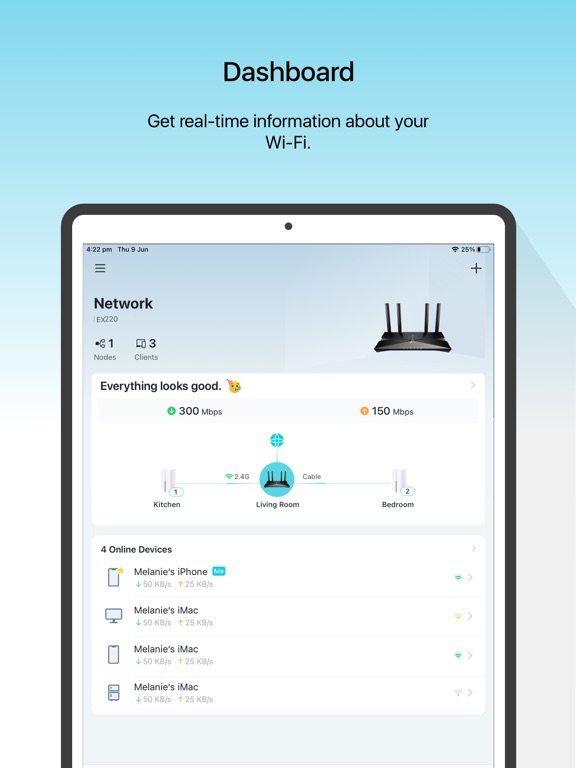
- TP-Link Aginet iPad Images
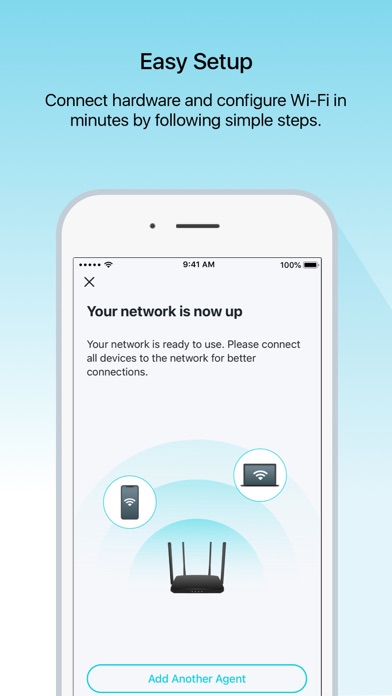
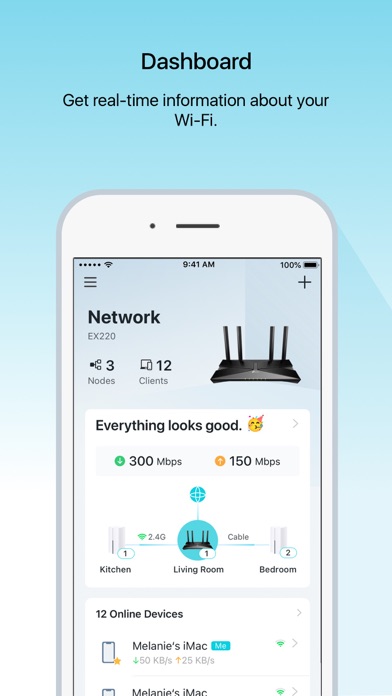
The Aginet app is the easiest way to activate your internet service, get online in minutes, and set up your home network. No technician required. Now, you can check your network status, view details about your existing wireless connection from anywhere, and make changes right from your smartphone or tablet.
With a TP-Link Aginet gateway or mesh WiFi, enjoy strong, secure connections at home with robust app features:
• Easy Setup: No-fuss home WiFi network setup done in minutes.
• Remote Access: Monitor and manage your home network from anywhere.
• Parental Controls: Schedule or pause internet access to promote healthy internet habits.
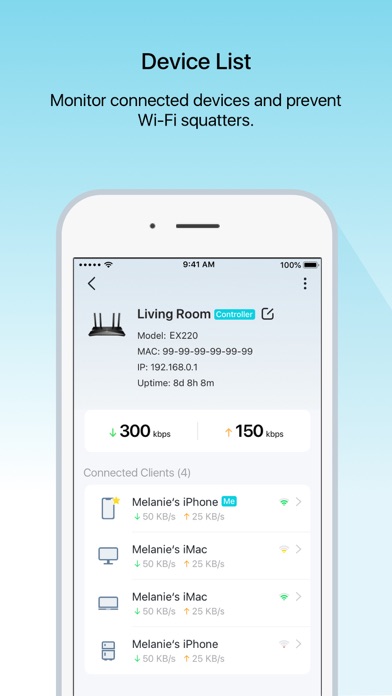
• Access Control: Block devices from using your network without your consent.
• Home Protection: Keep your network firmware always updated to the latest security standards.
• EasyMesh: Build a flexible mesh network for seamless roaming.
We're always interested in hearing your feedback. For any feature requests or thoughts on how we can improve. Reach out to [email protected].
By using this app, you agree to TP-Link’s Terms of Service (https://privacy.tp-link.com/app/Aginet/tou) and Privacy Policy (https://privacy.tp-link.com/app/Aginet/privacy).
For more information about your TP-Link Aginet device, visit https://www.tp-link.com/support/
TP-Link Aginet App Comments & Reviews
TP-Link Aginet Positive Reviews
Above and beyondThis app makes you feel like your home network is as safe as a government building. Nothing is ever safe from hackers, but this type of defense and easy access to devices on network and change all configuration you need on the app that is so nice to look at too. It’s just great. I was bragging to my friends and showing them it app interface. Just wonderful product.Version: 2.12.23
Still skepticalThe installation process was a nightmare. I already reported everything twice to customer service. But at first the paperwork they gave me said to download the tp_link deco app. After not being able to figure it out, I called and was told that I needed to download this app instead. The WiFi worked for a bit and it was fast. The next day it completely went out. They sent the tech back out which was a whole other issue but he ended up replacing the router and modem. Had to call customer service again because it wouldn’t allow me to sign in on the app or access anything on the app. Finally after 30mins or so everything was back up and running. However it’s not stable. It knocks certain devices off and the signal is weak. However when it is working it is super fast but can never get the speed test to work in the app. I’m frustrated but after the set up being extremely disappointing, I’m just dealing with it for a little bit. I’ll call customer service soon to figure out what’s going on but sometimes I wish I hadn’t switched. Still skeptical but I’m giving it a shot before I switch back to Spectrum..Version: 2.12.75
There are so much room to improveApp has lot of functionalities, however it is slower. I used eero so far, and the app experience is literally awesome, super fast and simple to use. Some features like device pause is good feature. I want to pause a device temporarily rather than blocking. So the device can be listed but shows as paused. I would say Aginet can have same feature or release show blocked device also in the device list so users can simply unblock rather than searching for where the device is.Version: 2.13.13
Installer Adam was Great!Because my outside was unusual due to a sprinkler system, Adam was excellent and patient while marking the water lines. Inside he was very patient as we had to navigate a finished basement and a messy storage room. Everything is working well and my insulation was top notch!.Version: 2.12.20
Fantastic Installation TeamPhil and Marcus did a fantastic job setting up our internet! They answered every question, showed up early, and showed the utmost courtesy in our new home! Thank you!!!.Version: 2.6.3
ObservationThe app takes too long to refresh. I’ve noticed it doesn’t show everyone on it accurately. It took a while for it to show my daughter’s tv on there and then it doesn’t show it as offline, when it’s not being used..Version: 2.13.13
App is OKThe app is ok but it forces me to work in portrait mode, I have a magic keyboard so I have to remove it and turn on its side. Also, it’s not fully functional, I can’t do port forwarding or other features that the web-based interface allows. It is good if you want information, but you can’t manage your device with it fully..Version: 2.10.14
Fast speedVery fast speed with barely any issues. I had to reset my former internet provider’s modem at least twice a week to keep it going. I’ve only had to reset this unit twice in 3 months. I consider that very reliable..Version: 2.12.75
Ziply WiFiLoved how fast they were to get it up and make sure everything was running properly..Version: 2.13.34
Amazing speedNever had download/upload speeds this fast my entire life! Plus no dropouts or dead zones, what’s not to like about WiFi 7? Nothing!.Version: 2.11.17
Good appEasy to use, when you know this is the one. I was told it was another one and almost got frustrated.Version: 2.12.51
Professional serviceVery professional and thorough. Helpful with set up of equipment and getting things running..Version: 2.11.2
AmazingThe two guys did amazing ,especially the gentleman from Georgia. He got in got it working and explained it perfectly to me. Would 100% recommend.Version: 2.7.26
Great Customer Service!!We really appreciate the quick response we get from the technical support folks..Version: 2.7.14
So far so good….Simple yet informative. I sometimes get left behind in advancing technology and this app keeps it all in front of me..Version: 2.11.8
Happy with FiberFiber optic has been great. The TP Link is works well and the app is very user friendly and easy to access and check internet..Version: 2.9.12
Quick & IntuitiveWas done in 2 minutes..Version: 2.14.3
Excellent ServiceI’m glad I had this alternative to better, faster internet. Spectrum was a disappointment..Version: 2.10.14
Really easy!All the process was really fast, easy and painless! I whish everything was as good as this product is! Five stars!.Version: 2.12.75
Omni fiberThey came out they installed equipment then they had a wire on our yard then a few days later they came out put the wire in a little box and our Wi-Fi was out for eight hours!.Version: 2.8.2
Omni setupNate was excellent to work with. Very informative and patient. Explained everything to our satisfaction. Fixed our cords so they weren't a mess. Thank you!!.Version: 2.10.3
Nice Fast InternetSo far, since the equipment upgrade, connection to the internet has been a nice, fast, internet…!.Version: 2.12.20
Omni Fiber is great.Had Omni Fiber for a little over two weeks now. It works very well. Cancelled Breezeline and enjoying the savings and high speed..Version: 2.10.14
Great appEasy to use app and I like that it allows me to take control of my kids devices so easily..Version: 2.10.14
Can’t believe we didn’t do this sooner!Can’t believe we didn’t do this sooner!.Version: 2.14.3
Easy to set up.Once I was able to connect, it was easy to setup..Version: 2.7.14
InstallGreat installer, show me how to set everything up. Rating 10 plus.Version: 2.10.3
Awesome appLove this app, keeps me well informed on my network and easy to use interface!.Version: 2.11.8
New installGreat job! Quick and professional..Version: 2.11.2
Excellent appI use this for Ziply Fiber Internet. Works great, easy to navigate & update different settings..Version: 2.12.75
Wi-Fi setupVery professional! Walked me through all the steps need to the new set up.Version: 2.9.14
Same day serviceGreat fast service.Version: 2.13.13
First timeIt was so easy to set up! No frustration. I am a happy customer..Version: 2.14.3
Install and speedSpeed as per agreement and install personnel was very good at doing a clean setup..Version: 2.12.3
Best I’ve ever had though 😊It’s very nice to be able to pull it up m..Version: 2.10.14
Great workLuke did a excellent job he was polite and very respectful you have a good employee thank you.Version: 2.9.2
Great serviceQuickly.Version: 2.11.8
New customerSo far so good excellent network and speed. Monies worth and sleek small box is nice.Version: 2.9.14
Awesome RoutersFast speed, awesome routers in multiple rooms, upstairs and downstairs to provide coverage throughout the whole house..Version: 2.11.17
Nice routerDoes everything we need. Easy to useapp too.Version: 2.9.2
The app worksInternet is laggy.Version: 2.11.8
Last update broke Ziply connectionThe last update has made connecting to my Ziply Fiber Wi-Fi seven routers impossible. Please fix the issue..Version: 2.14.3
Setting up Aginet.This app is easy to setup and intuitive..Version: 2.13.13
Great serviceSetup was quick and effiecient. The guys were helpful and nice and knowledgeable..Version: 2.7.14
Great hook up from the tech that was hereThank you.Version: 2.9.2
Good and fastEasy to use app very helpful..Version: 2.12.51
New installAmazing Tech and great speed!.Version: 2.13.13
Aginet: Your Home Network AdminWorks as expected!.Version: 2.14.3
Great appEasy to use and navigate.Version: 2.12.23
NiceIs Nice I like.Version: 2.10.3
I like it but wish each ap had a bit more coverageTitle says it all.Version: 2.12.75
Family WIFIGreat app to manage our families wifi, can easily set schedules and block devices..Version: 2.10.3
Coextro, thank youCoextro has amazing customer service and will not stop assisting until the problem is resolved. The service is affordable and as good as the two big service providers in Toronto.Version: 2.9.2
Easy to set upVery easy to set up and app interface is good too.Version: 2.8.2
So far so goodWe will see Easy set up.Version: 2.7.12
Free International Money Transfer 💸Enjoy high maximum transfers into more than 20 currencies while saving up to 90% over local banks! The cheap, fast way to send money abroad. Free transfer up to 500 USD!Version: 2.14.3