TP-Link Systems Inc.
Wi-Fi Navi Customer Service

- Wi-Fi Navi Customer Service
- Wi-Fi Navi App Comments & Reviews (2026)
- Wi-Fi Navi iPhone Images
- Wi-Fi Navi iPad Images
Wi-Fi Navi offers a range of efficient, convenient network diagnostic tools, aiding network administrators and system engineers in troubleshooting issues, optimizing performance, and enhancing internet experiences. The free tools in the Wi-Fi Navi app allow you to:
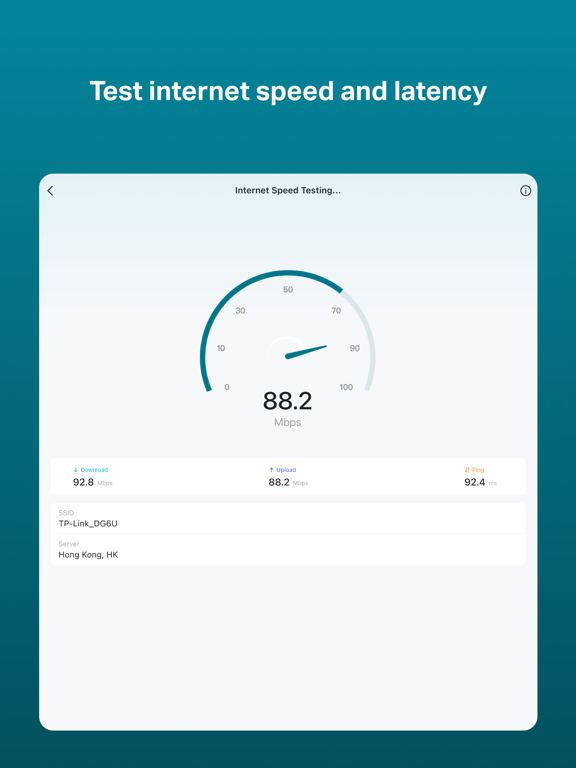
• Test internet upload and download speeds and analyze network latency.
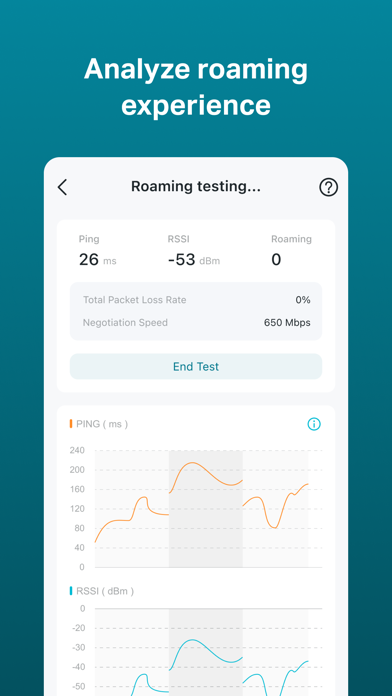
• Enhance wireless network deployment for improved roaming through comprehensive tests.
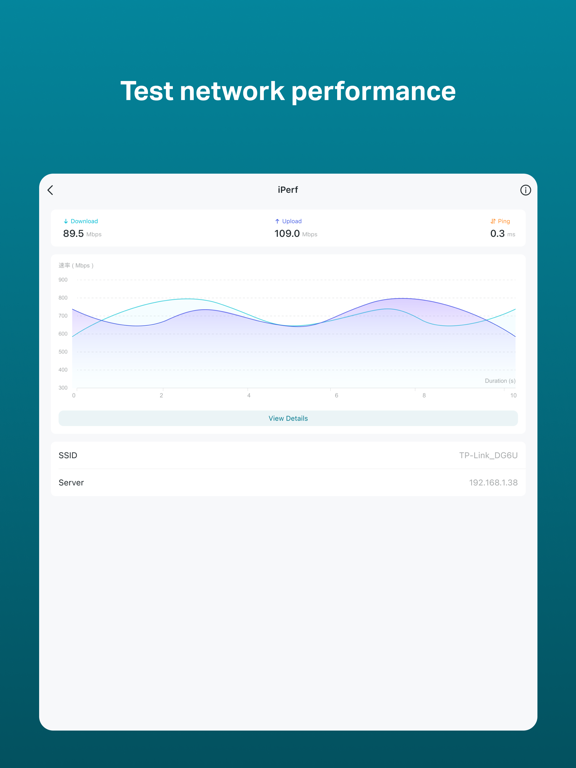
• Perform TCP and UDP performance tests.
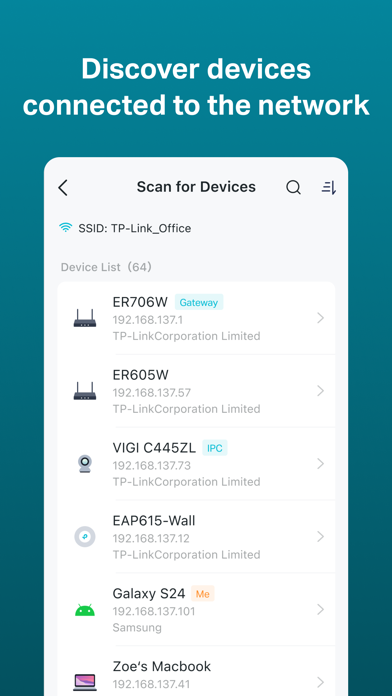
• Quickly find all devices on the same network and identify their IP addresses, MAC addresses, device names, and other information.
• Test your connection to the target service through Ping and Trace Route.
Wi-Fi Navi App Comments & Reviews
Wi-Fi Navi Positive Reviews
The best WiFi speed testing tools for freeI’ve been using Wi-Fi Navi for 3 years now and it’s the best and most accurate speed test solution I’ve used with zero bias on my family’s network. Please don’t ruin this app with micro transactions! It’s great as is!.Version: 1.6.1
Good!Recommend for network troubleshooting.Version: 1.5.6
Such a great toolYou should charge for it.Version: 1.5.6
GreatFast, simple the best.Version: 1.5.6
Update breaks buttonsThe button labels on the main screen are cut off, truncated, and undecipherable on smaller phone screens. A very poorly done update to not even test on smaller phone screen screens..Version: 1.6.1
Free International Money Transfer 💸Enjoy high maximum transfers into more than 20 currencies while saving up to 90% over local banks! The cheap, fast way to send money abroad. Free transfer up to 500 USD!Version: 1.6.1